We check every product on this page once a day and record whether it still answers.
Local-first AI tooling for finance teams' monthly close (bank reconciliation, CSV sorting, PDF parsing, cash forecasting) that keeps sensitive financial data off cloud AI services.
Works offlineData stays with you
What to know▼
How it works
Local-first AI tools for finance teams' monthly close — bank reconciliation, sorting CSV line items, parsing PDFs, and building 90-day cash forecasts — without uploading sensitive financial data to cloud AI services.
We check every product on this page once a day and record whether it still answers.
A dead-simple expense tracker: type a shorthand phrase like 'coffee 12' and it's logged and categorized instantly. Data stays on your phone, with no bank linking or account required.
Watch out · Because there's no bank linking, entries rely on you remembering to type them rather than automatic transaction capture.
No sign-upData stays with youNo ads
What to know▼
How it works
Type a shorthand phrase like 'coffee 12' and it's instantly logged and categorized as an expense.
What's different
No bank linking, no signup and no ads — data stays on your phone rather than syncing to a server.
Pricing
No signup required.
Best for
People who want expense tracking simple enough to actually stick with, without linking a bank account.
Watch out
Because there's no bank linking, entries rely on you remembering to type them rather than automatic transaction capture.
We check every product on this page once a day and record whether it still answers.
Privacy-first app to organize life with your people
FreeWorks offlineData stays with you
What to know▼
How it works
AI fiş taramasıyla gider paylaşır, alışveriş listesi ve görev oyunlaştırması sunar, ortak fotoğraf zaman çizelgesi tutar; veri sıfır bilgi ilkesiyle şifreli, biz bile göremeyiz.
What's different
Beş ayrı uygulamayı tek gizlilik öncelikli uygulamayla değiştirir.
We check every product on this page once a day and record whether it still answers.
A local-first app combining document scanning, PDF tools, notes, expense tracking, and reminders that mostly works offline without an account.
Works offlineData stays with you
What to know▼
How it works
Combines document scanning, PDF tools, multi-format document reading, notes, expense tracking, reminders, weather, QR generation, and photo compression, with most features working offline and no account required.
What's different
Built to replace multiple everyday apps with one experience.
We check every product on this page once a day and record whether it still answers.
Private expense tracker based on the 50/30/20 budgeting rule, no login, one-time payment.
No sign-upData stays with youPay once
What to know▼
How it works
Tracks expenses around the 50/30/20 budgeting rule with smart budgeting, monthly insights, recurring transactions and PDF export, storing data only on the device.
Pricing
One-time payment, no subscription.
Best for
People wanting a private expense tracker with no login.
We check every product on this page once a day and record whether it still answers.
A private, offline expense tracker with encrypted storage, no accounts and no telemetry — its optional AI assistant uses your own API key instead of sending data to the company's servers.
No sign-upWorks offlineData stays with you
What to know▼
How it works
An offline-by-default expense tracker with encrypted backup and an optional AI assistant.
What's different
No accounts, no analytics, no telemetry — the optional AI assistant uses your own provider key instead of routing your data through the company's servers.
Best for
People who want to track expenses without creating an account or having their financial data leave their device.
We check every product on this page once a day and record whether it still answers.
Upload your Tally export and get instant accounts-receivable aging analytics, overdue invoices, collection trends, processed entirely in your browser so financial data never reaches a server. Built for accountants.
Data stays with you
What to know▼
How it works
You upload a Tally accounting export and it visualizes customer balances, overdue invoices, aging buckets, collection trends and receivable performance, with dynamic risk assessment for outstanding invoices.
What's different
Processes the Tally export entirely client-side, so financial data never reaches a server, avoiding expensive ERP add-ons or sharing data with third parties.
Best for
Accountants and businesses using Tally who want AR aging analytics without an ERP add-on or uploading financial data to the cloud.
We check every product on this page once a day and record whether it still answers.
A budgeting app that deliberately skips bank-sync automation — you log expenses by hand, which the maker argues builds more financial awareness than auto-tracked apps.
Data stays with you
What to know▼
How it works
You manually record each expense rather than connecting your bank, combined with insights, budgets, and forecasting.
What's different
Deliberately skips bank-sync automation, on the premise that financial awareness beats financial automation.
Best for
People who want to build spending awareness through manual logging rather than automated bank tracking.
We check every product on this page once a day and record whether it still answers.
Reads the transaction alerts your bank already sends and turns them into categorized expenses, so you never hand over your online banking login to a budgeting app.
Watch out · On iOS there's no auto-detection of bank notifications — you have to paste the alert manually into Smart Paste.
Data stays with you
What to know▼
How it works
Reads the transaction alerts your bank and payment apps already send, uses AI to extract the amount, merchant, and category, and turns each into an expense card you approve with a swipe — without connecting to your bank account.
What's different
Never requires a bank login; works from notification alerts instead, and processes/stores data on-device.
Best for
People who want automatic expense tracking without handing a budgeting app their online banking credentials.
Watch out
On iOS there's no auto-detection of bank notifications — you have to paste the alert manually into Smart Paste.
We check every product on this page once a day and record whether it still answers.
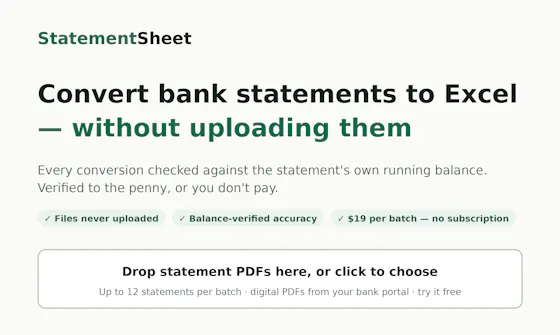
Converts PDF bank statements to Excel/CSV entirely in your browser without uploading them, and checks each one balances to the penny. $19 per batch, not a subscription.
No sign-upWorks offlineData stays with you
What to know▼
How it works
Converts PDF bank and card statements to Excel/CSV entirely in the browser, without uploading files to a server, and re-verifies each statement against its own running balance to the penny.
What's different
Files never leave the browser (works in airplane mode), and mismatched statements are flagged and made free.
Pricing
$19 per batch, no subscription, no account.
Best for
Anyone converting bank statements to spreadsheets who wants to keep the files off a server.