Topic

Tools for decks and client-ready documents · Works offline

5

match your filters

5

answered today

0

arrived this week

0

stopped answering

Watching this group for 24 days, checked once a day · how we check

GhostPrompter

LiveWatched 11d

Desktop teleprompter for presenters that overlays a click-through script on any app while staying invisible in screen recordings.

Works offline
What to know
How it works
Floating click-through script overlay with voice-activated auto-scroll
What's different
Invisible in screen recordings and to viewers, unlike normal teleprompters
Best for
People presenting demos, webinars, or interviews on camera
Details →

Speechius

LiveWatched 8d

A voice-following teleprompter for live calls/webinars that adapts scroll speed to your actual speech instead of a fixed rate or foot pedal.

Works offlinePay onceNo subscription
What to know
How it works
Listens to your voice and scrolls to match, works live inside Zoom/Meet/Teams/OBS and stays hidden during screen-share.
What's different
On-device processing, one-time price instead of subscription.
Pricing
One-time price, no subscription.
Details →

OpenSlides

LiveWatched 7d

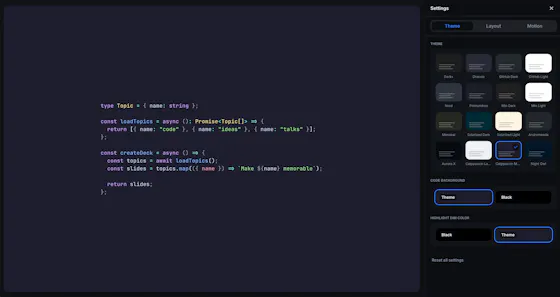
Lets developers build animated code presentations offline instead of using codeslides.app.

FreeWorks offlineOpen source
What to know
Pricing
free and open source
Details →

Slide2PDF India

LiveWatched 11d

A free browser-based tool for converting PowerPoint slides to PDF entirely client-side with no ads or server upload.

FreeWorks offlineNo ads
What to know
How it works
100% client-side conversion of PPT/Slides to PDF
Pricing
free, unlimited conversions
Best for
Anyone needing quick private slide-to-PDF conversion
Details →

HoverBoard

LiveWatched 18d

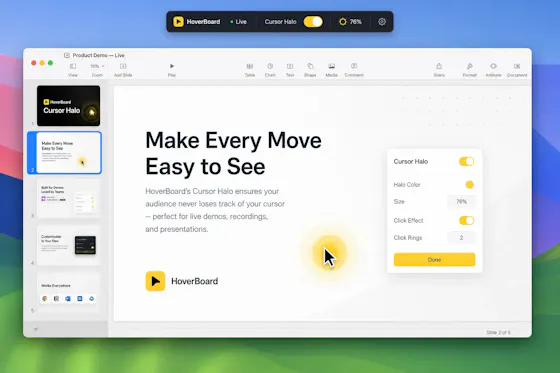
A macOS menu bar app that gives presenters five hotkey-triggered tools — draw, freeze-and-explain, whiteboard, break timer, and cursor highlight — over Zoom, Meet, or Teams.

No sign-upWorks offlineData stays with you
What to know
How it works
Runs as a native macOS menu bar app with global hotkeys for its five presenting tools; keeps data on the Mac with no account or cloud.
Best for
People presenting over video calls who want lightweight on-screen annotation tools.
Details →