We check every product on this page once a day and record whether it still answers.
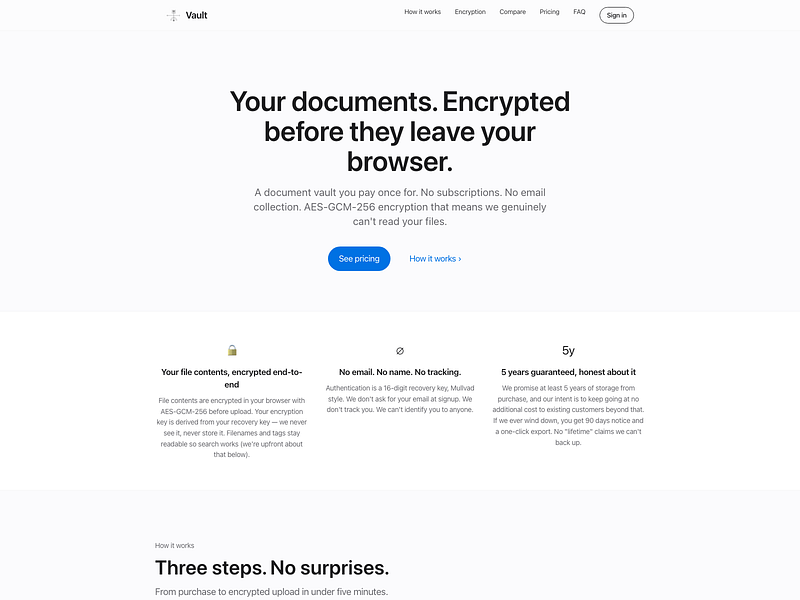
An end-to-end encrypted document vault for storing contracts, tax records, IDs, and receipts, unlocked with a recovery key instead of a password.
Watch out · Filenames themselves are not encrypted and remain searchable.
No sign-upData stays with youPay once
What to know▼
How it works
Files are encrypted in the browser before reaching the server, so it only ever stores ciphertext; login is via a 16-digit recovery key instead of email/password.
Pricing
One-time payment, no subscription.
Best for
People who want long-term storage for sensitive documents without inactivity deletion.
Watch out
Filenames themselves are not encrypted and remain searchable.
We check every product on this page once a day and record whether it still answers.
An Android email app that encrypts everything and stores it only on your device, never the vendor's servers, with no trackers — built for privacy, not offline use.
Data stays with youNo tracking
What to know▼
How it works
An Android email client that encrypts all emails, account data, credentials and databases and stores them only on the device — never on the vendor's servers. Supports PGP encryption, multiple accounts, delayed sending and swipe actions.
What's different
Local-first design with no trackers, no analytics and no data selling, supporting GDPR compliance.
Best for
Android users who want a privacy-focused email client with no server-side data storage.
We check every product on this page once a day and record whether it still answers.
An Android file manager that keeps everything local — batch rename, ZIP tools, duplicate/large-file finder, and a PIN-protected secure folder. No ads, no cloud, no tracking.
Works offlineData stays with youNo ads
What to know▼
How it works
An Android file manager for browsing, searching, copying, moving, renaming, and deleting files locally, with a Recycle Bin, batch rename, ZIP compress/extract, storage analyzer, duplicate and large-file finders, and a PIN/biometric-protected secure folder.
What's different
Keeps everything on-device with no cloud, ads, or tracking, unlike file managers that sync to the cloud.
Pricing
No pricing stated beyond "no ads."
Best for
Android users who want local file management and a private, protected folder without cloud sync.
We check every product on this page once a day and record whether it still answers.
Offline contract and deadline tracker, running as a single local HTML file, for anyone managing renewals, warranties and recurring costs without cloud storage.
Watch out · free tier capped at 5 entries
FreeWorks offlineData stays with you
What to know▼
How it works
single offline HTML file with automatic deadline calculation and color-coded status
Pricing
free for up to 5 saved entries; local backups included
We check every product on this page once a day and record whether it still answers.
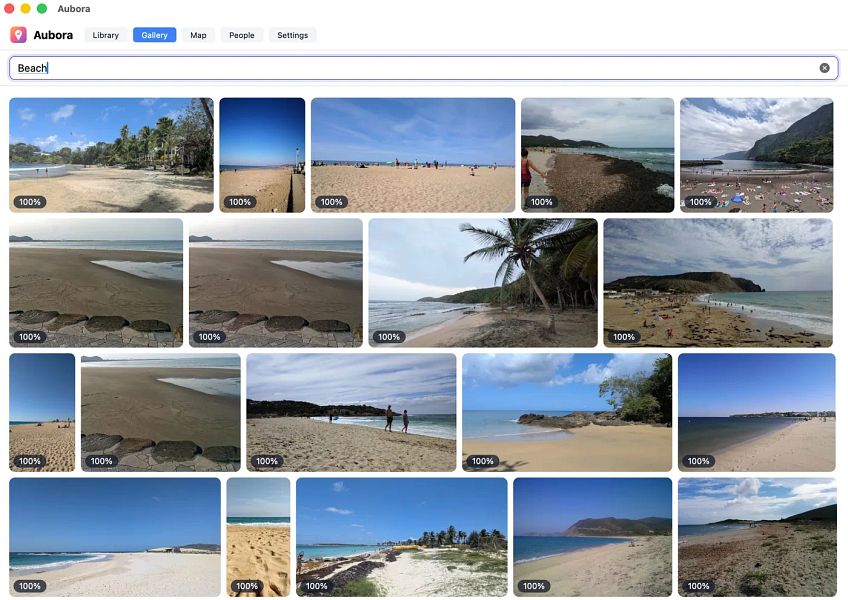
A Mac app that adds semantic search, face recognition and a map to photos already sitting in your existing cloud drive (pCloud, Dropbox, kDrive), running on-device with nothing sent to the maker's servers.
Works offlineData stays with you
What to know▼
How it works
A Mac app that adds semantic search, people/face recognition and a map to photos already stored in existing cloud storage like pCloud, Dropbox or kDrive.
What's different
Runs entirely on-device on the Mac — nothing is uploaded to Aubora's servers.
Best for
Mac users with photos spread across a cloud drive who want better search without switching storage providers or uploading photos elsewhere.
We check every product on this page once a day and record whether it still answers.
An Android app that quietly records what's on your screen and makes it searchable later, all processed on the phone itself, with no account, server or cloud.
Watch out · Continuous screen capture is a sensitive capability — worth confirming what gets captured and how it's stored before relying on it.
No sign-upWorks offlineData stays with you
What to know▼
How it works
An Android app that captures what crosses your screen and turns it into a searchable memory, with processing done entirely on the device.
What's different
No account, no server, and no analytics — everything stays on the phone.
Best for
Android users who want to search back through what they've seen on their screen without any data leaving the device.
Watch out
Continuous screen capture is a sensitive capability — worth confirming what gets captured and how it's stored before relying on it.
We check every product on this page once a day and record whether it still answers.
Sends files directly from your browser to the recipient's browser over WebRTC with no size cap and no cloud storage in between — needs both sides online, so not truly offline.
Watch out · Both sender and receiver need to be online at the same time since transfer is direct browser-to-browser, not asynchronous cloud storage.
FreeNo sign-upData stays with you
What to know▼
How it works
Sends files directly from one browser to another using WebRTC, with no upload to the cloud in between.
What's different
No account, no file-size cap, and files never pass through cloud storage.
Pricing
Free.
Best for
People who want to transfer large files privately without creating an account or uploading to a third-party service.
Watch out
Both sender and receiver need to be online at the same time since transfer is direct browser-to-browser, not asynchronous cloud storage.
We check every product on this page once a day and record whether it still answers.
A GTD task manager that keeps every task on your device only, no account, no cloud sync — for people who want the full method without their data leaving their control.
No sign-upWorks offlineData stays with you
What to know▼
How it works
Implements the full Getting Things Done method while keeping all tasks entirely on the user's local device, with no account and no cloud storage.
What's different
Full GTD method implementation with no account, no cloud sync and no upload — data never leaves the device.
Best for
GTD practitioners who want the full method but don't want their task data stored in the cloud.