We check every product on this page once a day and record whether it still answers.
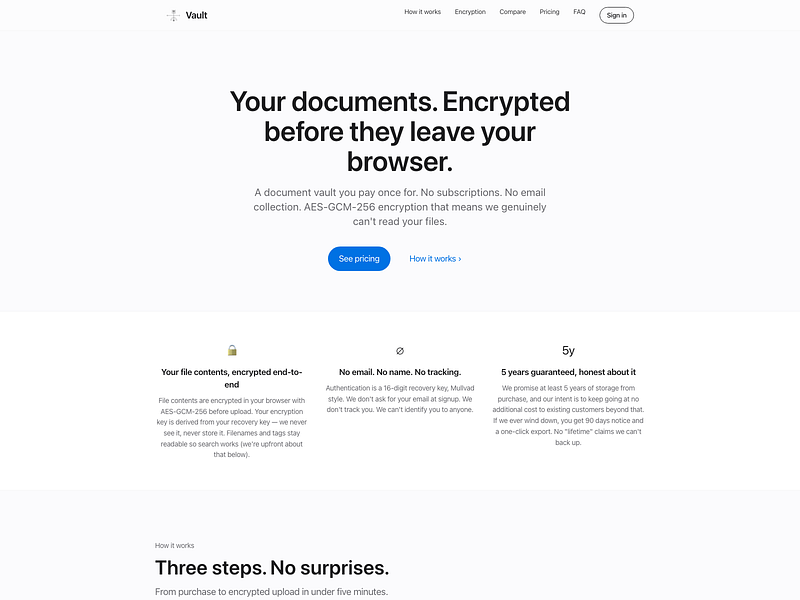
An end-to-end encrypted document vault for storing contracts, tax records, IDs, and receipts, unlocked with a recovery key instead of a password.
Watch out · Filenames themselves are not encrypted and remain searchable.
No sign-upData stays with youPay once
What to know▼
How it works
Files are encrypted in the browser before reaching the server, so it only ever stores ciphertext; login is via a 16-digit recovery key instead of email/password.
Pricing
One-time payment, no subscription.
Best for
People who want long-term storage for sensitive documents without inactivity deletion.
Watch out
Filenames themselves are not encrypted and remain searchable.
We check every product on this page once a day and record whether it still answers.
Zero-knowledge encrypted file sharing so only sender and recipient can read the files, free up to 50GB, with HIPAA-ready options and larger paid limits for professional use.
Free
What to know▼
How it works
A file-sharing platform using zero-knowledge encryption so only the sender and recipient can access shared files.
What's different
Offers password protection and HIPAA-ready compliance features for professional use, alongside a large free storage tier.
Pricing
Free tier with 50GB storage; paid plans support individual files up to 300GB with password protection.
Best for
People or professionals who need to share large files privately, including in HIPAA-sensitive contexts.
We check every product on this page once a day and record whether it still answers.
A free, no-account desktop markdown and text editor with live WYSIWYG formatting and clean markdown export, available now for Windows with macOS and Linux planned. A general writing tool, not developer-specific.
Watch out · Windows is available now; macOS and Linux builds are listed as coming soon, not yet available.
FreeNo sign-upWorks offline
What to know▼
How it works
A desktop markdown and text editor with WYSIWYG live formatting; edit inline or switch to raw source/preview, then export clean markdown.
Pricing
Free to download and use, including commercial use, no account required.
Best for
General writers who want a simple local markdown editor rather than developers specifically.
Watch out
Windows is available now; macOS and Linux builds are listed as coming soon, not yet available.
We check every product on this page once a day and record whether it still answers.
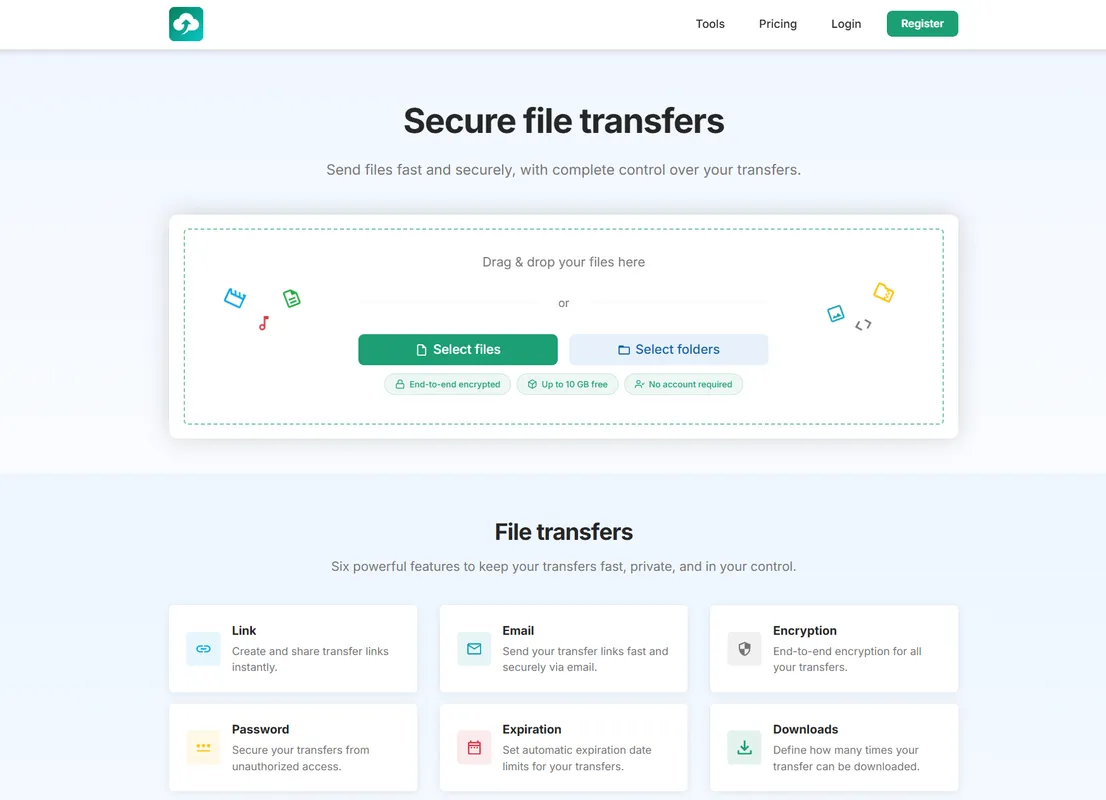
A file transfer tool focused on speed and privacy, for people who want quick private file sharing instead of email attachments or generic cloud drives.
FreeNo sign-upNo ads
What to know▼
How it works
A file transfer tool focused on speed and privacy.
Best for
People who want quick private file sharing instead of email attachments or generic cloud drives.
We check every product on this page once a day and record whether it still answers.
A local torrent streamer that lives at localhost
Open source
What to know▼
How it works
npx hash-harbor ile başlatılır, kalıcı localhost adresi açılır; sıradan BitTorrent, tracker ve DHT'yi doğrudan destekler, video/ses akışı ve dosya önizleme sunar.
We check every product on this page once a day and record whether it still answers.
Lets privacy-conscious individuals and freelancers use anonymous email aliases and encrypted file sharing instead of WeTransfer or SimpleLogin.
Free
What to know▼
How it works
Generate unique email addresses for every service, use PGP encryption and reply without revealing your real email; E2E encrypted file sharing up to 250GB
Pricing
Free tier available
Best for
Privacy-conscious individuals, freelancers and small businesses
We check every product on this page once a day and record whether it still answers.
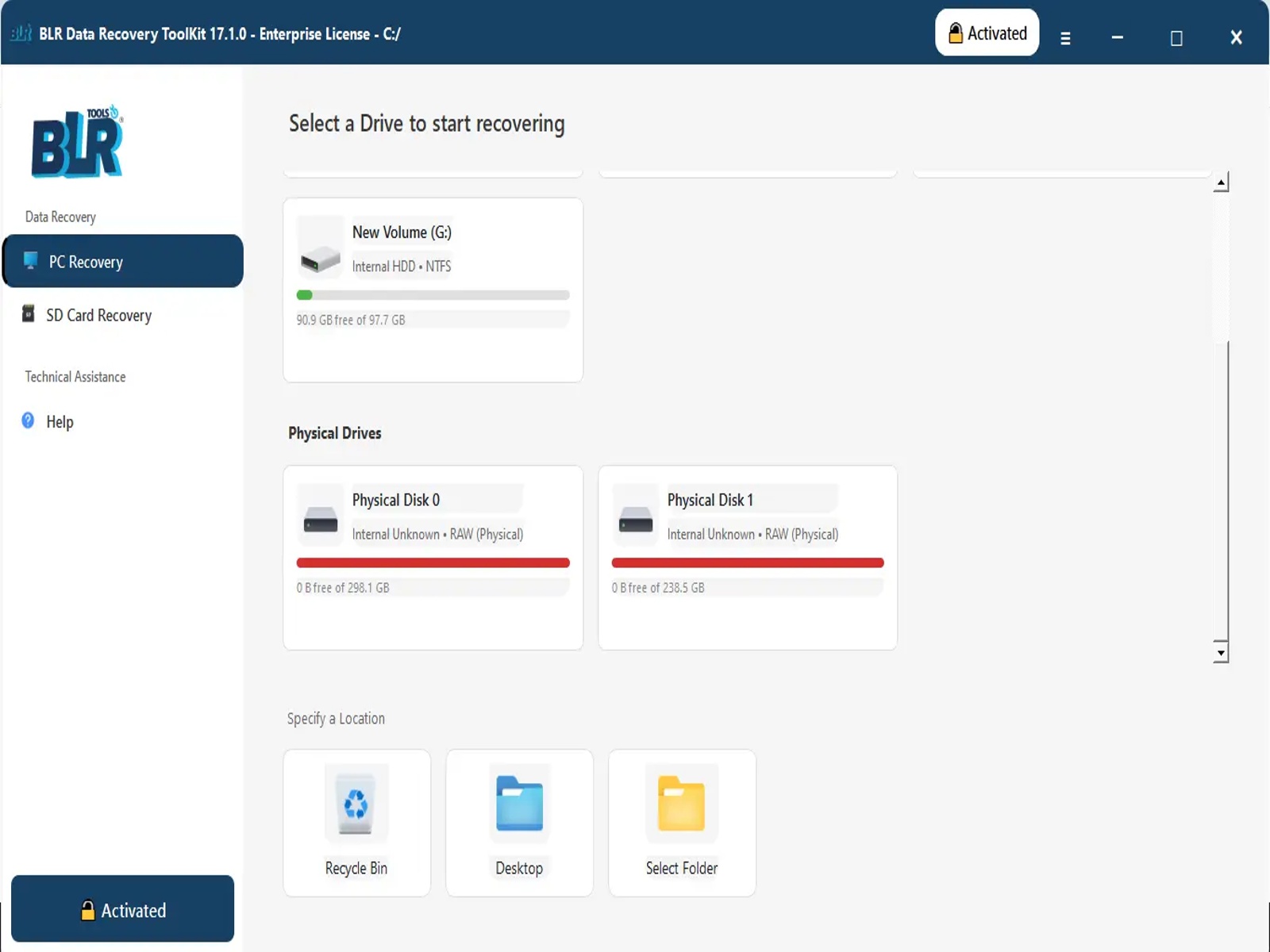
A data recovery tool that scans HDDs, SSDs, USB drives, and memory cards to restore deleted or lost files, for people who need to recover data from local storage devices.
Watch out · The listed name and tagline describe an OST-to-PST converter, but the description text is for a general data recovery toolkit (HDD/SSD/USB/memory card recovery) — the two don't match.
What to know▼
Watch out
The listed name and tagline describe an OST-to-PST converter, but the description text is for a general data recovery toolkit (HDD/SSD/USB/memory card recovery) — the two don't match.
We check every product on this page once a day and record whether it still answers.
Control over every file after you send it — unsend, self-destruct, boomerang back, track every view, lock to one device, block forwarding, verify recipients, sign legally, seal authenticity. Built for lawyers, founders, HR teams and anyone who's hit send and regretted it.
We check every product on this page once a day and record whether it still answers.
An Android email app that encrypts everything and stores it only on your device, never the vendor's servers, with no trackers — built for privacy, not offline use.
Data stays with youNo tracking
What to know▼
How it works
An Android email client that encrypts all emails, account data, credentials and databases and stores them only on the device — never on the vendor's servers. Supports PGP encryption, multiple accounts, delayed sending and swipe actions.
What's different
Local-first design with no trackers, no analytics and no data selling, supporting GDPR compliance.
Best for
Android users who want a privacy-focused email client with no server-side data storage.
We check every product on this page once a day and record whether it still answers.
A local version-history safety net for chosen Windows folders that undoes accidental deletes, renames, and bad saves, without any cloud backup service.
FreeNo sign-upWorks offline
What to know▼
How it works
Continuous version history for folders you choose, running fully locally.
Pricing
Free, open source.
Best for
Any Windows user worried about accidental file loss, not just developers.
We check every product on this page once a day and record whether it still answers.
A private, offline peer-to-peer file transfer app for iPhone, iPad, and Mac that sends large batches of photos and videos directly between devices at original quality, instead of AirDrop's stalled transfers or cloud-sharing links.
No sign-upWorks offline
What to know▼
How it works
Encrypted device-to-device transfer that resumes interrupted sends, keeps the screen awake during long transfers, and works from the iOS Share Sheet.
What's different
No cloud upload, no account, and no expiring links.
We check every product on this page once a day and record whether it still answers.
Local-first data recovery software for Windows and macOS that scans internal, external, USB, and SD drives and previews recoverable files before restoring.
FreeWorks offline
What to know▼
How it works
Scans drives across NTFS, FAT32, exFAT, and APFS filesystems and lets you preview files before recovering them.
Pricing
Free to restore up to 500 MB before paying.
Best for
People recovering lost files from a drive without sending data to a cloud service.
We check every product on this page once a day and record whether it still answers.
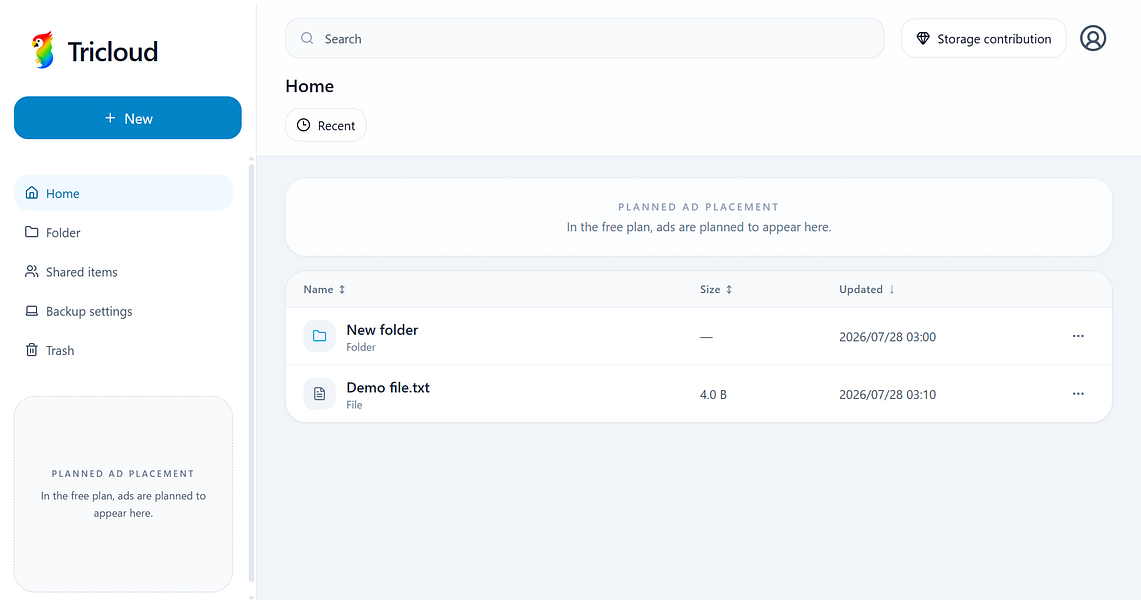
A cloud storage platform with a glassmorphism interface for backing up files, previewing images and videos instantly, and billing premium plans through Stripe.
What to know▼
How it works
securely backs up files with instant image/video previews and Stripe-powered premium plan billing
We check every product on this page once a day and record whether it still answers.
A tool that creates a temporary end-to-end encrypted tunnel between two browsers for instantly sharing files and text, with no accounts, installs, or cloud storage.
What to know▼
How it works
Open a tunnel and share a short code or QR code to transfer files or text directly between devices; sessions end when either side disconnects.
Pricing
Optional premium tier offers perpetual links and larger transfers.
We check every product on this page once a day and record whether it still answers.
An Android file manager that keeps everything local — batch rename, ZIP tools, duplicate/large-file finder, and a PIN-protected secure folder. No ads, no cloud, no tracking.
Works offlineData stays with youNo ads
What to know▼
How it works
An Android file manager for browsing, searching, copying, moving, renaming, and deleting files locally, with a Recycle Bin, batch rename, ZIP compress/extract, storage analyzer, duplicate and large-file finders, and a PIN/biometric-protected secure folder.
What's different
Keeps everything on-device with no cloud, ads, or tracking, unlike file managers that sync to the cloud.
Pricing
No pricing stated beyond "no ads."
Best for
Android users who want local file management and a private, protected folder without cloud sync.
We check every product on this page once a day and record whether it still answers.
A Laravel package for uploading files from various sources with support for multiple disks and chunked uploads.
What to know▼
How it works
A Laravel package that uploads files from UploadedFile, Base64, URLs, local paths, and raw content, with support for multiple disks, chunk uploads, and metadata.
We check every product on this page once a day and record whether it still answers.
EU-hosted large file transfer service for teams sending big files with expiring, password-protected links, as an alternative to email attachments.
What to know▼
How it works
Teams upload large files (client work, video exports, ZIP archives) and get clean download links with expiry and password protection, plus visibility into transfer status.
What's different
EU-hosted, positioned as a cleaner handoff than email attachments or shared folders.
Best for
Teams sending large client deliverables who want a more professional handoff than email attachments.
We check every product on this page once a day and record whether it still answers.
An offline document scanner and vault that encrypts scanned documents locally with a PIN, for people who want physical/digital records protected without cloud storage.
Works offline
What to know▼
How it works
Scans documents and encrypts them locally with AES-GCM and SQLCipher
We check every product on this page once a day and record whether it still answers.
An S3-compatible cloud storage service that keeps all data physically inside India, encrypted and fragmented, for companies needing data residency compliance without giving up S3 tooling.
What to know▼
How it works
Encrypts, fragments, and distributes data across Indian data centers
What's different
India-only residency, zero-knowledge encryption, no egress fees, S3-compatible
Best for
Indian businesses needing DPDP-compliant, sovereign cloud storage
We check every product on this page once a day and record whether it still answers.
Offline contract and deadline tracker, running as a single local HTML file, for anyone managing renewals, warranties and recurring costs without cloud storage.
Watch out · free tier capped at 5 entries
FreeWorks offlineData stays with you
What to know▼
How it works
single offline HTML file with automatic deadline calculation and color-coded status
Pricing
free for up to 5 saved entries; local backups included
We check every product on this page once a day and record whether it still answers.
A QR-code-based tool for sending files between phone and PC without accounts or cables.
Watch out · Works in any browser.
No sign-up
What to know▼
How it works
Transfers files, photos, PDFs, documents, and text from phone to PC instantly via a QR code, with no login, cables, Bluetooth, or cloud storage; files auto-delete after expiry.
We check every product on this page once a day and record whether it still answers.
A bundle of digital marketing utilities (short links, QR codes, digital business cards, etc.) in one platform.
No ads
What to know▼
How it works
Bundles 11 digital tools — short links, QR codes, barcodes, WhatsApp links, image conversion, file sharing, digital menus, flipbooks, online forms, anti-fraud voting, and digital business cards — into one ad-free platform.
Best for
Businesses, marketers, restaurants, creators, and events managing multiple digital interactions.
We check every product on this page once a day and record whether it still answers.
Streams files directly between two devices with end-to-end encryption, no cloud storage, no account, and no size limits, unlike typical cloud-based transfer tools.
No sign-upOpen source
What to know▼
How it works
Sends files directly between two devices peer-to-peer with end-to-end encryption, using a shared code or QR scan to start the transfer, with no cloud storage step.
What's different
No account, no cloud storage and no file size limits, unlike typical cloud-based transfer services; open source and cross-platform.
Best for
People transferring large or sensitive files between their own devices without uploading to a third-party cloud.
We check every product on this page once a day and record whether it still answers.
A free Windows download manager that splits files across connections for faster downloads, with no ads, telemetry or subscription. Pitches itself as a modern, better-looking alternative to IDM.
FreeNo subscriptionNo ads
What to know▼
How it works
Splits each download across multiple connections to finish large files faster, and connects to Chrome or Edge to grab downloads including full-res video in one click, with control over quality and save location.
What's different
No ads, telemetry or subscription, and a modern light/dark interface, positioned against older download managers like IDM.
Pricing
Free.
Best for
Windows 11 users who want faster downloads without ads or a subscription.
We check every product on this page once a day and record whether it still answers.
A Mac menu-bar app that uploads dropped files straight to your own Cloudflare R2 bucket and copies a shareable link to your clipboard.
Watch out · macOS only.
No subscription
What to know▼
How it works
Drag a file onto the Mac menu bar app and it uploads to your own Cloudflare R2 bucket, converts web-unfriendly formats, and copies a share page link to your clipboard.
What's different
No middleman or subscription; links keep working even if the app goes away.
We check every product on this page once a day and record whether it still answers.
A large-file transfer service charging one flat monthly price for transfers up to 1TB, instead of the usual per-GB billing, with encryption and delivery receipts.
Free
What to know▼
Pricing
$14.99/mo flat for up to 1TB; free for transfers up to 15GB.
We check every product on this page once a day and record whether it still answers.
Encrypted, self-destructing file transfers via a memorable three-word link, usable from the browser, terminal or Android app; open source and self-hostable, aimed at technical users rather than a dedicated mobile app.
Open sourceSelf-hosted
What to know▼
How it works
Upload a file from the browser, terminal, or Android app and share a link built from three readable words; the file is end-to-end encrypted on-device using the age format with a BIP39 mnemonic passphrase, and deleted from the server an hour later.
What's different
True end-to-end encryption across all clients (web, CLI, Android) with fully interoperable encrypt/decrypt between them, plus open source and self-hostable.
Best for
Technical users moving a file between devices or people who want it gone after an hour, rather than a permanent hosted link.
We check every product on this page once a day and record whether it still answers.
A single-container, SQLite-backed file server you host yourself instead of running Nextcloud, for people who want full control of where their files live.
Works offlineCan export my dataSelf-hosted
What to know▼
How it works
Self-hosted file storage you deploy as a single Docker image, backed by SQLite with no external database, for uploading, browsing, and sharing files via revocable links.
What's different
Positioned as a faster, simpler alternative to Nextcloud, with no cloud dependency and deployment in minutes.
Best for
People who want Dropbox-simple file storage but self-hosted and fully under their own control.
We check every product on this page once a day and record whether it still answers.
A native macOS app that lets you browse and manage your Android phone's files like Finder, transfer files and sideload apps over USB or Wi-Fi — for any Mac owner, not developers specifically.
FreeOpen source
What to know▼
How it works
A native macOS file manager that lets you browse and manage an Android phone's files the way Finder handles local files, transfer files, preview media with the spacebar, and sideload apps over USB or Wi-Fi.
What's different
Runs completely locally and privately, with no subscription, unlike some Android-to-Mac file tools.
Pricing
Free and open-source.
Best for
Mac owners who use an Android phone and want Finder-style file browsing instead of a clunkier transfer tool.
We check every product on this page once a day and record whether it still answers.
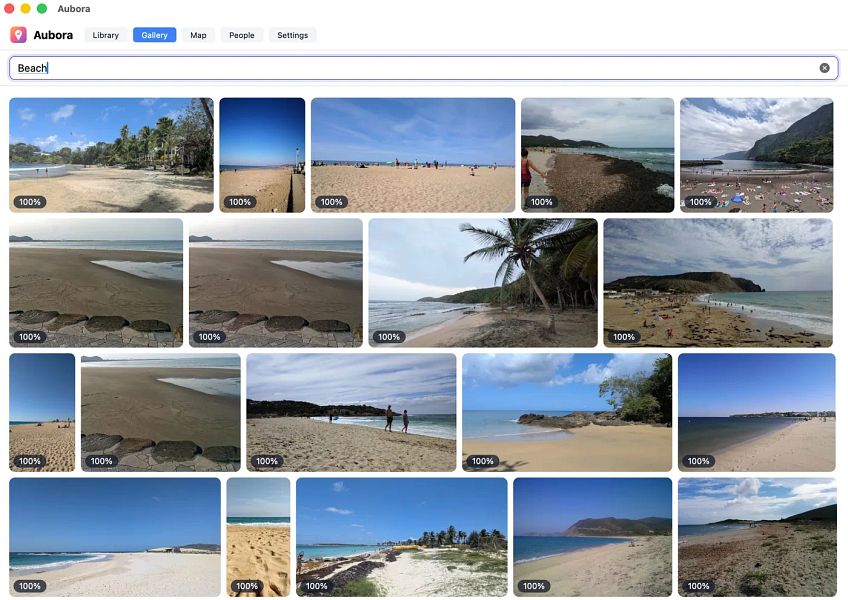
A Mac app that adds semantic search, face recognition and a map to photos already sitting in your existing cloud drive (pCloud, Dropbox, kDrive), running on-device with nothing sent to the maker's servers.
Works offlineData stays with you
What to know▼
How it works
A Mac app that adds semantic search, people/face recognition and a map to photos already stored in existing cloud storage like pCloud, Dropbox or kDrive.
What's different
Runs entirely on-device on the Mac — nothing is uploaded to Aubora's servers.
Best for
Mac users with photos spread across a cloud drive who want better search without switching storage providers or uploading photos elsewhere.
We check every product on this page once a day and record whether it still answers.
Capture label and upload image datasets
What to know▼
How it works
Captures labeled images in the field and uploads them directly to S3-compatible storage, including Amazon S3 and Cloudflare R2, to build machine learning datasets.
What's different
Streamlines data collection and annotation together in one field app rather than as separate steps.
Best for
ML practitioners collecting labeled image datasets in the field.
We check every product on this page once a day and record whether it still answers.
A temporary file-sharing tool with email-verified access controls, AI-generated risk summaries, and optional malware scanning.
What to know▼
How it works
Combines expiring, email-verified file sharing links with an approval dashboard, AI file-risk summaries, and optional malware scanning before download.
We check every product on this page once a day and record whether it still answers.
A P2P desktop app for moving terabyte-scale files directly between collaborators instead of routing them through a cloud storage service.
What to know▼
How it works
P2P desktop app that transfers large files and folders directly between collaborators, with private spaces, approval-gated membership, and on-device/in-transfer encryption.
Best for
Teams moving very large files without a cloud middleman.
We check every product on this page once a day and record whether it still answers.
Sends files of any size straight from your browser to another person with no account, install or cloud upload, a privacy-friendly alternative to services like WeTransfer.
FreeNo sign-upNothing to install
What to know▼
How it works
Transfers files of any size directly from the browser by generating a shareable link, with no sign-up, install, or cloud upload step.
What's different
No account, no install, and files aren't uploaded to the cloud.
Pricing
Free forever.
Best for
People who want to send large files quickly without creating an account or installing anything.
We check every product on this page once a day and record whether it still answers.
A GTD task manager that keeps every task on your device only, no account, no cloud sync — for people who want the full method without their data leaving their control.
No sign-upWorks offlineData stays with you
What to know▼
How it works
Implements the full Getting Things Done method while keeping all tasks entirely on the user's local device, with no account and no cloud storage.
What's different
Full GTD method implementation with no account, no cloud sync and no upload — data never leaves the device.
Best for
GTD practitioners who want the full method but don't want their task data stored in the cloud.
We check every product on this page once a day and record whether it still answers.
An Android app bundling 50+ file, PDF, video, audio and image tools in one place, with most tools running offline and a private vault for sensitive files.
FreeWorks offlineNo subscription
What to know▼
How it works
Bundles 50+ file, PDF, video, audio and image tools into one Android app, with most tools running fully offline and a private Vault plus Recycle Bin for sensitive files.
What's different
Packs dozens of single-purpose tools into one lightweight app that mostly works offline, instead of installing separate apps for each task.
Pricing
Free core app with a one-time premium purchase — no subscription.
Best for
Android users who want file, PDF, and media tools without their files leaving the device.
We check every product on this page once a day and record whether it still answers.
Sends files and folders directly between your own devices with end-to-end encryption, paired by QR code or a 6-digit code — no account, no cloud storage. Works across Android, iOS, desktop and web.
No sign-up
What to know▼
How it works
Sends files and folders directly between your own devices with end-to-end encryption, pairing devices via a QR code or a 6-digit code; uses local network discovery on the same Wi-Fi and falls back to an encrypted relay when direct connections are blocked.
What's different
No account and no cloud storage — files move device-to-device instead of sitting on someone else's server.
Best for
People moving files between their own Android, iOS, macOS, Windows or Linux devices without signing up for cloud storage.
We check every product on this page once a day and record whether it still answers.
Sends files directly from your browser to the recipient's browser over WebRTC with no size cap and no cloud storage in between — needs both sides online, so not truly offline.
Watch out · Both sender and receiver need to be online at the same time since transfer is direct browser-to-browser, not asynchronous cloud storage.
FreeNo sign-upData stays with you
What to know▼
How it works
Sends files directly from one browser to another using WebRTC, with no upload to the cloud in between.
What's different
No account, no file-size cap, and files never pass through cloud storage.
Pricing
Free.
Best for
People who want to transfer large files privately without creating an account or uploading to a third-party service.
Watch out
Both sender and receiver need to be online at the same time since transfer is direct browser-to-browser, not asynchronous cloud storage.
We check every product on this page once a day and record whether it still answers.
A native Mac app for transferring files to and from an Android phone over USB or Wi-Fi, as an alternative to Google's discontinued Android File Transfer.
Watch out · Despite "Android" appearing in its tags, this is a Mac app, not an Android app.
No sign-upNo ads
What to know▼
How it works
Opens an Android phone in a native Mac window over USB or Wi-Fi to copy, preview, search, and delete files.
Best for
Mac users transferring files to and from an Android phone.
Watch out
Despite "Android" appearing in its tags, this is a Mac app, not an Android app.
We check every product on this page once a day and record whether it still answers.
Sends files between any phone and any computer over your own Wi-Fi, encrypted, with no account, cloud, or install needed. A cross-platform stand-in for AirDrop if your devices aren't all Apple.
FreeNo sign-upWorks offline
What to know▼
How it works
Sends files, photos, folders and clipboard content between any phone and computer over your own Wi-Fi by scanning a QR code once to pair, with no app install on the phone.
What's different
Works across iPhone and PC, not just Apple-to-Apple, is end-to-end encrypted, and needs no account or cloud.
Pricing
Free.
Best for
People who need to move files between an iPhone and a non-Apple computer without AirDrop or a cloud upload.
We check every product on this page once a day and record whether it still answers.
An Android app that quietly records what's on your screen and makes it searchable later, all processed on the phone itself, with no account, server or cloud.
Watch out · Continuous screen capture is a sensitive capability — worth confirming what gets captured and how it's stored before relying on it.
No sign-upWorks offlineData stays with you
What to know▼
How it works
An Android app that captures what crosses your screen and turns it into a searchable memory, with processing done entirely on the device.
What's different
No account, no server, and no analytics — everything stays on the phone.
Best for
Android users who want to search back through what they've seen on their screen without any data leaving the device.
Watch out
Continuous screen capture is a sensitive capability — worth confirming what gets captured and how it's stored before relying on it.
We check every product on this page once a day and record whether it still answers.
Desktop photo library that stays entirely on your machine — on-device face recognition, geographic exploration and full-text search across hundreds of thousands of photos, no cloud, account or server.
Tools for moving, storing and recovering files — the short answers
Every number here comes from our own daily check — not from a vendor list.
Tools for moving, storing and recovering files — how many are there?
Tablif is tracking 110 of them. 107 answered our check today, and 1 we couldn't reach — we don't claim those are dead.
Which ones are still maintained?
Tablif knocks on every door once a day and records the answer. 107 of these 110 responded on the latest run, so that number is what "still here" means on this page — not a review score.
Are any of them free?
28 of the live ones say so in their own words, and 30 let you start without making an account. Tablif records the claim the product makes; we don't verify pricing.
Any open-source options?
8 of the live ones on Tablif mention being open source.
What's the newest one?
ZipPigeon — Tablif first saw it 2 days ago.
Did a person actually look at these?
109 of them Tablif opened and read, then wrote a one-line summary in our own words instead of reusing the founder's tagline. The rest carry keyword labels we haven't confirmed by reading yet — and we say so rather than hiding it.