We check every product on this page once a day and record whether it still answers.
A free, no-account desktop markdown and text editor with live WYSIWYG formatting and clean markdown export, available now for Windows with macOS and Linux planned. A general writing tool, not developer-specific.
Watch out · Windows is available now; macOS and Linux builds are listed as coming soon, not yet available.
FreeNo sign-upWorks offline
What to know▼
How it works
A desktop markdown and text editor with WYSIWYG live formatting; edit inline or switch to raw source/preview, then export clean markdown.
Pricing
Free to download and use, including commercial use, no account required.
Best for
General writers who want a simple local markdown editor rather than developers specifically.
Watch out
Windows is available now; macOS and Linux builds are listed as coming soon, not yet available.
We check every product on this page once a day and record whether it still answers.
A local version-history safety net for chosen Windows folders that undoes accidental deletes, renames, and bad saves, without any cloud backup service.
FreeNo sign-upWorks offline
What to know▼
How it works
Continuous version history for folders you choose, running fully locally.
Pricing
Free, open source.
Best for
Any Windows user worried about accidental file loss, not just developers.
We check every product on this page once a day and record whether it still answers.
A private, offline peer-to-peer file transfer app for iPhone, iPad, and Mac that sends large batches of photos and videos directly between devices at original quality, instead of AirDrop's stalled transfers or cloud-sharing links.
No sign-upWorks offline
What to know▼
How it works
Encrypted device-to-device transfer that resumes interrupted sends, keeps the screen awake during long transfers, and works from the iOS Share Sheet.
What's different
No cloud upload, no account, and no expiring links.
We check every product on this page once a day and record whether it still answers.
Local-first data recovery software for Windows and macOS that scans internal, external, USB, and SD drives and previews recoverable files before restoring.
FreeWorks offline
What to know▼
How it works
Scans drives across NTFS, FAT32, exFAT, and APFS filesystems and lets you preview files before recovering them.
Pricing
Free to restore up to 500 MB before paying.
Best for
People recovering lost files from a drive without sending data to a cloud service.
We check every product on this page once a day and record whether it still answers.
An Android file manager that keeps everything local — batch rename, ZIP tools, duplicate/large-file finder, and a PIN-protected secure folder. No ads, no cloud, no tracking.
Works offlineData stays with youNo ads
What to know▼
How it works
An Android file manager for browsing, searching, copying, moving, renaming, and deleting files locally, with a Recycle Bin, batch rename, ZIP compress/extract, storage analyzer, duplicate and large-file finders, and a PIN/biometric-protected secure folder.
What's different
Keeps everything on-device with no cloud, ads, or tracking, unlike file managers that sync to the cloud.
Pricing
No pricing stated beyond "no ads."
Best for
Android users who want local file management and a private, protected folder without cloud sync.
We check every product on this page once a day and record whether it still answers.
An offline document scanner and vault that encrypts scanned documents locally with a PIN, for people who want physical/digital records protected without cloud storage.
Works offline
What to know▼
How it works
Scans documents and encrypts them locally with AES-GCM and SQLCipher
We check every product on this page once a day and record whether it still answers.
Offline contract and deadline tracker, running as a single local HTML file, for anyone managing renewals, warranties and recurring costs without cloud storage.
Watch out · free tier capped at 5 entries
FreeWorks offlineData stays with you
What to know▼
How it works
single offline HTML file with automatic deadline calculation and color-coded status
Pricing
free for up to 5 saved entries; local backups included
We check every product on this page once a day and record whether it still answers.
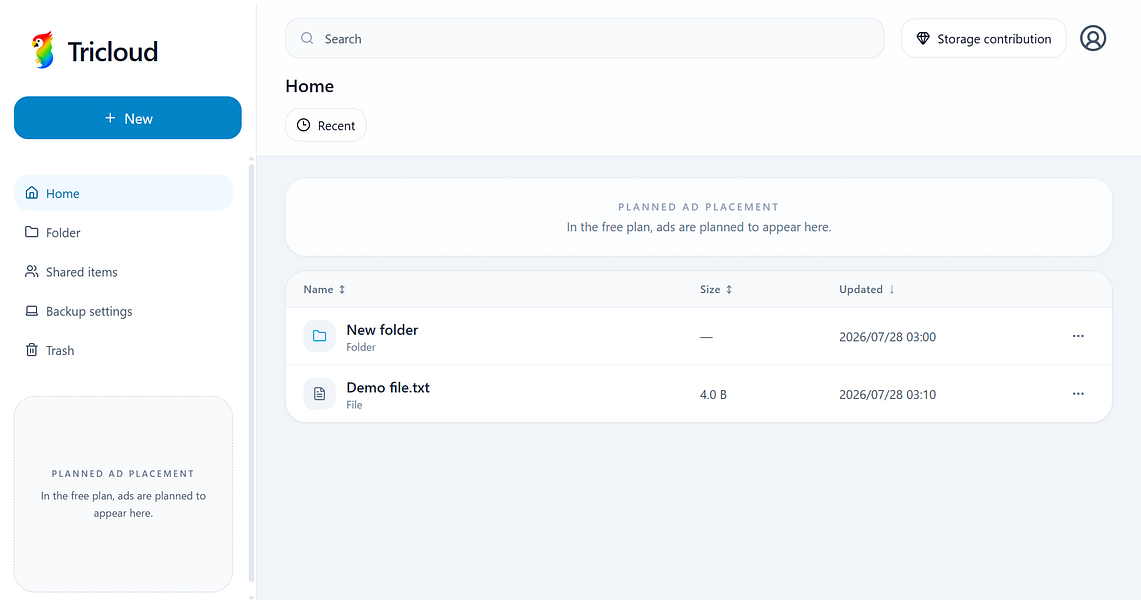
A single-container, SQLite-backed file server you host yourself instead of running Nextcloud, for people who want full control of where their files live.
Works offlineCan export my dataSelf-hosted
What to know▼
How it works
Self-hosted file storage you deploy as a single Docker image, backed by SQLite with no external database, for uploading, browsing, and sharing files via revocable links.
What's different
Positioned as a faster, simpler alternative to Nextcloud, with no cloud dependency and deployment in minutes.
Best for
People who want Dropbox-simple file storage but self-hosted and fully under their own control.
We check every product on this page once a day and record whether it still answers.
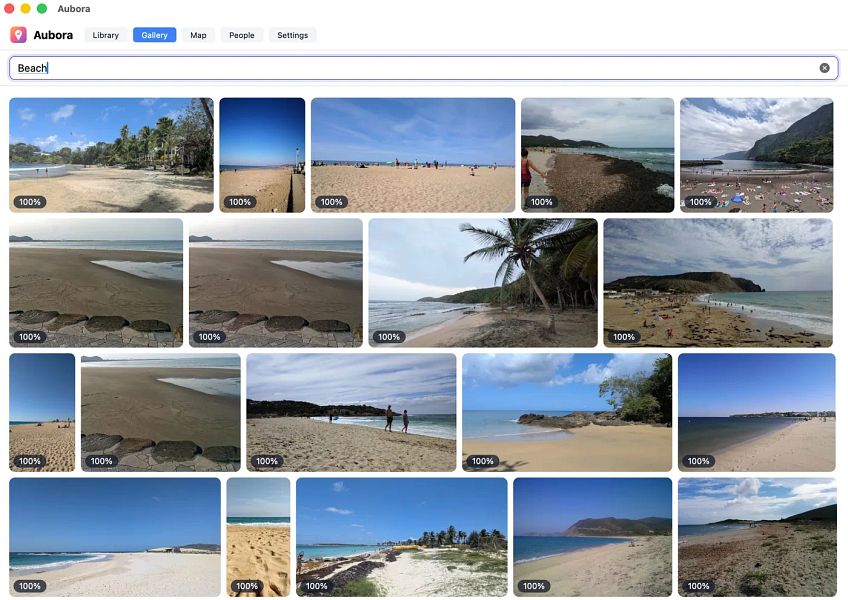
A Mac app that adds semantic search, face recognition and a map to photos already sitting in your existing cloud drive (pCloud, Dropbox, kDrive), running on-device with nothing sent to the maker's servers.
Works offlineData stays with you
What to know▼
How it works
A Mac app that adds semantic search, people/face recognition and a map to photos already stored in existing cloud storage like pCloud, Dropbox or kDrive.
What's different
Runs entirely on-device on the Mac — nothing is uploaded to Aubora's servers.
Best for
Mac users with photos spread across a cloud drive who want better search without switching storage providers or uploading photos elsewhere.
We check every product on this page once a day and record whether it still answers.
An Android app bundling 50+ file, PDF, video, audio and image tools in one place, with most tools running offline and a private vault for sensitive files.
FreeWorks offlineNo subscription
What to know▼
How it works
Bundles 50+ file, PDF, video, audio and image tools into one Android app, with most tools running fully offline and a private Vault plus Recycle Bin for sensitive files.
What's different
Packs dozens of single-purpose tools into one lightweight app that mostly works offline, instead of installing separate apps for each task.
Pricing
Free core app with a one-time premium purchase — no subscription.
Best for
Android users who want file, PDF, and media tools without their files leaving the device.
We check every product on this page once a day and record whether it still answers.
Sends files between any phone and any computer over your own Wi-Fi, encrypted, with no account, cloud, or install needed. A cross-platform stand-in for AirDrop if your devices aren't all Apple.
FreeNo sign-upWorks offline
What to know▼
How it works
Sends files, photos, folders and clipboard content between any phone and computer over your own Wi-Fi by scanning a QR code once to pair, with no app install on the phone.
What's different
Works across iPhone and PC, not just Apple-to-Apple, is end-to-end encrypted, and needs no account or cloud.
Pricing
Free.
Best for
People who need to move files between an iPhone and a non-Apple computer without AirDrop or a cloud upload.
We check every product on this page once a day and record whether it still answers.
An Android app that quietly records what's on your screen and makes it searchable later, all processed on the phone itself, with no account, server or cloud.
Watch out · Continuous screen capture is a sensitive capability — worth confirming what gets captured and how it's stored before relying on it.
No sign-upWorks offlineData stays with you
What to know▼
How it works
An Android app that captures what crosses your screen and turns it into a searchable memory, with processing done entirely on the device.
What's different
No account, no server, and no analytics — everything stays on the phone.
Best for
Android users who want to search back through what they've seen on their screen without any data leaving the device.
Watch out
Continuous screen capture is a sensitive capability — worth confirming what gets captured and how it's stored before relying on it.
We check every product on this page once a day and record whether it still answers.
A GTD task manager that keeps every task on your device only, no account, no cloud sync — for people who want the full method without their data leaving their control.
No sign-upWorks offlineData stays with you
What to know▼
How it works
Implements the full Getting Things Done method while keeping all tasks entirely on the user's local device, with no account and no cloud storage.
What's different
Full GTD method implementation with no account, no cloud sync and no upload — data never leaves the device.
Best for
GTD practitioners who want the full method but don't want their task data stored in the cloud.
We check every product on this page once a day and record whether it still answers.
Desktop photo library that stays entirely on your machine — on-device face recognition, geographic exploration and full-text search across hundreds of thousands of photos, no cloud, account or server.