We check every product on this page once a day and record whether it still answers.
Records and transcribes Mac meetings entirely on-device, then turns them into searchable AI notes, for people who don't want audio leaving their machine.
FreeWorks offlineData stays with you
What to know▼
How it works
records mic+system audio, transcribes locally with Whisper, generates TL;DR/decisions/action items
What's different
100% on-device transcription, optional bring-your-own ChatGPT/Claude for notes
We check every product on this page once a day and record whether it still answers.
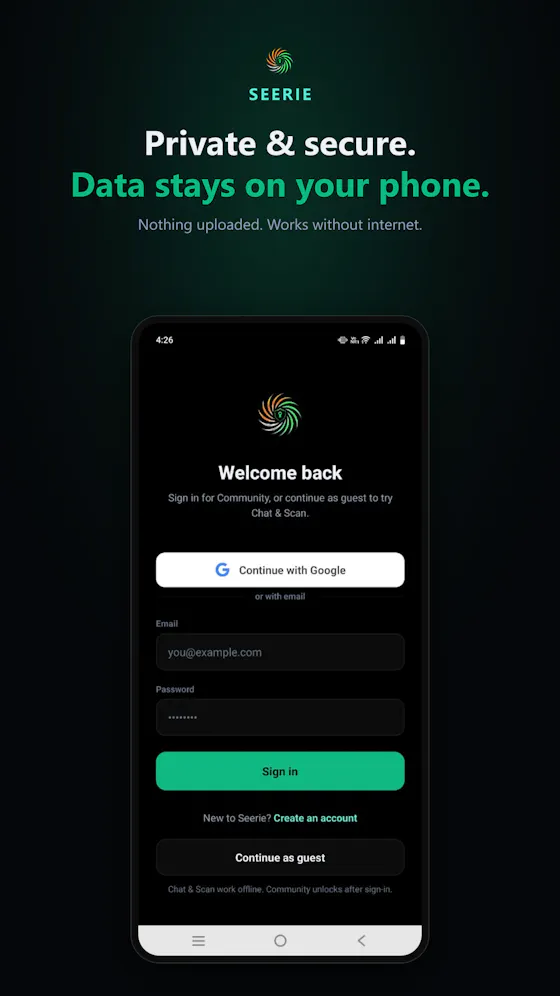
A budget tracker that runs its AI models entirely on your Android phone, so your spending and income never leave the device — free, no account, no ads, no tracking.
FreeNo sign-upWorks offline
What to know▼
How it works
Tracks income and spending using five AI models that run entirely on the Android device itself, from a 135M-parameter model up to Phi-4 Mini 3.8B, plus a tax engine covering 45 countries.
What's different
Unlike other AI finance apps that send your salary and spending to a server, the models run on-device so financial data never leaves the phone.
Pricing
Free on Android.
Best for
Android users who want AI-assisted budgeting without sending financial data to a company's server.
We check every product on this page once a day and record whether it still answers.
A free voice-to-structured-markdown notes app that runs entirely offline on Mac/iOS using a local LLM, for people who don't want their dictation sent to the cloud.
Watch out · Local LLM only — no cloud/API-key option mentioned, unlike some competitors.
FreeWorks offline
What to know▼
How it works
Global dictation shortcut, live markdown editor with on-the-fly LLM fixes, all local.
Pricing
Free.
Watch out
Local LLM only — no cloud/API-key option mentioned, unlike some competitors.
We check every product on this page once a day and record whether it still answers.
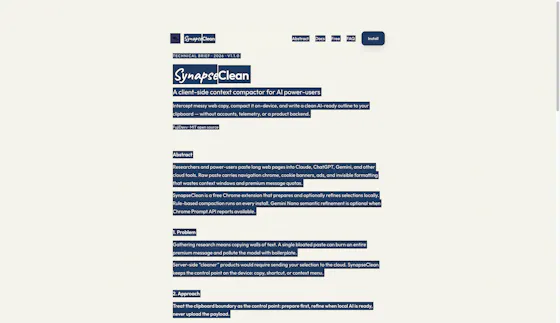
A free, open-source Chrome extension that cleans up copied web text into compact prompts, processing everything on-device rather than a server. For anyone who pastes a lot of text into AI chat tools.
FreeWorks offlineOpen source
What to know▼
How it works
A Chrome extension that compacts messy web copy into clean AI prompts, processing everything on-device.
What's different
Free, open source, and 100% on-device rather than sending text to a server; optional Gemini Nano support.
Pricing
Free.
Best for
People who frequently paste web text into AI chat tools and want it cleaned up first.
We check every product on this page once a day and record whether it still answers.
A local MCP server that gives AI assistants like Claude, Cursor and ChatGPT tools to act on your Mac — iMessage, Teams, WhatsApp, Mail, files — with nothing sent to the cloud.
FreeWorks offlineData stays with you
What to know▼
How it works
A local Model Context Protocol server running on a Mac that gives AI assistants like Claude, Cursor and ChatGPT 143 tools to act on iMessage, local Microsoft Teams chats, WhatsApp, Apple Mail, Calendar, Contacts, Notes, Reminders, Finder files, OneDrive, Outlook and Office documents.
What's different
Runs 100% locally with no cloud connection, reaching apps like iMessage and local Teams chats that cloud-based connectors can't access.
Pricing
Free.
Best for
Mac users who want their AI assistant to act across native apps like iMessage and Mail without sending data to the cloud.
We check every product on this page once a day and record whether it still answers.
Transcribes meetings, interviews, and recordings on-device using local Whisper models, with speaker labels and a local AI summarizer.
FreeWorks offlineCan export my data
What to know▼
How it works
Records or imports audio/video and transcribes it on-device using local Whisper models, with speaker labels, editing, export, and a local AI assistant for summaries and action items.
Pricing
Free to download, with optional Pro access.
Best for
Sensitive, privacy-conscious meeting or interview transcription.
We check every product on this page once a day and record whether it still answers.
Encrypted vault app with a fully on-device AI assistant, private browser and camera that saves directly into the vault.
Watch out · Version 2.0 launches on the App Store July 30th; currently available via TestFlight.
FreeWorks offline
What to know▼
How it works
Encrypted vault with a fully on-device AI assistant for chat, summarizing, and image generation with zero internet; combines private storage, a tracker-blocking browser, and a camera that saves straight into the vault.
What's different
AES-256 encryption with no vendor key or backdoor; optional cloud AI (OpenAI/Gemini/Anthropic) is off by default.
Pricing
Free on iOS.
Watch out
Version 2.0 launches on the App Store July 30th; currently available via TestFlight.
We check every product on this page once a day and record whether it still answers.
Lets you play Texas Hold'em against or watch several AI models (Claude, ChatGPT, Gemini, Grok, DeepSeek) bluff and bet against each other in real time.
Free
What to know▼
How it works
bring your own API key to play or spectate model-vs-model poker
We check every product on this page once a day and record whether it still answers.
A free desktop chatbox for running local open-source models (Llama, Mistral) or plugging in your own API key for GPT, Claude, or Gemini, instead of paying for a hosted AI subscription.
FreeNo subscription
What to know▼
How it works
Runs Llama, Mistral, and other models locally for free, or connects your own API key for GPT-5, Claude, and Gemini in one app.
We check every product on this page once a day and record whether it still answers.
A free suite of 50+ browser-based tools for PDFs, images, documents, and code, including AI features like background removal and OCR, for people who want quick private tools without creating an account.
FreeNo sign-up
What to know▼
How it works
Over 50 fast tools for PDFs, images, documents, and code, most running in the browser including AI background removal and OCR.
We check every product on this page once a day and record whether it still answers.
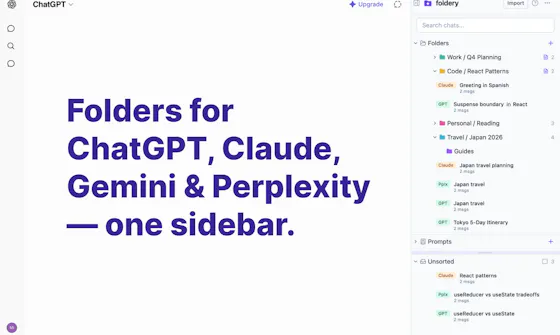
A free Chrome extension that automatically sorts your open tabs into labeled groups by category, Development, Docs, Shopping, Social and more, with one click and no configuration.
FreeWorks offline
What to know▼
How it works
A Chrome extension that automatically organizes open tabs into labeled groups with one click, either by category (20+ categories like Development, AI Tools, Finance) or by domain (all tabs from the same site grouped together).
What's different
A 'Smart Group with AI' mode uses Chrome's built-in on-device AI (Prompt API) to read tab titles and page content and group by actual meaning rather than fixed rules, falling back to rule-based grouping otherwise.
Pricing
Free.
Best for
Chrome users who accumulate many open tabs and want them sorted without manual setup.
We check every product on this page once a day and record whether it still answers.
Runs speech and visual AI models locally to auto-generate YouTube chapter timestamps — free, no upload, no signup, built for YouTubers who don't want to type timestamps by hand.
Watch out · The 18/19 accuracy figure comes from a single 68-minute test video, not a broad benchmark.
FreeNo sign-upWorks offline
What to know▼
How it works
You upload a video and it uses Whisper for audio and Moment-DETR for visual analysis to detect natural chapter breaks, then outputs timestamps to paste into a YouTube description.
What's different
Cross-validates chapter breaks using both audio (Whisper) and visual detection, rather than relying on one signal; on a 68-minute test video it got 18 of 19 chapters correct.
Pricing
Free, no signup.
Best for
YouTubers who don't want to manually type out chapter timestamps.
Watch out
The 18/19 accuracy figure comes from a single 68-minute test video, not a broad benchmark.
We check every product on this page once a day and record whether it still answers.
An open-source Mac app that runs local AI mini-apps, including a private finance analyzer that redacts data before AI sees it.
Watch out · macOS only.
FreeOpen source
What to know▼
How it works
Runs AI mini-apps locally on Mac; the lead app is a private CFO that turns bank/card CSV or PDF exports into spend reports (trends, subscriptions, duplicate charges) with account numbers redacted before any AI sees them. Also includes a music DJ with karaoke, a Mac health scanner, and cross-agent memory shared with Claude Code and Codex.
Pricing
Open source; free hosted tier, or bring your own OpenAI-compatible/Ollama model.
We check every product on this page once a day and record whether it still answers.
Benchmark database showing which open-weight AI models run on which consumer GPUs, with install recipes and a GPU advisor.
FreeNo sign-up
What to know▼
How it works
Provides honest benchmarks for 84 open-weight AI models across 27 consumer GPUs from RTX 3060 to Apple Silicon, each pair rated as runs, tight fit, or won't fit with real speed and VRAM numbers, plus 800+ step-by-step install recipes for llama.cpp, Ollama, ComfyUI, and MLX, and a GPU Advisor.
We check every product on this page once a day and record whether it still answers.
A self-hostable AI chat platform that routes queries to the cheapest LLM and adds live market data, positioned as an alternative to ChatGPT or Claude you run yourself. For developers and cost-conscious teams.
FreeOpen sourceSelf-hosted
What to know▼
How it works
A self-hostable, open-source AI chat platform that runs on your own infrastructure, integrates live financial market data into chat, and routes each query to the best/cheapest LLM automatically across OpenAI, Anthropic, SiliconFlow and others.
What's different
Self-hosted with full data ownership and no vendor lock-in, plus intelligent model routing claimed to cut API costs by up to 60% versus using a single provider.
Pricing
Free forever to self-host, with Free / Pro / MAX tiers and per-model quotas.
Best for
Developers and cost-conscious teams who want a ChatGPT/Claude alternative running on their own infrastructure.
We check every product on this page once a day and record whether it still answers.
An AI assistant that scans family paperwork (bills, notices, receipts) and answers questions about it, keeping originals private and requiring human review before AI acts on extracted data.
Free
What to know▼
How it works
Scan/upload documents, review extracted details, ask source-backed questions, set reminders
What's different
Requires human review before AI use, sharing is explicit and non-transitive
We check every product on this page once a day and record whether it still answers.
A free, lighter AI coding assistant built for indie developers and small teams as an alternative to Cursor and Copilot, running fully private and local via Ollama.
Free
What to know▼
How it works
Multi-file agent mode, inline edits, semantic codebase search, and AI commit messages, running fully private and unlimited via Ollama.
Pricing
20 real AI edits/day forever free; Pro $6/mo or Team $25/mo for more.
Best for
Indie developers and small teams who want an AI coding assistant without enterprise pricing or throttled quotas.
We check every product on this page once a day and record whether it still answers.
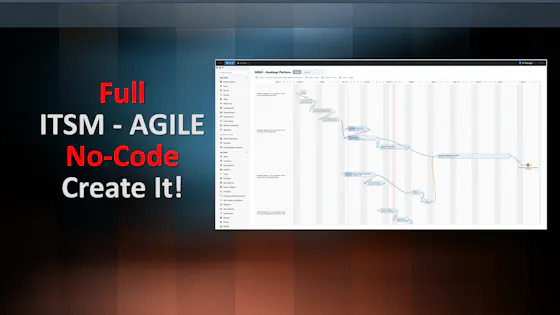
A self-hosted WordPress plugin combining a visual workflow automation engine with an open-source AI agent that builds workflows and asks before acting, using your own LLM API keys.
FreeNo sign-upData stays with you
What to know▼
How it works
A low-code workflow builder plus an open-source AI agent and local executor run inside WordPress, with no SaaS component and data staying on your own server.
Pricing
Agent and executor are free; one license covers both paid plugins for the rest of the stack.
Best for
WordPress site owners who want automation without sending data to a third-party SaaS.
We check every product on this page once a day and record whether it still answers.
An on-device dictation, rewriting, translation and local AI agent tool for Apple Silicon Macs - free and open-source (MIT), with no cloud, no accounts, and MCP support.
Watch out · Requires Apple Silicon and macOS 26; some listed models (Gemma 4, Qwen3.6, Ornith 1.0) are described as coming next, not yet available.
FreeWorks offlineOpen source
What to know▼
How it works
Runs on-device dictation, rewriting, and translation using multiple transcription models (Parakeet, CTC, Nemotron, Qwen3-ASR), plus a local agent that plans and calls tools like Apple Notes, clipboard, files, and MCP.
What's different
Fully local processing with no cloud and no accounts, and lets you swap or customize any underlying model or prompt.
Pricing
Free and open-source (MIT license).
Best for
Apple Silicon Mac users who want dictation and an AI agent without sending data to the cloud.
Watch out
Requires Apple Silicon and macOS 26; some listed models (Gemma 4, Qwen3.6, Ornith 1.0) are described as coming next, not yet available.
We check every product on this page once a day and record whether it still answers.
A free Chrome extension that automatically clears browsing history, cookies, and cache using a local on-device AI model, scores your privacy, and alerts you to data breaches.
FreeWorks offline
What to know▼
How it works
runs a local Gemini Nano model in the browser to auto-clean history/cookies/cache, compute a privacy score, and surface breach alerts, plus a panic button
Pricing
free
Best for
Chrome users who want automatic privacy cleanup without sending browsing data to a server
We check every product on this page once a day and record whether it still answers.
A self-hosted operating system for running autonomous AI agents on your own hardware and models instead of relying on hosted one-shot assistants.
FreeSelf-hosted
What to know▼
How it works
Users install agents, tools, and capabilities that run on their own hardware/models (local models supported); agents loop autonomously until a goal is met.
We check every product on this page once a day and record whether it still answers.
A free, open-source iOS app that connects Meta Ray-Ban glasses to an on-device AI model so photos and questions can be processed offline without the cloud, keeping history on the phone.
FreeWorks offlineOpen source
What to know▼
How it works
Runs models 100% on-device with Apple MLX, or lets you pick Apple Intelligence, OpenAI, Gemini Live, or OpenClaw; ask by voice, analyze what you see, recognize faces, search the web.
What's different
on-device mode works offline with no cloud or API key.