We check every product on this page once a day and record whether it still answers.
Suite of client-side browser tools, including a teleprompter and EXIF stripper, that run entirely offline.
FreeWorks offlineData stays with you
What to know▼
How it works
A suite of web utilities (e.g. an auto-scrolling teleprompter, an EXIF metadata stripper) that run entirely offline in the browser using HTML5 and JS APIs.
What's different
100% client-side — no backend uploads or delays.
Best for
Developers and creators wanting privacy-first tools.
We check every product on this page once a day and record whether it still answers.
A macOS app that organizes files with custom rules, dry-run previews, undo, and duplicate cleanup, keeping everything local instead of uploading it.
Data stays with you
What to know▼
How it works
Organizes files on macOS using editable, rule-based automation, live folder monitoring, duplicate review, Trash policies and app leftover cleanup. Every change can be previewed with a Dry Run before applying, and applied actions can be undone from snapshots.
What's different
Everything runs locally rather than uploading files, and every action is reversible via snapshots.
Best for
Mac users who want automated file organization but don't want an opaque, unreversible cleanup tool.
We check every product on this page once a day and record whether it still answers.
A browser-based tool that converts Chinese text between Simplified and Traditional characters locally, using OpenCC dictionaries.
Watch out · Nothing pasted ever leaves the browser.
What to know▼
How it works
Converts Simplified to Traditional Chinese and back using official OpenCC dictionaries via js-opencc, with a hard-protect dictionary so names, brands, and special terms convert correctly.
We check every product on this page once a day and record whether it still answers.
A free HAR file viewer that runs entirely client-side (nothing uploaded) and lets you inspect requests, headers and timing waterfalls — a real developer debugging tool.
FreeData stays with you
What to know▼
How it works
Opens HAR exports from Chrome, Firefox, Safari, or Edge and lets you inspect requests, headers, cookies, request/response bodies, query params, and a timing waterfall, with filtering by status, method, type, or URL and redaction of sensitive headers.
What's different
Runs 100% client-side, so no captured network data leaves your browser.
Pricing
Free.
Best for
Developers debugging network requests and performance.
We check every product on this page once a day and record whether it still answers.
A free Chrome extension that shows who doesn't follow you back on Instagram and lets you bulk unfollow, processing everything locally.
Free
What to know▼
How it works
Shows who doesn't follow you back on Instagram with photo, name, and username, also shows fans who follow you but you don't follow back, filters by private and verified accounts, allows bulk unfollow, and exports to Excel.
What's different
Everything processed locally in the browser, no data leaves the machine, no password required.
We check every product on this page once a day and record whether it still answers.
Turns local meeting recording folders into private, searchable transcripts on your Mac — everything stays on your machine, with no account, no upload, no meeting bot, and no subscription.
No sign-upData stays with youNo subscription
What to know▼
How it works
Turns local meeting recording folders on your Mac into private, searchable transcripts.
What's different
Everything stays on your machine — no account, upload, meeting bot, or subscription required.
Pricing
No account or subscription required.
Best for
Mac users who record meetings locally and want searchable transcripts without sending recordings to the cloud.
We check every product on this page once a day and record whether it still answers.
A collection of browser-based file utilities (PDF, image, audio) that process everything locally without uploading to a server, for privacy-conscious users instead of online converter sites.
What to know▼
How it works
A collection of PDF, image and audio tools that process files entirely locally in the browser without uploading them to a server.
What's different
No server uploads, keeping files private compared to typical online converter sites.
Best for
Privacy-conscious users converting or editing PDFs, images or audio without sending files to a server.
We check every product on this page once a day and record whether it still answers.
A free desktop app that checks your camera, mic, speakers, and network before a video call.
Free
What to know▼
How it works
Checks camera, microphone, speakers, room noise, and network connection with one click before a video call and gives a simple ready/almost-set/fix-this verdict.
What's different
Audio and video are processed locally and never stored or sent anywhere.
We check every product on this page once a day and record whether it still answers.
A Mac app that converts HEIC photos and large iPhone videos into upload-friendly formats, processing everything locally — for Mac users, not an iOS app despite the iPhone-photo focus.
Can export my data
What to know▼
How it works
A Mac app that converts HEIC photos and large iPhone videos into upload-friendly formats and sizes, processing everything locally on your Mac.
What's different
Files are processed entirely on-device rather than uploaded to a conversion service.
Best for
Mac users who need to upload iPhone photos or videos to SaaS tools, forms or chats that reject HEIC or oversized files.
We check every product on this page once a day and record whether it still answers.
Local-first quoting and workflow app for embroidery shops covering costs, margins, customers and job status.
Watch out · An organization tool — it does not guarantee profit, revenue, growth, or business results.
No sign-upWorks offline
What to know▼
How it works
Builds garment line items with blank costs, stitch counts, setup fees, shipping, discounts and tax; tracks customers, designs, order status and margin signals; and reuses pricing templates for repeat jobs.
Pricing
No account required for the core local workflow.
Best for
Embroidery shops.
Watch out
An organization tool — it does not guarantee profit, revenue, growth, or business results.
We check every product on this page once a day and record whether it still answers.
A macOS menu-bar app that turns your own local video files into live wallpapers, fully offline and open-source with no account or cloud step.
No sign-upWorks offlineOpen source
What to know▼
How it works
A macOS menu bar app that turns local video files into live desktop wallpapers, and converts/patches videos for macOS's native lock screen wallpaper support.
What's different
Fully open-source, offline and private — no accounts, cloud or telemetry — unlike commercial live-wallpaper alternatives.
Best for
macOS users who want live wallpapers from their own video files without sending anything to the cloud.
We check every product on this page once a day and record whether it still answers.
An offline mobile app to view, edit and convert PDF, Word, Excel and PowerPoint files in 17 languages — a general document viewer, not a spreadsheet replacement.
No sign-upWorks offline
What to know▼
How it works
An offline Android app for opening and viewing PDF, DOCX, XLSX, PPT, TXT, and RTF files, with no sign-up or uploads required.
Best for
Android users who want a fast, private, offline reader for documents they receive in various formats.
We check every product on this page once a day and record whether it still answers.
A free open-source browser tool that lets you control your computer using hand gestures and facial movements via webcam, for developers experimenting with gesture input.
We check every product on this page once a day and record whether it still answers.
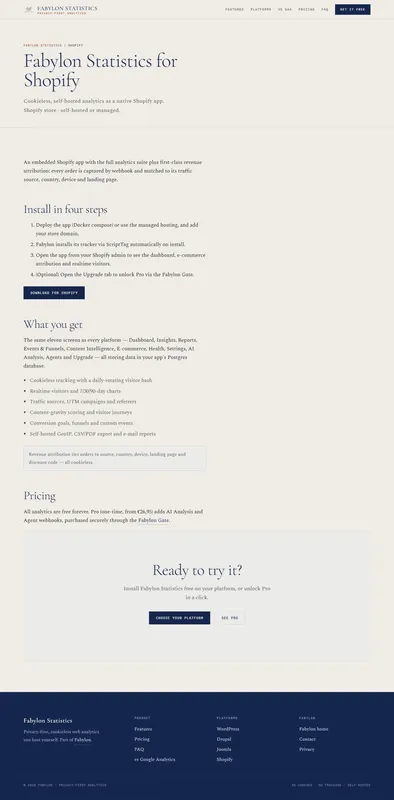
Self-hosted, cookie-free analytics for Shopify merchants who want visitor and revenue data kept on infrastructure they control instead of a third-party tracker.
We check every product on this page once a day and record whether it still answers.
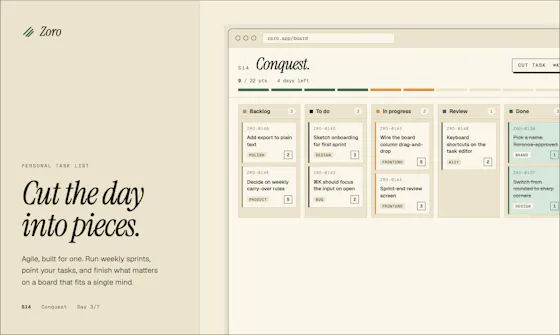
A one-time-purchase task app for solo workers that applies agile concepts like backlog, priority, and kanban to personal work, syncing via CloudKit with no account or server.
FreeNo sign-upData stays with you
What to know▼
How it works
Syncs across iOS, macOS, and web through CloudKit only, with no signup and no backend server.
We check every product on this page once a day and record whether it still answers.
Local-first Terraform scanner that audits cost, security and reliability in one pass with no upload, MIT licensed.
No sign-upWorks offlineData stays with you
What to know▼
How it works
Scans Terraform locally for security, cost, reliability, and governance issues in one pass, and writes the patch when a cost fix and a security risk hit the same resource.
We check every product on this page once a day and record whether it still answers.
Decodes a QR code from an uploaded photo entirely in-browser, no account or app install, for people who don't want to hand their images to a random QR scanner app.
Watch out · No app or sign-up needed.
Works offline
What to know▼
How it works
Upload a photo containing a QR code and it decodes it instantly in the browser.
We check every product on this page once a day and record whether it still answers.
Imports Stripe's itemized automatic-payout CSV and turns it into a balanced QuickBooks journal — maps accounts, previews the journal, downloads a QuickBooks CSV, parsed entirely locally.
We check every product on this page once a day and record whether it still answers.
Merges, cleans and deduplicates Excel/CSV files locally in your browser — set multi-column matching rules, keep latest/highest-value records, apply numeric tolerance or regex, preview every change, export clean — without uploading sensitive data.
Can export my data
What to know▼
How it works
Define matching rules across columns, preview changes, export; supports multiple files/sheets, runs entirely client-side, no signup.
We check every product on this page once a day and record whether it still answers.
Local-first resume studio that keeps your resume visible while matching it to a job, highlighting the exact evidence behind each match and flagging vague claims that need numbers — then re-reads your exported PDF to show what actually survived.
No sign-upWorks offlineCan export my data
What to know▼
How it works
Match resume to a job posting, see evidence per match, flag vague claims; X-Ray re-reads the exported PDF.
What's different
Resume data stays in your browser — no account, watermark, upload or export paywall.
We check every product on this page once a day and record whether it still answers.
Three on-device privacy tools in one suite — blacks out your screen when a second face is detected, watches for rogue processes and connections, and shares files via temporary links without uploading them anywhere. Windows and macOS now.
Watch out · Android support is announced as 'soon,' not yet available.
Works offline
What to know▼
How it works
Screen Shield detects a second face and blacks the screen; Breach watches for rogue processes/connections/autostarts; Share sends files via temporary private links.
What's different
Everything runs on-device, nothing phones home.
Watch out
Android support is announced as 'soon,' not yet available.
We check every product on this page once a day and record whether it still answers.
Turns text into styled images for social media, quotes, or announcements entirely in the browser, with no uploads, account, or watermark, and content that never leaves the device.
FreeNo sign-upWorks offline
What to know▼
How it works
Converts text into images locally in the browser for social media, quotes, testimonials, and announcements, without uploading content anywhere.
We check every product on this page once a day and record whether it still answers.
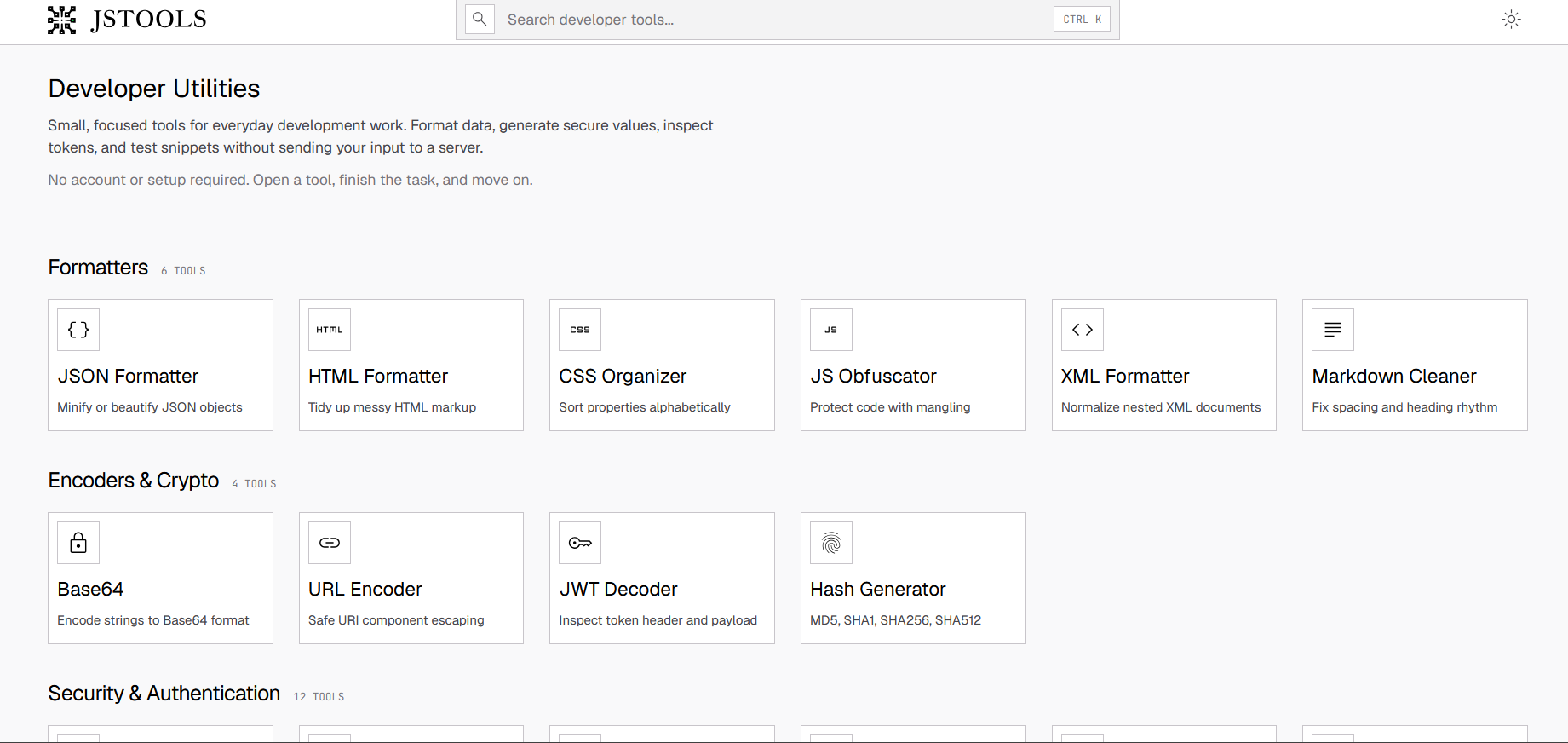
A free set of 17+ client-side developer utilities (JSON/XML/YAML/SQL formatters, regex tester, JWT decoder, hash generator) that run entirely in the browser with nothing sent to a server.
FreeNo sign-upNothing to install
What to know▼
How it works
Provides 17+ browser-based developer tools, JSON/XML/YAML/SQL formatters, a regex tester, a JWT decoder, a hash generator and more, all running client-side so nothing pasted is uploaded or logged.
Pricing
No signup, no rate limits on the core tools.
Best for
Developers who want quick formatting/decoding tools without an account or sending data to a server.
We check every product on this page once a day and record whether it still answers.
A browser extension that hides X (Twitter) posts from countries you pick, detecting location locally with no external servers or sign-up. A niche personal timeline filter, not a developer tool.
No sign-upWorks offlineOpen source
What to know▼
How it works
A browser extension where you check countries in a popup and posts from those countries disappear from your X For You feed, Following feed, search, and reply threads; detection runs locally using known accounts, country/city keywords, post language, and public profile location.
What's different
No sign-up, no tracking, and no external servers — settings and detection stay in your browser; open source (MIT).
Best for
X users who want to filter their timeline by country without sending data to a third-party server.
We check every product on this page once a day and record whether it still answers.
Converts GSTR-1 and GSTR-3B tax PDFs into structured Excel sheets entirely in-browser, so client tax data never leaves the accountant's machine. Built specifically for Indian CAs and tax professionals.
Data stays with you
What to know▼
How it works
Converts GSTR-1 and GSTR-3B tax PDFs into structured Excel sheets, processing everything client-side in the browser so no data is uploaded to a server.
What's different
100% client-side processing means sensitive client tax data never leaves the accountant's computer.
Best for
Indian CAs and tax professionals who need to bulk-extract GSTR PDF tables into Excel without exposing client data.
We check every product on this page once a day and record whether it still answers.
A local, privacy-first screenshot tool that captures an entire site at scale from a URL list across multiple breakpoints, instead of a cloud extension shooting one page at a time.
Works offline
What to know▼
How it works
Captures every page at every breakpoint from a pasted URL list or sitemap, auto-sorting shots into folders and storing a JSON metadata sidecar per capture; a file browser compares any two shots side-by-side or with a slider-wipe.
Best for
People needing bulk, local website screenshots instead of one-page-at-a-time cloud tools.
We check every product on this page once a day and record whether it still answers.
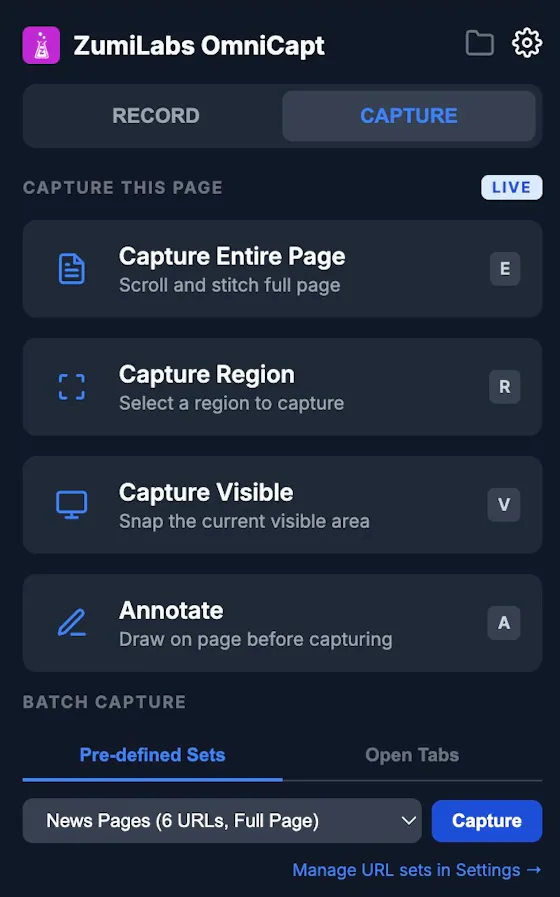
A free Chrome extension for screen and webcam recording, screenshots, and on-page annotation that runs entirely in your browser with no signup or uploads.
FreeNo sign-upWorks offline
What to know▼
How it works
A Chrome extension for recording your screen or webcam, taking full-page and region screenshots, and annotating directly on the page.
What's different
No signup, no watermark, no upload — everything runs locally in the browser.
Pricing
Free.
Best for
Anyone who wants quick screen capture and annotation without creating an account or uploading footage anywhere.
We check every product on this page once a day and record whether it still answers.
A browser-based JSON formatter, converter, repair and compare tool from mackan.eu's toolset; sibling tools in the same suite run entirely client-side with no upload or signup required.
No sign-upData stays with you
What to know▼
How it works
A browser-based tool for formatting, converting, repairing and comparing JSON.
What's different
Part of a client-side toolset where tools run in the browser with no upload or signup required.
Best for
Developers who need to quickly clean up or compare JSON without installing anything.
We check every product on this page once a day and record whether it still answers.
A free browser tool that turns a still image into a wobbly jelly-motion animation, for casual creators making playful video/GIF content without video-editing software.
FreeNothing to installCan export my data
What to know▼
How it works
A browser-based tool where you upload an image, paint the areas that should move, preview a jelly-like wobble animation, and export it as MP4 or GIF locally.
Pricing
Free.
Best for
Casual creators making playful wobble animations from still images without video-editing software.
We check every product on this page once a day and record whether it still answers.
A browser-based tool that turns your own videos into iPhone Live Photo wallpapers entirely on-device with no upload, plus a free gallery of ready-made HD wallpapers.
Watch out · It doesn't create a true Live Photo by itself; it preps the clip and walks you through a manual app step to finish.
FreeWorks offlineData stays with you
What to know▼
How it works
Crop, trim, and preview a video on a phone mockup in the browser, entirely on-device, then follow a one-tap step to set it as your iPhone Live Photo lock screen.
Pricing
Free HD wallpapers from a gallery; you can also convert your own video.
Best for
iPhone users who want a live wallpaper made from their own video without uploading it anywhere.
Watch out
It doesn't create a true Live Photo by itself; it preps the clip and walks you through a manual app step to finish.
We check every product on this page once a day and record whether it still answers.
A local, privacy-first JSON viewer and formatter for developers, with JWT decoding and CSV/YAML/TypeScript export; free for everyday use, $29 one-time for Pro features.
FreeWorks offlinePay once
What to know▼
How it works
A JSON viewer and formatter that runs 100% locally with zero network requests, handling 100MB+ files, inline JWT decoding, and export to CSV, TSV, YAML, or TypeScript (Pro features).
What's different
Positioned as a trustworthy local replacement after a popular JSON formatter with 2M+ users was sold and turned into adware.
Pricing
Free forever for everyday use; Pro is $29 one-time, lifetime.
Best for
Developers who want a JSON viewer that never sends data over the network.
We check every product on this page once a day and record whether it still answers.
Fixes the iPhone-photo compatibility problem by converting HEIC to PNG locally in your browser, nothing uploaded to a server, no account, no app to install.
FreeNo sign-upNothing to install
What to know▼
How it works
Converts HEIC photos from iPhones/iPads into PNG, JPG or WebP directly in the browser; supports batch conversion of up to 100 files at once with no file-size limits.
What's different
Conversion runs entirely on-device — photos are never uploaded to a server or stored.
Pricing
Free, no sign-up required.
Best for
People who need to convert iPhone HEIC photos for apps, websites or Windows PCs that can't open the format, without uploading personal photos.
We check every product on this page once a day and record whether it still answers.
Turns your Mac trackpad into a breathing-exercise guide with audio and haptic cues, works fully offline with no account, for quick personal reset breaks.
No sign-upWorks offline
What to know▼
How it works
Turns a Mac's trackpad into a breathing-exercise guide: pick a pattern, set a session length, and follow a soft expanding orb with optional audio and haptic cues.
What's different
Works fully locally with no account, aimed at short resets without reaching for a phone.
Best for
Mac users wanting a quick, private breathing break during work without opening a phone app.
We check every product on this page once a day and record whether it still answers.
A browser-based invoice builder for freelancers and small businesses that keeps client and billing data entirely on your device, no sign-up or cloud sync.
No sign-upWorks offlineData stays with you
What to know▼
How it works
Builds invoices entirely in the browser and exports them as PDF or PNG, with client details, invoice data and branding staying on the user's device.
What's different
No sign-up, no cloud storage and no tracking, unlike most invoicing tools that store data server-side.
Best for
Freelancers, consultants and small businesses who want to create invoices without their client and billing data leaving their device.
We check every product on this page once a day and record whether it still answers.
An offline encrypted vault for passwords, documents and voice/video messages stored only on your phone, meant to be accessible to family if something happens to you.
Works offlinePay onceNo subscription
What to know▼
How it works
encrypted on-device vault with an owner-held recovery backup, no cloud or account
We check every product on this page once a day and record whether it still answers.
An open-source, zero-knowledge Android password manager that encrypts on-device before anything leaves it, for users who don't trust cloud password managers with plaintext access.
Works offlineOpen sourceNo subscription
What to know▼
How it works
On-device encryption, offline by default, optional opt-in cloud sync/backup that servers can't read
Pricing
Free tier unlimited entries; Premium €2.99/month or €29.99 lifetime for sync, backup, security report, no ads
We check every product on this page once a day and record whether it still answers.
A free Chrome extension that files German receipts (GoBD-compliant) directly in your browser without ever uploading data, a password, or your inbox to a cloud service.
No sign-up
What to know▼
How it works
A browser-based tool for filing German receipts (GoBD-compliant) that works directly in your browser session where you're already logged in — no cloud upload, password sharing, or inbox access required. Includes checksummed registers, a cancellation log, a DATEV template, and a missing-receipts check.
What's different
Competitors pull invoices via cloud access requiring your passwords or inbox; this works locally in-browser with no account or cloud step.
Pricing
Available from 0 EUR in the Chrome Web Store.
Best for
German businesses and bookkeepers wanting GoBD-compliant receipt filing without granting a third party access to their email or accounts.
We check every product on this page once a day and record whether it still answers.
A mobile app that converts video to GIF entirely on-device, with no upload, watermark, or account required, and can share the result to WhatsApp, Telegram, Instagram, Reddit, or X.
No sign-upWorks offlineData stays with you
What to know▼
How it works
Encodes video to GIF on-device with a trim/scrubber editor and FPS/resolution/speed controls.
Pricing
One-time $2.99 premium removes ads and unlocks longer clips and higher quality; no subscription.
Best for
People converting short video clips to GIFs privately without uploading footage.
We check every product on this page once a day and record whether it still answers.
An encryption app that scrambles text, voice, photos, video, and files locally before they ever reach Telegram, WhatsApp, SMS, email, or another messaging app, with no account and no proprietary cloud.
No sign-upWorks offline
What to know▼
How it works
Encrypts content locally before it reaches the messenger; supports offline decryption, recipient and password protection, and a secure-capsule workflow.
Best for
Android users wanting to send encrypted content through existing messaging apps without a separate secure app or account.
We check every product on this page once a day and record whether it still answers.
A free set of 52 browser tools — JSON formatting, regex testing, encryption, converters, calculators — running locally so nothing uploads. Mostly developer tools, plus general productivity ones.
FreeNo sign-upNothing to install
What to know▼
How it works
A free collection of 52 browser-based tools spanning developer utilities (JSON formatter, regex tester, JWT decoder), security tools (AES-256 encryption, PII scrubber), converters, calculators and productivity tools, all running locally in the browser.
What's different
No sign-up, no paywalls and no limits, and everything runs locally so data never leaves the device.
Pricing
Free.
Best for
Developers and general users who want quick one-off tools without installing an app.
We check every product on this page once a day and record whether it still answers.
A free offline Windows encryption tool that auto-encrypts a vault with one login and supports secure file sharing.
Watch out · Windows only, no cloud, no account.
FreeNo sign-upWorks offline
What to know▼
How it works
An offline Windows tool that auto-encrypts/decrypts a vault after one login using multi-layer encryption (AES-256-GCM, ChaCha20, rotor cipher) with Argon2id key derivation, and can share files securely with a confirmed contact.
Pricing
Free.
Best for
Windows users wanting local file encryption without per-file passwords.