We check every product on this page once a day and record whether it still answers.
Suite of client-side browser tools, including a teleprompter and EXIF stripper, that run entirely offline.
FreeWorks offlineData stays with you
What to know▼
How it works
A suite of web utilities (e.g. an auto-scrolling teleprompter, an EXIF metadata stripper) that run entirely offline in the browser using HTML5 and JS APIs.
What's different
100% client-side — no backend uploads or delays.
Best for
Developers and creators wanting privacy-first tools.
We check every product on this page once a day and record whether it still answers.
A journaling app that stores entries on your own computer instead of a remote server, for people who want their private writing kept off external platforms and out of AI training data.
Works offline
What to know▼
How it works
Stores journal entries locally on your own computer rather than a remote server.
Best for
People who want their private writing kept off external platforms and AI training data.
We check every product on this page once a day and record whether it still answers.
A macOS app that organizes files with custom rules, dry-run previews, undo, and duplicate cleanup, keeping everything local instead of uploading it.
Data stays with you
What to know▼
How it works
Organizes files on macOS using editable, rule-based automation, live folder monitoring, duplicate review, Trash policies and app leftover cleanup. Every change can be previewed with a Dry Run before applying, and applied actions can be undone from snapshots.
What's different
Everything runs locally rather than uploading files, and every action is reversible via snapshots.
Best for
Mac users who want automated file organization but don't want an opaque, unreversible cleanup tool.
We check every product on this page once a day and record whether it still answers.
A browser-based tool that converts Chinese text between Simplified and Traditional characters locally, using OpenCC dictionaries.
Watch out · Nothing pasted ever leaves the browser.
What to know▼
How it works
Converts Simplified to Traditional Chinese and back using official OpenCC dictionaries via js-opencc, with a hard-protect dictionary so names, brands, and special terms convert correctly.
We check every product on this page once a day and record whether it still answers.
A free HAR file viewer that runs entirely client-side (nothing uploaded) and lets you inspect requests, headers and timing waterfalls — a real developer debugging tool.
FreeData stays with you
What to know▼
How it works
Opens HAR exports from Chrome, Firefox, Safari, or Edge and lets you inspect requests, headers, cookies, request/response bodies, query params, and a timing waterfall, with filtering by status, method, type, or URL and redaction of sensitive headers.
What's different
Runs 100% client-side, so no captured network data leaves your browser.
Pricing
Free.
Best for
Developers debugging network requests and performance.
We check every product on this page once a day and record whether it still answers.
A free Chrome extension that shows who doesn't follow you back on Instagram and lets you bulk unfollow, processing everything locally.
Free
What to know▼
How it works
Shows who doesn't follow you back on Instagram with photo, name, and username, also shows fans who follow you but you don't follow back, filters by private and verified accounts, allows bulk unfollow, and exports to Excel.
What's different
Everything processed locally in the browser, no data leaves the machine, no password required.
We check every product on this page once a day and record whether it still answers.
Turns local meeting recording folders into private, searchable transcripts on your Mac — everything stays on your machine, with no account, no upload, no meeting bot, and no subscription.
No sign-upData stays with youNo subscription
What to know▼
How it works
Turns local meeting recording folders on your Mac into private, searchable transcripts.
What's different
Everything stays on your machine — no account, upload, meeting bot, or subscription required.
Pricing
No account or subscription required.
Best for
Mac users who record meetings locally and want searchable transcripts without sending recordings to the cloud.
We check every product on this page once a day and record whether it still answers.
A collection of browser-based file utilities (PDF, image, audio) that process everything locally without uploading to a server, for privacy-conscious users instead of online converter sites.
What to know▼
How it works
A collection of PDF, image and audio tools that process files entirely locally in the browser without uploading them to a server.
What's different
No server uploads, keeping files private compared to typical online converter sites.
Best for
Privacy-conscious users converting or editing PDFs, images or audio without sending files to a server.
We check every product on this page once a day and record whether it still answers.
A free desktop app that checks your camera, mic, speakers, and network before a video call.
Free
What to know▼
How it works
Checks camera, microphone, speakers, room noise, and network connection with one click before a video call and gives a simple ready/almost-set/fix-this verdict.
What's different
Audio and video are processed locally and never stored or sent anywhere.
We check every product on this page once a day and record whether it still answers.
A Mac app that converts HEIC photos and large iPhone videos into upload-friendly formats, processing everything locally — for Mac users, not an iOS app despite the iPhone-photo focus.
Can export my data
What to know▼
How it works
A Mac app that converts HEIC photos and large iPhone videos into upload-friendly formats and sizes, processing everything locally on your Mac.
What's different
Files are processed entirely on-device rather than uploaded to a conversion service.
Best for
Mac users who need to upload iPhone photos or videos to SaaS tools, forms or chats that reject HEIC or oversized files.
We check every product on this page once a day and record whether it still answers.
Local-first quoting and workflow app for embroidery shops covering costs, margins, customers and job status.
Watch out · An organization tool — it does not guarantee profit, revenue, growth, or business results.
No sign-upWorks offline
What to know▼
How it works
Builds garment line items with blank costs, stitch counts, setup fees, shipping, discounts and tax; tracks customers, designs, order status and margin signals; and reuses pricing templates for repeat jobs.
Pricing
No account required for the core local workflow.
Best for
Embroidery shops.
Watch out
An organization tool — it does not guarantee profit, revenue, growth, or business results.
We check every product on this page once a day and record whether it still answers.
A macOS menu-bar app that turns your own local video files into live wallpapers, fully offline and open-source with no account or cloud step.
No sign-upWorks offlineOpen source
What to know▼
How it works
A macOS menu bar app that turns local video files into live desktop wallpapers, and converts/patches videos for macOS's native lock screen wallpaper support.
What's different
Fully open-source, offline and private — no accounts, cloud or telemetry — unlike commercial live-wallpaper alternatives.
Best for
macOS users who want live wallpapers from their own video files without sending anything to the cloud.
We check every product on this page once a day and record whether it still answers.
An offline mobile app to view, edit and convert PDF, Word, Excel and PowerPoint files in 17 languages — a general document viewer, not a spreadsheet replacement.
No sign-upWorks offline
What to know▼
How it works
An offline Android app for opening and viewing PDF, DOCX, XLSX, PPT, TXT, and RTF files, with no sign-up or uploads required.
Best for
Android users who want a fast, private, offline reader for documents they receive in various formats.
We check every product on this page once a day and record whether it still answers.
An open-source toolkit for building AI features — chat, RAG, speech, vision — that runs entirely in the browser with no servers and no data leaving the device. Built for developers.
Works offlineData stays with youOpen source
What to know▼
How it works
An open-source toolkit for running AI entirely in the browser: LLM chat across 76 models, RAG and vector search, Whisper and Kokoro speech, and vision, with no server or API key required. Runs on WebGPU with a WebAssembly fallback.
What's different
Data never leaves the device, and it ships a zero-dependency core plus a shadcn UI registry of 107 components and 36 installable blocks for building on top of it.
Pricing
Open source (MIT license).
Best for
Developers building browser-based AI features without standing up servers or managing API keys.
We check every product on this page once a day and record whether it still answers.
Turns a Google Play Store link into an on-device SWOT-style app diagnosis with prioritized improvement suggestions.
Works offline
What to know▼
How it works
Turns a Google Play link or manual inputs into an on-device SWOT-style diagnosis, highlighting weak signals and suggesting prioritized actions across product, marketing, and monetization.
What's different
Analysis history is stored in an encrypted local database; optional local AI can deepen results without sending analysis to a developer server.
Best for
App developers and marketers assessing their own app.
We check every product on this page once a day and record whether it still answers.
A free open-source browser tool that lets you control your computer using hand gestures and facial movements via webcam, for developers experimenting with gesture input.
We check every product on this page once a day and record whether it still answers.
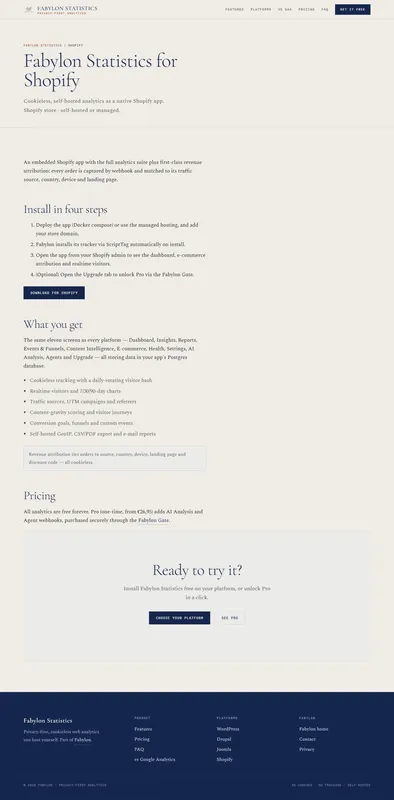
Self-hosted, cookie-free analytics for Shopify merchants who want visitor and revenue data kept on infrastructure they control instead of a third-party tracker.
We check every product on this page once a day and record whether it still answers.
A local-first trading journal with an offline AI coach that reviews your trades and notes to flag costly habits, for traders who don't want their data on someone else's server.
No sign-upWorks offlineNo tracking
What to know▼
How it works
stores trades and notes in a single local file; AI coach runs against a local model (Ollama, LM Studio)
What's different
open source so the no-cloud claim is verifiable, plus a 'Leak Finder' that prices out bad habits
Best for
prop-firm traders needing drawdown and payout tracking
We check every product on this page once a day and record whether it still answers.
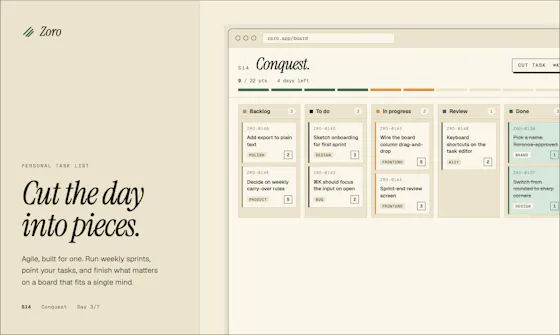
A one-time-purchase task app for solo workers that applies agile concepts like backlog, priority, and kanban to personal work, syncing via CloudKit with no account or server.
FreeNo sign-upData stays with you
What to know▼
How it works
Syncs across iOS, macOS, and web through CloudKit only, with no signup and no backend server.
We check every product on this page once a day and record whether it still answers.
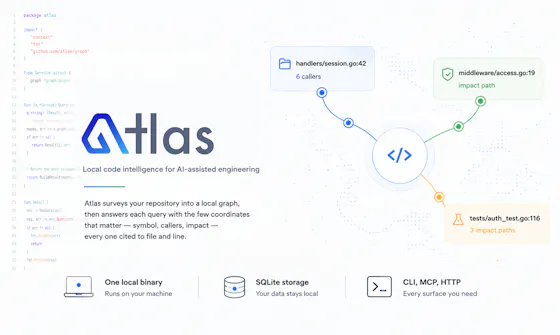
Gives developers and AI coding assistants deterministic, cited answers about a codebase's symbols, callers, and dependencies without sending code off-device.
Watch out · Code never leaves the machine
Works offlineData stays with you
What to know▼
How it works
Runs locally as a single binary with SQLite, CLI, MCP and HTTP interfaces to index a codebase
What's different
Deterministic, reproducible results with exact file-and-line citations; claims 36x fewer tokens than a graph baseline
We check every product on this page once a day and record whether it still answers.
Local-first Terraform scanner that audits cost, security and reliability in one pass with no upload, MIT licensed.
No sign-upWorks offlineData stays with you
What to know▼
How it works
Scans Terraform locally for security, cost, reliability, and governance issues in one pass, and writes the patch when a cost fix and a security risk hit the same resource.
We check every product on this page once a day and record whether it still answers.
An offline iPhone app that generates AI images locally using Stable Diffusion, for people who want image generation without sending prompts to the cloud.
Works offline
What to know▼
How it works
Runs Stable Diffusion locally on iPhone, fully offline with no internet connection or API costs.
Best for
iPhone users who want AI image generation without sending data to the cloud.
We check every product on this page once a day and record whether it still answers.
Self-hosted unified inbox + AI that reads it for you
Self-hosted
What to know▼
How it works
Uzun konuşma ve sesli notları özetler, kimin yanıt beklediğini söyler, sizin sesinizde taslak yanıt yazar; mesaj ve medya yalnız kendi sunucunuzda, şifreli günlük yedekle tutulur, yerel AI varsayılan.
What's different
Kendi barındırdığınız, MIT lisanslı olduğu için mesajlarınız hiçbir şirkete gitmez.
We check every product on this page once a day and record whether it still answers.
A self-hosted, open-source alternative to Calendly and Zoom that runs as one Go binary with SQLite — lets developers own their scheduling and video data instead of paying a subscription.
Open sourceCan export my dataSelf-hosted
What to know▼
How it works
A self-hostable alternative to Calendly and Zoom that runs as a single Go binary with SQLite, for booking meetings and hosting video calls with recordings saved to your own storage bucket.
What's different
Ships as one small, auditable Go binary instead of a subscription SaaS product, with recordings kept in your own bucket rather than the vendor's.
Pricing
Roughly 30 cents per month to run, versus a subscription; licensed Apache-2.0.
Best for
Developers who want to self-host their own scheduling and video-call data instead of paying for Calendly and Zoom.
We check every product on this page once a day and record whether it still answers.
Bundles a folder, files or archive into one clean document formatted for pasting into ChatGPT, Claude or Gemini — runs locally in your browser, nothing uploaded, no account needed.
No sign-upNothing to installData stays with you
What to know▼
How it works
You drop in a folder, individual files, or an archive; it strips out noise and combines them into one clean document formatted for pasting into ChatGPT, Claude or Gemini.
What's different
Runs entirely in the browser with no upload, no account and no install required.
Pricing
No pricing stated; runs free in-browser.
Best for
People who want to feed a whole folder or codebase into an AI chat tool as one clean document without setting up any tooling.
We check every product on this page once a day and record whether it still answers.
Turns text into styled images for social media, quotes, or announcements entirely in the browser, with no uploads, account, or watermark, and content that never leaves the device.
FreeNo sign-upWorks offline
What to know▼
How it works
Converts text into images locally in the browser for social media, quotes, testimonials, and announcements, without uploading content anywhere.
We check every product on this page once a day and record whether it still answers.
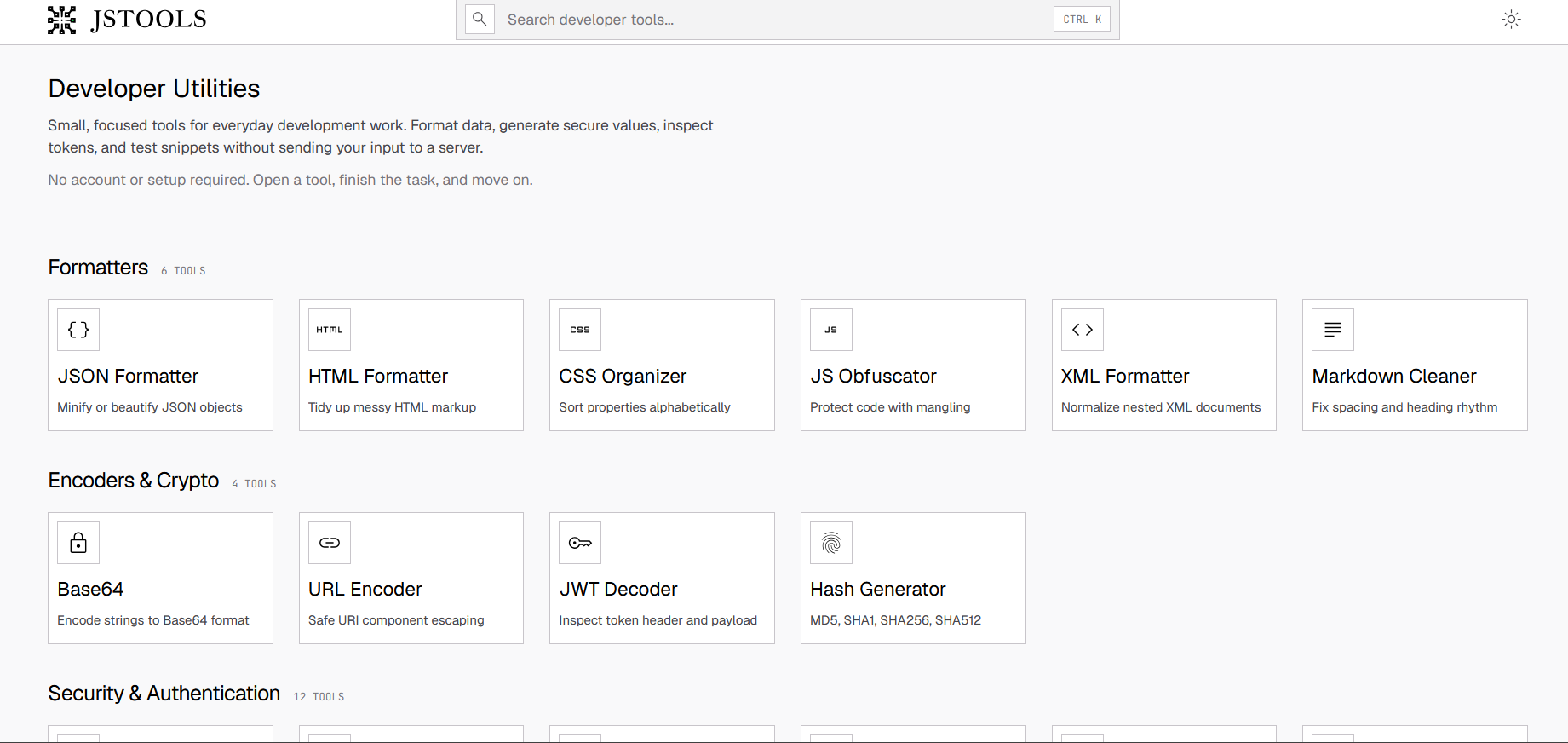
A free set of 17+ client-side developer utilities (JSON/XML/YAML/SQL formatters, regex tester, JWT decoder, hash generator) that run entirely in the browser with nothing sent to a server.
FreeNo sign-upNothing to install
What to know▼
How it works
Provides 17+ browser-based developer tools, JSON/XML/YAML/SQL formatters, a regex tester, a JWT decoder, a hash generator and more, all running client-side so nothing pasted is uploaded or logged.
Pricing
No signup, no rate limits on the core tools.
Best for
Developers who want quick formatting/decoding tools without an account or sending data to a server.
We check every product on this page once a day and record whether it still answers.
A browser extension that hides X (Twitter) posts from countries you pick, detecting location locally with no external servers or sign-up. A niche personal timeline filter, not a developer tool.
No sign-upWorks offlineOpen source
What to know▼
How it works
A browser extension where you check countries in a popup and posts from those countries disappear from your X For You feed, Following feed, search, and reply threads; detection runs locally using known accounts, country/city keywords, post language, and public profile location.
What's different
No sign-up, no tracking, and no external servers — settings and detection stay in your browser; open source (MIT).
Best for
X users who want to filter their timeline by country without sending data to a third-party server.
We check every product on this page once a day and record whether it still answers.
Turns Excel and SQL data into interactive dashboards with AI forecasting, Monte Carlo simulations and Sankey diagrams; processing happens in your browser instead of on a server.
Data stays with you
What to know▼
How it works
Turns Excel and SQL data into interactive dashboards, with AI-powered forecasting, Monte Carlo scenario modeling, and Sankey diagrams.
What's different
Processing happens in your browser instead of a server, which the product frames as bank-grade privacy.
Best for
People who want to turn spreadsheet or SQL data into dashboards without sending it to an external server.
We check every product on this page once a day and record whether it still answers.
An offline AI chat companion that runs fully on-device with no account, cloud sync or ads — explicitly not a therapist or productivity tool, just a private space to think out loud.
No sign-upWorks offlineNo ads
What to know▼
How it works
An AI chat companion that runs entirely on-device for calm, private conversations, with no registration, cloud connection, or internet needed; it remembers past conversations and adapts over time.
What's different
Explicitly not positioned as a therapist or productivity tool — it's built to just be a quiet, non-judgmental presence, with no ads or notifications.
Best for
People who want a private space to think out loud without their conversations leaving their device.
We check every product on this page once a day and record whether it still answers.
Converts GSTR-1 and GSTR-3B tax PDFs into structured Excel sheets entirely in-browser, so client tax data never leaves the accountant's machine. Built specifically for Indian CAs and tax professionals.
Data stays with you
What to know▼
How it works
Converts GSTR-1 and GSTR-3B tax PDFs into structured Excel sheets, processing everything client-side in the browser so no data is uploaded to a server.
What's different
100% client-side processing means sensitive client tax data never leaves the accountant's computer.
Best for
Indian CAs and tax professionals who need to bulk-extract GSTR PDF tables into Excel without exposing client data.
We check every product on this page once a day and record whether it still answers.
Decodes a QR code from an uploaded photo entirely in-browser, no account or app install, for people who don't want to hand their images to a random QR scanner app.
Watch out · No app or sign-up needed.
Works offline
What to know▼
How it works
Upload a photo containing a QR code and it decodes it instantly in the browser.
We check every product on this page once a day and record whether it still answers.
Free, open-source tool that extracts the best moments from full movies and reformats them as vertical Shorts/TikToks/Reels — AI scene scoring, computer-vision face tracking, 9:16 cropping and word-level subtitles, all running locally with no cloud or subscription.
FreeWorks offlineOpen source
What to know▼
How it works
Built on PySceneDetect, faster-whisper, OpenCV and FFmpeg; runs on Python with full control over output.
We check every product on this page once a day and record whether it still answers.
Local-first resume studio that keeps your resume visible while matching it to a job, highlighting the exact evidence behind each match and flagging vague claims that need numbers — then re-reads your exported PDF to show what actually survived.
No sign-upWorks offlineCan export my data
What to know▼
How it works
Match resume to a job posting, see evidence per match, flag vague claims; X-Ray re-reads the exported PDF.
What's different
Resume data stays in your browser — no account, watermark, upload or export paywall.
We check every product on this page once a day and record whether it still answers.
Three on-device privacy tools in one suite — blacks out your screen when a second face is detected, watches for rogue processes and connections, and shares files via temporary links without uploading them anywhere. Windows and macOS now.
Watch out · Android support is announced as 'soon,' not yet available.
Works offline
What to know▼
How it works
Screen Shield detects a second face and blacks the screen; Breach watches for rogue processes/connections/autostarts; Share sends files via temporary private links.
What's different
Everything runs on-device, nothing phones home.
Watch out
Android support is announced as 'soon,' not yet available.
We check every product on this page once a day and record whether it still answers.
Redact PDFs locally, verify the redaction actually worked
No sign-upWorks offlineData stays with you
What to know▼
How it works
Regex/checksum doğrulayıcıları ve isteğe bağlı yerel AI modeliyle tespit eder, OCR ile tarama okur, her dışa aktarım hash tabanlı sertifikayla dört yönden yeniden doğrulanır.
We check every product on this page once a day and record whether it still answers.
Imports Stripe's itemized automatic-payout CSV and turns it into a balanced QuickBooks journal — maps accounts, previews the journal, downloads a QuickBooks CSV, parsed entirely locally.
We check every product on this page once a day and record whether it still answers.
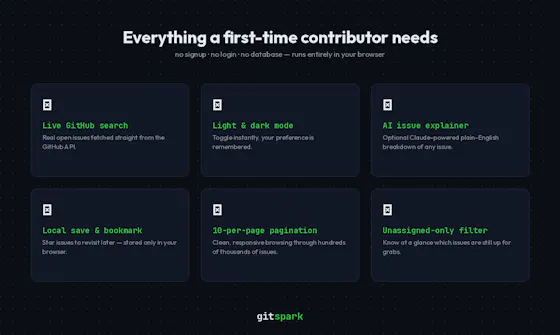
Finds real beginner-friendly open-source GitHub issues and explains them with AI, no account needed.
Watch out · No signup, no backend, no account needed.
No sign-upNothing to installOpen source
What to know▼
How it works
Fetches beginner-friendly GitHub issues live, filtered by language and contribution status, and explains them with AI-powered explanations; issues can be saved locally.
We check every product on this page once a day and record whether it still answers.
Mirrors your Claude Code / Codex agent sessions to your iPhone and Apple Watch so you can approve prompts and permission gates remotely over your local network.
No sign-upWorks offline
What to know▼
How it works
phone talks to your Mac over LAN, end-to-end encrypted, no cloud
What's different
auto-switches Claude accounts before rate limits stall a run, keeps Mac awake lid-closed
We check every product on this page once a day and record whether it still answers.
A free Chrome extension that files German receipts (GoBD-compliant) directly in your browser without ever uploading data, a password, or your inbox to a cloud service.
No sign-up
What to know▼
How it works
A browser-based tool for filing German receipts (GoBD-compliant) that works directly in your browser session where you're already logged in — no cloud upload, password sharing, or inbox access required. Includes checksummed registers, a cancellation log, a DATEV template, and a missing-receipts check.
What's different
Competitors pull invoices via cloud access requiring your passwords or inbox; this works locally in-browser with no account or cloud step.
Pricing
Available from 0 EUR in the Chrome Web Store.
Best for
German businesses and bookkeepers wanting GoBD-compliant receipt filing without granting a third party access to their email or accounts.
We check every product on this page once a day and record whether it still answers.
Turns your Mac trackpad into a breathing-exercise guide with audio and haptic cues, works fully offline with no account, for quick personal reset breaks.
No sign-upWorks offline
What to know▼
How it works
Turns a Mac's trackpad into a breathing-exercise guide: pick a pattern, set a session length, and follow a soft expanding orb with optional audio and haptic cues.
What's different
Works fully locally with no account, aimed at short resets without reaching for a phone.
Best for
Mac users wanting a quick, private breathing break during work without opening a phone app.
Tools that process your data locally — the short answers
Every number here comes from our own daily check — not from a vendor list.
Tools that process your data locally — how many are there?
Tablif is tracking 555 of them. 544 answered our check today, and 7 we couldn't reach — we don't claim those are dead.
Which ones are still maintained?
Tablif knocks on every door once a day and records the answer. 544 of these 555 responded on the latest run, so that number is what "still here" means on this page — not a review score.
Are any of them free?
215 of the live ones say so in their own words, and 169 let you start without making an account. Tablif records the claim the product makes; we don't verify pricing.
Any open-source options?
57 of the live ones on Tablif mention being open source.
What's the newest one?
Data Tool — Tablif first saw it 3 days ago.
Did a person actually look at these?
551 of them Tablif opened and read, then wrote a one-line summary in our own words instead of reusing the founder's tagline. The rest carry keyword labels we haven't confirmed by reading yet — and we say so rather than hiding it.