Tools that are freeRuns on Mac

105 match your filters — 97 of them answered our check today.

Watching this group for 20 days · how we check

This week47 new arrivals1 stopped answering

A USB desk light plus free app that shows red/green based on your real Teams, Zoom, Slack or Discord status — for people tired of manually toggling do-not-disturb.

Domain registered 4 years ago

Free
What to know
How it works
A USB desk light that mirrors your real presence — green when free, red when on a call — by watching Teams, Zoom, Slack and Discord at once.
What's different
Described as the only commercial busy light that also watches Discord, alongside Teams, Zoom and Slack.
Pricing
Free desktop app; hardware is $39.99.
Best for
People who want automatic do-not-disturb signaling instead of manually toggling status.

Watched for 13 days · last checked today

Details →

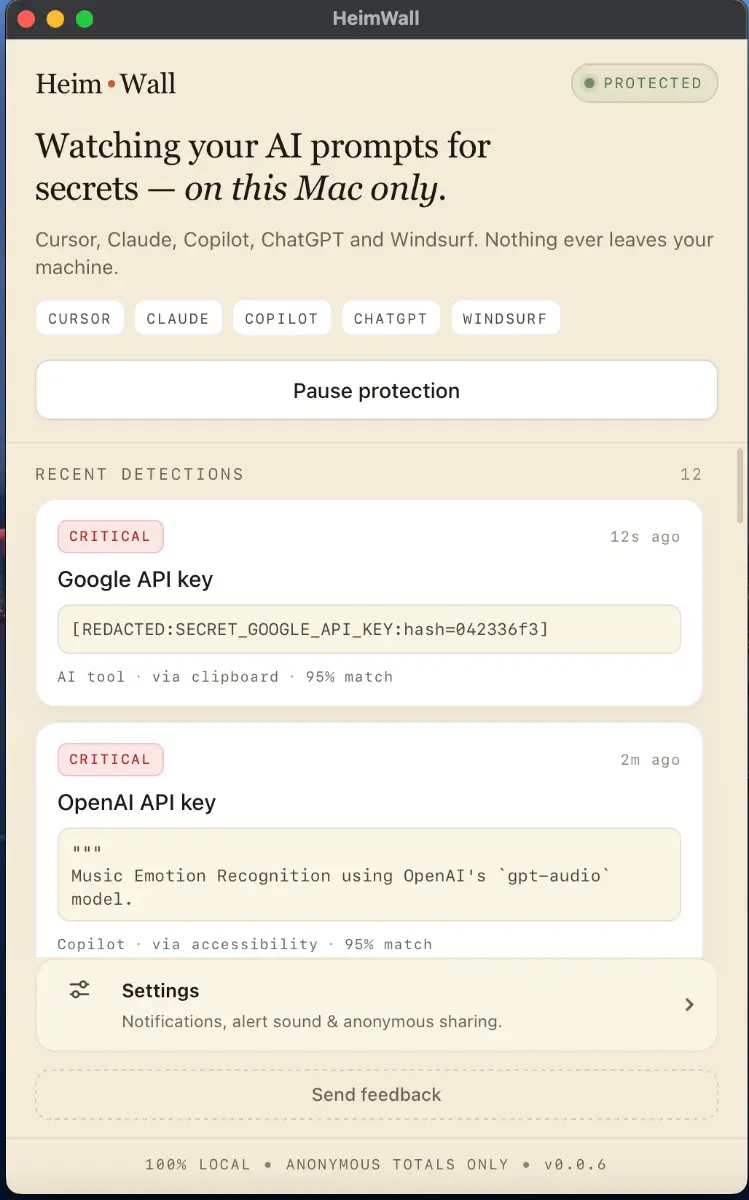
Local macOS scanner that blocks secrets and PII from leaking into AI coding-tool prompts, for engineers who don't want to rely on cloud DLP.

Domain registered 4 months ago

FreeWorks offline
What to know
How it works
A macOS app that scans prompts in real time before they reach AI coding tools like Cursor, Claude Code, and Copilot, flagging leaked API keys, credentials, and PII using 47 local detection rules in under 50ms.
What's different
Detection happens on-device before data leaves the machine, and uses soft notifications instead of hard blocks so it doesn't interrupt the coding flow.
Pricing
Free 15MB macOS application for engineers; an early-access dashboard is offered separately for organizations.
Best for
Engineers using AI coding assistants who want to avoid pasting live secrets into prompts.

Watched for 9 days · last checked 2d ago

Details →

A free, open-source macOS menu bar app that tracks your ChatGPT Codex usage limits in real time for developers.

Domain registered 9 days ago

FreeOpen source
What to know
How it works
Lives in the macOS menu bar and shows current Codex usage at a glance.
Pricing
Free and open-source.

Watched for 7 days · last checked today

Details →

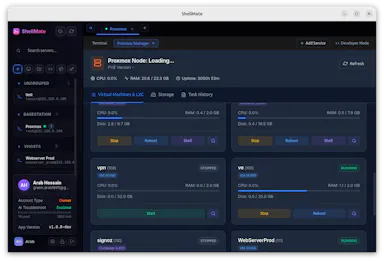
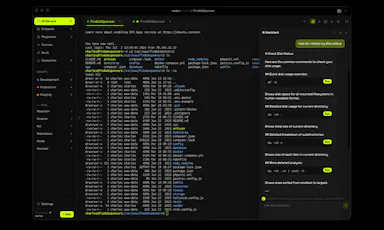
AI-assisted SSH workspace bundling terminal, SFTP, Docker, database, and git tools into one app for developers and DevOps teams, free for individuals.

Free
What to know
How it works
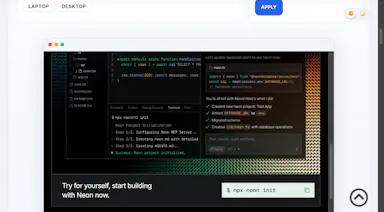
Brings native SSH terminal sessions, an AI assistant for server operations, SFTP file management, Docker and Compose management, database connections, real-time log viewing, git repository management, system service management, cron job management, port monitoring, and Proxmox VE cluster management into one workspace.
What's different
Replaces switching between terminals, password managers, documentation, database clients, Docker tools, file browsers, and virtualization dashboards.
Pricing
Free forever for individual users (AI features excluded).

Watched for 8 days · last checked today

Details →

A free, open-source macOS menu-bar app that keeps your Mac awake during downloads, renders or AI agent runs, with smart triggers and closed-display mode.

FreeOpen source
What to know
How it works
A native macOS menu-bar app that keeps your Mac awake during downloads, renders, or AI agent runs using smart triggers, timed sessions, and a closed-display mode.
Pricing
Free and open source.
Best for
Mac users running long downloads, renders, or agent tasks that need the machine to stay awake.

Watched for 12 days · last checked today

Details →

A free, no-account desktop markdown and text editor with live WYSIWYG formatting and clean markdown export, available now for Windows with macOS and Linux planned. A general writing tool, not developer-specific.

FreeNo sign-upWorks offlineCan export my data
What to know
How it works
A desktop markdown and text editor with WYSIWYG live formatting; edit inline or switch to raw source/preview, then export clean markdown.
Pricing
Free to download and use, including commercial use, no account required.
Best for
General writers who want a simple local markdown editor rather than developers specifically.
Watch out
Windows is available now; macOS and Linux builds are listed as coming soon, not yet available.

Watched for 18 days · last checked today

Details →

Pandia

Live

Native desktop app for opening and editing multi-gigabyte JSON files instantly, for developers who hit size limits in browser-based JSON viewers.

FreeWorks offlineData stays with youOpen source
What to know
How it works
Opens huge files with no upload, shows JSON as Tree, Code, Grid, Graph, or Compare views, generates types for 9 languages.
What's different
Handles multi-gigabyte files offline where most JSON tools choke or require upload.
Pricing
Free
Watch out
Desktop-only (macOS, Windows, Linux).

Watched for 5 days · last checked today

Details →

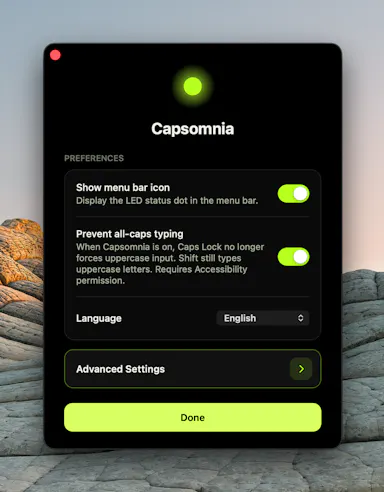
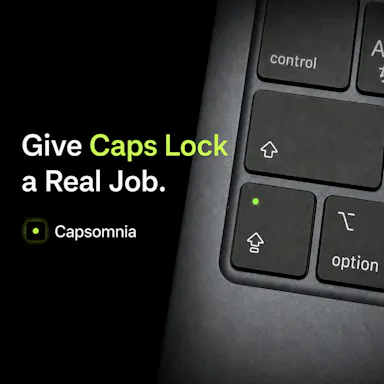
Repurposes the Caps Lock key as a physical sleep-prevention switch so long-running builds, agents, or SSH sessions survive a closed MacBook lid.

FreeNo sign-upOpen source
What to know
How it works
Turns Caps Lock into a physical switch that keeps your MacBook awake; light shows active state.
Pricing
Free and open source.
Watch out
Requires Caps Lock not already assigned to something else.

Watched for 2 days · last checked 2d ago

Details →

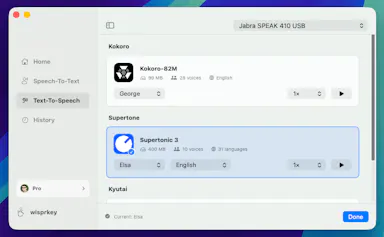
A free voice-to-structured-markdown notes app that runs entirely offline on Mac/iOS using a local LLM, for people who don't want their dictation sent to the cloud.

FreeWorks offline
What to know
How it works
Global dictation shortcut, live markdown editor with on-the-fly LLM fixes, all local.
Pricing
Free.
Watch out
Local LLM only — no cloud/API-key option mentioned, unlike some competitors.

Watched for 2 days · last checked 2d ago

Details →

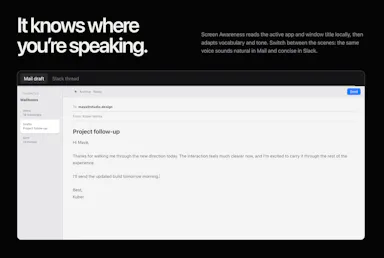
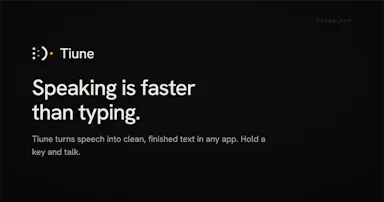
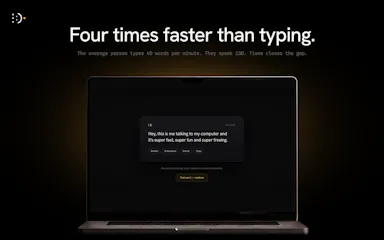
A free Mac voice-dictation tool that types into any app via a global shortcut, aimed at people who'd rather speak than type.

Free
What to know
How it works
Global shortcut triggers voice typing, claims 98% accuracy across 31 languages.
Pricing
Free.

Watched for 2 days · last checked 2d ago

Details →

An audio tag editor for macOS and iOS that automatically fixes missing artist/album metadata using acoustic fingerprint matching.

4.2112 ratings on the App Store

FreePay onceNo subscription
What to know
How it works
Listens to audio files and matches metadata and album art via acoustic fingerprinting
Pricing
Lifetime access free for launch period, then presumably paid

Watched for 5 days · last checked today

Details →

Oats

Live

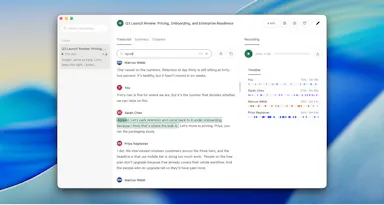
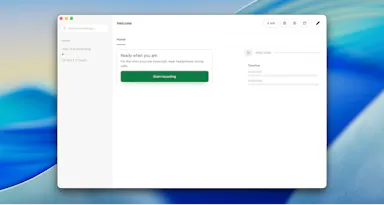
A free, fully on-device meeting note-taker that transcribes and blends your typed notes without ever sending audio to the cloud or requiring an account, unlike most paid cloud notetakers.

FreeNo sign-upWorks offlineNo subscription
What to know
How it works
On-device transcription blended with your typed notes into a write-up; optional bring-your-own model key or fully offline.
What's different
Most competitors still upload audio to their cloud and cost $18+/mo; this doesn't and is free.
Pricing
Free.

Watched for 2 days · last checked 2d ago

Details →

Free open-source Mac dictation app that types cleaned-up text into any app entirely on-device, no account needed.

FreeNo sign-upWorks offlineOpen source
What to know
How it works
Hold a key, speak, on-device model transcribes and cleans up fillers/self-corrections
What's different
100% on-device, no account or server required
Pricing
Free, MIT-licensed

Watched for 4 days · last checked today

Details →

tterm

Live

macOS cockpit for working with Claude Code: stacked rows of explorer, Claude, and file viewer with a built-in Chromium browser and diff review.

FreeNo sign-upNo tracking
What to know
How it works
each project is a row of explorer, Claude pane, and file viewer
What's different
real browser inside, no editor; you review diffs and commit
Pricing
free for hobbyists on Apple silicon

Watched for 6 days · last checked today

Details →

Chimlo

Live

Free open-source macOS app that shows Codex and Claude Code agent status in the MacBook notch so you don't have to hunt through terminals.

FreeOpen source
What to know
How it works
Notch UI shows working/waiting/finished/failed agent states, lets you answer prompts inline
Pricing
Free, open source
Best for
Developers running multiple coding-agent sessions at once

Watched for 4 days · last checked today

Details →

Hejour

Live

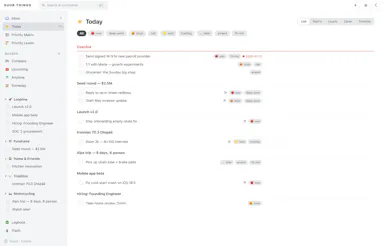
A calm, day-page-based notes app for Mac/iOS meant to replace cluttered productivity tools with simple daily capture and linking.

Free
What to know
How it works
Every day is a page; link days with @, track todos, find anything via one command palette.
Pricing
Free to download.

Watched for 2 days · last checked 2d ago

Details →

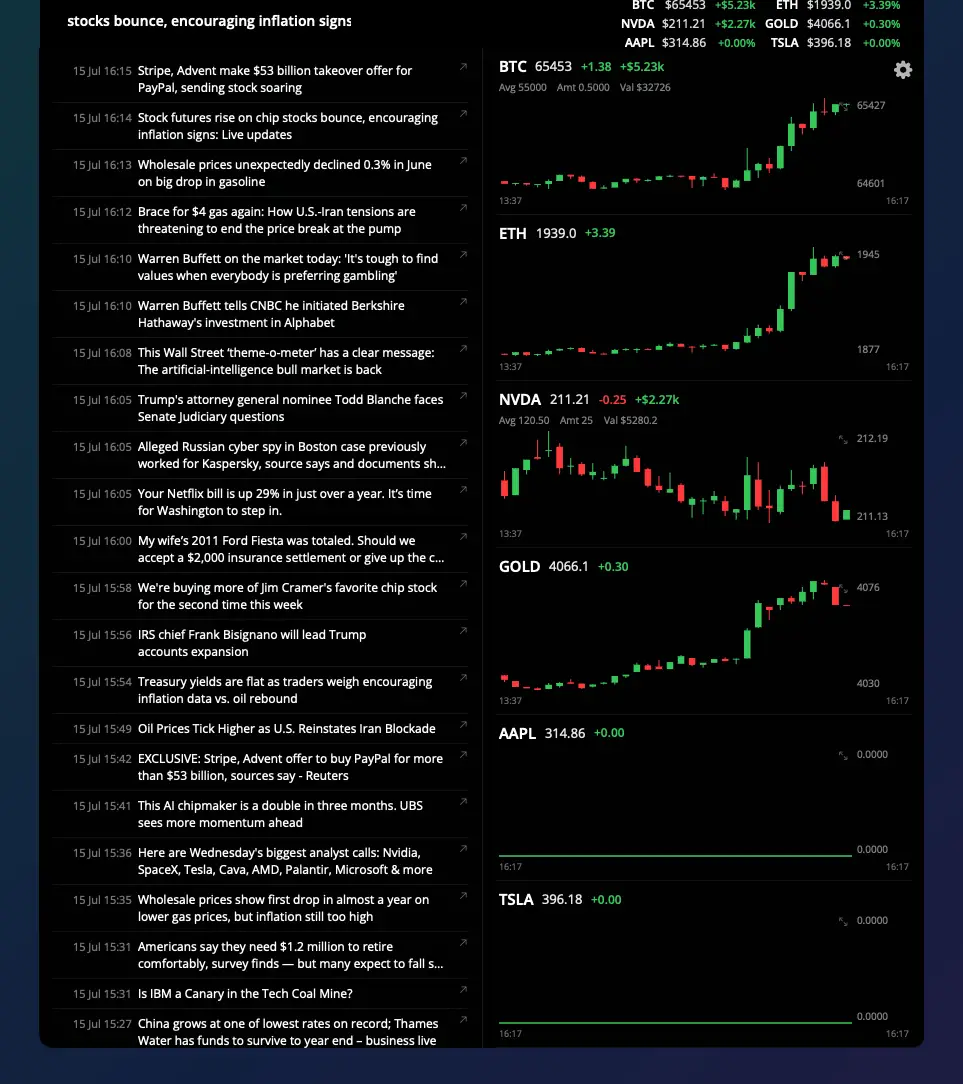
Shows live stock and crypto ticker prices in a MacBook's notch, for traders who want their watchlist visible without opening an app.

Domain registered 2 months ago

FreeNo sign-upNo subscription
What to know
How it works
Notch shows watchlist P&L on one side, scrolling news on the other
What's different
click a ticker for a candlestick chart with indicators
Pricing
7-day trial, then free forever with limits; Pro $5/mo or $40 lifetime

Watched for 6 days · last checked today

Details →

A free, open-source MCP server that lets AI agents safely read and write your Things 3 tasks, plus adds Kanban, matrix and time-blocking views Things 3 lacks.

FreeNo sign-upWorks offlineOpen source
What to know
How it works
reads are read-only, writes go only through Things' official URL scheme so agents can't corrupt data
Pricing
free, open source (MIT), no cloud or account
Best for
Things 3 users on macOS who want AI task management without risking their data

Watched for 5 days · last checked today

Details →

Locks selected Mac folders into a local AES-256 encrypted vault, verifying copies before moving originals to Trash.

FreeNo sign-up
What to know
How it works
encrypts folders into sparsebundle vaults, unlocks in Finder, relocks by unmounting
Pricing
free macOS beta via TestFlight
Watch out
beta software, test only with disposable sample folders; no recovery backdoor if you lose access

Watched for 4 days · last checked today

Details →

A desktop app that publicly posts to a shared leaderboard when it catches you coding past your self-set bedtime.

Domain registered 15 days ago

Free
What to know
How it works
Detects when a code editor is open past your curfew and posts the streak break publicly after a grace period
Pricing
Free, macOS only
Watch out
Only sees which apps are open, not your code

Watched for 5 days · last checked today

Details →

An AI bookmark manager that captures links, notes, screenshots, files, and voice memos, then makes them searchable and usable inside ChatGPT, Claude, and Cursor.

Free
What to know
How it works
Captures links, notes, screenshots, files, and voice memos and makes them searchable and usable in ChatGPT, Claude, and Cursor.
Pricing
Free Starter plan available.
Best for
Users who want captured material fed directly into AI tools like ChatGPT, Claude, and Cursor.

Watched for 7 days · last checked 1d ago

Details →

Free online tool to preview how a website looks across different device screen sizes and resolutions.

Domain registered 13 days ago

Free
What to know
How it works
test site layout across mobile, laptop and custom resolutions in the browser
Pricing
free
Best for
developers checking responsive design

Watched for 6 days · last checked today

Details →

A free Mac utility that locks your keyboard and blocks mouse clicks across all displays so you can safely clean it.

Domain registered 13 days ago

Free
What to know
How it works
Disables keyboard input and mouse clicks except an unlock button
Pricing
Free
Best for
MacBook users without a hardware keyboard lock

Watched for 6 days · last checked today

Details →

A free, open-source clipboard history manager for Windows with image previews and a double-tap-Ctrl shortcut - a general utility despite being open source.

FreeOpen source
What to know
How it works
An open-source clipboard history manager for Windows 10/11 built with Rust and Tauri 2, showing text and image previews and letting you paste history with a double-tap of Ctrl.
What's different
Positioned against Windows' built-in Win+V (text-only, no image preview) and Ditto (not modernized), filling the gap for a free, actively developed Windows clipboard manager.
Pricing
Free.
Best for
Windows users who want a fast, private clipboard history tool with image support.

Watched for 14 days · last checked today

Details →

A free macOS desktop app that shows a small isometric virtual town where your AI coding agent's status appears, so you can respond to permission prompts from Claude Code, Codex, or OpenCode without going back to the terminal.

Free
What to know
How it works
Run a focus timer alongside other engineers in a shared virtual space; your agent's status (working, thinking, needs you) floats above your character, and permission requests surface as in-game cards.
Pricing
Completely free.
Best for
Developers who code alone with AI agents and want a sense of shared presence.

Watched for 7 days · last checked 6d ago

Details →

An open-source, template-based design tool for building App Store and Play Store screenshots, feature graphics, and preview videos entirely in your browser or desktop app, with no account or upload required.

Domain registered 13 days ago

FreeNo sign-upData stays with youOpen source
What to know
How it works
pick a template, drop in your app screens, and export every required store size, including MP4 previews
What's different
an optional AI agent can build the whole listing from raw screenshots
Best for
app developers and designers preparing store listings

Watched for 7 days · last checked 6d ago

Details →

Pluks

Live

A clipboard manager for macOS and Windows that copies text the instant you select it, no Ctrl+C needed, plus a searchable history of your last 200 clips.

FreeNo sign-upWorks offline
What to know
How it works
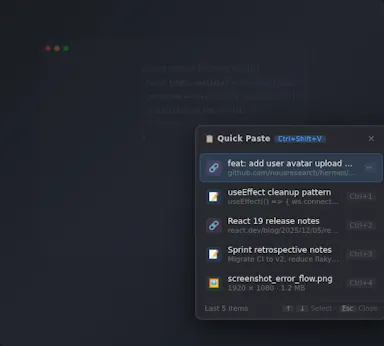
A clipboard manager for macOS and Windows (beta) that copies text the instant you select it — no Ctrl+C/Cmd+C needed — then long-press to paste, or press Cmd/Ctrl+Shift+V to open a searchable history of your last 200 clips.
What's different
Brings the select-to-copy behavior Linux users know from PRIMARY selection to Mac and Windows; traditional clipboard managers only store history after you explicitly press copy.
Pricing
Free.
Best for
macOS and Windows users who want copy-paste without the extra keystroke.
Watch out
The Windows version is in beta.

Watched for 18 days · last checked 2d ago

Details →

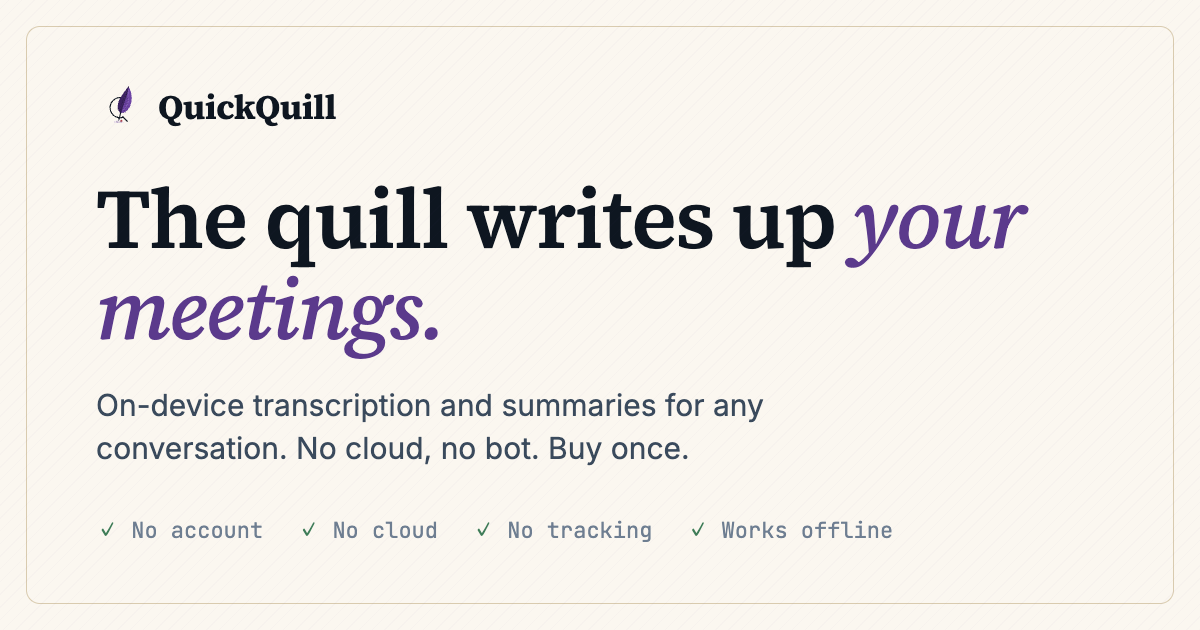
Records meetings on Mac and generates transcripts, summaries and live translated subtitles, entirely on-device. Dictation is free forever; the full meeting workflow costs a one-time $49.

Domain registered 1 month ago

FreeNo sign-upWorks offlinePay once
What to know
How it works
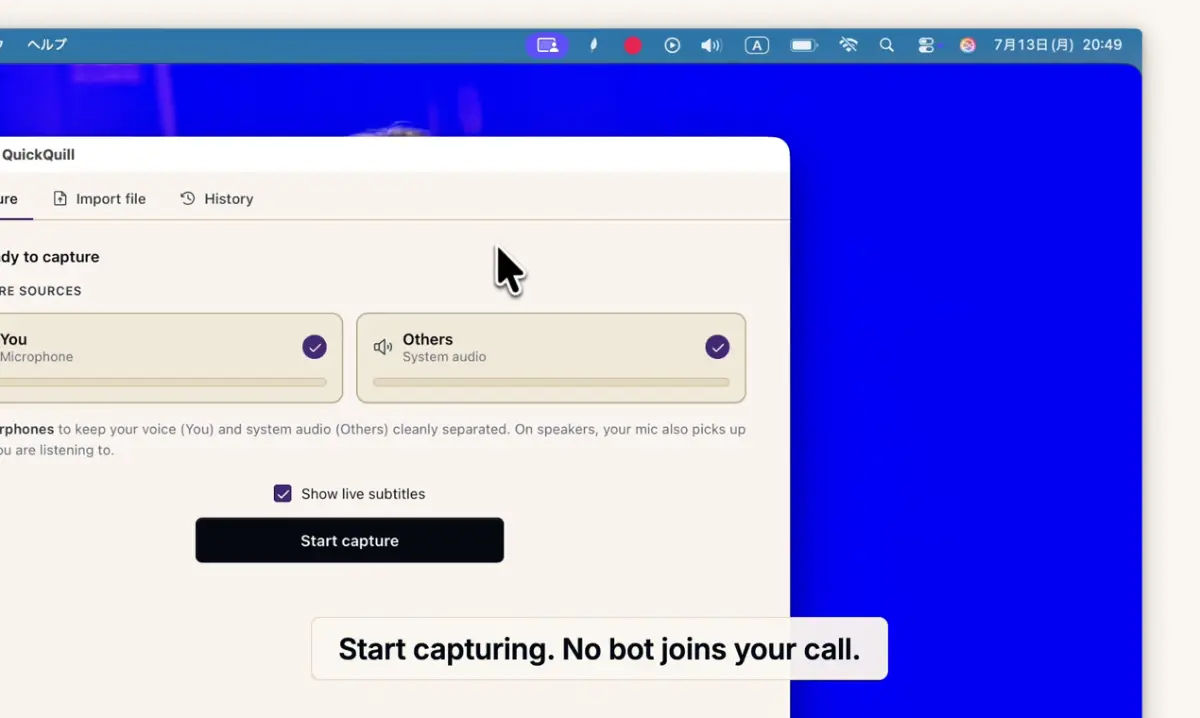
Records meetings and produces transcripts and summaries entirely on-device, with nothing sent to the cloud; it also shows live subtitles with translation while recording, and offers push-to-talk dictation usable in any app.
What's different
Continues working with Wi-Fi off and requires no bot joining the call, since everything runs on-device.
Pricing
Dictation is free forever; the full meeting workflow is a one-time $49 purchase. No account or subscription required.
Best for
Mac users who want private, on-device meeting notes without a cloud service.
Watch out
Requires macOS 26 on Apple Silicon, so it won't run on older Macs or other operating systems.

Watched for 12 days · last checked 6d ago

Details →

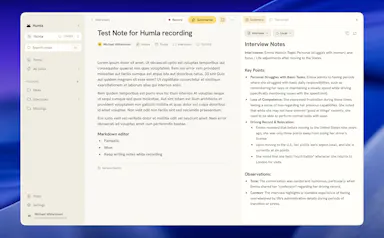
Humla

Live

A Mac app that records and transcribes meetings entirely on-device, no bot joins the call. Free and open source, with optional cloud or self-hosted sync for teams.

FreeWorks offlineOpen sourceNo tracking
What to know
How it works
Records mic and call audio directly through macOS with no bot joining the meeting, then transcribes, labels speakers, and writes a summary that fuses your notes with the transcript. Runs fully on-device using Whisper on Apple Silicon, or with your own AI key.
What's different
No bot joins the call, and it can run entirely on-device with local SQLite storage and no telemetry.
Pricing
Free and MIT-licensed, with optional paid team sync via Humla Cloud or self-hosting.
Best for
Mac users who want private, on-device meeting transcription without a bot joining their calls.

Watched for 13 days · last checked 7d ago

Details →

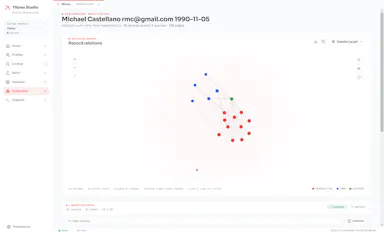
A desktop entity-resolution tool that matches and deduplicates records in a CSV locally on your machine, free up to 100k records, with an MCP server for AI coding assistants.

FreeNo sign-upWorks offline
What to know
How it works
Loads a CSV and resolves duplicate records live using the same real-time matching engine as Tilores' cloud product, running entirely on your machine; a local MCP server also lets Claude Code, Codex and other AI assistants search, import and steer it against your data.
What's different
Skips the usual enterprise entity-resolution sales process (demo, contract) — nothing leaves your laptop, and it's free up to 100k records.
Pricing
Free up to 100,000 records.
Best for
Teams who want to deduplicate and match records locally, including via AI coding assistants, without a cloud enterprise contract.

Watched for 10 days · last checked 4d ago

Details →

See which apps are hammering your Mac's disk

FreeOpen source
What to know
How it works
İşlem başına disk okuma/yazma, CPU/ağ etkinliğini ve SMART/NVMe sağlığını canlı izler.
Pricing
Tamamen ücretsiz ve açık kaynak.

First seen today · last checked today

Details →

Local-first data recovery software for Windows and macOS that scans internal, external, USB, and SD drives and previews recoverable files before restoring.

Domain registered 4 months ago

FreeWorks offline
What to know
How it works
Scans drives across NTFS, FAT32, exFAT, and APFS filesystems and lets you preview files before recovering them.
Pricing
Free to restore up to 500 MB before paying.
Best for
People recovering lost files from a drive without sending data to a cloud service.

Watched for 12 days · last checked 6d ago

Details →

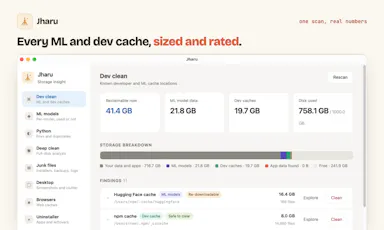
Free disk cleaner for your AI model and dev caches

FreeOpen sourceNo tracking
What to know
How it works
AI model önbellekleri ve geliştirici çöplerini tanıyıp gigabaytlarca yer açar; telemetri yok, kalıcı silme yok.
What's different
Ücretli CleanMyMac'e karşı ücretsiz alternatif.

First seen today · last checked today

Details →

A macOS menu bar color picker for developers that copies colors directly in Tailwind, SCSS or SwiftUI format.

Domain registered 1 month ago

FreeNo subscription
What to know
How it works
Pick a color from anywhere, copy in your target code format, paste
Pricing
4 formats free, 8 formats for $19 lifetime (Pro)
Best for
Developers who copy colors from design into Tailwind/SCSS/SwiftUI code

Watched for 5 days · last checked 4d ago

Details →

IAXT

Live

A free macOS menu-bar app that logs everything your AI coding agent (Claude Code, Cursor, Aider, Codex) did in a session, entirely local with no account or cloud.

FreeNo sign-upWorks offline
What to know
How it works
A menu-bar app that passively records what AI coding agents like Claude Code, Cursor, Aider and Codex do on your Mac, every command, file touched, package installed, git operation, and launch agent, then presents it in an Action Log with confidence and severity tiers per agent, with any row copyable as context for another LLM.
Pricing
Free.
Best for
Developers using AI coding agents who want a record of exactly what those agents changed on their machine.

Watched for 18 days · last checked today

Details →

Free Mac-focused calculators for pixel density, cable bandwidth and Apple Silicon display compatibility — a niche reference toolkit for people setting up external monitors.

Free
What to know
How it works
A set of free Mac-focused calculators: a PPI/Retina checker, a cable bandwidth calculator for HDMI, DisplayPort, and Thunderbolt, and a database showing external display support across Apple Silicon chips from M1 to M5.
Pricing
Free.
Best for
macOS users setting up or shopping for external monitors who want to verify compatibility and cable requirements.

Watched for 18 days · last checked 9d ago

Details →

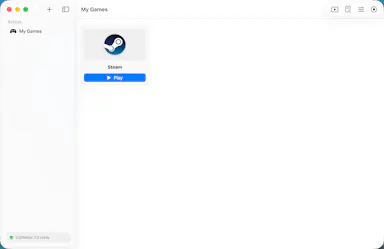
A free, open-source macOS app that runs Windows games like Steam titles and CS2 on Apple Silicon without command-line hacks. Built for Mac gamers, not developers.

FreeOpen source
What to know
How it works
A macOS app that runs Windows games, including Steam titles and CS2, on Apple Silicon using Metal-accelerated Direct3D (DXMT and Apple's Game Porting Toolkit), with per-game bottles and automatic performance tuning.
What's different
Free and open-source, with one-click Steam install and no command line or hacks required.
Pricing
Free, open-source.
Best for
Mac gamers on Apple Silicon who want to play Windows games like CS2 without manual setup.

Watched for 13 days · last checked 2d ago

Details →

A free, open-source Mac app for developers that lists every open port and its process, lets you kill busy ports, and fix 'address already in use' errors.

FreeOpen source
What to know
How it works
A free, open-source Mac app that lists every open port and the process behind it, lets you kill processes on busy ports, and can block ports via the built-in macOS firewall.
Pricing
Free and open source.
Best for
Developers on macOS troubleshooting 'address already in use' errors or checking what's listening on their ports.

Watched for 13 days · last checked 7d ago

Details →

A free, open-source desktop app for AI character chat, roleplay and long-form writing, where your data stays in a local database even with a cloud AI backend.

FreeWorks offlineOpen source
What to know
How it works
A desktop AI workspace for character chat, multi-character roleplay, and long-form writing with RAG, LoreBooks, and MCP tools and plugins; you bring your own backend, such as OpenAI-compatible APIs, OpenRouter, LM Studio, Ollama, or KoboldCpp, while chats, characters, projects, and knowledge are stored in a local SQLite database.
What's different
Keeps your data in a local database even when you connect a cloud AI backend, and is free and open source.
Pricing
Free and open source.
Best for
Writers and roleplayers who want to choose their own AI backend while keeping their data local. Native builds are available for macOS, Windows, and Linux.

Watched for 14 days · last checked 2d ago

Details →

Purge

Live

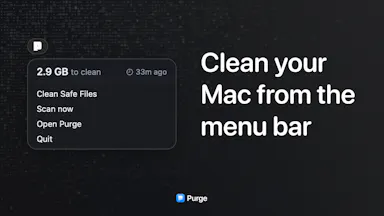
A free, open-source Mac utility that finds cache files and forgotten junk eating your disk space and moves them to the trash.

FreeOpen source
What to know
How it works
Scans your Mac for cache files and forgotten junk eating disk space and moves them to the trash rather than deleting permanently.
What's different
Open source and free, with nothing removed outside the trash until you empty it yourself.
Pricing
Free, open source.
Best for
Mac users who want to reclaim disk space without risking permanent deletion of something they needed.

Watched for 13 days · last checked 7d ago

Details →

Corder

Live

Records your Mac's mic and system audio directly with no bot joining the call, and transcribes on-device so recordings never leave your machine. Free to start, no account needed.

Domain registered 2 months ago

FreeNo sign-upWorks offline
What to know
How it works
Records your Mac's microphone and system audio as two separate tracks at the OS level, so nothing joins the call as a bot — works in Zoom, Meet, Teams, Discord or any browser tab. Transcription runs on-device.
What's different
No bot tile appears in the meeting, so it works even where bot-based recorders are blocked, and transcripts never leave your Mac.
Pricing
Free, no account needed to start.
Best for
People in companies that block meeting-recorder bots who still want private, local transcripts.

Watched for 13 days · last checked 7d ago

Details →

A locked-down macOS code editor for C, C++ and Java exams that blocks copy-paste, app-switching and internet access with a timer — built for students taking proctored tests.

FreeNo sign-up
What to know
How it works
A macOS code editor for C, C++ and Java with an Exam Mode that locks copy/paste, blocks switching apps, cuts internet access, runs a countdown timer, and caps compile/run attempts.
Pricing
Free, no signup required.
Best for
Students taking proctored coding exams, and schools wanting enforced exam conditions.

Watched for 14 days · last checked 8d ago

Details →

A free screen recording app for Windows, macOS, Linux, and web that automatically zooms the cursor on clicks, processing everything on-device without upload.

FreeNo sign-upWorks offlineData stays with you
What to know
How it works
Highlights the cursor and auto-zooms on clicks during recording, with no upload or account required to start.
Pricing
Free.
Best for
People who want a directed-looking screen recording without manual editing or cloud upload.

Watched for 12 days · last checked 6d ago

Details →

An on-device dictation, rewriting, translation and local AI agent tool for Apple Silicon Macs - free and open-source (MIT), with no cloud, no accounts, and MCP support.

FreeWorks offlineOpen source
What to know
How it works
Runs on-device dictation, rewriting, and translation using multiple transcription models (Parakeet, CTC, Nemotron, Qwen3-ASR), plus a local agent that plans and calls tools like Apple Notes, clipboard, files, and MCP.
What's different
Fully local processing with no cloud and no accounts, and lets you swap or customize any underlying model or prompt.
Pricing
Free and open-source (MIT license).
Best for
Apple Silicon Mac users who want dictation and an AI agent without sending data to the cloud.
Watch out
Requires Apple Silicon and macOS 26; some listed models (Gemma 4, Qwen3.6, Ornith 1.0) are described as coming next, not yet available.

Watched for 17 days · last checked 11d ago

Details →

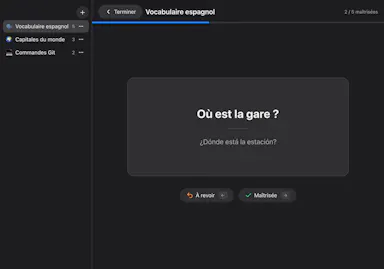
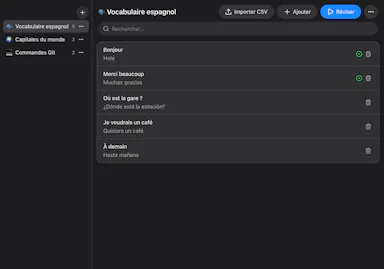
A free, open-source Mac flashcard app modeled on Anki but with zero setup — no account or cloud, cards stay on your Mac, fully keyboard-driven review.

FreeNo sign-upWorks offlineOpen source
What to know
How it works
Brings spaced-repetition flashcards to macOS with fully keyboard-driven review (Space to reveal, arrows to grade) and CSV import.
What's different
Zero setup compared to Anki — no account, no cloud, no scheduler to configure; cards stay on your Mac.
Pricing
Free and open source (MIT).
Best for
Mac users who want Anki's spaced-repetition power without its setup complexity.

Watched for 16 days · last checked 10d ago

Details →

naden

Live

A free, open-source desktop SSH client for macOS with a built-in terminal, SFTP browser, jump host support, and an encrypted credential vault.

Domain registered 1 month ago

FreeOpen source
What to know
How it works
Provides SSH terminal access, SFTP file browsing, jump host chaining, and an encrypted vault for credentials.
Pricing
Free and open source.
Best for
Developers and IT professionals managing remote servers from a Mac.

Watched for 12 days · last checked 9d ago

Details →

A free, no-account, no-cloud plain-text task manager for macOS built around the todo.txt format, for people who already keep their to-dos in a text file.

FreeNo sign-upWorks offline
What to know
How it works
A native macOS app built around the plain-text todo.txt format, with keyboard shortcuts for everything and no cloud sync.
What's different
For people who already keep tasks in a .txt file — it's built to be faster than editing that file by hand, not to replace it with a database.
Pricing
Free.
Best for
macOS users who manage tasks in a plain text file and want a faster native interface for the same format.

Watched for 18 days · last checked 2d ago

Details →

Scans your Mac for node_modules folders and package caches eating disk space, with one-click cleanup to Trash. Scanning is free; cleanup needs a one-time fee.

FreeOpen sourcePay onceNo subscription
What to know
How it works
Lives in the macOS menu bar and shows what dev projects cost in disk space: every node_modules folder, the pnpm store, and every installed package with versions and security advisories. One-click cleanup always moves files to Trash rather than deleting with rm -rf.
Pricing
Scanning is free forever; one-click cleanup is a one-time 19 euro lifetime license at the founding price.
Best for
Developers whose Mac disk is filling up with node_modules and package caches across projects.

Watched for 18 days · last checked 2d ago

Details →

Records what you say and turns it into an organized project log automatically on your own device. Aimed at solo builders and founders who have no one else tracking their progress.

FreeWorks offlinePay onceNo subscription
What to know
How it works
Records spoken audio and turns it into an organized project history and devlog automatically, processed on your own device.
What's different
Runs fully on-device rather than relying on manual note-taking or a cloud service.
Pricing
Free to use with full functionality, no subscription; a paid Pro tier unlocks Labs and unlimited weekly processing.
Best for
Solo builders and founders who track their own progress by talking rather than writing, with no one else keeping a project record for them.

Watched for 18 days · last checked 2d ago

Details →

RDB

Live

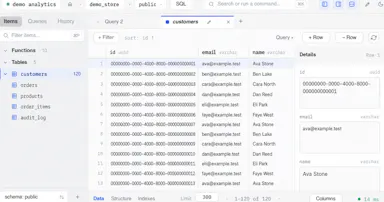
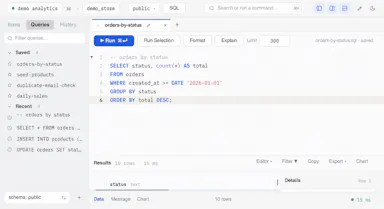
A free open-source desktop client for editing multiple database engines, instead of separate GUI tools per database.

FreeOpen source
What to know
How it works
One native Rust binary for macOS, Windows, and Linux supporting six database engines.
Best for
Developers who work across multiple database types.

Watched for 2 days · last checked 1d ago

Details →

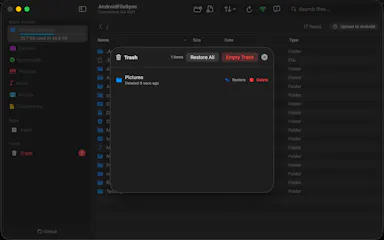
A native macOS app that lets you browse and manage your Android phone's files like Finder, transfer files and sideload apps over USB or Wi-Fi — for any Mac owner, not developers specifically.

FreeOpen source
What to know
How it works
A native macOS file manager that lets you browse and manage an Android phone's files the way Finder handles local files, transfer files, preview media with the spacebar, and sideload apps over USB or Wi-Fi.
What's different
Runs completely locally and privately, with no subscription, unlike some Android-to-Mac file tools.
Pricing
Free and open-source.
Best for
Mac owners who use an Android phone and want Finder-style file browsing instead of a clunkier transfer tool.

Watched for 15 days · last checked 9d ago

Details →

A free, open-source macOS app and CLI letting teams share and steer a local Codex coding session together in real time.

Domain registered 16 days ago

FreeOpen sourceSelf-hosted
What to know
How it works
Shared local Codex session with Monaco editor, terminals, web previews, Git/PR review, and encrypted relay
What's different
Encrypted with RFC 9420 MLS; free hosted relay or self-host option
Pricing
Free, open source
Best for
Small trusted dev teams pairing on AI-assisted coding sessions
Watch out
Requires an existing Codex account; encryption is unaudited

Watched for 4 days · last checked 2d ago

Details →

A free Mac menu bar app that keeps the screen off while running Docker, Plex, or SSH servers 24/7 without burn-in.

FreeOpen source
What to know
How it works
Turns off the display while keeping the CPU awake, toggled by global hotkey
Pricing
free and open source
Best for
turning a Mac Mini or MacBook into an always-on home server

Watched for 4 days · last checked 2d ago

Details →

A fully local voice-to-text keyboard for macOS that types into any app — audio and text never leave your device, free for personal use.

FreeWorks offline
What to know
How it works
Hold a shortcut key and speak to type text into any macOS app via local speech recognition; audio and transcribed text stay on the device and are never sent to an external server.
Pricing
Free for personal use.
Best for
macOS users who want voice typing without their audio leaving their device.

Watched for 18 days · last checked 2d ago

Details →

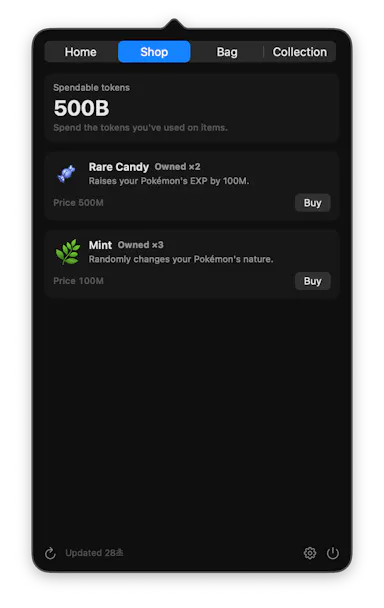
A menu-bar app that turns your Claude Code/Codex/Gemini CLI token usage into a Pokémon-collecting game while tracking usage limits.

FreeWorks offlineOpen source
What to know
How it works
Reads local usage logs and hatches/evolves a Pokémon as you spend tokens
What's different
Runs entirely on-device, nothing sent anywhere
Pricing
free
Best for
Developers who want a fun way to watch their AI token usage

Watched for 5 days · last checked 4d ago

Details →

Zyp

Live

A free keyboard-first SFTP/FTP/WebDAV/S3 client for Mac and Windows, positioned as a FileZilla/WinSCP alternative with zero telemetry.

Domain registered 10 days ago

FreeNo tracking
What to know
How it works
dual-pane transfer client with resume support
What's different
zero telemetry, unlimited server tabs
Pricing
free forever

Watched for 6 days · last checked 4d ago

Details →

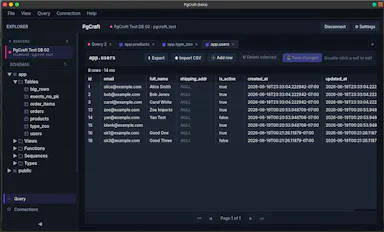
A fast native desktop GUI for browsing PostgreSQL schemas and running queries, free on Mac, Windows, and Linux.

Domain registered 1 month ago

Free
What to know
How it works
native desktop app for schema browsing and queries
Pricing
free

Watched for 6 days · last checked 5d ago

Details →

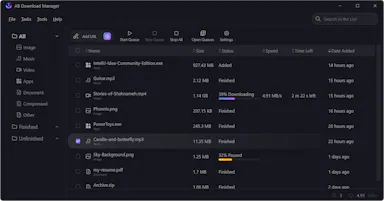
A free open-source download manager for Windows, Linux, Mac and Android with multi-threaded downloads and browser integration.

Domain registered 2 years ago

FreeOpen source
What to know
How it works
Splits downloads into threads for faster speeds, queues and schedules them
Pricing
Free, open source

Watched for 6 days · last checked 5d ago

Details →

A free, open-source macOS menu bar app showing live CPU, GPU, memory, storage, network, and battery stats in one glance.

FreeNo sign-upOpen sourceNo tracking
What to know
How it works
Menu bar panel with real-time system vitals
What's different
Balances instant awareness without overwhelming detail or hidden menus
Pricing
Free and open source
Watch out
Requires macOS 26+

Watched for 6 days · last checked 5d ago

Details →

A macOS menu-bar app that stops accidental Command-Q app quits by intercepting the keystroke with configurable rules per app.

Domain registered 1 month ago

FreeNo sign-upPay onceNo subscription
What to know
How it works
Sets per-app rules (confirm, hold, double-press, allow, never-quit) to intercept Command-Q
Pricing
free protects one app forever; $9.99 one-time for unlimited rules
Best for
Mac users who frequently quit apps by accident
Watch out
macOS only

Watched for 6 days · last checked 5d ago

Details →

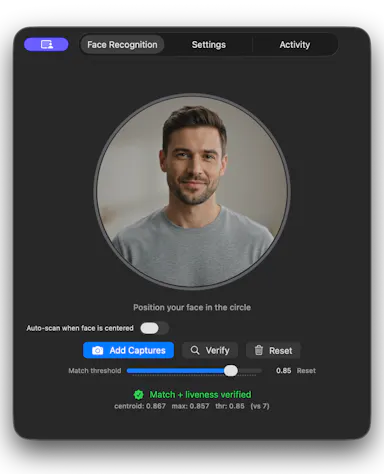
A Face ID-style unlock tool for macOS that runs fully on-device using the built-in camera and Apple Neural Engine, for anyone whose hands are too full for Touch ID.

FreeWorks offlineNo tracking
What to know
How it works
Enrolls your face in seconds using ArcFace running on-device, with zero network calls or telemetry; password and face data stay encrypted locally, gated by Touch ID.
Pricing
Free and source-available.

Watched for 7 days · last checked 5d ago

Details →

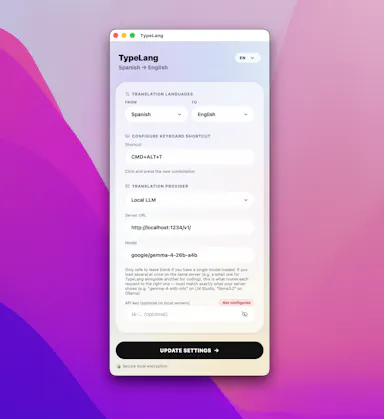
A free, open-source macOS menu-bar app that translates whatever you're typing into natural, professional language and pastes it back at your cursor.

FreeNo sign-upOpen sourceNo subscription
What to know
How it works
Type in your own language, press a shortcut, and the fluent translation is auto-pasted; use your own API key (Claude, GPT, Gemini) or run fully local via LM Studio.
Pricing
Free and open source, no subscription.
Best for
People writing in a non-native language across any macOS app.

Watched for 11 days · last checked 8d ago

Details →

A free browser tool that plays calibrated tones to shake water or dust out of a phone or laptop speaker — works for iPhone, Samsung, Pixel and MacBook, no app needed.

Domain registered 5 months ago

FreeNo sign-upNothing to install
What to know
How it works
A free browser tool that plays calibrated 165Hz and 200Hz sound waves to eject water and dust from phone or laptop speakers, covering iPhone, Samsung, Pixel, JBL, AirPods and MacBook.
Pricing
Free.
Best for
Anyone with a water-damaged or dusty phone/laptop speaker who wants a quick browser fix with no app install.

Watched for 14 days · last checked 2d ago

Details →

A free, open-source native macOS Gmail client built in Swift, pitched as a no-cost alternative to the $50/year Gmail client many people recommend.

FreeOpen source
What to know
How it works
A native Gmail client for macOS built in Swift.
What's different
Free and open-source, positioned as an alternative to a commonly recommended $50/year native Gmail client.
Pricing
Free (compared to a $50/year paid alternative).
Best for
Mac users who want a native Gmail app without paying an annual subscription.

Watched for 15 days · last checked 2d ago

Details →

A free macOS app that captures, annotates and merges multiple screenshots into a single PDF, or exports PNG and JPEG, working fully offline with no account required.

FreeNo sign-upWorks offline
What to know
How it works
A free macOS app that captures a screen area, lets you annotate it, and merges multiple screenshots into a single PDF, also exporting as PNG or JPEG.
Pricing
Free.
Best for
Mac users who want to turn screenshots into a shareable PDF without an account or internet connection.
Watch out
Works fully offline with no account, so nothing is uploaded to a server.

Watched for 18 days · last checked 2d ago

Details →

A free, open-source desktop app for opening and searching multi-gigabyte JSON files on macOS and Windows in seconds - a free alternative to paid tools like Dadroit.

FreeOpen sourceCan export my data
What to know
How it works
Opens and searches multi-gigabyte (2-3 GB) JSON files on macOS and Windows, with a tree viewer, regex search over keys and values, subtree extraction, export to CSV/XML, and multi-file union.
What's different
Free, open-source alternative to paid large-JSON viewers like Dadroit, with no cost or usage limits, including for commercial use.
Pricing
Free.
Best for
Developers who regularly need to open and search very large JSON files.

Watched for 15 days · last checked 2d ago

Details →

Hilium

Live

Turns your iPhone into a trackpad and remote for your Mac, with gesture input, live stats, and one-tap launch or quit of Mac apps from your phone. Free.

Free
What to know
How it works
Turns an iPhone into a trackpad and remote for a Mac, syncing after a one-time pairing code, with gesture input, live stats, and a dock that can launch or quit Mac apps with a single tap.
What's different
Goes beyond basic phone-as-trackpad apps with seamless persistent pairing, Mac power-user controls, and one-tap app quitting from the phone.
Pricing
Free.
Best for
Mac users who want phone-based remote control with more than basic trackpad functions.
Watch out
The iOS app is currently in TestFlight beta.

Watched for 17 days · last checked 2d ago

Details →

A free auto-clicker and macro recorder for macOS, for automating repetitive clicks and keystrokes.

Free
What to know
How it works
An auto-clicker and macro recorder for macOS that automates repetitive clicks and keystrokes.
Pricing
Free.
Best for
macOS users who need to automate repetitive click or keystroke tasks.

Watched for 17 days · last checked 9d ago

Details →

A macOS dictation app that inserts transcribed speech into any app via a hotkey; free local transcription through Apple Speech, with paid higher-accuracy and AI formatting options.

FreeWorks offline
What to know
How it works
A macOS dictation app: press a hotkey, speak, and the transcribed text is inserted directly into whatever app is active. Optional AI templates can then reformat the transcript into meeting notes, action items, summaries or to-do lists.
What's different
Supports both free local transcription via Apple Speech and higher-accuracy transcription via OpenAI Whisper, letting users choose speed/privacy versus accuracy.
Pricing
Free local dictation through Apple Speech; higher-accuracy Whisper transcription and AI formatting are paid options.
Best for
macOS users who want to dictate notes, emails or meeting summaries directly into any app without breaking their workflow.

Watched for 18 days · last checked 11d ago

Details →

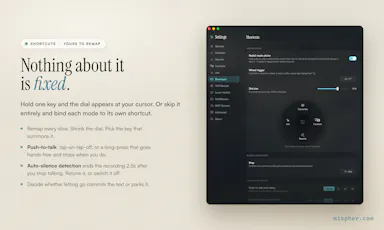
A free, open-source, on-device dictation app for Mac — hold a key, speak, text appears in any app. No cloud, no accounts, no tracking; a private alternative to Wispr Flow.

FreeNo sign-upWorks offlineOpen source
What to know
How it works
A voice dictation app for macOS: hold a key, speak, and the words appear in any app, running entirely on the Apple Neural Engine (every Mac since the M1, 2020).
What's different
No cloud, no tracking, no accounts and no weekly limits, positioned as a private, on-device alternative to Wispr Flow. Supports custom vocabulary for jargon, names and technical terms.
Pricing
Free and open-source.
Best for
Mac users who want fast voice dictation without their speech leaving the device.

Watched for 18 days · last checked 9d ago

Details →

A free, open-source macOS menu-bar app that gives haptic trackpad feedback whenever your cursor passes over any clickable button, link or menu, system-wide.

FreeOpen source
What to know
How it works
Runs in the Mac menu bar and taps the trackpad's haptic engine whenever the cursor passes over any clickable element — buttons, links, menus, tabs — system-wide across any app.
What's different
Works system-wide in any app rather than requiring per-app integration; open source.
Pricing
Free and open-source.
Best for
Mac users who want physical feedback when navigating the interface, not just visual cues.

Watched for 18 days · last checked 2d ago

Details →

Live desktop orbs for Claude, Codex & Antigravity

FreeWorks offlineNo subscription
What to know
How it works
Kalan kullanım hakkı ve sıfırlanma zamanını yerelde izler, yalnız sağlayıcıların kendi servisleriyle konuşur; kaynak denetime açık.
Pricing
İlk 100 kullanıcıya ücretsiz ömür boyu kişisel lisans fırsatı.

First seen today

Details →

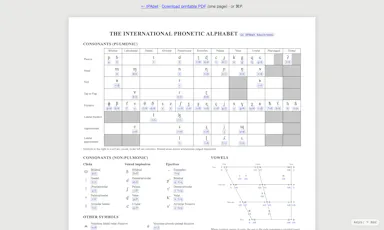
A better keyboard for the International Phonetic Alphabet

FreeWorks offlineOpen source
What to know
How it works
Her sembol bir veya iki tuş vuruşuyla yazılır; macOS'ta native, tarayıcıda da çalışır.

First seen today

Details →

Runs Linux VMs on a Mac via CLI, for developers who need a Linux dev environment without dual-booting.

Free
What to know
How it works
CLI-first VM orchestration with device passthrough
Pricing
free
Best for
developer teams needing Linux on Mac

Watched for 6 days

Details →

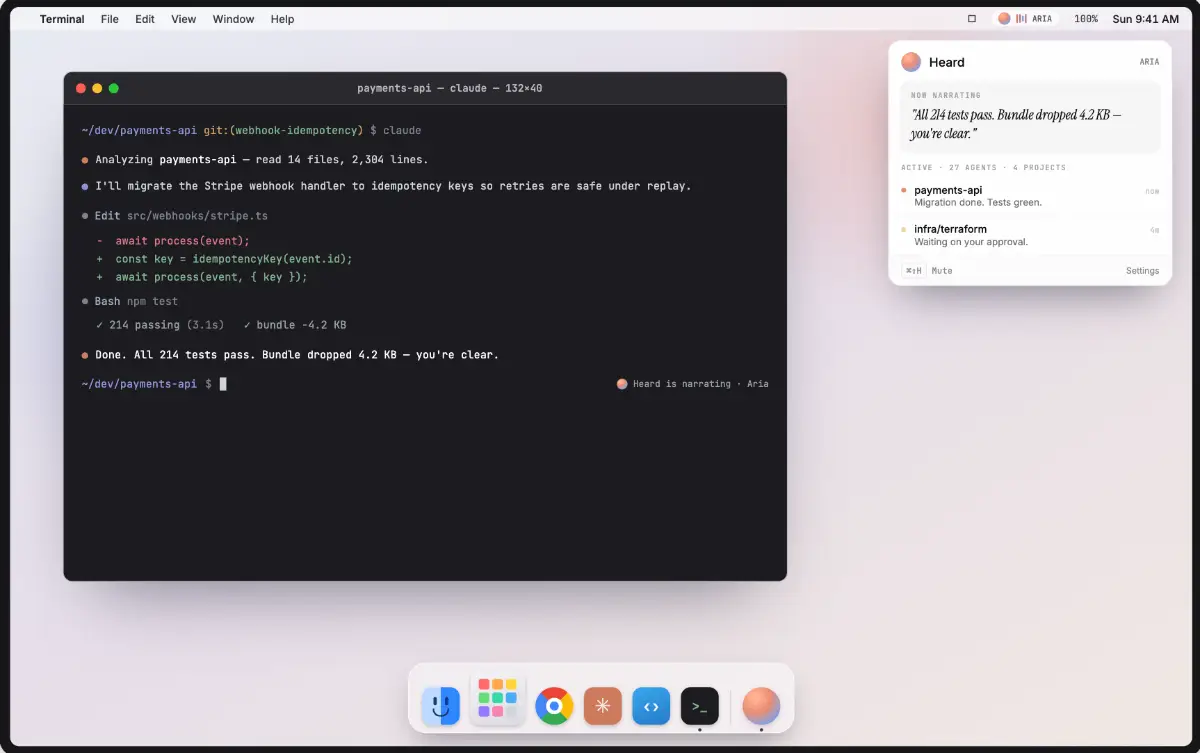
Heard

Live

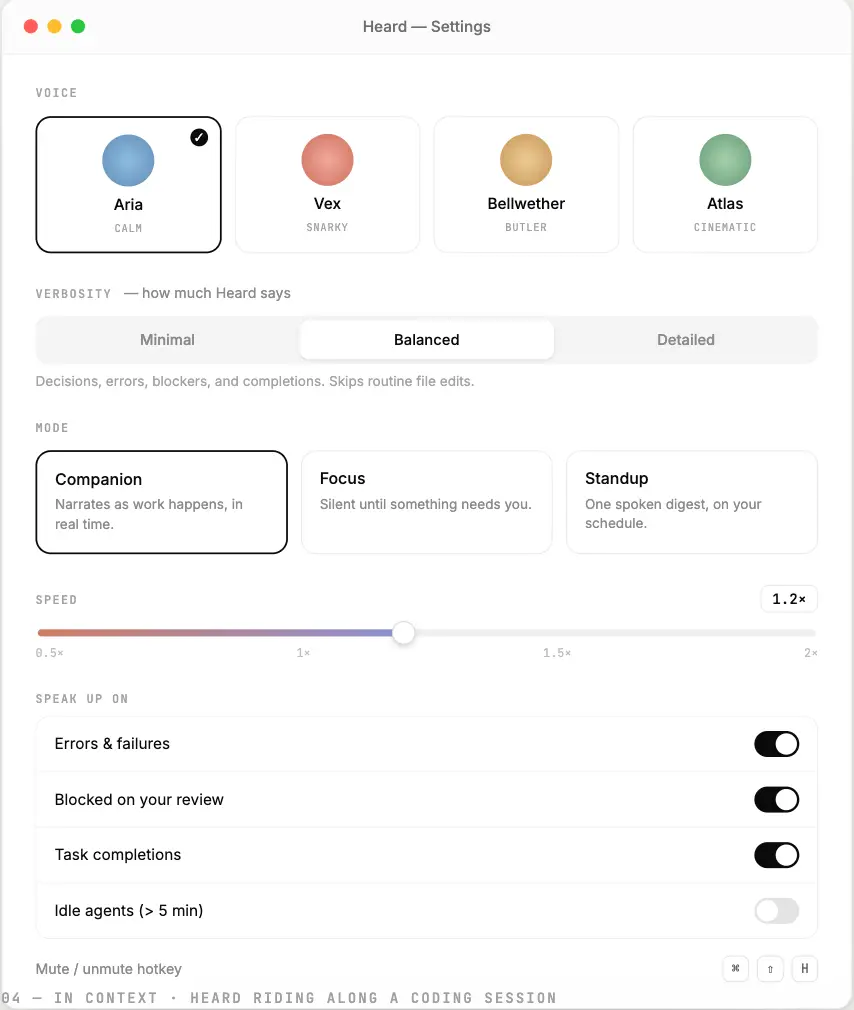
Adds a voice/audio output to AI coding agents, instead of only reading their activity as text logs.

FreeOpen source
What to know
How it works
Gives coding agents spoken audio output.

Watched for 15 days · last checked today

Details →

Free offline macOS menu-bar app that tracks data usage per Wi-Fi network and hotspot.

FreeWorks offlineNo tracking
What to know
How it works
Shows live download/upload speeds and per-network and session data-usage totals from the Mac menu bar, with an alert before you hit your data cap.
Pricing
Free.
Watch out
Runs entirely locally; no analytics, accounts, or data collection.

Watched for 3 days · last checked 2d ago

Details →

A lightweight network scanner with persistent device labeling and Tailscale integration.

Domain registered 6 days ago

FreeNothing to installOpen sourceSelf-hosted
What to know
How it works
A lightweight network scanner with persistent device labeling and Tailscale integration.

Watched for 4 days · last checked 3d ago

Details →

A free, open-source tool that applies custom visual skins to Codex Desktop without modifying the app's official bundle.

FreeOpen source
What to know
How it works
Applies immersive backgrounds and visual styling to Codex Desktop through a local CDP session, without modifying the official app bundle or code signature; restores stock appearance with one click.
Pricing
Free, open source.
Watch out
macOS and Windows.

Watched for 10 days · last checked today

Details →

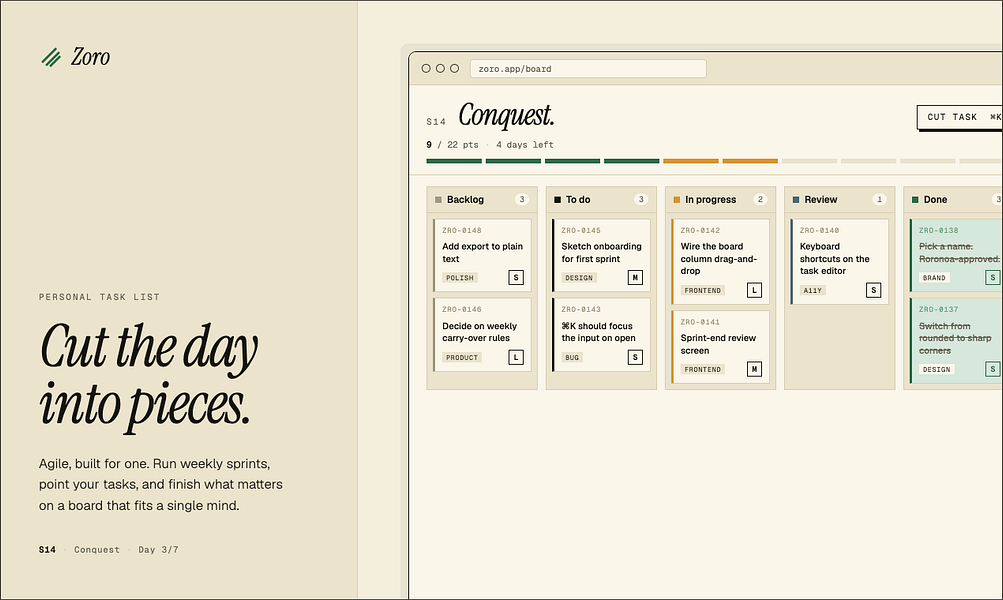
Zoro

Live

A one-time-purchase task app for solo workers that applies agile concepts like backlog, priority, and kanban to personal work, syncing via CloudKit with no account or server.

Domain registered 2 months ago

FreeNo sign-upData stays with youNo subscription
What to know
How it works
Syncs across iOS, macOS, and web through CloudKit only, with no signup and no backend server.
Pricing
One-time purchase of $59.99 for lifetime use.

Watched for 7 days · last checked 1d ago

Details →

A Mac dictation tool that turns speech into clean text anywhere via a hotkey, with recognition running locally, evolving into an on-device AI assistant you can hand tasks to. No cloud or account required.

Domain registered 1 month ago

FreeNo sign-upWorks offline
What to know
How it works
Hold a key, speak a sentence, and it appears as text in any Mac app; select existing text, press a key, and say what's wrong with it to have it rewritten in place. Speech recognition runs entirely on the Mac.
What's different
No audio ever leaves the device -- recognition and rewriting both run locally.
Pricing
Free trial.
Best for
Mac users who think faster than they type and want to dictate or fix text without leaving their current app.

Watched for 10 days · last checked 4d ago

Details →

Rekody

Live

Free on-device macOS dictation app that types text at the cursor via a hold-to-talk hotkey.

Domain registered 3 months ago

FreeNo sign-upWorks offlineOpen source
What to know
How it works
Hold Option + Space and speak, and text lands at your cursor in any app, with a personal dictionary that learns your words.
Pricing
Free.
Watch out
On-device by default, no account or subscription; the CLI is open source (MIT).

Watched for 3 days · last checked 3d ago

Details →

A free, fully offline voice-to-text tool that types what you say into any app on Windows or Mac, running locally with no cloud upload.

Domain registered 30 days ago

FreeWorks offline
What to know
How it works
hold a key, speak, text appears at cursor in any app; runs locally on CPU
Pricing
free forever
Best for
privacy-conscious users who don't want cloud-based voice typing

Watched for 5 days · last checked today

Details →

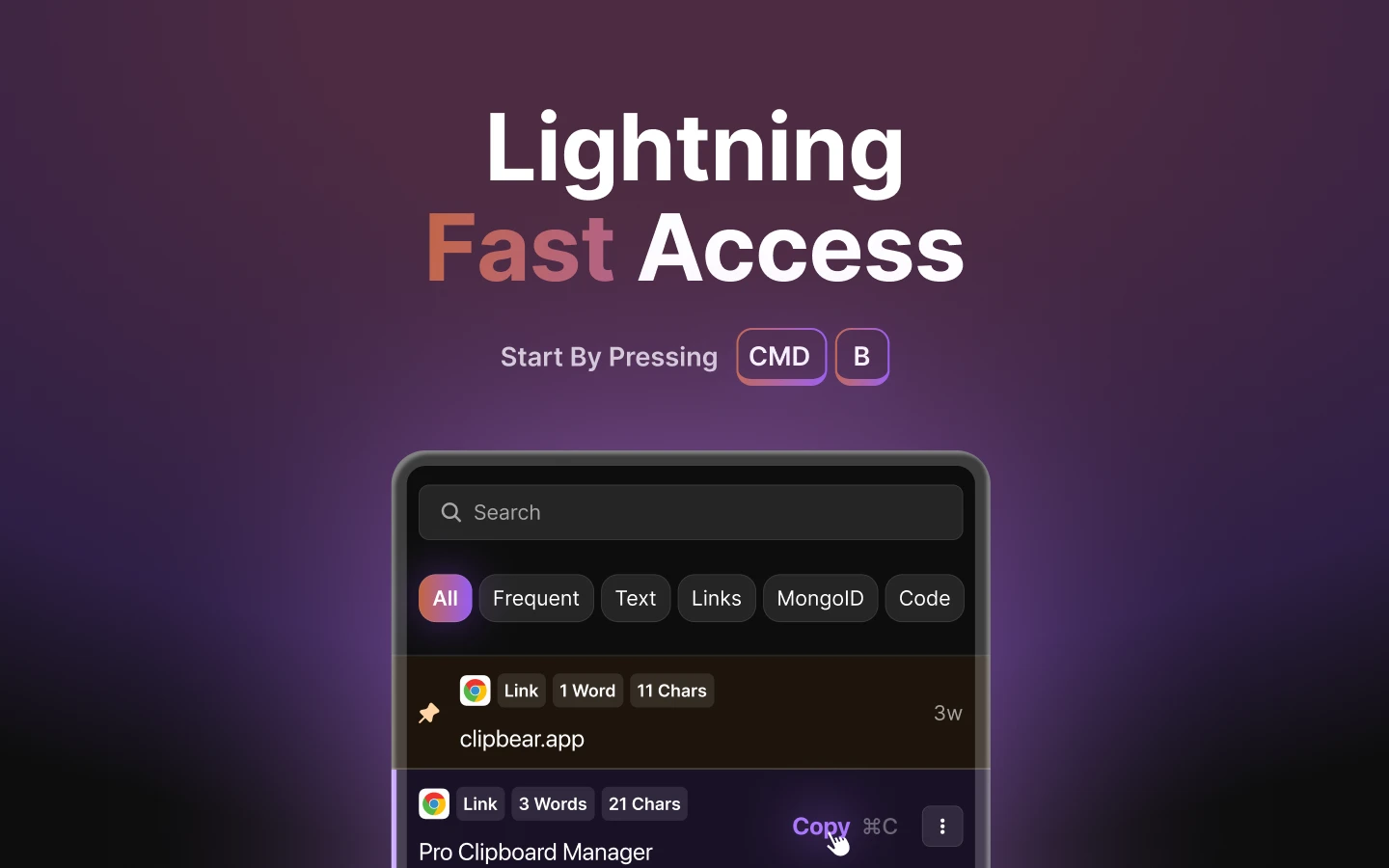
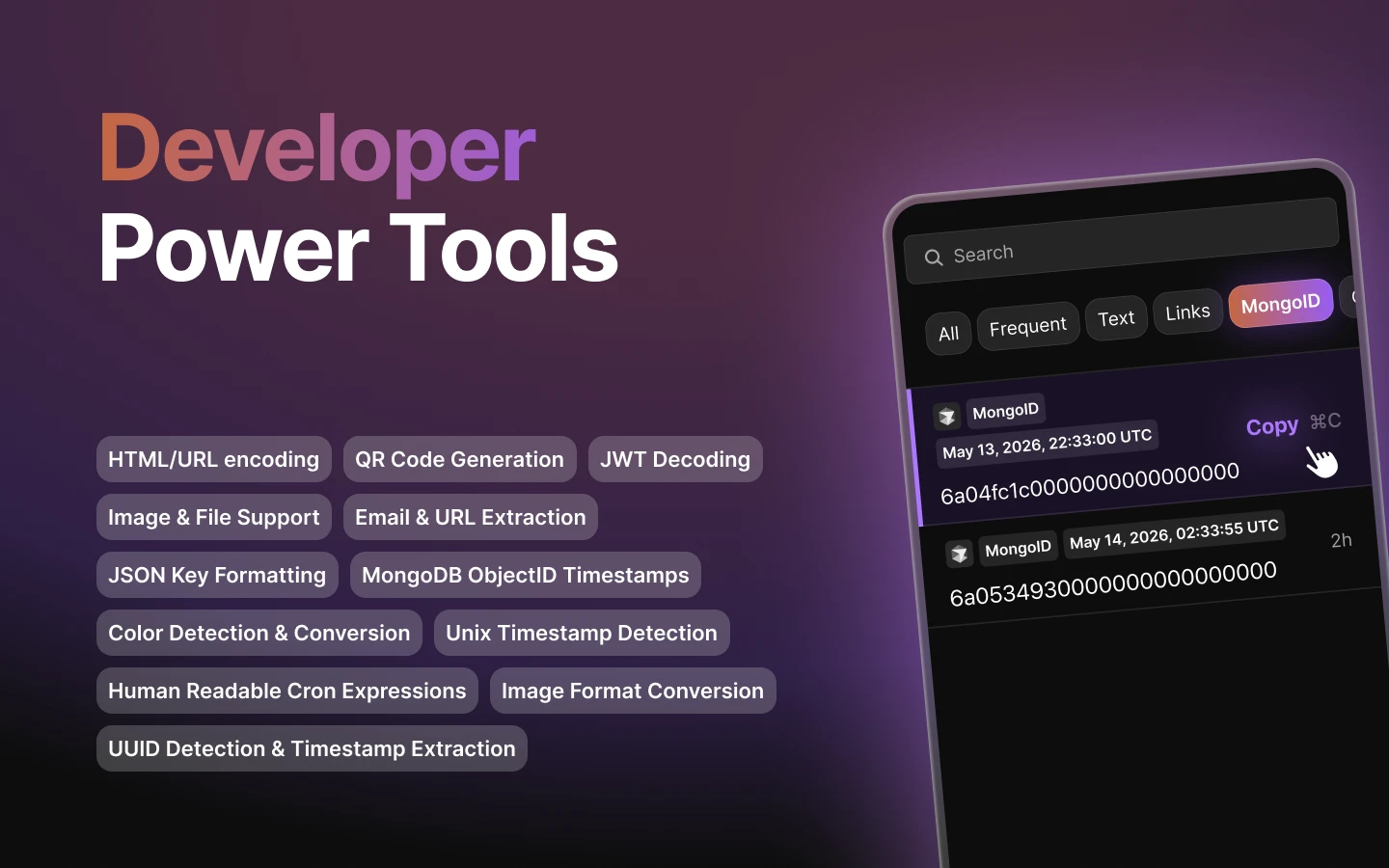
Mac clipboard manager tuned for developer content such as code snippets.

FreeNo sign-upWorks offline
What to know
How it works
Mac clipboard manager tuned for developer content such as code snippets.
Best for
Developers.

Watched for 8 days · last checked 2d ago

Details →

A free desktop app that checks your camera, mic, speakers, and network before a video call.

Free
What to know
How it works
Checks camera, microphone, speakers, room noise, and network connection with one click before a video call and gives a simple ready/almost-set/fix-this verdict.
What's different
Audio and video are processed locally and never stored or sent anywhere.
Pricing
Free.

Watched for 3 days · last checked 3d ago

Details →

A spatial nature-sound mixer (rain, fire, ocean, wind, birds) for Mac and iPhone with iCloud sync, an ambient sound app for focus or relaxation.

FreeNo sign-upWorks offlinePay once
What to know
How it works
Lets you drag sound layers — rain, ocean, fire, wind, birds, thunder and more — onto a canvas and position them spatially around you; with supported AirPods, head tracking anchors the soundscape to the room.
What's different
Places sound layers in three-dimensional space rather than playing a single flat loop, and supports AirPods head tracking.
Pricing
One-time purchase, no subscription.
Best for
Mac and iPhone users who want an ambient soundscape for focus, rest or sleep.

Watched for 16 days · last checked 5d ago

Details →

EQK

Live

A Mac app with a per-song adaptive AI equalizer, per-app EQ profiles, headphone correction from 3,985+ AutoEq profiles, and a built-in FLAC player — runs 100% locally with no subscription or tracking.

Domain registered 3 months ago

FreeWorks offlineNo subscriptionNo tracking
What to know
How it works
An equalizer that re-tunes itself per song in real time using AI, with per-app EQ profiles, headphone correction from 3,985+ AutoEq profiles, a per-app limiter, full signal-chain metering, and a built-in FLAC player with synced lyrics — all via native macOS audio capture.
What's different
Adjusts dynamically per song rather than using one static EQ curve, and needs no virtual audio drivers.
Pricing
Free, no subscription.
Best for
Mac users who want tailored, per-app audio tuning and headphone correction.

Watched for 12 days · last checked 6d ago

Details →

MRDown

Live

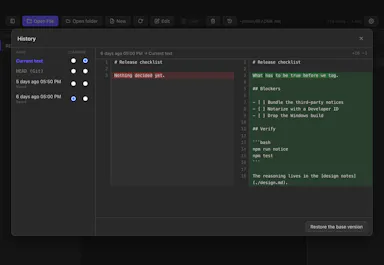
A macOS Markdown editor that shows AI-made edits to your files as reviewable diffs instead of silent rewrites.

Free
What to know
How it works
Shows exactly what an AI agent changed in your Markdown files as a diff instead of silently rewriting them, and gives a 3-way view when you edit the same lines the AI touched.
What's different
History tracks the AI's version as an external rewrite rather than the accepted truth; lets you compare any two files with a keyboard shortcut.
Pricing
Free, MIT-licensed.
Watch out
macOS-native app.

Watched for 10 days · last checked 4d ago

Details →

Bosun

Live

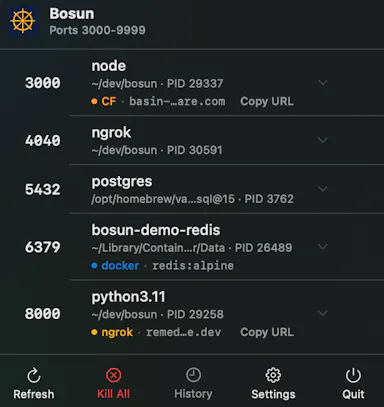
A macOS menu bar app that shows every open port, tunnel and container instantly, so developers stop losing time hunting through Terminal or Activity Monitor to find what's using a port.

FreeNo sign-upNo tracking
What to know
How it works
A native macOS menu bar app that shows every listening TCP port, active ngrok/Cloudflare tunnel, and VPN connection status at a glance, grouping multiworker services into single rows.
What's different
Shows what's actually reachable on the machine right now, versus tools like lsof or Activity Monitor that only show a port without full context.
Pricing
Free.
Best for
Developers running local services who need to quickly find which process or container owns a given port.

Watched for 12 days · last checked 5d ago

Details →

A macOS menu bar app and CLI for cleaning Xcode derived data, simulator caches, and archives to reclaim storage.

FreeNo tracking
What to know
How it works
A native macOS menu bar app and CLI that cleans Xcode derived data, simulator caches, archives, and multi-platform packages.
What's different
Zero tracking, zero telemetry.
Pricing
100% free.
Best for
iOS/macOS developers reclaiming disk space.

Watched for 8 days · last checked 6d ago

Details →

An open-source Mac app that runs local AI mini-apps, including a private finance analyzer that redacts data before AI sees it.

FreeOpen source
What to know
How it works
Runs AI mini-apps locally on Mac; the lead app is a private CFO that turns bank/card CSV or PDF exports into spend reports (trends, subscriptions, duplicate charges) with account numbers redacted before any AI sees them. Also includes a music DJ with karaoke, a Mac health scanner, and cross-agent memory shared with Claude Code and Codex.
Pricing
Open source; free hosted tier, or bring your own OpenAI-compatible/Ollama model.
Watch out
macOS only.

Watched for 8 days · last checked 6d ago

Details →

A free, open-source macOS ghost-text autocomplete tool powered by an on-device local LLM.

FreeNo sign-upWorks offlineOpen source
What to know
How it works
Adds Cotypist-style ghost-text autocomplete to every Mac app using a local MLX-based LLM that runs 100% on-device.
Pricing
Free and MIT-licensed.
Watch out
macOS only; no cloud, no account, no keystroke leaves the machine.

Watched for 8 days · last checked 6d ago

Details →

A desktop PDF toolkit with 27 tools — merge, compress, sign, encrypt, OCR, redact — that all run locally without uploading files.

FreeNo sign-upWorks offline
What to know
How it works
Runs 27 PDF tools — merge, compress, convert, sign, encrypt, OCR, redact — 100% locally on your machine with no file uploads.
What's different
Aimed at confidential work like legal contracts, medical records, financial statements, and ID documents; available on macOS, Windows, and Linux.
Pricing
The Merge tool is free forever with no account; Pro unlocks the other 26 tools.

Watched for 10 days · last checked 4d ago

Details →

MJSFX

Live

A native Mac app for creating and exporting layered game sound effects with MIDI control. No AI inside, though it ships an MCP server for agent integration.

FreeNothing to installNo adsNo tracking
What to know
How it works
A native Apple Silicon Mac app for creating game sound effects: start from built-in generators, layer multiple voices each with their own effects chains and LFOs, or mutate/randomize sounds to explore variations, with undo on every action. Exports WAV at multiple sample/bit rates, including per-layer stems, and supports custom MIDI controllers.
What's different
Sound files are stored as JSON, and while the app itself has no AI built in, the direct download ships with an MCP server for agent integration.
Best for
Game developers and sound designers who want a native, layer-based SFX creation tool with MIDI control.

Watched for 16 days · last checked today

Details →

A Mac hold-to-talk voice typing tool that transcribes on-device for privacy.

Domain registered 4 months ago

FreeWorks offlineNo subscription
What to know
How it works
Hold Option, speak, release, and text appears at the cursor; SenseVoice transcription runs on-device for free, offline, private use, or bring your own OpenAI Whisper or SiliconFlow key for cloud accuracy.
What's different
Strong on mixed Chinese-English transcription.
Pricing
Free to start; one-time Pro purchase plus optional AI Plus.
Watch out
Requires macOS 14.6 or later.

Watched for 9 days · last checked 6d ago

Details →

A free browser tool that lists and previews every font installed on your Mac, positioned as an alternative to Wordmark.it.

Domain registered 23 days ago

Free
What to know
How it works
Shows every typeface installed on your Mac so you can browse, preview, compare, and test them in the browser.
What's different
Positioned as a slightly better alternative to Wordmark.it.
Pricing
Free.
Watch out
Mac only.

Watched for 10 days · last checked 7d ago

Details →

Feeds any audio file through 37 sound-shaping modules to generate hours of unique ambient atmosphere, running fully offline on Mac or Windows with no subscription.

FreeNo sign-upWorks offlinePay once
What to know
How it works
Takes any audio file, stretches, layers and reshapes it into long, evolving ambient soundscapes using 37 sound-shaping modules and 18 presets. Includes a seed system to reproduce or vary a render.
What's different
Runs fully native and offline on macOS and Windows with no account, subscription or cloud upload, and every render is unique with no looping.
Pricing
No subscription, tagged as free / one-time payment.
Best for
Musicians and sound designers who want long, non-repeating ambient atmospheres exportable for music, games, film or meditation.

Watched for 18 days · last checked 11d ago

Details →

A macOS app to help you notice and resist reflexively reaching for AI tools before trying to solve a problem yourself, a habit and focus tool, not an AI blocker.

Free
What to know
How it works
A macOS app that inserts a moment of reflection before you open an AI tool like ChatGPT or Claude, prompting you to think about what you've already tried, and locally tracks how often you reach for AI versus solve things yourself.
What's different
Encourages more deliberate AI use rather than blocking AI apps outright.
Pricing
Free.
Best for
People who notice themselves reflexively reaching for AI before attempting a problem and want to rebuild the habit of trying first.

Watched for 18 days · last checked 2d ago

Details →

Free runtime CVE scanner that matches installed software or scan results against known vulnerabilities and suggests patches.

FreeNo sign-up
What to know
How it works
Scans installed software, nmap XML output, or a public site, matches products to CPEs and CVEs against the NVD, and helps you find official patches.
Pricing
Free.
Best for
Security-conscious users on Mac, Linux, or Windows checking for known vulnerabilities.

Watched for 3 days · last checked 1d ago

Details →

On-device AI dictation and meeting notetaker for Mac and iOS that works offline without an account.

Domain registered 1 month ago

FreeNo sign-upWorks offlineNo subscription
What to know
How it works
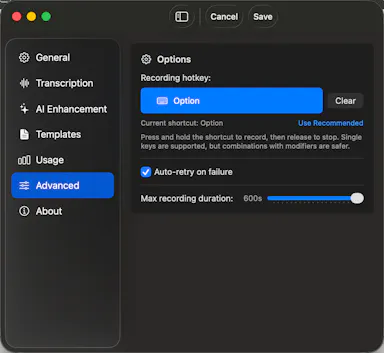
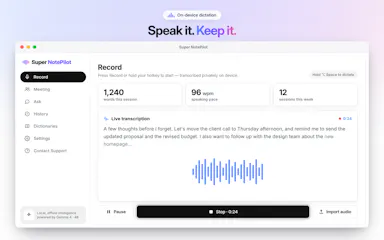
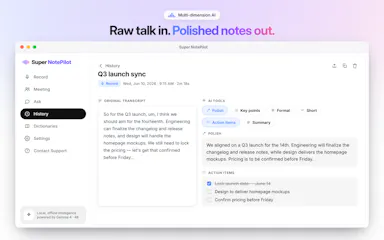
Runs 100% on-device using Gemma and Whisper for push-to-talk dictation into any app, live meeting transcripts, AI rewriting, and asking questions across notes.
What's different
No cloud, no account, no subscription.
Pricing
Free for macOS and iOS.
Watch out
Windows and Android support are coming soon, not yet available.

Watched for 10 days · last checked 7d ago

Details →

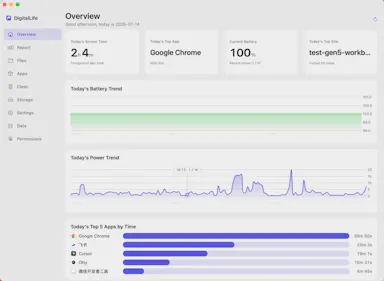
Privacy-first macOS activity monitor tracking app usage, energy draw, and disk space entirely on-device.

FreeNo sign-upWorks offlineData stays with you
What to know
How it works
A macOS menu-bar app tracking app usage time, file activity, per-app energy draw, and disk-space usage, entirely on-device.
What's different
No cloud, no account, no login — data stays local and optionally encrypted, unlike trackers that push data to a subscription-based server.
Pricing
Free for personal use.
Watch out
macOS only; supports 8 languages.

Watched for 10 days · last checked 7d ago

Details →

OwnAutoCare

Not responding

A free vehicle maintenance tracker that stores your data directly in your own Google Drive or iCloud instead of a company server.

FreeCan export my data
What to know
How it works
Logs vehicle services, attaches invoices, and sets reminders for MOT, insurance, and oil changes; lets you export full history as a ZIP.
What's different
Your data goes directly to your own Google Drive or iCloud instead of the company's servers — no backend, no database, no accounts to create.
Pricing
Free.
Watch out
Available on iOS, macOS, and Android; built solo with Flutter.

Watched for 13 days · last checked today

Details →

Dictation at the speed of thought

FreeWorks offline

First seen today

Details →

Fluid, staggered mosaic grids for image composition on macOS

FreeCan export my data

First seen today
Details →

AI Desktop tool that puts your app's quality on autopilot.

Free

First seen today

Details →