Tools that don't upload your data

We're tracking 479 of these, and 456 are still live today. 16 we couldn't reach — we don't claim those are dead.

Watching this group for 17 days · how we check

This week168 new arrivals7 stopped answering

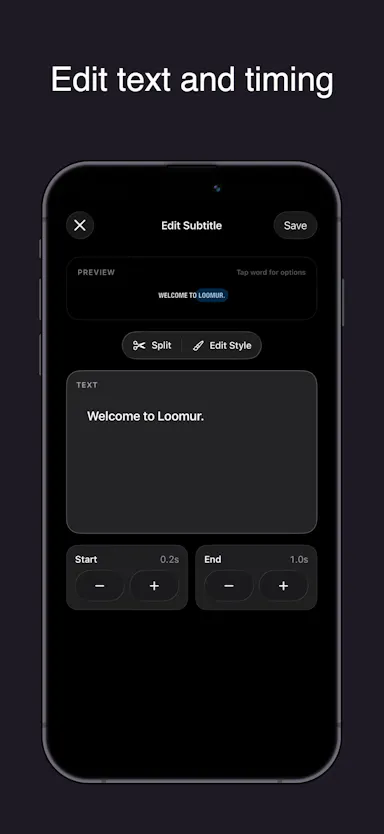
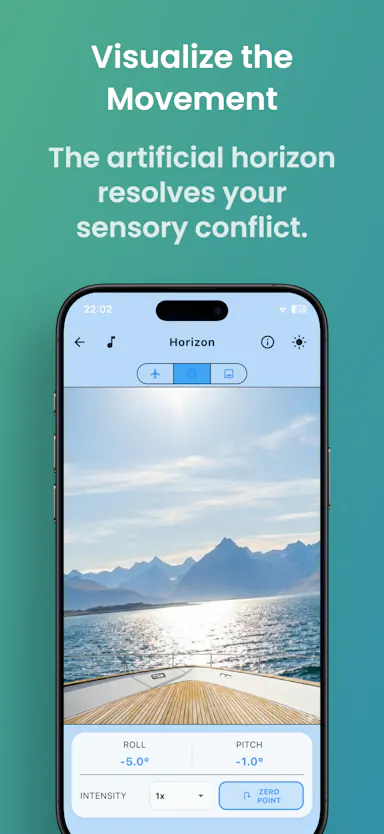
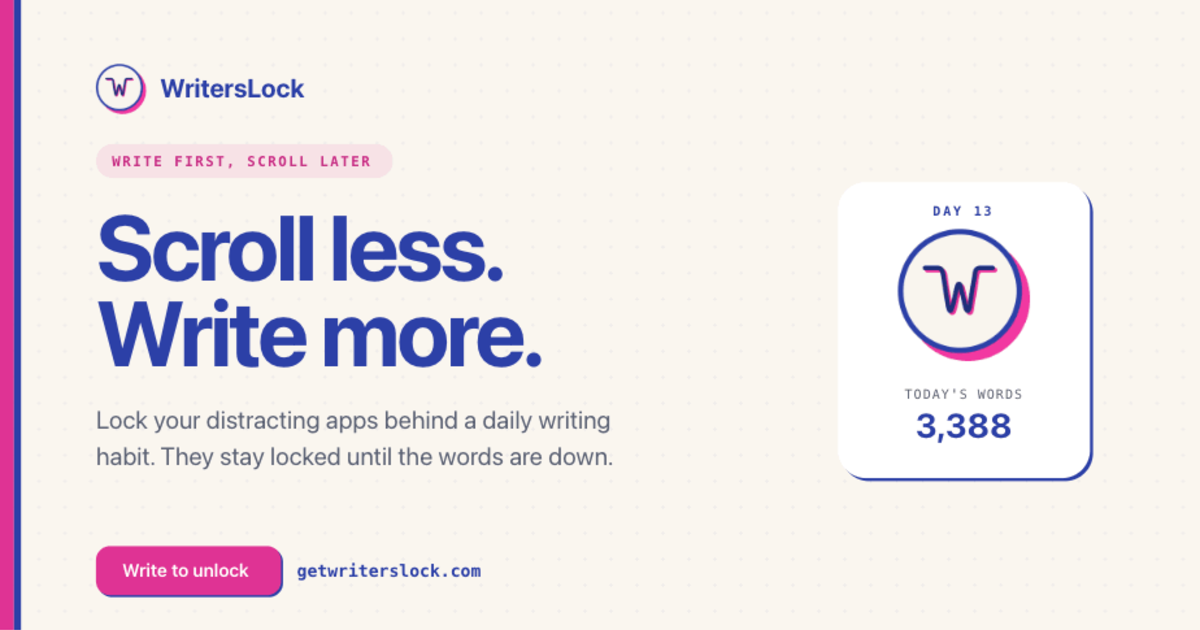
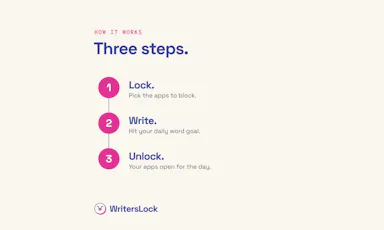
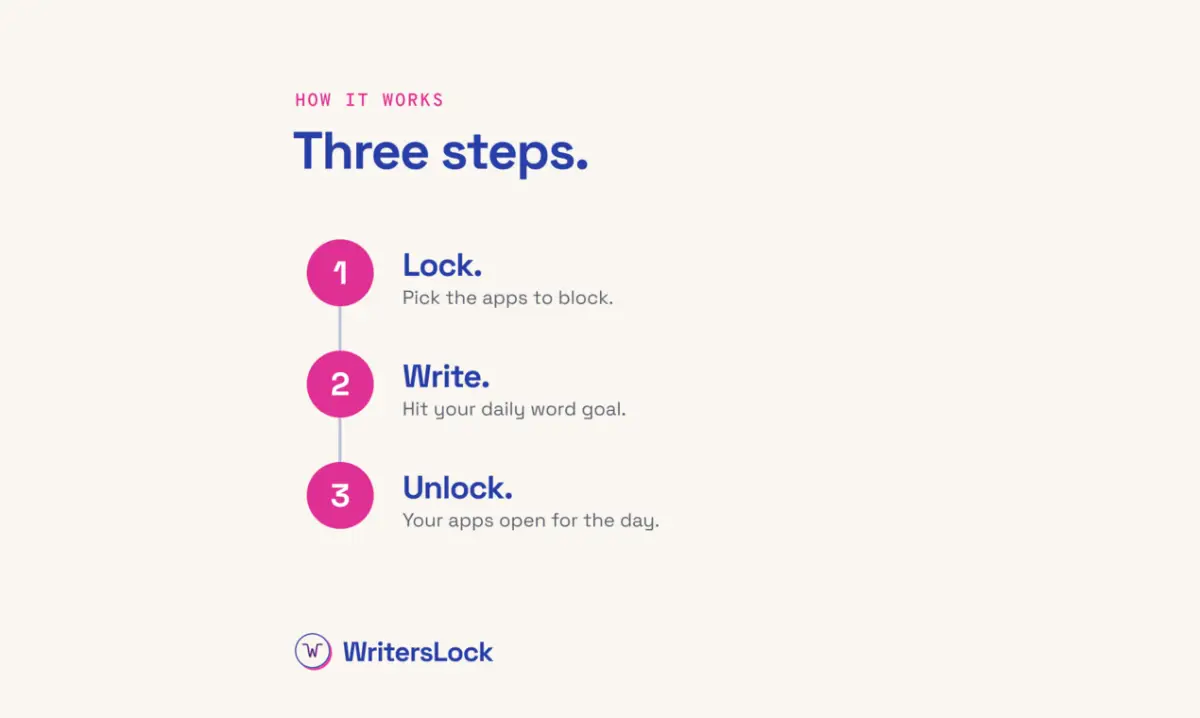
Blocks distracting apps like TikTok until you've written your daily journal entry, a habit-forming iOS app rather than a general app blocker.

No sign-upData stays with you
What to know
How it works
Blocks distracting apps like TikTok until the user has written their daily journal entry; writing the entry unlocks the blocked apps again.
What's different
Puts a hard barrier between the user and distracting apps instead of relying on willpower alone.
Best for
People who want to build a daily writing habit but keep losing their mornings to scrolling.

Watched for 17 days · last checked 1d ago

Details →

Reviso

Live

A visual commenting tool for WordPress: clients click directly on the live page to leave feedback instead of sending screenshots or emails. Built for web designers and agencies.

FreeNo sign-upData stays with you
What to know
How it works
Clients click any element on a live WordPress page and pin a comment there with no login or account; the site owner sees and resolves pins natively inside Bricks, Elementor, or the Gutenberg editor. Includes threaded replies, status tracking, automatic screenshots, PDF sign-off certificates, AI feedback summaries, and Slack/Discord/webhook integrations.
What's different
Built to live inside the page builder itself rather than a separate feedback dashboard, and stores all feedback in the user's own WordPress database.
Pricing
Has a free tier.
Best for
Web designers and agencies collecting client feedback and sign-off on WordPress sites.

Watched for 11 days · last checked 2d ago

Details →

Hoolo

Live

A macOS app that organizes files with custom rules, dry-run previews, undo, and duplicate cleanup, keeping everything local instead of uploading it.

Data stays with you
What to know
How it works
Organizes files on macOS using editable, rule-based automation, live folder monitoring, duplicate review, Trash policies and app leftover cleanup. Every change can be previewed with a Dry Run before applying, and applied actions can be undone from snapshots.
What's different
Everything runs locally rather than uploading files, and every action is reversible via snapshots.
Best for
Mac users who want automated file organization but don't want an opaque, unreversible cleanup tool.

Watched for 15 days · last checked 1d ago

Details →

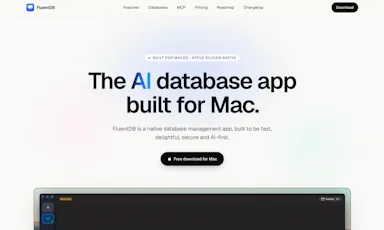
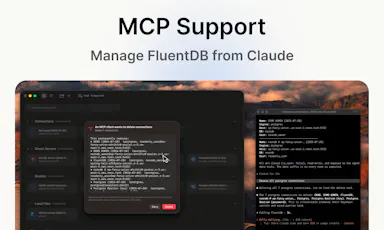
An AI-assisted SQL client for developers who want query help without sending their actual data to a cloud model.

Data stays with you
What to know
How it works
Models see your schema, not your data; every AI-generated SQL query requires approval by default.
Best for
Developers using Postgres/MySQL/SQLite/SQL Server on Mac.
Watch out
Mac-only for now.

Watched for 1 day · last checked 1d ago

Details →

Free browser-based suite of developer utilities (JSON/HTML validation, Base64, JWT inspection, password generation) that avoids uploading data.

FreeNo sign-upData stays with you
What to know
How it works
Most processing happens client-side so code, tokens, and credentials aren't sent to a server
Pricing
free, no account
Best for
Developers needing quick formatting/encoding utilities without exposing sensitive data

Watched for 3 days · last checked 3d ago

Details →

A privacy-first writing workspace for personal note-taking and knowledge management, combining rich text, Markdown, diagrams, and on-demand AI without uploading data.

Domain registered 2 months ago

Data stays with you
What to know
How it works
A ~10 MB writing workspace with rich text, Markdown, diagrams, and on-demand AI that keeps data local.
Best for
People doing personal note-taking and knowledge management who don't want to upload their notes.

Watched for 11 days · last checked 1d ago

Details →

JobFlo

Live

An on-device job-search tracker that organizes applications and uses a 'Ghost Detector' to flag likely-fake job postings, so you don't waste time chasing dead ends. Your data stays private and isn't shared or resold.

1 rating on the App Store

Works offlineData stays with you
What to know
How it works
A native, on-device job-search tracker that organizes applications and progress, with a 'Ghost Detector' and 'Vibe Check' system to flag likely-fake job postings.
What's different
Runs on-device and keeps personal data private, never shared or resold to third parties, unlike typical cloud-based trackers.
Best for
Job seekers who want to avoid wasting time on ghost job postings while keeping their application data private.

Watched for 14 days · last checked 1d ago

Details →

SASYA

Live

Offline on-device plant identification app focused on Indian and Southeast Asian species, with no photo upload required.

FreeWorks offlineData stays with you
What to know
How it works
Runs a vision model entirely on-device to identify plants in under a second, even offline
What's different
India/SE-Asia-first plant database with regional names in 9+ languages; photos never leave the phone
Pricing
free on iOS, Android coming soon
Best for
Hikers or gardeners in India/SE Asia needing offline plant ID

Watched for 3 days · last checked 3d ago

Details →

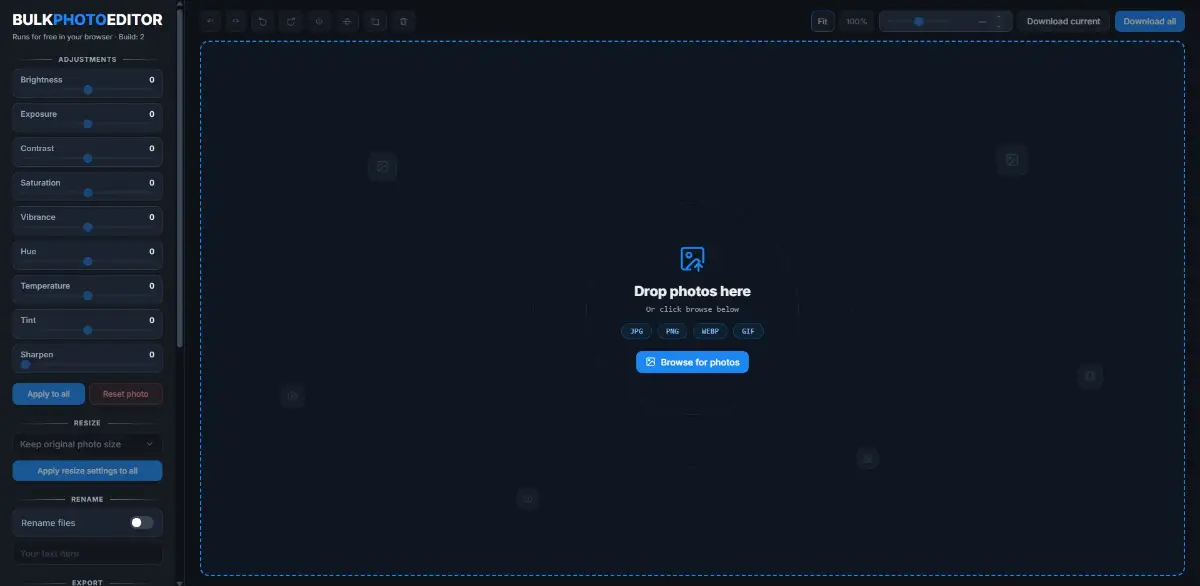
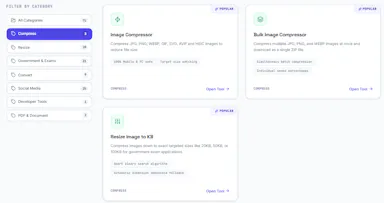
A free, local, no-account browser tool for bulk color-editing, resizing, cropping, and renaming large batches of photos at once.

FreeNo sign-upNothing to installWorks offline
What to know
How it works
Adjusts brightness, contrast, saturation, vibrance, and sharpness in bulk; crops, rotates, and resizes with one photo applied to all then fine-tuned individually; batch-renames with auto-numbering and downloads as a zip.
Pricing
100% free, all local, no upload or account.

Watched for 7 days · last checked today

Details →

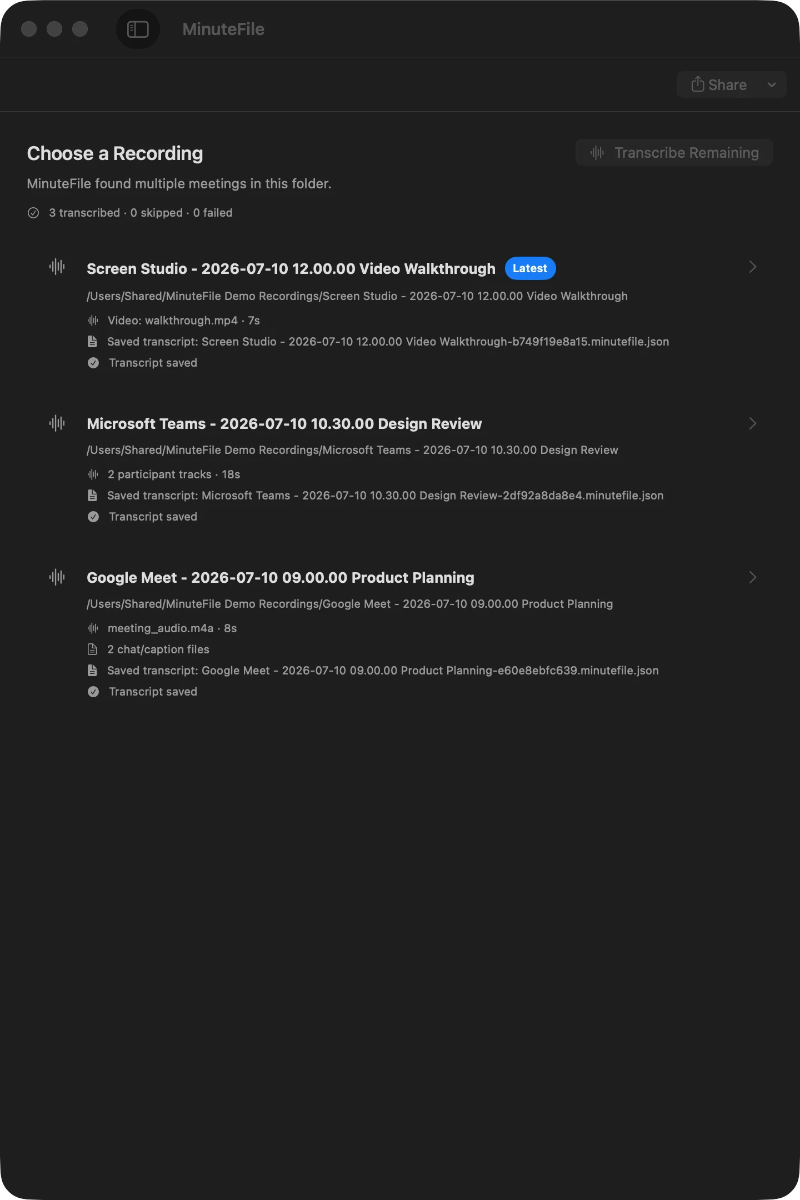
Turns local meeting recording folders into private, searchable transcripts on your Mac — everything stays on your machine, with no account, no upload, no meeting bot, and no subscription.

No sign-upData stays with youNo subscription
What to know
How it works
Turns local meeting recording folders on your Mac into private, searchable transcripts.
What's different
Everything stays on your machine — no account, upload, meeting bot, or subscription required.
Pricing
No account or subscription required.
Best for
Mac users who record meetings locally and want searchable transcripts without sending recordings to the cloud.

Watched for 13 days · last checked 1d ago

Details →

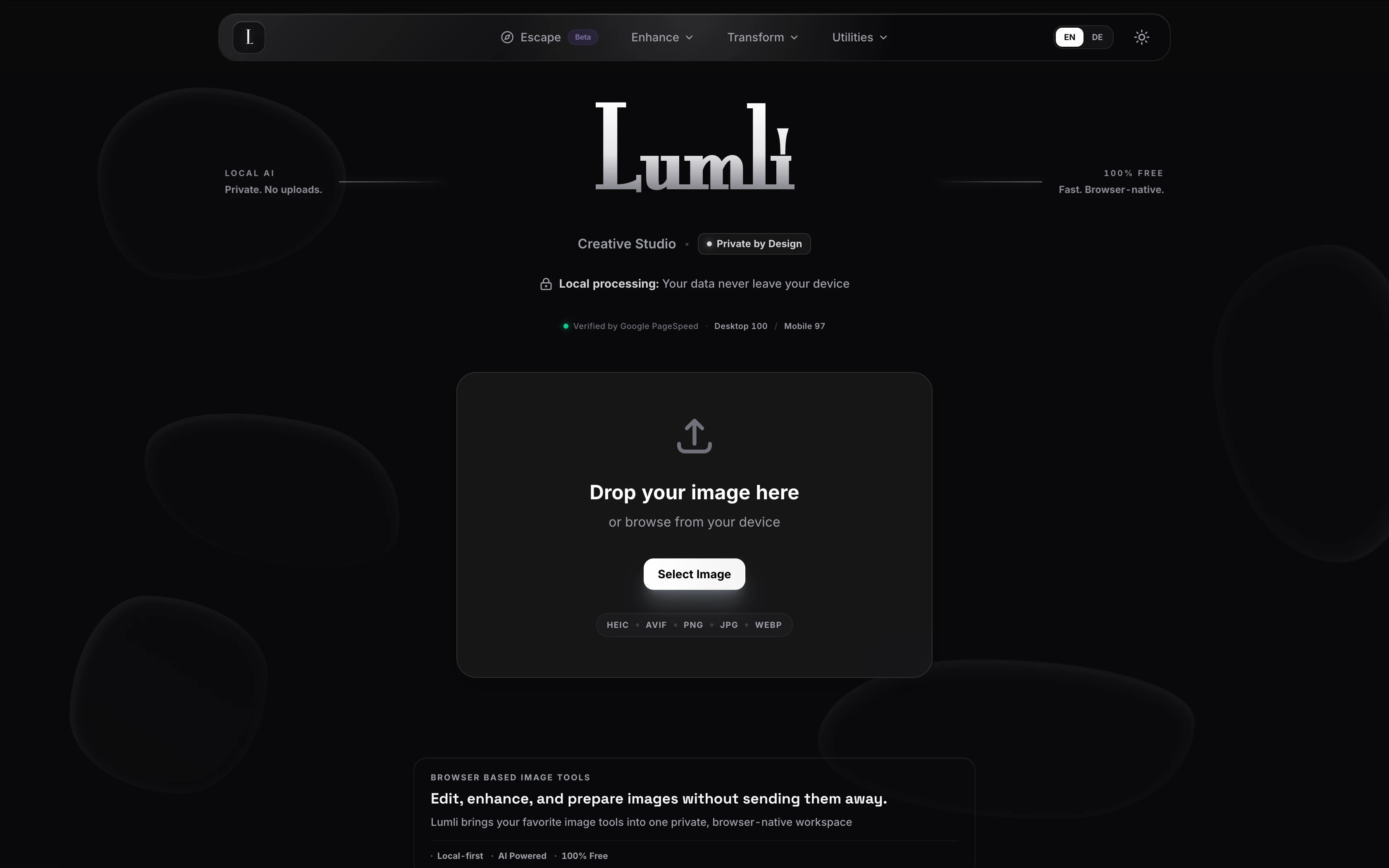
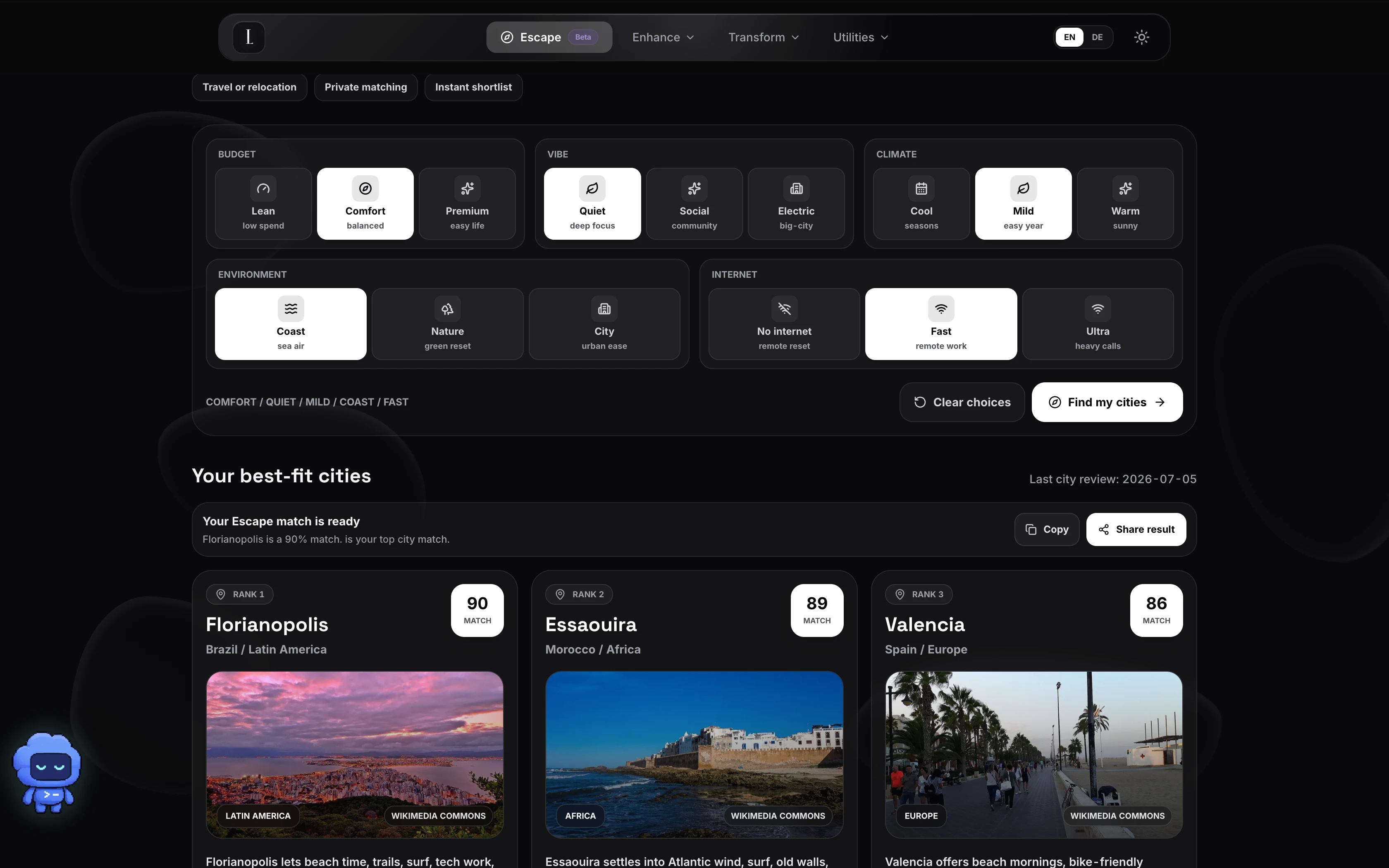
Lumli

Live

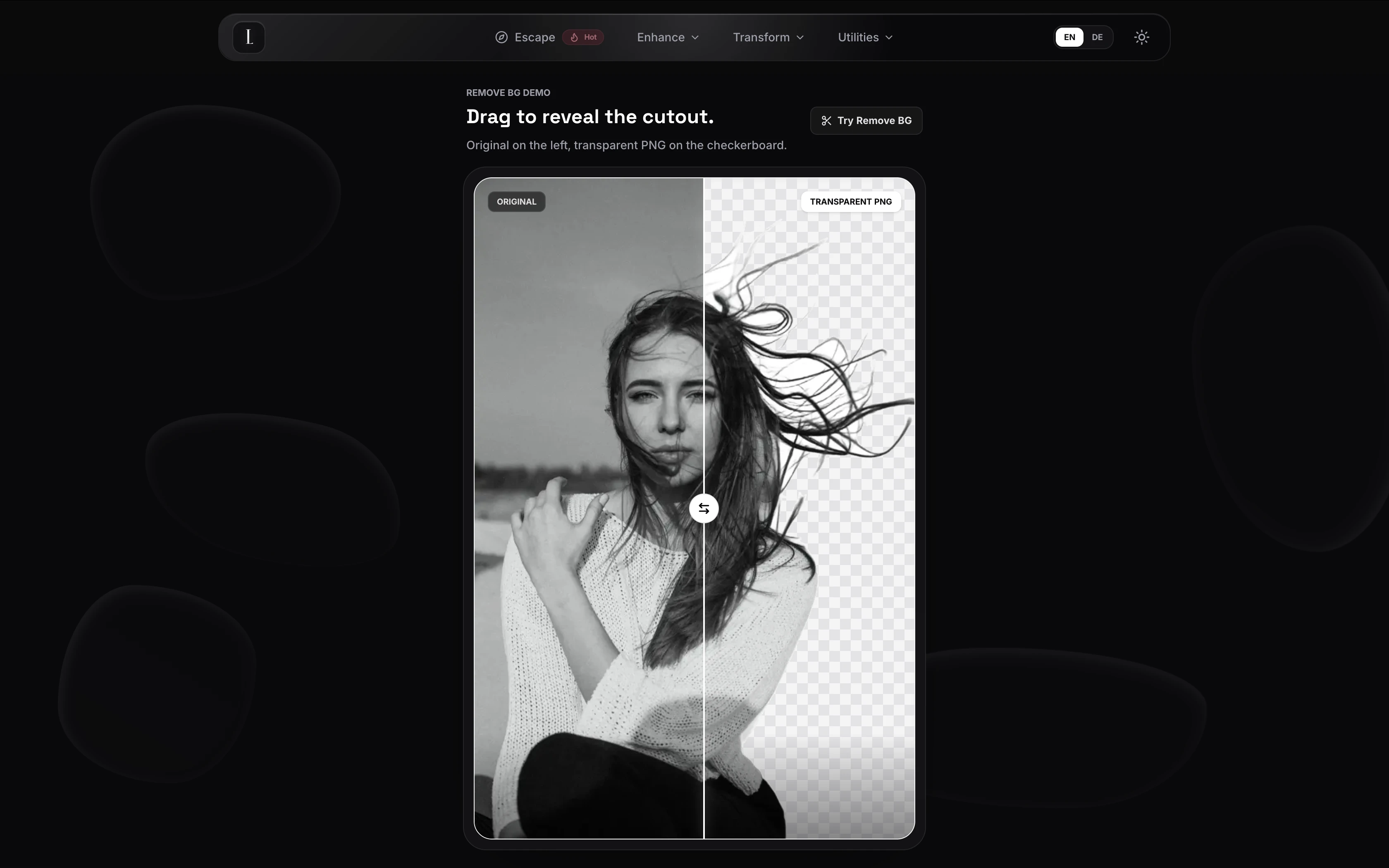
A browser-based privacy-first toolkit for editing images and PDFs entirely on your device, with no cloud uploads or accounts required.

Works offlineData stays with you
What to know
How it works
local, zero-server processing for image compression, upscaling, and background removal plus PDF editing
Best for
people who want to edit sensitive photos or PDFs without sending files to a server

Watched for 6 days · last checked today

Details →

A free, browser-based bulk image compressor and format converter that processes files entirely on your device without uploading them to any server.

FreeNothing to installWorks offlineData stays with you
What to know
How it works
compresses and converts images client-side in the browser with no server upload, using lossless optimization
Pricing
completely free
Best for
developers, designers, and creators who need to shrink or convert large batches of images without giving up file privacy

Watched for 6 days · last checked today

Details →

Local-first AI tooling for finance teams' monthly close (bank reconciliation, CSV sorting, PDF parsing, cash forecasting) that keeps sensitive financial data off cloud AI services.

Domain registered 2 months ago

Works offlineData stays with you
What to know
How it works
Local-first AI tools for finance teams' monthly close — bank reconciliation, sorting CSV line items, parsing PDFs, and building 90-day cash forecasts — without uploading sensitive financial data to cloud AI services.

Watched for 7 days · last checked 1d ago

Details →

LeLuca

Live

Records and transcribes Mac meetings entirely on-device, then turns them into searchable AI notes, for people who don't want audio leaving their machine.

FreeWorks offlineData stays with youCan export my data
What to know
How it works
records mic+system audio, transcribes locally with Whisper, generates TL;DR/decisions/action items
What's different
100% on-device transcription, optional bring-your-own ChatGPT/Claude for notes
Pricing
free on Mac App Store
Best for
Mac users who need private meeting notes

Watched for 3 days · last checked 2d ago

Details →

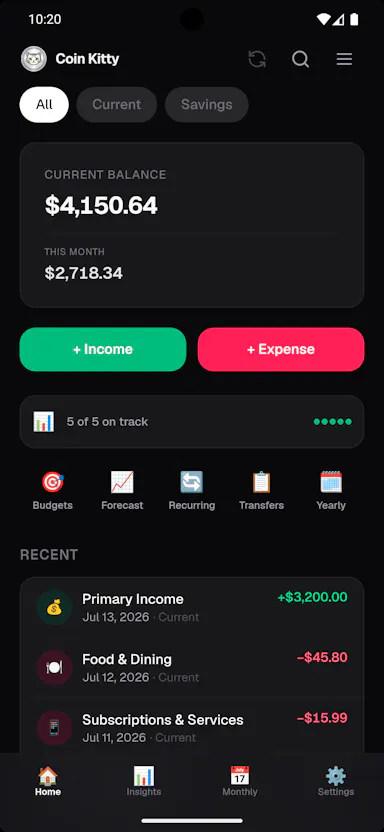
A dead-simple expense tracker: type a shorthand phrase like 'coffee 12' and it's logged and categorized instantly. Data stays on your phone, with no bank linking or account required.

Domain registered 4 months ago

No sign-upData stays with youNo ads
What to know
How it works
Type a shorthand phrase like 'coffee 12' and it's instantly logged and categorized as an expense.
What's different
No bank linking, no signup and no ads — data stays on your phone rather than syncing to a server.
Pricing
No signup required.
Best for
People who want expense tracking simple enough to actually stick with, without linking a bank account.
Watch out
Because there's no bank linking, entries rely on you remembering to type them rather than automatic transaction capture.

Watched for 12 days · last checked 2d ago

Details →

A customizable calendar that merges Apple and Google Calendar into one view with deep control over views and widgets. Your data stays with Apple and Google, not a separate server.

Data stays with you
What to know
How it works
A customizable calendar with 12+ views and 30+ widgets, plus deep control over tabs, fonts, colors, and themes; this launch adds direct Google Calendar integration so Apple and Google events appear together. Also handles routines, recurring events, templates, natural language input, and countdowns.
What's different
User data stays within Apple and Google's own services rather than being uploaded to a separate server.
Best for
People who want a highly customizable calendar that merges their Apple and Google events into one view.

Watched for 17 days · last checked today

Details →

An iOS-only period and cycle tracker that stores all data locally on your device and syncs only through your private iCloud, with no third-party servers.

FreeData stays with you
What to know
How it works
logs symptoms in a strictly chronological daily timeline
What's different
zero third-party servers, encrypted local storage, syncs via personal iCloud only
Pricing
free

Watched for 4 days · last checked 4d ago

Details →

Pandia

Live

Native desktop app for opening and editing multi-gigabyte JSON files instantly, for developers who hit size limits in browser-based JSON viewers.

FreeWorks offlineData stays with youOpen source
What to know
How it works
Opens huge files with no upload, shows JSON as Tree, Code, Grid, Graph, or Compare views, generates types for 9 languages.
What's different
Handles multi-gigabyte files offline where most JSON tools choke or require upload.
Pricing
Free
Watch out
Desktop-only (macOS, Windows, Linux).

Watched for 4 days · last checked today

Details →

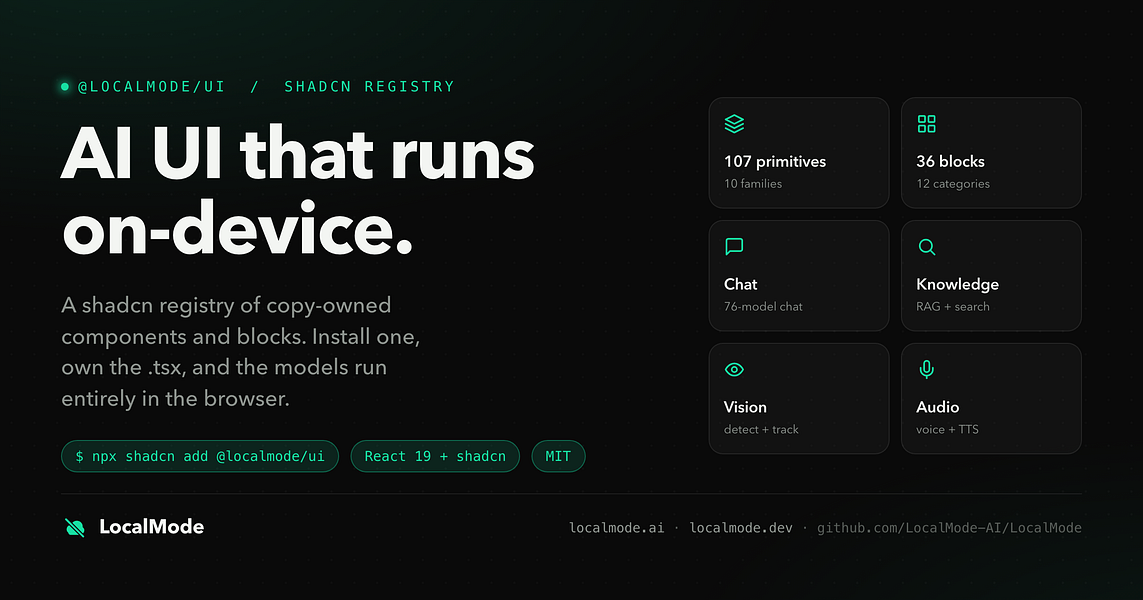
An open-source toolkit for building AI features — chat, RAG, speech, vision — that runs entirely in the browser with no servers and no data leaving the device. Built for developers.

Domain registered 7 months ago

Data stays with youOpen source
What to know
How it works
An open-source toolkit for running AI entirely in the browser: LLM chat across 76 models, RAG and vector search, Whisper and Kokoro speech, and vision, with no server or API key required. Runs on WebGPU with a WebAssembly fallback.
What's different
Data never leaves the device, and it ships a zero-dependency core plus a shadcn UI registry of 107 components and 36 installable blocks for building on top of it.
Pricing
Open source (MIT license).
Best for
Developers building browser-based AI features without standing up servers or managing API keys.

Watched for 11 days · last checked today

Details →

Print a template, write your alphabet by hand, scan it, and Penform turns it into an installable font entirely in your browser - no account, upload or AI involved.

FreeNo sign-upData stays with youCan export my data
What to know
How it works
Print a provided template, write your characters by hand, upload a scan or photo, align the printed markers, and it extracts and refines the glyphs into an installable custom font.
What's different
Fully browser-local with no account, no server upload, no OCR and no AI — a deterministic template-based workflow instead.
Pricing
Completely free.
Best for
People who want an installable font of their own handwriting for cards, notes, labels or classroom materials.

Watched for 12 days · last checked 6d ago

Details →

Helps traveling families plan trips around weather, track visa/Schengen days, split expenses, and see which other families are nearby.

Domain registered 4 months ago

FreeData stays with you
What to know
How it works
Combines weather/visa-day tracking with expense splitting and proximity to other traveling families
What's different
Deliberately excludes feed, photos, likes or in-app chat
Pricing
Free

Watched for 5 days · last checked today

Details →

Free online file converter that runs entirely in your browser so files never get uploaded to a server.

Domain registered 1 month ago

FreeNo sign-upWorks offlineData stays with you
What to know
How it works
converts PDFs, images, docs, audio and video locally via WebAssembly
What's different
no upload, works offline, no daily limits
Pricing
free

Watched for 5 days · last checked today

Details →

An iPhone break-timer app that uses phone sensors to verify you actually moved — squats, steps, stretches — instead of just reminding you.

Works offlineData stays with you
What to know
How it works
uses iPhone sensors to confirm completion of movement challenges; on-device AI guides neck-roll stretches
What's different
all motion/vision processing stays on-device

Watched for 4 days · last checked 4d ago

Details →

A free browser-based generator for invoices, receipts, and quotes that produces a PDF instantly without uploading data or creating an account.

Domain registered 26 days ago

FreeNo sign-upData stays with you
What to know
How it works
Generates business documents with a live preview and produces an instant PDF download, all generated locally in the browser.
Pricing
Free.
Best for
Businesses and freelancers needing quick invoices or quotes for clients without signing up.

Watched for 10 days · last checked 1d ago

Details →

A Mac app that watches your posture, eye strain, and stress via webcam while you work and nudges you before it becomes a problem.

Works offlineData stays with you
What to know
How it works
On-device computer vision monitors posture, eye health, and stress signals during screen work
What's different
Focuses on how screen time affects your body, not just how long you've used the screen
Best for
People doing long hours of screen-based work (coding, writing, meetings)
Watch out
Mac only currently, Windows launching soon

Watched for 5 days · last checked today

Details →

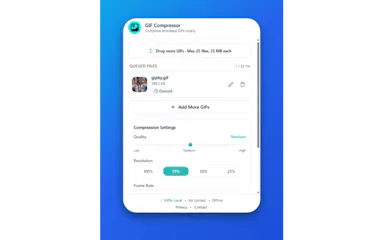
Compresses animated GIFs locally in the browser with no upload, for people shrinking file size while keeping some privacy control.

Data stays with you
What to know
How it works
Adjusts quality, resolution, and frame rate locally
Watch out
processing is local only, so browser performance may limit large files

Watched for 5 days · last checked today

Details →

SIMT

Live

An offline spatial toolkit for Android and Wear OS with navigation, indoor tracking, and AR measurement, working without an internet connection.

Works offlineData stays with you
What to know
How it works
suite of precision tools (navigation, indoor tracking, AR measurement, astronomy) that run offline
What's different
local data sharing between devices, no required connectivity

Watched for 4 days · last checked 4d ago

Details →

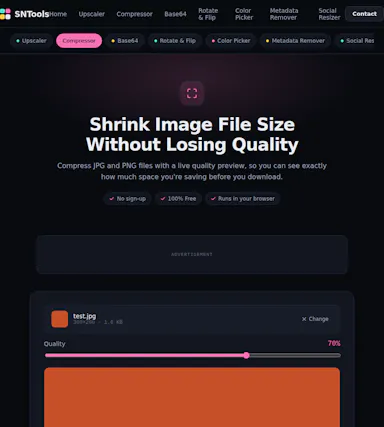
A free browser-based toolkit for compressing, converting and resizing images with no upload or sign-up.

Domain registered 16 days ago

FreeNo sign-upData stays with you
What to know
How it works
processes images locally in the browser
Pricing
free, no account or upload

Watched for 4 days · last checked today

Details →

Koiven

Live

Turns tracking your water intake into a game where an on-screen aquarium fills and a fish swims as you log drinks.

FreeNo sign-upWorks offlineData stays with you
What to know
How it works
logging a drink raises the on-screen aquarium water level
Pricing
free; Pro unlocks more fish, themes and drink slots
Watch out
offline and private by design, no account; iOS planned but not yet available

Watched for 4 days · last checked today

Details →

GLPPal

Live

Tracks injections, weight, measurements, and progress photos for people on GLP-1 medications like Ozempic or Wegovy.

Data stays with you
What to know
How it works
Logs injections, weight, and photos in one privacy-first app
Best for
people using Ozempic, Wegovy, or Mounjaro

Watched for 5 days · last checked today

Details →

Free browser tools for prepping exam and government form photos, like resizing signatures and laying out documents on A4, with nothing uploaded to a server.

Domain registered 12 days ago

FreeNothing to installData stays with you
What to know
How it works
Cleans up signature photos, resizes to file-size targets, lays out A4 sheets
Pricing
free
Watch out
nothing is uploaded, meaning processing is local only

Watched for 5 days · last checked today

Details →

A no-code AI workspace where teams update workflows and capture data via chat, voice, or image, running on local AI or your own API key.

Data stays with you
What to know
How it works
A no-code workspace where teams update workflows, automate tasks, and capture data via chat, voice, or image, running on local AI or your own API key so data stays in-house.

Watched for 3 days · last checked 2d ago

Details →

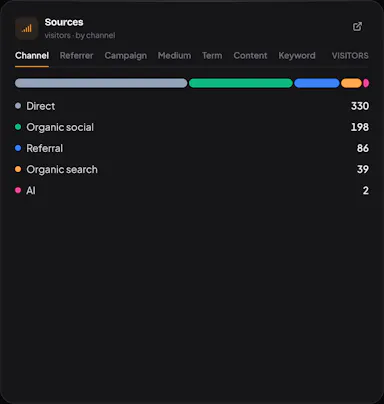
Self-hosted, cookieless, open-source analytics with a live visitor map, Stripe revenue attribution, and tracking of which pages AI crawlers read.

Data stays with youOpen sourceSelf-hosted
What to know
How it works
run it on your server; real-time map, Stripe channels, AI-crawler pages
What's different
no cookies or consent banner, data never leaves your machine
Pricing
MIT

Watched for 5 days · last checked today

Details →

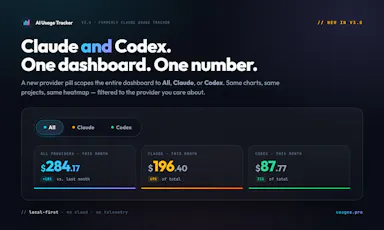
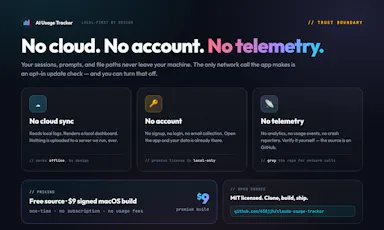
Local-first dashboard that auto-discovers your Claude and Codex spend across 10+ developer tools, with charts and zero telemetry.

Domain registered 2 months ago

Works offlineData stays with youNo tracking
What to know
How it works
auto-discovers usage across 10+ dev tools locally
What's different
zero telemetry, data stays on your machine
Best for
developers tracking AI tool spend

Watched for 5 days · last checked today

Details →

An Android anti-theft alarm focused on two everyday scenarios — someone unplugging your charging phone or moving it off a table — instead of general broad anti-theft tracking.

No sign-upWorks offlineData stays with youPay once
What to know
How it works
Charging Guard alarms on unplug; Table Guard uses sensors to detect the phone being moved.
Pricing
No account, no cloud tracking; early users get lifetime access for 0.99 euro.

Watched for 1 day · last checked today

Details →

bpad

Live

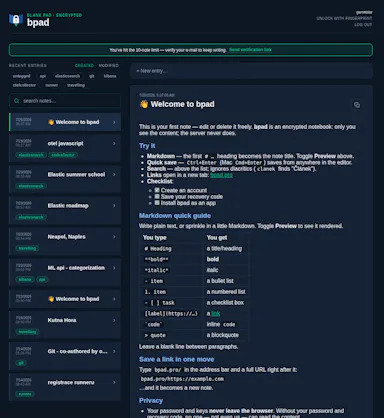
An open-source encrypted note-taking PWA that encrypts notes client-side before sync, for people who want their notes unreadable to the server even in the cloud.

Works offlineData stays with youOpen source
What to know
How it works
Notes encrypted in-browser with Argon2id + AES-256-GCM before leaving the device; only ciphertext reaches the server.
What's different
Works offline across devices while staying private.

Watched for 1 day · last checked today

Details →

Turns an audio clip into a captioned waveform video for social platforms entirely in-browser, with auto-captions from local Whisper AI, so audio never leaves the device.

FreeNo sign-upData stays with youCan export my data
What to know
How it works
In-browser reactive waveform visualizer plus Whisper-based auto-captions; exports MP4.
Pricing
Free, no signup, no watermark.
Best for
Podcasters making audiogram clips for Instagram/TikTok/YouTube.

Watched for 1 day · last checked today

Details →

A random-draw and comment-picker tool that pulls entries from Facebook, Instagram and YouTube comments to pick giveaway winners fairly — for running promos and contests, not a general raffle app.

FreeData stays with you
What to know
How it works
An online random draw and comment-picker tool that pulls entries from imported Facebook, Instagram, and YouTube comments, or entry lists, to pick giveaway winners using cryptographically secure random selection processed locally in the browser.
What's different
Supports multiple prize categories and large entry lists, and processes selection locally rather than uploading entry data.
Best for
People running giveaways, live-stream draws, or promotional contests on social media.

Watched for 16 days · last checked 6d ago

Details →

An offline subscription tracker with no bank linking, account or cloud sync, for anyone tracking recurring costs without handing over financial data, not just developers.

No sign-upWorks offlineData stays with you
What to know
How it works
Tracks subscriptions, renewal dates and costs entirely on-device across 170+ currencies, with no account, bank linking or cloud sync.
What's different
Skips bank login entirely, unlike most subscription trackers.
Best for
People who want to track recurring spending without handing over financial data.
Watch out
Built solo by a self-taught developer using AI-assisted workflows, with no team or funding behind it.

Watched for 17 days · last checked 1d ago
Details →

Nib

Live

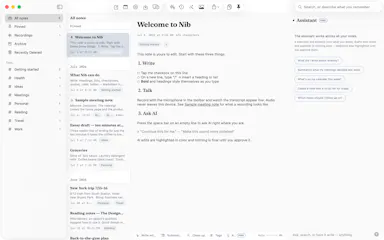
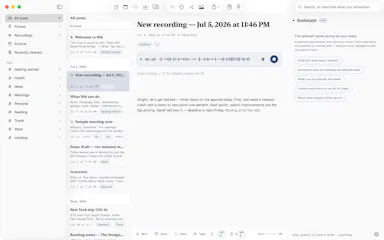
A notes app for iPhone, iPad, and Mac that records and transcribes on-device, then turns meeting audio and handwritten notes into structured minutes with decisions and to-dos you approve as diffs.

FreeWorks offlineData stays with youNo ads
What to know
How it works
On-device transcription keeps audio local; AI restructures transcripts into minutes with editable, diff-based approval.
Pricing
Recording, transcription, and search are free; cloud AI features require Pro.
Best for
People who want private, on-device meeting notes.

Watched for 6 days · last checked today

Details →

A browser-based tool that turns your own videos into iPhone Live Photo wallpapers entirely on-device with no upload, plus a free gallery of ready-made HD wallpapers.

Domain registered 15 days ago

FreeWorks offlineData stays with you
What to know
How it works
Crop, trim, and preview a video on a phone mockup in the browser, entirely on-device, then follow a one-tap step to set it as your iPhone Live Photo lock screen.
Pricing
Free HD wallpapers from a gallery; you can also convert your own video.
Best for
iPhone users who want a live wallpaper made from their own video without uploading it anywhere.
Watch out
It doesn't create a true Live Photo by itself; it preps the clip and walks you through a manual app step to finish.

Watched for 6 days · last checked today

Details →

A free collection of 25+ browser-only utilities (PDF merge/split, image compression, calculators, and more) that process everything locally with no account or upload.

Domain registered 12 days ago

FreeNo sign-upNothing to installData stays with you
What to know
How it works
Provides 25+ browser-only tools including image compression, PDF merge/split, salary calculator, investment simulator, and roulette, with all processing on-device.
Pricing
Free, no install, no sign-up, no upload.

Watched for 7 days · last checked 1d ago

Details →

A free, open-source AI chat assistant that runs in the browser using your own API key, with no login required.

Domain registered 20 days ago

FreeNo sign-upData stays with youOpen source
What to know
How it works
Lets you chat with leading AI models using your own API key, running fully in the browser with no login required.
Pricing
Free.

Watched for 3 days · last checked 2d ago

Details →

A file converter for images, video, audio, PDFs and documents that runs on your device or in-browser so files are never uploaded, with an optional paid Mac app for heavier batch and OCR jobs.

FreeData stays with youNo subscription
What to know
How it works
Converts images, video, audio, PDFs and documents directly on your device in the browser, so files are never uploaded to a server.
What's different
A Mac app is available for heavy formats, batch processing, and OCR, powered by dedicated conversion engines.
Pricing
Free in-browser; the Mac app is a separate paid option. No subscriptions.
Best for
People converting files who don't want them leaving their device.

Watched for 9 days · last checked 3d ago

Details →

Offline contact manager for filmmakers, musicians, and artists who want client relationships tracked without sales-pipeline clutter.

Works offlineData stays with you
What to know
How it works
Local-first, offline-ready contact storage
Best for
Creative freelancers who don't need a full sales CRM

Watched for 4 days · last checked 4d ago

Details →

Atlas

Live

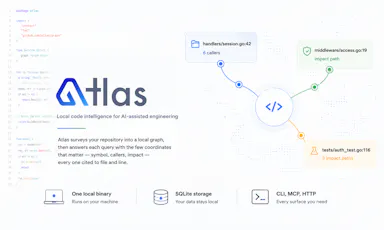
Gives developers and AI coding assistants deterministic, cited answers about a codebase's symbols, callers, and dependencies without sending code off-device.

Works offlineData stays with you
What to know
How it works
Runs locally as a single binary with SQLite, CLI, MCP and HTTP interfaces to index a codebase
What's different
Deterministic, reproducible results with exact file-and-line citations; claims 36x fewer tokens than a graph baseline
Watch out
Code never leaves the machine

Watched for 3 days · last checked 2d ago

Details →

RaaDoc

Live

Free toolkit of 55+ PDF, image and developer utilities that process files locally in the browser without uploading them.

Domain registered 9 days ago

FreeNo sign-upData stays with you
What to know
How it works
52 of 56 tools run entirely client-side, no server upload
Pricing
free, no signup, no daily limits

Watched for 5 days · last checked today

Details →

Pixora

Live

42 free browser-based image tools (compress, resize, remove background) that process images on your own device instead of uploading them.

Domain registered 15 days ago

FreeNo sign-upData stays with you
What to know
How it works
AI background removal and other edits run locally in-browser
Pricing
free, no signup
Watch out
limited to the specific tools offered, not a full editor

Watched for 5 days · last checked today

Details →

A local-first AI assistant that indexes and searches your past work on your own device, only sending data to the cloud if you explicitly ask it to.

Domain registered 11 months ago

Data stays with you
What to know
How it works
A privacy-first AI assistant that creates a local index of your work activity and lets you search through it, keeping data on-device unless you explicitly send it to the cloud.
What's different
Keeps data local by default rather than uploading it to the cloud.
Best for
People who want to search their past work history without their data leaving their device.

Watched for 13 days · last checked 7d ago

Details →

Free browser tool converting typed text into 50+ Unicode font styles for use on Instagram, Discord, WhatsApp and similar apps.

FreeNo sign-upData stays with you
What to know
How it works
real-time conversion to stylized Unicode text, works entirely in-browser
Pricing
free, no signup

Watched for 5 days · last checked today

Details →

Suite of 25 PDF tools (merge, split, convert) that run entirely in your browser without uploading files to a server.

FreeNo sign-upNothing to installData stays with you
What to know
How it works
client-side processing for merges, splits and conversions
Pricing
free, no signup, no watermark

Watched for 5 days · last checked today

Details →

Offline desktop API testing client (REST, GraphQL, gRPC) that keeps all your requests and tokens on your machine instead of a vendor cloud.

FreeWorks offlineData stays with youOpen source
What to know
How it works
runs 100% offline, stores collections in local SQLite and tokens in the OS keychain
Pricing
free, open source (MIT)
Best for
developers who don't want API collections synced to a third-party cloud

Watched for 5 days · last checked today

Details →

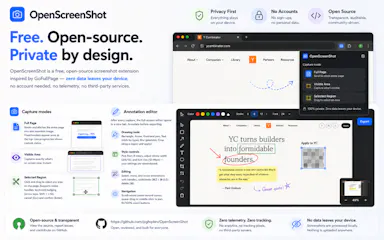
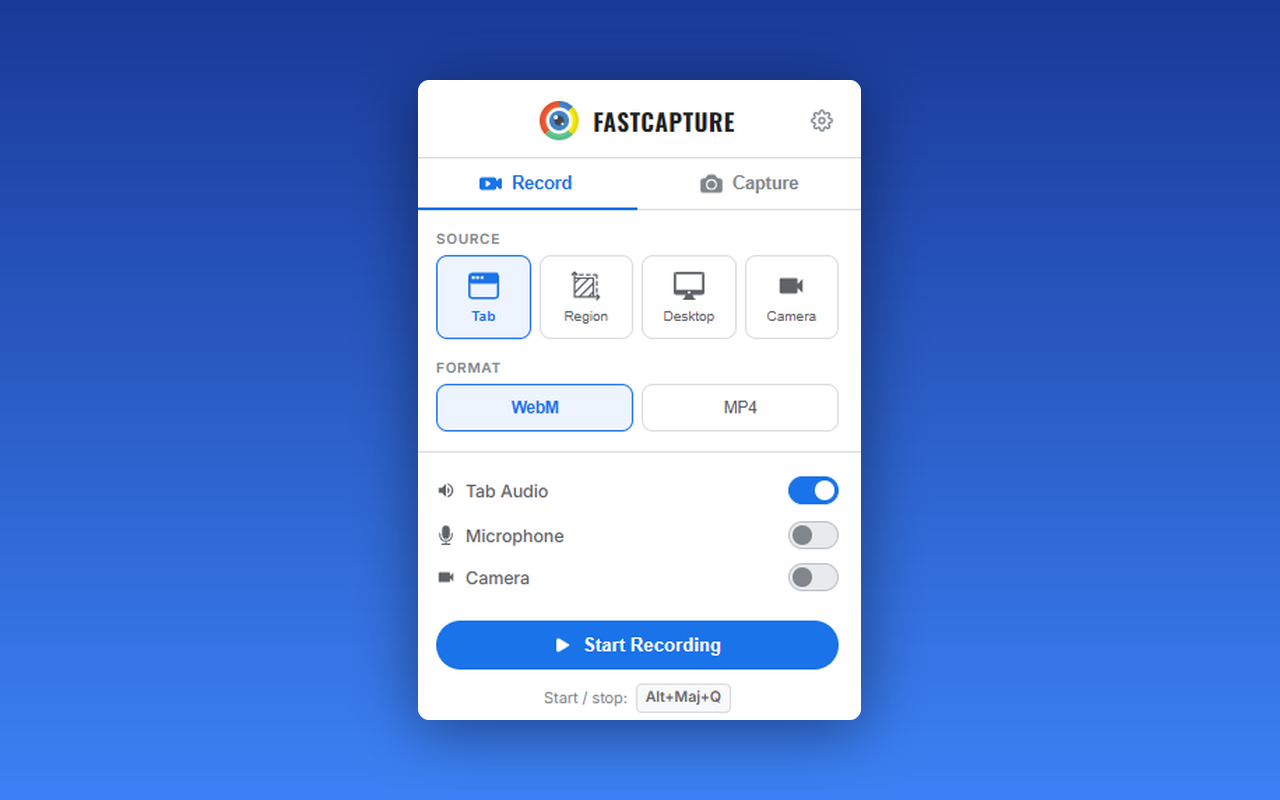
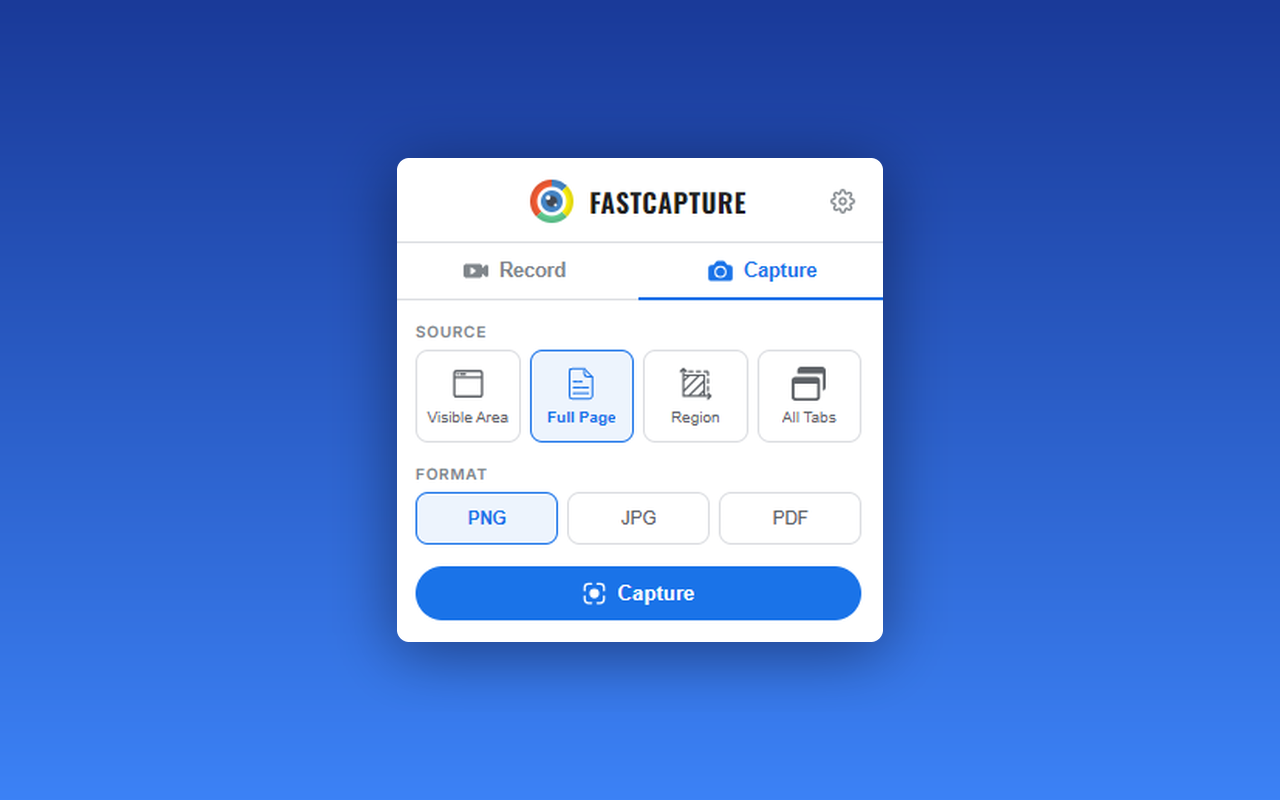
Free Chrome extension for taking full-page or region screenshots with an annotation editor, processed entirely on your device.

FreeData stays with youOpen sourceCan export my data
What to know
How it works
capture full-page, region, or visible-area screenshots, then annotate with undo/redo and export to PDF
Pricing
free, open source
Watch out
Chrome extension only

Watched for 5 days · last checked today

Details →

Ohata

Live

Free browser tool that generates compliant passport/visa photos for 100+ countries without uploading your photo anywhere.

Domain registered 12 days ago

FreeWorks offlineData stays with youCan export my data
What to know
How it works
Auto-fits your photo to official spec and exports a print-ready sheet, entirely in-browser
Pricing
Free
Best for
People needing a compliant passport photo without a photo studio

Watched for 5 days · last checked today

Details →

Garly

Live

A personal-safety companion app that learns your routines and can alert trusted contacts if something seems off.

Domain registered 15 days ago

Data stays with you
What to know
How it works
Monitors routines for anomalies and notifies trusted contacts when triggered
Watch out
Optional recording feature only planned, saves short clips only after approved triggers

Watched for 4 days · last checked today

Details →

A browser tool for downloading X (Twitter) media in bulk without uploading files to a server.

Domain registered 4 months ago

Data stays with youNo ads
What to know
How it works
Client-side download using your own authorized login tokens, no server storage
What's different
Sub-100ms duplicate detection, ad-free interface

Watched for 4 days · last checked today

Details →

Browser tool that recreates the analog scanner-drag glitch-art effect on your photos in real time, with nothing uploaded.

FreeNo sign-upData stays with youCan export my data
What to know
How it works
Simulates a moving scanline as you drag/zoom/rotate a photo; includes Xerox-style copier grain mode.
What's different
Photo never leaves your device.
Pricing
Free, no signup

Watched for 4 days · last checked today

Details →

Collection of 340+ free online tools (PDF, image, financial, developer) that process everything client-side in the browser with no upload.

Domain registered 1 month ago

FreeNo sign-upData stays with you
What to know
How it works
Uses WebAssembly and Canvas APIs to run tools entirely in-browser.
What's different
No file caps, no watermarks, no server upload.
Pricing
Free

Watched for 4 days · last checked today

Details →

Kaptur

Live

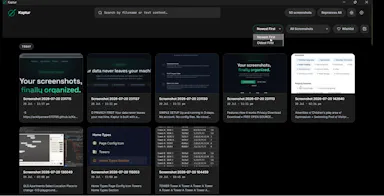
Local screenshot manager for Windows that OCRs every screenshot so you can search them by text later, with nothing uploaded to the cloud.

Works offlineData stays with you
What to know
How it works
Watches folders, extracts text via OCR, makes screenshots searchable.
What's different
100% local, no cloud upload or subscription.
Watch out
Windows only.

Watched for 4 days · last checked today

Details →

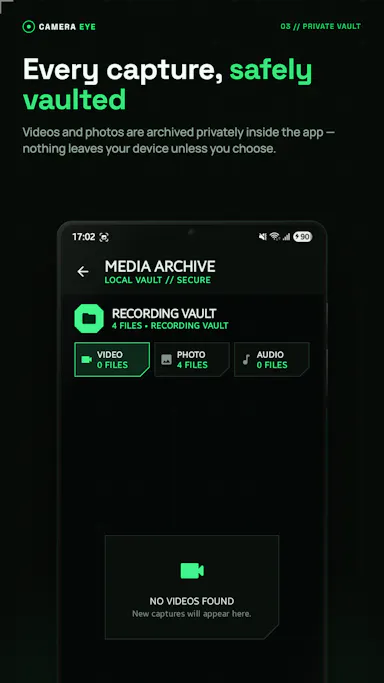
Android app for recording video, photo, or audio silently in the background, with all media kept only on the device.

Domain registered 7 days ago

Data stays with you
What to know
How it works
Captures media even with the screen off; nothing leaves the device.
What's different
No upload, works with screen off.
Watch out
Android only.

Watched for 4 days · last checked today

Details →

Generates a 3D model from a single image entirely on-device using WebGPU, with no server uploads or accounts needed — an open-source tool for developers experimenting with local image-to-3D generation.

Works offlineData stays with youOpen source
What to know
How it works
Generates a 3D model from a single image entirely on-device using WebGPU compute in the browser, with no server uploads or accounts.
What's different
Open source and runs locally via WebGPU rather than requiring cloud GPU processing, also deployable on Vercel for instant testing.
Best for
Developers experimenting with local, private image-to-3D generation.

Watched for 9 days · last checked 3d ago

Details →

A privacy-first estate-planning app that keeps a digital will, asset inventory, and guardianship wishes stored on the device instead of on external servers.

Domain registered 2 months ago

Data stays with you
What to know
How it works
Create and update a digital will, organize assets and property, and record inheritance/guardianship wishes, with data kept on-device.
Best for
People wanting to plan an estate without uploading sensitive information to the cloud.

Watched for 6 days · last checked today

Details →

A self-hosted proxy that tokenizes sensitive data before it reaches Claude, ChatGPT, Gemini, or Mistral and restores it in the response, so teams can use commercial AI without their real data leaving the network.

Data stays with youSelf-hosted
What to know
How it works
Replaces sensitive data with tokens before the prompt reaches the AI provider, then restores real values in the response.
Pricing
Docker setup in 2 minutes; supports 8 AI providers.
Best for
Teams that want to keep using commercial AI tools without exposing real data.

Watched for 6 days · last checked today

Details →

A 15-module course that teaches non-coders to build their own private AI operator, running on their own computer, that drafts email and messages on WhatsApp instead of a commercial AI assistant subscription.

Data stays with you
What to know
How it works
An AI coding assistant helps you build the operator tier by tier, across 15 modules plus 6 bonuses.
Pricing
Runs for a few dollars a month to operate; course has a 30-day guarantee.
Best for
Non-coders who want to own a private AI assistant instead of subscribing to one.

Watched for 6 days · last checked today

Details →

A free, local-first habit and life tracker based on Buddhist teachings that stores all data in your browser with no account, no cloud, and JSON export and import.

FreeWorks offlineData stays with youCan export my data
What to know
How it works
Maps the Mangala Sutta's 38 blessings into daily habit design, stores data 100% locally in your browser cache, with JSON export/import for backups.
Best for
People who want a private, offline habit tracker with no account and no cloud storage.

Watched for 6 days · last checked today

Details →

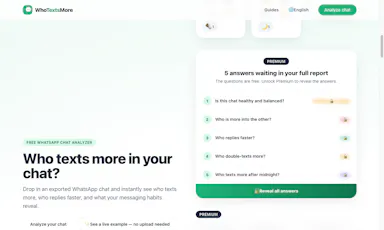
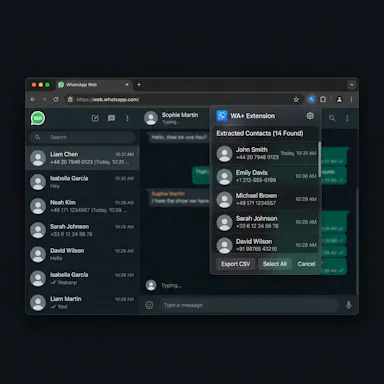
See who texts more in your WhatsApp chats, 100% private

Domain registered 20 days ago

FreeData stays with youCan export my data
What to know
How it works
You upload a WhatsApp chat export and it instantly shows who texts more, who starts conversations, reply times, night-texting habits, and emoji stats.
What's different
Runs entirely in the browser — the chat export never leaves your device.
Pricing
Free, with a one-time premium purchase for deeper insights.
Best for
People curious about their WhatsApp chat habits who don't want to upload their conversations anywhere.

Watched for 8 days · last checked 2d ago

Details →

Generates bilingual subtitles for mixed-language (Japanese/Korean/Chinese-English) video without uploading the full video file, for creators who don't want their video leaving their device.

Data stays with youCan export my data
What to know
How it works
Audio extracted locally in-browser, only ~30MB audio sent to servers, deleted after processing
What's different
Handles code-switching and loanwords/technical terms accurately
Best for
Creators with mixed-language content

Watched for 1 day · last checked 1d ago

Details →

Converts any photo into a buildable Perler bead pattern with adjustable grid and palette, processed entirely in-browser so images never leave your device.

Data stays with youCan export my data
What to know
How it works
Adjust grid, palette, color count; preview beads and export a material list.
Best for
Hobbyists, makers, parents, teachers.
Watch out
Image processing stays local — never uploaded.

Watched for 1 day · last checked today

Details →

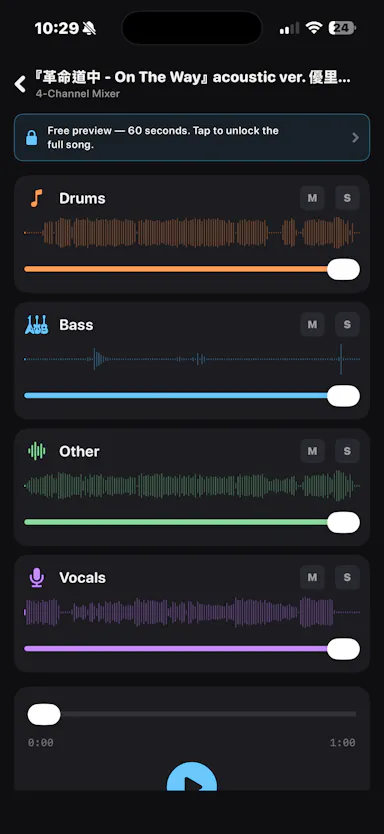
An iOS app that separates any audio track into 4 stems entirely on-device, for musicians who want stem separation without uploading tracks to the cloud.

Works offlineData stays with you

Watched for 1 day · last checked today

Details →

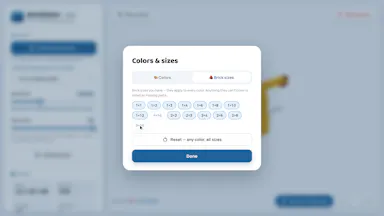
Converts an uploaded 3D model into a buildable brick design entirely in the browser, with an exportable parts list, without the file leaving your device.

FreeNo sign-upData stays with youCan export my data
What to know
How it works
Upload an STL/OBJ/GLB/PLY file, compare original and brick versions in 3D, tune size/colors/brick inventory, then export a parts list and layer-by-layer build guide.
What's different
Processing happens locally; the model never leaves your device.
Pricing
Free.
Best for
People designing physical brick builds from a 3D model who want privacy and no signup.

Watched for 10 days · last checked 4d ago

Details →

Free browser-only image toolkit (background removal, upscale, compress, convert) that never uploads your photos to a server.

FreeData stays with you
What to know
How it works
Removes backgrounds, upscales, enhances, compresses, converts, reads text, or makes passport photos, running 100% in the browser.
Pricing
Free, no upload, no limits.

Watched for 7 days · last checked 1d ago

Details →

A browser-based invoice builder for freelancers and small businesses that keeps client and billing data entirely on your device, no sign-up or cloud sync.

Domain registered 3 years ago

No sign-upWorks offlineData stays with youNo tracking
What to know
How it works
Builds invoices entirely in the browser and exports them as PDF or PNG, with client details, invoice data and branding staying on the user's device.
What's different
No sign-up, no cloud storage and no tracking, unlike most invoicing tools that store data server-side.
Best for
Freelancers, consultants and small businesses who want to create invoices without their client and billing data leaving their device.

Watched for 9 days · last checked 3d ago

Details →

Free browser tool for resizing, cropping, and converting photos/PDFs — including exam photo specs — entirely on your device without uploading files.

FreeNothing to installData stays with you
What to know
How it works
A browser-based toolkit that resizes, compresses, crops, and converts images and PDFs entirely on-device with no uploads, including presets for passport photos, signatures, thumb impressions, and government exam applications (SSC, IBPS, UPSC, RRB).
What's different
Processes files on-device instead of uploading them, and bundles exam-specific photo specs alongside general image/PDF tools.
Pricing
Free.
Best for
People needing quick, private image/PDF edits, including applicants for Indian government exams with specific photo requirements.

Watched for 8 days · last checked 2d ago

Details →

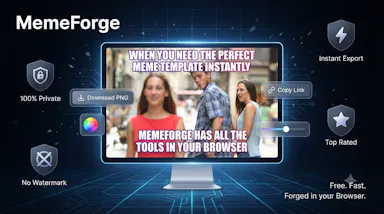
A free browser-based meme generator with no sign-up, watermarks or file uploads — everything is edited locally and images never leave your device.

FreeNo sign-upWorks offlineData stays with you
What to know
How it works
A browser-based meme generator: upload an image or paste a URL, add top and bottom text, apply one of 12 filters, and download as PNG or copy to clipboard.
What's different
No uploads to any server — everything is edited locally in the browser.
Pricing
Free, no sign-up, no watermarks, unlimited use.
Best for
Anyone who wants to make memes quickly without creating an account.

Watched for 10 days · last checked 4d ago

Details →

Didon

Live

An AI Mac app that watches your screen and turns it into a private daily work log, analyzed entirely on-device, for individuals and professionals who want to understand their own habits.

Data stays with you
What to know
How it works
Runs on your Mac in the background, using local AI to analyze your screen activity and automatically generate a structured daily work journal.
What's different
Analysis happens entirely on-device, so screen data stays local rather than being uploaded.
Best for
Individuals and professionals who want to understand their own work habits without a cloud-based tracker.

Watched for 14 days · last checked 8d ago

Details →

Montir

Live

An app for ranking every movie, show, and anime you watch on a 0-10 scale via head-to-head comparisons, and comparing taste with friends.

5.011 ratings on the App Store

Data stays with youNo ads
What to know
How it works
head-to-head picks generate precise scores instead of star ratings; compatibility score based on mutual ratings
What's different
tracks a 'uniqueness score' for how contrarian your ratings are

Watched for 4 days · last checked 4d ago

Details →

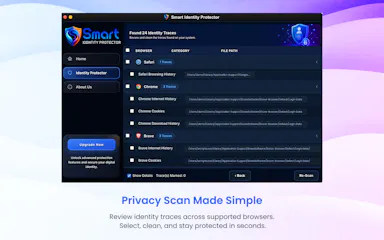
A Mac utility that scans your browsers for saved passwords, autofill data, and browsing traces so you can review and remove them before someone else finds them.

Data stays with you
What to know
How it works
scans supported browsers locally for privacy traces, lets you review before deleting
What's different
all scanning happens locally, nothing leaves the device

Watched for 4 days · last checked 3d ago

Details →

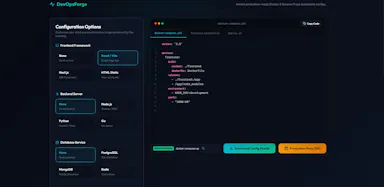
A free, client-side visual builder for Docker Compose, Nginx/Caddy configs, healthchecks and backup scripts that generates production files without uploading anything to a server; a developer/DevOps tool.

FreeData stays with you
What to know
How it works
A visual configurator that generates Docker Compose, Nginx/Caddy configs, healthchecks and cloud backup scripts, producing production-ready environments in about 60 seconds.
What's different
100% client-side — zero server-side uploads.
Pricing
Free.
Best for
Developers and DevOps engineers who want production configs without hand-writing them.

Watched for 10 days · last checked 4d ago

Details →

Rewrites your resume bullets and drafts a cover letter for a specific job posting in one click, for job seekers, not recruiters. Your resume stays on your device.

Domain registered 19 days ago

No sign-upData stays with you
What to know
How it works
You open a job posting and it scores your match, rewrites your resume bullets for that specific role, and writes a cover letter, in one click.
What's different
Resume never leaves your device, no sign-up required.
Pricing
Free to try; Pro exports a clean, ATS-safe PDF.
Best for
Job seekers who want a tailored resume and cover letter per job posting without creating an account.

Watched for 10 days · last checked 4d ago

Details →

An offline AI companion app for people who want an ongoing personalized chat relationship without their conversations ever leaving their own computer.

Domain registered 2 months ago

Works offlineData stays with you
What to know
How it works
A desktop AI companion for Mac and Windows that runs entirely offline, remembering past interactions and learning about the user over time to build a personalized relationship.
What's different
All processing happens locally on the machine rather than in the cloud.
Pricing
No recurring subscription fees.
Best for
People who want an ongoing personalized AI companion without their conversations leaving their computer.

Watched for 8 days · last checked 8d ago

Details →

Handles PDF editing and conversion entirely on your own computer so files never touch a cloud server — for anyone wary of uploading sensitive documents, not developer-specific.

No sign-upWorks offlineData stays with you
What to know
How it works
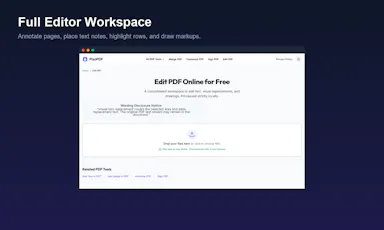
A PDF editing and conversion tool that runs 100% locally on your computer, so files never get uploaded to a server.
What's different
No file size restrictions and no registration required, unlike cloud-based PDF tools.
Best for
Anyone who needs to edit sensitive PDFs without uploading them to a cloud service.

Watched for 12 days · last checked 6d ago

Details →

Free browser-only image toolkit (compress/convert/resize) for anyone who wants quick edits without uploading files to a server.

Domain registered 23 days ago

FreeNo sign-upData stays with you
What to know
How it works
A browser-based image toolkit for compressing, upscaling, converting to base64, rotating, picking colors, removing hidden EXIF metadata, and resizing images for social media.
What's different
Everything processes locally in the browser — no sign-up, no uploads, no limits.
Pricing
Free.
Best for
Anyone who wants quick image edits without uploading files to a server.

Watched for 8 days · last checked 2d ago

Details →

Trazia

Live

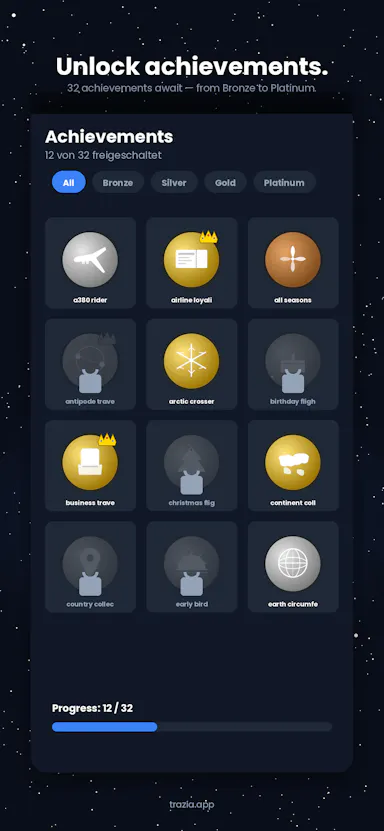
A personal iOS travel logbook that turns flights, trains, hikes, and rides into lines on a 3D globe, for travelers who want to track trips and stats privately without an account.

No sign-upData stays with you
What to know
How it works
Log flights, trains, hikes, and bike rides; each becomes a line on a 3D globe with stats, 32 achievements, and a shareable Year in Review.
Best for
Travelers who want a private, on-device travel log.
Watch out
No account required and data stays on the device, so nothing syncs across devices by default.

Watched for 11 days · last checked 5d ago

Details →

An iPhone app that converts, compresses, and resizes files and strips photo metadata entirely on-device, with no uploads or account.

2 ratings on the App Store

No sign-upData stays with youNo ads
What to know
How it works
on-device file/image conversion and EXIF/GPS stripping
What's different
nothing leaves the device
Pricing
no account, no ads

Watched for 5 days · last checked 3d ago

Details →

Uses your iPhone camera and on-device AI to estimate stress, focus and eye strain in under a minute, nothing uploaded — a wellness check-in with a free trial, not a fully free app.

Works offlineData stays with you
What to know
How it works
Uses the iPhone camera with Apple's Vision framework and HealthKit to read stress signals, focus drift, screen strain and sleep quality via on-device eye-tracking in about 60 seconds.
What's different
Runs entirely on-device with nothing sent to the cloud, and doesn't require an Apple Watch.
Pricing
Free to try.
Best for
iPhone users who want a quick, privacy-preserving wellness check-in.

Watched for 13 days · last checked 7d ago

Details →

A free Chrome extension that boosts individual tab volume up to 600% with per-tab memory and a built-in equalizer, all processed locally on your device.

FreeData stays with youNo subscriptionNo ads
What to know
How it works
A Chrome extension that boosts the volume of individual tabs up to 600%, with per-tab volume memory, a built-in equalizer, and keyboard shortcuts, processing audio locally on-device.
Pricing
Free forever, no ads or subscriptions.
Best for
People who need louder audio on specific Chrome tabs with quiet source audio.

Watched for 12 days · last checked 6d ago

Details →

Turns GPS data already embedded in your photos into a private travel map, processing everything on your device so your location history never leaves your phone.

Works offlineData stays with you
What to know
How it works
Reads the GPS data already embedded in a user's photos to build a visual map of everywhere they've traveled.
What's different
Processes everything 100% on-device, so location data never leaves the user's control.
Best for
People who want a private travel map built from their existing photo library.

Watched for 11 days · last checked 5d ago

Details →

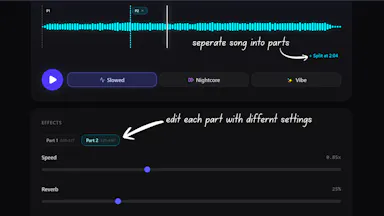
Turns a song into slowed+reverb, nightcore or daycore right in the browser, free, no install, account or upload, with per-section effects and MP4/WAV/AAC export.

Domain registered 1 month ago

FreeNo sign-upNothing to installData stays with you
What to know
How it works
Turns a song into slowed + reverb, nightcore, or daycore versions in the browser, with real-time tempo, pitch, reverb, timbre, and bass-boost controls, and exports to MP4, WAV, or AAC.
What's different
Split Sections lets you apply different effects to different parts of the same track.
Pricing
Free, with no install, account, watermark, or server upload.
Best for
Creators making slowed-and-reverb or nightcore edits of songs.

Watched for 12 days · last checked 6d ago

Details →

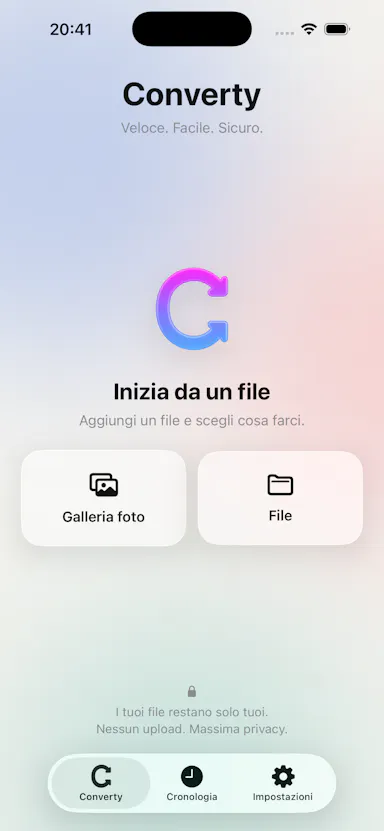
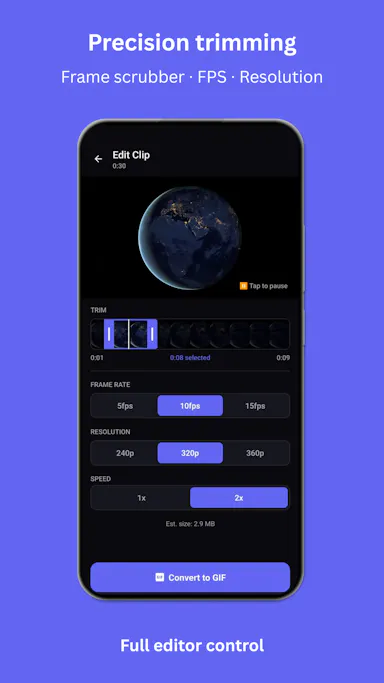
A mobile app that converts video to GIF entirely on-device, with no upload, watermark, or account required, and can share the result to WhatsApp, Telegram, Instagram, Reddit, or X.

No sign-upWorks offlineData stays with youNo subscription
What to know
How it works
Encodes video to GIF on-device with a trim/scrubber editor and FPS/resolution/speed controls.
Pricing
One-time $2.99 premium removes ads and unlocks longer clips and higher quality; no subscription.
Best for
People converting short video clips to GIFs privately without uploading footage.

Watched for 11 days · last checked 5d ago

Details →

A local-first, self-hostable, open-source notes app with semantic search, autonomous research agents, and voice notes, where data never leaves the user's machine unless they choose to share it.

Works offlineData stays with youOpen sourceSelf-hosted
What to know
How it works
Stores notes locally and adds semantic search, ReAct agents, cited deep research, voice notes, and financial analysis on top, all self-hosted and MIT licensed.
Best for
Technical users who want an AI-augmented notes app without sending their data to the cloud.
Watch out
Requires self-hosting, so it needs technical setup compared to a hosted notes app.

Watched for 6 days · last checked 5d ago

Details →

A local Windows security suite with antivirus, AI ransomware detection, a DNS shield, VPN, identity monitoring, and a telemetry blocker that stops manufacturers from phoning home.

No sign-upWorks offlineData stays with youNo subscription
What to know
How it works
100% local, one-time payment, no cloud, no subscription, no account required; data never leaves the machine.
Watch out
blocks telemetry from Microsoft, AMD, HP, NVIDIA, and Intel.

Watched for 6 days · last checked 5d ago

Details →

An open-source, template-based design tool for building App Store and Play Store screenshots, feature graphics, and preview videos entirely in your browser or desktop app, with no account or upload required.

Domain registered 13 days ago

FreeNo sign-upData stays with youOpen source
What to know
How it works
pick a template, drop in your app screens, and export every required store size, including MP4 previews
What's different
an optional AI agent can build the whole listing from raw screenshots
Best for
app developers and designers preparing store listings

Watched for 6 days · last checked 5d ago

Details →

Paste a page and get a free instant score for whether AI answer engines like ChatGPT will cite it, with fixes. Runs in your browser, nothing uploaded.

Domain registered 10 years ago

FreeNo sign-upData stays with you
What to know
How it works
Paste a page and get a 0-100 score for whether AI answer engines (ChatGPT, Perplexity, Google AI Overviews) would cite it, measured against signals like answer-first structure, question headings, stats, tables, FAQs, and freshness, with fixes sorted by impact.
What's different
The 11 scoring weights are published on the page, making the score inspectable rather than a black box, and it runs entirely in the browser with nothing uploaded or stored.
Pricing
Free, and staying free.
Best for
SEOs and content writers trying to get their pages cited by AI answer engines.

Watched for 12 days · last checked 6d ago

Details →

Swipe through your camera roll to keep or delete photos, entirely on-device — no account, no uploads, no cloud scanning. Free to try, in 12 languages.

No sign-upWorks offlineData stays with you
What to know
How it works
Swipe through your camera roll — right to keep, left to delete, up to decide later — with Smart Albums, duplicate detection, monthly review and progress tracking to clear storage.
What's different
Runs 100% on-device with no account, no uploads, and no photo tracking.
Pricing
Free to try.
Best for
Anyone wanting to quickly clear phone storage by swiping through photos, in one of 12 supported languages.

Watched for 12 days · last checked 6d ago

Details →

A macOS menu-bar app that translates on-screen text and system audio in real time using on-device OCR and local speech recognition, for videos, meetings, or games.

Works offlineData stays with you
What to know
How it works
Lets you drag-select a screen area for an on-device OCR translation overlay, or capture system audio for live, locally-recognized speech translation, supporting 15+ languages.
Best for
Mac users who want instant translation of on-screen content or audio without switching windows.

Watched for 6 days · last checked 6d ago

Details →

An offline subscription manager that encrypts financial data locally, warns about trial expirations, and calculates the long-term cost of recurring subscriptions.

Works offlineData stays with you
What to know
How it works
Encrypts data locally with AES-256 with no bank link or cloud account, sends timed trial-ending warnings, calculates 5/10-year subscription costs, and can generate WhatsApp bill-split reminders.
Best for
People who want to track and cut subscription costs without linking a bank account or uploading data.

Watched for 11 days · last checked 5d ago

Details →

A mobile personal finance app that tracks expenses, budgets, and recurring bills fully offline with no account required.

No sign-upWorks offlineData stays with youNo ads
What to know
How it works
Tracks spending across accounts, sets budgets, manages recurring bills, and tags transactions locally on the device.
Pricing
Free to use offline; optional €3/mo unlocks EU-hosted cloud sync and forecasting.
Best for
People who want private budget tracking without cloud sync or ads.

Watched for 11 days · last checked 5d ago

Details →

A privacy-first iOS invoicing app with no login, no analytics and no servers — everything stays on your device. Free for 3 invoices a month; built for freelancers who don't want SaaS bloat.

FreeNo sign-upData stays with youNo tracking
What to know
How it works
An iOS invoicing app that creates professional PDF invoices in under a minute using three templates, with no login and no servers — all data stays on the device.
What's different
No account, no analytics, no servers — invoice data never leaves the device, unlike typical cloud invoicing SaaS.
Pricing
Free tier: 3 invoices/month forever. Plus unlocks unlimited invoices, all templates, logo, reports and CSV export for $5.99/mo or $39.99/yr.
Best for
Freelancers who want simple, private invoicing without SaaS bloat.

Watched for 12 days · last checked 6d ago

Details →

Turns real exercise reps like squats and push-ups into a Pokemon-style pet that levels up, tracked by on-device camera AI. Aimed at beginners who struggle to stick with fitness apps.

FreeWorks offlineData stays with you
What to know
How it works
On-device camera AI counts your reps as you do exercises like squats or push-ups; each rep gives XP to a pet that levels up and evolves, builds a daily streak, and supports live co-op workouts with a friend.
What's different
No camera footage leaves the phone, and the pet-care habit loop is built for people who drop off other fitness apps rather than for structured training plans.
Pricing
Free.
Best for
Beginners and busy people whose motivation for fitness apps usually dies within a couple of weeks.

Watched for 17 days · last checked 9d ago

Details →

A free browser tool that batch-converts HEIC/HEIF iPhone photos to JPG with no upload, account or size limit — a web tool, not an iOS app.

FreeNo sign-upData stays with you
What to know
How it works
Converts HEIC/HEIF photos to JPG entirely in the browser, with batch conversion and a ZIP download, no upload, account, or file size limit.
Pricing
Free, no account needed.
Best for
iPhone users who need to convert photos to JPG without installing an app or creating an account.

Watched for 12 days · last checked 6d ago

Details →

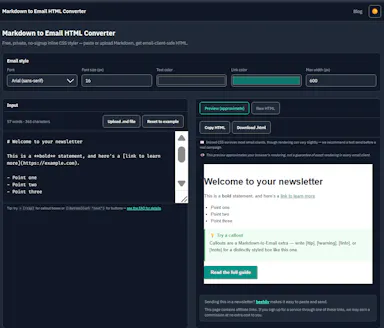
Converts Markdown into inlined, Outlook-safe HTML you can paste into ConvertKit, beehiiv, or Mailchimp, entirely in your browser — built for newsletter writers and marketers who draft in Markdown.

FreeNo sign-upData stays with you
What to know
How it works
Converts Markdown into fully inlined, Outlook-safe HTML entirely in the browser, ready to paste into ConvertKit, beehiiv, Mailchimp or other email service providers, with built-in email-safe callout boxes and CTA button syntax.
What's different
Runs 100% client-side with no signup, account or paywall, so content never leaves the browser.
Pricing
Free, no signup, no paywall.
Best for
Newsletter writers, marketers and indie developers who draft in Markdown and need Outlook-safe HTML for their email platform.

Watched for 9 days · last checked 3d ago

Details →

SubKit

Live

An iOS/Apple Watch app that tracks subscriptions and recurring bills with local, private data and reminders to avoid surprise charges.

No sign-upWorks offlineData stays with you
What to know
How it works
Tracks subscriptions, recurring bills, and automatic payments in one dashboard with smart reminders, widgets, and Apple Watch support, storing data privately on-device.
Watch out
iOS and Apple Watch.

Watched for 7 days · last checked 7d ago

Details →

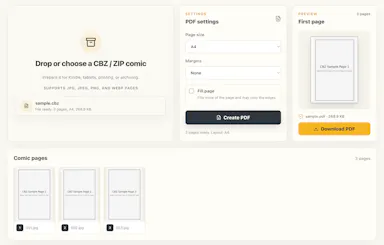
Converts CBZ/ZIP comic archives to PDF entirely in your browser — nothing uploaded, no account needed, good for readers who don't want desktop software or a server touching their files.

Domain registered 17 days ago

No sign-upNothing to installData stays with you
What to know
How it works
Converts CBZ and ZIP comic archives into PDF files for tablets, e-readers, printing, or long-term storage, entirely in the browser.
What's different
Everything is processed locally — no uploads and no account needed.
Best for
Comic readers who want their files converted without a desktop app or server ever touching them.

Watched for 12 days · last checked 6d ago

Details →

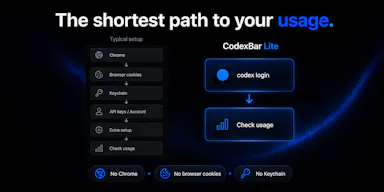
Lets developers monitor their OpenAI Codex usage from the macOS menu bar instead of checking a web dashboard, using only their existing CLI session.

Data stays with youOpen source

First seen today · last checked today

Details →

Fixes the iPhone-photo compatibility problem by converting HEIC to PNG locally in your browser, nothing uploaded to a server, no account, no app to install.

Domain registered 7 months ago

FreeNo sign-upNothing to installData stays with you
What to know
How it works
Converts HEIC photos from iPhones/iPads into PNG, JPG or WebP directly in the browser; supports batch conversion of up to 100 files at once with no file-size limits.
What's different
Conversion runs entirely on-device — photos are never uploaded to a server or stored.
Pricing
Free, no sign-up required.
Best for
People who need to convert iPhone HEIC photos for apps, websites or Windows PCs that can't open the format, without uploading personal photos.

Watched for 13 days · last checked 7d ago

Details →

Runs speech and visual AI models locally to auto-generate YouTube chapter timestamps — free, no upload, no signup, built for YouTubers who don't want to type timestamps by hand.

FreeNo sign-upWorks offlineData stays with you
What to know
How it works
You upload a video and it uses Whisper for audio and Moment-DETR for visual analysis to detect natural chapter breaks, then outputs timestamps to paste into a YouTube description.
What's different
Cross-validates chapter breaks using both audio (Whisper) and visual detection, rather than relying on one signal; on a 68-minute test video it got 18 of 19 chapters correct.
Pricing
Free, no signup.
Best for
YouTubers who don't want to manually type out chapter timestamps.
Watch out
The 18/19 accuracy figure comes from a single 68-minute test video, not a broad benchmark.

Watched for 12 days · last checked 6d ago

Details →

An iPhone and iPad app that upscales, sharpens and denoises photos entirely on-device so nothing is uploaded to a server - for casual users, not professional photo editors.

4 ratings on the App Store

No sign-upWorks offlineData stays with youNo subscription
What to know
How it works
An iPhone and iPad app that upscales, sharpens, denoises, and deblurs photos using on-device AI enhancement, with a before/after comparison before saving the result back to Photos.
What's different
All processing happens on-device — no server upload, account, ad, or subscription is required.
Pricing
No subscription and no account required (per the product's own description).
Best for
People restoring old, blurry, or low-resolution personal photos who want to keep them off the cloud.

Watched for 17 days · last checked 1d ago
Details →

An offline home inventory and warranty tracker — photograph belongings, receipts and insurance records, stored privately on your device with no account needed. For homeowners and renters preparing for insurance claims.

No sign-upWorks offlineData stays with youPay once
What to know
How it works
Lets you document belongings, receipts, and insurance records room by room with photos, prices, brands, and notes, track warranties and service details with expiry reminders, and generate/share PDF inventory reports.
What's different
Runs fully offline with no account required, all data stored privately on the device, and supports export/restore backups.
Best for
Homeowners and renters preparing for an insurance claim or documenting valuables.

Watched for 17 days · last checked 1d ago
Details →

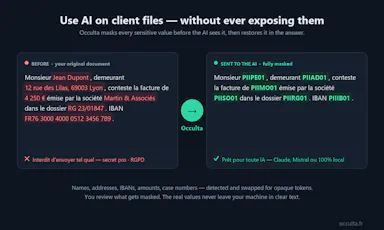
Lets lawyers and regulated professionals use AI on confidential files instead of risking sensitive data leaking to an LLM.

Data stays with you
What to know
How it works
Detects sensitive data and swaps it for opaque tokens before any LLM call, then re-injects real values into the answer; you review masking first.

First seen today · last checked today

Details →

Lets people using multiple AI chatbots reuse the same project context instead of rewriting it each time they switch platforms.

FreeData stays with youOpen source
What to know
Pricing
free, open-source

First seen today · last checked today

Details →

69 free, browser-based audio and video tools — format conversion, loudness metering, spectrogram viewing, trimming — that run entirely client-side so files never leave your device.

FreeNo sign-upNothing to installData stays with you
What to know
How it works
69 audio and video tools -- hi-res audio analysis, LUFS loudness measurement, spectrogram viewing, format conversion, video trimming -- that run entirely client-side in the browser.
What's different
Files never leave your device since processing is 100% client-side, with no signup, watermarks, or limits.
Pricing
Free.
Best for
Anyone needing quick audio/video processing without installing software or uploading files.

Watched for 9 days · last checked 3d ago

Details →

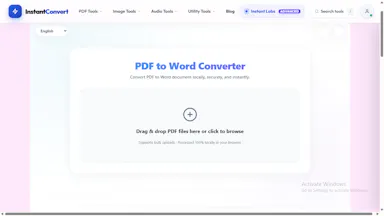
A browser-based PDF and image conversion tool that processes files locally and never uploads them — built around privacy, not clearly a developer-only product.

Domain registered 13 days ago

Data stays with you
What to know
How it works
Converts and edits PDF and image files entirely in the browser without uploading them to a server, with an API also available.
What's different
Files never leave the device — processing happens 100% client-side.
Best for
People who want to convert or edit PDFs and images without uploading files to a third-party server.

Watched for 9 days · last checked 3d ago

Details →

Converts images to PDF and edits them entirely in your browser via WebAssembly, so files never touch a server — worth it if privacy matters more than cloud convenience.

No sign-upWorks offlineData stays with you
What to know
How it works
Converts JPG, PNG, WEBP, HEIC, and BMP images to PDF and edits PDFs entirely in the browser using WebAssembly and local JS, including a suite of 36 tools to merge, split, compress, sign, protect, and decrypt.
What's different
Files never touch a server, work offline, and have no file size or page limits.
Best for
People handling sensitive documents who don't want to upload them to a cloud service.

Watched for 15 days · last checked 9d ago

Details →

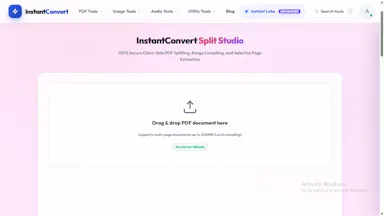
A free browser-based PDF toolkit for merging, splitting, signing, converting and redacting that processes files locally, with no upload, signup, or watermark.

Domain registered 13 days ago

FreeNo sign-upNothing to installData stays with you
What to know
How it works
A browser-based PDF toolkit with 34 tools for merging, splitting, compressing, editing, signing, converting, annotating, filling, and redacting PDFs, processing files locally in the browser.
What's different
Documents don't need to be uploaded to a processing server since the supported processing happens locally.
Pricing
Free, no signup, no watermark.
Best for
Anyone who wants to edit PDFs without uploading files to a server.

Watched for 11 days · last checked 5d ago

Details →

OCDify

Live

Automatically sorts a Mac's Desktop and Downloads into folders and renames cryptic filenames, processed entirely on-device with no cloud upload or subscription.

Works offlineData stays with youNo subscription
What to know
How it works
Automatically organizes a Mac's Desktop and Downloads folders into custom categories and renames cryptic filenames like IMG_1234 or scan_002 into readable names, using on-device AI.
What's different
Processes files entirely on-device with no cloud upload, so file organization doesn't leave the machine.
Pricing
Free 30-day trial; no subscription.
Best for
Mac users with cluttered Desktop/Downloads folders who don't want their file names or contents sent to the cloud.

Watched for 10 days · last checked 4d ago

Details →

Converts YAML to JSON and back entirely in your browser, including multi-document Kubernetes manifests, with line-numbered parse errors, your config never leaves the browser.

Domain registered 21 days ago

FreeNo sign-upWorks offlineData stays with you
What to know
How it works
Converts YAML to JSON and back entirely in the browser, including multi-document files like Kubernetes manifests, with line-numbered parse errors.
What's different
Runs offline once loaded and your config never leaves the browser; the conversion core is open source.
Pricing
Free, no signup.
Best for
Developers who need to convert Kubernetes manifests or other YAML/JSON files without uploading them anywhere.

Watched for 13 days · last checked 7d ago

Details →

A free, browser-based batch toolkit for developers and designers — resize/convert files, decode JWTs, and more, entirely client-side with nothing uploaded to a server.

Domain registered 26 days ago

FreeNo sign-upNothing to installData stays with you
What to know
How it works
A browser-based batch toolkit that processes dozens of files at once — resizing/converting/compressing images (PNG, JPG, WebP), converting CSV to JSON, decoding JWTs, and more — entirely client-side.
What's different
Most single-file tools handle one file at a time; this is built to batch-process dozens at once, with nothing uploaded to a server.
Pricing
Free.
Best for
Developers and designers who need to process many files at once without installing software or uploading data.

Watched for 13 days · last checked 2d ago

Details →

A free browser toolbox of WhatsApp link, QR code and message generators that runs client-side with no account — useful for both business chat buttons and personal messages.

FreeNo sign-upData stays with you
What to know
How it works
A free browser toolbox for WhatsApp: wa.me link and QR code generators, chat buttons, bold/italic/fancy text, bio and status generators, and 97,000+ pre-written messages for birthdays, festivals and daily chats.
What's different
Every tool runs client-side in the browser — no account, no data uploaded.
Pricing
Free, no paywall.
Best for
Businesses adding WhatsApp chat buttons and individuals wanting ready-made WhatsApp messages.

Watched for 15 days · last checked 9d ago

Details →

Free browser-based converters for PDFs, images and video that process files locally rather than uploading them - a general privacy-focused toolkit, not a developer-specific one.

FreeNo sign-upData stays with you
What to know
How it works
A growing collection of free tools for converting PDFs, images and video. Every conversion runs locally in the browser, so files are never uploaded to a server.
What's different
No uploads, no account, no server ever sees your files — processing happens entirely on-device.
Pricing
Free.
Best for
People who want to convert files quickly without creating an account or uploading personal documents.

Watched for 14 days · last checked today

Details →

A free browser-based OCR tool that makes scanned PDFs searchable and can translate the extracted text, with all processing done client-side so nothing is uploaded.

FreeData stays with you
What to know
How it works
Makes scanned PDFs searchable using OCR and can translate the extracted text, with all processing done client-side in the browser.
What's different
No upload required — files never leave the browser, with no size limit.
Pricing
Free.
Best for
Anyone needing to make scanned documents searchable or translated without uploading them to a server.

Watched for 17 days · last checked 7d ago

Details →

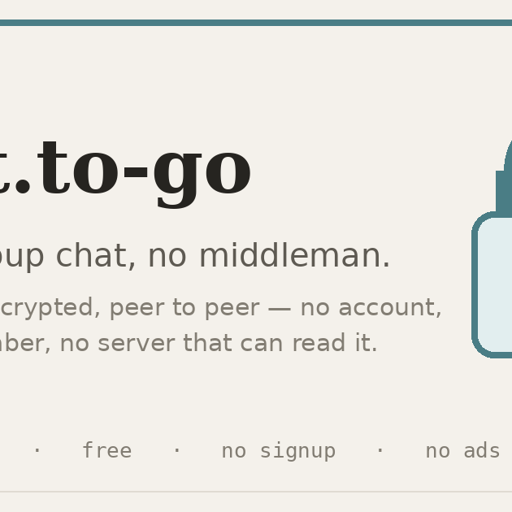
A browser-based group chat that's end-to-end encrypted and peer-to-peer, with no account, no install and no central server — you choose whether messages are kept or vanish.

FreeNo sign-upNothing to installData stays with you
What to know
How it works
A browser-based group chat that is end-to-end encrypted and peer-to-peer — messages travel directly between participants' devices and the room key never leaves your devices, with no central server storing or reading the conversation. One-time invite links admit exactly one device, and you choose whether to keep no history or store it encrypted locally.
What's different
No account, no app install and no phone number required to join a chat.
Pricing
Free, no ads.
Best for
People who want a genuinely private, quick chat room — a one-off huddle or sharing something sensitive briefly — rather than a full Signal or WhatsApp replacement.

Watched for 15 days · last checked 9d ago

Details →

Melia

Live

A native Linux desktop email client that connects straight to your IMAP/SMTP mail servers with no cloud relay, middleman account or telemetry, as an alternative to Thunderbird or Evolution.

FreeWorks offlineData stays with youPay once
What to know
How it works
A native Linux desktop email client that connects directly to your mail servers over IMAP and SMTP, storing everything locally in a SQLite database and syncing credentials through the OS keyring so it works fully offline.
What's different
No cloud relay, middleman account, or telemetry — mail stays on your own machine, unlike hosted alternatives.
Pricing
Free for one account with full functionality; a one-time $10 unlock removes the account cap.
Best for
Linux desktop users looking for a native alternative to Thunderbird, Evolution, Geary or Mailspring.

Watched for 17 days · last checked 1d ago

Details →

Converts a PDF to a dark-mode version entirely in your browser so the file never leaves your device. A narrow, privacy-friendly reading tool rather than a full PDF editor.

FreeNo sign-upData stays with youNo ads
What to know
How it works
Converts any PDF to a dark-mode or night-mode version entirely in the browser, keeping images in their original color, and lets you download it as a permanent dark PDF.
What's different
Processing happens fully in-browser so the file never leaves your device.
Pricing
Free.
Best for
People who want to read PDFs in dark mode without uploading files to a server.
Watch out
A narrow reading tool for dark-mode conversion, not a full PDF editor.

Watched for 16 days · last checked today

Details →

Auto-generates styled subtitles for short vertical videos directly on your iPhone using on-device AI — nothing is uploaded to a server.

Works offlineData stays with you
What to know
How it works
Generates stylish subtitles for short-form vertical videos directly on iPhone using on-device AI transcription; lets you edit text, highlight keywords, choose caption styles, and adjust placement before sharing.
What's different
Transcription happens entirely on-device, so no video is uploaded to a server.
Best for
Creators making stories, vlogs, or social content who want captions without uploading footage anywhere.

Watched for 16 days · last checked 8d ago

Details →

A free, no-login personal finance toolkit for tax, SIP, EMI, HRA, retirement, FIRE, and decisions like Rent vs Buy, with all inputs kept on your device.

Domain registered 5 months ago

FreeNo sign-upData stays with you
What to know
How it works
Offers calculators and planning tools for taxes, investments (SIP), loans (EMI), retirement/FIRE, and comparisons like Rent vs Buy or Prepay vs Invest, all without an account and without uploading your data.
Pricing
Free.
Best for
People who want private, no-login personal finance calculators for Indian financial decisions.

Watched for 10 days · last checked 4d ago

Details →

A client-side, browser-based font inspector for OTF/TTF/WOFF files that shows metadata, glyphs, and OpenType features locally using WASM-based HarfBuzz shaping, with no font upload required.

Data stays with youCan export my data
What to know
How it works
You drop a font file into the browser; it analyzes metadata, glyphs, OpenType features, variable axes, and language support locally using real HarfBuzz shaping, and can compare two fonts side by side.
Best for
Designers and developers who want to inspect or compare font files without uploading them to a server.
Watch out
PDF export is the one feature that sends data to a server.

Watched for 10 days · last checked 4d ago

Details →

A free, browser-based PDF and image toolkit for merging, compressing, splitting, and converting files without uploading them to a server.

Domain registered 23 days ago

FreeNo sign-upData stays with you
What to know
How it works
Runs PDF merge, compress, split, and convert operations plus image editing entirely client-side in the browser.
Pricing
Free.
Best for
People who want quick PDF or image edits without creating an account or uploading files.

Watched for 10 days · last checked 4d ago

Details →

A free, open-source resume builder with a live side-by-side preview and ATS-friendly PDF export that runs entirely in your browser instead of behind a paywall.

FreeWorks offlineData stays with youOpen source
What to know
How it works
granular typography and color controls, everything processed locally; standalone Windows apps also available
Pricing
free
Best for
job seekers who want a private, no-paywall resume builder

Watched for 10 days · last checked 4d ago

Details →

Merges, splits, compresses, and converts PDFs entirely in your browser, so files never get uploaded to a server.

Domain registered 8 months ago

FreeNo sign-upNothing to installData stays with you
What to know
How it works
Runs PDF/image tools client-side in JavaScript
What's different
Nothing leaves your device, unlike most free PDF tools
Pricing
Free, open source

Watched for 5 days · last checked 3d ago

Details →

Converts, compresses and edits PDFs, images, audio and video right in your browser — files never leave your device, unlike typical cloud upload tools.

Works offlineData stays with you
What to know
How it works
Converts, compresses and edits PDFs, videos, images and audio entirely inside the browser using WebAssembly and client-side scripts.
What's different
Files never leave your device — no upload, no cloud storage server, works offline with no file-size limits.
Best for
People handling sensitive files who want to avoid uploading them to a cloud service.

Watched for 15 days · last checked 9d ago

Details →

A hub of 170+ free browser-based tools (PDF, image, resume/ATS and more) that run client-side, so files never leave your device. A broad utility site, not a specialized tool for one profession.

FreeNo sign-upNothing to installData stays with you
What to know
How it works
A hub of 170+ browser-based tools across 16 categories, including a PDF toolkit (compress/merge/split), an AI resume builder with ATS scoring, and financial calculators for India (GST, PPF, EPF) and the US (401k, HSA).
What's different
Processing happens locally in the browser via WebAssembly, so files never reach a server, and there is no sign-up, daily limit, or watermark.
Pricing
Free, no account required.
Best for
Anyone needing quick PDF, resume/ATS, or financial calculations without installing software or creating an account.

Watched for 13 days · last checked 2d ago

Details →

A local MCP server that gives AI assistants like Claude, Cursor and ChatGPT tools to act on your Mac — iMessage, Teams, WhatsApp, Mail, files — with nothing sent to the cloud.

FreeWorks offlineData stays with you
What to know
How it works
A local Model Context Protocol server running on a Mac that gives AI assistants like Claude, Cursor and ChatGPT 143 tools to act on iMessage, local Microsoft Teams chats, WhatsApp, Apple Mail, Calendar, Contacts, Notes, Reminders, Finder files, OneDrive, Outlook and Office documents.
What's different
Runs 100% locally with no cloud connection, reaching apps like iMessage and local Teams chats that cloud-based connectors can't access.
Pricing
Free.
Best for
Mac users who want their AI assistant to act across native apps like iMessage and Mail without sending data to the cloud.

Watched for 17 days · last checked 1d ago

Details →

Converts speech to text entirely on your Windows PC — no cloud, no account required, works even with WiFi off. For users who want dictation without sending audio anywhere.

No sign-upWorks offlineData stays with youPay once
What to know
How it works
Converts speech to text directly on a Windows PC using one shortcut: hold, speak, release, and the text lands wherever your cursor is, in any app.
What's different
Works entirely offline with no cloud processing, no account, and no subscription — it keeps working even with WiFi off.
Pricing
One-time payment, no subscription.
Best for
Windows users who want dictation in any app (email, chat, notes, code editors) without their voice data leaving the device.

Watched for 15 days · last checked 9d ago

Details →

An iOS-only mileage tracker that auto-detects trips and syncs to your own iCloud instead of the maker's servers — no account, no ads, a cheaper privacy-first MileIQ alternative.

4 ratings on the App Store

No sign-upData stays with youNo ads
What to know
How it works
Automatically detects trips on iOS and syncs mileage logs to the user's own iCloud instead of the maker's servers.
What's different
No account, no ads, no third-party servers — data stays in the user's own iCloud, at a fraction of MileIQ's price.
Best for
iPhone users tracking mileage who want a cheaper, privacy-first alternative to MileIQ.

Watched for 13 days · last checked 2d ago

Details →

A free Chrome extension for screen and webcam recording, screenshots, and on-page annotation that runs entirely in your browser with no signup or uploads.

FreeNo sign-upWorks offlineData stays with you
What to know
How it works
A Chrome extension for recording your screen or webcam, taking full-page and region screenshots, and annotating directly on the page.
What's different
No signup, no watermark, no upload — everything runs locally in the browser.
Pricing
Free.
Best for
Anyone who wants quick screen capture and annotation without creating an account or uploading footage anywhere.

Watched for 17 days · last checked 8d ago

Details →

An Android file manager that keeps everything local — batch rename, ZIP tools, duplicate/large-file finder, and a PIN-protected secure folder. No ads, no cloud, no tracking.

Works offlineData stays with youNo adsNo tracking
What to know
How it works
An Android file manager for browsing, searching, copying, moving, renaming, and deleting files locally, with a Recycle Bin, batch rename, ZIP compress/extract, storage analyzer, duplicate and large-file finders, and a PIN/biometric-protected secure folder.
What's different
Keeps everything on-device with no cloud, ads, or tracking, unlike file managers that sync to the cloud.
Pricing
No pricing stated beyond "no ads."
Best for
Android users who want local file management and a private, protected folder without cloud sync.

Watched for 16 days · last checked 2d ago

Details →

Wheria

Live

Remembers exactly where you parked, including which floor, using your phone's motion and barometer sensors instead of GPS — all processing stays on the device.

FreeWorks offlineData stays with you
What to know
How it works
Remembers where you parked, indoors or out, by fusing motion and barometer data to track which floor you're on and guide you back with zero GPS signal. You can scan a pillar sign to auto-fill your spot, leave a voice memo, log parking cost, or scan a street sign to auto-set a move-your-car reminder.
What's different
Unlike Google/Apple Maps' free auto-pin, it works in deep garages and malls with no GPS by using motion and barometer sensors, and tracks the specific floor.
Pricing
Free.
Best for
Drivers who regularly park in large garages or malls where GPS-based auto-pin apps fail to find the car again.
Watch out
Processing is 100% on-device, nothing leaves the phone.

Watched for 14 days · last checked 2d ago

Details →

A private, offline expense tracker with encrypted storage, no accounts and no telemetry — its optional AI assistant uses your own API key instead of sending data to the company's servers.

No sign-upWorks offlineData stays with youNo tracking
What to know
How it works
An offline-by-default expense tracker with encrypted backup and an optional AI assistant.
What's different
No accounts, no analytics, no telemetry — the optional AI assistant uses your own provider key instead of routing your data through the company's servers.
Best for
People who want to track expenses without creating an account or having their financial data leave their device.

Watched for 16 days · last checked 2d ago

Details →

Bundles a folder, files or archive into one clean document formatted for pasting into ChatGPT, Claude or Gemini — runs locally in your browser, nothing uploaded, no account needed.

No sign-upNothing to installData stays with you
What to know
How it works
You drop in a folder, individual files, or an archive; it strips out noise and combines them into one clean document formatted for pasting into ChatGPT, Claude or Gemini.
What's different
Runs entirely in the browser with no upload, no account and no install required.
Pricing
No pricing stated; runs free in-browser.
Best for
People who want to feed a whole folder or codebase into an AI chat tool as one clean document without setting up any tooling.

Watched for 17 days · last checked 2d ago

Details →

Edit text and images inside a PDF on your iPhone, entirely offline with no account or subscription — real local PDF editing without cloud uploads.

No sign-upWorks offlineData stays with youNo subscription
What to know
How it works
Edits PDF text, images and vector objects directly on the iPhone: tap text to move or retype it, drag handles to resize images, merge multiple PDFs, delete pages from a thumbnail grid, and open or password-protect encrypted PDFs.
What's different
All processing happens locally on the device — no cloud upload, subscription or sign-in required.
Best for
iPhone users who need to genuinely edit PDF text and images without uploading files to a cloud service.

Watched for 17 days · last checked 1d ago

Details →

A Chrome extension that strips vocals from any song playing in your browser to make an instant karaoke track, processed locally for free with no uploads or downloads.

FreeData stays with you
What to know
How it works
Strips vocals from any song playing in Chrome to turn it into an instant karaoke track, with all processing done locally in the browser.
Pricing
Free.
Best for
People who want to sing karaoke to whatever song is already playing in their browser without downloading or uploading files.

Watched for 16 days · last checked 8d ago

Details →

Compresses images and video (JPG, PNG, TIFF, MP4, GIF) entirely on your device with no upload to a server — for Mac, Windows and Linux, privacy-focused.

Works offlineData stays with you
What to know
How it works
Compresses JPG, PNG, TIFF, MP4 and GIF files, processing them locally on-device rather than uploading them to a server, via web tools or a dedicated offline desktop app for Mac, Windows and Linux.
What's different
Local, privacy-focused processing rather than server-side upload-based compression.
Best for
Anyone who wants to compress images or video without sending files to a third-party server.

Watched for 17 days · last checked 10d ago

Details →

Converts GSTR-1 and GSTR-3B tax PDFs into structured Excel sheets entirely in-browser, so client tax data never leaves the accountant's machine. Built specifically for Indian CAs and tax professionals.

Data stays with you
What to know
How it works
Converts GSTR-1 and GSTR-3B tax PDFs into structured Excel sheets, processing everything client-side in the browser so no data is uploaded to a server.
What's different
100% client-side processing means sensitive client tax data never leaves the accountant's computer.
Best for
Indian CAs and tax professionals who need to bulk-extract GSTR PDF tables into Excel without exposing client data.

Watched for 17 days · last checked 1d ago

Details →

A free Chrome extension that lists every subscription you pay for and warns you before renewals, with no bank linking, no sign-up, and no data leaving your browser.

FreeNo sign-upData stays with you
What to know
How it works
A Chrome extension that lists every subscription you pay for, shows total monthly and yearly spend on a dashboard, and sends renewal reminders before a subscription renews.
What's different
Works without linking your bank account or signing up, with no data leaving your browser.
Pricing
Free.
Best for
People who want to track subscription spending and avoid surprise renewals without connecting their bank.

Watched for 12 days · last checked 2d ago

Details →

An offline eBook reader for Android — EPUB, PDF, MOBI, comics and more, with AI text-to-speech, synced highlights, and no ads or account. Has optional cloud sync despite the offline-first pitch.

Domain registered 1 month ago

No sign-upWorks offlineData stays with youNo subscription
What to know
How it works
An offline eBook reader for Android supporting EPUB, PDF, MOBI, FB2, AZW and comics, with offline AI text-to-speech voices synced to text highlighting, bookmarks, notes, a built-in dictionary and OPDS support.
What's different
Fully offline and privacy-first, with no ads, account or subscription required.
Best for
Android readers who want offline reading with AI narration and no account.
Watch out
Offers optional cloud sync despite the offline-first, no-account pitch.

Watched for 12 days · last checked 2d ago

Details →

Pastes your product page text and scores it against 12 rule-based checks for the facts shoppers look for before buying — sizes, shipping, returns — entirely in-browser, no AI or signup.

No sign-upData stays with you
What to know
How it works
You paste your product page text and it runs 12 rule-based checks for facts shoppers look for before buying, such as sizes, materials, shipping, returns, and FAQ coverage, returning a 0-100 score.
What's different
Uses rule-based checks rather than AI, requires no signup, and the text never leaves your browser.
Best for
Ecommerce sellers checking whether their product pages cover the buying facts shoppers need.

Watched for 12 days · last checked 2d ago

Details →

Turns meeting, podcast, and video audio into structured summaries, action items, and shareable image cards, with audio processed locally and no signup needed for the free tier.

Domain registered 25 days ago

No sign-upData stays with youCan export my data
What to know
How it works
Distills meetings, podcasts, and videos into structured summaries, action items, outlines, and speaker breakdowns, and can export the summary as a shareable gradient image card.
What's different
Strips audio locally in the browser before processing, so video isn't fully uploaded to a server.
Pricing
Free tier with no sign-up required; premium features for $1.99.
Best for
People who want to turn meeting or podcast recordings into shareable summaries without a heavy upload step.

Watched for 13 days · last checked 2d ago

Details →

Runs PDF tools like merge, split, and convert directly in your browser via WebAssembly instead of uploading files to a server. For anyone who doesn't want documents leaving their device.

Domain registered 11 months ago

FreeNo sign-upWorks offlineData stays with you
What to know
How it works
Runs PDF tools — merge, split, compress, and more — directly in the browser using WebAssembly instead of uploading files to a server.
What's different
22 of 23 tools run fully on-device, and the maker publishes exactly which tool is the exception rather than a blanket privacy claim.
Pricing
Free, no account required.
Best for
People who don't want their documents leaving their device.
Watch out
Described as launching soon, and one of the 23 tools does not run fully on-device.

Watched for 13 days · last checked 2d ago

Details →

A free browser-based bundle of everyday tools — PDF merge/split/compress, image resize/convert, text utilities, and a resume/invoice generator — with nothing uploaded to a server.

Domain registered 1 month ago

FreeNo sign-upNothing to installData stays with you
What to know
How it works
A bundle of browser-based utilities — PDF merge/split/compress/rotate/convert, image compress/resize/crop/convert, text tools like word counter and diff, plus a resume and invoice builder.
What's different
Runs entirely in the browser with no sign-up, no account, and no files uploaded to a server.
Pricing
Free.
Best for
People who need quick everyday file or text utilities without creating an account or uploading files.

Watched for 13 days · last checked 2d ago

Details →

A toolbox of 100+ free browser-based utilities (file converters, PDF merger, CSV cleaner, an IQ test and more) that run entirely on your device so files never get uploaded.

Domain registered 1 month ago

FreeNo sign-upData stays with you
What to know
How it works
100+ browser-based utilities — HEIC to JPG conversion, photo compression, PDF merging, CSV cleanup, receipt generation, an IQ test and more — all running entirely on-device.
What's different
No server means files and data physically cannot leave the device; no uploads, signup or watermarks.
Pricing
Free.
Best for
People needing quick everyday file conversions or utilities without uploading files anywhere.

Watched for 13 days · last checked 2d ago

Details →

A free, open-source browser tool that compresses and converts images, video, audio and PDFs entirely on your device with no uploads or ads — a general utility, not developer-specific.

Domain registered 16 days ago

FreeWorks offlineData stays with youOpen source
What to know
How it works
An open-source app with 47 tools for compressing and converting images, video, audio and PDFs, with all processing happening on-device so files never leave your computer, including offline use.
What's different
No upload step at all — compression runs entirely locally, works offline, with no ads, accounts or size limits.
Pricing
Free forever.
Best for
Anyone who wants to compress or convert media files without uploading them to a server.

Watched for 13 days · last checked 2d ago

Details →

Encrypted email that shows exactly what's sealed to your key versus visible to the server, instead of just claiming privacy. Free, but closed source until it reaches 300 users.

FreeData stays with youNo adsNo tracking
What to know
How it works
Encrypted email where your encryption key is generated in your browser and never leaves it; the front page shows exactly what's sealed to your key versus what the server can see.
What's different
Shows the precise line between what's encrypted and what's server-visible instead of just claiming full privacy; source code opens at 300 users and gets audited at 1,000.
Pricing
Free, no ads.
Best for
Privacy-focused users who want to verify what an encrypted email provider can and can't see rather than take a claim on faith.
Watch out
The codebase is currently closed source, with the source only opening once the service reaches 300 users.

Watched for 13 days · last checked 2d ago

Details →

Splits an image into a grid or social-media tile set entirely inside your browser, so nothing gets uploaded to a server — useful if you don't want to share the file.

Domain registered 22 days ago

No sign-upWorks offlineData stays with you
What to know
How it works
Splits an image into grids, rows, columns or social-media tiles entirely in the browser, with preview per cut and export as PNG, JPG or WebP, individually or as a ZIP.
What's different
Runs locally with no uploads, so image data never leaves the device.
Best for
People who want to make grid/tile posts from an image without uploading it to a server.

Watched for 13 days · last checked 2d ago

Details →

A free resume, CV, and cover letter builder that runs entirely in your browser with no account and no data upload — for job seekers, not recruiters.

Domain registered 26 days ago

FreeNo sign-upData stays with you
What to know
How it works
Builds ATS-compliant resumes, academic CVs, and matching cover letters entirely in your browser, with local autosave.
What's different
No registration and no data ever leaves your computer, unlike typical resume builders that store data server-side.
Pricing
Free and watermark-free.
Best for
Job seekers, not recruiters.

Watched for 13 days · last checked 2d ago

Details →

A free HAR file viewer that runs entirely client-side (nothing uploaded) and lets you inspect requests, headers and timing waterfalls — a real developer debugging tool.

FreeData stays with you
What to know
How it works
Opens HAR exports from Chrome, Firefox, Safari, or Edge and lets you inspect requests, headers, cookies, request/response bodies, query params, and a timing waterfall, with filtering by status, method, type, or URL and redaction of sensitive headers.
What's different
Runs 100% client-side, so no captured network data leaves your browser.
Pricing
Free.
Best for
Developers debugging network requests and performance.

Watched for 13 days · last checked 2d ago

Details →

Edits video and photos on a real multi-track timeline, rendered entirely on your device — nothing you make ever leaves your phone.

Works offlineData stays with you
What to know
How it works
Edits video, photos and collages on a multi-track timeline with filters, effects, animations, stickers and text, all rendered on-device.
What's different
Nothing uploads — editing and rendering happen entirely on your device.
Best for
People who want full-featured video/photo editing without sending their media to a server.

Watched for 13 days · last checked 2d ago

Details →

WA+

Live

A browser extension that reads a WhatsApp Web group's member list from your browser and exports it to CSV or JSON, nothing is sent to a server.

Data stays with youCan export my data
What to know
How it works
A browser extension that reads a WhatsApp Web group's participant list directly from your browser's IndexedDB and exports it to CSV or JSON.
What's different
Runs entirely locally with no external servers, unlike other scrapers.
Best for
People who need a WhatsApp group's member list exported without uploading data anywhere.

Watched for 16 days · last checked 1d ago

Details →

A free, no-signup tool to open, edit and export CSV or Excel files right in your browser, processed locally. A quick alternative to opening a full spreadsheet app just to peek at a file.

FreeNo sign-upData stays with you
What to know
How it works
Open, view, edit and export CSV files (and Excel files) directly in the browser, with processing done locally.
What's different
No signup and no file upload — everything runs on-device.
Pricing
Free.
Best for
Anyone who wants to quickly view or edit a CSV or Excel file without opening a full spreadsheet app.

Watched for 16 days · last checked 1d ago
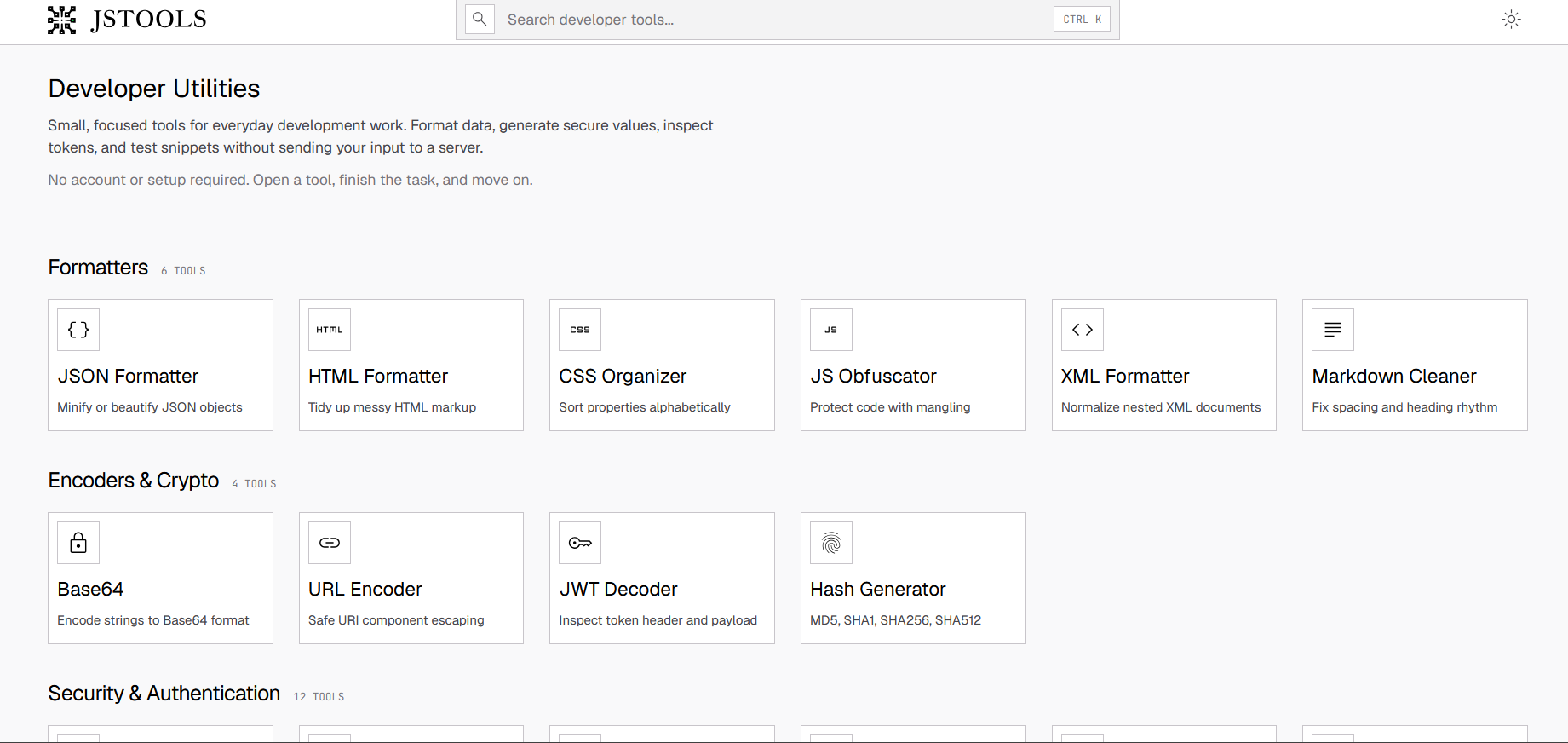
Details →

60+ free browser-based CSV tools — cleaning, merging, filtering, forecasting, even a chat-with-your-data feature — that process everything locally so nothing leaves your computer.

Domain registered 2 months ago

FreeNothing to installData stays with you
What to know
How it works
Provides more than 60 browser-based utilities for analyzing, cleaning, visualizing and transforming CSV files, including anonymization, forecasting, merging, filtering, compression and a chat-with-your-data feature.
What's different
All processing happens in the browser, so files never leave the user's computer.
Pricing
Free.
Best for
Anyone working with CSV files who wants quick fixes without uploading data to a server.

Watched for 11 days · last checked 5d ago

Details →

Twelve browser-based tools for images, PDFs and dev work that run locally via WebAssembly so files never leave your device — a free alternative to TinyPNG, remove.bg and iLovePDF.

FreeNo sign-upData stays with you
What to know
How it works
Twelve browser-only tools for images, PDFs and dev work that run locally via WebAssembly, so files are never uploaded to a server.
What's different
Positioned as a free, privacy-first alternative to TinyPNG, remove.bg, iLovePDF and JSONLint, combined into one hub.
Pricing
Free, no signup, no limits.
Best for
Developers and makers who want to process images, PDFs or code without uploading files anywhere.

Watched for 11 days · last checked 5d ago

Details →

Edits, merges, splits and OCRs PDFs entirely in your browser via WebAssembly, so files never touch a server. Free, no account needed.

FreeNo sign-upWorks offlineData stays with you
What to know
How it works
Edits, merges, splits, compresses and OCRs PDFs, plus AI document chat, running entirely inside your browser via WebAssembly so files never touch a server.
What's different
Zero server uploads — every operation, including the AI summary, runs on-device.
Pricing
Completely free, no account, no size limits, no paywalls.
Best for
People handling sensitive PDFs who don't want files leaving their device.

Watched for 12 days · last checked 6d ago

Details →

Speed-reads PDFs, ebooks and articles one word at a time (RSVP), claiming 2-3x faster reading with no account and no data leaving your device.

FreeNo sign-upData stays with you
What to know
How it works
Shows text one word at a time (RSVP) with ORP letter highlighting to reduce eye movement, importing PDFs, EPUBs, web articles or pasted text at an adjustable 100-800 words per minute, with chapter detection and progress tracking.
What's different
No account needed and data stays on-device rather than being uploaded.
Pricing
Free; unlimited plan is $2.99/month.
Best for
People who want to read PDFs, ebooks or articles significantly faster without losing comprehension.

Watched for 17 days · last checked 8d ago

Details →

Upload your OpenAI, Claude, or Gemini usage export and it flags token waste, model overkill and failed-request costs right in your browser — no API key required, nothing uploaded to a server.

Data stays with you
What to know
How it works
Upload your OpenAI, Claude, or Gemini usage export and it finds token waste, model overkill, and failed-request cost directly in the browser.
What's different
No API key needed and nothing is uploaded to a server.
Best for
Developers and teams trying to cut down their AI API spend.

Watched for 12 days · last checked 6d ago

Details →

Converts an MP4 into a scroll-triggered image sequence and a ready-to-use React component, processed locally in your browser — a developer tool.

Data stays with you
What to know
How it works
Drop an MP4 into the browser and it uses WebAssembly to process the video locally, then outputs an optimized image sequence and a ready-to-use React component for a scroll-triggered animation.
What's different
Processes video entirely in the browser rather than uploading it to a server.
Best for
Developers adding scroll-sequence animations to a React project.

Watched for 12 days · last checked 6d ago

Details →

A macOS menu-bar app that reminds you to look away on a 20-20-20 schedule, with optional camera-verified breaks processed locally — no video ever leaves your Mac.

Works offlineData stays with you
What to know
How it works
A macOS menu-bar app that gives 20-20-20 eye-break reminders, blink and posture nudges, focus stats, and smarter display sleep, with optional camera-verified breaks.
What's different
Local-first and Apple-notarized; camera-verified breaks are processed on-device and no video is ever recorded.
Best for
Mac users who spend long stretches at a screen and want automatic eye-break reminders.

Watched for 12 days · last checked 6d ago

Details →

15 free browser-based developer tools, JSON formatter, regex tester, encoders, generators, styled with a nostalgic Windows 95 look. Runs in the browser, not installed, nothing uploaded to a server.

Domain registered 9 months ago

FreeNo sign-upNothing to installData stays with you
What to know
How it works
15 free developer and productivity tools — JSON formatter, regex tester, base64/URL encoders, UUID and password generators, unit and color converters — running entirely in the browser with a Windows 95-styled interface.
What's different
Nothing is uploaded to a server; everything runs client-side with no signup, ads or tracking.
Pricing
Free.
Best for
Developers who want quick browser-based utility tools without installing anything.

Watched for 12 days · last checked 6d ago

Details →

A local, offline security toolkit for encrypting files and managing credentials with no cloud, no accounts and no telemetry — for privacy-conscious users who want full control of their data.

Domain registered 4 months ago

No sign-upWorks offlineData stays with youNo subscription
What to know
How it works
A local, zero-telemetry security suite for encrypting files and managing credentials with AES-256-GCM, runnable entirely offline via installer or portable USB, with no cloud, accounts or subscriptions.
What's different
Fully offline with no cloud middleman, no accounts, and no hidden subscriptions.
Best for
Privacy-conscious users who want to encrypt files and manage credentials without any cloud dependency.

Watched for 12 days · last checked 6d ago

Details →

Drag in messy enterprise reports and get interactive dashboards computed entirely in your browser, nothing sent to a server — for non-analysts who need quick insight without a BI team.

Nothing to installData stays with you
What to know
How it works
Drag and drop raw enterprise reports and it automatically maps metrics, segments, and timelines into an interactive dashboard you can drill into, computed entirely client-side in the browser.
What's different
No integrations to set up and no analyst skills required, with all computation happening client-side for data privacy.
Best for
People at companies who need quick insight from messy enterprise reports without a BI team or analyst.

Watched for 12 days · last checked 6d ago

Details →

An Android app that photographs or records whoever fails to unlock your phone, with face recognition and evidence kept entirely on-device.

Domain registered 3 months ago

Works offlineData stays with you
What to know
How it works
Captures photo or video evidence after failed PIN, pattern or password unlock attempts on an Android phone, with optional location tagging and private post-unlock alerts.
What's different
On-device Owner Recognition reduces false alerts, and face data never leaves the phone.
Best for
Android users who want evidence of who tried to unlock their phone.

Watched for 13 days · last checked 7d ago

Details →

A macOS menu bar app that gives presenters five hotkey-triggered tools — draw, freeze-and-explain, whiteboard, break timer, and cursor highlight — over Zoom, Meet, or Teams.

Domain registered 1 month ago

No sign-upWorks offlineData stays with you
What to know
How it works
Runs as a native macOS menu bar app with global hotkeys for its five presenting tools; keeps data on the Mac with no account or cloud.
Best for
People presenting over video calls who want lightweight on-screen annotation tools.

Watched for 11 days · last checked 5d ago

Details →

Toolsz

Live

A free collection of 219 client-side browser tools for PDF, image, and developer tasks, with no uploads, watermarks, or sign-up.

FreeNo sign-upData stays with you
What to know
How it works
Runs entirely client-side to compress, merge, convert, sign, and edit files.
Pricing
Free.
Best for
People who need quick PDF, image, or dev utility tasks done privately in the browser.

Watched for 11 days · last checked 5d ago

Details →

A free screen recording app for Windows, macOS, Linux, and web that automatically zooms the cursor on clicks, processing everything on-device without upload.

FreeNo sign-upWorks offlineData stays with you
What to know
How it works
Highlights the cursor and auto-zooms on clicks during recording, with no upload or account required to start.
Pricing
Free.
Best for
People who want a directed-looking screen recording without manual editing or cloud upload.

Watched for 11 days · last checked 5d ago

Details →

A no-code app builder that connects to your existing data to build portals, dashboards, intranets and CRMs without moving that data anywhere else.

Domain registered 2 years ago

Data stays with you
What to know
How it works
A no-code app builder that connects to your existing data to build portals, dashboards, intranets and CRMs in hours without moving that data to a new platform.
What's different
Keeps your data in place rather than requiring an upload or migration.
Best for
Teams that need internal tools built quickly without relocating their existing data.

Watched for 11 days · last checked 5d ago

Details →

Select text in any Windows app, press Alt+Z, and get it translated using local AI models — nothing leaves your device. No subscription; 30-day free trial.

Domain registered 1 month ago

Works offlineData stays with youNo subscription
What to know
How it works
Select text in any Windows app and press Alt+Z to have it translated locally and pasted back automatically.
What's different
Runs entirely offline using local AI models, so text never leaves the device.
Pricing
No subscriptions; includes a 30-day free trial.
Best for
Windows users who want in-place translation without switching apps or sending text to the cloud.

Watched for 11 days · last checked 5d ago

Details →

A lightweight Windows screenshot tool with fast capture, 10+ annotation tools and local-only storage, built for a clean everyday screenshot flow rather than heavy workflows.

Works offlineData stays with you
What to know
How it works
A Windows screenshot tool with fast capture modes for screen, window or selected area, plus 10+ annotation tools, automatic clipboard copy and local saving.
What's different
A floating capture panel designed not to steal focus from work or games, with local-first storage — screenshots stay on the device.
Best for
Windows users who want a clean, everyday screenshot flow without a heavy or noisy tool.

Watched for 11 days · last checked 5d ago

Details →

A free, no-signup collection of quick browser utilities — text, image, PDF and calculator tools plus a developer-helpers section — that mostly runs client-side so files don't leave your device.

Domain registered 9 months ago

FreeData stays with you
What to know
How it works
A growing collection of free, no-signup browser utilities for text, image, PDF, and developer tasks; most tools run entirely in the browser so files and text never leave the device, with any cloud processing clearly labeled.
What's different
Most processing happens client-side rather than uploading files to a server.
Pricing
Free.
Best for
People who need a quick one-off text, image, PDF, or dev task done without installing software or creating an account.

Watched for 9 days · last checked 9d ago

Details →

A desktop packet-capture and network-debugging tool for Windows and macOS that can mirror traffic live from a paired iOS or Android app, keeping all data on-device. For developers.

Data stays with you
What to know
How it works
A desktop packet capture and network debugging tool for Windows and macOS that captures and decrypts HTTP/HTTPS traffic, inspects JSON/XML/HTML, compares requests/responses, and replays requests to reproduce bugs. Pairs with a mobile PCP app to mirror traffic live from Android and iOS devices.
What's different
Mirrors mobile device traffic to the desktop in real time without requiring root or jailbreak on the mobile device.
Best for
Developers debugging network traffic across desktop and mobile apps.
Watch out
All data stays on the user's device and is never uploaded to a server.

Watched for 12 days · last checked 6d ago

Details →

Converts AVIF images to JPG or PNG entirely in your browser with batch ZIP export — no upload or signup, handy for designers whose tools don't support AVIF.

Domain registered 1 month ago

FreeNo sign-upData stays with youCan export my data
What to know
How it works
Converts AVIF images to JPG or PNG entirely in the browser, with a batch mode that exports a ZIP of converted files.
What's different
Files never leave the device — no signup, no watermarks, no server upload.
Pricing
Free.
Best for
Designers and anyone downloading AVIF images from the web who needs JPG for email, CMS, or legacy apps.

Watched for 12 days · last checked 6d ago

Details →

Compares your contracts and invoices CSVs locally in the browser to flag possibly missing or underbilled invoices before month-end close, with no upload and no AI.

Data stays with you
What to know
How it works
Compares a contracts.csv file with an invoices.csv file locally in the browser and flags potential missing invoices and underbilling for human review, with every flagged candidate linking back to its source rows.
What's different
Runs entirely locally in the browser with no data upload and no AI guessing — comparisons are rule-based against source rows.
Best for
Accountants and finance teams checking for missing invoices before month-end close.
Watch out
The public demo uses synthetic data; flagged items are opportunities to investigate, not confirmed recovered revenue.

Watched for 12 days · last checked 6d ago

Details →

A set of 54 browser-based file conversion tools that process everything without uploading files anywhere, for privacy-conscious users.

Data stays with you
What to know
How it works
A set of 54 browser-based file conversion tools covering multiple format categories.
What's different
Processes files entirely in the browser with no uploads, and is pitched as having no freemium paywall or hidden catches.
Best for
Privacy-conscious users who want to convert files without uploading them anywhere.

Watched for 12 days · last checked 6d ago

Details →

A collection of client-side utility tools — encoding/decoding, text formatting, JSON conversion, hashing, color tools, network lookups — that run entirely in your browser with nothing sent to a server. For developers and designers who want quick one-off utilities.

Data stays with you
What to know
How it works
A collection of client-side utility tools covering encoding/decoding, text formatting, JSON and data conversion, hashing, color design, and network lookups, all running in the browser.
What's different
Fully client-side — no data is sent to a server.
Best for
Developers and designers who need quick one-off utility tools without uploading anything.

Watched for 12 days · last checked 6d ago

Details →

Offline tools — an artificial horizon, audio modulation — for motion sickness, seasickness and fear of flying, with no ads, subscriptions or cloud processing. For travelers who want relief that works without a signal.

Domain registered 4 months ago

Works offlineData stays with youNo subscriptionNo ads
What to know
How it works
An offline digital first-aid kit with 7 tools — including an artificial horizon and 100Hz audio modulation — for motion sickness, seasickness and fear of flying.
What's different
Runs 100% offline with local data processing only, works in airplane mode, and has no ads or subscriptions.
Pricing
Zero subscriptions.
Best for
Travelers with motion sickness or flight anxiety who want relief tools that work without a signal and without sending data to a server.

Watched for 12 days · last checked 6d ago

Details →

Caches your GitHub repo traffic stats — views, clones, release downloads — locally in a lightweight desktop app, since GitHub itself deletes that data after 14 days.

Works offlineData stays with you
What to know
How it works
A lightweight Tauri desktop app that caches your GitHub repository traffic data — views, clones and release downloads — locally so it persists beyond GitHub's own retention window.
What's different
GitHub deletes repository traffic data after 14 days; this app keeps it forever by storing it locally rather than in the cloud.
Best for
Developers and maintainers who want long-term visibility into their GitHub repo traffic.

Watched for 12 days · last checked 6d ago

Details →

A free, no-signup screenshot editor that runs entirely in your browser with nothing uploaded, letting you paste, annotate, crop and remove backgrounds in seconds.

FreeNo sign-upData stays with you
What to know
How it works
Paste a screenshot into the browser, edit it, and get a shareable link instantly — stack multiple screenshots into one image, annotate, crop, and remove backgrounds with AI running locally.
What's different
The background-removal AI runs 100% in the browser, so images are never uploaded — full resolution with no watermark.
Pricing
Free, no signup.
Best for
People who want to quickly edit and share a screenshot without an account or upload step.

Watched for 12 days · last checked 6d ago

Details →

A macOS menu-bar app for people who work from cafes: detects which cafe you're in, copies the WiFi password, shows the weather, and lets you rate spots so you remember which one is worth returning to. Notes stay on your device.

Data stays with you
What to know
How it works
Lives in the macOS menu bar, detects which cafe you're in, one-click copies its WiFi password, shows the weather, and lets you rate the spot on quiet, outlets, WiFi, and drinks so you can look up your history later.
What's different
Native SwiftUI and privacy-first — notes and ratings stay on your device rather than syncing to a cloud service.
Best for
People who regularly work from cafes and want to remember which ones were actually good.

Watched for 14 days · last checked 8d ago

Details →

A free Chrome extension that uses AI to auto-map supplier CSV, Excel or PDF files to Shopify's import format entirely in the browser, for merchants tired of manually matching inventory spreadsheets.

FreeData stays with you
What to know
How it works
Reads supplier CSV, Excel or PDF files, uses AI to auto-map columns to Shopify's import format, and outputs a ready-to-import CSV, all processed locally in the browser.
What's different
Inventory data never leaves the browser.
Pricing
Free for the first 5 files.
Best for
Shopify sellers manually matching supplier inventory files to Shopify's strict CSV template.

Watched for 11 days · last checked 8d ago

Details →

A Chrome extension that bulk-deletes your Instagram posts, likes, and comments locally in the browser to clean up your digital footprint.

Works offlineData stays with you
What to know
How it works
Automates bulk deletion of Instagram posts, likes, and comments entirely within the browser.
Watch out
100% local, no data uploaded.

Watched for 11 days · last checked 8d ago

Details →

A self-hosted WordPress plugin combining a visual workflow automation engine with an open-source AI agent that builds workflows and asks before acting, using your own LLM API keys.

Domain registered 2 months ago

FreeNo sign-upData stays with youOpen source
What to know
How it works
A low-code workflow builder plus an open-source AI agent and local executor run inside WordPress, with no SaaS component and data staying on your own server.
Pricing
Agent and executor are free; one license covers both paid plugins for the rest of the stack.
Best for
WordPress site owners who want automation without sending data to a third-party SaaS.

Watched for 11 days · last checked 8d ago

Details →

A one-time-purchase bundle of 9 small offline web apps — Pomodoro timer, habit tracker, notes and more — that store everything on your device with no account needed.

No sign-upWorks offlineData stays with youPay once
What to know
How it works
A curated bundle of 9 small productivity web apps — Pomodoro timer, mood journal, markdown editor, habit tracker, water reminder, color picker, focus music player, quick notes — that install once and work fully offline.
Pricing
One-time purchase per app, $1.99–$9.99, no subscriptions.
Best for
People who want a handful of simple offline tools they own outright instead of subscribing to separate apps.

Watched for 15 days · last checked 9d ago

Details →

A single-file customer-support tool for canned replies with variable auto-fill, working fully offline with no account or subscription — a one-time $9 purchase.

No sign-upNothing to installWorks offlineData stays with you
What to know
How it works
A single HTML file for customer support: unlimited canned reply templates organized by category, auto-fill variables like [customer_name] and [order_number], bulk-import from Excel, plus notes, favorites, alarms, and auto-backup — all offline.
What's different
Runs from one local file with no install, account, or subscription, and your data never leaves your machine, unlike SaaS help desks.
Pricing
One-time payment of $9, includes 10 ready-to-use templates.
Best for
Support reps or small teams who want canned replies without signing up for a SaaS help desk.

Watched for 16 days · last checked 10d ago

Details →

Hovor

Live

Voice dictation for Mac and iPhone that runs fully on-device so your voice never leaves your hardware, with multilingual support and a lifetime-purchase option instead of a subscription.

Works offlineData stays with youNo subscription
What to know
How it works
Hold a hotkey, speak, and structured text lands where your cursor is in any app on Mac and iPhone, using on-device models that fix punctuation and structure and support multilingual speech, a personal dictionary, snippets and workflows.
What's different
On-device processing means your voice never leaves your hardware.
Pricing
Free tier included, plus lifetime unlocks instead of a forced subscription.
Best for
Mac and iPhone users who want private, offline voice dictation across apps.

Watched for 17 days · last checked 2d ago

Details →

Tracks TV shows and movies with your watch history, ratings and notes stored only on your device — no account, no cloud, no tracking.

Works offlineData stays with youNo tracking
What to know
How it works
An offline-first Progressive Web App for tracking TV shows and movies — watch history, ratings, notes, and collections are stored only on your device, with no account, cloud, or tracking.
What's different
Unlike traditional trackers, nothing leaves your device.
Best for
People who want a TV/movie tracker without creating an account or syncing data to the cloud.

Watched for 17 days · last checked 2d ago

Details →

A free set of 17+ client-side developer utilities (JSON/XML/YAML/SQL formatters, regex tester, JWT decoder, hash generator) that run entirely in the browser with nothing sent to a server.

No sign-upNothing to installData stays with you
What to know
How it works
Provides 17+ browser-based developer tools, JSON/XML/YAML/SQL formatters, a regex tester, a JWT decoder, a hash generator and more, all running client-side so nothing pasted is uploaded or logged.
Pricing
No signup, no rate limits on the core tools.
Best for
Developers who want quick formatting/decoding tools without an account or sending data to a server.

Watched for 17 days · last checked 2d ago

Details →

Turns text into styled images for social media, quotes, or announcements entirely in the browser, with no uploads, account, or watermark, and content that never leaves the device.

FreeNo sign-upWorks offlineData stays with you
What to know
How it works
Converts text into images locally in the browser for social media, quotes, testimonials, and announcements, without uploading content anywhere.
Pricing
Free, no account or watermark.

Watched for 17 days · last checked 2d ago

Details →

Allot

Live

An envelope-style budget tracker that imports bank statements and categorizes spending entirely in your browser, for a one-time payment with no subscription and no data upload.

Data stays with youPay onceNo subscription
What to know
How it works
An envelope-style budget tracker that imports bank statements, auto-categorizes spending, and tracks recurring bills, storing everything in the browser.
Pricing
One-time payment, no subscription.

Watched for 17 days · last checked 2d ago

Details →

Gives MSPs self-hosted IT documentation instead of paying for IT Glue or Hudu licenses.

FreeData stays with youOpen sourceSelf-hosted

First seen today · last checked today

Details →

Lets creators resize images to exact Facebook presets locally instead of uploading to a remote tool.

Data stays with you

First seen today · last checked today

Details →

Klipzo

Live

Gives students and developers 130+ free browser-based file tools instead of uploading files to third-party servers.

FreeData stays with you

First seen today · last checked today

Details →

Free interactive personal-finance calculators that run entirely client-side, for people who don't want their financial data leaving their device, instead of clunky table-based calculators.

FreeNo sign-upData stays with you
What to know
How it works
Runs 100% client-side; visual charts for savings, debt payoff (Snowball vs Avalanche), FIRE retirement simulation
Pricing
Free, no registration

Watched for 1 day · last checked 1d ago
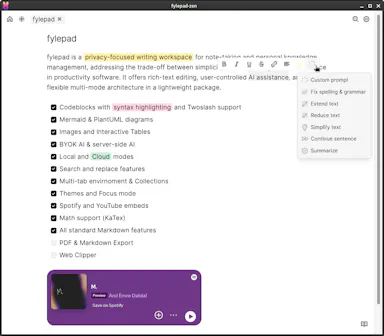
Details →

Turns calendar meetings into full-screen iOS alarms that ring through Silent/Focus with one-tap join, instead of missing meetings from silenced notifications, with your calendar never leaving the device.

No sign-upData stays with youNo tracking

Watched for 1 day · last checked today

Details →

Showing the first 200 of 479 — ordered by how strong the evidence is, then by standing. Narrow it with a filter to see the rest.

Tools that don't upload your data — the short answers

Every number here comes from our own daily check — not from a vendor list.

Tools that don't upload your data — how many are there?
Tablif is tracking 479 of them. 456 answered our check today, and 16 we couldn't reach — we don't claim those are dead.
Which ones are still maintained?
Tablif knocks on every door once a day and records the answer. 456 of these 479 responded on the latest run, so that number is what "still here" means on this page — not a review score.
Are any of them free?
208 of the live ones say so in their own words, and 198 let you start without making an account. Tablif records the claim the product makes; we don't verify pricing.
Any open-source options?
32 of the live ones on Tablif mention being open source.
What's the newest one?
Sleek Analytics — Tablif first saw it today.
Did a person actually look at these?
479 of them Tablif opened and read, then wrote a one-line summary in our own words instead of reusing the founder's tagline. The rest carry keyword labels we haven't confirmed by reading yet — and we say so rather than hiding it.