Tools that don't upload your dataDesktop app

61 match your filters — 60 of them answered our check today.

Watching this group for 18 days · how we check

This week24 new arrivals

Hoolo

Live

A macOS app that organizes files with custom rules, dry-run previews, undo, and duplicate cleanup, keeping everything local instead of uploading it.

Data stays with you
What to know
How it works
Organizes files on macOS using editable, rule-based automation, live folder monitoring, duplicate review, Trash policies and app leftover cleanup. Every change can be previewed with a Dry Run before applying, and applied actions can be undone from snapshots.
What's different
Everything runs locally rather than uploading files, and every action is reversible via snapshots.
Best for
Mac users who want automated file organization but don't want an opaque, unreversible cleanup tool.

Watched for 16 days · last checked 2d ago

Details →

A Mac app that watches your posture, eye strain, and stress via webcam while you work and nudges you before it becomes a problem.

Works offlineData stays with you
What to know
How it works
On-device computer vision monitors posture, eye health, and stress signals during screen work
What's different
Focuses on how screen time affects your body, not just how long you've used the screen
Best for
People doing long hours of screen-based work (coding, writing, meetings)
Watch out
Mac only currently, Windows launching soon

Watched for 6 days · last checked today

Details →

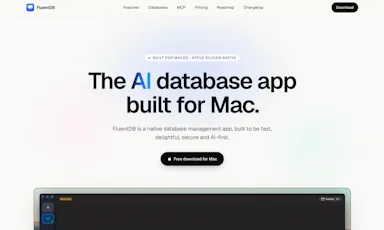
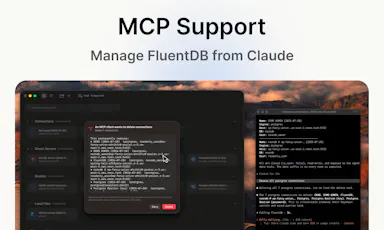
An AI-assisted SQL client for developers who want query help without sending their actual data to a cloud model.

Data stays with you
What to know
How it works
Models see your schema, not your data; every AI-generated SQL query requires approval by default.
Best for
Developers using Postgres/MySQL/SQLite/SQL Server on Mac.
Watch out
Mac-only for now.

Watched for 2 days · last checked 2d ago

Details →

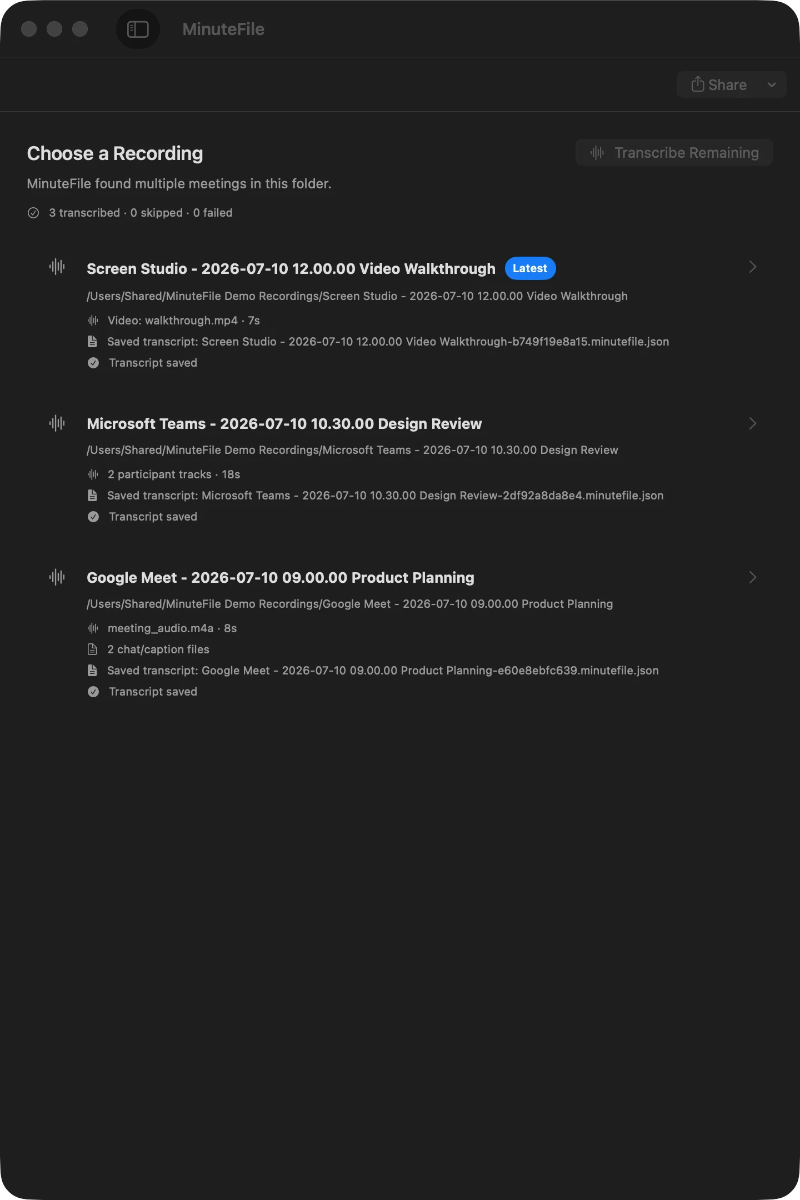
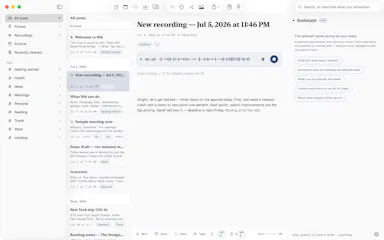
Turns local meeting recording folders into private, searchable transcripts on your Mac — everything stays on your machine, with no account, no upload, no meeting bot, and no subscription.

No sign-upData stays with youNo subscription
What to know
How it works
Turns local meeting recording folders on your Mac into private, searchable transcripts.
What's different
Everything stays on your machine — no account, upload, meeting bot, or subscription required.
Pricing
No account or subscription required.
Best for
Mac users who record meetings locally and want searchable transcripts without sending recordings to the cloud.

Watched for 14 days · last checked 2d ago

Details →

LeLuca

Live

Records and transcribes Mac meetings entirely on-device, then turns them into searchable AI notes, for people who don't want audio leaving their machine.

FreeWorks offlineData stays with youCan export my data
What to know
How it works
records mic+system audio, transcribes locally with Whisper, generates TL;DR/decisions/action items
What's different
100% on-device transcription, optional bring-your-own ChatGPT/Claude for notes
Pricing
free on Mac App Store
Best for
Mac users who need private meeting notes

Watched for 4 days · last checked today

Details →

Pandia

Live

Native desktop app for opening and editing multi-gigabyte JSON files instantly, for developers who hit size limits in browser-based JSON viewers.

FreeWorks offlineData stays with youOpen source
What to know
How it works
Opens huge files with no upload, shows JSON as Tree, Code, Grid, Graph, or Compare views, generates types for 9 languages.
What's different
Handles multi-gigabyte files offline where most JSON tools choke or require upload.
Pricing
Free
Watch out
Desktop-only (macOS, Windows, Linux).

Watched for 5 days · last checked today

Details →

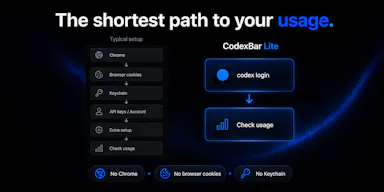
Lets developers monitor their OpenAI Codex usage from the macOS menu bar instead of checking a web dashboard, using only their existing CLI session.

Data stays with youOpen source

Watched for 1 day · last checked 1d ago

Details →

Nib

Live

A notes app for iPhone, iPad, and Mac that records and transcribes on-device, then turns meeting audio and handwritten notes into structured minutes with decisions and to-dos you approve as diffs.

FreeWorks offlineData stays with youNo ads
What to know
How it works
On-device transcription keeps audio local; AI restructures transcripts into minutes with editable, diff-based approval.
Pricing
Recording, transcription, and search are free; cloud AI features require Pro.
Best for
People who want private, on-device meeting notes.

Watched for 7 days · last checked 1d ago

Details →

A file converter for images, video, audio, PDFs and documents that runs on your device or in-browser so files are never uploaded, with an optional paid Mac app for heavier batch and OCR jobs.

FreeData stays with youNo subscription
What to know
How it works
Converts images, video, audio, PDFs and documents directly on your device in the browser, so files are never uploaded to a server.
What's different
A Mac app is available for heavy formats, batch processing, and OCR, powered by dedicated conversion engines.
Pricing
Free in-browser; the Mac app is a separate paid option. No subscriptions.
Best for
People converting files who don't want them leaving their device.

Watched for 10 days · last checked 4d ago

Details →

Kaptur

Live

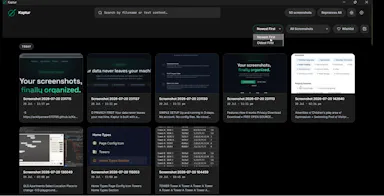
Local screenshot manager for Windows that OCRs every screenshot so you can search them by text later, with nothing uploaded to the cloud.

Works offlineData stays with you
What to know
How it works
Watches folders, extracts text via OCR, makes screenshots searchable.
What's different
100% local, no cloud upload or subscription.
Watch out
Windows only.

Watched for 5 days · last checked today

Details →

Offline desktop API testing client (REST, GraphQL, gRPC) that keeps all your requests and tokens on your machine instead of a vendor cloud.

FreeWorks offlineData stays with youOpen source
What to know
How it works
runs 100% offline, stores collections in local SQLite and tokens in the OS keychain
Pricing
free, open source (MIT)
Best for
developers who don't want API collections synced to a third-party cloud

Watched for 6 days · last checked today

Details →

Didon

Live

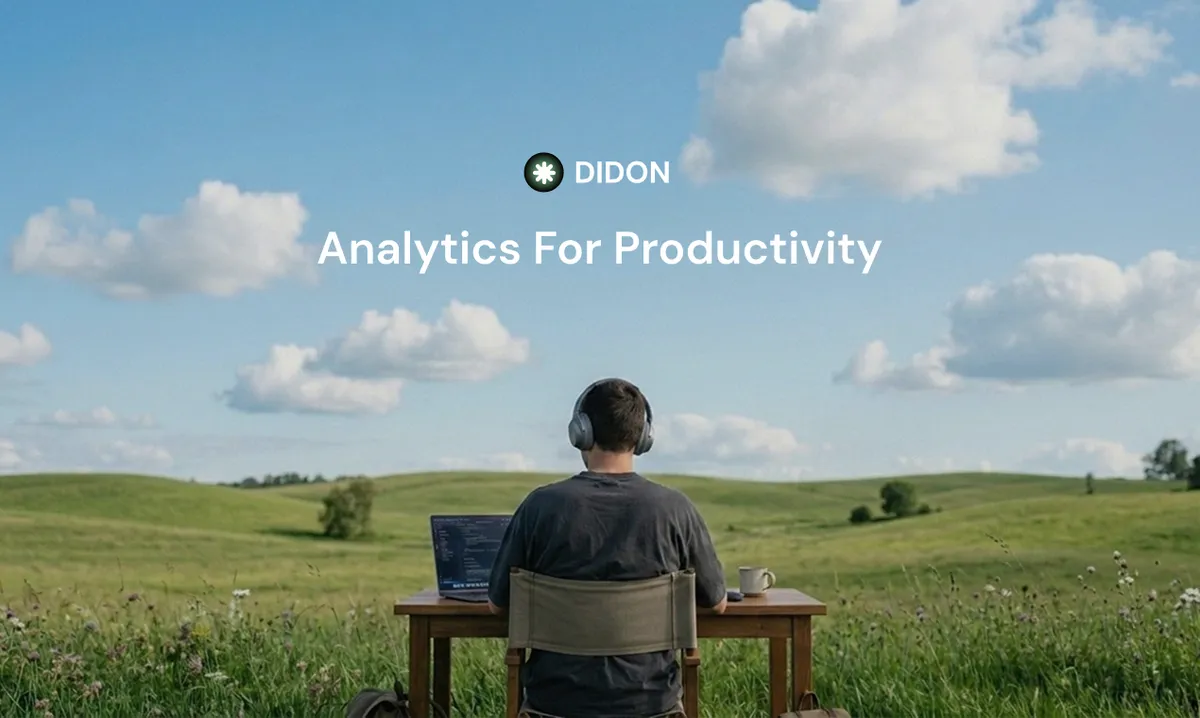
An AI Mac app that watches your screen and turns it into a private daily work log, analyzed entirely on-device, for individuals and professionals who want to understand their own habits.

Data stays with you
What to know
How it works
Runs on your Mac in the background, using local AI to analyze your screen activity and automatically generate a structured daily work journal.
What's different
Analysis happens entirely on-device, so screen data stays local rather than being uploaded.
Best for
Individuals and professionals who want to understand their own work habits without a cloud-based tracker.

Watched for 15 days · last checked 9d ago

Details →

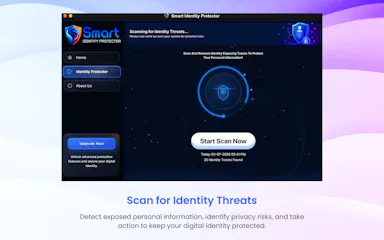
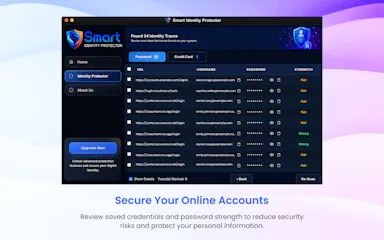
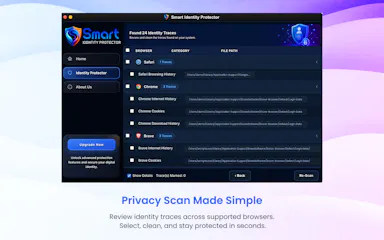
A Mac utility that scans your browsers for saved passwords, autofill data, and browsing traces so you can review and remove them before someone else finds them.

Data stays with you
What to know
How it works
scans supported browsers locally for privacy traces, lets you review before deleting
What's different
all scanning happens locally, nothing leaves the device

Watched for 5 days · last checked 4d ago

Details →

An offline AI companion app for people who want an ongoing personalized chat relationship without their conversations ever leaving their own computer.

Domain registered 2 months ago

Works offlineData stays with you
What to know
How it works
A desktop AI companion for Mac and Windows that runs entirely offline, remembering past interactions and learning about the user over time to build a personalized relationship.
What's different
All processing happens locally on the machine rather than in the cloud.
Pricing
No recurring subscription fees.
Best for
People who want an ongoing personalized AI companion without their conversations leaving their computer.

Watched for 9 days · last checked 9d ago

Details →

A local Windows security suite with antivirus, AI ransomware detection, a DNS shield, VPN, identity monitoring, and a telemetry blocker that stops manufacturers from phoning home.

No sign-upWorks offlineData stays with youNo subscription
What to know
How it works
100% local, one-time payment, no cloud, no subscription, no account required; data never leaves the machine.
Watch out
blocks telemetry from Microsoft, AMD, HP, NVIDIA, and Intel.

Watched for 7 days · last checked 6d ago

Details →

An open-source, template-based design tool for building App Store and Play Store screenshots, feature graphics, and preview videos entirely in your browser or desktop app, with no account or upload required.

Domain registered 13 days ago

FreeNo sign-upData stays with youOpen source
What to know
How it works
pick a template, drop in your app screens, and export every required store size, including MP4 previews
What's different
an optional AI agent can build the whole listing from raw screenshots
Best for
app developers and designers preparing store listings

Watched for 7 days · last checked 6d ago

Details →

A macOS menu-bar app that translates on-screen text and system audio in real time using on-device OCR and local speech recognition, for videos, meetings, or games.

Works offlineData stays with you
What to know
How it works
Lets you drag-select a screen area for an on-device OCR translation overlay, or capture system audio for live, locally-recognized speech translation, supporting 15+ languages.
Best for
Mac users who want instant translation of on-screen content or audio without switching windows.

Watched for 7 days · last checked 7d ago

Details →

OCDify

Live

Automatically sorts a Mac's Desktop and Downloads into folders and renames cryptic filenames, processed entirely on-device with no cloud upload or subscription.

Works offlineData stays with youNo subscription
What to know
How it works
Automatically organizes a Mac's Desktop and Downloads folders into custom categories and renames cryptic filenames like IMG_1234 or scan_002 into readable names, using on-device AI.
What's different
Processes files entirely on-device with no cloud upload, so file organization doesn't leave the machine.
Pricing
Free 30-day trial; no subscription.
Best for
Mac users with cluttered Desktop/Downloads folders who don't want their file names or contents sent to the cloud.

Watched for 11 days · last checked 5d ago

Details →

Melia

Live

A native Linux desktop email client that connects straight to your IMAP/SMTP mail servers with no cloud relay, middleman account or telemetry, as an alternative to Thunderbird or Evolution.

FreeWorks offlineData stays with youPay once
What to know
How it works
A native Linux desktop email client that connects directly to your mail servers over IMAP and SMTP, storing everything locally in a SQLite database and syncing credentials through the OS keyring so it works fully offline.
What's different
No cloud relay, middleman account, or telemetry — mail stays on your own machine, unlike hosted alternatives.
Pricing
Free for one account with full functionality; a one-time $10 unlock removes the account cap.
Best for
Linux desktop users looking for a native alternative to Thunderbird, Evolution, Geary or Mailspring.

Watched for 18 days · last checked today

Details →

A free, open-source resume builder with a live side-by-side preview and ATS-friendly PDF export that runs entirely in your browser instead of behind a paywall.

FreeWorks offlineData stays with youOpen source
What to know
How it works
granular typography and color controls, everything processed locally; standalone Windows apps also available
Pricing
free
Best for
job seekers who want a private, no-paywall resume builder

Watched for 11 days · last checked 5d ago

Details →

A local MCP server that gives AI assistants like Claude, Cursor and ChatGPT tools to act on your Mac — iMessage, Teams, WhatsApp, Mail, files — with nothing sent to the cloud.

FreeWorks offlineData stays with you
What to know
How it works
A local Model Context Protocol server running on a Mac that gives AI assistants like Claude, Cursor and ChatGPT 143 tools to act on iMessage, local Microsoft Teams chats, WhatsApp, Apple Mail, Calendar, Contacts, Notes, Reminders, Finder files, OneDrive, Outlook and Office documents.
What's different
Runs 100% locally with no cloud connection, reaching apps like iMessage and local Teams chats that cloud-based connectors can't access.
Pricing
Free.
Best for
Mac users who want their AI assistant to act across native apps like iMessage and Mail without sending data to the cloud.

Watched for 18 days · last checked 2d ago

Details →

Converts speech to text entirely on your Windows PC — no cloud, no account required, works even with WiFi off. For users who want dictation without sending audio anywhere.

No sign-upWorks offlineData stays with youPay once
What to know
How it works
Converts speech to text directly on a Windows PC using one shortcut: hold, speak, release, and the text lands wherever your cursor is, in any app.
What's different
Works entirely offline with no cloud processing, no account, and no subscription — it keeps working even with WiFi off.
Pricing
One-time payment, no subscription.
Best for
Windows users who want dictation in any app (email, chat, notes, code editors) without their voice data leaving the device.

Watched for 16 days · last checked 10d ago

Details →

Compresses images and video (JPG, PNG, TIFF, MP4, GIF) entirely on your device with no upload to a server — for Mac, Windows and Linux, privacy-focused.

Works offlineData stays with you
What to know
How it works
Compresses JPG, PNG, TIFF, MP4 and GIF files, processing them locally on-device rather than uploading them to a server, via web tools or a dedicated offline desktop app for Mac, Windows and Linux.
What's different
Local, privacy-focused processing rather than server-side upload-based compression.
Best for
Anyone who wants to compress images or video without sending files to a third-party server.

Watched for 18 days · last checked 11d ago

Details →

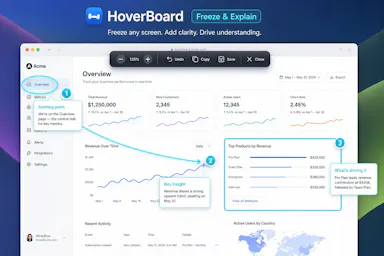
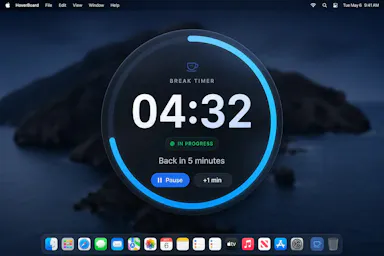
A macOS menu bar app that gives presenters five hotkey-triggered tools — draw, freeze-and-explain, whiteboard, break timer, and cursor highlight — over Zoom, Meet, or Teams.

Domain registered 1 month ago

No sign-upWorks offlineData stays with you
What to know
How it works
Runs as a native macOS menu bar app with global hotkeys for its five presenting tools; keeps data on the Mac with no account or cloud.
Best for
People presenting over video calls who want lightweight on-screen annotation tools.

Watched for 12 days · last checked 6d ago

Details →

A free screen recording app for Windows, macOS, Linux, and web that automatically zooms the cursor on clicks, processing everything on-device without upload.

FreeNo sign-upWorks offlineData stays with you
What to know
How it works
Highlights the cursor and auto-zooms on clicks during recording, with no upload or account required to start.
Pricing
Free.
Best for
People who want a directed-looking screen recording without manual editing or cloud upload.

Watched for 12 days · last checked 6d ago

Details →

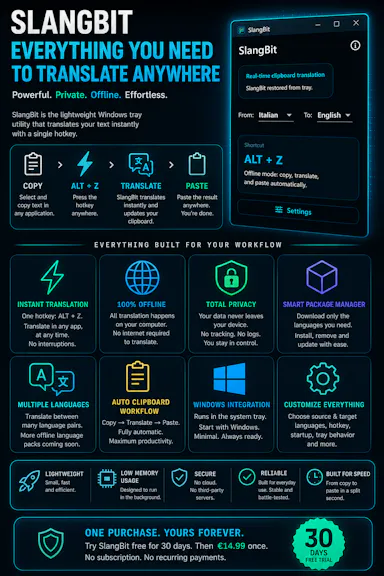
Select text in any Windows app, press Alt+Z, and get it translated using local AI models — nothing leaves your device. No subscription; 30-day free trial.

Domain registered 1 month ago

Works offlineData stays with youNo subscription
What to know
How it works
Select text in any Windows app and press Alt+Z to have it translated locally and pasted back automatically.
What's different
Runs entirely offline using local AI models, so text never leaves the device.
Pricing
No subscriptions; includes a 30-day free trial.
Best for
Windows users who want in-place translation without switching apps or sending text to the cloud.

Watched for 12 days · last checked 6d ago

Details →

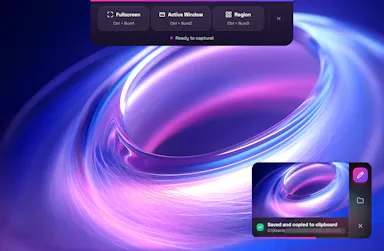
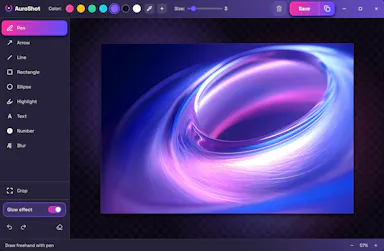
A lightweight Windows screenshot tool with fast capture, 10+ annotation tools and local-only storage, built for a clean everyday screenshot flow rather than heavy workflows.

Works offlineData stays with you
What to know
How it works
A Windows screenshot tool with fast capture modes for screen, window or selected area, plus 10+ annotation tools, automatic clipboard copy and local saving.
What's different
A floating capture panel designed not to steal focus from work or games, with local-first storage — screenshots stay on the device.
Best for
Windows users who want a clean, everyday screenshot flow without a heavy or noisy tool.

Watched for 12 days · last checked 6d ago

Details →

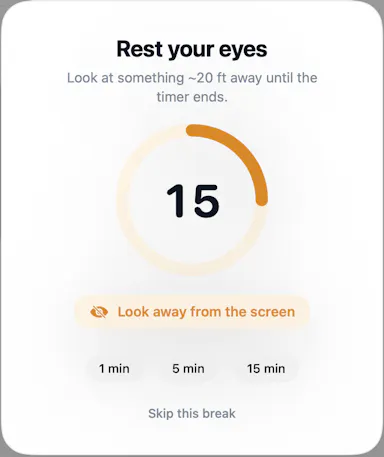
A macOS menu-bar app that reminds you to look away on a 20-20-20 schedule, with optional camera-verified breaks processed locally — no video ever leaves your Mac.

Works offlineData stays with you
What to know
How it works
A macOS menu-bar app that gives 20-20-20 eye-break reminders, blink and posture nudges, focus stats, and smarter display sleep, with optional camera-verified breaks.
What's different
Local-first and Apple-notarized; camera-verified breaks are processed on-device and no video is ever recorded.
Best for
Mac users who spend long stretches at a screen and want automatic eye-break reminders.

Watched for 13 days · last checked 7d ago

Details →

A local, offline security toolkit for encrypting files and managing credentials with no cloud, no accounts and no telemetry — for privacy-conscious users who want full control of their data.

Domain registered 4 months ago

No sign-upWorks offlineData stays with youNo subscription
What to know
How it works
A local, zero-telemetry security suite for encrypting files and managing credentials with AES-256-GCM, runnable entirely offline via installer or portable USB, with no cloud, accounts or subscriptions.
What's different
Fully offline with no cloud middleman, no accounts, and no hidden subscriptions.
Best for
Privacy-conscious users who want to encrypt files and manage credentials without any cloud dependency.

Watched for 13 days · last checked 7d ago

Details →

A desktop packet-capture and network-debugging tool for Windows and macOS that can mirror traffic live from a paired iOS or Android app, keeping all data on-device. For developers.

Data stays with you
What to know
How it works
A desktop packet capture and network debugging tool for Windows and macOS that captures and decrypts HTTP/HTTPS traffic, inspects JSON/XML/HTML, compares requests/responses, and replays requests to reproduce bugs. Pairs with a mobile PCP app to mirror traffic live from Android and iOS devices.
What's different
Mirrors mobile device traffic to the desktop in real time without requiring root or jailbreak on the mobile device.
Best for
Developers debugging network traffic across desktop and mobile apps.
Watch out
All data stays on the user's device and is never uploaded to a server.

Watched for 13 days · last checked 7d ago

Details →

Caches your GitHub repo traffic stats — views, clones, release downloads — locally in a lightweight desktop app, since GitHub itself deletes that data after 14 days.

Works offlineData stays with you
What to know
How it works
A lightweight Tauri desktop app that caches your GitHub repository traffic data — views, clones and release downloads — locally so it persists beyond GitHub's own retention window.
What's different
GitHub deletes repository traffic data after 14 days; this app keeps it forever by storing it locally rather than in the cloud.
Best for
Developers and maintainers who want long-term visibility into their GitHub repo traffic.

Watched for 13 days · last checked 7d ago

Details →

A macOS menu-bar app for people who work from cafes: detects which cafe you're in, copies the WiFi password, shows the weather, and lets you rate spots so you remember which one is worth returning to. Notes stay on your device.

Data stays with you
What to know
How it works
Lives in the macOS menu bar, detects which cafe you're in, one-click copies its WiFi password, shows the weather, and lets you rate the spot on quiet, outlets, WiFi, and drinks so you can look up your history later.
What's different
Native SwiftUI and privacy-first — notes and ratings stay on your device rather than syncing to a cloud service.
Best for
People who regularly work from cafes and want to remember which ones were actually good.

Watched for 15 days · last checked 9d ago

Details →

Hovor

Live

Voice dictation for Mac and iPhone that runs fully on-device so your voice never leaves your hardware, with multilingual support and a lifetime-purchase option instead of a subscription.

Works offlineData stays with youNo subscription
What to know
How it works
Hold a hotkey, speak, and structured text lands where your cursor is in any app on Mac and iPhone, using on-device models that fix punctuation and structure and support multilingual speech, a personal dictionary, snippets and workflows.
What's different
On-device processing means your voice never leaves your hardware.
Pricing
Free tier included, plus lifetime unlocks instead of a forced subscription.
Best for
Mac and iPhone users who want private, offline voice dictation across apps.

Watched for 18 days · last checked 2d ago

Details →

Extracts and translates text from screenshots on Mac entirely on-device, for people who don't want to upload images anywhere.

Domain registered 9 months ago

No sign-upWorks offlineData stays with youNo tracking
What to know
How it works
Uses macOS Vision locally; press a hotkey to extract text then translate/export
What's different
Runs fully local, no account or upload
Pricing
Free
Watch out
macOS only

Watched for 4 days · last checked 3d ago

Details →

Sends files and clipboard text directly between devices over encrypted peer-to-peer connections, no account or cloud storage.

Data stays with you
What to know
How it works
WebRTC transfer with end-to-end AES-256 encryption via QR code or link
What's different
No sign-up, no upload limits
Best for
quick cross-device transfers across Windows, macOS, Linux, iOS, Android

Watched for 4 days · last checked 3d ago

Details →

A Windows desktop app that forecasts your cash flow and bills using only local data, no cloud sync.

Data stays with you
What to know
How it works
Local-only tracking of income, debts, balances, and what-if scenarios
What's different
Works without constant internet access, unlike cloud budgeting apps
Best for
Windows users wanting private financial forecasting
Watch out
Windows only

Watched for 4 days · last checked 3d ago

Details →

Privacy-first Mac desktop app that watches your screen and calls to build a private searchable journal of your work, with a daily email recap.

Domain registered 3 months ago

Data stays with you
What to know
How it works
passively records screen activity and calls, builds a searchable local journal, emails a daily recap
What's different
positioned as privacy-first (data stays local, no upload)
Best for
people who lose track of what they worked on across a busy day

Watched for 4 days · last checked 2d ago

Details →

Push-to-talk dictation for Mac that types your speech into any app and can also trigger voice commands, for people who want hands-free input without cloud transcription.

Works offlineData stays with you
What to know
How it works
hold a hotkey to speak, transcribed on-device
What's different
voice never leaves the machine, can act on commands not just dictate

Watched for 5 days · last checked 4d ago

Details →

Nparla

Live

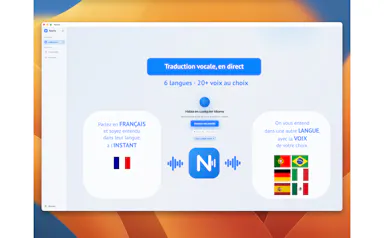
A native Mac app that translates your voice in real time during Zoom or Meet calls, entirely on-device across six languages, for a one-time purchase with no subscription.

Works offlineData stays with youPay onceNo subscription
What to know
How it works
Translates your voice in real time during calls: you speak in your language and the other person hears a natural voice in theirs, with a virtual microphone that plugs into Zoom, Google Meet and Teams.
What's different
Runs 100% on-device on Apple Silicon, so voice never leaves the Mac; supports Spanish, English, German, Italian, French and Portuguese.
Pricing
One-time purchase, no subscription.
Best for
People in international meetings who need real-time spoken translation across the six supported languages.
Watch out
Limited to six supported languages and requires Apple Silicon for the on-device processing.

Watched for 17 days · last checked 11d ago

Details →

A Windows desktop app for signing PDFs by hand, entirely offline, so sensitive documents never touch the cloud.

Domain registered 7 days ago

Works offlineData stays with youPay onceNo subscription
What to know
How it works
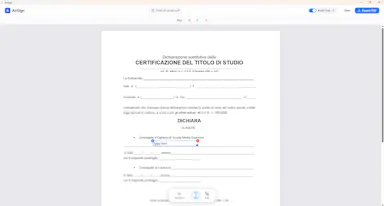
Drag and drop a PDF/image, draw a signature, add text — all processed locally
What's different
Zero cloud upload, one-time purchase instead of subscription
Pricing
One-time purchase
Best for
Professionals who don't want to upload contracts to third-party e-signature sites

Watched for 6 days · last checked 5d ago

Details →

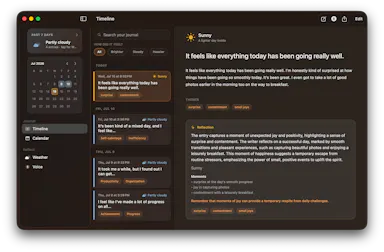
A macOS journaling app that uses on-device AI to find patterns in your entries, with everything staying local.

Works offlineData stays with you
What to know
How it works
Uses Apple's on-device models to analyze journal entries locally; supports typed or spoken (voice-transcribed) entries
What's different
entirely offline, journal never leaves the Mac
Best for
people wanting private journaling with pattern insights without cloud AI
Watch out
macOS only

Watched for 6 days · last checked 5d ago

Details →

A local-first notebook combining handwriting, rich documents and PDF markup in one workspace, for students and professionals tired of juggling multiple note apps.

Works offlineData stays with youNo adsNo tracking
What to know
How it works
A local-first notebook combining handwriting (ink, pens, highlighters, shapes, lasso selection), rich text boxes, tables, images, audio memos, and PDF import with searchable text, all on a multi-page canvas organized with folders and tags.
What's different
Combines handwriting, structured documents and PDF markup in one workspace instead of forcing a choice between separate apps, without ads or tracking SDKs.
Best for
Students, professionals and creators who currently juggle multiple note apps and want handwriting, documents and PDF annotation in one place.

Watched for 18 days · last checked 2d ago

Details →

An on-device iOS/macOS app that cleans up text copied from any AI chatbot before you paste it, processing everything locally with no cloud calls, accounts, or tracking.

Works offlineData stays with youNo tracking
What to know
How it works
Copy text from any AI chatbot, and the app cleans and reformats it entirely on-device before you paste it anywhere.
What's different
Uses Apple's local FoundationModels API for Apple Intelligence refinement, never the cloud.
Best for
iOS and macOS users who paste AI-chatbot output and want it correctly formatted without sending text to a cloud service.

Watched for 7 days · last checked 5d ago

Details →

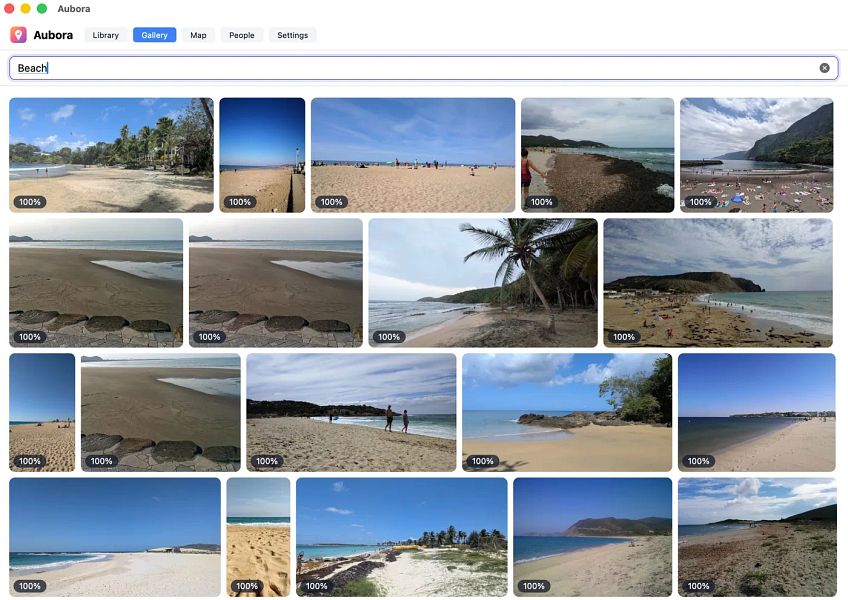
Aubora

Live

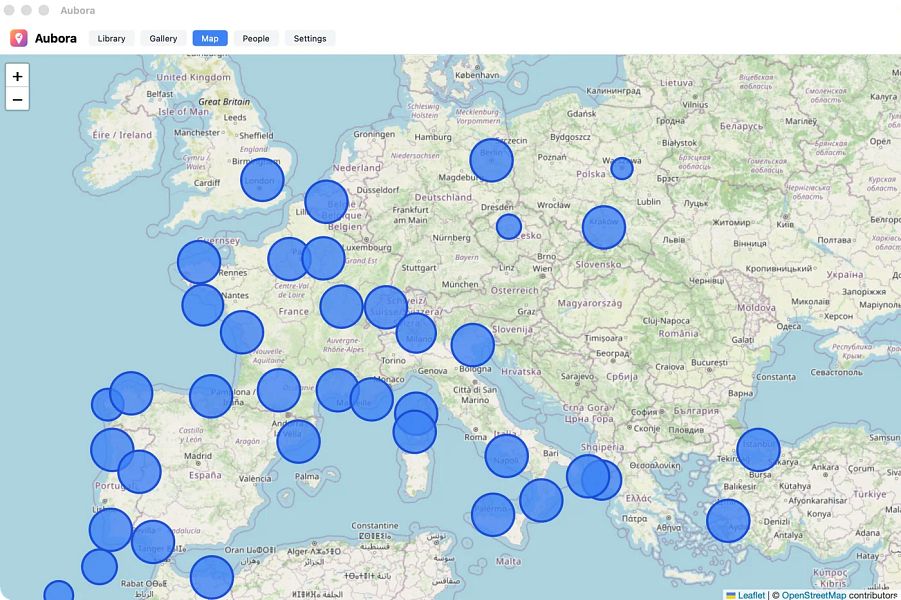
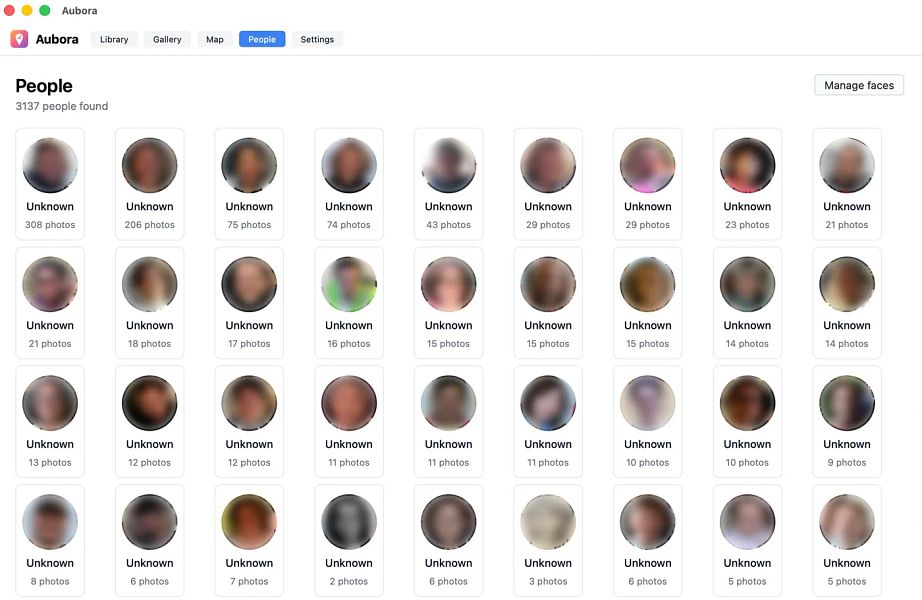
A Mac app that adds semantic search, face recognition and a map to photos already sitting in your existing cloud drive (pCloud, Dropbox, kDrive), running on-device with nothing sent to the maker's servers.

Data stays with you
What to know
How it works
A Mac app that adds semantic search, people/face recognition and a map to photos already stored in existing cloud storage like pCloud, Dropbox or kDrive.
What's different
Runs entirely on-device on the Mac — nothing is uploaded to Aubora's servers.
Best for
Mac users with photos spread across a cloud drive who want better search without switching storage providers or uploading photos elsewhere.

Watched for 16 days · last checked 8d ago

Details →

A Windows app that auto-sorts, renames and routes your Downloads, Screenshots and Documents using local AI via Ollama — nothing leaves your device.

Data stays with you
What to know
How it works
A Windows desktop app that watches selected folders and automatically renames, sorts and routes files using local AI, with duplicate detection and undo-safe operations.
What's different
Runs entirely on-device through Ollama rather than sending files to the cloud.
Best for
Windows users with messy Downloads, Screenshots or Documents folders who want automatic organization without a cloud service.
Watch out
Requires a local Ollama installation to power the AI features.

Watched for 14 days · last checked 2d ago

Details →

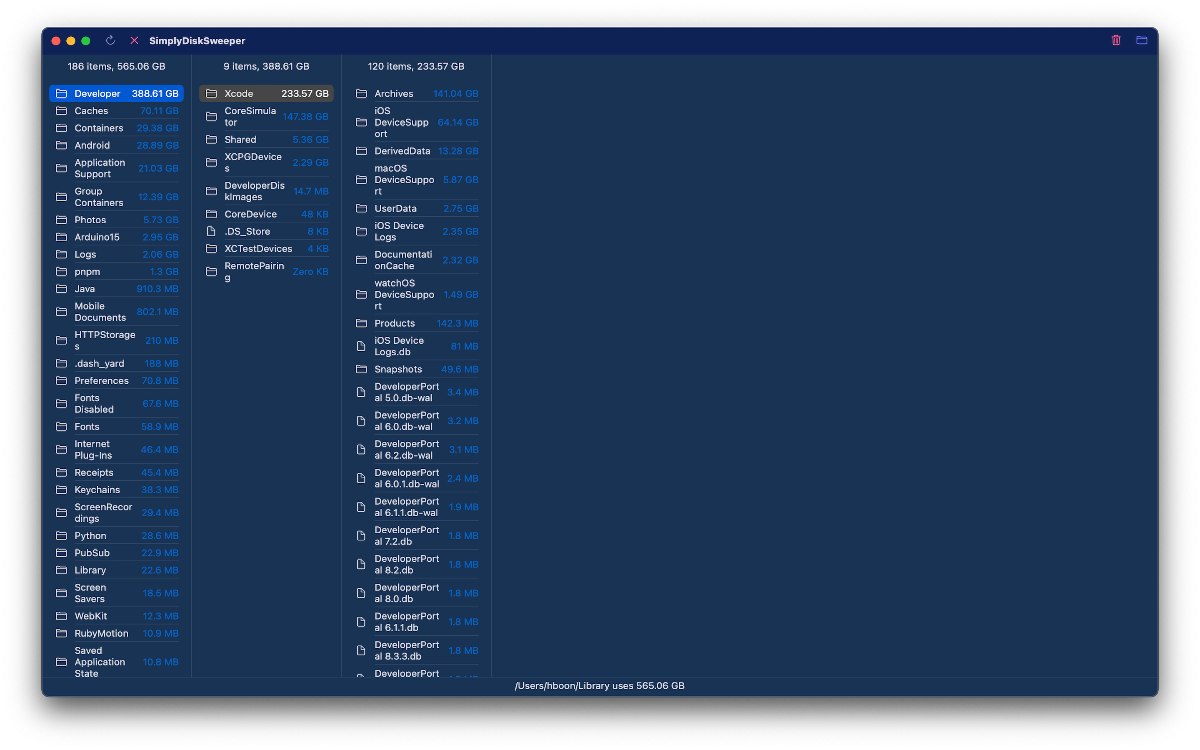
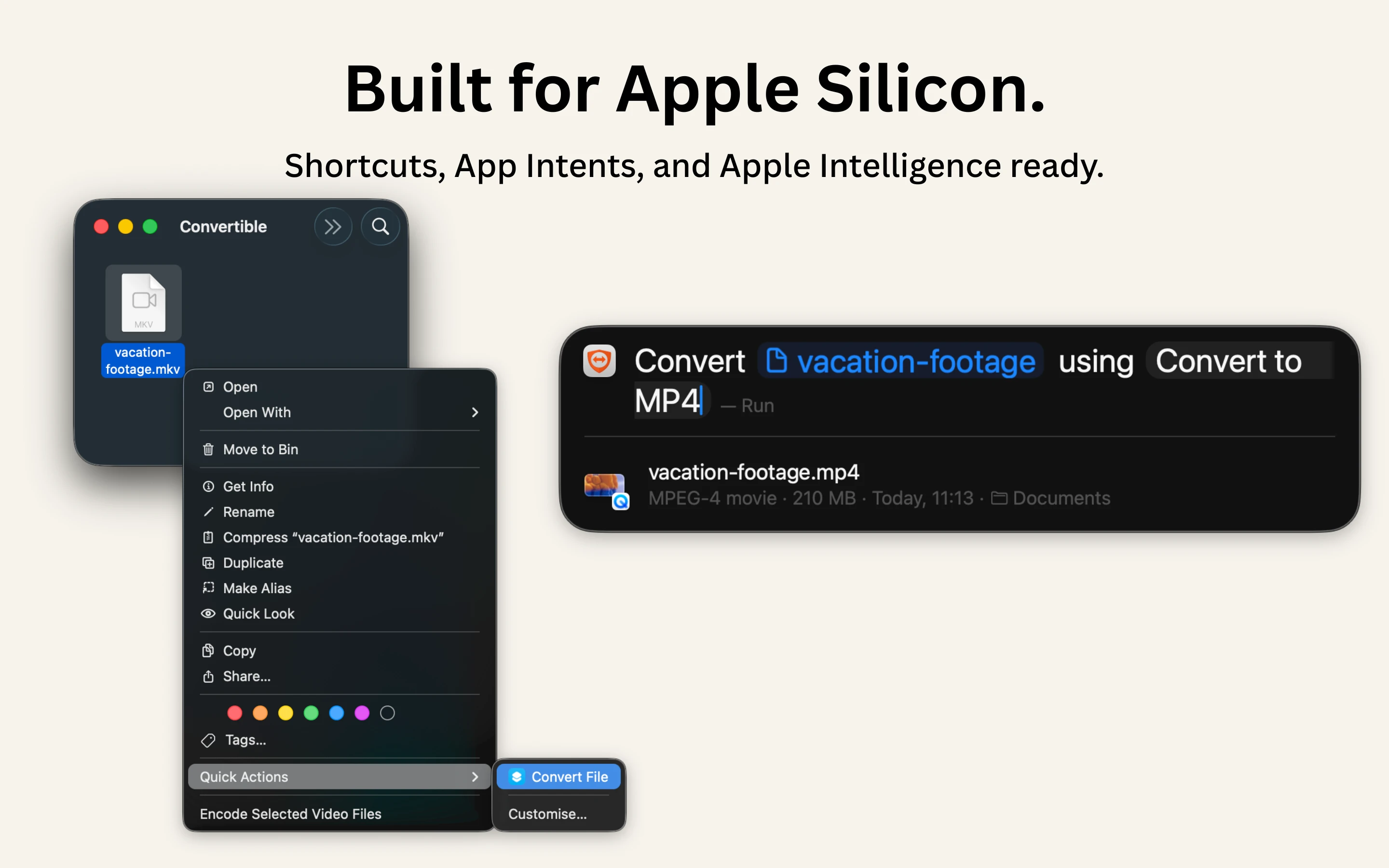
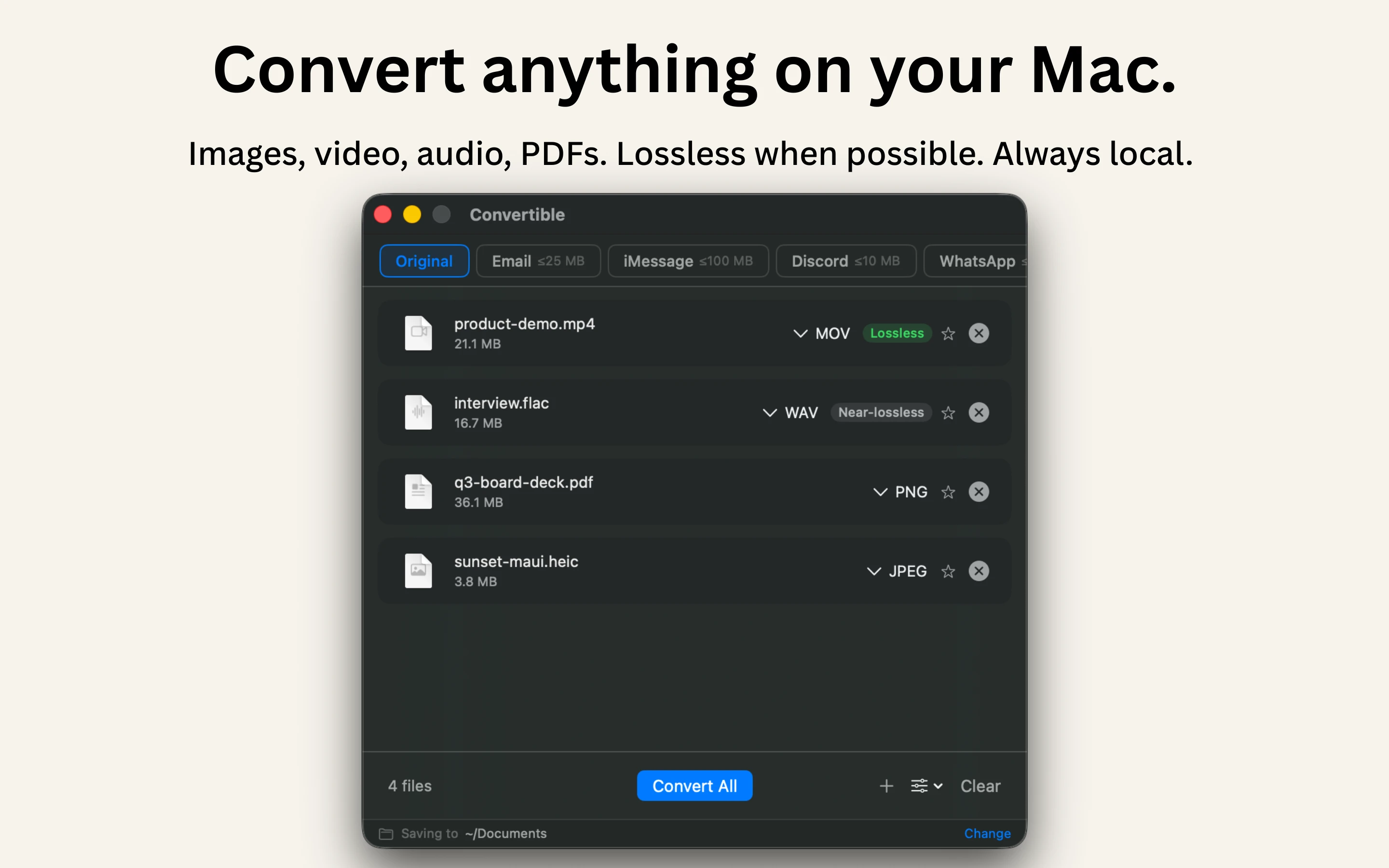
A native Mac file converter that compresses images, video, audio and PDFs entirely on-device with Shortcuts and Finder integration, for people who don't want files touching the cloud.

Works offlineData stays with youPay onceNo subscription
What to know
How it works
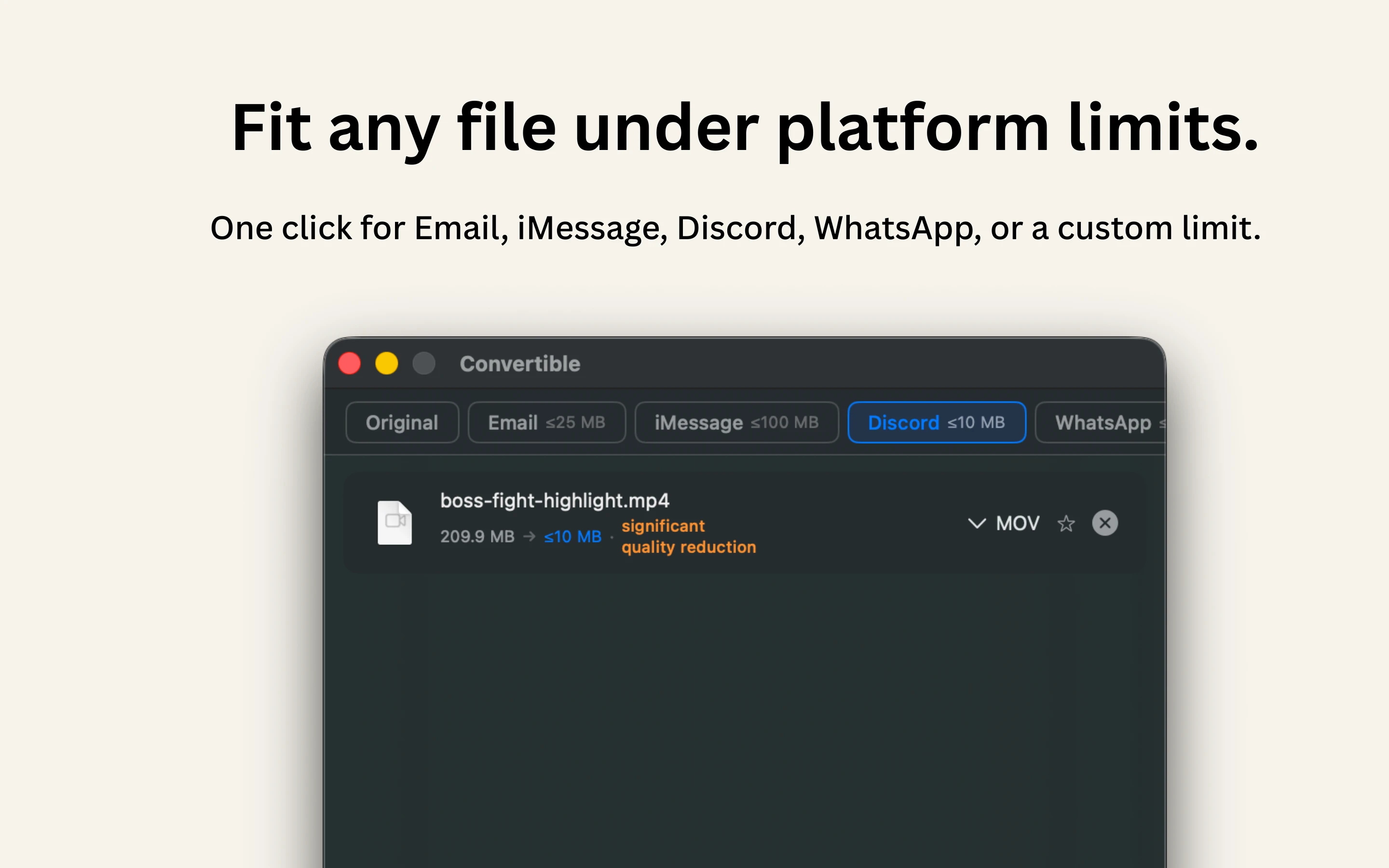
Converts and compresses images, video, audio and PDFs entirely on-device on Mac, including hard-to-open formats like MKV, WebM and HEIC, and can shrink files to a target size limit in one click.
What's different
Runs 100% locally with no cloud upload or telemetry, and integrates with Shortcuts, Finder's right-click menu, Spotlight and scheduled automations.
Pricing
One-time purchase, no subscription.
Best for
Mac users who want to convert or compress files without sending them to the cloud.

Watched for 15 days · last checked 2d ago

Details →

Privacy-first developer utilities — JWT decode, JSON format, Base64, UUIDs, timestamps, diff, cron, regex, SQL formatting — as a web app, desktop app or Chrome extension, all running locally.

Data stays with you
What to know
How it works
A set of developer utilities — JWT decoding, JSON formatting, Base64 conversion, UUID generation, timestamp conversion, text diff, cron parsing, regex testing, SQL formatting — available as a web app, desktop app or Chrome extension.
What's different
All processing happens locally on your device; no data is uploaded.
Best for
Developers who want quick utility tools without sending pasted data to a server.

Watched for 16 days · last checked 2d ago

Details →

Prizmi

Live

An AI assistant that drafts messages, organizes files, and fills out forms and flight check-ins on its own, installed on your computer for everyday tasks.

Works offlineData stays with you
What to know
How it works
You message Prizmi in plain language and it acts on your phone or computer — drafting texts and emails, organizing files, filling out web forms and flight check-ins, and running scheduled tasks — while proactively reaching out when it notices something matters.
What's different
Takes action directly on your connected devices rather than just answering questions, but never clicks Submit or Pay itself, keeping the user in control of final actions.
Best for
Anyone wanting a proactive assistant that runs tasks on their own Mac, Windows or Linux machine, described as built for grandparents through developers.

Watched for 18 days · last checked today

Details →

Zoro

Live

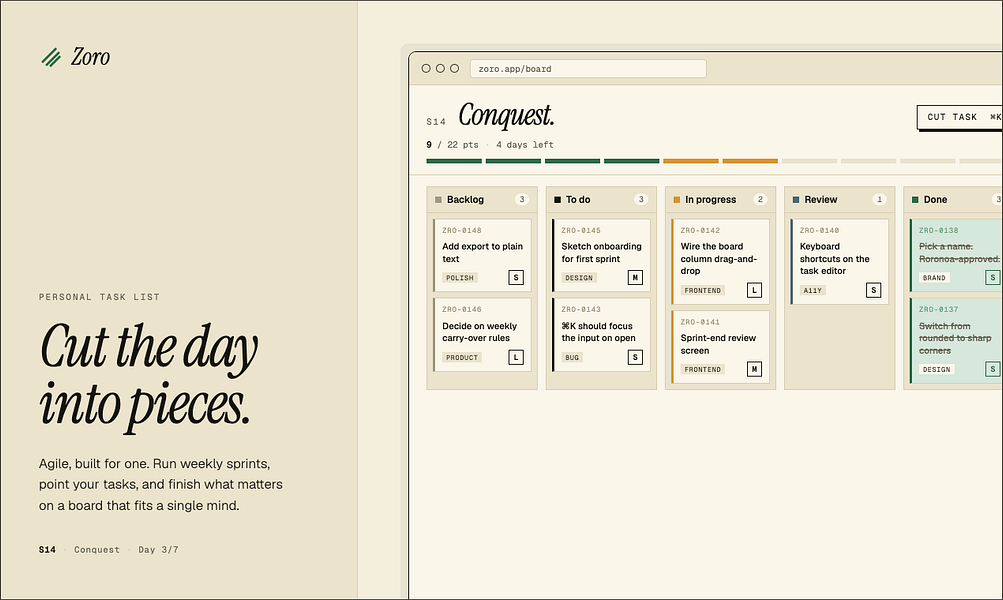
A one-time-purchase task app for solo workers that applies agile concepts like backlog, priority, and kanban to personal work, syncing via CloudKit with no account or server.

Domain registered 2 months ago

FreeNo sign-upData stays with youNo subscription
What to know
How it works
Syncs across iOS, macOS, and web through CloudKit only, with no signup and no backend server.
Pricing
One-time purchase of $59.99 for lifetime use.

Watched for 7 days · last checked 1d ago

Details →

Sonora

Live

Offline Windows speech studio offering local text-to-speech, speech-to-text and system-wide dictation with a local API.

Works offlineData stays with you
What to know
How it works
A Windows speech studio offering multi-engine local TTS with custom voices, speech-to-text with speaker labels, global hotkey dictation into any field, and a localhost HTTP API for scripts and AI agents.
Watch out
Runs fully offline after models download; works on GPU or CPU.

Watched for 3 days · last checked 3d ago

Details →

Fully offline local semantic file search for Windows powered by embedded local AI models.

Works offlineData stays with you
What to know
How it works
100% local semantic search for Windows files, powered by embedded local AI models, searching by context and meaning instead of exact filenames.
What's different
Completely offline — zero data leaves the machine.

Watched for 3 days · last checked 2d ago

Details →

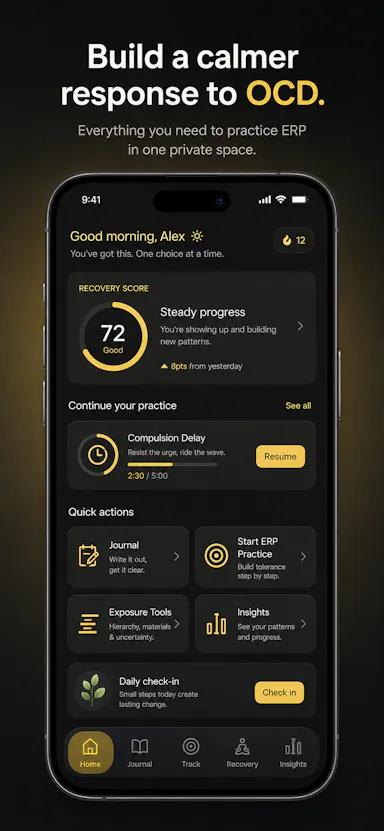
Private OCD/ERP tracker across desktop and mobile that logs obsessions, compulsions, triggers and exposure practice with no cloud sync.

Domain registered 20 days ago

No sign-upWorks offlineData stays with youNo ads
What to know
How it works
Tracks obsessions, compulsions, mood and exposure exercises across iOS/Android/desktop
What's different
No accounts, no cloud sync — data stays on-device
Best for
People doing ERP therapy who want a private tracking journal

Watched for 6 days · last checked today

Details →

Android app for storing and analyzing personal or family health records entirely on-device, with no cloud or account.

Domain registered 15 months ago

No sign-upWorks offlineData stays with you
What to know
How it works
Stores and gives AI-powered insights on personal or family health and lab records entirely on your Android device, with no cloud or account.
Watch out
iOS version is on the roadmap.

Watched for 10 days · last checked 4d ago

Details →

Reqly

Live

A fast, privacy-first desktop REST API client built as a Postman alternative — for developers who want a local tool without their request data passing through a third-party cloud.

Data stays with you
What to know
How it works
A desktop REST API client built with Wails, Go and React for making and managing API requests.
What's different
Positioned as a privacy-first Postman alternative — a local desktop tool rather than one that routes requests through a third-party cloud.
Best for
Developers who want a fast desktop REST client without their request data passing through a third-party cloud service.

Watched for 10 days · last checked 4d ago

Details →

A macOS menu bar app showing multiple time zones, meeting times and a mini calendar at a glance, with click-to-set time conversion. One-time purchase, not a subscription.

Data stays with youPay onceNo subscription
What to know
How it works
A macOS menu bar app showing multiple time zones and a mini calendar day view at a glance, with click-to-set time conversion and airport-code zone search.
What's different
DST-proof UTC offset zones and auto-hiding zones when you travel — handles edge cases that usually break simple time-zone widgets.
Pricing
One-time purchase with a free 7-day trial — not a subscription.
Best for
People who regularly schedule meetings across time zones and want a persistent menu bar reference instead of a web converter.

Watched for 18 days · last checked 2d ago

Details →

A Windows desktop app that automatically detects and blurs faces across video frames, processing entirely offline with no upload.

No sign-upWorks offlineData stays with you
What to know
How it works
Drop in one video or fifty; AI detects and blurs every face across all frames, with tracking to keep faces covered when they turn or leave and re-enter frame, without keyframing or masks.
What's different
Runs entirely locally on Windows with no upload, cloud, or account.
Watch out
Windows only.

Watched for 10 days · last checked 7d ago

Details →

A minimalist, privacy-focused web browser for Windows currently in beta.

Data stays with you
What to know
How it works
A minimalist, privacy-first browser for Windows.
Watch out
Currently in beta (1.0).

Watched for 10 days · last checked 7d ago

Details →

Offline on-device speech to text for Mac and Windows

No sign-upWorks offlineData stays with you

First seen today · last checked today

Details →

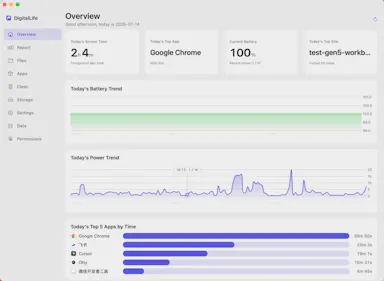
Privacy-first macOS activity monitor tracking app usage, energy draw, and disk space entirely on-device.

FreeNo sign-upWorks offlineData stays with you
What to know
How it works
A macOS menu-bar app tracking app usage time, file activity, per-app energy draw, and disk-space usage, entirely on-device.
What's different
No cloud, no account, no login — data stays local and optionally encrypted, unlike trackers that push data to a subscription-based server.
Pricing
Free for personal use.
Watch out
macOS only; supports 8 languages.

Watched for 10 days · last checked 7d ago

Details →

A password manager built on the open, KeePass-compatible KDBX format, storing logins, passkeys, cards and TOTP codes in one encrypted vault with Face ID autofill.

Domain registered 3 months ago

Data stays with youNo adsNo tracking
What to know
How it works
Stores logins, passkeys, credit cards, secure notes and TOTP codes in an encrypted vault, built on the open KDBX format compatible with KeePass and KeePassXC, with one-tap AutoFill and Face ID across iPhone, iPad, Mac, Windows and Linux.
What's different
Uses the open KDBX format instead of a proprietary vault, so you're not locked into one vendor, with zero-knowledge on-device encryption before sync.
Best for
People wanting a KeePass-compatible password vault across Apple, Windows and Linux devices without vendor lock-in.

Watched for 13 days · last checked 2d ago

Details →

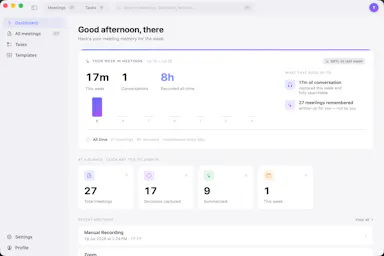
Your meetings, remembered. No bot required.

Works offlineData stays with you

First seen today

Details →