Tools that don't upload your dataInstead of juggling tools

14 match your filters — 10 of them answered our check today.

Watching this group for 18 days · how we check

This week5 new arrivals2 stopped answering

A free browser-based bundle of everyday tools — PDF merge/split/compress, image resize/convert, text utilities, and a resume/invoice generator — with nothing uploaded to a server.

Domain registered 1 month ago

FreeNo sign-upNothing to installData stays with you
What to know
How it works
A bundle of browser-based utilities — PDF merge/split/compress/rotate/convert, image compress/resize/crop/convert, text tools like word counter and diff, plus a resume and invoice builder.
What's different
Runs entirely in the browser with no sign-up, no account, and no files uploaded to a server.
Pricing
Free.
Best for
People who need quick everyday file or text utilities without creating an account or uploading files.

Watched for 14 days · last checked 2d ago
Details →

A toolbox of 100+ free browser-based utilities (file converters, PDF merger, CSV cleaner, an IQ test and more) that run entirely on your device so files never get uploaded.

Domain registered 1 month ago

FreeNo sign-upData stays with you
What to know
How it works
100+ browser-based utilities — HEIC to JPG conversion, photo compression, PDF merging, CSV cleanup, receipt generation, an IQ test and more — all running entirely on-device.
What's different
No server means files and data physically cannot leave the device; no uploads, signup or watermarks.
Pricing
Free.
Best for
People needing quick everyday file conversions or utilities without uploading files anywhere.

Watched for 14 days · last checked 2d ago

Details →

A free set of 17+ client-side developer utilities (JSON/XML/YAML/SQL formatters, regex tester, JWT decoder, hash generator) that run entirely in the browser with nothing sent to a server.

No sign-upNothing to installData stays with you
What to know
How it works
Provides 17+ browser-based developer tools, JSON/XML/YAML/SQL formatters, a regex tester, a JWT decoder, a hash generator and more, all running client-side so nothing pasted is uploaded or logged.
Pricing
No signup, no rate limits on the core tools.
Best for
Developers who want quick formatting/decoding tools without an account or sending data to a server.

Watched for 18 days · last checked 2d ago

Details →

A browser-based PDF toolkit for merging, splitting, converting, and signing files without uploading them anywhere.

FreeData stays with you
What to know
How it works
Runs in-browser so files never leave your device
Pricing
3 free tasks/day, $2 day pass or $6/mo for unlimited
Best for
anyone needing quick PDF edits without privacy risk

Watched for 4 days · last checked 3d ago

Details →

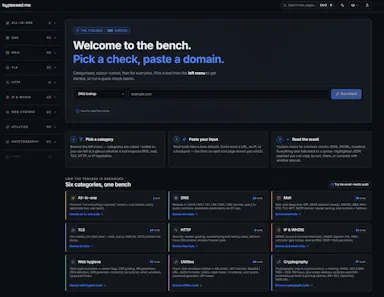
Free, no-signup toolkit of 169 diagnostics for DNS, email authentication, TLS certificates, IP blacklists and security headers, built for self-hosters debugging mail and web infrastructure.

FreeNo sign-upData stays with youSelf-hosted
What to know
How it works
runs DNS/SPF/DKIM/DMARC/TLS/blacklist/header checks plus in-browser dev utilities (JWT, cron, regex, hashing)
What's different
replaces juggling six separate diagnostic sites; some checks keep data local to your machine
Pricing
free to run checks; watchlists, alerts, embeddable badges and API available on top
Best for
self-hosters and sysadmins debugging DNS/email/TLS issues

Watched for 5 days · last checked 4d ago

Details →

A free toolbox of 160+ browser-based developer and design tools (PDF editor, compressor, JSON formatter, QR generator) with no signup or upload.

FreeNo sign-upData stays with you
What to know
Pricing
free
Best for
Developers and designers needing quick utility tools without uploading files

Watched for 5 days · last checked 4d ago

Details →

An offline-first customizable tracker for habits, collections, and custom data, storing everything in a local SQLite database.

No sign-upWorks offlineData stays with you
What to know
How it works
Build custom trackers with fields, layouts and filters; data stored in a local SQLite database
What's different
no vendor lock-in, optional E2E encrypted cloud sync
Pricing
no account needed
Best for
people wanting one app to replace several specialized trackers

Watched for 6 days · last checked 5d ago

Details →

A local-first notebook combining handwriting, rich documents and PDF markup in one workspace, for students and professionals tired of juggling multiple note apps.

Works offlineData stays with youNo adsNo tracking
What to know
How it works
A local-first notebook combining handwriting (ink, pens, highlighters, shapes, lasso selection), rich text boxes, tables, images, audio memos, and PDF import with searchable text, all on a multi-page canvas organized with folders and tags.
What's different
Combines handwriting, structured documents and PDF markup in one workspace instead of forcing a choice between separate apps, without ads or tracking SDKs.
Best for
Students, professionals and creators who currently juggle multiple note apps and want handwriting, documents and PDF annotation in one place.

Watched for 18 days · last checked 2d ago

Details →

Over 130 free browser tools — PDF editing, image compression, OCR, converters and more — that run locally with no sign-up or uploads, replacing a pile of separate tool sites.

FreeNo sign-upData stays with you
What to know
How it works
Bundles 130+ browser-based tools, including a PDF editor, AI background remover, screen recorder, image compressor, OCR, JSON/SQL formatters, QR code generator, and audio/video editors, all processed locally on your device.
What's different
No sign-up, no file uploads, no watermarks, and no daily limits since everything runs client-side.
Pricing
Free.
Best for
People who want to replace a dozen separate single-purpose tool sites with one bookmark.

Watched for 16 days · last checked 2d ago

Details →

Fliktools

Not responding

A free privacy-first browser toolkit of 87+ tools spanning PDF, image, AI writing, wellness and developer utilities, all processed locally.

FreeNo sign-upWorks offlineData stays with you
What to know
How it works
All tools run locally in-browser, files never uploaded
Pricing
free forever, no paid tier
Best for
Anyone wanting quick utility tools without files leaving their device

Watched for 5 days · last checked today

Details →

A password manager built on the open, KeePass-compatible KDBX format, storing logins, passkeys, cards and TOTP codes in one encrypted vault with Face ID autofill.

Domain registered 3 months ago

Data stays with youNo adsNo tracking
What to know
How it works
Stores logins, passkeys, credit cards, secure notes and TOTP codes in an encrypted vault, built on the open KDBX format compatible with KeePass and KeePassXC, with one-tap AutoFill and Face ID across iPhone, iPad, Mac, Windows and Linux.
What's different
Uses the open KDBX format instead of a proprietary vault, so you're not locked into one vendor, with zero-knowledge on-device encryption before sync.
Best for
People wanting a KeePass-compatible password vault across Apple, Windows and Linux devices without vendor lock-in.

Watched for 13 days · last checked 2d ago

Details →

One box for every dev utility — runs in your browser

FreeNo sign-upWorks offlineData stays with you

First seen today

Details →

Krynn Tools

Not responding

A collection of 100+ free browser tools for PDF editing, image editing, and AI writing, with no signup.

FreeNo sign-upData stays with you
What to know
How it works
Provides over 100 free browser-based tools for PDF editing, image editing, and AI writing, including compress, merge, split, convert, sign, protect, watermark, crop, resize, background removal, and more.
What's different
No signup and no file upload required — everything runs in the browser.
Pricing
Free.

Watched for 12 days · last checked today

Details →