Tools that don't upload your dataWorks with Chrome

23 match your filters — 23 of them answered our check today.

Watching this group for 18 days · how we check

This week8 new arrivals

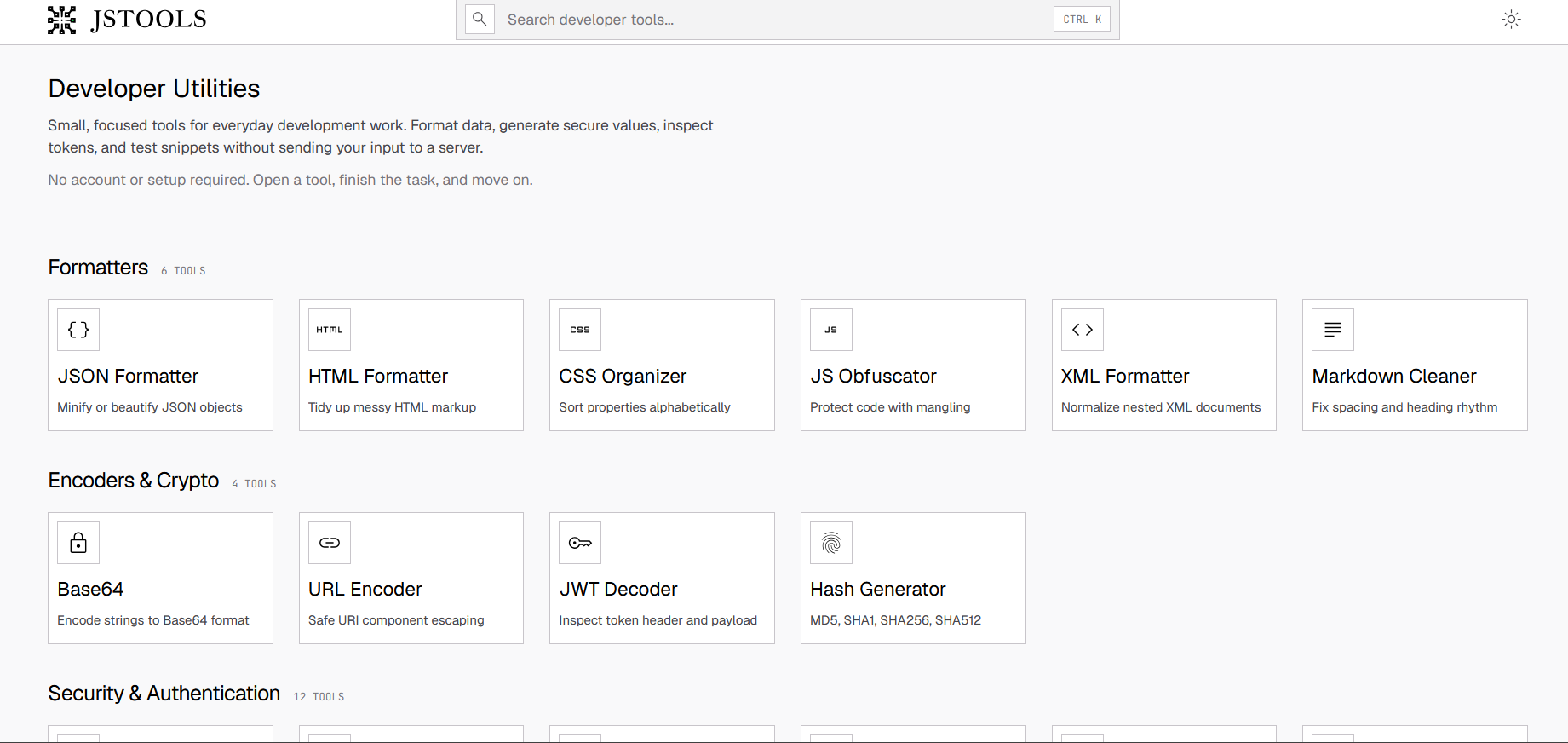
Free browser-based suite of developer utilities (JSON/HTML validation, Base64, JWT inspection, password generation) that avoids uploading data.

FreeNo sign-upData stays with you
What to know
How it works
Most processing happens client-side so code, tokens, and credentials aren't sent to a server
Pricing
free, no account
Best for
Developers needing quick formatting/encoding utilities without exposing sensitive data

Watched for 4 days · last checked today
Details →

Lets people using multiple AI chatbots reuse the same project context instead of rewriting it each time they switch platforms.

FreeData stays with youOpen source
What to know
Pricing
free, open-source

Watched for 1 day · last checked 1d ago

Details →

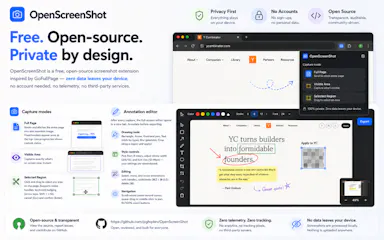
Free Chrome extension for taking full-page or region screenshots with an annotation editor, processed entirely on your device.

FreeData stays with youOpen sourceCan export my data
What to know
How it works
capture full-page, region, or visible-area screenshots, then annotate with undo/redo and export to PDF
Pricing
free, open source
Watch out
Chrome extension only

Watched for 6 days · last checked today

Details →

A free Chrome extension that boosts individual tab volume up to 600% with per-tab memory and a built-in equalizer, all processed locally on your device.

FreeData stays with youNo subscriptionNo ads
What to know
How it works
A Chrome extension that boosts the volume of individual tabs up to 600%, with per-tab volume memory, a built-in equalizer, and keyboard shortcuts, processing audio locally on-device.
Pricing
Free forever, no ads or subscriptions.
Best for
People who need louder audio on specific Chrome tabs with quiet source audio.

Watched for 13 days · last checked 7d ago

Details →

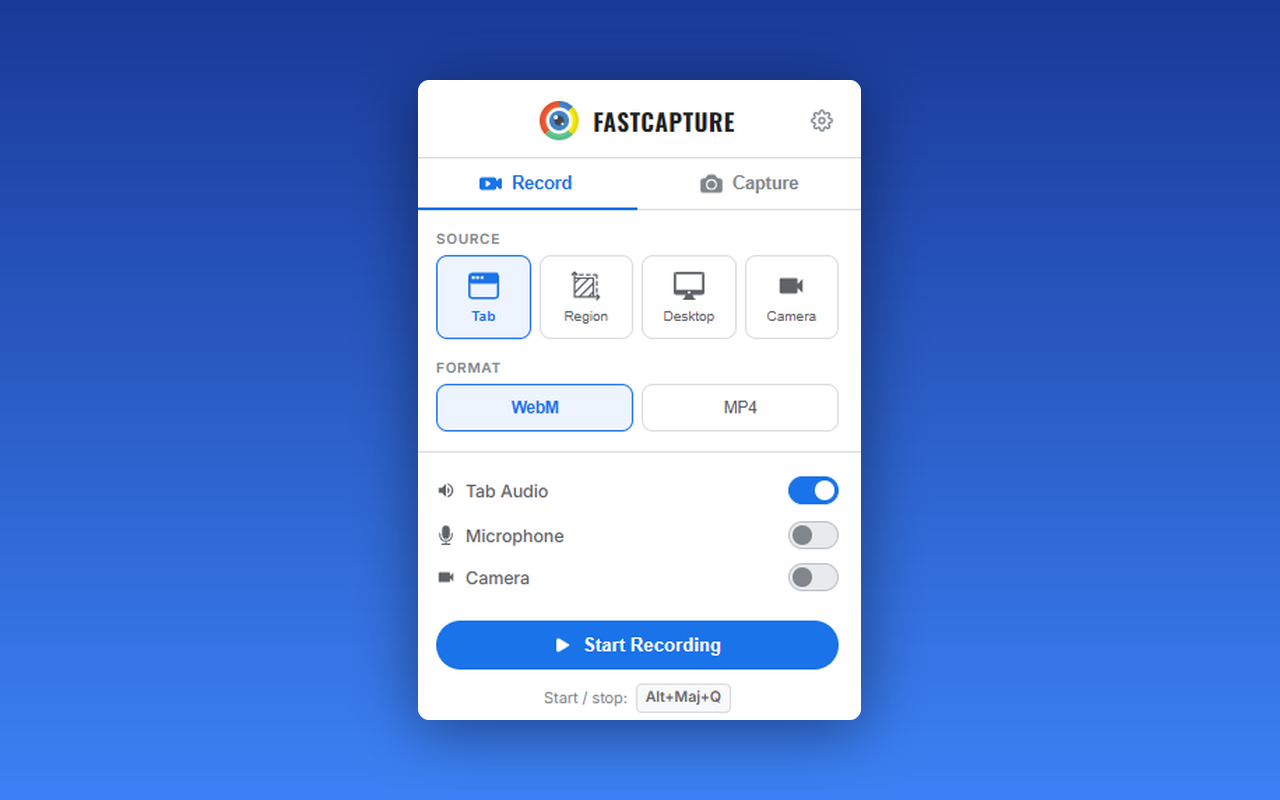
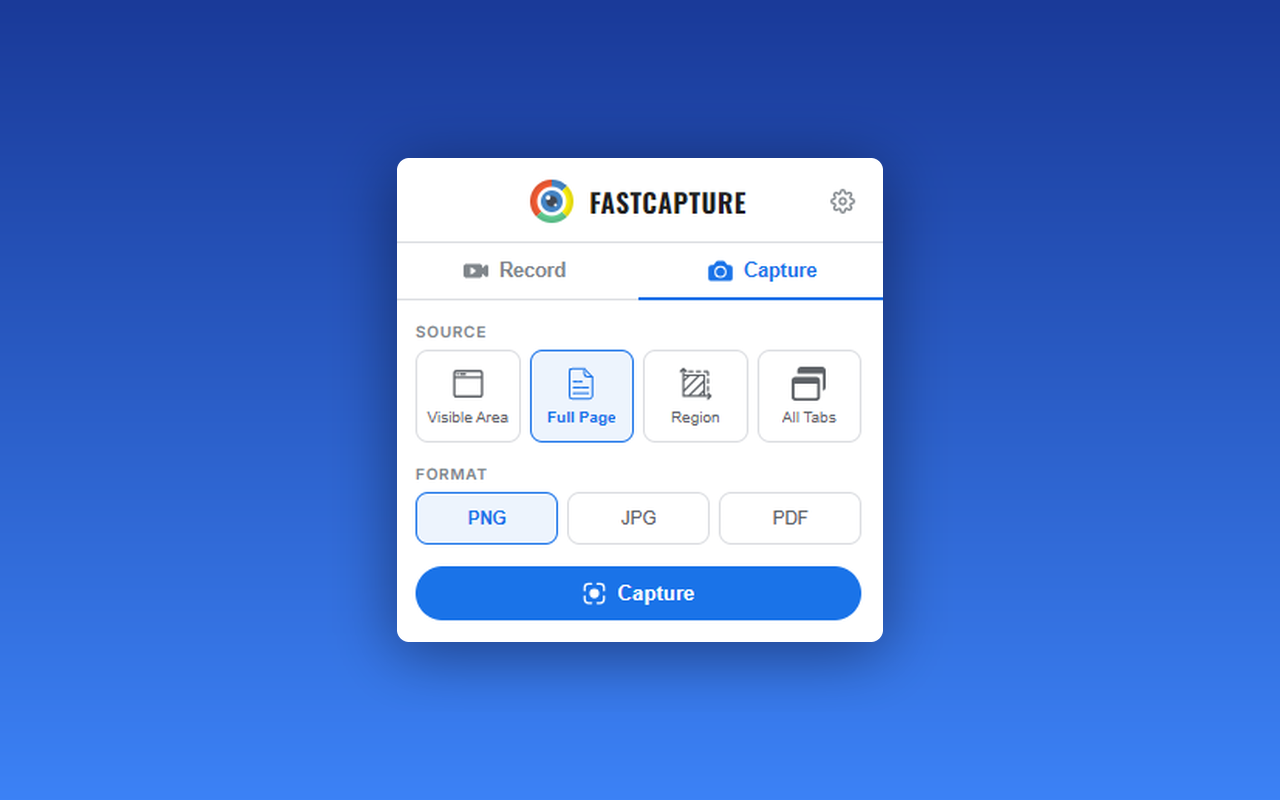
A free Chrome extension for screen and webcam recording, screenshots, and on-page annotation that runs entirely in your browser with no signup or uploads.

FreeNo sign-upWorks offlineData stays with you
What to know
How it works
A Chrome extension for recording your screen or webcam, taking full-page and region screenshots, and annotating directly on the page.
What's different
No signup, no watermark, no upload — everything runs locally in the browser.
Pricing
Free.
Best for
Anyone who wants quick screen capture and annotation without creating an account or uploading footage anywhere.

Watched for 18 days · last checked 9d ago

Details →

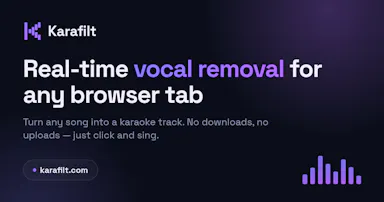
A Chrome extension that strips vocals from any song playing in your browser to make an instant karaoke track, processed locally for free with no uploads or downloads.

FreeData stays with you
What to know
How it works
Strips vocals from any song playing in Chrome to turn it into an instant karaoke track, with all processing done locally in the browser.
Pricing
Free.
Best for
People who want to sing karaoke to whatever song is already playing in their browser without downloading or uploading files.

Watched for 17 days · last checked 8d ago

Details →

A free Chrome extension that lists every subscription you pay for and warns you before renewals, with no bank linking, no sign-up, and no data leaving your browser.

FreeNo sign-upData stays with you
What to know
How it works
A Chrome extension that lists every subscription you pay for, shows total monthly and yearly spend on a dashboard, and sends renewal reminders before a subscription renews.
What's different
Works without linking your bank account or signing up, with no data leaving your browser.
Pricing
Free.
Best for
People who want to track subscription spending and avoid surprise renewals without connecting their bank.

Watched for 13 days · last checked 2d ago

Details →

A free Chrome extension that uses AI to auto-map supplier CSV, Excel or PDF files to Shopify's import format entirely in the browser, for merchants tired of manually matching inventory spreadsheets.

FreeData stays with you
What to know
How it works
Reads supplier CSV, Excel or PDF files, uses AI to auto-map columns to Shopify's import format, and outputs a ready-to-import CSV, all processed locally in the browser.
What's different
Inventory data never leaves the browser.
Pricing
Free for the first 5 files.
Best for
Shopify sellers manually matching supplier inventory files to Shopify's strict CSV template.

Watched for 12 days · last checked 8d ago

Details →

A Chrome extension that bulk-deletes your Instagram posts, likes, and comments locally in the browser to clean up your digital footprint.

Works offlineData stays with you
What to know
How it works
Automates bulk deletion of Instagram posts, likes, and comments entirely within the browser.
Watch out
100% local, no data uploaded.

Watched for 12 days · last checked 8d ago

Details →

A Chrome extension that takes full-page screenshots entirely in your browser, with no uploads or accounts.

Works offlineData stays with youNo tracking
What to know
How it works
Auto-stitches long pages and hides cookie banners/popups before capture
What's different
Runs 100% locally, no server or account needed
Pricing
Not stated
Best for
Developers and designers who need clean full-page captures privately

Watched for 4 days · last checked 3d ago

Details →

A Chrome extension that pairs each proxy with a matching device fingerprint so multiple accounts aren't linked — built for people running many accounts at once, like agencies or affiliates.

Data stays with you
What to know
How it works
Pairs each proxy with a coherent, country-matched device fingerprint (timezone, language, WebGL, canvas, Client Hints) plus WebRTC protection, and lets you bulk-import proxies into ready profiles.
What's different
Pairs proxy and fingerprint together in one tap, unlike simple proxy tools or complex anti-detect browsers.
Best for
People running multi-account workflows, such as agencies or affiliates, who need accounts to stay unlinked.

Watched for 17 days · last checked 11d ago

Details →

A Chrome extension that watches web pages for changes and notifies you instead of manually refreshing, keeping your data local rather than sending it to a cloud service.

Data stays with you
What to know
How it works
A Chrome extension that watches web pages for changes in the background and sends a browser notification the moment something changes, with customizable trigger rules.
What's different
Runs quietly in the background instead of you manually refreshing pages, and keeps data local.
Best for
People tracking specific pages (like restocks or price changes) without repeatedly checking them.
Watch out
A Chrome-only extension.

Watched for 13 days · last checked 10d ago

Details →

A Chrome screenshot and annotation tool that runs entirely locally with five capture modes and eight annotation tools, instead of uploading screenshots to a cloud service.

FreeNo sign-upWorks offlineData stays with you
What to know
How it works
Captures screenshots (visible, full page, region, element, timed) and adds annotations such as arrows, shapes, text, and blur, locally in the browser.
Pricing
Free tier with all modes and tools, no watermark; Pro is a $39 one-time purchase for extra formats and history.
Watch out
About 50KB, built with vanilla JS.

Watched for 13 days · last checked 9d ago

Details →

A Chrome extension that bundles a screenshot or recording with console logs, network requests and environment info into one bug report, entirely on your machine. Built for developers and QA.

Domain registered 1 month ago

Works offlineData stays with youCan export my data
What to know
How it works
A Chrome extension that captures a screenshot or video recording along with console logs, network requests and environment info, bundling them into one paste-ready bug report; can export a video to webm or a full HTML report.
What's different
Runs 100% locally — nothing leaves your machine.
Best for
Developers and QA testers who need a complete, shareable bug report without manually collecting logs and screenshots.

Watched for 14 days · last checked 2d ago

Details →

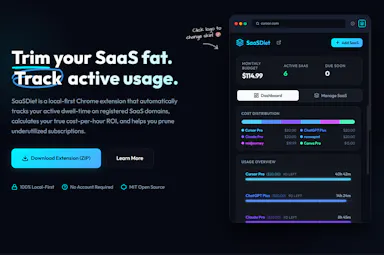
A privacy-first Chrome extension that tracks which SaaS subscriptions you actually use and their cost-per-hour ROI, so you can cancel the ones wasting money, all processed locally.

Works offlineData stays with you
What to know
How it works
A Chrome extension that runs silently in the background to monitor when you're active on SaaS tabs, then shows real-time usage stats, cost-per-hour ROI, and quick cancellation links for underused subscriptions.
What's different
100% local-first processing rather than sending browsing data to a server.
Best for
People who suspect they're paying for SaaS subscriptions they barely use and want data to decide what to cancel.

Watched for 15 days · last checked 2d ago

Details →

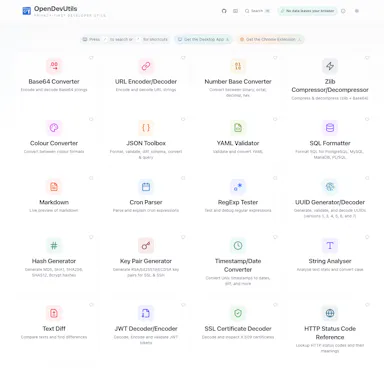
Privacy-first developer utilities — JWT decode, JSON format, Base64, UUIDs, timestamps, diff, cron, regex, SQL formatting — as a web app, desktop app or Chrome extension, all running locally.

Data stays with you
What to know
How it works
A set of developer utilities — JWT decoding, JSON formatting, Base64 conversion, UUID generation, timestamp conversion, text diff, cron parsing, regex testing, SQL formatting — available as a web app, desktop app or Chrome extension.
What's different
All processing happens locally on your device; no data is uploaded.
Best for
Developers who want quick utility tools without sending pasted data to a server.

Watched for 16 days · last checked 2d ago

Details →

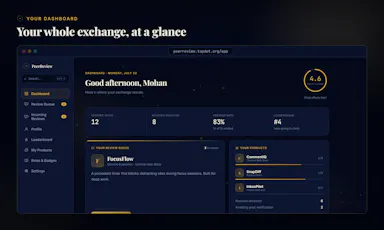
A swap network where indie makers trade honest reviews on each other's live store listings, for developers who need real reviews on Chrome Web Store or Product Hunt.

FreeData stays with you
What to know
How it works
List your product, review one from the pool, get one back
What's different
reviews verified by a real person, not bots
Pricing
free
Best for
indie developers needing store credibility

Watched for 6 days · last checked today

Details →

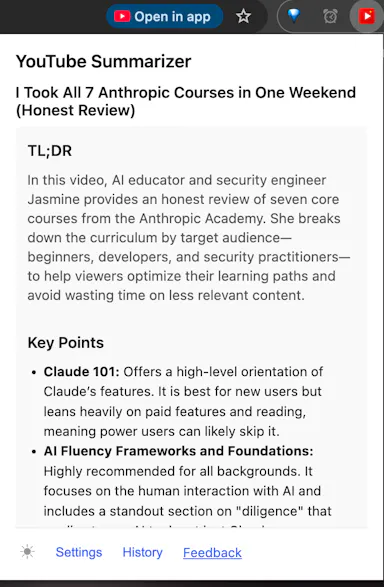
Chrome extension that summarizes YouTube videos using your own AI API key instead of a paid subscription service.

Data stays with you
What to know
How it works
Bring your own key for Gemini, OpenAI, Claude, DeepSeek, or Grok; runs as a browser extension.
What's different
No accounts or servers — your key, your data.
Best for
People who already pay for an AI API and want to avoid a separate summarizer subscription.

Watched for 5 days · last checked today

Details →

IG DM

Live

A Chrome extension that automates bulk Instagram DMs to followers, likers or commenters instead of sending them one by one by hand. Built for marketers and growth operators running outreach campaigns.

Data stays with you
What to know
How it works
A Chrome extension that automates bulk Instagram DMs to followers, following, post likers, post commenters, or a custom username list, including auto-DMing new followers or likers in real time.
What's different
Uses spin-syntax message templates for varied delivery and built-in deduplication so the same user isn't DM'd twice; no Instagram password required.
Best for
Instagram marketers, small business owners and growth operators scaling outreach via DM.

Watched for 16 days · last checked 10d ago

Details →

A Chrome extension for saving and one-click switching between multiple login sessions on the same site.

Data stays with youNo tracking
What to know
How it works
Saves and restores multiple login sessions for the same website, letting you switch accounts with one click, stored locally with no cloud sync.
Best for
Developers, freelancers, marketers and QA engineers managing multiple accounts on the same site.

Watched for 3 days · last checked 2d ago

Details →

AI planner living in Chrome's side panel and new tab, covering daily/weekly/monthly planning with Google Calendar and Tasks integration.

Data stays with you
What to know
How it works
Lives in the Chrome side panel and new tab; Gemini AI writes planning briefs and routes typed or spoken quick capture to daily/weekly/monthly sections, with Google Calendar and Tasks shown inline.
What's different
Unlike planners that live in a forgotten separate app, it's one click away in the browser.
Best for
People who want planning integrated with Google Calendar and Tasks.

Watched for 3 days · last checked 2d ago

Details →

A password manager built on the open, KeePass-compatible KDBX format, storing logins, passkeys, cards and TOTP codes in one encrypted vault with Face ID autofill.

Domain registered 3 months ago

Data stays with youNo adsNo tracking
What to know
How it works
Stores logins, passkeys, credit cards, secure notes and TOTP codes in an encrypted vault, built on the open KDBX format compatible with KeePass and KeePassXC, with one-tap AutoFill and Face ID across iPhone, iPad, Mac, Windows and Linux.
What's different
Uses the open KDBX format instead of a proprietary vault, so you're not locked into one vendor, with zero-knowledge on-device encryption before sync.
Best for
People wanting a KeePass-compatible password vault across Apple, Windows and Linux devices without vendor lock-in.

Watched for 13 days · last checked 2d ago

Details →

A Chrome extension that scans pages you visit and flags matching Homebrew packages you can install. Aimed at developers who use Homebrew on macOS, positioned as privacy-first.

Data stays with you
What to know
How it works
A Chrome extension that scans the pages you browse and detects matching Homebrew formulae and casks as you go.
What's different
Positioned as privacy-first, with the description noting it avoids uploading data.
Best for
Developers on macOS who use Homebrew and want relevant packages surfaced while browsing.

Watched for 13 days · last checked 10d ago

Details →