Tools that don't upload your dataRuns on iPhone

39 match your filters — 37 of them answered our check today.

Watching this group for 18 days · how we check

This week15 new arrivals

SASYA

Live

Offline on-device plant identification app focused on Indian and Southeast Asian species, with no photo upload required.

Domain registered 1 month ago

FreeWorks offlineData stays with you
What to know
How it works
Runs a vision model entirely on-device to identify plants in under a second, even offline
What's different
India/SE-Asia-first plant database with regional names in 9+ languages; photos never leave the phone
Pricing
free on iOS, Android coming soon
Best for
Hikers or gardeners in India/SE Asia needing offline plant ID

Watched for 4 days · last checked 4d ago

Details →

LeLuca

Live

Records and transcribes Mac meetings entirely on-device, then turns them into searchable AI notes, for people who don't want audio leaving their machine.

FreeWorks offlineData stays with youCan export my data
What to know
How it works
records mic+system audio, transcribes locally with Whisper, generates TL;DR/decisions/action items
What's different
100% on-device transcription, optional bring-your-own ChatGPT/Claude for notes
Pricing
free on Mac App Store
Best for
Mac users who need private meeting notes

Watched for 4 days · last checked today

Details →

An iOS-only period and cycle tracker that stores all data locally on your device and syncs only through your private iCloud, with no third-party servers.

FreeData stays with you
What to know
How it works
logs symptoms in a strictly chronological daily timeline
What's different
zero third-party servers, encrypted local storage, syncs via personal iCloud only
Pricing
free

Watched for 5 days · last checked today

Details →

An iPhone break-timer app that uses phone sensors to verify you actually moved — squats, steps, stretches — instead of just reminding you.

Works offlineData stays with you
What to know
How it works
uses iPhone sensors to confirm completion of movement challenges; on-device AI guides neck-roll stretches
What's different
all motion/vision processing stays on-device

Watched for 5 days · last checked today

Details →

Koiven

Live

Turns tracking your water intake into a game where an on-screen aquarium fills and a fish swims as you log drinks.

FreeNo sign-upWorks offlineData stays with you
What to know
How it works
logging a drink raises the on-screen aquarium water level
Pricing
free; Pro unlocks more fish, themes and drink slots
Watch out
offline and private by design, no account; iOS planned but not yet available

Watched for 5 days · last checked today

Details →

Nib

Live

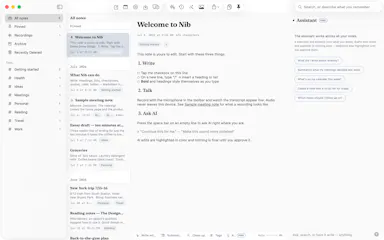
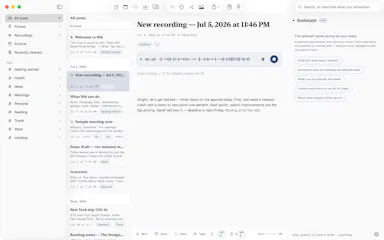
A notes app for iPhone, iPad, and Mac that records and transcribes on-device, then turns meeting audio and handwritten notes into structured minutes with decisions and to-dos you approve as diffs.

FreeWorks offlineData stays with youNo ads
What to know
How it works
On-device transcription keeps audio local; AI restructures transcripts into minutes with editable, diff-based approval.
Pricing
Recording, transcription, and search are free; cloud AI features require Pro.
Best for
People who want private, on-device meeting notes.

Watched for 7 days · last checked 1d ago

Details →

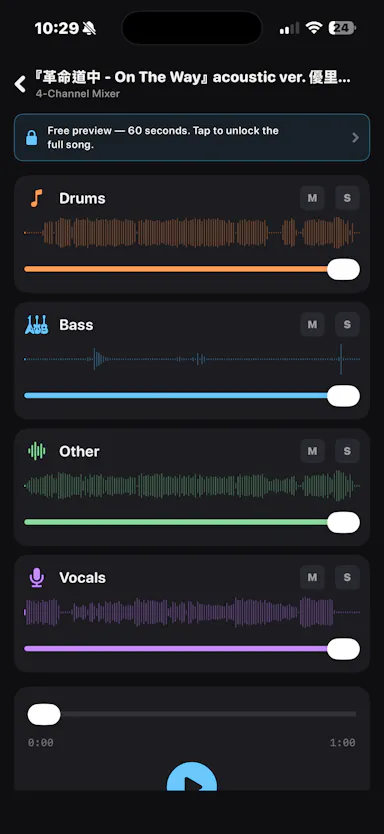
An iOS app that separates any audio track into 4 stems entirely on-device, for musicians who want stem separation without uploading tracks to the cloud.

Works offlineData stays with you

Watched for 2 days · last checked 1d ago

Details →

Trazia

Live

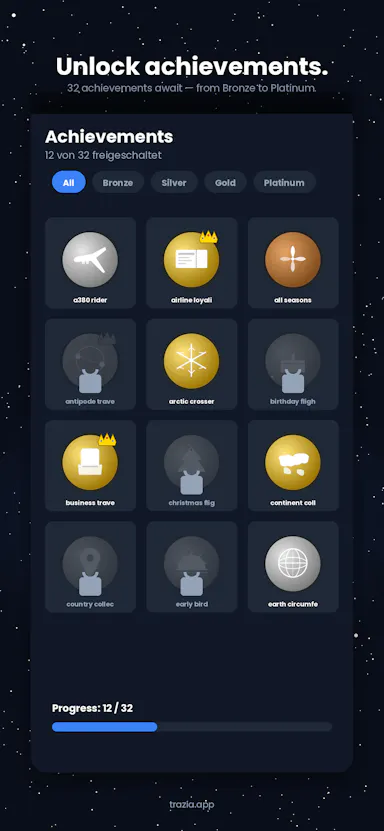
A personal iOS travel logbook that turns flights, trains, hikes, and rides into lines on a 3D globe, for travelers who want to track trips and stats privately without an account.

No sign-upData stays with you
What to know
How it works
Log flights, trains, hikes, and bike rides; each becomes a line on a 3D globe with stats, 32 achievements, and a shareable Year in Review.
Best for
Travelers who want a private, on-device travel log.
Watch out
No account required and data stays on the device, so nothing syncs across devices by default.

Watched for 12 days · last checked 6d ago

Details →

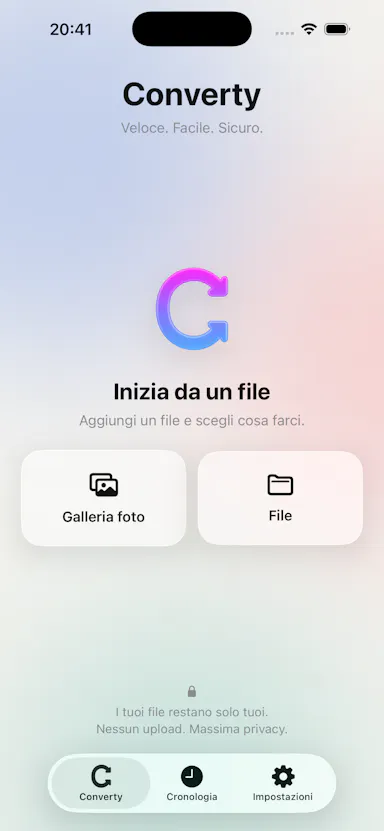
An iPhone app that converts, compresses, and resizes files and strips photo metadata entirely on-device, with no uploads or account.

2 ratings on the App Store

No sign-upData stays with youNo ads
What to know
How it works
on-device file/image conversion and EXIF/GPS stripping
What's different
nothing leaves the device
Pricing
no account, no ads

Watched for 6 days · last checked 4d ago

Details →

Uses your iPhone camera and on-device AI to estimate stress, focus and eye strain in under a minute, nothing uploaded — a wellness check-in with a free trial, not a fully free app.

Works offlineData stays with you
What to know
How it works
Uses the iPhone camera with Apple's Vision framework and HealthKit to read stress signals, focus drift, screen strain and sleep quality via on-device eye-tracking in about 60 seconds.
What's different
Runs entirely on-device with nothing sent to the cloud, and doesn't require an Apple Watch.
Pricing
Free to try.
Best for
iPhone users who want a quick, privacy-preserving wellness check-in.

Watched for 14 days · last checked 8d ago

Details →

A privacy-first iOS invoicing app with no login, no analytics and no servers — everything stays on your device. Free for 3 invoices a month; built for freelancers who don't want SaaS bloat.

FreeNo sign-upData stays with youNo tracking
What to know
How it works
An iOS invoicing app that creates professional PDF invoices in under a minute using three templates, with no login and no servers — all data stays on the device.
What's different
No account, no analytics, no servers — invoice data never leaves the device, unlike typical cloud invoicing SaaS.
Pricing
Free tier: 3 invoices/month forever. Plus unlocks unlimited invoices, all templates, logo, reports and CSV export for $5.99/mo or $39.99/yr.
Best for
Freelancers who want simple, private invoicing without SaaS bloat.

Watched for 13 days · last checked 7d ago

Details →

Turns real exercise reps like squats and push-ups into a Pokemon-style pet that levels up, tracked by on-device camera AI. Aimed at beginners who struggle to stick with fitness apps.

FreeWorks offlineData stays with you
What to know
How it works
On-device camera AI counts your reps as you do exercises like squats or push-ups; each rep gives XP to a pet that levels up and evolves, builds a daily streak, and supports live co-op workouts with a friend.
What's different
No camera footage leaves the phone, and the pet-care habit loop is built for people who drop off other fitness apps rather than for structured training plans.
Pricing
Free.
Best for
Beginners and busy people whose motivation for fitness apps usually dies within a couple of weeks.

Watched for 18 days · last checked 10d ago

Details →

SubKit

Live

An iOS/Apple Watch app that tracks subscriptions and recurring bills with local, private data and reminders to avoid surprise charges.

No sign-upWorks offlineData stays with you
What to know
How it works
Tracks subscriptions, recurring bills, and automatic payments in one dashboard with smart reminders, widgets, and Apple Watch support, storing data privately on-device.
Watch out
iOS and Apple Watch.

Watched for 8 days · last checked 8d ago

Details →

Fixes the iPhone-photo compatibility problem by converting HEIC to PNG locally in your browser, nothing uploaded to a server, no account, no app to install.

Domain registered 7 months ago

FreeNo sign-upNothing to installData stays with you
What to know
How it works
Converts HEIC photos from iPhones/iPads into PNG, JPG or WebP directly in the browser; supports batch conversion of up to 100 files at once with no file-size limits.
What's different
Conversion runs entirely on-device — photos are never uploaded to a server or stored.
Pricing
Free, no sign-up required.
Best for
People who need to convert iPhone HEIC photos for apps, websites or Windows PCs that can't open the format, without uploading personal photos.

Watched for 14 days · last checked 8d ago

Details →

A free browser tool that batch-converts HEIC/HEIF iPhone photos to JPG with no upload, account or size limit — a web tool, not an iOS app.

FreeNo sign-upData stays with you
What to know
How it works
Converts HEIC/HEIF photos to JPG entirely in the browser, with batch conversion and a ZIP download, no upload, account, or file size limit.
Pricing
Free, no account needed.
Best for
iPhone users who need to convert photos to JPG without installing an app or creating an account.

Watched for 13 days · last checked 7d ago

Details →

An iPhone and iPad app that upscales, sharpens and denoises photos entirely on-device so nothing is uploaded to a server - for casual users, not professional photo editors.

4 ratings on the App Store

No sign-upWorks offlineData stays with youNo subscription
What to know
How it works
An iPhone and iPad app that upscales, sharpens, denoises, and deblurs photos using on-device AI enhancement, with a before/after comparison before saving the result back to Photos.
What's different
All processing happens on-device — no server upload, account, ad, or subscription is required.
Pricing
No subscription and no account required (per the product's own description).
Best for
People restoring old, blurry, or low-resolution personal photos who want to keep them off the cloud.

Watched for 18 days · last checked 2d ago

Details →

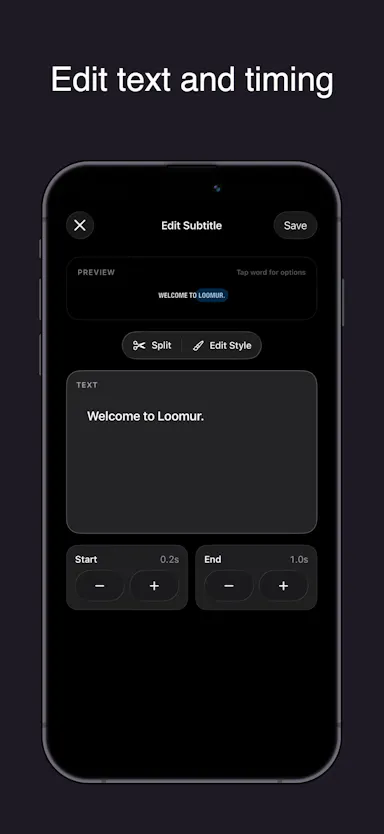
Auto-generates styled subtitles for short vertical videos directly on your iPhone using on-device AI — nothing is uploaded to a server.

Works offlineData stays with you
What to know
How it works
Generates stylish subtitles for short-form vertical videos directly on iPhone using on-device AI transcription; lets you edit text, highlight keywords, choose caption styles, and adjust placement before sharing.
What's different
Transcription happens entirely on-device, so no video is uploaded to a server.
Best for
Creators making stories, vlogs, or social content who want captions without uploading footage anywhere.

Watched for 17 days · last checked 8d ago

Details →

An iOS-only mileage tracker that auto-detects trips and syncs to your own iCloud instead of the maker's servers — no account, no ads, a cheaper privacy-first MileIQ alternative.

4 ratings on the App Store

No sign-upData stays with youNo ads
What to know
How it works
Automatically detects trips on iOS and syncs mileage logs to the user's own iCloud instead of the maker's servers.
What's different
No account, no ads, no third-party servers — data stays in the user's own iCloud, at a fraction of MileIQ's price.
Best for
iPhone users tracking mileage who want a cheaper, privacy-first alternative to MileIQ.

Watched for 14 days · last checked 2d ago

Details →

Edit text and images inside a PDF on your iPhone, entirely offline with no account or subscription — real local PDF editing without cloud uploads.

No sign-upWorks offlineData stays with youNo subscription
What to know
How it works
Edits PDF text, images and vector objects directly on the iPhone: tap text to move or retype it, drag handles to resize images, merge multiple PDFs, delete pages from a thumbnail grid, and open or password-protect encrypted PDFs.
What's different
All processing happens locally on the device — no cloud upload, subscription or sign-in required.
Best for
iPhone users who need to genuinely edit PDF text and images without uploading files to a cloud service.

Watched for 18 days · last checked 2d ago

Details →

A desktop packet-capture and network-debugging tool for Windows and macOS that can mirror traffic live from a paired iOS or Android app, keeping all data on-device. For developers.

Data stays with you
What to know
How it works
A desktop packet capture and network debugging tool for Windows and macOS that captures and decrypts HTTP/HTTPS traffic, inspects JSON/XML/HTML, compares requests/responses, and replays requests to reproduce bugs. Pairs with a mobile PCP app to mirror traffic live from Android and iOS devices.
What's different
Mirrors mobile device traffic to the desktop in real time without requiring root or jailbreak on the mobile device.
Best for
Developers debugging network traffic across desktop and mobile apps.
Watch out
All data stays on the user's device and is never uploaded to a server.

Watched for 13 days · last checked 7d ago

Details →

Hovor

Live

Voice dictation for Mac and iPhone that runs fully on-device so your voice never leaves your hardware, with multilingual support and a lifetime-purchase option instead of a subscription.

Works offlineData stays with youNo subscription
What to know
How it works
Hold a hotkey, speak, and structured text lands where your cursor is in any app on Mac and iPhone, using on-device models that fix punctuation and structure and support multilingual speech, a personal dictionary, snippets and workflows.
What's different
On-device processing means your voice never leaves your hardware.
Pricing
Free tier included, plus lifetime unlocks instead of a forced subscription.
Best for
Mac and iPhone users who want private, offline voice dictation across apps.

Watched for 18 days · last checked 2d ago

Details →

Turns calendar meetings into full-screen iOS alarms that ring through Silent/Focus with one-tap join, instead of missing meetings from silenced notifications, with your calendar never leaving the device.

No sign-upData stays with youNo tracking

Watched for 2 days · last checked 1d ago

Details →

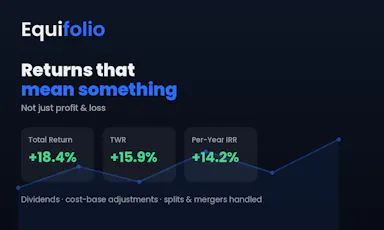
Tracks your entire net worth — stocks, crypto, property, pensions — in one private app that never uploads your data.

Data stays with youNo ads
What to know
How it works
Aggregates multiple asset types with live/delayed prices, dividends, and return metrics like TWR and IRR
What's different
Data stays on-device, no ads or data selling
Pricing
14 days free, then a low-cost yearly subscription
Best for
People juggling several separate portfolio/tracking apps

Watched for 4 days · last checked 3d ago

Details →

Sends files and clipboard text directly between devices over encrypted peer-to-peer connections, no account or cloud storage.

Data stays with you
What to know
How it works
WebRTC transfer with end-to-end AES-256 encryption via QR code or link
What's different
No sign-up, no upload limits
Best for
quick cross-device transfers across Windows, macOS, Linux, iOS, Android

Watched for 4 days · last checked 3d ago

Details →

A local-first notebook combining handwriting, rich documents and PDF markup in one workspace, for students and professionals tired of juggling multiple note apps.

Works offlineData stays with youNo adsNo tracking
What to know
How it works
A local-first notebook combining handwriting (ink, pens, highlighters, shapes, lasso selection), rich text boxes, tables, images, audio memos, and PDF import with searchable text, all on a multi-page canvas organized with folders and tags.
What's different
Combines handwriting, structured documents and PDF markup in one workspace instead of forcing a choice between separate apps, without ads or tracking SDKs.
Best for
Students, professionals and creators who currently juggle multiple note apps and want handwriting, documents and PDF annotation in one place.

Watched for 18 days · last checked 2d ago

Details →

An on-device iOS/macOS app that cleans up text copied from any AI chatbot before you paste it, processing everything locally with no cloud calls, accounts, or tracking.

Works offlineData stays with youNo tracking
What to know
How it works
Copy text from any AI chatbot, and the app cleans and reformats it entirely on-device before you paste it anywhere.
What's different
Uses Apple's local FoundationModels API for Apple Intelligence refinement, never the cloud.
Best for
iOS and macOS users who paste AI-chatbot output and want it correctly formatted without sending text to a cloud service.

Watched for 7 days · last checked 5d ago

Details →

Monelo

Live

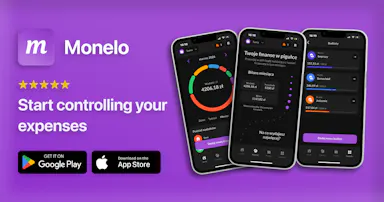
Free offline-first personal finance app for tracking budgets, expenses, multiple wallets and currencies and savings goals without connecting a bank account.

FreeWorks offlineData stays with you
What to know
How it works
tracks budgets with multiple categories, multiple wallets and currencies, and savings goals with a recurring-transaction planner, all offline
Pricing
free
Watch out
does not sell or share user data

Watched for 11 days · last checked 8d ago

Details →

A free PDF editor that runs entirely in your browser — edit text, add signatures, annotate — with no sign-up, no install and no upload, since files are processed locally.

FreeNo sign-upNothing to installData stays with you
What to know
How it works
Edits existing PDF text directly in the browser, adds images and signatures, and highlights and annotates documents, then exports without a watermark.
What's different
Every document is processed locally on the device with no file upload, no sign-up, and no installation.
Pricing
Free.
Best for
People who want to edit or sign a PDF quickly without creating an account or uploading the file anywhere.
Watch out
Works on desktop, iPhone, and Android, since local, upload-free processing depends on browser/device support.

Watched for 13 days · last checked 11d ago

Details →

A dead-simple iPhone scanner app that works entirely offline with no account or cloud, and nothing leaving your device. Free with ads; one-time purchase removes them.

FreeNo sign-upWorks offlineData stays with you
What to know
How it works
Scans documents on iPhone by snapping a photo or importing one, then produces a clean PDF that can be sent by email, WhatsApp or printed. Runs entirely offline with no account and no cloud upload.
What's different
Designed with big buttons and plain language for people who don't live on their phone, and everything stays on-device.
Pricing
Free with ads; a one-time purchase removes ads, no subscription.
Best for
iPhone users who want a simple, private document scanner without setting up an account.

Watched for 17 days · last checked 8d ago

Details →

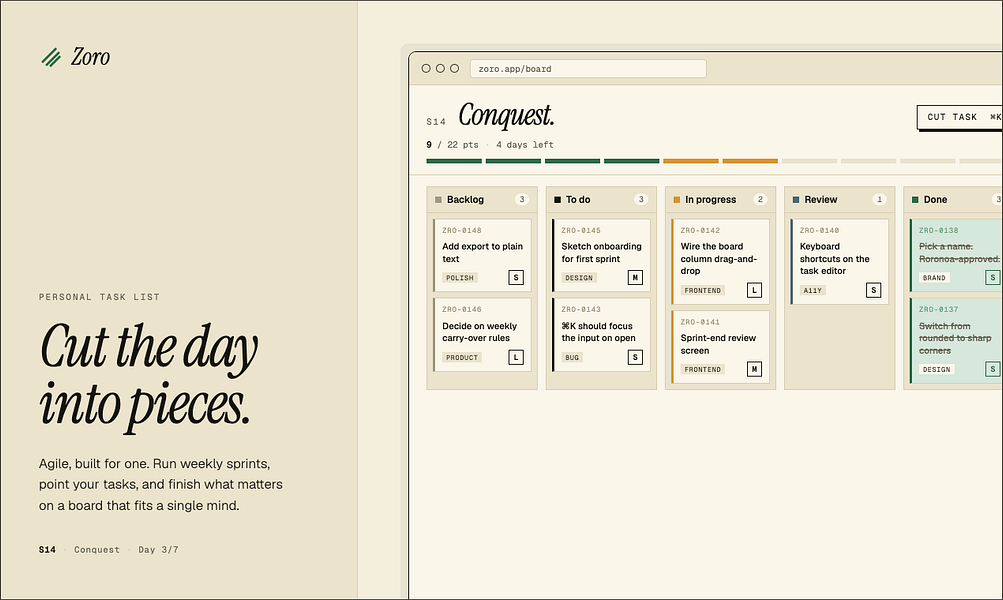
Zoro

Live

A one-time-purchase task app for solo workers that applies agile concepts like backlog, priority, and kanban to personal work, syncing via CloudKit with no account or server.

Domain registered 2 months ago

FreeNo sign-upData stays with youNo subscription
What to know
How it works
Syncs across iOS, macOS, and web through CloudKit only, with no signup and no backend server.
Pricing
One-time purchase of $59.99 for lifetime use.

Watched for 7 days · last checked 1d ago

Details →

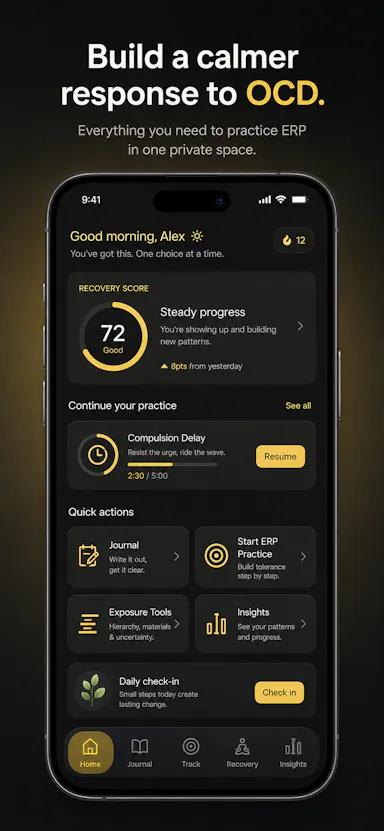
Private OCD/ERP tracker across desktop and mobile that logs obsessions, compulsions, triggers and exposure practice with no cloud sync.

Domain registered 20 days ago

No sign-upWorks offlineData stays with youNo ads
What to know
How it works
Tracks obsessions, compulsions, mood and exposure exercises across iOS/Android/desktop
What's different
No accounts, no cloud sync — data stays on-device
Best for
People doing ERP therapy who want a private tracking journal

Watched for 6 days · last checked today

Details →

Android app for storing and analyzing personal or family health records entirely on-device, with no cloud or account.

Domain registered 15 months ago

No sign-upWorks offlineData stays with you
What to know
How it works
Stores and gives AI-powered insights on personal or family health and lab records entirely on your Android device, with no cloud or account.
Watch out
iOS version is on the roadmap.

Watched for 10 days · last checked 4d ago

Details →

Turns bank statement PDFs into categorized spending, a cash-flow forecast and visual breakdowns, processed on your device, without ever linking to your actual bank account.

FreeData stays with youCan export my data
What to know
How it works
Users upload bank or credit card statement PDFs, and the app categorizes transactions, generates a spending narrative, visualizes cash flow with a Sankey diagram, and runs a 30-day cash flow forecast, all processed locally on the device.
What's different
Never connects to your bank account or requires bank logins — works entirely from uploaded statement PDFs, processed on-device.
Best for
People who want spending insights and forecasts from their bank statements without linking accounts, including those who want raw CSV/Excel exports.
Watch out
Requires manually uploading statement PDFs rather than live bank data, so it's only as current as the last statement uploaded.

Watched for 18 days · last checked 2d ago

Details →

Private expense tracker based on the 50/30/20 budgeting rule, no login, one-time payment.

No sign-upData stays with youPay onceNo subscription
What to know
How it works
Tracks expenses around the 50/30/20 budgeting rule with smart budgeting, monthly insights, recurring transactions and PDF export, storing data only on the device.
Pricing
One-time payment, no subscription.
Best for
People wanting a private expense tracker with no login.

Watched for 3 days · last checked 2d ago

Details →

An iPhone and Apple Watch app pairing CBT-based habit tools with fitness, fasting and progress tracking, pitched as privacy-first for personal use.

Data stays with you
What to know
How it works
Combines CBT-based habit-building tools with fitness, fasting, and progress tracking on iPhone and Apple Watch.
Best for
iPhone and Apple Watch users who want habit and mood tools alongside their fitness tracking in one privacy-first app.

Watched for 18 days · last checked 2d ago

Details →

Ginti

Live

Reads the transaction alerts your bank already sends and turns them into categorized expenses, so you never hand over your online banking login to a budgeting app.

Domain registered 6 months ago

Data stays with you
What to know
How it works
Reads the transaction alerts your bank and payment apps already send, uses AI to extract the amount, merchant, and category, and turns each into an expense card you approve with a swipe — without connecting to your bank account.
What's different
Never requires a bank login; works from notification alerts instead, and processes/stores data on-device.
Best for
People who want automatic expense tracking without handing a budgeting app their online banking credentials.
Watch out
On iOS there's no auto-detection of bank notifications — you have to paste the alert manually into Smart Paste.

Watched for 11 days · last checked 11d ago

Details →

A password manager built on the open, KeePass-compatible KDBX format, storing logins, passkeys, cards and TOTP codes in one encrypted vault with Face ID autofill.

Domain registered 3 months ago

Data stays with youNo adsNo tracking
What to know
How it works
Stores logins, passkeys, credit cards, secure notes and TOTP codes in an encrypted vault, built on the open KDBX format compatible with KeePass and KeePassXC, with one-tap AutoFill and Face ID across iPhone, iPad, Mac, Windows and Linux.
What's different
Uses the open KDBX format instead of a proprietary vault, so you're not locked into one vendor, with zero-knowledge on-device encryption before sync.
Best for
People wanting a KeePass-compatible password vault across Apple, Windows and Linux devices without vendor lock-in.

Watched for 13 days · last checked 2d ago

Details →

A map-based expense tracker with on-device OCR that computes Schedule C tax deductions for the self-employed.

Domain registered 4 months ago

Works offlineData stays with you
What to know
How it works
One tap on a map captures an expense, OCR reads the receipt, and the Schedule C deduction is computed on-device.
What's different
Financial data never leaves your mobile device — SQLCipher-encrypted and local-only.
Watch out
Coming Q2 2026 to iOS and Android.

Watched for 10 days · last checked 4d ago

Details →