Tools that don't upload your dataRuns on Mac

24 match your filters — 23 of them answered our check today.

Watching this group for 18 days · how we check

This week13 new arrivals

Narrow it down

Hoolo

Live

A macOS app that organizes files with custom rules, dry-run previews, undo, and duplicate cleanup, keeping everything local instead of uploading it.

Data stays with you
What to know
How it works
Organizes files on macOS using editable, rule-based automation, live folder monitoring, duplicate review, Trash policies and app leftover cleanup. Every change can be previewed with a Dry Run before applying, and applied actions can be undone from snapshots.
What's different
Everything runs locally rather than uploading files, and every action is reversible via snapshots.
Best for
Mac users who want automated file organization but don't want an opaque, unreversible cleanup tool.

Watched for 16 days · last checked 2d ago

Details →

A Mac app that watches your posture, eye strain, and stress via webcam while you work and nudges you before it becomes a problem.

Works offlineData stays with you
What to know
How it works
On-device computer vision monitors posture, eye health, and stress signals during screen work
What's different
Focuses on how screen time affects your body, not just how long you've used the screen
Best for
People doing long hours of screen-based work (coding, writing, meetings)
Watch out
Mac only currently, Windows launching soon

Watched for 6 days · last checked today

Details →

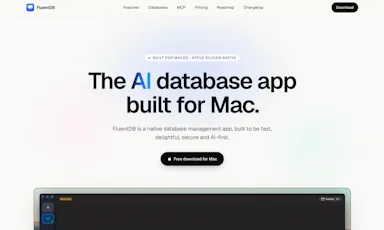
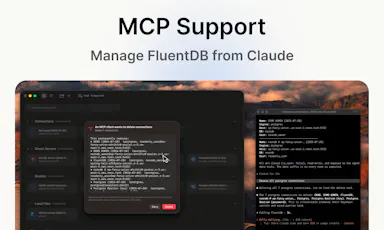
An AI-assisted SQL client for developers who want query help without sending their actual data to a cloud model.

Data stays with you
What to know
How it works
Models see your schema, not your data; every AI-generated SQL query requires approval by default.
Best for
Developers using Postgres/MySQL/SQLite/SQL Server on Mac.
Watch out
Mac-only for now.

Watched for 2 days · last checked 2d ago

Details →

Pandia

Live

Native desktop app for opening and editing multi-gigabyte JSON files instantly, for developers who hit size limits in browser-based JSON viewers.

FreeWorks offlineData stays with youOpen source
What to know
How it works
Opens huge files with no upload, shows JSON as Tree, Code, Grid, Graph, or Compare views, generates types for 9 languages.
What's different
Handles multi-gigabyte files offline where most JSON tools choke or require upload.
Pricing
Free
Watch out
Desktop-only (macOS, Windows, Linux).

Watched for 5 days · last checked today

Details →

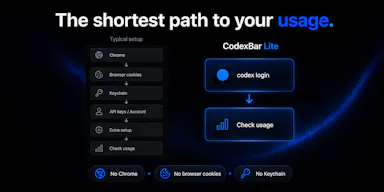
Lets developers monitor their OpenAI Codex usage from the macOS menu bar instead of checking a web dashboard, using only their existing CLI session.

Data stays with youOpen source

Watched for 1 day · last checked 1d ago

Details →

Generates a 3D model from a single image entirely on-device using WebGPU, with no server uploads or accounts needed — an open-source tool for developers experimenting with local image-to-3D generation.

Works offlineData stays with youOpen source
What to know
How it works
Generates a 3D model from a single image entirely on-device using WebGPU compute in the browser, with no server uploads or accounts.
What's different
Open source and runs locally via WebGPU rather than requiring cloud GPU processing, also deployable on Vercel for instant testing.
Best for
Developers experimenting with local, private image-to-3D generation.

Watched for 10 days · last checked 4d ago

Details →

An open-source, template-based design tool for building App Store and Play Store screenshots, feature graphics, and preview videos entirely in your browser or desktop app, with no account or upload required.

Domain registered 13 days ago

FreeNo sign-upData stays with youOpen source
What to know
How it works
pick a template, drop in your app screens, and export every required store size, including MP4 previews
What's different
an optional AI agent can build the whole listing from raw screenshots
Best for
app developers and designers preparing store listings

Watched for 7 days · last checked 6d ago

Details →

A macOS menu-bar app that translates on-screen text and system audio in real time using on-device OCR and local speech recognition, for videos, meetings, or games.

Works offlineData stays with you
What to know
How it works
Lets you drag-select a screen area for an on-device OCR translation overlay, or capture system audio for live, locally-recognized speech translation, supporting 15+ languages.
Best for
Mac users who want instant translation of on-screen content or audio without switching windows.

Watched for 7 days · last checked 7d ago

Details →

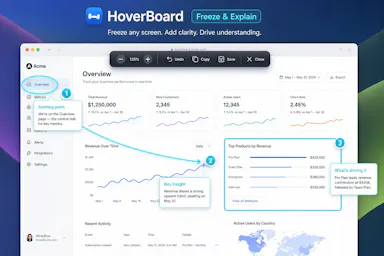
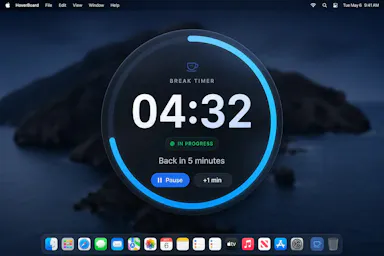
A macOS menu bar app that gives presenters five hotkey-triggered tools — draw, freeze-and-explain, whiteboard, break timer, and cursor highlight — over Zoom, Meet, or Teams.

Domain registered 1 month ago

No sign-upWorks offlineData stays with you
What to know
How it works
Runs as a native macOS menu bar app with global hotkeys for its five presenting tools; keeps data on the Mac with no account or cloud.
Best for
People presenting over video calls who want lightweight on-screen annotation tools.

Watched for 12 days · last checked 6d ago

Details →

A free screen recording app for Windows, macOS, Linux, and web that automatically zooms the cursor on clicks, processing everything on-device without upload.

FreeNo sign-upWorks offlineData stays with you
What to know
How it works
Highlights the cursor and auto-zooms on clicks during recording, with no upload or account required to start.
Pricing
Free.
Best for
People who want a directed-looking screen recording without manual editing or cloud upload.

Watched for 12 days · last checked 6d ago

Details →

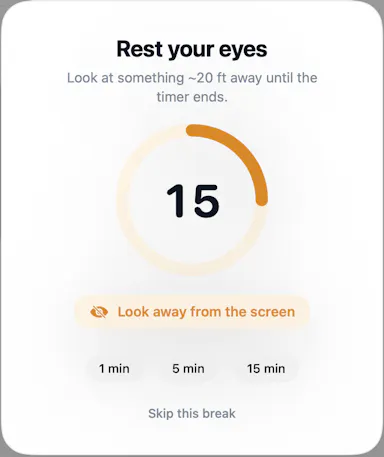
A macOS menu-bar app that reminds you to look away on a 20-20-20 schedule, with optional camera-verified breaks processed locally — no video ever leaves your Mac.

Works offlineData stays with you
What to know
How it works
A macOS menu-bar app that gives 20-20-20 eye-break reminders, blink and posture nudges, focus stats, and smarter display sleep, with optional camera-verified breaks.
What's different
Local-first and Apple-notarized; camera-verified breaks are processed on-device and no video is ever recorded.
Best for
Mac users who spend long stretches at a screen and want automatic eye-break reminders.

Watched for 13 days · last checked 7d ago

Details →

A desktop packet-capture and network-debugging tool for Windows and macOS that can mirror traffic live from a paired iOS or Android app, keeping all data on-device. For developers.

Data stays with you
What to know
How it works
A desktop packet capture and network debugging tool for Windows and macOS that captures and decrypts HTTP/HTTPS traffic, inspects JSON/XML/HTML, compares requests/responses, and replays requests to reproduce bugs. Pairs with a mobile PCP app to mirror traffic live from Android and iOS devices.
What's different
Mirrors mobile device traffic to the desktop in real time without requiring root or jailbreak on the mobile device.
Best for
Developers debugging network traffic across desktop and mobile apps.
Watch out
All data stays on the user's device and is never uploaded to a server.

Watched for 13 days · last checked 7d ago

Details →

A macOS menu-bar app for people who work from cafes: detects which cafe you're in, copies the WiFi password, shows the weather, and lets you rate spots so you remember which one is worth returning to. Notes stay on your device.

Data stays with you
What to know
How it works
Lives in the macOS menu bar, detects which cafe you're in, one-click copies its WiFi password, shows the weather, and lets you rate the spot on quiet, outlets, WiFi, and drinks so you can look up your history later.
What's different
Native SwiftUI and privacy-first — notes and ratings stay on your device rather than syncing to a cloud service.
Best for
People who regularly work from cafes and want to remember which ones were actually good.

Watched for 15 days · last checked 9d ago

Details →

Extracts and translates text from screenshots on Mac entirely on-device, for people who don't want to upload images anywhere.

Domain registered 9 months ago

No sign-upWorks offlineData stays with youNo tracking
What to know
How it works
Uses macOS Vision locally; press a hotkey to extract text then translate/export
What's different
Runs fully local, no account or upload
Pricing
Free
Watch out
macOS only

Watched for 4 days · last checked 3d ago

Details →

Sends files and clipboard text directly between devices over encrypted peer-to-peer connections, no account or cloud storage.

Data stays with you
What to know
How it works
WebRTC transfer with end-to-end AES-256 encryption via QR code or link
What's different
No sign-up, no upload limits
Best for
quick cross-device transfers across Windows, macOS, Linux, iOS, Android

Watched for 4 days · last checked 3d ago

Details →

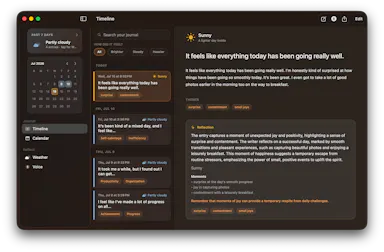
A macOS journaling app that uses on-device AI to find patterns in your entries, with everything staying local.

Works offlineData stays with you
What to know
How it works
Uses Apple's on-device models to analyze journal entries locally; supports typed or spoken (voice-transcribed) entries
What's different
entirely offline, journal never leaves the Mac
Best for
people wanting private journaling with pattern insights without cloud AI
Watch out
macOS only

Watched for 6 days · last checked 5d ago

Details →

A local-first notebook combining handwriting, rich documents and PDF markup in one workspace, for students and professionals tired of juggling multiple note apps.

Works offlineData stays with youNo adsNo tracking
What to know
How it works
A local-first notebook combining handwriting (ink, pens, highlighters, shapes, lasso selection), rich text boxes, tables, images, audio memos, and PDF import with searchable text, all on a multi-page canvas organized with folders and tags.
What's different
Combines handwriting, structured documents and PDF markup in one workspace instead of forcing a choice between separate apps, without ads or tracking SDKs.
Best for
Students, professionals and creators who currently juggle multiple note apps and want handwriting, documents and PDF annotation in one place.

Watched for 18 days · last checked 2d ago

Details →

An on-device iOS/macOS app that cleans up text copied from any AI chatbot before you paste it, processing everything locally with no cloud calls, accounts, or tracking.

Works offlineData stays with youNo tracking
What to know
How it works
Copy text from any AI chatbot, and the app cleans and reformats it entirely on-device before you paste it anywhere.
What's different
Uses Apple's local FoundationModels API for Apple Intelligence refinement, never the cloud.
Best for
iOS and macOS users who paste AI-chatbot output and want it correctly formatted without sending text to a cloud service.

Watched for 7 days · last checked 5d ago

Details →

Zoro

Live

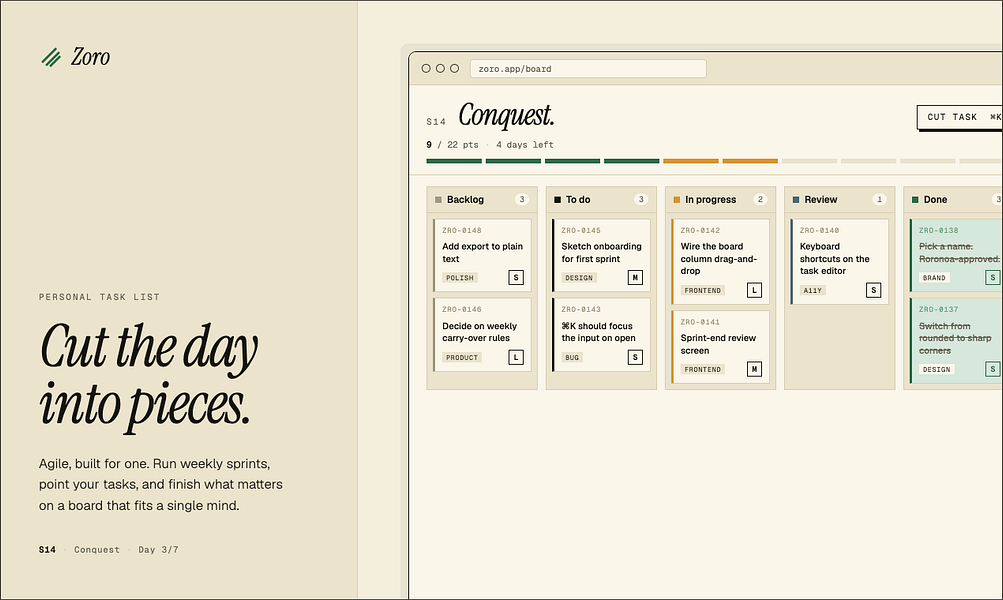
A one-time-purchase task app for solo workers that applies agile concepts like backlog, priority, and kanban to personal work, syncing via CloudKit with no account or server.

Domain registered 2 months ago

FreeNo sign-upData stays with youNo subscription
What to know
How it works
Syncs across iOS, macOS, and web through CloudKit only, with no signup and no backend server.
Pricing
One-time purchase of $59.99 for lifetime use.

Watched for 7 days · last checked 1d ago

Details →

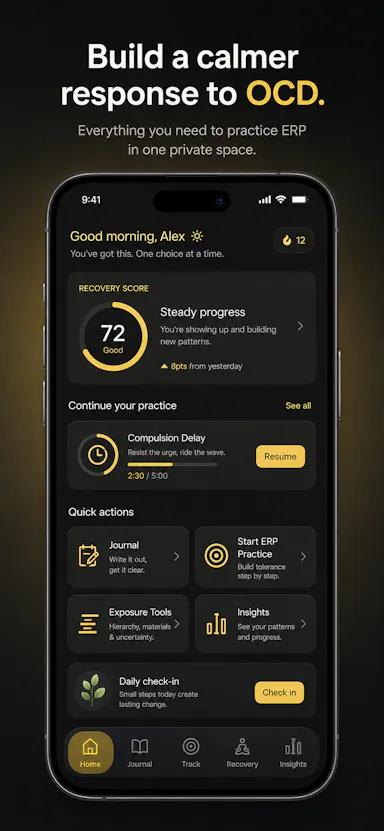
Private OCD/ERP tracker across desktop and mobile that logs obsessions, compulsions, triggers and exposure practice with no cloud sync.

Domain registered 20 days ago

No sign-upWorks offlineData stays with youNo ads
What to know
How it works
Tracks obsessions, compulsions, mood and exposure exercises across iOS/Android/desktop
What's different
No accounts, no cloud sync — data stays on-device
Best for
People doing ERP therapy who want a private tracking journal

Watched for 6 days · last checked today

Details →

A macOS menu bar app showing multiple time zones, meeting times and a mini calendar at a glance, with click-to-set time conversion. One-time purchase, not a subscription.

Data stays with youPay onceNo subscription
What to know
How it works
A macOS menu bar app showing multiple time zones and a mini calendar day view at a glance, with click-to-set time conversion and airport-code zone search.
What's different
DST-proof UTC offset zones and auto-hiding zones when you travel — handles edge cases that usually break simple time-zone widgets.
Pricing
One-time purchase with a free 7-day trial — not a subscription.
Best for
People who regularly schedule meetings across time zones and want a persistent menu bar reference instead of a web converter.

Watched for 18 days · last checked 2d ago

Details →

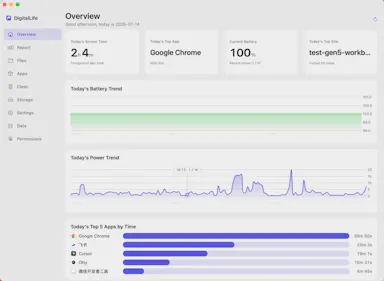
Privacy-first macOS activity monitor tracking app usage, energy draw, and disk space entirely on-device.

FreeNo sign-upWorks offlineData stays with you
What to know
How it works
A macOS menu-bar app tracking app usage time, file activity, per-app energy draw, and disk-space usage, entirely on-device.
What's different
No cloud, no account, no login — data stays local and optionally encrypted, unlike trackers that push data to a subscription-based server.
Pricing
Free for personal use.
Watch out
macOS only; supports 8 languages.

Watched for 10 days · last checked 7d ago

Details →

A password manager built on the open, KeePass-compatible KDBX format, storing logins, passkeys, cards and TOTP codes in one encrypted vault with Face ID autofill.

Domain registered 3 months ago

Data stays with youNo adsNo tracking
What to know
How it works
Stores logins, passkeys, credit cards, secure notes and TOTP codes in an encrypted vault, built on the open KDBX format compatible with KeePass and KeePassXC, with one-tap AutoFill and Face ID across iPhone, iPad, Mac, Windows and Linux.
What's different
Uses the open KDBX format instead of a proprietary vault, so you're not locked into one vendor, with zero-knowledge on-device encryption before sync.
Best for
People wanting a KeePass-compatible password vault across Apple, Windows and Linux devices without vendor lock-in.

Watched for 13 days · last checked 2d ago
Details →

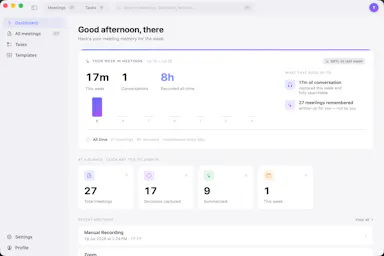
Your meetings, remembered. No bot required.

Works offlineData stays with you

First seen today

Details →