Tools that don't upload your dataAudio & voice

27 match your filters — 26 of them answered our check today.

Watching this group for 18 days · how we check

This week11 new arrivals1 stopped answering

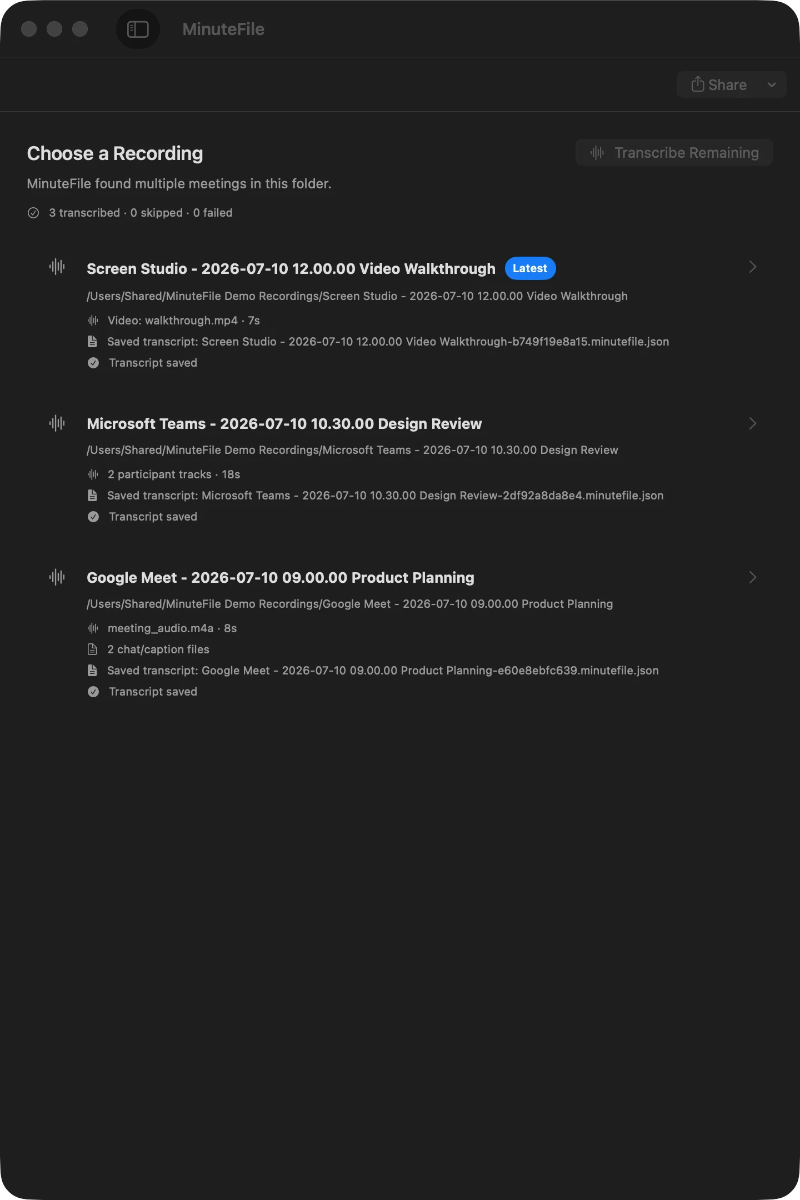
Turns local meeting recording folders into private, searchable transcripts on your Mac — everything stays on your machine, with no account, no upload, no meeting bot, and no subscription.

No sign-upData stays with youNo subscription
What to know
How it works
Turns local meeting recording folders on your Mac into private, searchable transcripts.
What's different
Everything stays on your machine — no account, upload, meeting bot, or subscription required.
Pricing
No account or subscription required.
Best for
Mac users who record meetings locally and want searchable transcripts without sending recordings to the cloud.

Watched for 14 days · last checked 2d ago
Details →

LeLuca

Live

Records and transcribes Mac meetings entirely on-device, then turns them into searchable AI notes, for people who don't want audio leaving their machine.

FreeWorks offlineData stays with youCan export my data
What to know
How it works
records mic+system audio, transcribes locally with Whisper, generates TL;DR/decisions/action items
What's different
100% on-device transcription, optional bring-your-own ChatGPT/Claude for notes
Pricing
free on Mac App Store
Best for
Mac users who need private meeting notes

Watched for 4 days · last checked today

Details →

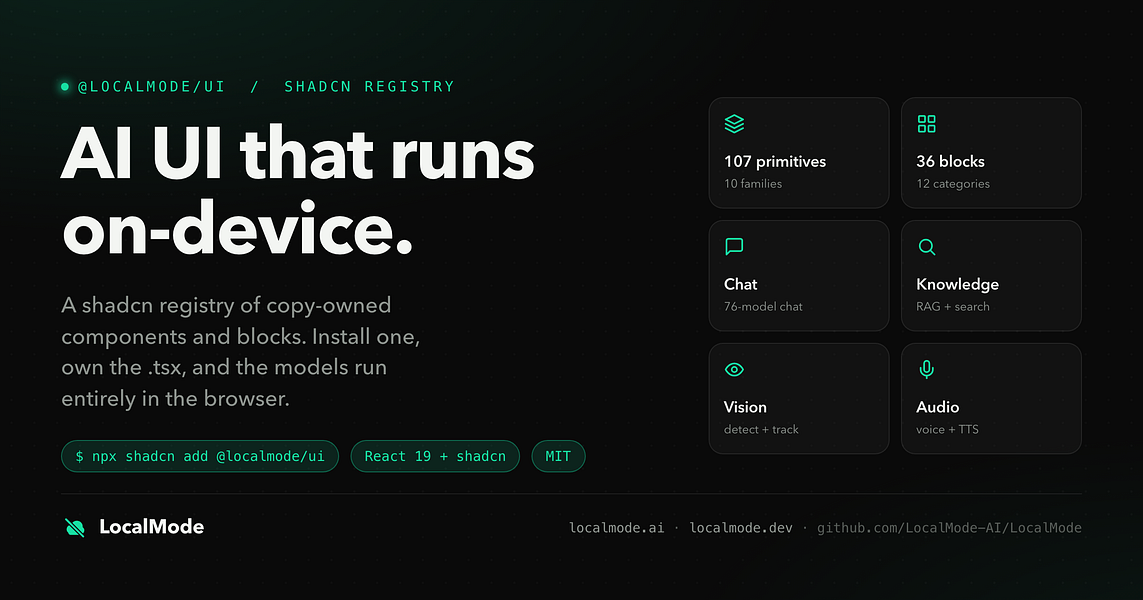
An open-source toolkit for building AI features — chat, RAG, speech, vision — that runs entirely in the browser with no servers and no data leaving the device. Built for developers.

Domain registered 7 months ago

Works offlineData stays with youOpen source
What to know
How it works
An open-source toolkit for running AI entirely in the browser: LLM chat across 76 models, RAG and vector search, Whisper and Kokoro speech, and vision, with no server or API key required. Runs on WebGPU with a WebAssembly fallback.
What's different
Data never leaves the device, and it ships a zero-dependency core plus a shadcn UI registry of 107 components and 36 installable blocks for building on top of it.
Pricing
Open source (MIT license).
Best for
Developers building browser-based AI features without standing up servers or managing API keys.

Watched for 12 days · last checked 1d ago

Details →

Free online file converter that runs entirely in your browser so files never get uploaded to a server.

Domain registered 1 month ago

FreeNo sign-upWorks offlineData stays with you
What to know
How it works
converts PDFs, images, docs, audio and video locally via WebAssembly
What's different
no upload, works offline, no daily limits
Pricing
free

Watched for 6 days · last checked today

Details →

Klipzo

Live

Gives students and developers 130+ free browser-based file tools instead of uploading files to third-party servers.

FreeData stays with you

Watched for 1 day · last checked 1d ago

Details →

Turns an audio clip into a captioned waveform video for social platforms entirely in-browser, with auto-captions from local Whisper AI, so audio never leaves the device.

FreeNo sign-upData stays with youCan export my data
What to know
How it works
In-browser reactive waveform visualizer plus Whisper-based auto-captions; exports MP4.
Pricing
Free, no signup, no watermark.
Best for
Podcasters making audiogram clips for Instagram/TikTok/YouTube.

Watched for 2 days · last checked 1d ago

Details →

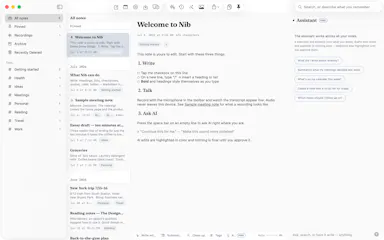
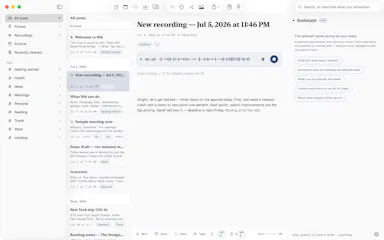
Nib

Live

A notes app for iPhone, iPad, and Mac that records and transcribes on-device, then turns meeting audio and handwritten notes into structured minutes with decisions and to-dos you approve as diffs.

FreeWorks offlineData stays with youNo ads
What to know
How it works
On-device transcription keeps audio local; AI restructures transcripts into minutes with editable, diff-based approval.
Pricing
Recording, transcription, and search are free; cloud AI features require Pro.
Best for
People who want private, on-device meeting notes.

Watched for 7 days · last checked 1d ago

Details →

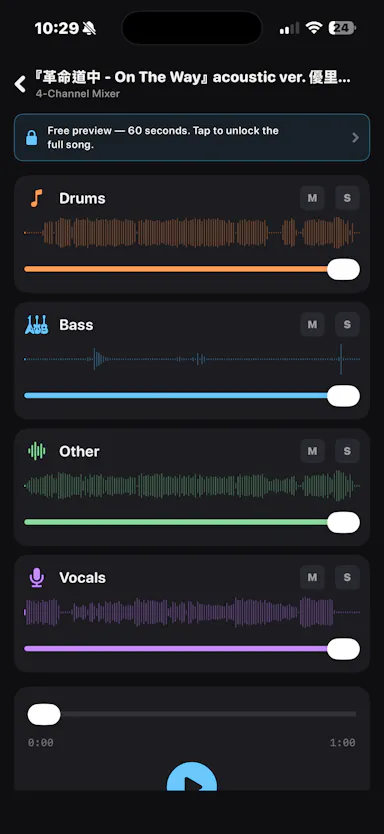
An iOS app that separates any audio track into 4 stems entirely on-device, for musicians who want stem separation without uploading tracks to the cloud.

Works offlineData stays with you

Watched for 2 days · last checked 1d ago

Details →

Garly

Live

A personal-safety companion app that learns your routines and can alert trusted contacts if something seems off.

Domain registered 15 days ago

Data stays with you
What to know
How it works
Monitors routines for anomalies and notifies trusted contacts when triggered
Watch out
Optional recording feature only planned, saves short clips only after approved triggers

Watched for 5 days · last checked today

Details →

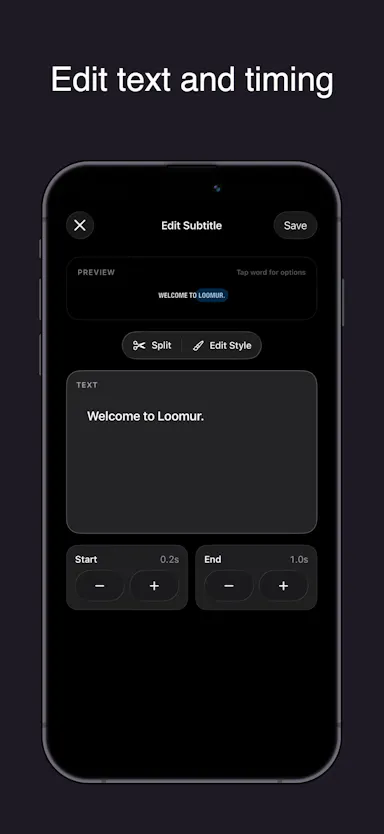
Auto-generates styled subtitles for short vertical videos directly on your iPhone using on-device AI — nothing is uploaded to a server.

Works offlineData stays with you
What to know
How it works
Generates stylish subtitles for short-form vertical videos directly on iPhone using on-device AI transcription; lets you edit text, highlight keywords, choose caption styles, and adjust placement before sharing.
What's different
Transcription happens entirely on-device, so no video is uploaded to a server.
Best for
Creators making stories, vlogs, or social content who want captions without uploading footage anywhere.

Watched for 17 days · last checked 9d ago

Details →

Converts speech to text entirely on your Windows PC — no cloud, no account required, works even with WiFi off. For users who want dictation without sending audio anywhere.

No sign-upWorks offlineData stays with youPay once
What to know
How it works
Converts speech to text directly on a Windows PC using one shortcut: hold, speak, release, and the text lands wherever your cursor is, in any app.
What's different
Works entirely offline with no cloud processing, no account, and no subscription — it keeps working even with WiFi off.
Pricing
One-time payment, no subscription.
Best for
Windows users who want dictation in any app (email, chat, notes, code editors) without their voice data leaving the device.

Watched for 16 days · last checked 10d ago

Details →

Hovor

Live

Voice dictation for Mac and iPhone that runs fully on-device so your voice never leaves your hardware, with multilingual support and a lifetime-purchase option instead of a subscription.

Works offlineData stays with youNo subscription
What to know
How it works
Hold a hotkey, speak, and structured text lands where your cursor is in any app on Mac and iPhone, using on-device models that fix punctuation and structure and support multilingual speech, a personal dictionary, snippets and workflows.
What's different
On-device processing means your voice never leaves your hardware.
Pricing
Free tier included, plus lifetime unlocks instead of a forced subscription.
Best for
Mac and iPhone users who want private, offline voice dictation across apps.

Watched for 18 days · last checked 2d ago

Details →

Push-to-talk dictation for Mac that types your speech into any app and can also trigger voice commands, for people who want hands-free input without cloud transcription.

Works offlineData stays with you
What to know
How it works
hold a hotkey to speak, transcribed on-device
What's different
voice never leaves the machine, can act on commands not just dictate

Watched for 5 days · last checked 4d ago

Details →

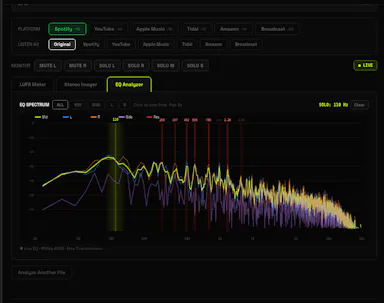
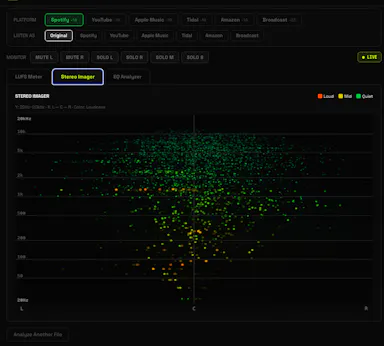
A free browser-based LUFS meter, stereo imager and EQ analyzer that processes audio locally with no upload or account, plus a preview mode simulating Spotify or YouTube playback. Built for musicians, not developers.

FreeNo sign-upNothing to installWorks offline
What to know
How it works
A browser-based audio mastering analyzer with real-time LUFS metering, stereo imaging, and EQ analysis with resonance detection, plus a preview mode that simulates how a track sounds on Spotify, YouTube, or Apple Music.
What's different
Processes audio 100% locally via the Web Audio API — no upload, account, or server involved.
Pricing
Free.
Best for
Musicians mastering tracks who want quick loudness and EQ checks without uploading audio anywhere.

Watched for 17 days · last checked 11d ago

Details →

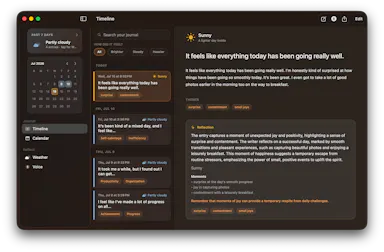
A macOS journaling app that uses on-device AI to find patterns in your entries, with everything staying local.

Works offlineData stays with you
What to know
How it works
Uses Apple's on-device models to analyze journal entries locally; supports typed or spoken (voice-transcribed) entries
What's different
entirely offline, journal never leaves the Mac
Best for
people wanting private journaling with pattern insights without cloud AI
Watch out
macOS only

Watched for 6 days · last checked 5d ago

Details →

Converts images, PDFs, videos, and audio files entirely inside your browser without uploading them anywhere.

Domain registered 1 month ago

No sign-upData stays with you
What to know
How it works
Local browser-based conversion, batch up to 1,000 files at once.
What's different
No uploads, no accounts, no watermarks.
Best for
Anyone converting large batches of media files who doesn't want to upload personal files to a server.

Watched for 6 days · last checked 5d ago

Details →

Automatically masters audio to Spotify's -14 LUFS loudness standard right in your browser, no upload or account needed — for musicians and producers self-releasing to streaming platforms.

No sign-upWorks offlineData stays with you
What to know
How it works
Drop a WAV, MP3 or FLAC file and it masters the audio to exactly -14 LUFS with -1 dBTP True Peak using deterministic DSP (ITU-R BS.1770-4), running entirely in the browser.
What's different
No server upload and no account required — processing happens 100% locally in the browser.
Best for
Musicians, producers and freelancers self-releasing tracks to Spotify, Apple Music, DistroKid, CD Baby, Tunecore or LANDR who want the loudness standard hit automatically.

Watched for 18 days · last checked 2d ago
Details →

A free, browser-based platform that turns real-time microphone audio into 3D particle artwork, with all processing done client-side and no account required.

FreeNo sign-upData stays with you
What to know
How it works
Processes microphone audio frequencies in real time entirely inside the browser to generate 3D particle visuals, with no upload or account needed.
Pricing
Free.

Watched for 12 days · last checked 9d ago

Details →

Vocix

Live

A browser-based media editor (trim/merge/transcribe/convert/denoise) driven by typed natural-language commands, with processing done client-side.

Data stays with you
What to know
How it works
Trim, split, merge, transcribe, convert JPG/PNG/WebP, denoise, and add transitions to audio, video and images by typing natural-language commands, with processing done in the browser.
What's different
Editing is driven by typed commands rather than a traditional timeline/menu interface, and processing happens client-side.
Best for
Creators who want quick media edits (trimming, converting, denoising) without uploading files to a server.

Watched for 13 days · last checked 10d ago

Details →

Transcribes your own audiobooks on-device into word-by-word karaoke captions, with a dyslexia/ADHD-friendly reading mode — nothing ever leaves your phone.

Works offlineData stays with you
What to know
How it works
Transcribes your own audiobooks entirely on-device into word-by-word karaoke-style captions, with a dyslexia/ADHD reading mode (OpenDyslexic font, reading overlay, adjustable text size, night mode) and quote capture to save and share passages as highlight cards.
What's different
On-device AI transcription only — no upload, no cloud, nothing leaves your phone.
Best for
Audiobook listeners, including those with dyslexia or ADHD, who want to follow along with synchronized text.

Watched for 15 days · last checked 2d ago

Details →

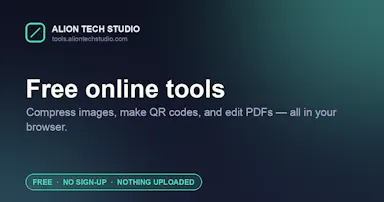
Over 130 free browser tools — PDF editing, image compression, OCR, converters and more — that run locally with no sign-up or uploads, replacing a pile of separate tool sites.

FreeNo sign-upData stays with you
What to know
How it works
Bundles 130+ browser-based tools, including a PDF editor, AI background remover, screen recorder, image compressor, OCR, JSON/SQL formatters, QR code generator, and audio/video editors, all processed locally on your device.
What's different
No sign-up, no file uploads, no watermarks, and no daily limits since everything runs client-side.
Pricing
Free.
Best for
People who want to replace a dozen separate single-purpose tool sites with one bookmark.

Watched for 16 days · last checked 2d ago

Details →

Sonora

Live

Offline Windows speech studio offering local text-to-speech, speech-to-text and system-wide dictation with a local API.

Works offlineData stays with you
What to know
How it works
A Windows speech studio offering multi-engine local TTS with custom voices, speech-to-text with speaker labels, global hotkey dictation into any field, and a localhost HTTP API for scripts and AI agents.
Watch out
Runs fully offline after models download; works on GPU or CPU.

Watched for 3 days · last checked 3d ago

Details →

Android app for recording and organizing voice notes privately, positioned against cloud-based note apps.

Data stays with you
What to know
How it works
Transcribes spoken voice notes into searchable notes and tasks directly on the phone.
What's different
Audio never leaves the device — only text syncs, and only once you sign in.
Watch out
Android only.

Watched for 8 days · last checked today

Details →

A free browser tool that converts WAV files to MP3 without uploading anything.

FreeData stays with you
What to know
How it works
Converts WAV files to MP3 at 128-320 kbps entirely in the browser, with no upload, account, or software required.
Pricing
Free.

Watched for 8 days · last checked 6d ago

Details →

Extracts text via OCR from scanned documents, then lets AI summarize them, flag contract risks, and translate into 51 languages — all on your Android phone.

Domain registered 4 months ago

FreeData stays with youNo subscriptionCan export my data
What to know
How it works
Scans documents on an Android phone, extracts text via OCR (Google ML Kit), and lets AI summarize them, extract key facts, flag contract risks, generate to-do lists, chat with the document, or translate into 51 languages.
What's different
Goes beyond producing a plain PDF — the AI layer analyzes and translates the scanned content directly on the device.
Pricing
Scanning and OCR are free for everyone; deeper AI features (summaries, contract-risk analysis, translation) are part of a Premium tier billed without a subscription.
Best for
Android users, including freelancers and students, who want to digitize and understand documents like invoices, contracts and notes.

Watched for 14 days · last checked 8d ago

Details →

Offline on-device speech to text for Mac and Windows
No sign-upWorks offlineData stays with you

First seen today · last checked today

Details →

A privacy-focused note app with a hidden vault and a built-in voice recorder for sensitive notes.

Data stays with you
What to know
How it works
Lets users write and lock confidential notes, use a built-in private voice recorder, and keep sensitive files hidden in a vault.

Watched for 10 days · last checked today

Details →