Tools that don't upload your dataVideo

31 match your filters — 29 of them answered our check today.

Watching this group for 18 days · how we check

This week9 new arrivals

Narrow it down

Free online file converter that runs entirely in your browser so files never get uploaded to a server.

Domain registered 1 month ago

FreeNo sign-upWorks offlineData stays with you
What to know
How it works
converts PDFs, images, docs, audio and video locally via WebAssembly
What's different
no upload, works offline, no daily limits
Pricing
free

Watched for 6 days · last checked today

Details →

Klipzo

Live

Gives students and developers 130+ free browser-based file tools instead of uploading files to third-party servers.

FreeData stays with you

Watched for 1 day · last checked 1d ago

Details →

Generates bilingual subtitles for mixed-language (Japanese/Korean/Chinese-English) video without uploading the full video file, for creators who don't want their video leaving their device.

Data stays with youCan export my data
What to know
How it works
Audio extracted locally in-browser, only ~30MB audio sent to servers, deleted after processing
What's different
Handles code-switching and loanwords/technical terms accurately
Best for
Creators with mixed-language content

Watched for 2 days · last checked 2d ago

Details →

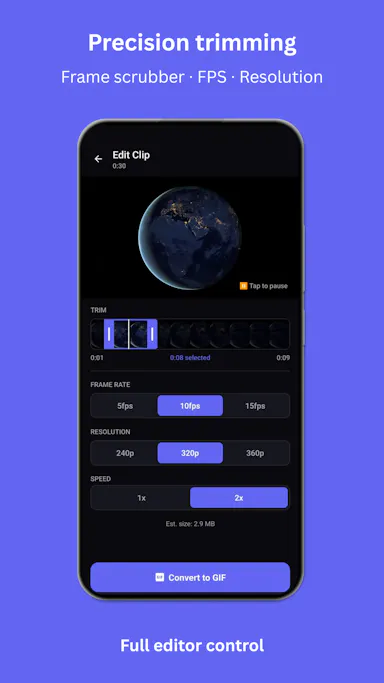
A mobile app that converts video to GIF entirely on-device, with no upload, watermark, or account required, and can share the result to WhatsApp, Telegram, Instagram, Reddit, or X.

No sign-upWorks offlineData stays with youNo subscription
What to know
How it works
Encodes video to GIF on-device with a trim/scrubber editor and FPS/resolution/speed controls.
Pricing
One-time $2.99 premium removes ads and unlocks longer clips and higher quality; no subscription.
Best for
People converting short video clips to GIFs privately without uploading footage.

Watched for 12 days · last checked 6d ago

Details →

69 free, browser-based audio and video tools — format conversion, loudness metering, spectrogram viewing, trimming — that run entirely client-side so files never leave your device.

FreeNo sign-upNothing to installData stays with you
What to know
How it works
69 audio and video tools -- hi-res audio analysis, LUFS loudness measurement, spectrogram viewing, format conversion, video trimming -- that run entirely client-side in the browser.
What's different
Files never leave your device since processing is 100% client-side, with no signup, watermarks, or limits.
Pricing
Free.
Best for
Anyone needing quick audio/video processing without installing software or uploading files.

Watched for 10 days · last checked 4d ago

Details →

Auto-generates styled subtitles for short vertical videos directly on your iPhone using on-device AI — nothing is uploaded to a server.

Works offlineData stays with you
What to know
How it works
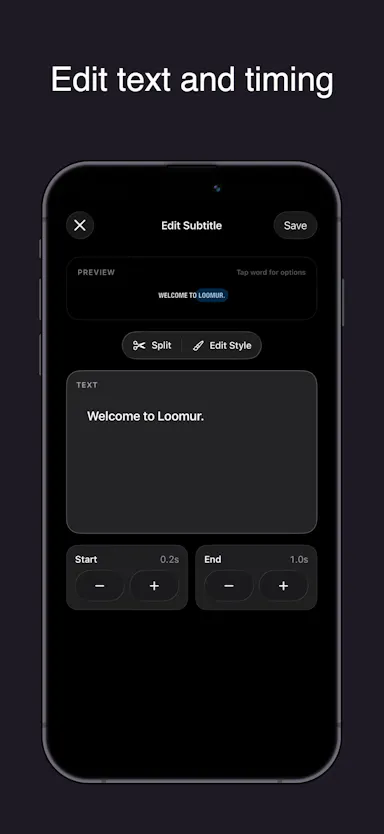
Generates stylish subtitles for short-form vertical videos directly on iPhone using on-device AI transcription; lets you edit text, highlight keywords, choose caption styles, and adjust placement before sharing.
What's different
Transcription happens entirely on-device, so no video is uploaded to a server.
Best for
Creators making stories, vlogs, or social content who want captions without uploading footage anywhere.

Watched for 17 days · last checked 8d ago

Details →

Converts, compresses and edits PDFs, images, audio and video right in your browser — files never leave your device, unlike typical cloud upload tools.

Works offlineData stays with you
What to know
How it works
Converts, compresses and edits PDFs, videos, images and audio entirely inside the browser using WebAssembly and client-side scripts.
What's different
Files never leave your device — no upload, no cloud storage server, works offline with no file-size limits.
Best for
People handling sensitive files who want to avoid uploading them to a cloud service.

Watched for 16 days · last checked 10d ago

Details →

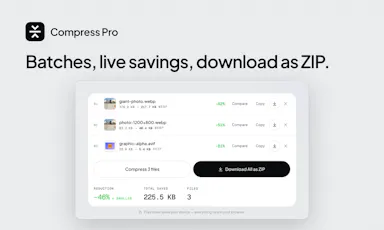
Compresses images and video (JPG, PNG, TIFF, MP4, GIF) entirely on your device with no upload to a server — for Mac, Windows and Linux, privacy-focused.

Works offlineData stays with you
What to know
How it works
Compresses JPG, PNG, TIFF, MP4 and GIF files, processing them locally on-device rather than uploading them to a server, via web tools or a dedicated offline desktop app for Mac, Windows and Linux.
What's different
Local, privacy-focused processing rather than server-side upload-based compression.
Best for
Anyone who wants to compress images or video without sending files to a third-party server.

Watched for 18 days · last checked 11d ago

Details →

A free, open-source browser tool that compresses and converts images, video, audio and PDFs entirely on your device with no uploads or ads — a general utility, not developer-specific.

Domain registered 17 days ago

FreeWorks offlineData stays with youOpen source
What to know
How it works
An open-source app with 47 tools for compressing and converting images, video, audio and PDFs, with all processing happening on-device so files never leave your computer, including offline use.
What's different
No upload step at all — compression runs entirely locally, works offline, with no ads, accounts or size limits.
Pricing
Free forever.
Best for
Anyone who wants to compress or convert media files without uploading them to a server.

Watched for 14 days · last checked 2d ago

Details →

Edits video and photos on a real multi-track timeline, rendered entirely on your device — nothing you make ever leaves your phone.

Works offlineData stays with you
What to know
How it works
Edits video, photos and collages on a multi-track timeline with filters, effects, animations, stickers and text, all rendered on-device.
What's different
Nothing uploads — editing and rendering happen entirely on your device.
Best for
People who want full-featured video/photo editing without sending their media to a server.

Watched for 14 days · last checked 2d ago

Details →

A free screen recording app for Windows, macOS, Linux, and web that automatically zooms the cursor on clicks, processing everything on-device without upload.

FreeNo sign-upWorks offlineData stays with you
What to know
How it works
Highlights the cursor and auto-zooms on clicks during recording, with no upload or account required to start.
Pricing
Free.
Best for
People who want a directed-looking screen recording without manual editing or cloud upload.

Watched for 12 days · last checked 6d ago

Details →

A free browser video editor for trimming, converting, compressing, and extracting audio without uploading files.

Domain registered 26 days ago

FreeNo sign-upData stays with you
What to know
How it works
Trim, convert, compress, extract audio, and make GIFs in-browser
Pricing
Free, no uploads, no signup

Watched for 6 days · last checked 5d ago

Details →

A free, no-install browser-based video editor for short social clips, aimed at people who have never edited video before.

FreeNo sign-upData stays with you
What to know
How it works
Edit video directly in the browser, files stay on your device
Pricing
No account, no payment required
Best for
Reels/Shorts creators and beginners with no editing experience

Watched for 6 days · last checked 4d ago

Details →

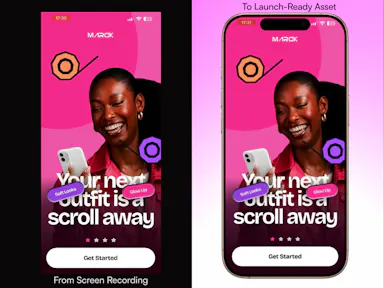
A free browser tool that turns screen recordings into polished app mockup videos with device frames and motion presets.

Domain registered 6 months ago

FreeNo sign-upData stays with you
What to know
How it works
Add device frames, motion presets, and backgrounds to screen recordings in-browser
Pricing
Free, no account, no uploads
Best for
Makers needing quick app demo videos

Watched for 6 days · last checked 5d ago

Details →

Converts images, PDFs, videos, and audio files entirely inside your browser without uploading them anywhere.

Domain registered 1 month ago

No sign-upData stays with you
What to know
How it works
Local browser-based conversion, batch up to 1,000 files at once.
What's different
No uploads, no accounts, no watermarks.
Best for
Anyone converting large batches of media files who doesn't want to upload personal files to a server.

Watched for 6 days · last checked 5d ago

Details →

A free, browser-based collection of file utilities, image compression, video trimming, PDF manipulation, that runs entirely in the browser via WebAssembly so files never leave the device, instead of uploading to cloud tools.

FreeNothing to installWorks offlineData stays with you
What to know
How it works
Uses WebAssembly and multi-threaded Web Workers, including ffmpeg.wasm, to process images, video, and PDFs locally inside the browser tab.
Pricing
Free.

Watched for 7 days · last checked 7d ago

Details →

A free browser-based video compressor with one-click presets sized for WhatsApp and Telegram limits, processing video locally so it never leaves your device.

Domain registered 16 days ago

FreeNo sign-upData stays with you
What to know
How it works
Runs entirely in-browser with one-click size presets (WhatsApp 16MB/100MB, Telegram 2GB); no registration or watermark.
Pricing
Free, no fees.

Watched for 12 days · last checked 8d ago

Details →

Vocix

Live

A browser-based media editor (trim/merge/transcribe/convert/denoise) driven by typed natural-language commands, with processing done client-side.

Data stays with you
What to know
How it works
Trim, split, merge, transcribe, convert JPG/PNG/WebP, denoise, and add transitions to audio, video and images by typing natural-language commands, with processing done in the browser.
What's different
Editing is driven by typed commands rather than a traditional timeline/menu interface, and processing happens client-side.
Best for
Creators who want quick media edits (trimming, converting, denoising) without uploading files to a server.

Watched for 13 days · last checked 10d ago

Details →

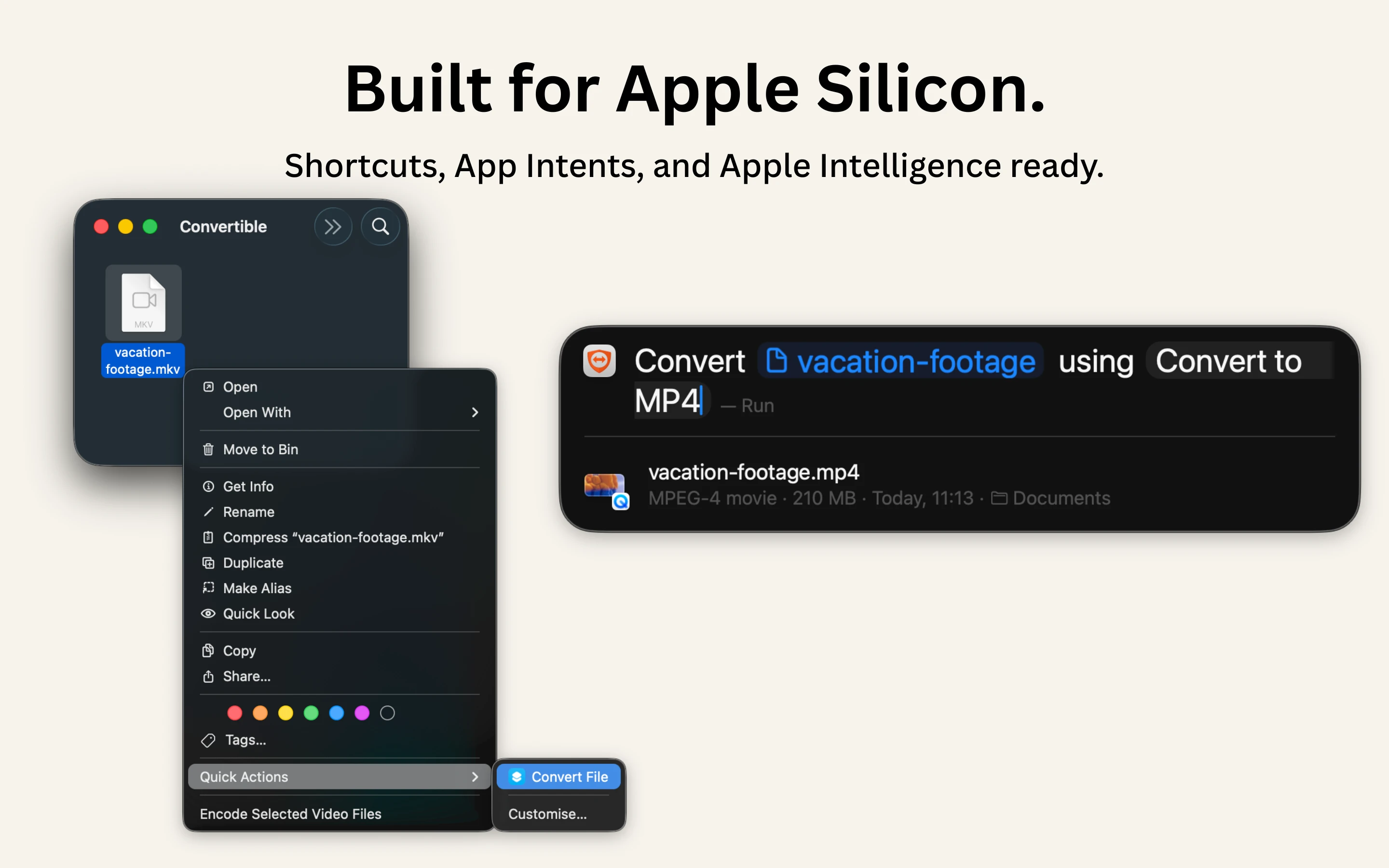
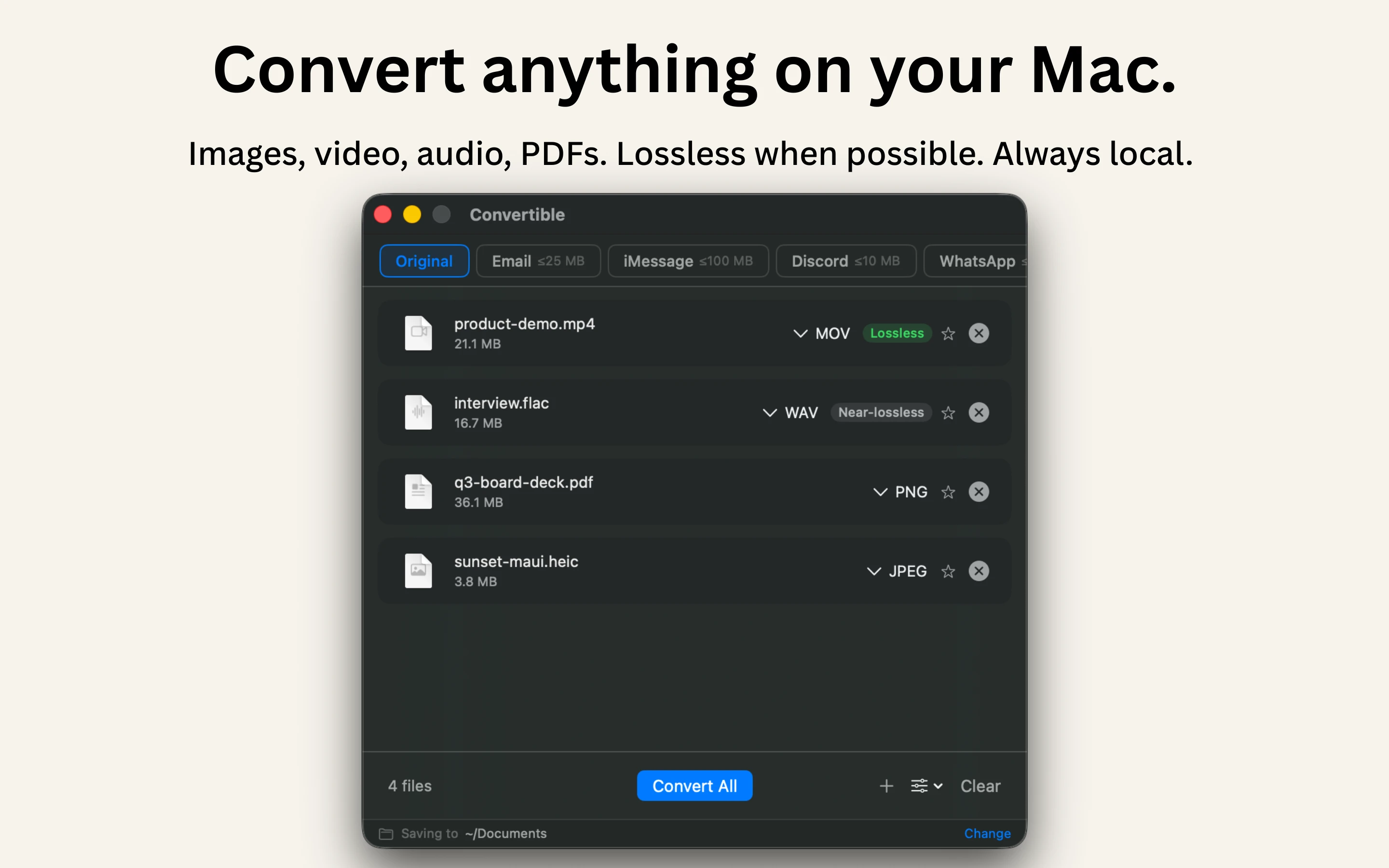
A native Mac file converter that compresses images, video, audio and PDFs entirely on-device with Shortcuts and Finder integration, for people who don't want files touching the cloud.

Works offlineData stays with youPay onceNo subscription
What to know
How it works
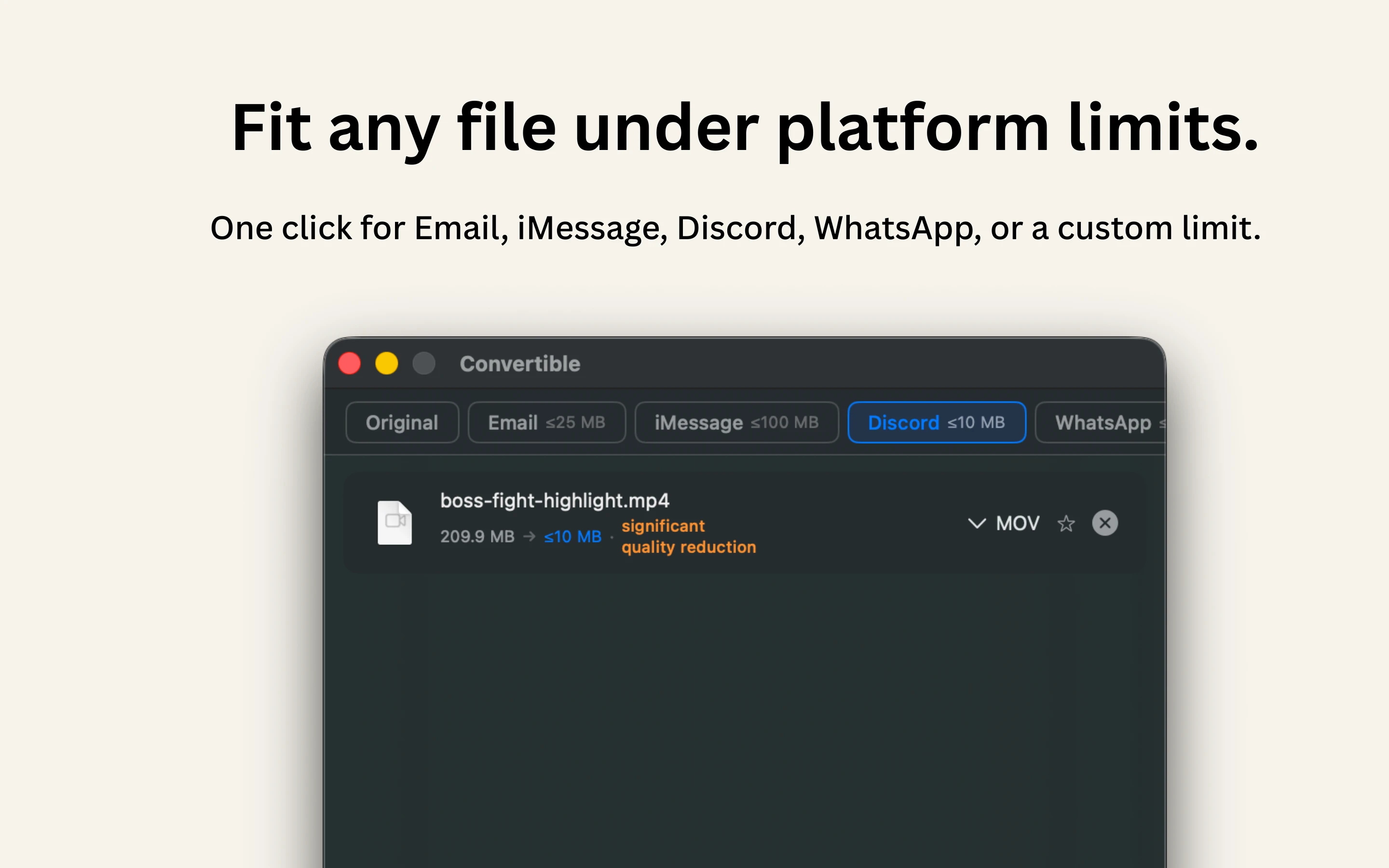
Converts and compresses images, video, audio and PDFs entirely on-device on Mac, including hard-to-open formats like MKV, WebM and HEIC, and can shrink files to a target size limit in one click.
What's different
Runs 100% locally with no cloud upload or telemetry, and integrates with Shortcuts, Finder's right-click menu, Spotlight and scheduled automations.
Pricing
One-time purchase, no subscription.
Best for
Mac users who want to convert or compress files without sending them to the cloud.

Watched for 15 days · last checked 2d ago

Details →

Over 130 free browser tools — PDF editing, image compression, OCR, converters and more — that run locally with no sign-up or uploads, replacing a pile of separate tool sites.

FreeNo sign-upData stays with you
What to know
How it works
Bundles 130+ browser-based tools, including a PDF editor, AI background remover, screen recorder, image compressor, OCR, JSON/SQL formatters, QR code generator, and audio/video editors, all processed locally on your device.
What's different
No sign-up, no file uploads, no watermarks, and no daily limits since everything runs client-side.
Pricing
Free.
Best for
People who want to replace a dozen separate single-purpose tool sites with one bookmark.

Watched for 16 days · last checked 2d ago

Details →

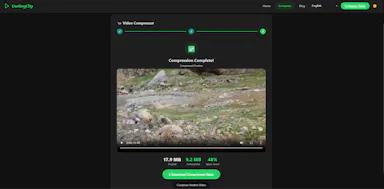
Compresses video files entirely inside your browser with nothing uploaded to a server — good if you care about privacy or just want a fast, no-signup tool.

No sign-upData stays with you
What to know
How it works
Compresses video files of any format directly in the browser, with nothing uploaded to a server.
What's different
Runs entirely client-side, so files never leave your device, with no signups or watermarks.
Pricing
No mention of paid tiers — appears usable without signup.
Best for
People who want a fast, private way to compress video without uploading it anywhere.

Watched for 16 days · last checked 2d ago

Details →

A free browser tool to download MP3 audio, MP4 video, lyrics, and cover art from Suno AI songs without an account or upload.

FreeNo sign-upData stays with you
What to know
How it works
Downloads MP3 audio, MP4 video, lyrics, and cover art from Suno AI songs directly in the browser.
Pricing
Free.
Best for
People wanting to save Suno-generated songs without creating an account.

Watched for 18 days · last checked 2d ago

Details →

A browser-based viewer and converter for over 200 file formats, including PDFs and CAD/scientific data, that decodes everything locally with no uploads, accounts, or ads.

Domain registered 2 months ago

No sign-upData stays with youNo ads
What to know
How it works
Opens over 216 file formats directly in the browser, including PDFs, images, ebooks, spreadsheets, 3D/CAD/PCB files, and scientific formats like DICOM, NIfTI, and FITS, decoding everything locally with JavaScript and WebAssembly; also includes 107 client-side converters, 7 compressors, and 21 editing tools.
What's different
Every file is decoded on-device, so nothing is ever uploaded, unlike typical online converters.
Pricing
No accounts, no quotas, no ads, no paywall.
Best for
Anyone who needs to view or convert an unusual file format without uploading it anywhere.

Watched for 14 days · last checked 2d ago

Details →

Chrome extension that summarizes YouTube videos using your own AI API key instead of a paid subscription service.

Data stays with you
What to know
How it works
Bring your own key for Gemini, OpenAI, Claude, DeepSeek, or Grok; runs as a browser extension.
What's different
No accounts or servers — your key, your data.
Best for
People who already pay for an AI API and want to avoid a separate summarizer subscription.

Watched for 5 days · last checked today

Details →

A browser-based video-to-GIF converter and trimmer for making presentation-ready GIFs without uploading footage.

Domain registered 4 months ago

No sign-upData stays with you
What to know
How it works
Users drop in an MP4, MOV, or WebM file and trim it frame-perfect for Google Slides, Keynote, Slack, and decks, entirely in the browser.
What's different
No uploads, no signup, no watermark, no IT ticket.
Best for
People who present for a living and need quick GIFs.

Watched for 10 days · last checked 10d ago

Details →

A Windows desktop app that automatically detects and blurs faces across video frames, processing entirely offline with no upload.

No sign-upWorks offlineData stays with you
What to know
How it works
Drop in one video or fifty; AI detects and blurs every face across all frames, with tracking to keep faces covered when they turn or leave and re-enter frame, without keyframing or masks.
What's different
Runs entirely locally on Windows with no upload, cloud, or account.
Watch out
Windows only.

Watched for 10 days · last checked 7d ago

Details →

Browser-based video toolkit for trimming, cropping, and compressing clips on-device, chaining tools without re-uploading.

Domain registered 11 days ago

FreeData stays with youCan export my data
What to know
How it works
Trim, crop, compress, speed up, reverse, and watermark videos entirely in the browser; output from one tool can chain directly into the next without re-uploading.
What's different
Media stays on-device, no upload, account, or install required.
Pricing
Free MP4 export.
Watch out
Import supports MP4, MOV, M4V, WebM, MKV.

Watched for 10 days · last checked 7d ago

Details →

Privacy-first web utility suite for editing video, compressing images, managing PDFs, and removing backgrounds entirely client-side.

Data stays with youNo ads
What to know
How it works
Runs video editing, image compression, PDF management, background removal, and text encryption entirely client-side in the browser.
What's different
No server uploads, no ads, and no logs, unlike typical cloud-based utility suites.
Best for
Users who want quick file utilities without uploading files to a server.

Watched for 9 days · last checked 7d ago

Details →

Suite of client-side browser tools, including a teleprompter and EXIF stripper, that run entirely offline.

Domain registered 2 months ago

Works offlineData stays with you
What to know
How it works
A suite of web utilities (e.g. an auto-scrolling teleprompter, an EXIF metadata stripper) that run entirely offline in the browser using HTML5 and JS APIs.
What's different
100% client-side — no backend uploads or delays.
Best for
Developers and creators wanting privacy-first tools.

Watched for 10 days · last checked 7d ago

Details →

A password manager built on the open, KeePass-compatible KDBX format, storing logins, passkeys, cards and TOTP codes in one encrypted vault with Face ID autofill.

Domain registered 3 months ago

Data stays with youNo adsNo tracking
What to know
How it works
Stores logins, passkeys, credit cards, secure notes and TOTP codes in an encrypted vault, built on the open KDBX format compatible with KeePass and KeePassXC, with one-tap AutoFill and Face ID across iPhone, iPad, Mac, Windows and Linux.
What's different
Uses the open KDBX format instead of a proprietary vault, so you're not locked into one vendor, with zero-knowledge on-device encryption before sync.
Best for
People wanting a KeePass-compatible password vault across Apple, Windows and Linux devices without vendor lock-in.

Watched for 13 days · last checked 2d ago

Details →

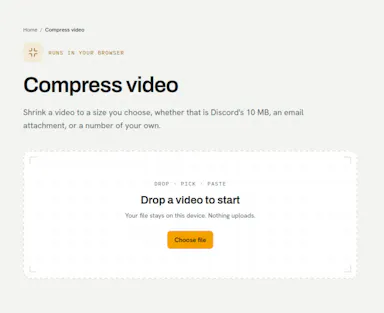
Compress video in your browser — free, private, no upload

FreeNo sign-upData stays with you

First seen today

Details →