Tools for developers and makersData stays with you

109 match your filters — 106 of them answered our check today.

Watching this group for 19 days · how we check

This week43 new arrivals2 stopped answering

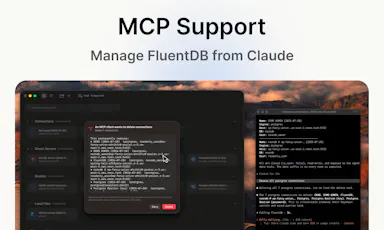
An AI-assisted SQL client for developers who want query help without sending their actual data to a cloud model.

Data stays with you
What to know
How it works
Models see your schema, not your data; every AI-generated SQL query requires approval by default.
Best for
Developers using Postgres/MySQL/SQLite/SQL Server on Mac.
Watch out
Mac-only for now.

Watched for 1 day · last checked 1d ago
Details →

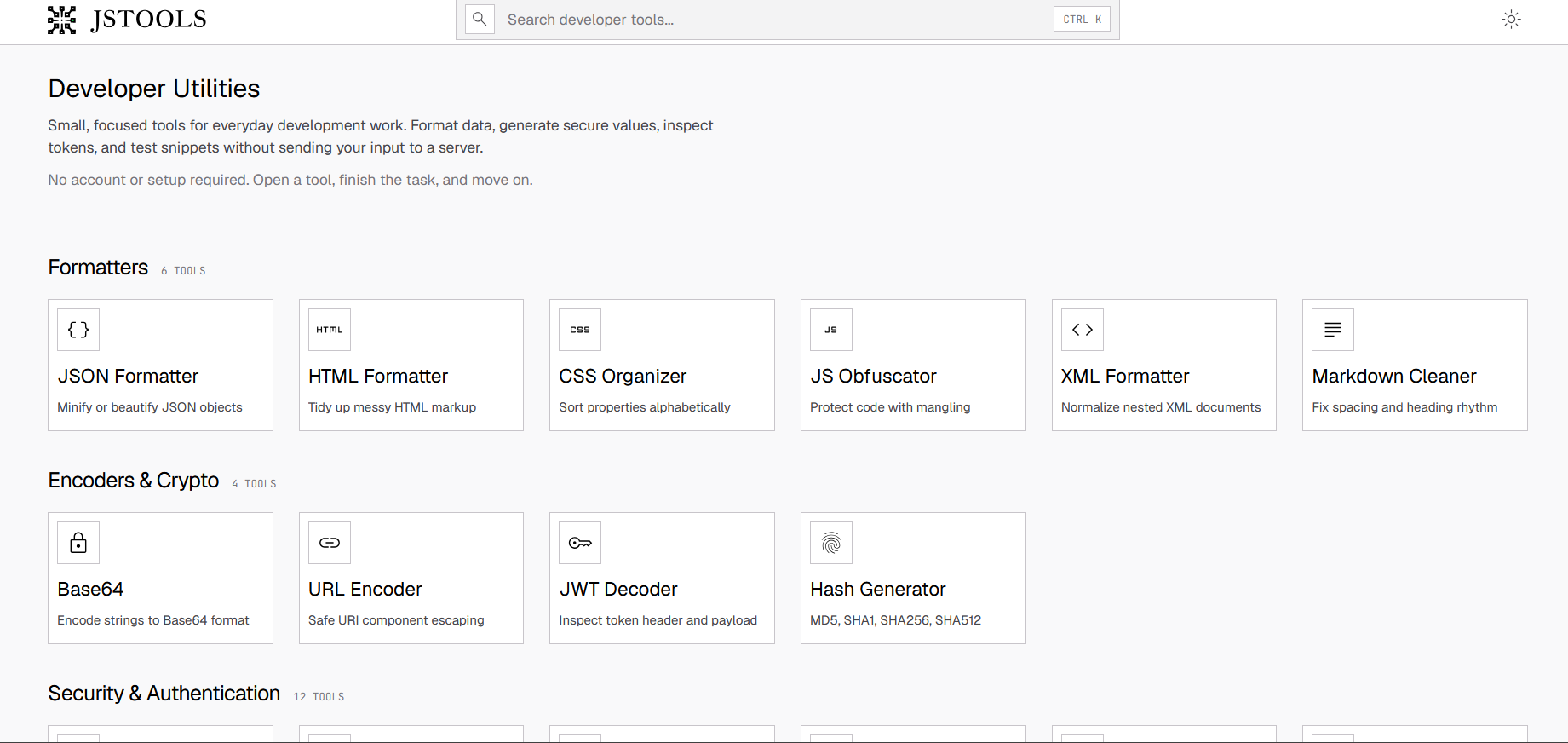
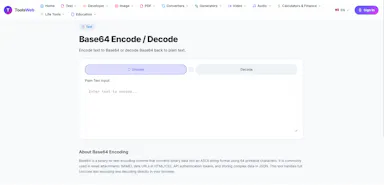
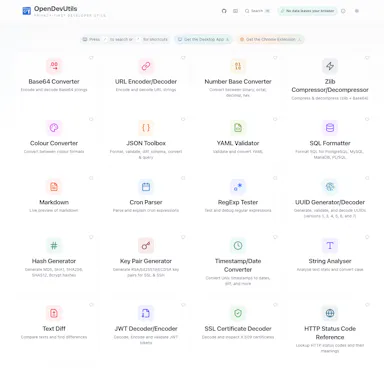
Free browser-based suite of developer utilities (JSON/HTML validation, Base64, JWT inspection, password generation) that avoids uploading data.

FreeNo sign-upData stays with you
What to know
How it works
Most processing happens client-side so code, tokens, and credentials aren't sent to a server
Pricing
free, no account
Best for
Developers needing quick formatting/encoding utilities without exposing sensitive data

Watched for 3 days · last checked 3d ago

Details →

A free, browser-based bulk image compressor and format converter that processes files entirely on your device without uploading them to any server.

FreeNothing to installWorks offlineData stays with you
What to know
How it works
compresses and converts images client-side in the browser with no server upload, using lossless optimization
Pricing
completely free
Best for
developers, designers, and creators who need to shrink or convert large batches of images without giving up file privacy

Watched for 6 days · last checked today

Details →

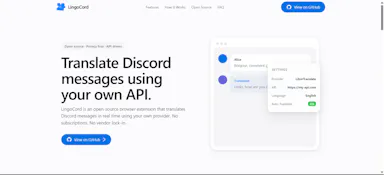
An open-source Discord extension that translates messages using your own translation API key, built privacy-first and developer-friendly. Really for technically comfortable users willing to set up their own API key.

Data stays with youOpen source
What to know
How it works
A Discord extension that translates messages using your own translation API key.
What's different
Open source and privacy-first — translation runs through your own API key rather than a shared third-party service.
Best for
Technically comfortable Discord users willing to set up their own translation API key.
Watch out
Requires bringing and configuring your own API key to work.

Watched for 13 days · last checked 1d ago

Details →

Pandia

Live

Native desktop app for opening and editing multi-gigabyte JSON files instantly, for developers who hit size limits in browser-based JSON viewers.

FreeWorks offlineData stays with youOpen source
What to know
How it works
Opens huge files with no upload, shows JSON as Tree, Code, Grid, Graph, or Compare views, generates types for 9 languages.
What's different
Handles multi-gigabyte files offline where most JSON tools choke or require upload.
Pricing
Free
Watch out
Desktop-only (macOS, Windows, Linux).

Watched for 4 days · last checked today

Details →

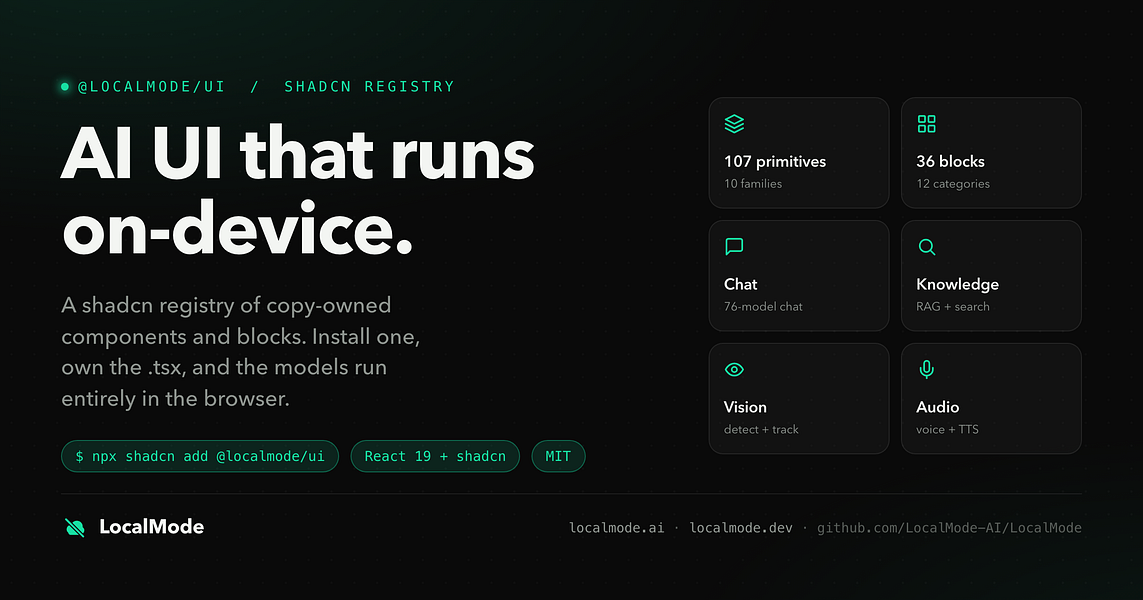
An open-source toolkit for building AI features — chat, RAG, speech, vision — that runs entirely in the browser with no servers and no data leaving the device. Built for developers.

Domain registered 7 months ago

Data stays with youOpen source
What to know
How it works
An open-source toolkit for running AI entirely in the browser: LLM chat across 76 models, RAG and vector search, Whisper and Kokoro speech, and vision, with no server or API key required. Runs on WebGPU with a WebAssembly fallback.
What's different
Data never leaves the device, and it ships a zero-dependency core plus a shadcn UI registry of 107 components and 36 installable blocks for building on top of it.
Pricing
Open source (MIT license).
Best for
Developers building browser-based AI features without standing up servers or managing API keys.

Watched for 11 days · last checked today

Details →

An API and SDK for verifying queue position or access rights — store lines, clinic waiting, EV charging, events, package pickup — without collecting names or phone numbers. Developer infrastructure, not built around any single industry.

Data stays with you
What to know
How it works
An API and SDK for verifying queue position or access rights — store queues, clinic waiting, EV charging, events, package pickup — without collecting end-users' names or phone numbers. Embed via REST API, TypeScript/Python SDK, or MCP (18 tools for AI coding agents).
What's different
No names or phone numbers are held, and pricing is globally uniform with no sales negotiation.
Pricing
Free sign-up with an instant API key; globally uniform pricing.
Best for
Developers building queue or access-verification into stores, clinics, EV charging, events, or pickup services.

Watched for 16 days · last checked 1d ago

Details →

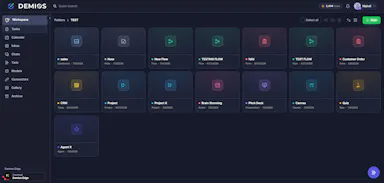
A no-code AI workspace where teams update workflows and capture data via chat, voice, or image, running on local AI or your own API key.

Data stays with you
What to know
How it works
A no-code workspace where teams update workflows, automate tasks, and capture data via chat, voice, or image, running on local AI or your own API key so data stays in-house.

Watched for 3 days · last checked 2d ago

Details →

A swap network where indie makers trade honest reviews on each other's live store listings, for developers who need real reviews on Chrome Web Store or Product Hunt.

FreeData stays with you
What to know
How it works
List your product, review one from the pool, get one back
What's different
reviews verified by a real person, not bots
Pricing
free
Best for
indie developers needing store credibility

Watched for 5 days · last checked today

Details →

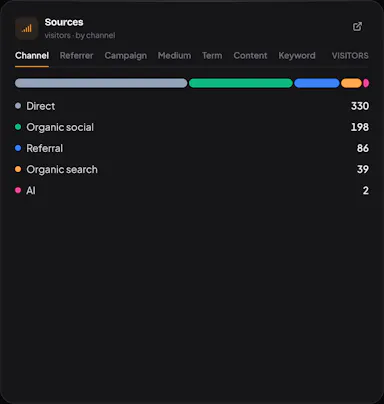
Self-hosted, cookieless, open-source analytics with a live visitor map, Stripe revenue attribution, and tracking of which pages AI crawlers read.

Data stays with youOpen sourceSelf-hosted
What to know
How it works
run it on your server; real-time map, Stripe channels, AI-crawler pages
What's different
no cookies or consent banner, data never leaves your machine
Pricing
MIT

Watched for 5 days · last checked today

Details →

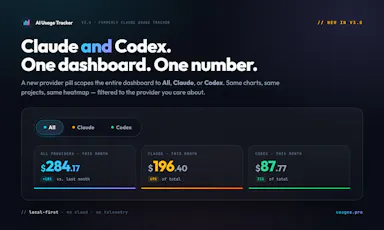
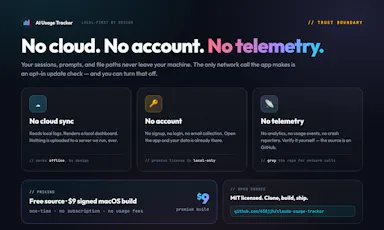
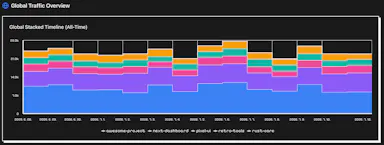
Local-first dashboard that auto-discovers your Claude and Codex spend across 10+ developer tools, with charts and zero telemetry.

Domain registered 2 months ago

Works offlineData stays with youNo tracking
What to know
How it works
auto-discovers usage across 10+ dev tools locally
What's different
zero telemetry, data stays on your machine
Best for
developers tracking AI tool spend

Watched for 5 days · last checked today

Details →

bpad

Live

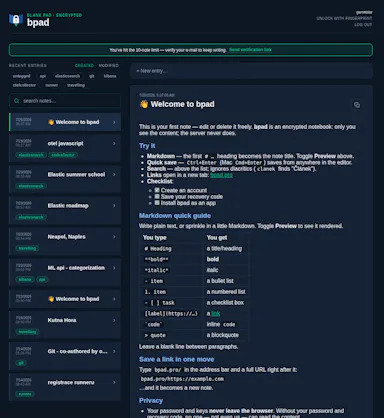
An open-source encrypted note-taking PWA that encrypts notes client-side before sync, for people who want their notes unreadable to the server even in the cloud.

Works offlineData stays with youOpen source
What to know
How it works
Notes encrypted in-browser with Argon2id + AES-256-GCM before leaving the device; only ciphertext reaches the server.
What's different
Works offline across devices while staying private.

Watched for 1 day · last checked today

Details →

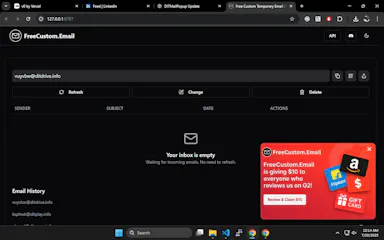
Instant, no-signup temporary email aliases with rotating domains to dodge blacklists, plus a public API for developers who want to build it into their own workflows.

FreeNo sign-upData stays with youOpen source
What to know
How it works
Creates custom, instant temporary email aliases (any inbox name) without sign-up, receiving emails in real-time from multiple rotating domains to avoid blacklists; also offers a public API and open-source frontend.
What's different
Rotating domains to avoid blacklists, plus no popups, timers, or tracking, unlike traditional temp mail tools.
Pricing
Free.
Best for
People needing disposable email for sign-up verifications or testing, and developers who want to build disposable email into their own workflows via the API.

Watched for 13 days · last checked 7d ago

Details →

Atlas

Live

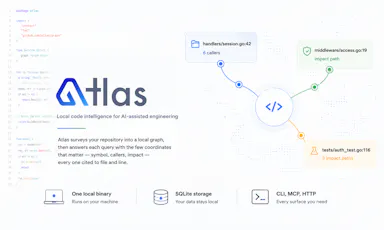
Gives developers and AI coding assistants deterministic, cited answers about a codebase's symbols, callers, and dependencies without sending code off-device.

Works offlineData stays with you
What to know
How it works
Runs locally as a single binary with SQLite, CLI, MCP and HTTP interfaces to index a codebase
What's different
Deterministic, reproducible results with exact file-and-line citations; claims 36x fewer tokens than a graph baseline
Watch out
Code never leaves the machine

Watched for 3 days · last checked 2d ago

Details →

RaaDoc

Live

Free toolkit of 55+ PDF, image and developer utilities that process files locally in the browser without uploading them.

Domain registered 9 days ago

FreeNo sign-upData stays with you
What to know
How it works
52 of 56 tools run entirely client-side, no server upload
Pricing
free, no signup, no daily limits

Watched for 5 days · last checked today

Details →

Offline desktop API testing client (REST, GraphQL, gRPC) that keeps all your requests and tokens on your machine instead of a vendor cloud.

FreeWorks offlineData stays with youOpen source
What to know
How it works
runs 100% offline, stores collections in local SQLite and tokens in the OS keychain
Pricing
free, open source (MIT)
Best for
developers who don't want API collections synced to a third-party cloud

Watched for 5 days · last checked today

Details →

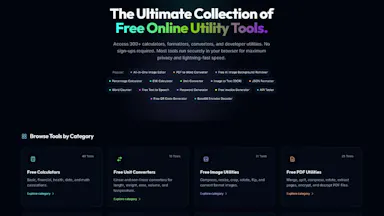
Collection of 340+ free online tools (PDF, image, financial, developer) that process everything client-side in the browser with no upload.

Domain registered 1 month ago

FreeNo sign-upData stays with you
What to know
How it works
Uses WebAssembly and Canvas APIs to run tools entirely in-browser.
What's different
No file caps, no watermarks, no server upload.
Pricing
Free

Watched for 4 days · last checked today

Details →

Generates a 3D model from a single image entirely on-device using WebGPU, with no server uploads or accounts needed — an open-source tool for developers experimenting with local image-to-3D generation.

Works offlineData stays with youOpen source
What to know
How it works
Generates a 3D model from a single image entirely on-device using WebGPU compute in the browser, with no server uploads or accounts.
What's different
Open source and runs locally via WebGPU rather than requiring cloud GPU processing, also deployable on Vercel for instant testing.
Best for
Developers experimenting with local, private image-to-3D generation.

Watched for 9 days · last checked 3d ago

Details →

A self-hosted proxy that tokenizes sensitive data before it reaches Claude, ChatGPT, Gemini, or Mistral and restores it in the response, so teams can use commercial AI without their real data leaving the network.

Data stays with youSelf-hosted
What to know
How it works
Replaces sensitive data with tokens before the prompt reaches the AI provider, then restores real values in the response.
Pricing
Docker setup in 2 minutes; supports 8 AI providers.
Best for
Teams that want to keep using commercial AI tools without exposing real data.

Watched for 6 days · last checked today

Details →

Reqly

Live

A fast, privacy-first desktop REST API client built as a Postman alternative — for developers who want a local tool without their request data passing through a third-party cloud.

Data stays with you
What to know
How it works
A desktop REST API client built with Wails, Go and React for making and managing API requests.
What's different
Positioned as a privacy-first Postman alternative — a local desktop tool rather than one that routes requests through a third-party cloud.
Best for
Developers who want a fast desktop REST client without their request data passing through a third-party cloud service.

Watched for 9 days · last checked 3d ago

Details →

A free, client-side visual builder for Docker Compose, Nginx/Caddy configs, healthchecks and backup scripts that generates production files without uploading anything to a server; a developer/DevOps tool.

FreeData stays with you
What to know
How it works
A visual configurator that generates Docker Compose, Nginx/Caddy configs, healthchecks and cloud backup scripts, producing production-ready environments in about 60 seconds.
What's different
100% client-side — zero server-side uploads.
Pricing
Free.
Best for
Developers and DevOps engineers who want production configs without hand-writing them.

Watched for 10 days · last checked 4d ago

Details →

A floating clipboard that lets you copy and paste text line-by-line without switching apps, handy for reading OTPs, copying data entries or working through long text files.

FreeWorks offlineData stays with you
What to know
How it works
A draggable, resizable floating window that sits over any app for copying, viewing and managing text line-by-line from the clipboard, with one-tap copy and auto-advance.
What's different
Works as an overlay across any app rather than requiring you to switch windows to copy or view data.
Pricing
Free.
Best for
Students, developers, content writers and support teams who repeatedly copy data like OTPs or entries without switching apps.

Watched for 13 days · last checked 8d ago

Details →

A local-first, self-hostable, open-source notes app with semantic search, autonomous research agents, and voice notes, where data never leaves the user's machine unless they choose to share it.

Works offlineData stays with youOpen sourceSelf-hosted
What to know
How it works
Stores notes locally and adds semantic search, ReAct agents, cited deep research, voice notes, and financial analysis on top, all self-hosted and MIT licensed.
Best for
Technical users who want an AI-augmented notes app without sending their data to the cloud.
Watch out
Requires self-hosting, so it needs technical setup compared to a hosted notes app.

Watched for 6 days · last checked 5d ago

Details →

An open-source, template-based design tool for building App Store and Play Store screenshots, feature graphics, and preview videos entirely in your browser or desktop app, with no account or upload required.

Domain registered 13 days ago

FreeNo sign-upData stays with youOpen source
What to know
How it works
pick a template, drop in your app screens, and export every required store size, including MP4 previews
What's different
an optional AI agent can build the whole listing from raw screenshots
Best for
app developers and designers preparing store listings

Watched for 6 days · last checked 5d ago

Details →

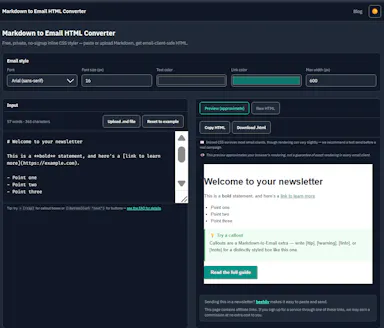
Converts Markdown into inlined, Outlook-safe HTML you can paste into ConvertKit, beehiiv, or Mailchimp, entirely in your browser — built for newsletter writers and marketers who draft in Markdown.

FreeNo sign-upData stays with you
What to know
How it works
Converts Markdown into fully inlined, Outlook-safe HTML entirely in the browser, ready to paste into ConvertKit, beehiiv, Mailchimp or other email service providers, with built-in email-safe callout boxes and CTA button syntax.
What's different
Runs 100% client-side with no signup, account or paywall, so content never leaves the browser.
Pricing
Free, no signup, no paywall.
Best for
Newsletter writers, marketers and indie developers who draft in Markdown and need Outlook-safe HTML for their email platform.

Watched for 9 days · last checked 3d ago

Details →

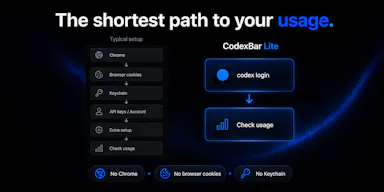
Lets developers monitor their OpenAI Codex usage from the macOS menu bar instead of checking a web dashboard, using only their existing CLI session.

Data stays with youOpen source

First seen today · last checked today

Details →

Turns your Android phone into a self-hosted MCP server so AI assistants like Claude, Cursor or Perplexity can pull your personal memory without sending data to the cloud. Aimed at developers already using MCP-compatible tools.

Works offlineData stays with youOpen sourceNo subscription
What to know
How it works
Turns an Android phone into a self-hosted MCP (Model Context Protocol) server by installing a Python MCP server inside Termux, with a secure tunnel giving the phone a stable public HTTPS URL that AI clients like Claude, Cursor or Perplexity can connect to for persistent memory.
What's different
Data is stored locally on the user's own phone instead of a vendor's cloud, with no subscription or vendor lock-in.
Pricing
No subscription.
Best for
Developers already using MCP-compatible AI tools who want to own their memory data instead of storing it in the cloud.
Watch out
Relies on a relay tunnel (relay.memplato.com) and requires Termux running on the phone, with a watchdog to restart the server if the phone reboots or Termux closes.

Watched for 9 days · last checked 3d ago

Details →

Lets people using multiple AI chatbots reuse the same project context instead of rewriting it each time they switch platforms.

FreeData stays with youOpen source
What to know
Pricing
free, open-source

First seen today · last checked today

Details →

Converts YAML to JSON and back entirely in your browser, including multi-document Kubernetes manifests, with line-numbered parse errors, your config never leaves the browser.

Domain registered 21 days ago

FreeNo sign-upWorks offlineData stays with you
What to know
How it works
Converts YAML to JSON and back entirely in the browser, including multi-document files like Kubernetes manifests, with line-numbered parse errors.
What's different
Runs offline once loaded and your config never leaves the browser; the conversion core is open source.
Pricing
Free, no signup.
Best for
Developers who need to convert Kubernetes manifests or other YAML/JSON files without uploading them anywhere.

Watched for 13 days · last checked 7d ago

Details →

A free, browser-based batch toolkit for developers and designers — resize/convert files, decode JWTs, and more, entirely client-side with nothing uploaded to a server.

Domain registered 26 days ago

FreeNo sign-upNothing to installData stays with you
What to know
How it works
A browser-based batch toolkit that processes dozens of files at once — resizing/converting/compressing images (PNG, JPG, WebP), converting CSV to JSON, decoding JWTs, and more — entirely client-side.
What's different
Most single-file tools handle one file at a time; this is built to batch-process dozens at once, with nothing uploaded to a server.
Pricing
Free.
Best for
Developers and designers who need to process many files at once without installing software or uploading data.

Watched for 13 days · last checked 2d ago

Details →

Melia

Live

A native Linux desktop email client that connects straight to your IMAP/SMTP mail servers with no cloud relay, middleman account or telemetry, as an alternative to Thunderbird or Evolution.

FreeWorks offlineData stays with youPay once
What to know
How it works
A native Linux desktop email client that connects directly to your mail servers over IMAP and SMTP, storing everything locally in a SQLite database and syncing credentials through the OS keyring so it works fully offline.
What's different
No cloud relay, middleman account, or telemetry — mail stays on your own machine, unlike hosted alternatives.
Pricing
Free for one account with full functionality; a one-time $10 unlock removes the account cap.
Best for
Linux desktop users looking for a native alternative to Thunderbird, Evolution, Geary or Mailspring.

Watched for 17 days · last checked 1d ago

Details →

.MDPPT

Live

Converts Markdown files straight into PowerPoint slides, skipping manual copy-paste and reformatting — useful for developers writing specs, teachers prepping lecture notes, or anyone building decks.

Data stays with youCan export my data
What to know
How it works
Converts Markdown files into PowerPoint presentations, automatically splitting slides by headings (#, ##, ###) and preserving bullet points, numbered lists, and code blocks with syntax highlighting.
What's different
Processing is fully client-side, so your content never leaves your browser; exports as .pptx or .pdf.
Best for
Developers, technical writers, educators and anyone who prefers writing in Markdown but needs to present in PowerPoint.

Watched for 17 days · last checked 1d ago

Details →

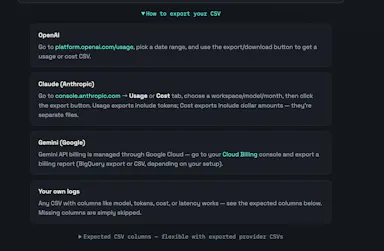
Upload your OpenAI, Claude, or Gemini usage export and it flags token waste, model overkill and failed-request costs right in your browser — no API key required, nothing uploaded to a server.

Data stays with you
What to know
How it works
Upload your OpenAI, Claude, or Gemini usage export and it finds token waste, model overkill, and failed-request cost directly in the browser.
What's different
No API key needed and nothing is uploaded to a server.
Best for
Developers and teams trying to cut down their AI API spend.

Watched for 12 days · last checked 6d ago

Details →

15 free browser-based developer tools, JSON formatter, regex tester, encoders, generators, styled with a nostalgic Windows 95 look. Runs in the browser, not installed, nothing uploaded to a server.

Domain registered 9 months ago

FreeNo sign-upNothing to installData stays with you
What to know
How it works
15 free developer and productivity tools — JSON formatter, regex tester, base64/URL encoders, UUID and password generators, unit and color converters — running entirely in the browser with a Windows 95-styled interface.
What's different
Nothing is uploaded to a server; everything runs client-side with no signup, ads or tracking.
Pricing
Free.
Best for
Developers who want quick browser-based utility tools without installing anything.

Watched for 12 days · last checked 6d ago

Details →

Toolsz

Live

A free collection of 219 client-side browser tools for PDF, image, and developer tasks, with no uploads, watermarks, or sign-up.

FreeNo sign-upData stays with you
What to know
How it works
Runs entirely client-side to compress, merge, convert, sign, and edit files.
Pricing
Free.
Best for
People who need quick PDF, image, or dev utility tasks done privately in the browser.

Watched for 11 days · last checked 5d ago

Details →

A desktop packet-capture and network-debugging tool for Windows and macOS that can mirror traffic live from a paired iOS or Android app, keeping all data on-device. For developers.

Data stays with you
What to know
How it works
A desktop packet capture and network debugging tool for Windows and macOS that captures and decrypts HTTP/HTTPS traffic, inspects JSON/XML/HTML, compares requests/responses, and replays requests to reproduce bugs. Pairs with a mobile PCP app to mirror traffic live from Android and iOS devices.
What's different
Mirrors mobile device traffic to the desktop in real time without requiring root or jailbreak on the mobile device.
Best for
Developers debugging network traffic across desktop and mobile apps.
Watch out
All data stays on the user's device and is never uploaded to a server.

Watched for 12 days · last checked 6d ago

Details →

A privacy-first IP lookup and network diagnostics toolkit (DNS, WHOIS, WebRTC leak checks) with no account and no tracking, aimed at technical users rather than general consumers.

Domain registered 12 months ago

No sign-upData stays with you
What to know
How it works
Shows your public IPv4/IPv6 address, approximate location, ISP and ASN, and runs DNS, WHOIS/RDAP, reverse DNS and WebRTC leak checks.
What's different
No account, no marketing trackers, and no persistent raw IP storage in app-controlled systems.
Best for
Technical users who want network diagnostics without creating an account or being tracked.

Watched for 12 days · last checked 6d ago

Details →

A collection of client-side utility tools — encoding/decoding, text formatting, JSON conversion, hashing, color tools, network lookups — that run entirely in your browser with nothing sent to a server. For developers and designers who want quick one-off utilities.

Data stays with you
What to know
How it works
A collection of client-side utility tools covering encoding/decoding, text formatting, JSON and data conversion, hashing, color design, and network lookups, all running in the browser.
What's different
Fully client-side — no data is sent to a server.
Best for
Developers and designers who need quick one-off utility tools without uploading anything.

Watched for 12 days · last checked 6d ago

Details →

Caches your GitHub repo traffic stats — views, clones, release downloads — locally in a lightweight desktop app, since GitHub itself deletes that data after 14 days.

Works offlineData stays with you
What to know
How it works
A lightweight Tauri desktop app that caches your GitHub repository traffic data — views, clones and release downloads — locally so it persists beyond GitHub's own retention window.
What's different
GitHub deletes repository traffic data after 14 days; this app keeps it forever by storing it locally rather than in the cloud.
Best for
Developers and maintainers who want long-term visibility into their GitHub repo traffic.

Watched for 12 days · last checked 6d ago

Details →

A free hub of 100+ browser-based tools spanning PDFs, images, SEO and developer utilities, no sign-up or downloads required. A general toolkit with a dedicated developer section, not built for one profession.

FreeNo sign-upNothing to installData stays with you
What to know
How it works
A browser-based hub of 100+ tools for PDFs, images, text, developer utilities, SEO, calculators and generators, with no downloads or sign-up.
What's different
Runs entirely in the browser with no account or install, covering many task categories in one place.
Pricing
Free.
Best for
Students, developers, creators and professionals who want quick access to varied everyday tools without setting up accounts.

Watched for 15 days · last checked 9d ago

Details →

A self-hosted WordPress plugin combining a visual workflow automation engine with an open-source AI agent that builds workflows and asks before acting, using your own LLM API keys.

Domain registered 2 months ago

FreeNo sign-upData stays with youOpen source
What to know
How it works
A low-code workflow builder plus an open-source AI agent and local executor run inside WordPress, with no SaaS component and data staying on your own server.
Pricing
Agent and executor are free; one license covers both paid plugins for the rest of the stack.
Best for
WordPress site owners who want automation without sending data to a third-party SaaS.

Watched for 11 days · last checked 8d ago

Details →

76 separate browser-based, offline, pay-once workspaces built for specific roles like real estate agents, fitness coaches and developers, pitched as an escape from stacked SaaS subscriptions.

Nothing to installWorks offlineData stays with youPay once
What to know
How it works
76 self-contained, browser-based workspaces, each with 8-10 purpose-built modules for a specific role or niche (real estate, fitness coaching, cybersecurity, development, etc.), running 100% offline and locally.
What's different
Data never touches a server (local-first architecture) and it's a one-time purchase instead of a stack of monthly SaaS subscriptions.
Pricing
Pay once, own forever (one-time payment, no subscription).
Best for
Professionals in specific niches who want purpose-built tools without recurring SaaS fees or sending business data to the cloud.

Watched for 13 days · last checked 7d ago

Details →

A free set of 17+ client-side developer utilities (JSON/XML/YAML/SQL formatters, regex tester, JWT decoder, hash generator) that run entirely in the browser with nothing sent to a server.

No sign-upNothing to installData stays with you
What to know
How it works
Provides 17+ browser-based developer tools, JSON/XML/YAML/SQL formatters, a regex tester, a JWT decoder, a hash generator and more, all running client-side so nothing pasted is uploaded or logged.
Pricing
No signup, no rate limits on the core tools.
Best for
Developers who want quick formatting/decoding tools without an account or sending data to a server.

Watched for 17 days · last checked 2d ago

Details →

Gives MSPs self-hosted IT documentation instead of paying for IT Glue or Hudu licenses.

FreeData stays with youOpen sourceSelf-hosted

First seen today · last checked today

Details →

Klipzo

Live

Gives students and developers 130+ free browser-based file tools instead of uploading files to third-party servers.

FreeData stays with you

First seen today · last checked today

Details →

A cookieless analytics dashboard combining traffic, session replay, uptime and SEO tracking, with an AI agent suggesting daily fixes. Also exposes an API and MCP server so AI coding tools can pull your site data directly.

Data stays with you
What to know
How it works
A cookieless analytics dashboard combining website analytics, session replays, uptime monitoring, SEO and AI-search visibility tracking and revenue insights, with an AI Growth Co-Pilot generating daily improvement tasks. Also exposes a full API and MCP server so AI tools like Claude, Codex and Windsurf can pull the data directly.
What's different
Adds an MCP server so AI coding tools can access analytics and growth data directly, and an AI co-pilot that suggests next actions rather than just showing what happened.
Best for
Website owners who want combined analytics plus concrete suggested next steps, and developers who want programmatic or AI-tool access to that data.

Watched for 17 days · last checked 2d ago

Details →

A collection of free browser-based developer and image tools that run locally with no signup or file uploads.

FreeNo sign-upNothing to installData stays with you
What to know
How it works
Tools run entirely in-browser; data never leaves your device
Pricing
Free, no signup, no paywalls
Best for
Developers wanting quick utilities without creating accounts

Watched for 3 days · last checked 2d ago

Details →

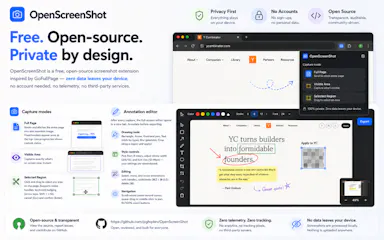
A Chrome extension that takes full-page screenshots entirely in your browser, with no uploads or accounts.

Works offlineData stays with youNo tracking
What to know
How it works
Auto-stitches long pages and hides cookie banners/popups before capture
What's different
Runs 100% locally, no server or account needed
Pricing
Not stated
Best for
Developers and designers who need clean full-page captures privately

Watched for 3 days · last checked 2d ago

Details →

A browser tool that automatically repairs malformed JSON output from AI models like ChatGPT or Claude, entirely client-side.

No sign-upData stays with you
What to know
How it works
fixes trailing commas, markdown fences, Python-style booleans, unclosed brackets and truncated streams, then explains each change
What's different
100% client-side, JSON never leaves the browser
Pricing
no signup needed

Watched for 3 days · last checked 2d ago

Details →

A self-hosted, local-only time and focus tracker with automatic app tracking and optional AI insights via your own API key — nothing leaves your machine, no account needed.

No sign-upWorks offlineData stays with youNo tracking
What to know
How it works
Automatically tracks which apps you use, runs focus sessions with auto-blocking, and builds a live "Brain Graph" of your attention. AI insights are opt-in and use your own API key.
What's different
Runs entirely locally with no account, cloud sync or telemetry, unlike typical cloud-based time trackers.
Best for
Developers and makers who want a self-hosted, privacy-first alternative to cloud time trackers.
Watch out
AI insights require you to supply your own API key rather than being built in.

Watched for 14 days · last checked 8d ago

Details →

An Android app that tracks your free trials and subscriptions on-device and reminds you before you get charged, with no account or bank connection required.

No sign-upData stays with youNo tracking
What to know
How it works
Add trials/subscriptions manually, get reminders before charges hit
What's different
No account, no bank connection, everything stays on-device

Watched for 4 days · last checked 3d ago

Details →

A free toolbox of 160+ browser-based developer and design tools (PDF editor, compressor, JSON formatter, QR generator) with no signup or upload.

FreeNo sign-upData stays with you
What to know
Pricing
free
Best for
Developers and designers needing quick utility tools without uploading files

Watched for 4 days · last checked 3d ago

Details →

An open-source, self-hosted job-search tracker replacing spreadsheets, with a pipeline kanban, daily action queue, and AI scorecards.

FreeData stays with youOpen sourceSelf-hosted
What to know
How it works
Self-host on your own free Supabase project; includes kanban pipeline, resume studio, and interview prep tools
What's different
Self-hosted so your job-search data stays yours
Pricing
Free, MIT licensed

Watched for 4 days · last checked 3d ago

Details →

FuaHub

Live

230+ free tools for PDFs, images, text, and code that run entirely in the browser via WebAssembly, so files never touch a server.

FreeWorks offlineData stays with youNo tracking
What to know
How it works
local browser processing via WebAssembly and Canvas API
What's different
no file uploads to servers
Pricing
free

Watched for 5 days · last checked 4d ago

Details →

PXINK

Live

A free browser tool that shrinks big text/code pastes into dense PNGs so AI vision billing costs less than text billing.

FreeData stays with you
What to know
How it works
Wraps text blocks into dense 1928px PNGs the model reads via OCR
What's different
Exploits vision-token vs text-token pricing gap for ~60% savings
Pricing
Free, client-side, no account
Best for
Developers pasting large text/code logs into Claude or Gemini

Watched for 5 days · last checked 4d ago

Details →

A browser-based collection of developer, DevOps, and text utilities that run locally with no account or data upload.

No sign-upData stays with youNo tracking
What to know
How it works
Runs utilities directly in-browser
What's different
no accounts, no data uploads, no tracking
Best for
developers needing quick utilities without sending data to a server

Watched for 5 days · last checked 3d ago

Details →

A browser-based toolkit for formatting, validating, and converting JSON and other developer file formats, entirely client-side.

Data stays with youNo tracking
What to know
How it works
Runs 100% in the browser with no backend.
What's different
No uploads, tracking, or server-side processing.
Best for
Developers who want quick JSON/data utilities without sending data to a server.

Watched for 5 days · last checked 4d ago

Details →

DevTab

Live

110+ browser-based dev utilities — JSON, JWT, regex and SQL formatting and more — that run entirely client-side with no signup, uploads or server calls.

FreeNo sign-upData stays with you
What to know
How it works
A collection of 110+ developer utilities — JSON formatter, JWT decoder, regex tester, base64, diff checker, SQL formatter and more — that run entirely in the browser.
What's different
No uploads, no server calls, and no signup, unlike tools that process input server-side.
Pricing
Free.
Best for
Developers who want quick one-off formatting or decoding tools without sending data to a server.

Watched for 16 days · last checked 10d ago

Details →

A free collection of 100+ browser-based tools for JSON, PDFs, and everyday dev tasks that run entirely locally with no file uploads or accounts.

Domain registered 1 month ago

FreeWorks offlineData stays with you
What to know
How it works
100+ tools localized into 68 languages run locally in the browser with no accounts and no file uploads.
Pricing
100% free.

Watched for 10 days · last checked 7d ago

Details →

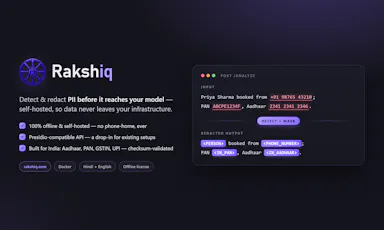
A self-hosted, offline API that detects and redacts personal data, including India-specific identifiers, before it reaches an AI model, so data never leaves your infrastructure.

Works offlineData stays with youSelf-hosted
What to know
How it works
Detects and redacts PII such as Aadhaar, PAN, GSTIN, IFSC, and UPI, with a Presidio-compatible drop-in API, multilingual Hindi/English name and place detection, and checksum plus libphonenumber validation to reduce false positives.
Best for
Teams building AI pipelines in or for India who can't send data to third parties.

Watched for 10 days · last checked 7d ago

Details →

An open-source, fully local agentic AI platform that runs multi-agent workflows and vector-database ingestion entirely on-device, for organizations and technical users who want AI automation without sending data to the cloud.

Works offlineData stays with youOpen source
What to know
How it works
100% local data processing with optimized vector-database ingestion and multi-agent orchestration to run business workflows securely on-device.
Best for
organizations and developers building AI workflows that require full data privacy.

Watched for 11 days · last checked 7d ago

Details →

A free collection of 13 client-side developer utilities (JSON formatter, CSV-to-JSON converter, password generator, QR code generator) in English and Arabic that never send data to a server.

FreeNo sign-upData stays with you
What to know
How it works
Everything runs 100% client-side in the browser with no login required.
What's different
built bilingual English/Arabic; most dev tool sites only serve English.
Pricing
free.
Best for
developers, including Arabic speakers, who want quick utilities without accounts or uploads.

Watched for 11 days · last checked 8d ago

Details →

A self-hosted, open-source AI coding agent that runs on your local Ollama models and can be driven from Slack, Telegram, Discord, or the web, with human-in-the-loop plan approval before it edits code.

FreeData stays with youOpen sourceSelf-hosted
What to know
How it works
Uses a ReAct architecture with human-in-the-loop plan approval, deterministic edits, and PR creation; supports DeepSeek, Llama, Qwen, Mistral, OpenAI, Claude, and Gemini models.
Pricing
Free and open source.

Watched for 11 days · last checked 8d ago

Details →

A privacy-first bundle of everyday utility tools for creators, developers, marketers, and students that avoids sending data to external servers, unlike most ad-supported online utility sites.

Domain registered 17 days ago

Data stays with you
What to know
How it works
Bundles multiple everyday utilities in one toolbox without ads, signups, or uploading data to external servers.
Best for
creators, developers, marketers, and students who want quick utilities without handing data to third-party servers.

Watched for 12 days · last checked 8d ago

Details →

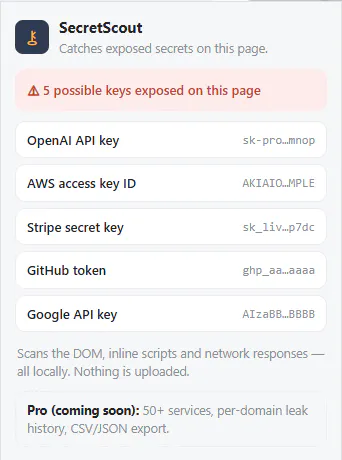
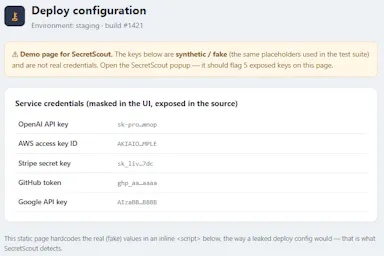
A browser extension that scans pages you visit for exposed API keys and secrets (OpenAI, AWS, Stripe, GitHub, Google) entirely locally. Built for developers and security engineers guarding against credential leaks.

Works offlineData stays with you
What to know
How it works
A browser extension that scans pages you visit for exposed API keys and secrets from providers like OpenAI, AWS, Stripe, GitHub, and Google, checking the DOM, scripts, and network responses.
What's different
Scanning happens 100% locally — nothing leaves your browser.
Best for
Developers and security engineers who want to catch accidentally exposed credentials while browsing.

Watched for 12 days · last checked 9d ago

Details →

17 client-side developer utilities, JSON formatter, JWT decoder, regex tester, hash and UUID generators and more, in one page, each also exposed as a REST API endpoint. No sign-up, nothing leaves your browser.

Domain registered 18 days ago

No sign-upData stays with you
What to know
How it works
A single page bundling 17 client-side developer utilities — JSON formatter, Base64 encoder/decoder, JWT decoder, regex tester, hash generator, UUID generator, URL encoder, timestamp converter, password generator, SQL formatter, cron parser, Markdown preview, color converter, diff tool, QR code generator, Lorem Ipsum generator, and an AI content detector — each also available as a REST API endpoint.
What's different
All processing happens client-side, so data never leaves the browser, and no sign-up is required.
Pricing
No sign-up required.
Best for
Developers who want quick access to common utilities without installing separate tools, including via API in scripts.

Watched for 12 days · last checked 9d ago

Details →

Free browser-based color utilities for format conversion, palettes, gradients and color extraction, with nothing uploaded to a server. For designers and developers who want quick tools, no install.

Domain registered 5 months ago

FreeNothing to installData stays with you
What to know
How it works
A collection of browser-based color utilities: converting between color formats, generating palettes and gradients, extracting colors from images, and analyzing color values, all running client-side.
Pricing
Free.
Best for
Designers and developers who want quick color conversions or palette generation without installing software or uploading files to a server.

Watched for 13 days · last checked 2d ago

Details →

A Chrome extension that bundles a screenshot or recording with console logs, network requests and environment info into one bug report, entirely on your machine. Built for developers and QA.

Domain registered 30 days ago

Works offlineData stays with youCan export my data
What to know
How it works
A Chrome extension that captures a screenshot or video recording along with console logs, network requests and environment info, bundling them into one paste-ready bug report; can export a video to webm or a full HTML report.
What's different
Runs 100% locally — nothing leaves your machine.
Best for
Developers and QA testers who need a complete, shareable bug report without manually collecting logs and screenshots.

Watched for 13 days · last checked 2d ago

Details →

A free set of 52 browser tools — JSON formatting, regex testing, encryption, converters, calculators — running locally so nothing uploads. Mostly developer tools, plus general productivity ones.

FreeNo sign-upNothing to installWorks offline
What to know
How it works
A free collection of 52 browser-based tools spanning developer utilities (JSON formatter, regex tester, JWT decoder), security tools (AES-256 encryption, PII scrubber), converters, calculators and productivity tools, all running locally in the browser.
What's different
No sign-up, no paywalls and no limits, and everything runs locally so data never leaves the device.
Pricing
Free.
Best for
Developers and general users who want quick one-off tools without installing an app.

Watched for 14 days · last checked 2d ago

Details →

A browser-based JSON toolkit (format, validate, diff, convert, visualize) that runs entirely client-side with zero uploads and no servers, for developers who don't want their data leaving the browser.

Works offlineData stays with youOpen source
What to know
How it works
A browser-based JSON toolkit — format, validate, beautify, diff, convert, visualize, and generate code from JSON — running entirely client-side.
What's different
Zero uploads, works offline, and is installable as a PWA, with no server or API keys involved.
Best for
Developers who don't want their JSON data leaving the browser.

Watched for 14 days · last checked 2d ago

Details →

Browser-based developer tools that make zero network calls — your pasted data never leaves your machine, unlike most online dev-tool sites that quietly phone home.

Data stays with you
What to know
How it works
Runs developer tools entirely in the browser and makes zero network calls, so pasted data never leaves your machine.
What's different
Verifiable no-network-call behavior — you can check the browser's Network tab yourself, unlike sites that silently send data to servers.
Best for
Developers who want to paste sensitive data into online tools without it being transmitted anywhere.

Watched for 15 days · last checked 2d ago

Details →

Privacy-first developer utilities — JWT decode, JSON format, Base64, UUIDs, timestamps, diff, cron, regex, SQL formatting — as a web app, desktop app or Chrome extension, all running locally.

Data stays with you
What to know
How it works
A set of developer utilities — JWT decoding, JSON formatting, Base64 conversion, UUID generation, timestamp conversion, text diff, cron parsing, regex testing, SQL formatting — available as a web app, desktop app or Chrome extension.
What's different
All processing happens locally on your device; no data is uploaded.
Best for
Developers who want quick utility tools without sending pasted data to a server.

Watched for 15 days · last checked 2d ago

Details →

Symt

Live

Self-hosted maps, routing, geocoding and zones you run on your own servers instead of paying per-lookup to Google or Mapbox, keeping location data on infrastructure you control.

Data stays with youSelf-hosted
What to know
How it works
A self-hosted platform for maps, routing, geocoding and zones that runs on your own infrastructure instead of a metered service like Google or Mapbox.
What's different
Flat cost on infrastructure you own, instead of a bill that scales with every order, load or lookup.
Best for
Companies with high-volume location lookups who want to avoid per-request map billing and keep location data off someone else's cloud.

Watched for 16 days · last checked 8d ago

Details →

A free collection of browser-only utilities — JSON formatter, regex tester, password generator, QR generator and more — for developers and quick technical tasks, with nothing ever uploaded to a server.

FreeData stays with you
What to know
How it works
A collection of browser-only tools - JSON formatter, password generator, regex tester, unit converter, QR generator and more - that run entirely client-side.
What's different
Nothing ever leaves the browser to a server.
Pricing
Free.
Best for
Developers needing quick technical utilities without uploading data.

Watched for 16 days · last checked 2d ago

Details →

Over 168 small utilities — converters, calculators, dev tools — running client-side in your browser with nothing uploaded, no account needed, and offline support once loaded.

FreeNo sign-upNothing to installWorks offline
What to know
How it works
A collection of 168+ browser-based utilities — developer tools, image converters, text analytics, calculators, network utilities and more — that run entirely client-side.
What's different
Every tool runs in your browser so your data never leaves your device, works offline once loaded, and there's no account, paywall or ads on the tools themselves.
Pricing
Free.
Best for
Developers and everyday users who want quick one-off utilities without uploading data or creating an account.

Watched for 16 days · last checked 8d ago

Details →

A free suite of browser-based developer tools, JSON formatter, regex tester, cron builder, a WCAG accessibility checker, that runs client-side with no signup, ads, or data sent to a server.

FreeNo sign-upData stays with youNo ads
What to know
How it works
A small suite of browser-based dev tools — JSON formatter, regex tester, cron builder, WCAG contrast checker, and API request tester — that run entirely client-side.
What's different
No accounts, no ads, and no data sent to a server, unlike bookmarked dev-tool sites that get slower and ad-heavier over time.
Pricing
Free.
Best for
Developers who want quick utility tools without signing up or sending data to a server.

Watched for 17 days · last checked 1d ago
Details →

Gives developers an all-in-one privacy-first toolkit instead of uploading data to third-party dev tools.

Data stays with you

First seen today · last checked today

Details →

Lets developers clean and reformat messy JSON entirely in the browser instead of uploading sensitive client data to a server.

Data stays with youCan export my data

First seen today

Details →

Fliktools

Not responding

A free privacy-first browser toolkit of 87+ tools spanning PDF, image, AI writing, wellness and developer utilities, all processed locally.

FreeNo sign-upWorks offlineData stays with you
What to know
How it works
All tools run locally in-browser, files never uploaded
Pricing
free forever, no paid tier
Best for
Anyone wanting quick utility tools without files leaving their device

Watched for 4 days · last checked today

Details →

Local-first AI tooling for finance teams' monthly close (bank reconciliation, CSV sorting, PDF parsing, cash forecasting) that keeps sensitive financial data off cloud AI services.

Domain registered 2 months ago

Works offlineData stays with you
What to know
How it works
Local-first AI tools for finance teams' monthly close — bank reconciliation, sorting CSV line items, parsing PDFs, and building 90-day cash forecasts — without uploading sensitive financial data to cloud AI services.

Watched for 7 days · last checked 1d ago

Details →

A Mac app that watches your posture, eye strain, and stress via webcam while you work and nudges you before it becomes a problem.

Works offlineData stays with you
What to know
How it works
On-device computer vision monitors posture, eye health, and stress signals during screen work
What's different
Focuses on how screen time affects your body, not just how long you've used the screen
Best for
People doing long hours of screen-based work (coding, writing, meetings)
Watch out
Mac only currently, Windows launching soon

Watched for 5 days · last checked today

Details →

Sonora

Live

Offline Windows speech studio offering local text-to-speech, speech-to-text and system-wide dictation with a local API.

Works offlineData stays with you
What to know
How it works
A Windows speech studio offering multi-engine local TTS with custom voices, speech-to-text with speaker labels, global hotkey dictation into any field, and a localhost HTTP API for scripts and AI agents.
Watch out
Runs fully offline after models download; works on GPU or CPU.

Watched for 2 days · last checked 2d ago

Details →

A free, open-source AI chat assistant that runs in the browser using your own API key, with no login required.

Domain registered 20 days ago

FreeNo sign-upData stays with youOpen source
What to know
How it works
Lets you chat with leading AI models using your own API key, running fully in the browser with no login required.
Pricing
Free.

Watched for 3 days · last checked 2d ago

Details →

Free Chrome extension for taking full-page or region screenshots with an annotation editor, processed entirely on your device.

FreeData stays with youOpen sourceCan export my data
What to know
How it works
capture full-page, region, or visible-area screenshots, then annotate with undo/redo and export to PDF
Pricing
free, open source
Watch out
Chrome extension only

Watched for 5 days · last checked today

Details →

A pair of privacy-focused desktop utilities for text expansion and clipboard management.

Data stays with you
What to know
How it works
Two privacy-first desktop utilities: Snipzilla, a privacy-focused text expander, and Stashzilla, a smart clipboard manager that keeps copied items organized and searchable.
Best for
People who want fast, private tools built by one indie developer.

Watched for 8 days · last checked 5d ago

Details →

A fast, ad-free interactive timezone visualizer for coordinating across remote teams.

Domain registered 10 days ago

Data stays with youNo ads
What to know
How it works
An interactive timezone visualizer built for engineers and remote teams to coordinate across borders, designed to be ad-free, lightweight, and privacy-first.

Watched for 8 days · last checked 2d ago

Details →

A free bundle of 332 small web utility tools pitched as secure and privacy-first, though the listing gives no detail on what each tool does or how it handles data.

FreeNo sign-upData stays with youNo ads
What to know
How it works
A bundle of 332 free web utility tools, pitched as privacy-first.
Pricing
Free.

Watched for 14 days · last checked 8d ago

Details →

Free, fully offline point-of-sale system for hotels and small shops, built with Electron.

FreeWorks offlineData stays with you
What to know
How it works
A fully offline point-of-sale system for hotels and small shops, built with JS and Electron, offering fast billing, a dashboard, and instant receipts.
Pricing
Free, code available on GitHub.
Watch out
No internet or cloud needed; data stays on your PC.

Watched for 9 days · last checked 3d ago

Details →

kitzos

Live

A free set of browser-based PDF, image, text, and calculator tools that process everything locally with no uploads.

Domain registered 1 month ago

FreeData stays with youNo tracking
What to know
How it works
Provides PDF and image tools, text and dev utilities, calculators and converters, and audio tools that run 100% in the browser with no uploads.
Pricing
Free, no signups, no tracking.

Watched for 8 days · last checked 2d ago

Details →

An offline tool for validating Saudi e-invoice QR codes, UBL XML files, and PDF/A-3 invoices, with VAT calculation, on-device.

Works offlineData stays with you
What to know
How it works
Validates invoice QR codes, UBL 2.1 XML files, and PDF/A-3 e-invoices, scanning QR codes, inspecting invoice data, and calculating VAT directly on-device with no cloud uploads.
Best for
Businesses, accountants, auditors, and developers handling Saudi e-invoices.
Watch out
Independent application, not affiliated with or endorsed by ZATCA or any government authority.

Watched for 7 days · last checked 5d ago

Details →

A secure messaging tool for sharing passwords or sensitive notes via self-destructing links that expire after reading.

Domain registered 9 days ago

Data stays with you
What to know
How it works
You send passwords, API keys, notes, or other sensitive data via a self-destructing message that expires after being read or after a set time, then is permanently deleted.

Watched for 7 days · last checked 5d ago

Details →

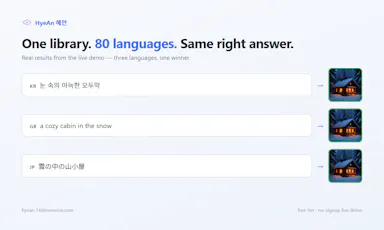
A tool that searches your own image library using a plain-language description, with a Unity editor plugin and a REST API.

Data stays with you
What to know
How it works
Search your own image library with a plain sentence to find matching icons or photos, in about 80 languages; a Unity editor plugin assigns matched sprites directly, and a REST API covers other integrations.
What's different
Only 256px thumbnails are indexed — originals never leave your machine.
Pricing
Free tier, flat pricing, unlimited searches.

Watched for 9 days · last checked 6d ago

Details →

Merges, splits, compresses, and converts PDFs entirely in your browser, so files never get uploaded to a server.

Domain registered 8 months ago

FreeNo sign-upNothing to installData stays with you
What to know
How it works
Runs PDF/image tools client-side in JavaScript
What's different
Nothing leaves your device, unlike most free PDF tools
Pricing
Free, open source

Watched for 5 days · last checked 3d ago

Details →

A hub of 170+ free browser-based tools (PDF, image, resume/ATS and more) that run client-side, so files never leave your device. A broad utility site, not a specialized tool for one profession.

FreeNo sign-upNothing to installData stays with you
What to know
How it works
A hub of 170+ browser-based tools across 16 categories, including a PDF toolkit (compress/merge/split), an AI resume builder with ATS scoring, and financial calculators for India (GST, PPF, EPF) and the US (401k, HSA).
What's different
Processing happens locally in the browser via WebAssembly, so files never reach a server, and there is no sign-up, daily limit, or watermark.
Pricing
Free, no account required.
Best for
Anyone needing quick PDF, resume/ATS, or financial calculations without installing software or creating an account.

Watched for 13 days · last checked 2d ago

Details →

A native Android AI chat app that keeps your conversation history stored locally on the device instead of the cloud.

No sign-upData stays with youOpen sourceSelf-hosted
What to know
How it works
A native Android AI chat app.
What's different
Chat history is stored locally on the device rather than in the cloud.
Best for
Android users who want an AI chat app without their conversations stored in the cloud.

Watched for 17 days · last checked 9d ago

Details →

Twelve browser-based tools for images, PDFs and dev work that run locally via WebAssembly so files never leave your device — a free alternative to TinyPNG, remove.bg and iLovePDF.

FreeNo sign-upData stays with you
What to know
How it works
Twelve browser-only tools for images, PDFs and dev work that run locally via WebAssembly, so files are never uploaded to a server.
What's different
Positioned as a free, privacy-first alternative to TinyPNG, remove.bg, iLovePDF and JSONLint, combined into one hub.
Pricing
Free, no signup, no limits.
Best for
Developers and makers who want to process images, PDFs or code without uploading files anywhere.

Watched for 11 days · last checked 5d ago

Details →

A free, no-signup collection of quick browser utilities — text, image, PDF and calculator tools plus a developer-helpers section — that mostly runs client-side so files don't leave your device.

Domain registered 9 months ago

FreeData stays with you
What to know
How it works
A growing collection of free, no-signup browser utilities for text, image, PDF, and developer tasks; most tools run entirely in the browser so files and text never leave the device, with any cloud processing clearly labeled.
What's different
Most processing happens client-side rather than uploading files to a server.
Pricing
Free.
Best for
People who need a quick one-off text, image, PDF, or dev task done without installing software or creating an account.

Watched for 9 days · last checked 9d ago

Details →

Hovor

Live

Voice dictation for Mac and iPhone that runs fully on-device so your voice never leaves your hardware, with multilingual support and a lifetime-purchase option instead of a subscription.

Works offlineData stays with youNo subscription
What to know
How it works
Hold a hotkey, speak, and structured text lands where your cursor is in any app on Mac and iPhone, using on-device models that fix punctuation and structure and support multilingual speech, a personal dictionary, snippets and workflows.
What's different
On-device processing means your voice never leaves your hardware.
Pricing
Free tier included, plus lifetime unlocks instead of a forced subscription.
Best for
Mac and iPhone users who want private, offline voice dictation across apps.

Watched for 17 days · last checked 2d ago

Details →

A free browser-based image toolkit (converter, compressor, background remover, upscaler) that processes files locally without upload.

FreeNo sign-upData stays with you
What to know
How it works
Bundles ten browser-based image tools (format converter, compressor, AI background remover, resizer with social presets, cropper, rotator, image-to-PDF, AI upscaler, watermark tool, screenshot beautifier) using Canvas API and WebAssembly.
What's different
Images never leave the device; no upload, account, or per-file limits; supports batch processing.
Pricing
Free.

Watched for 2 days · last checked 2d ago

Details →

A privacy-focused suite of developer utilities: IP tracing, file conversion, password/QR generation, and more.

FreeNo sign-upData stays with you
What to know
How it works
A digital utility suite covering IP tracing, file conversion, password generation, QR codes and color tools.
Pricing
Free, no sign-up.
Best for
Developers and creators wanting privacy-focused utilities.

Watched for 2 days · last checked 2d ago

Details →

A Chrome extension for saving and one-click switching between multiple login sessions on the same site.

Data stays with youNo tracking
What to know
How it works
Saves and restores multiple login sessions for the same website, letting you switch accounts with one click, stored locally with no cloud sync.
Best for
Developers, freelancers, marketers and QA engineers managing multiple accounts on the same site.

Watched for 2 days · last checked 2d ago

Details →

40 free in-browser tools (PDF compress, convert, OCR, SEO checks) that never upload files, open-source, in 6 languages.

FreeNo sign-upData stays with youOpen source
What to know
How it works
40 tools for compressing PDFs and images, converting files, OCR, and SEO checks, all running in the browser with no upload, handling files up to 1GB.
What's different
Open-source (AGPL) and available in 6 languages.
Pricing
Free, ad-supported.
Best for
People wanting private, no-signup file utilities.

Watched for 2 days · last checked 2d ago

Details →

Free, no-signup toolkit of 169 diagnostics for DNS, email authentication, TLS certificates, IP blacklists and security headers, built for self-hosters debugging mail and web infrastructure.

FreeNo sign-upData stays with youSelf-hosted
What to know
How it works
runs DNS/SPF/DKIM/DMARC/TLS/blacklist/header checks plus in-browser dev utilities (JWT, cron, regex, hashing)
What's different
replaces juggling six separate diagnostic sites; some checks keep data local to your machine
Pricing
free to run checks; watchlists, alerts, embeddable badges and API available on top
Best for
self-hosters and sysadmins debugging DNS/email/TLS issues

Watched for 4 days · last checked 3d ago

Details →

A local-first notebook combining handwriting, rich documents and PDF markup in one workspace, for students and professionals tired of juggling multiple note apps.

Works offlineData stays with youNo adsNo tracking
What to know
How it works
A local-first notebook combining handwriting (ink, pens, highlighters, shapes, lasso selection), rich text boxes, tables, images, audio memos, and PDF import with searchable text, all on a multi-page canvas organized with folders and tags.
What's different
Combines handwriting, structured documents and PDF markup in one workspace instead of forcing a choice between separate apps, without ads or tracking SDKs.
Best for
Students, professionals and creators who currently juggle multiple note apps and want handwriting, documents and PDF annotation in one place.

Watched for 17 days · last checked 1d ago

Details →

An open-source, self-hosted AI video surveillance system where footage and detection models stay on your own hardware.

Domain registered 5 months ago

Works offlineData stays with youOpen source
What to know
How it works
Runs entirely on hardware you own with footage never leaving your network; AI detectors are pluggable via an open contract (~30 lines of Python) for models like YOLOv8, license plates, or faces; a local LLM can answer spoken questions about live camera frames.
What's different
100% open source and self-hosted, unlike cloud NVRs such as Ring, Nest, or Verkada.
Pricing
No cloud, no subscriptions, no per-camera fees.
Best for
Developers who want full ownership of their video surveillance stack.

Watched for 8 days · last checked 5d ago

Details →

Suite of client-side browser tools, including a teleprompter and EXIF stripper, that run entirely offline.

Domain registered 2 months ago

Works offlineData stays with you
What to know
How it works
A suite of web utilities (e.g. an auto-scrolling teleprompter, an EXIF metadata stripper) that run entirely offline in the browser using HTML5 and JS APIs.
What's different
100% client-side — no backend uploads or delays.
Best for
Developers and creators wanting privacy-first tools.

Watched for 9 days · last checked 6d ago

Details →

A password manager built on the open, KeePass-compatible KDBX format, storing logins, passkeys, cards and TOTP codes in one encrypted vault with Face ID autofill.

Domain registered 3 months ago

Data stays with youNo adsNo tracking
What to know
How it works
Stores logins, passkeys, credit cards, secure notes and TOTP codes in an encrypted vault, built on the open KDBX format compatible with KeePass and KeePassXC, with one-tap AutoFill and Face ID across iPhone, iPad, Mac, Windows and Linux.
What's different
Uses the open KDBX format instead of a proprietary vault, so you're not locked into one vendor, with zero-knowledge on-device encryption before sync.
Best for
People wanting a KeePass-compatible password vault across Apple, Windows and Linux devices without vendor lock-in.

Watched for 12 days · last checked 2d ago

Details →

Locally blurs emails, API keys, tokens and other sensitive data before you screen-share or record — useful for anyone showing their screen, not just developers.

Data stays with you
What to know
How it works
Detects and locally blurs sensitive browser-page content — emails, phone numbers, API keys, tokens, IP addresses, and custom keywords — before you screen-share, record, or screenshot, with support for WhatsApp Web, manual area selection, saved rules, temporary reveal, and an emergency hide.
What's different
All scanning happens locally in the browser; page content is never uploaded.
Best for
Anyone doing screen shares, recordings, or live demos who needs to hide sensitive data on the fly, not just developers.

Watched for 16 days · last checked 8d ago

Details →

Krynn Tools

Not responding

A collection of 100+ free browser tools for PDF editing, image editing, and AI writing, with no signup.

FreeNo sign-upData stays with you
What to know
How it works
Provides over 100 free browser-based tools for PDF editing, image editing, and AI writing, including compress, merge, split, convert, sign, protect, watermark, crop, resize, background removal, and more.
What's different
No signup and no file upload required — everything runs in the browser.
Pricing
Free.

Watched for 11 days · last checked today

Details →