Tools a whole team uses togetherWorks offline

112 match your filters — 105 of them answered our check today.

Watching this group for 19 days · how we check

This week35 new arrivals1 stopped answering

Desktop teleprompter for presenters that overlays a click-through script on any app while staying invisible in screen recordings.

Domain registered 10 months ago

Works offline
What to know
How it works
Floating click-through script overlay with voice-activated auto-scroll
What's different
Invisible in screen recordings and to viewers, unlike normal teleprompters
Best for
People presenting demos, webinars, or interviews on camera

Watched for 4 days · last checked 1d ago

Details →

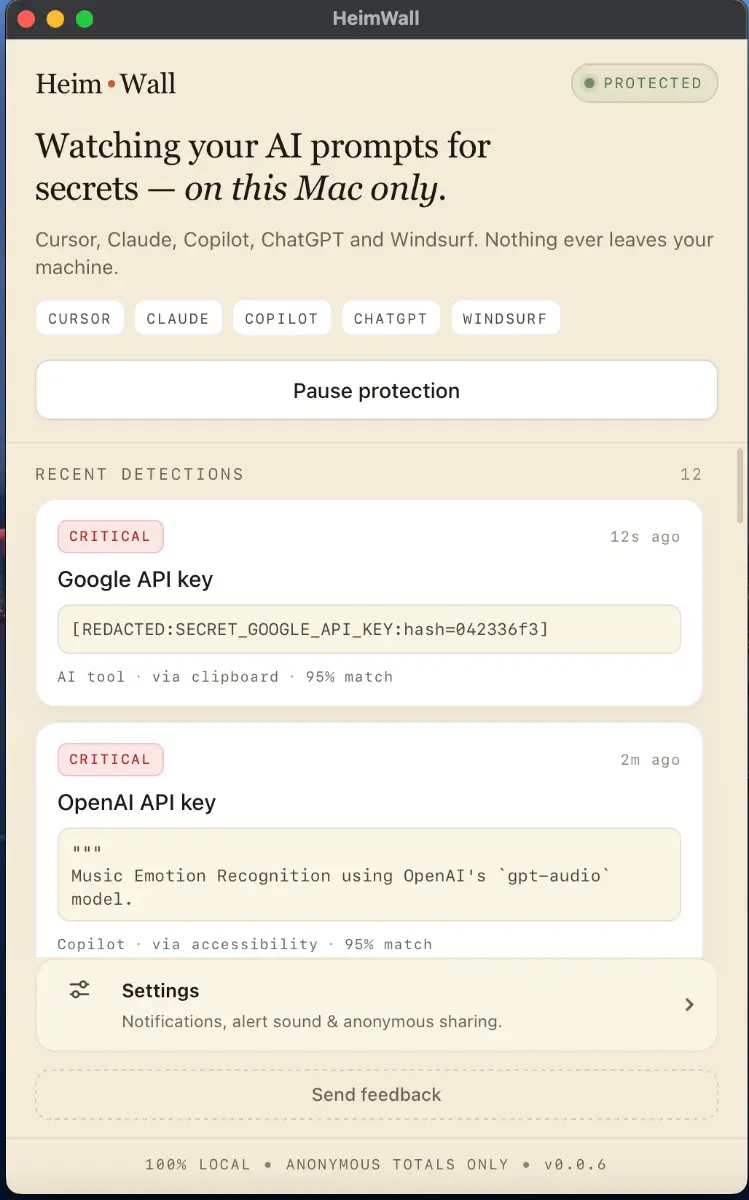
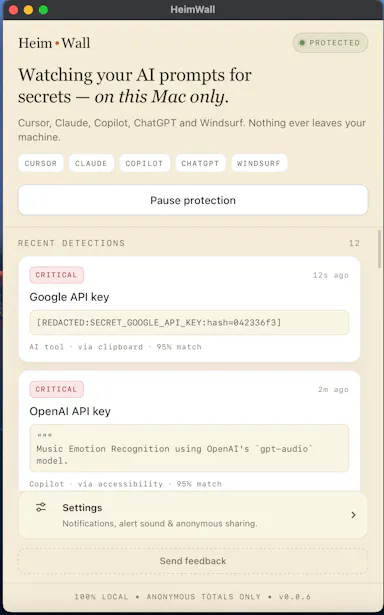
Local macOS scanner that blocks secrets and PII from leaking into AI coding-tool prompts, for engineers who don't want to rely on cloud DLP.

Domain registered 4 months ago

FreeWorks offline
What to know
How it works
A macOS app that scans prompts in real time before they reach AI coding tools like Cursor, Claude Code, and Copilot, flagging leaked API keys, credentials, and PII using 47 local detection rules in under 50ms.
What's different
Detection happens on-device before data leaves the machine, and uses soft notifications instead of hard blocks so it doesn't interrupt the coding flow.
Pricing
Free 15MB macOS application for engineers; an early-access dashboard is offered separately for organizations.
Best for
Engineers using AI coding assistants who want to avoid pasting live secrets into prompts.

Watched for 8 days · last checked 1d ago

Details →

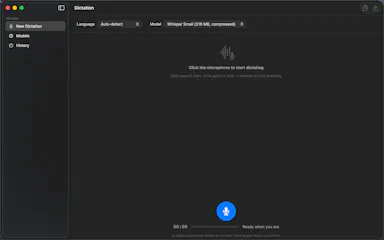
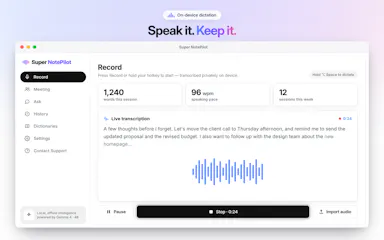
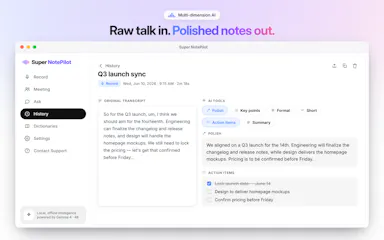
Real-time offline dictation and speech-to-text for meetings and notes on Mac that keeps everything private and processed locally instead of in the cloud.

Works offline
What to know
How it works
Provides realtime AI dictation and speech-to-text for meetings and notes, running privately and offline on Mac.

Watched for 6 days · last checked today

Details →

A free browser tool for e-learning course builders to convert quiz formats and package SCORM courses, entirely on-device.

Domain registered 15 days ago

FreeNo sign-upNothing to installWorks offline
What to know
How it works
Converts GIFT/Moodle XML quiz formats either direction, packages course folders into SCORM 1.2/2004
What's different
processes entirely on-device, no upload, no account, no paywall on core tools
Pricing
free
Best for
Moodle admins, instructional designers, corporate L&D teams

Watched for 5 days · last checked 3d ago

Details →

LeLuca

Live

Records and transcribes Mac meetings entirely on-device, then turns them into searchable AI notes, for people who don't want audio leaving their machine.

FreeWorks offlineData stays with youCan export my data
What to know
How it works
records mic+system audio, transcribes locally with Whisper, generates TL;DR/decisions/action items
What's different
100% on-device transcription, optional bring-your-own ChatGPT/Claude for notes
Pricing
free on Mac App Store
Best for
Mac users who need private meeting notes

Watched for 3 days · last checked 2d ago

Details →

Adds live captions and offline subtitle generation for meetings, calls, and local videos in one macOS app.

Domain registered 10 months ago

Works offline
What to know
How it works
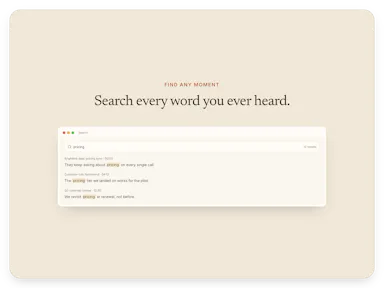
captions system audio live and generates/exports subtitles for local video files
What's different
timecode lookup jumps back to the relevant moment instead of replaying the whole session

Watched for 3 days · last checked 2d ago

Details →

A voice-following teleprompter for live calls/webinars that adapts scroll speed to your actual speech instead of a fixed rate or foot pedal.

Works offlineNo subscription
What to know
How it works
Listens to your voice and scrolls to match, works live inside Zoom/Meet/Teams/OBS and stays hidden during screen-share.
What's different
On-device processing, one-time price instead of subscription.
Pricing
One-time price, no subscription.

Watched for 1 day · last checked 1d ago

Details →

Oats

Live

A free, fully on-device meeting note-taker that transcribes and blends your typed notes without ever sending audio to the cloud or requiring an account, unlike most paid cloud notetakers.

FreeNo sign-upWorks offlineNo subscription
What to know
How it works
On-device transcription blended with your typed notes into a write-up; optional bring-your-own model key or fully offline.
What's different
Most competitors still upload audio to their cloud and cost $18+/mo; this doesn't and is free.
Pricing
Free.

Watched for 1 day · last checked 1d ago

Details →

A local, no-telemetry workspace for formatting, validating, and comparing JSON/code/data files, for developers who don't want to paste API responses into a cloud tool.

FreeWorks offlineNo tracking
What to know
How it works
Tree view, JSONPath queries, document diff, malformed JSON repair, format conversion, JWT/Base64 decode, typed code generation
What's different
Runs locally in browser or as a Windows app, no cloud upload or telemetry

Watched for 1 day · last checked 1d ago

Details →

An AI-assisted spin-wheel maker for random picking, for teachers and teams running classroom picks, giveaways, or raffles instead of building a wheel manually.

No sign-upWorks offline
What to know
How it works
Generate entries with AI; customize colors, images, themes, weights, sounds; share or embed.
Pricing
No sign-up required, works offline.

Watched for 1 day · last checked today

Details →

Aion

Live

An on-device simulator that runs Monte Carlo projections on your business plan's revenue, costs, and runway assumptions to estimate survival odds before you invest capital.

Works offline
What to know
How it works
Enter revenue/cost/margin/runway assumptions, run Monte Carlo simulations to see survival probability and risk drivers.
What's different
Inputs and results stay on-device rather than in the cloud.
Watch out
Includes a separate trade module for exchange rates, tariffs, and Incoterms.

Watched for 3 days · last checked 2d ago

Details →

A desktop app for running and organizing multiple coding agents (Claude Code, Codex, Gemini CLI) per project, each with its own terminal and git worktree.

Works offline
What to know
How it works
runs many agents per project, each with own chat/terminal/worktree/role; chains agents into teams
What's different
local-first desktop cockpit
Best for
developers running several coding agents across projects

Watched for 3 days · last checked 2d ago

Details →

An open-source Python library that logs AI model inputs/outputs locally for audit trails without touching model weights.

Domain registered 3 months ago

Works offlineOpen source
What to know
How it works
Instruments scikit-learn/XGBoost/LightGBM inference, storing only inputs/outputs in a local SQLite queue
Pricing
Open source, pip install
Best for
Regulated finance teams needing audit trails without sharing model weights

Watched for 5 days · last checked today

Details →

A local-first new-tab replacement combining bookmarks, RSS reading, and encrypted notes with very low memory use.

Works offlineNo tracking
What to know
How it works
Runs on a lightweight custom JS engine instead of a framework, keeping memory use minimal
What's different
No accounts or tracking; built for speed over cloud dashboards

Watched for 4 days · last checked today

Details →

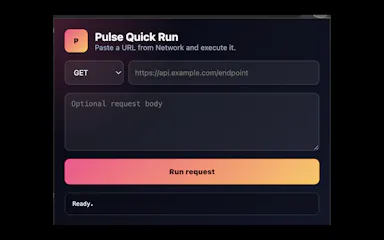
Replays Chrome Network requests locally so developers can debug APIs without sending request data to a hosted workspace, instead of using cloud-based API clients.

Works offline
What to know
How it works
Copy any Network request as cURL, import into Pulse, edit and rerun locally; supports collections, JSON paths, diffs, validation tests, exports.
What's different
Local-first, no data sent to a hosted workspace.
Best for
Developers debugging from Chrome DevTools.

Watched for 1 day · last checked today

Details →

AI Noise Cancellation for your meetings and calls.

Domain registered 1 month ago

Works offline
What to know
How it works
A real-time, on-device noise and echo cancellation app for Windows and Linux that creates a clean virtual microphone for apps like Zoom, Google Meet, Teams, and Discord.
What's different
Audio is processed entirely on-device and never uploaded.
Pricing
Free to start, no sign-in required.
Best for
People who want background noise removed from calls without sending audio to the cloud.

Watched for 8 days · last checked 2d ago

Details →

Local-first tool for freelancers and creative studios to generate client quotes, payment breakdowns, checklists, and email drafts, connectable to Claude Desktop as an MCP server.

Works offline
What to know
How it works
Runs in the browser, saves data on the user's computer, and can connect to Claude Desktop as an MCP server.
Best for
Freelancers and creative studios producing client-facing quotes and project documents.

Watched for 10 days · last checked 4d ago

Details →

Lets streamers get a webcam with real-time eye correction and teleprompter instead of buying expensive hardware webcams.

Works offline
What to know
How it works
Appears as a webcam in Zoom, Meet, Teams, or Discord using your phone camera; everything runs locally with no cloud or accounts.

First seen today · last checked today

Details →

Weeve

Live

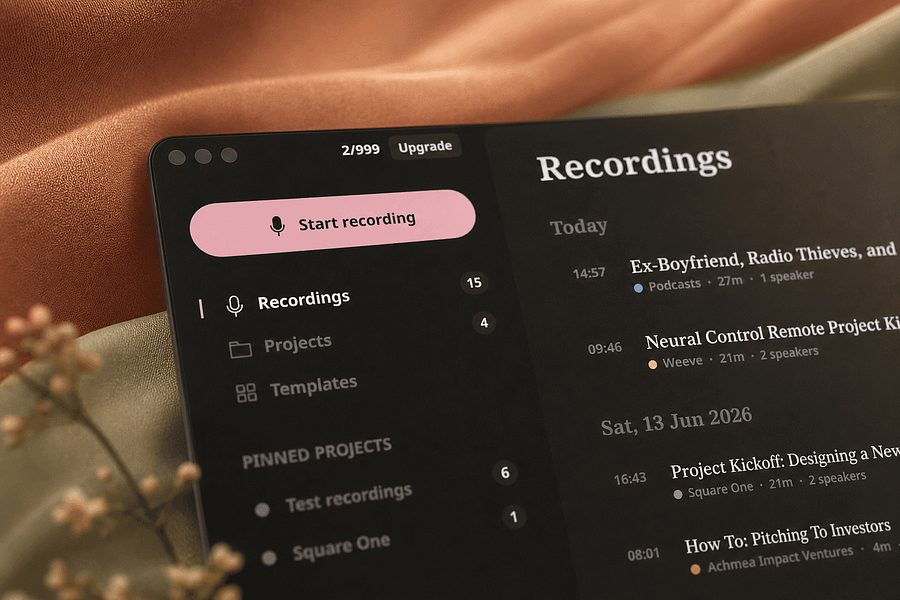
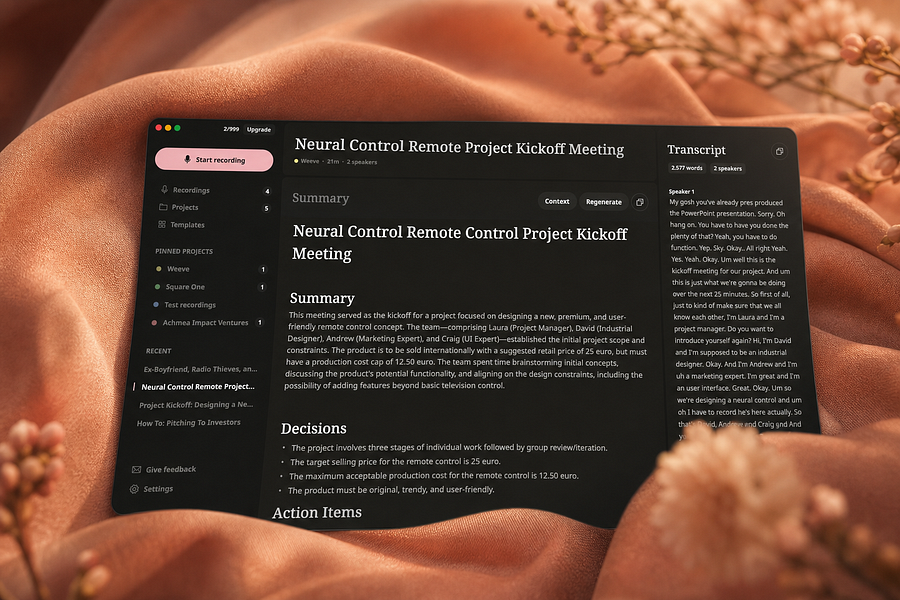
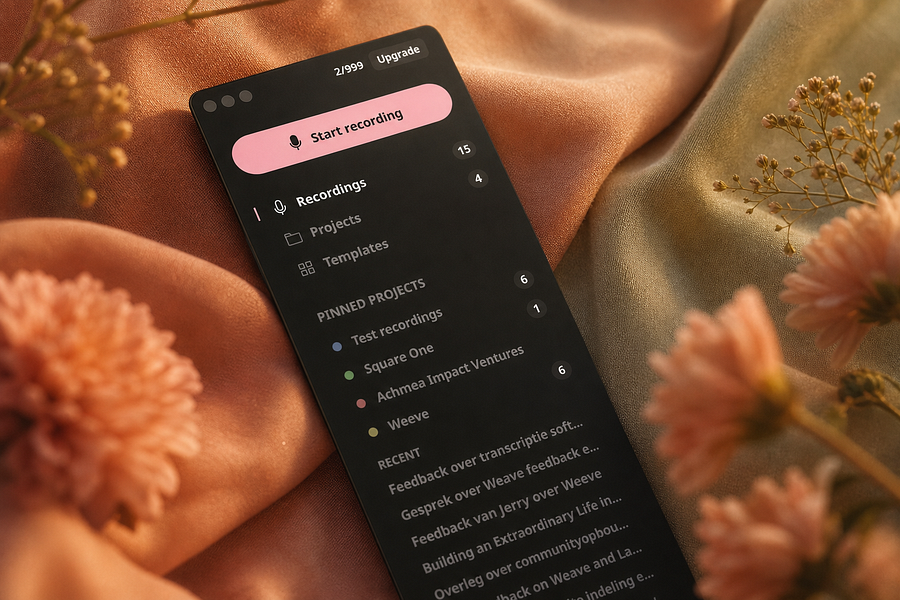
Records, transcribes, and summarizes meetings entirely on your Mac so audio never leaves the device, for people who want private meeting notes.

FreeWorks offlineCan export my data
What to know
How it works
Identifies speakers live and captures decisions and action items on-device
What's different
Works fully offline, keeping audio and AI processing on your Mac
Pricing
Free, Pro, and Team plans
Best for
People and teams wanting private meeting transcripts without cloud processing

Watched for 3 days · last checked 3d ago

Details →

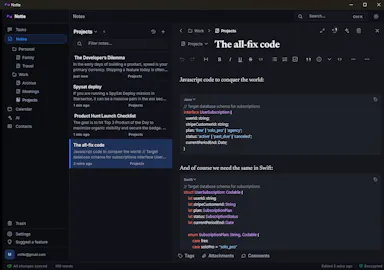
A minimalist note-taking and outlining app with infinitely nested lists, kanban boards, tags, and real-time sync, for organizing ideas, projects, and tasks alone or with a team.

Works offline
What to know
How it works
Infinitely nested outline lists plus kanban boards, tags, real-time sync, offline support, and search.
Best for
Individuals or teams managing everything from simple to-do lists to complex knowledge bases.

Watched for 13 days · last checked 2d ago

Details →

A tool that turns your phone into a barcode scanner paired with your browser, adding rows straight into your spreadsheet in real time without installing an app.

Works offlineCan export my data
What to know
How it works
Pair your phone with your browser; scanned barcodes appear as rows in your spreadsheet instantly, with export to CSV, XLSX, or Google Sheets.
What's different
Local-first, data stays in the browser, with real-time WebSocket sync and unlimited phone pairing.
Pricing
Pro tier supports up to 10,000 rows per sheet.
Best for
Inventory managers, event check-ins, and library or warehouse teams.

Watched for 11 days · last checked 8d ago

Details →

A local-first, desktop-OS-style knowledge workspace (notes, database, graph, whiteboard, browser) with an encrypted, owned vault, instead of scattering data across separate cloud apps.

Works offline
What to know
How it works
Electron shell hosts sandboxed apps sharing one data layer (Block Protocol, Yjs CRDTs, Lexical); encrypted vault syncs across devices, editable offline

Watched for 1 day · last checked 1d ago

Details →

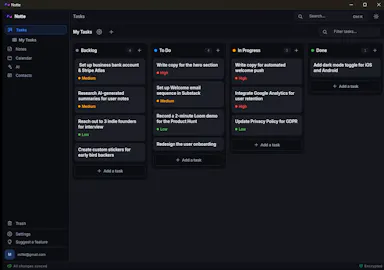
Task management with photographic proof-of-completion and self-assignment for field/on-site teams, instead of task apps that stop at a checkmark.

Works offline
What to know
How it works
Rich task details with geolocation, proof-of-work camera shots, self-assignment marketplace, map/calendar views
Best for
Teams that work on site and need accountability

Watched for 1 day · last checked 1d ago

Details →

A lightning-fast offline note capture popup (hotkey-triggered, opens in 20ms) for jotting quick thoughts before moving them into Notion or Obsidian, instead of fighting the friction of a full note app.

FreeNo sign-upWorks offlinePay once
What to know
How it works
Win+Alt+O opens a popup in under 20ms; stays in system tray, no internet or account needed
Best for
People who need to dump quick thoughts without loading a full note-taking app

Watched for 1 day · last checked 1d ago

Details →

A Markdown editor that writes once and publishes the same piece to eight different platforms.

Works offlineCan export my data
What to know
How it works
live preview markdown editor with platform-specific templates and one-tap multi-platform publishing
What's different
20 themes, exports to HTML/PDF/PNG/Markdown, works offline
Best for
content teams, developers writing docs, and personal writers on iPhone/iPad/Mac

Watched for 3 days · last checked 2d ago

Details →

Turns a tablet into an offline digital product catalog for sales teams working trade shows, replacing printed catalogs.

Domain registered 8 months ago

Works offline
What to know
How it works
Offline iPad/Android app for showcasing products, capturing leads, and updating prices on the spot.
Best for
Sales teams working trade shows or in-person sales without reliable internet.

Watched for 5 days · last checked 4d ago

Details →

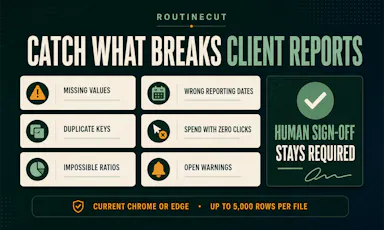
An offline QA workspace for recurring marketing reports that recalculates KPIs from a CSV and requires human sign-off before sending reports to clients.

Domain registered 3 years ago

No sign-upWorks offline
What to know
How it works
Drop in a CSV to recalculate KPIs, summarize channels, and flag missing or suspicious data before requiring human sign-off.
What's different
No account, upload, or tracking.
Best for
Agencies and teams doing QA on client-facing marketing reports.

Watched for 6 days · last checked 4d ago

Details →

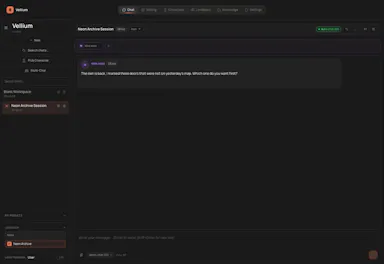
Replay

Live

A one-time-purchase Mac app that records and transcribes video calls on-device without bots joining or data leaving the machine, for people who want to own a private, searchable meeting archive.

Domain registered 1 month ago

FreeWorks offlinePay onceNo subscription
What to know
How it works
Records meetings from Zoom, Meet, Teams or Webex on a Mac and transcribes them on-device, learning speaker names across meetings, without bots joining calls or data touching the cloud; saves transcripts as video, JSON and Markdown.
Pricing
One-time purchase, free to try.
Best for
People who want a private, searchable meeting record they own, without a subscription.

Watched for 11 days · last checked 8d ago

Details →

Vinode

Live

Turns real estate developments into photorealistic, interactive 3D walkthroughs that stream in any browser, for residential property developers and their sales teams instead of a downloadable app.

Works offline
What to know
How it works
The 3D is pre-rendered and streamed as video, so pages load in about two seconds and work on low-powered phones and offline.

Watched for 12 days · last checked 8d ago

Details →

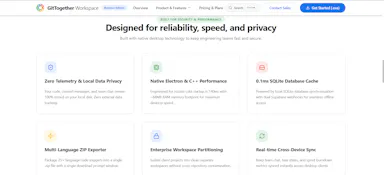
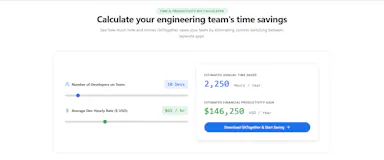
Gives engineering teams git tracking, chat, and kanban boards in one offline desktop app instead of juggling separate tools.

Works offlineNo trackingCan export my data

First seen today

Details →

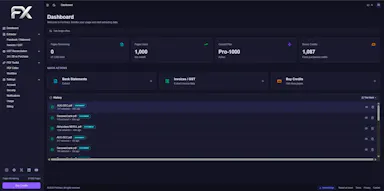
Lets Indian accountants extract bank statements and invoices into clean data with Tally sync instead of manual data entry.

Works offline
What to know
How it works
AI extraction with 96%+ accuracy, automated GSTR-2A/2B reconciliation, 1-click Tally connector
Best for
CAs, accountants and finance teams in India

First seen today

Details →

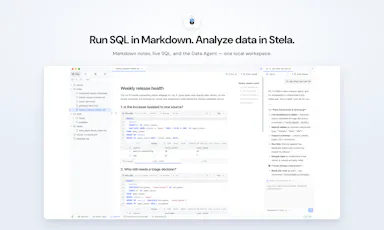
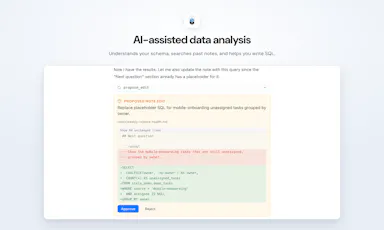
Lets people run SQL and analysis inline in Markdown notes instead of switching between a notebook and a separate SQL client.

Works offline
What to know
How it works
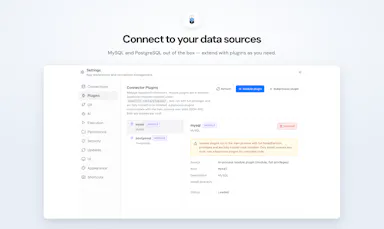
local-first workspace with built-in MySQL/PostgreSQL connectors

First seen today

Details →

A local-first SQLite manager and CLI for inspecting, editing and exporting SQLite files without a cloud platform, built for developers working with local databases and prototypes.

Works offlineCan export my data
What to know
How it works
A local-first SQLite manager and CLI for inspecting, editing, documenting, visualizing, and exporting SQLite files stored on your machine.
What's different
Runs entirely locally instead of forcing users onto a cloud platform or into a heavyweight enterprise database client.
Best for
Developers and researchers working directly with SQLite files as products, datasets, or prototypes.

Watched for 14 days · last checked 2d ago

Details →

Analyzes contracts with AI that runs entirely on your device, so documents never leave your machine or reach a cloud server.

Works offline
What to know
How it works
Analyzes contracts using AI that runs locally on your device, so documents never leave your machine or reach a cloud server.
What's different
Fully offline processing instead of sending documents to a cloud service.
Best for
Anyone reviewing sensitive contracts who wants to keep documents off the cloud.

Watched for 17 days · last checked today

Details →

Turn photos of your belongings into a shareable home or work inventory with exportable PDF or Excel lists — handy for insurance, moving, or tracking what you've lent out.

Domain registered 11 months ago

No sign-upWorks offlineNo adsCan export my data
What to know
How it works
Snap photos of your belongings, group them into projects (rooms, collections, jobs), then export a polished PDF or XLSX file to share with movers, insurers, family, or colleagues.
What's different
No account, no ads.
Best for
Documenting a home or work inventory for insurance, moving, or tracking items lent out.

Watched for 10 days · last checked 4d ago

Details →

A local-first drawing and note-taking canvas for diagrams, wireframes, study sheets and rough ideas, with layers, brushes and PSD import/export — a one-time $9.99 purchase, no account needed.

No sign-upWorks offlinePay onceNo subscription
What to know
How it works
A cross-platform, local-first canvas for notes, diagrams, study sheets, wireframes and rough ideas, with pressure-sensitive brushes, layers, shapes, text, image transforms, PSD import/export, pan/zoom and keyboard shortcuts.
What's different
Files stay entirely on-device with no account, cloud workspace or subscription required.
Pricing
One-time purchase of $9.99.
Best for
People who want a full-featured drawing/note canvas without a subscription or cloud account.

Watched for 14 days · last checked 2d ago

Details →

A native (non-Electron) Git GUI for Mac and Windows built for speed and low memory use, positioned against GitKraken, SourceTree, Fork and Tower for developers who find those apps sluggish.

Domain registered 2 months ago

No sign-upWorks offline
What to know
How it works
A native Git GUI for macOS and Windows with a color-coded, virtualized commit graph and infinite scroll. Works fully offline and locally, with no account or cloud dependency.
What's different
Roughly 12 MB and launches in a fraction of a second, versus the 300–500 MB idle RAM and multi-second cold starts of Electron-based clients like GitKraken, SourceTree, Fork, and Tower.
Best for
Developers frustrated with the resource overhead of Electron-based Git clients.

Watched for 10 days · last checked 1d ago

Details →

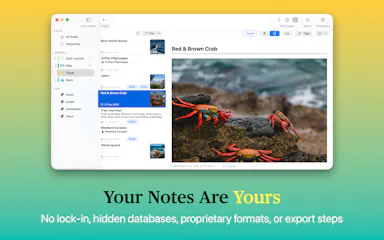
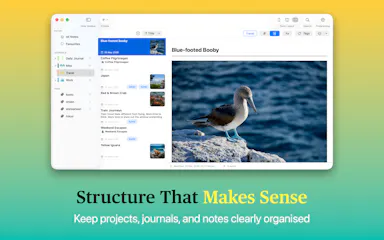
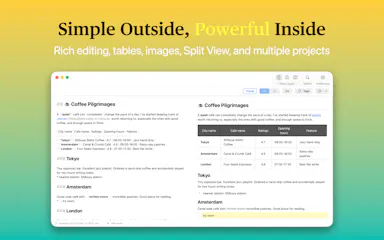
Private native macOS notes and journal app built on local plain-Markdown files, no account or database.

No sign-upWorks offline
What to know
How it works
A native macOS notes and journal app built on plain Markdown files, with projects, journals, tags, fast search, and automatic image organization.
Watch out
No database, no account, no vendor lock-in.

Watched for 2 days · last checked 2d ago

Details →

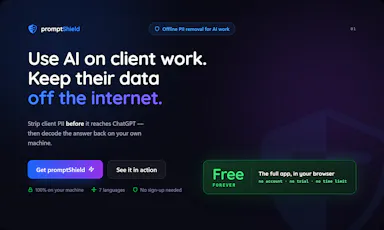
Strips names, emails and other identifying details from documents before you paste them into AI tools, then restores the real values — built for solo professionals, not dev teams.

FreeWorks offline
What to know
How it works
Anonymizes names, emails, IBANs, and other sensitive details in a document across 7 languages before you paste it into any AI tool, then decodes the AI's response to restore the real values — entirely offline.
What's different
Built as a two-minute desktop install for a solo professional, unlike enterprise PII tools that assume a dev team wiring APIs and SDKs into cloud pipelines.
Pricing
Free forever for individuals.
Best for
Solo professionals handling client documents who need to use AI tools without exposing identifying details.

Watched for 16 days · last checked 1d ago

Details →

Tokenizes PII and secrets before they reach an LLM in n8n workflows, reversing it only at a trusted sink.

Works offline
What to know
How it works
Tokenizes PII and secrets before they reach an LLM in n8n workflows, then reverses the tokenization safely at a trusted sink.
What's different
Unlike n8n's own Guardrails redaction, the original data can come back.
Watch out
Official n8n Integration Partner; a local mode runs fully offline.

Watched for 2 days · last checked 2d ago

Details →

Offline code-review studio for uncommitted git changes made by AI coding agents; comment on any line and hand notes back to the agent.

Works offlinePay onceNo subscription
What to know
How it works
open a repo, comment on diff lines, return notes to the agent via MCP
Pricing
one-time purchase, lifetime access
Best for
developers reviewing AI agent code

Watched for 5 days · last checked today

Details →

A Mac app that watches your posture, eye strain, and stress via webcam while you work and nudges you before it becomes a problem.

Works offlineData stays with you
What to know
How it works
On-device computer vision monitors posture, eye health, and stress signals during screen work
What's different
Focuses on how screen time affects your body, not just how long you've used the screen
Best for
People doing long hours of screen-based work (coding, writing, meetings)
Watch out
Mac only currently, Windows launching soon

Watched for 5 days · last checked today

Details →

Gives every Mac notification its own sound by app, channel, person, or keyword, so you know who's pinging before you look.

Domain registered 22 months ago

Works offlinePay onceNo subscription
What to know
How it works
rules by app/channel/person/keyword, 70+ sounds or your own
Pricing
$19.99 one-time, lifetime, free trial

Watched for 5 days · last checked today

Details →

A self-hosted AI workspace for regulated industries that gives a ChatGPT-like experience without sending data outside your own infrastructure — for enterprises that must stay on-prem or air-gapped.

Works offlineSelf-hosted
What to know
How it works
Pairs Bolt, a local-first AI workspace that runs on the user's own machine, with Aeira, a governed retrieval and policy layer, so enterprises get a ChatGPT/Copilot-style experience while everything runs inside their own trust boundary (on-premises, VPC, or air-gapped).
What's different
You bring your own LLM (hosted frontier model behind your own key, a model in your VPC, or a local open-weight model Sparcle auto-detects) and PII is masked at the LLM boundary so the model only sees redacted context.
Best for
Regulated enterprises (subject to HIPAA, GDPR, DPDPA) that need AI productivity tools without sending data outside their infrastructure.

Watched for 17 days · last checked 1d ago

Details →

A CI tool that packages an AI agent evaluation into a signed, machine-verifiable acceptance record with a fixed set of fail-closed checks.

Works offlineNo tracking
What to know
How it works
seals JSON contract and evidence, pins commit/command, adds SHA-256 digest, runs 8 checks offline in CI
Pricing
one-time $1,000 Team License, one legal entity, up to 25 users

Watched for 4 days · last checked today

Details →

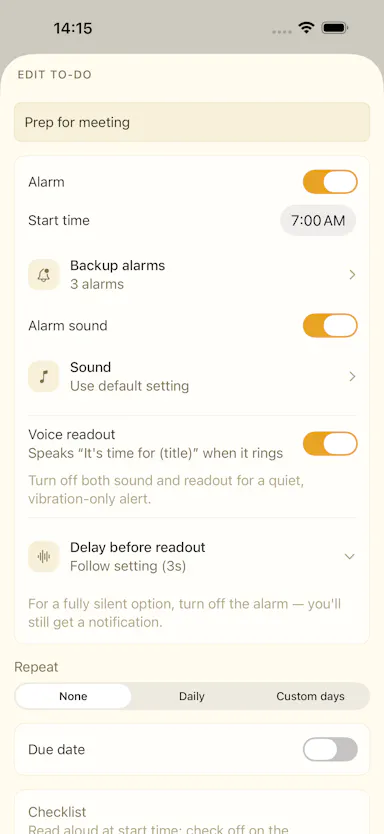
A local-first productivity workspace combining a Pomodoro timer, task/habit tracking, and analytics, with data kept on-device.

Works offlineData stays with youNo subscriptionNo ads
What to know
How it works
Combines a Pomodoro timer with customizable workflows, immersive focus mode, task/habit tracking, productivity analytics, an XP/achievement system, and ambient soundscapes, with local accounts and encrypted backup.
What's different
Local-first architecture; data stays on-device by default with no mandatory account, subscription, or ads.

Watched for 2 days · last checked 2d ago

Details →

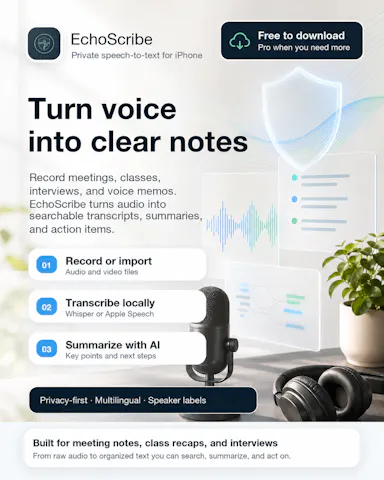
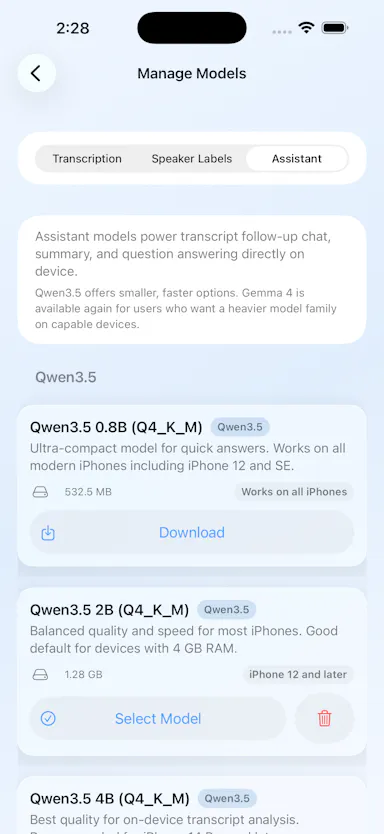
Transcribes meetings, interviews, and recordings on-device using local Whisper models, with speaker labels and a local AI summarizer.

FreeWorks offlineCan export my data
What to know
How it works
Records or imports audio/video and transcribes it on-device using local Whisper models, with speaker labels, editing, export, and a local AI assistant for summaries and action items.
Pricing
Free to download, with optional Pro access.
Best for
Sensitive, privacy-conscious meeting or interview transcription.

Watched for 7 days · last checked 5d ago

Details →

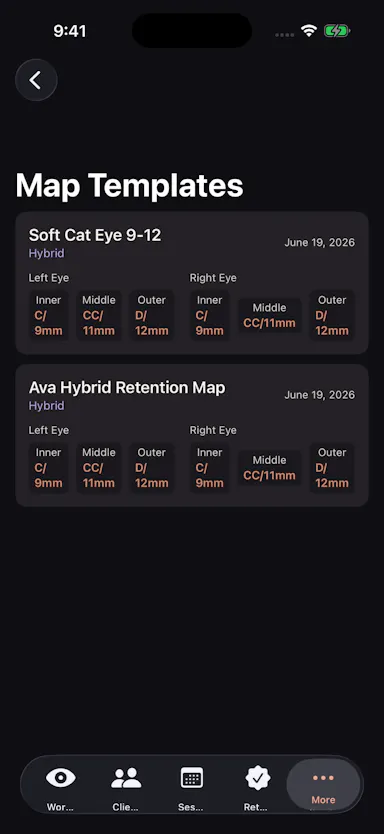
A local-first workspace for lash technicians to manage eye maps, client records, session history, and retention check-ins.

Works offline
What to know
How it works
A local-first workspace for lash technicians giving eye maps, client cards, session history, retention check-ins, reusable templates, and exports.
Best for
Independent lash technicians and small studios.

Watched for 7 days · last checked 5d ago

Details →

A topographic mapping and navigation app for hikers, mountain guides and search-and-rescue teams — plan routes, track GPS, download maps for offline use, and sync across devices.

Works offline
What to know
How it works
A topographic mapping and navigation app that lets you plan routes with detailed topo maps, download maps for offline use, track GPS location, monitor weather and terrain conditions, and sync maps across devices.
Best for
Hikers, mountain guides, search-and-rescue teams, and backcountry explorers who need offline topo maps and route planning.

Watched for 10 days · last checked 4d ago

Details →

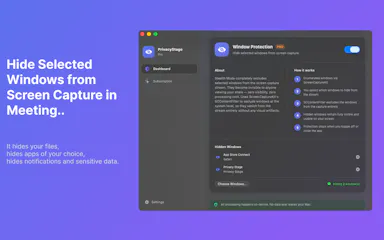
A Mac app that lets you hide specific windows from screen shares while still using them.

Works offline
What to know
How it works
A Mac app that lets you hide specific windows from screen shares while still using them, with a clean presentation desktop and notification guard, working via virtual camera with any meeting app.
Watch out
Everything runs locally on the Mac.

Watched for 9 days · last checked 3d ago

Details →

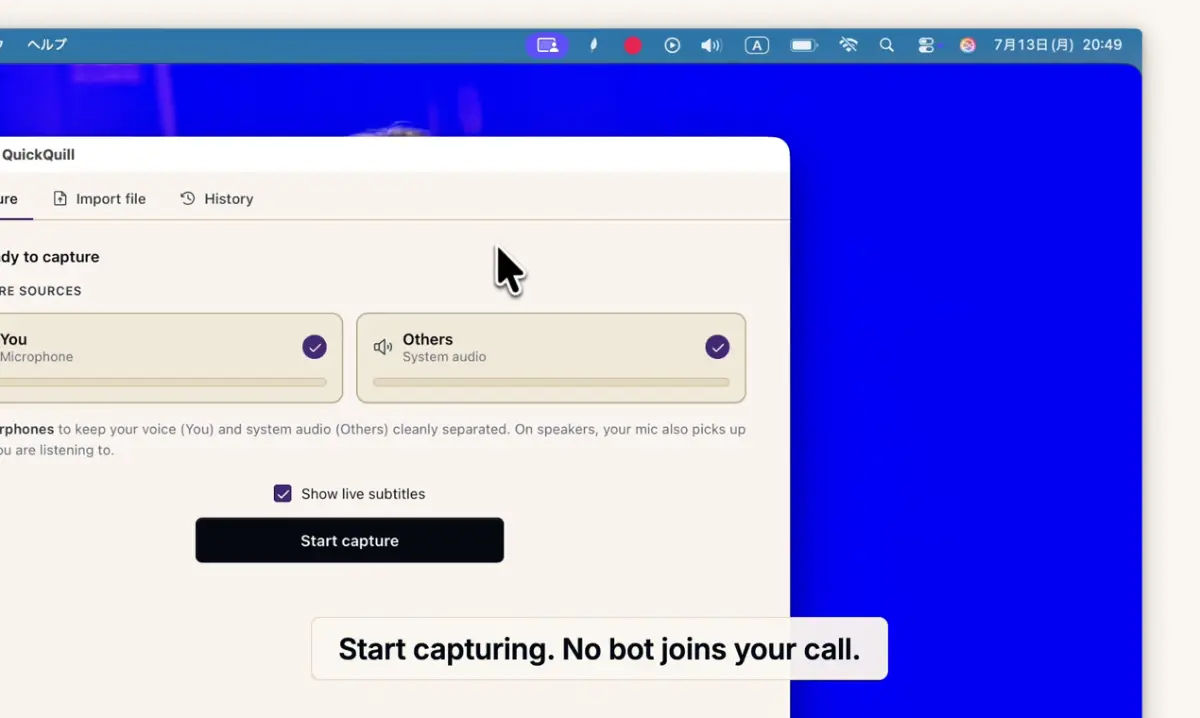
Records meetings on Mac and generates transcripts, summaries and live translated subtitles, entirely on-device. Dictation is free forever; the full meeting workflow costs a one-time $49.

Domain registered 1 month ago

FreeNo sign-upWorks offlinePay once
What to know
How it works
Records meetings and produces transcripts and summaries entirely on-device, with nothing sent to the cloud; it also shows live subtitles with translation while recording, and offers push-to-talk dictation usable in any app.
What's different
Continues working with Wi-Fi off and requires no bot joining the call, since everything runs on-device.
Pricing
Dictation is free forever; the full meeting workflow is a one-time $49 purchase. No account or subscription required.
Best for
Mac users who want private, on-device meeting notes without a cloud service.
Watch out
Requires macOS 26 on Apple Silicon, so it won't run on older Macs or other operating systems.

Watched for 11 days · last checked 5d ago

Details →

An AI email client that unifies Gmail, Outlook, iCloud, Yahoo and IMAP inboxes, runs its AI locally or with your own key, and actively blocks trackers and phishing links.

Works offline
What to know
How it works
Unifies Gmail, Outlook, iCloud, Yahoo and other IMAP accounts into one inbox, with AI (run locally or via your own key) that summarizes threads, extracts tasks, and writes replies, plus tracker blocking, phishing detection, link/attachment scanning and one-click unsubscribe.
What's different
AI can run locally or with your own API key instead of a vendor-hosted model, and it works offline.
Best for
People who want an AI email client with built-in security screening across multiple connected inboxes.

Watched for 9 days · last checked 3d ago

Details →

Pluks

Live

A clipboard manager for macOS and Windows that copies text the instant you select it, no Ctrl+C needed, plus a searchable history of your last 200 clips.

FreeNo sign-upWorks offline
What to know
How it works
A clipboard manager for macOS and Windows (beta) that copies text the instant you select it — no Ctrl+C/Cmd+C needed — then long-press to paste, or press Cmd/Ctrl+Shift+V to open a searchable history of your last 200 clips.
What's different
Brings the select-to-copy behavior Linux users know from PRIMARY selection to Mac and Windows; traditional clipboard managers only store history after you explicitly press copy.
Pricing
Free.
Best for
macOS and Windows users who want copy-paste without the extra keystroke.
Watch out
The Windows version is in beta.

Watched for 17 days · last checked 1d ago

Details →

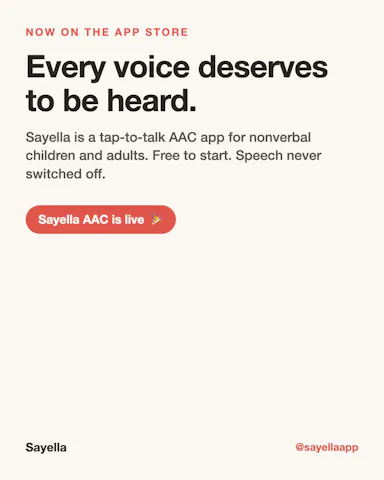
An offline AAC communication app for nonverbal children and adults, with the core talking feature free forever.

FreeWorks offlineNo subscription
What to know
How it works
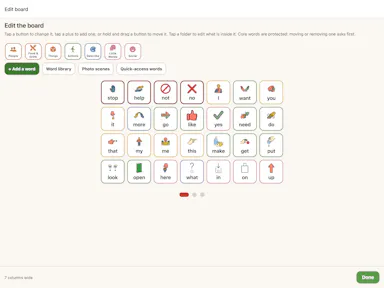
Tap symbols to build sentences that the device speaks aloud; works offline
What's different
the free talking feature can never be switched off by a lapsed subscription
Pricing
free to start; premium adds cloud sync, multiple profiles, AI symbol generation as a one-off lifetime fee
Best for
nonverbal children/adults needing an offline communication device

Watched for 5 days · last checked 4d ago

Details →

A floating clipboard that lets you copy and paste text line-by-line without switching apps, handy for reading OTPs, copying data entries or working through long text files.

FreeWorks offlineData stays with you
What to know
How it works
A draggable, resizable floating window that sits over any app for copying, viewing and managing text line-by-line from the clipboard, with one-tap copy and auto-advance.
What's different
Works as an overlay across any app rather than requiring you to switch windows to copy or view data.
Pricing
Free.
Best for
Students, developers, content writers and support teams who repeatedly copy data like OTPs or entries without switching apps.

Watched for 13 days · last checked 8d ago

Details →

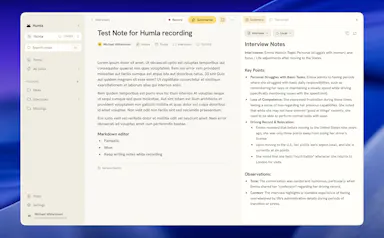
Humla

Live

A Mac app that records and transcribes meetings entirely on-device, no bot joins the call. Free and open source, with optional cloud or self-hosted sync for teams.

FreeWorks offlineOpen sourceNo tracking
What to know
How it works
Records mic and call audio directly through macOS with no bot joining the meeting, then transcribes, labels speakers, and writes a summary that fuses your notes with the transcript. Runs fully on-device using Whisper on Apple Silicon, or with your own AI key.
What's different
No bot joins the call, and it can run entirely on-device with local SQLite storage and no telemetry.
Pricing
Free and MIT-licensed, with optional paid team sync via Humla Cloud or self-hosting.
Best for
Mac users who want private, on-device meeting transcription without a bot joining their calls.

Watched for 12 days · last checked 6d ago

Details →

A free on-device tool for people managers to run 1:1s, log feedback and prioritize work, with an optional one-time-purchase AI assistant that never sends your data off your phone.

FreeWorks offlineNo subscription
What to know
How it works
Runs on-device to help people managers track their team, prep and log 1:1s using the GROW framework, capture SBI/STAR feedback, run a weekly/monthly cadence, and rank work with RICE and Eisenhower.
What's different
The core management workflow is entirely free; the paid Pro tier is a one-time purchase (no subscription) that adds an AI assistant running on-device via Apple Intelligence or a downloaded small model.
Pricing
Core features are free. Pro is a one-time purchase, no subscription.
Best for
People managers who want to run 1:1s and feedback without their data leaving their phone.
Watch out
The AI assistant runs on-device (Apple Intelligence or a downloaded small model) — nothing leaves the phone unless the user chooses.

Watched for 12 days · last checked 6d ago

Details →

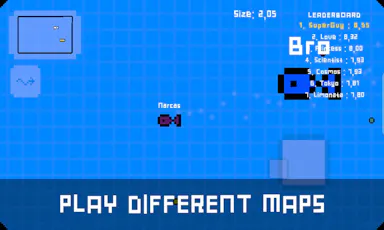
A casual eat-and-grow deep-sea game with team battles and solo modes, playable offline or online — entertainment, not a work or productivity tool.

Works offline
What to know
How it works
A casual eat-and-grow deep-sea game where players start as a small fish and grow toward the AlphaFish level, with team battle and solo modes across different fields, playable offline or online.
Best for
Casual gamers looking for an eat-and-grow style game with team and solo modes.

Watched for 12 days · last checked 6d ago

Details →

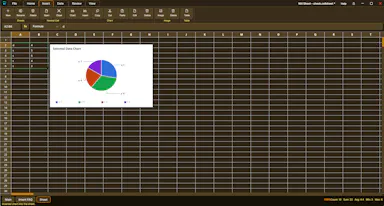
An offline desktop spreadsheet app with nested child sheets, each with its own schema, formulas, and validation rules.

Works offlineCan export my data
What to know
How it works
An offline desktop spreadsheet where any cell can open its own nested child spreadsheet with its own schema, validation, formulas, and forms, plus offline charting, PDF output, and a built-in chatbot workspace.
Best for
People with complex, structured data who find flat spreadsheet grids limiting.
Watch out
Desktop application, works offline.

Watched for 7 days · last checked 5d ago

Details →

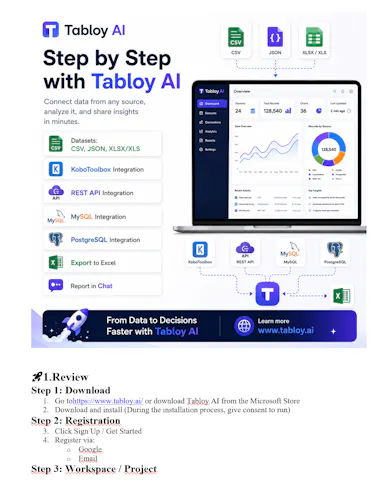
A local-first desktop analytics workspace with AI chat for exploring CSV, Excel, JSON, SQL, and KoboToolbox data.

Works offline
What to know
How it works
Local-first dashboards and an AI chat/agent for exploring CSV, Excel, JSON, SQL, and KoboToolbox data, keeping dataset processing local while AI works from schema context.
Pricing
Free to start.

Watched for 7 days · last checked 5d ago

Details →

ShintTools is a local-first AI tool for Unity/Unreal teams that automates code validation, asset auditing, and performance analysis across the game dev pipeline.

Domain registered 5 months ago

Works offline
What to know
How it works
A local-first AI tool for Unity 6 and Unreal Engine 5 that automates code validation, asset auditing, performance analysis, and project consistency checks across the game dev pipeline.
Best for
Unity and Unreal game development teams.

Watched for 13 days · last checked 7d ago

Details →

Voice-guided daily companion app that reads back your schedule and weather each morning and tracks sleep and activity from Apple Watch, all on-device.

Works offline
What to know
How it works
A voice-guided companion that reads back your time, weather, and morning goal on waking, then carries habits, to-dos, a morning briefing, and focus sounds through the day while tracking sleep and activity from Apple Watch.
What's different
All on-device with no third-party tracking.
Best for
iPhone and Apple Watch users.
Watch out
Android support is coming soon, not yet available.

Watched for 8 days · last checked 5d ago

Details →

A browser-based library for saving, organizing and improving prompts you use across ChatGPT, Claude and Gemini, a companion tool that works alongside those apps, not a replacement for them.

No sign-upNothing to installWorks offlineNo subscription
What to know
How it works
An offline HTML app for saving, organizing, and improving AI prompts used across ChatGPT, Claude, Gemini and others, with a Prompt Vault, Prompt Lab, Workflows, Results Archive, and Analytics.
What's different
Runs with no installation, no account, no cloud, and no subscription, unlike most prompt-management tools.
Pricing
No subscription, no account required.
Best for
People who use multiple AI chat tools and want a single place to store and refine their prompts.

Watched for 13 days · last checked 7d ago

Details →

An AI travel planner that builds day-by-day itineraries with food stops, maps, budgets, weather, and offline export.

Works offlineCan export my data
What to know
How it works
Builds personalized day-by-day travel itineraries with food stops, maps, budgets, weather, packing lists, offline export, and co-traveler collaboration.

Watched for 9 days · last checked 3d ago

Details →

A Chrome extension that runs a Pomodoro timer alongside your Linear and GitHub tickets and Google Calendar, then turns tracked time into a standup-ready report. Built for developers tracking real focus time.

Domain registered 1 month ago

Works offline
What to know
How it works
A Chrome extension and web app that auto-detects your Linear and GitHub tickets as you browse, runs a Pomodoro timer measuring real focused time per task, tracks your top 3 priorities and recurring habits, and pulls in Google Calendar to count meeting time. Everything logged rolls up into a daily/weekly standup-ready report.
What's different
Local-first and pulls directly from Linear, GitHub, and Google Calendar so time tracking doesn't require manual copy-paste.
Best for
Developers who want an automatic, standup-ready record of real focused work time.

Watched for 9 days · last checked 3d ago

Details →

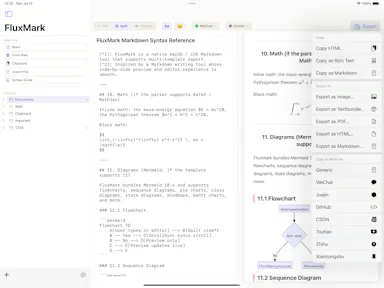
A native Mac app for viewing and editing local Markdown files — READMEs, docs, notes — entirely offline, no GitHub connection required.

Works offline
What to know
How it works
A native macOS app that opens local Markdown and plain-text files (.md, .markdown, .mdown, .mkd, .txt), lets you browse folders of related documents, renders them in a dedicated viewer, and provides source editing, search, task-list updates and typography controls.
What's different
Documents are processed entirely locally on the Mac — no account and no upload of Markdown content.
Best for
People working with local Markdown notes, READMEs, technical documentation or project specs on macOS.

Watched for 15 days · last checked 9d ago

Details →

A native Windows overlay app that combines clipboard history, encrypted clips, and other utilities in one hotkey-accessible tool, aimed at power users who want to stop juggling separate apps.

FreeNo sign-upWorks offlineNo tracking
What to know
How it works
A native Windows overlay app that bundles five tools into one hotkey-accessible panel: clipboard history search, text-expansion snippets, screen capture with OCR, and others.
What's different
Combines multiple utilities (clipboard manager, text expander, screen capture) into one unified overlay instead of running them as separate apps.
Pricing
Free.
Best for
Windows power users who currently juggle separate clipboard, snippet, and screenshot tools.
Watch out
Runs locally with no cloud sync — clips stay on one machine unless the app supports cross-device sync elsewhere.

Watched for 17 days · last checked 1d ago

Details →

Melia

Live

A native Linux desktop email client that connects straight to your IMAP/SMTP mail servers with no cloud relay, middleman account or telemetry, as an alternative to Thunderbird or Evolution.

FreeWorks offlineData stays with youPay once
What to know
How it works
A native Linux desktop email client that connects directly to your mail servers over IMAP and SMTP, storing everything locally in a SQLite database and syncing credentials through the OS keyring so it works fully offline.
What's different
No cloud relay, middleman account, or telemetry — mail stays on your own machine, unlike hosted alternatives.
Pricing
Free for one account with full functionality; a one-time $10 unlock removes the account cap.
Best for
Linux desktop users looking for a native alternative to Thunderbird, Evolution, Geary or Mailspring.

Watched for 17 days · last checked 1d ago

Details →

An open-source, local-first workspace app for teams and creators.

Works offlineOpen source
What to know
How it works
A local-first workspace app for teams and creators.
Pricing
Open source; official releases maintained only by the FlowDesk core team, contributions via review.

Watched for 9 days · last checked 6d ago

Details →

Aurict

Live

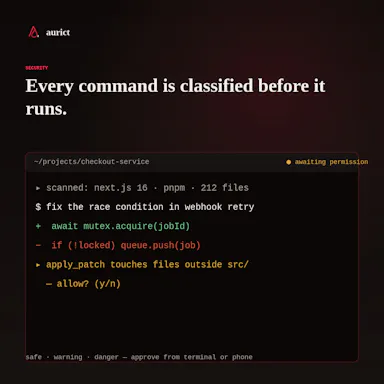
An open-source AI workspace bridging terminal, a local-first desktop app and mobile remote control using your own API keys for Anthropic, OpenAI or Gemini — built for developers wanting provider flexibility.

Domain registered 7 months ago

Works offlineOpen source
What to know
How it works
An open-source AI workspace where you bring your own API keys for Anthropic, OpenAI, or Gemini, bridging a terminal, a local-first desktop app, and mobile remote control with a command approval mechanism.
What's different
Open-source and provider-independent — no lock-in to a single AI model provider — with a secure command approval step for agent actions.
Best for
Developers who want to run AI agents across terminal, desktop, and mobile using their own API keys instead of a single vendor's app.

Watched for 12 days · last checked 9d ago

Details →

A local MCP server that gives AI assistants like Claude, Cursor and ChatGPT tools to act on your Mac — iMessage, Teams, WhatsApp, Mail, files — with nothing sent to the cloud.

FreeWorks offlineData stays with you
What to know
How it works
A local Model Context Protocol server running on a Mac that gives AI assistants like Claude, Cursor and ChatGPT 143 tools to act on iMessage, local Microsoft Teams chats, WhatsApp, Apple Mail, Calendar, Contacts, Notes, Reminders, Finder files, OneDrive, Outlook and Office documents.
What's different
Runs 100% locally with no cloud connection, reaching apps like iMessage and local Teams chats that cloud-based connectors can't access.
Pricing
Free.
Best for
Mac users who want their AI assistant to act across native apps like iMessage and Mail without sending data to the cloud.

Watched for 17 days · last checked 1d ago

Details →

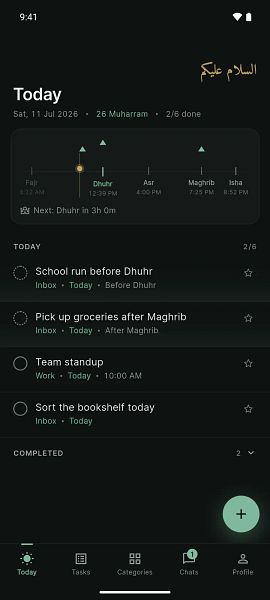
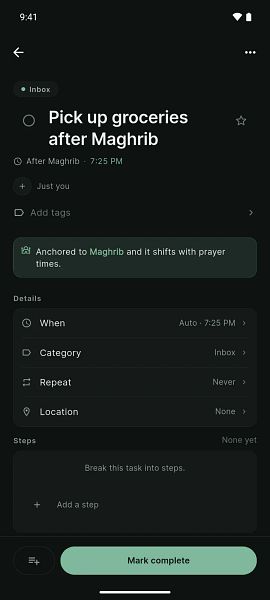
Schedules tasks, family time and reminders around your daily salah times, with offline quick-add and an optional paid tier adding cloud sync and AI agent connections - for practicing Muslims.

Domain registered 17 months ago

Works offline
What to know
How it works
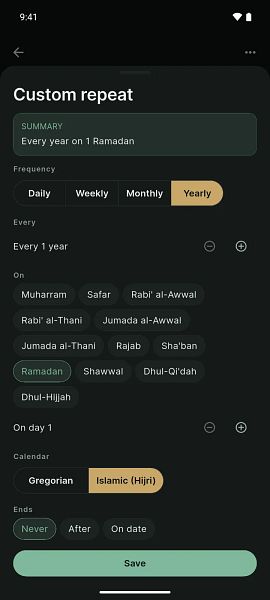
Lets you anchor tasks to daily prayers (Fajr, Dhuhr, Asr, Maghrib, Isha) with minute offsets, so reminder times shift automatically as prayer times change; supports Hijri and Gregorian dates and offline natural-language quick add.
What's different
Task and reminder timing is built around salah times rather than fixed clock times, and shifts automatically as those times move.
Pricing
Premium tier adds encrypted sync, sharing, Google Calendar projection, and agent connections to ChatGPT or Claude.
Best for
Practicing Muslims who want their daily schedule planned around prayer times.

Watched for 12 days · last checked 2d ago

Details →

Resso

Live

A visual canvas for cataloging servers, domains and repos with built-in SSH and SFTP, auto-imported from GitHub, GCP, Vercel and more — for developers and solopreneurs managing their own infrastructure.

Works offline
What to know
How it works
A visual canvas that catalogs servers, domains, repos and other infrastructure in one place, auto-importing assets from GCP, OCI, Vercel, GitHub, Cloudflare, App Store Connect and UpCloud. Includes a built-in SSH console, SFTP browser, dependency mapping and an HTTP API.
What's different
Local-first and private with iCloud sync, rather than a hosted SaaS that stores your infrastructure data centrally.
Best for
Developers, DevOps engineers and solopreneurs managing scattered infrastructure across multiple cloud providers.

Watched for 15 days · last checked 9d ago

Details →

Ncored

Live

A desktop PDF editor built to stay smooth on huge CAD and construction drawing exports from AutoCAD, Revit and ArchiCAD, running fully offline so drawings never leave your machine.

FreeNo sign-upWorks offlineNo subscription
What to know
How it works
A desktop PDF editor for Windows and Mac built to stay smooth on scroll, zoom and pan across heavy AutoCAD, Revit and ArchiCAD exports and project sets of 50-200MB or more. It runs locally on the user's machine.
What's different
Targets the specific failure mode of general PDF tools — stalling and stuttering on dense CAD/construction drawings with heavy vector line work and hatches — and processes files fully offline.
Best for
Architects, structural/civil engineers, MEP professionals and construction teams working with large, heavy drawing sets.

Watched for 17 days · last checked 1d ago

Details →

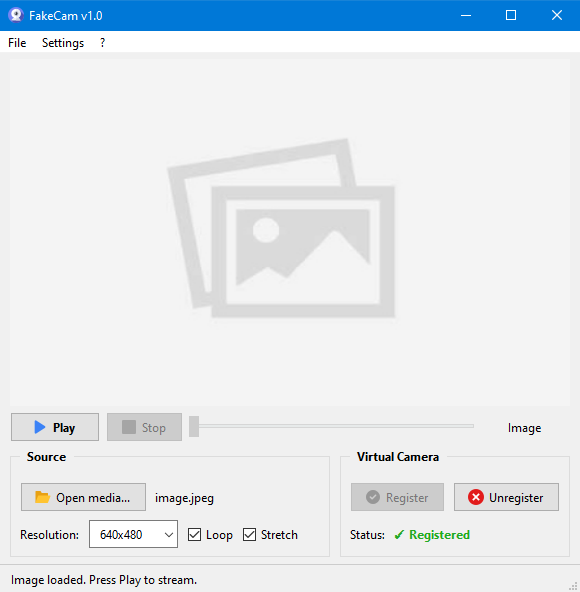
A lightweight Windows app that streams a video or image file as your webcam feed into Zoom, Teams, Skype, Discord or Telegram, running fully offline with no account or tracking.

FreeNo sign-upWorks offlineNo subscription
What to know
How it works
A lightweight virtual webcam app for Windows that streams a video or image file as your camera feed into apps like Zoom, Teams, Skype, Discord and Telegram.
What's different
Runs entirely locally with no account, subscription, ads or tracking — download and run, 25MB portable, works offline.
Pricing
Free for Windows.
Best for
Windows users who want a virtual webcam feed for video call apps without an account or bloatware.

Watched for 17 days · last checked 1d ago

Details →

A mobile affirmations app built to avoid gamified or guilt-driven design — on-device, no account, one-time payment instead of a subscription, including a hold-to-mirror mode.

No sign-upWorks offlineNo subscription
What to know
How it works
Delivers daily affirmations from a library of 1,000+ research-grounded affirmations across 14 values, matched to the user's life stage; the signature Mirror mode has users hold their phone to a mirror and read an affirmation aloud while meeting their own gaze. Card and Listen (in the user's own recorded voice) modes are also included.
What's different
Designed to avoid the cartoony or guilt-inducing tone of typical affirmation apps, and runs on-device with no account required.
Pricing
One payment, no subscription.
Best for
People put off by gamified or guilt-driven affirmation apps who want a quieter morning ritual.

Watched for 11 days · last checked 2d ago

Details →

An end-to-end encrypted notes, tasks and calendar app with an offline mode - E2EE means your data still syncs to their servers, just encrypted, not that nothing leaves your device.

Domain registered 28 years ago

Works offline
What to know
How it works
Combines notes, tasks and calendar in one native app per platform with end-to-end encryption and an offline mode.
What's different
Native builds per platform rather than a shared web wrapper, aimed at speed and battery life.
Watch out
End-to-end encrypted still means data syncs to their servers — just encrypted, not that it stays only on your device.

Watched for 12 days · last checked 6d ago

Details →

A free, open-source desktop app for AI character chat, roleplay and long-form writing, where your data stays in a local database even with a cloud AI backend.

FreeWorks offlineOpen source
What to know
How it works
A desktop AI workspace for character chat, multi-character roleplay, and long-form writing with RAG, LoreBooks, and MCP tools and plugins; you bring your own backend, such as OpenAI-compatible APIs, OpenRouter, LM Studio, Ollama, or KoboldCpp, while chats, characters, projects, and knowledge are stored in a local SQLite database.
What's different
Keeps your data in a local database even when you connect a cloud AI backend, and is free and open source.
Pricing
Free and open source.
Best for
Writers and roleplayers who want to choose their own AI backend while keeping their data local. Native builds are available for macOS, Windows, and Linux.

Watched for 13 days · last checked 2d ago

Details →

A local-first desktop app for organizing runbooks, logs and architecture notes so you can hand an LLM the right context during an incident — built for engineering and ops teams.

Domain registered 1 month ago

Works offline
What to know
How it works
A local-first desktop app for organizing runbooks, logs, architecture notes and troubleshooting guides, then handing that context to your preferred LLM while controlling what gets shared during an incident.
What's different
Targets the accuracy problem caused by an LLM missing team-specific domain knowledge during incident response.
Best for
Engineering and ops teams using an LLM to help handle incidents.

Watched for 13 days · last checked 2d ago

Details →

An iPhone app that expands and rewrites rough notes using on-device AI, with no account, tracking or server processing. For private note-taking, not a work-team tool.

No sign-upWorks offlineNo tracking
What to know
How it works
An on-device AI on iPhone that expands, reframes and rewrites rough notes into clearer ideas, with no account, tracking or server-side processing — everything stays on the device.
What's different
Draft processing happens entirely on-device rather than being sent to a server.
Best for
People capturing and refining private ideas or notes on iPhone who want them to stay off the cloud.

Watched for 11 days · last checked 5d ago

Details →

Corder

Live

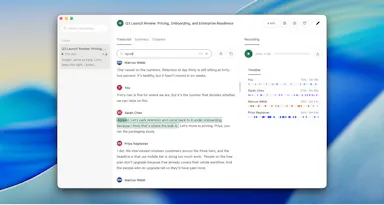
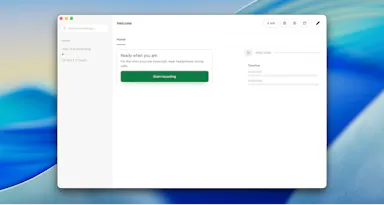
Records your Mac's mic and system audio directly with no bot joining the call, and transcribes on-device so recordings never leave your machine. Free to start, no account needed.

Domain registered 2 months ago

FreeNo sign-upWorks offline
What to know
How it works
Records your Mac's microphone and system audio as two separate tracks at the OS level, so nothing joins the call as a bot — works in Zoom, Meet, Teams, Discord or any browser tab. Transcription runs on-device.
What's different
No bot tile appears in the meeting, so it works even where bot-based recorders are blocked, and transcripts never leave your Mac.
Pricing
Free, no account needed to start.
Best for
People in companies that block meeting-recorder bots who still want private, local transcripts.

Watched for 12 days · last checked 6d ago

Details →

Record meetings from your Apple Watch, then get transcripts, bilingual translation and AI follow-up notes on iPhone. Some processing stays on-device, but it isn't fully cloud-free.

FreeWorks offline
What to know
How it works
Record meetings from your Apple Watch, organize them on iPhone, or run a live meeting with captions and bilingual translation; afterward it generates transcripts, translations, meeting notes, tags, and AI follow-up.
What's different
Optional on-device AI keeps supported processing local rather than sending everything to the cloud.
Pricing
Free with in-app purchases.
Best for
Apple Watch and iPhone users who take notes during meetings.
Watch out
Only some processing runs on-device via the optional setting — it is not fully cloud-free.

Watched for 13 days · last checked 7d ago

Details →

Zalous

Live

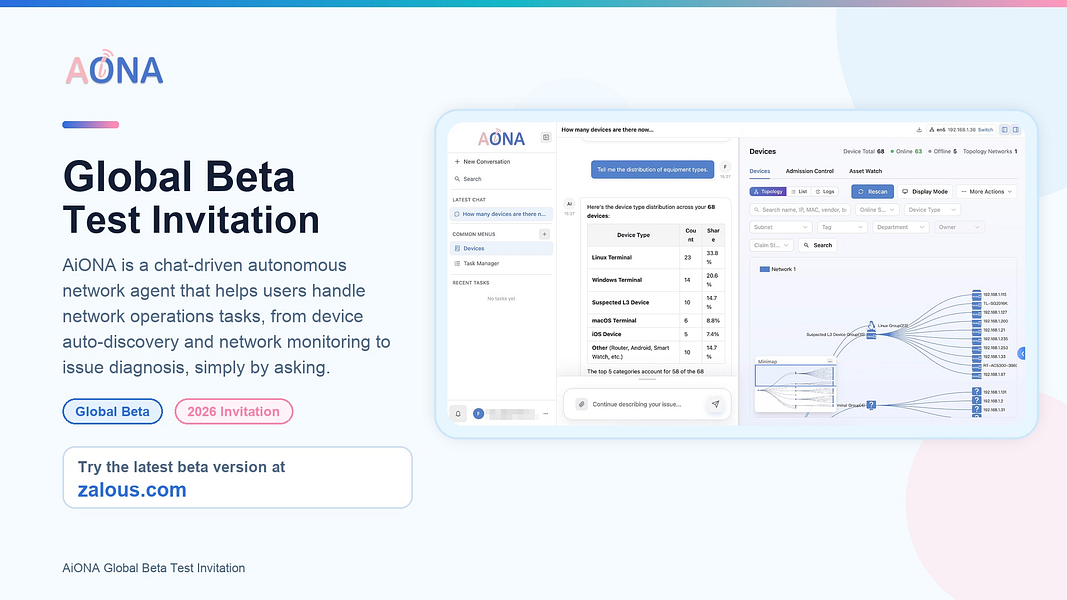
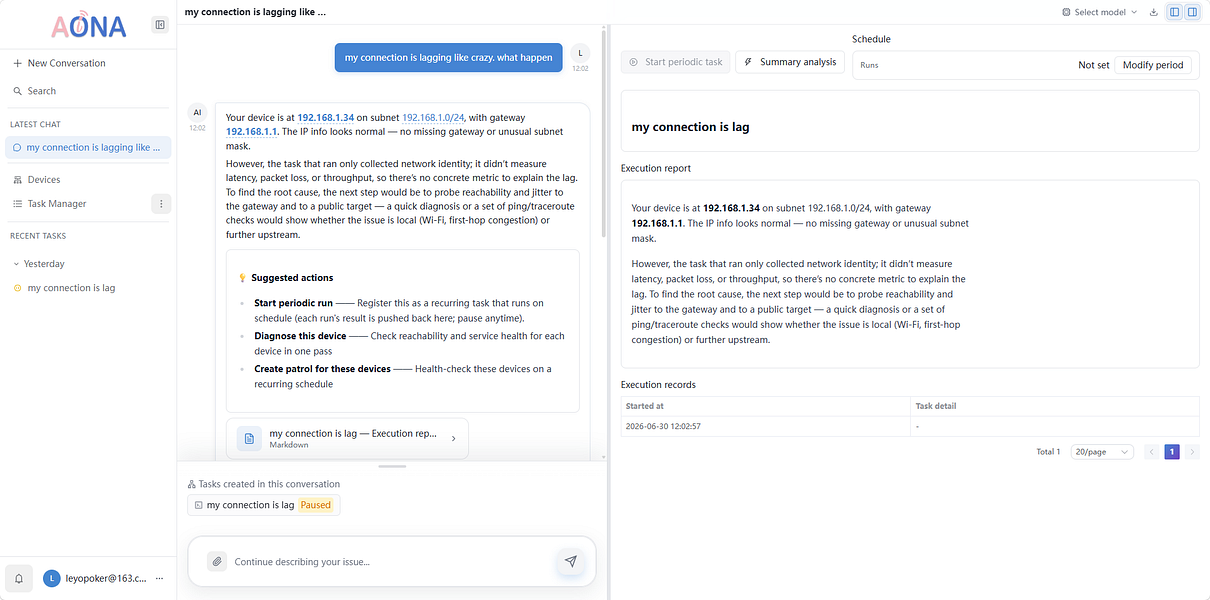
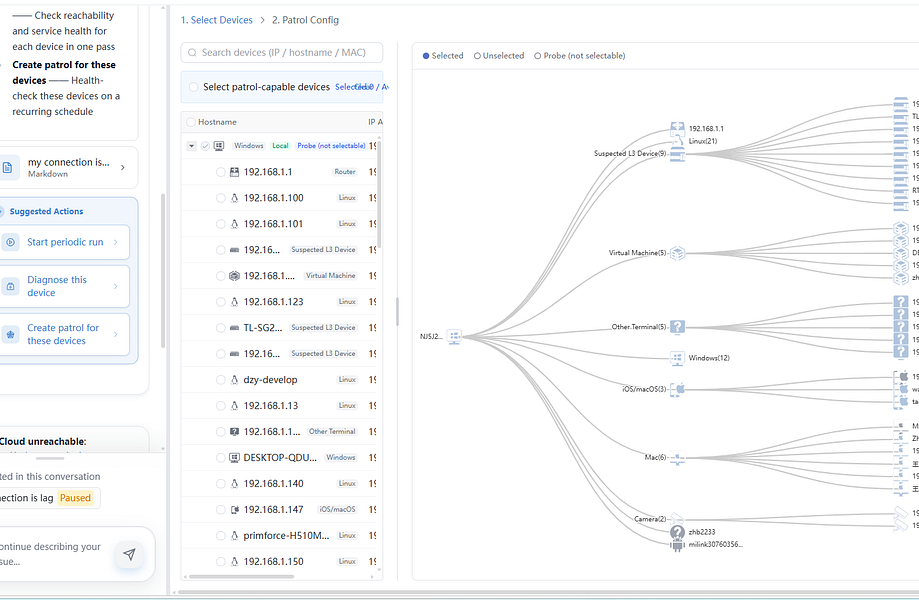
A local-first network operations tool that lets teams describe what they want to inspect or monitor in plain language, turning that into scans, monitoring, and diagnostic workflows.

Domain registered 14 years ago

Works offline
What to know
How it works
You describe in natural language what you want to inspect, scan, monitor, or diagnose on your network, and it turns that into structured workflows such as port scanning, performance monitoring, service monitoring, and traceroute checks.
What's different
Local-first: the stated plan keeps operational data and workflow history on your own machine, using the cloud only for authentication.
Best for
Teams running internal networks, homelabs, edge devices, or business-specific infrastructure.

Watched for 12 days · last checked 2d ago

Details →

76 separate browser-based, offline, pay-once workspaces built for specific roles like real estate agents, fitness coaches and developers, pitched as an escape from stacked SaaS subscriptions.

Nothing to installWorks offlineData stays with youPay once
What to know
How it works
76 self-contained, browser-based workspaces, each with 8-10 purpose-built modules for a specific role or niche (real estate, fitness coaching, cybersecurity, development, etc.), running 100% offline and locally.
What's different
Data never touches a server (local-first architecture) and it's a one-time purchase instead of a stack of monthly SaaS subscriptions.
Pricing
Pay once, own forever (one-time payment, no subscription).
Best for
Professionals in specific niches who want purpose-built tools without recurring SaaS fees or sending business data to the cloud.

Watched for 13 days · last checked 7d ago

Details →

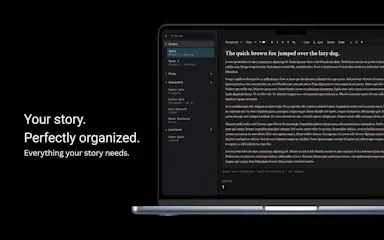
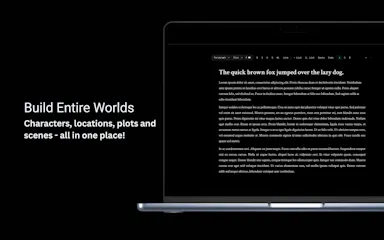
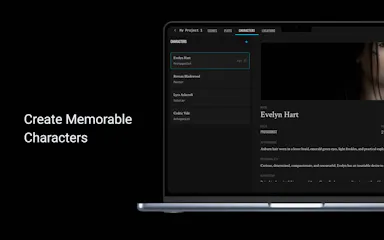
A structured writing workspace for authors to organize characters, plots, locations and scenes across a novel, screenplay or story universe, usable online or offline. Built for fiction writers, not general business use.

Domain registered 14 months ago

Works offline
What to know
How it works
A writing workspace where characters, plots, locations, and scenes are connected in one workspace, usable online or offline.
What's different
Built specifically for structuring fiction — novels, screenplays, or complex story universes — rather than general note-taking.
Best for
Fiction writers planning novels, screenplays, or visual novels who want their worldbuilding organized in one place.

Watched for 13 days · last checked 7d ago

Details →

A tool for building and running automated integration tests across many API types — HTTP, SOAP, databases, message queues and more — for QA and engineering teams, not a hosted API itself.

FreeWorks offline
What to know
How it works
A tool for building and running automated integration test cases across many API types — HTTP, SOAP, relational databases (Oracle, SQL Server, PostgreSQL, H2), JMS, FTP(S), SFTP, AMQP, MQTT, IBM MQ and IBM ACE. Includes HTTP stubs/mock servers, data-driven testing, endpoint management and Git-based team collaboration.
What's different
Covers many non-HTTP protocols and database types, not just REST/HTTP APIs.
Pricing
Free.
Best for
QA and engineering teams doing integration, microservices, ESB or SOA testing who need low-code test authoring.
Watch out
Data is saved offline on your local machine rather than in the cloud.

Watched for 13 days · last checked 7d ago

Details →

Records what you say and turns it into an organized project log automatically on your own device. Aimed at solo builders and founders who have no one else tracking their progress.

FreeWorks offlinePay onceNo subscription
What to know
How it works
Records spoken audio and turns it into an organized project history and devlog automatically, processed on your own device.
What's different
Runs fully on-device rather than relying on manual note-taking or a cloud service.
Pricing
Free to use with full functionality, no subscription; a paid Pro tier unlocks Labs and unlimited weekly processing.
Best for
Solo builders and founders who track their own progress by talking rather than writing, with no one else keeping a project record for them.

Watched for 17 days · last checked 1d ago

Details →

A CLI linter that statically checks JSON schemas against each LLM provider's constraints so they don't fail at runtime.

Works offline
What to know
How it works
A CLI that statically lints JSON schemas/tool definitions against each LLM provider's documented constraints (e.g. Anthropic-rejected keywords, missing additionalProperties), pointing to the exact JSON-Pointer path and reason, with a repair pass that emits a best-effort provider-valid variant.
What's different
Makes no model calls, needs no API key, and has zero runtime dependencies.
Best for
Teams whose schemas work on one LLM provider but 400 on another.

Watched for 2 days · last checked 2d ago

Details →

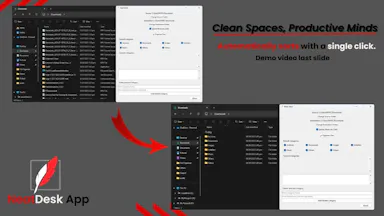
One-click Windows app that automatically sorts a messy Downloads folder into organized categories, fully offline.

Works offline
What to know
How it works
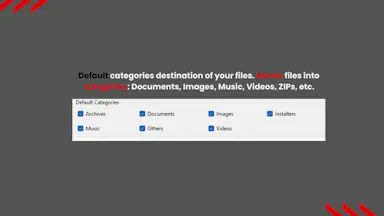
One click automatically sorts a Windows Downloads folder into organized folders by file type — documents, images, videos, music, ZIPs.
Pricing
Offline.
Best for
Students, office workers, virtual assistants, and freelancers.

Watched for 2 days · last checked 2d ago

Details →

Nparla

Live

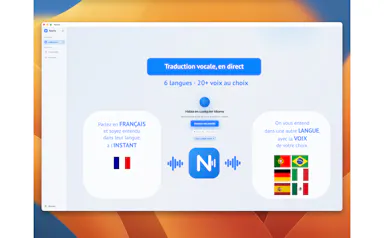
A native Mac app that translates your voice in real time during Zoom or Meet calls, entirely on-device across six languages, for a one-time purchase with no subscription.

Works offlineData stays with youPay onceNo subscription
What to know
How it works
Translates your voice in real time during calls: you speak in your language and the other person hears a natural voice in theirs, with a virtual microphone that plugs into Zoom, Google Meet and Teams.
What's different
Runs 100% on-device on Apple Silicon, so voice never leaves the Mac; supports Spanish, English, German, Italian, French and Portuguese.
Pricing
One-time purchase, no subscription.
Best for
People in international meetings who need real-time spoken translation across the six supported languages.
Watch out
Limited to six supported languages and requires Apple Silicon for the on-device processing.

Watched for 16 days · last checked 10d ago

Details →

A local-first notebook combining handwriting, rich documents and PDF markup in one workspace, for students and professionals tired of juggling multiple note apps.

Works offlineData stays with youNo adsNo tracking
What to know
How it works
A local-first notebook combining handwriting (ink, pens, highlighters, shapes, lasso selection), rich text boxes, tables, images, audio memos, and PDF import with searchable text, all on a multi-page canvas organized with folders and tags.
What's different
Combines handwriting, structured documents and PDF markup in one workspace instead of forcing a choice between separate apps, without ads or tracking SDKs.
Best for
Students, professionals and creators who currently juggle multiple note apps and want handwriting, documents and PDF annotation in one place.

Watched for 17 days · last checked 1d ago

Details →

Open-source, local-first AI system that coordinates multiple agents to plan, build, verify, and ship real software.

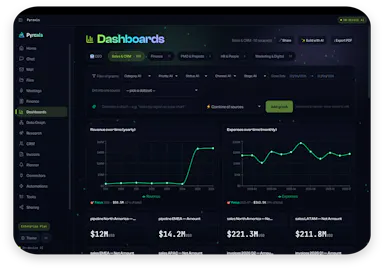
Works offlineOpen source
What to know
How it works
Coordinates specialized AI agents to plan, build, verify, recover, and ship software, with persistent memory, browser evidence, and real deployment integrations.
Pricing
Open-source.
Watch out
Local-first operation.

Watched for 8 days · last checked 5d ago

Details →

On-device AI dictation and meeting notetaker for Mac and iOS that works offline without an account.

Domain registered 1 month ago

FreeNo sign-upWorks offlineNo subscription
What to know
How it works
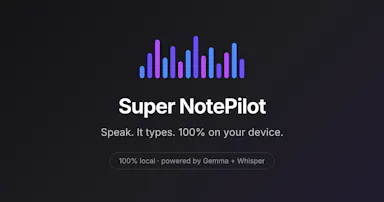
Runs 100% on-device using Gemma and Whisper for push-to-talk dictation into any app, live meeting transcripts, AI rewriting, and asking questions across notes.
What's different
No cloud, no account, no subscription.
Pricing
Free for macOS and iOS.
Watch out
Windows and Android support are coming soon, not yet available.

Watched for 9 days · last checked 6d ago

Details →

An expense tracker and budget manager that runs on-device with AI, so you don't have to create a cloud account or link your bank details to a third party.

FreeNo sign-upWorks offlineNo tracking
What to know
How it works
An expense tracker and budget manager that runs 100% locally on your device, using on-device AI for spending analysis, anomaly detection, and end-of-month balance predictions — no cloud account or bank credentials required. Includes a zero-based budget mode.
What's different
Unlike traditional budgeting tools, it never requires linking bank credentials or creating a cloud account; all AI processing happens on-device.
Pricing
Free.
Best for
People who want budgeting features and AI insights without sharing bank login details or account data with a third party.

Watched for 10 days · last checked 10d ago

Details →

A browser new-tab replacement with weather, notes, a focus timer and bookmark sync, all local and private; a general personal productivity tool, not work-specific software.

Domain registered 2 months ago

Works offline
What to know
How it works
Replaces the browser's new-tab page with a workspace featuring weather, notes, a focus timer and native bookmark sync.
What's different
Runs 100% local and private rather than syncing through a cloud service.
Best for
People who want a personal productivity-focused new tab page.

Watched for 12 days · last checked 9d ago

Details →

A general task and list manager for individuals and teams, with shared lists, reminders, offline access and cross-device sync — not niche to any particular industry.

Works offline
What to know
How it works
Manages tasks, shopping lists, projects, meetings and ideas with shared lists, reminders, offline access, cross-device sync and file attachments.
Best for
Individuals and teams organizing personal and professional tasks in one place.

Watched for 12 days · last checked 9d ago

Details →

A free local VS Code/Cursor extension that turns your Claude Code session files into a browsable dashboard with full transcripts, tool calls, sub-agents and per-response token and cost tracking.

FreeWorks offline
What to know
How it works
A VS Code/Cursor/VSCodium extension that turns local Claude Code session files into a browsable workspace with full transcripts, tool calls, sub-agents, per-response token and cost tracking, an analytics dashboard, and a CLAUDE.md memory view.
What's different
100% local-first — nothing leaves your machine.
Pricing
Free.
Best for
Developers using Claude Code who want to review sessions, costs and tool calls without a CLI-only cost counter.

Watched for 12 days · last checked 10d ago

Details →

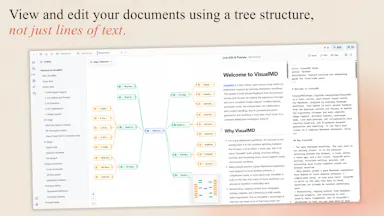
Turns your Markdown files into a visual workspace with outlines and mind maps while keeping the underlying files as plain Markdown — for developers, writers and creators.

Works offlineOpen source
What to know
How it works
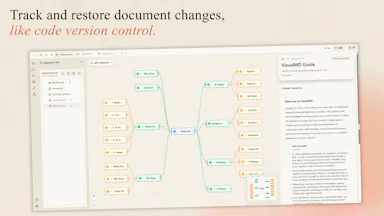
Adds a visual layer, outlines, mind maps, multiple views, on top of Markdown files while keeping the underlying files as plain Markdown, combined with AI-assisted writing and Git-based version history.
What's different
Open-source, local-first, and runs in the browser, keeping files as native Markdown rather than locking content into a proprietary format.
Best for
Developers, writers, and creators who want to navigate long Markdown documents visually without leaving the Markdown format.

Watched for 12 days · last checked 2d ago

Details →

A free tool to build and share your dream football starting XI with real players and formations, including World Cup 2026 squads. Works offline with no signup; for football fans, not office use.

FreeNo sign-upWorks offline
What to know
How it works
A lineup builder with 23,000+ real players where you pick a club or national team, choose a formation, drag players onto the pitch, and share the result as an image, including World Cup 2026 predicted squads.
What's different
Works offline and needs no signup.
Pricing
Free.
Best for
Football fans who want to build and share a dream starting XI, including World Cup 2026 squads.

Watched for 12 days · last checked 10d ago

Details →

AI meeting notes and prep built specifically for manager 1:1s, offline-first and privacy-focused for sensitive leadership conversations rather than general note-taking.

Works offlineData stays with you
What to know
How it works
Helps managers prepare for and run 1:1s — capture handwritten or text notes, generate structured AI summaries, and track follow-ups.
What's different
Built specifically for manager 1:1s with a privacy-first, offline-first approach for sensitive leadership conversations, unlike generic note-taking apps.
Best for
Managers and team leads who want private prep and notes for direct-report conversations.

Watched for 17 days · last checked 1d ago

Details →

A macOS Quick Look and desktop viewer for molecular file formats like PDB and SDF, with built-in 3D and cheminformatics tools. Aimed at computational chemists doing research, not general software developers.

Works offlineOpen source
What to know
How it works
Adds Finder Quick Look previews on macOS for molecular file formats (PDB, mmCIF, SDF, MOL, XYZ) — press Space to preview — plus a desktop app with Mol* 3D viewing, RDKit grids and Ketcher for computational chemistry workflows.
What's different
Integrates directly into macOS Finder's Quick Look instead of requiring a separate viewer app to open each file.
Best for
Computational chemists doing research, not general software developers.

Watched for 14 days · last checked 2d ago

Details →

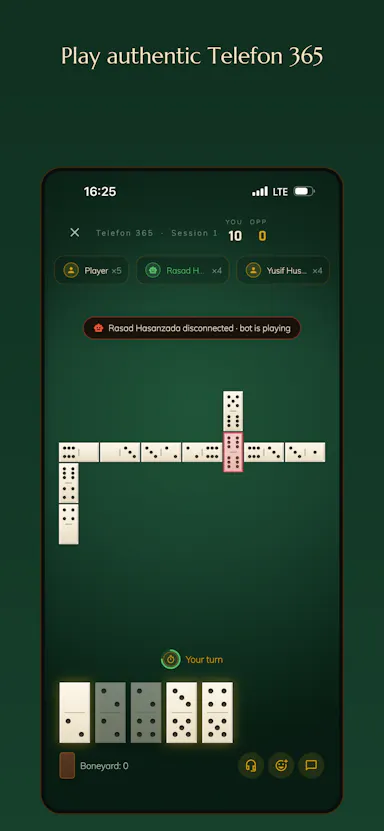
A free browser dominoes game (Classic 101 and Telefon 365), playable solo against bots or online with friends via private rooms and voice chat; 11 languages.

FreeWorks offlineNo ads
What to know
How it works
Two domino games, Classic 101 and Telefon 365, playable offline against bots, pass-and-play, or online with friends in private rooms, teams and live voice chat.
What's different
Live voice chat at the table plus a global leaderboard, in the browser with no install.
Pricing
Free, no ads.
Best for
Domino players who want to play casually with friends online or solo against bots, in 11 languages.

Watched for 14 days · last checked 2d ago

Details →

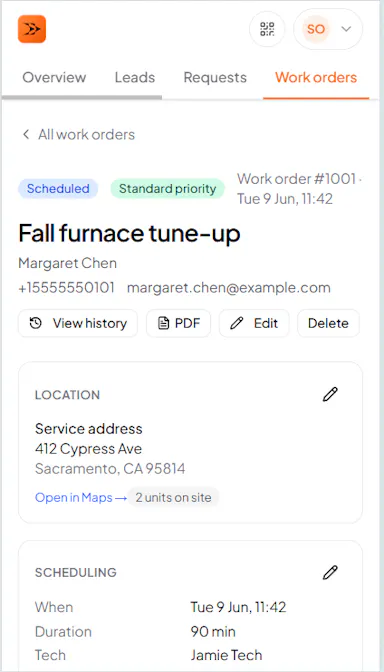
All-in-one HVAC field-service software for work orders, scheduling, dispatch, quotes and invoices that keeps working offline in basements and syncs once back online. Free for a 3-month pilot, not permanently free.

Works offline
What to know
How it works
All-in-one HVAC software for small service shops covering work orders, scheduling, dispatch, quotes, invoices, and customer history; works offline (e.g. in basements) and syncs automatically once back online.
Pricing
3-month free pilot, no card required.
Best for
Small HVAC service teams that need field software that keeps working without signal.

Watched for 17 days · last checked 1d ago

Details →

Gives AI coding tools like Cursor and VS Code persistent local memory of your codebase, running on your own machine - priced at $25/year, not one-time, apart from a limited beta deal.

Works offline
What to know
How it works
Gives AI coding assistants persistent memory: it indexes your codebase with vector search, saves every conversation, and connects to Zed, Cursor, VS Code and other MCP-compatible tools, running on embedded PostgreSQL + pgvector.
What's different
100% local-first with no cloud required, unlike most AI memory tools.
Pricing
$25/year, no tiers; beta testers get lifetime access for a $25 one-time payment.
Best for
Developers using AI coding assistants who want persistent, local memory of their codebase across sessions and team members.

Watched for 14 days · last checked 2d ago

Details →

A virtual microphone that plays sound clips and music into Zoom, Meet, Discord and other web calls alongside your voice. A general-purpose audio routing tool, not tied to one platform.

Works offline
What to know
How it works
Creates a selectable virtual microphone in the browser that mixes your real mic with audio clips — sound effects, music, intros, pre-recorded speech — and feeds that mix into web calls.
What's different
Works inside browser-based call tools like Google Meet, Zoom, Discord, Microsoft Teams and Whereby without installing desktop software or a separate virtual audio cable app.
Best for
Anyone who wants to play sound clips or music into a video call alongside their voice.

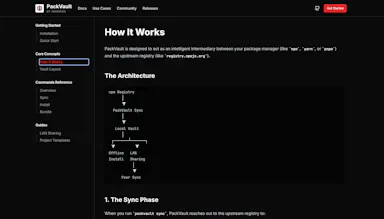
Watched for 15 days · last checked 8d ago

Details →

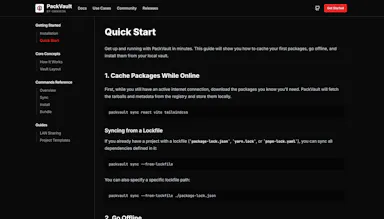
An open-source, offline-first cache for package manager downloads, install once and reuse everywhere without re-fetching, built for CI pipelines, classrooms and low-bandwidth teams.

Works offlineOpen source
What to know
How it works
An open-source, offline-first cache that stores package manager dependencies locally so they're downloaded once and reused on subsequent installs, including without an internet connection.
What's different
Open source and works fully offline once dependencies are cached, unlike hosted package registries that require a live connection.
Best for
Developers, CI pipelines, classrooms, and teams working in low-bandwidth environments who repeatedly reinstall the same dependencies.

Watched for 15 days · last checked 2d ago

Details →

A macOS dictation app that inserts transcribed speech into any app via a hotkey; free local transcription through Apple Speech, with paid higher-accuracy and AI formatting options.

FreeWorks offline
What to know
How it works
A macOS dictation app: press a hotkey, speak, and the transcribed text is inserted directly into whatever app is active. Optional AI templates can then reformat the transcript into meeting notes, action items, summaries or to-do lists.
What's different
Supports both free local transcription via Apple Speech and higher-accuracy transcription via OpenAI Whisper, letting users choose speed/privacy versus accuracy.
Pricing
Free local dictation through Apple Speech; higher-accuracy Whisper transcription and AI formatting are paid options.
Best for
macOS users who want to dictate notes, emails or meeting summaries directly into any app without breaking their workflow.

Watched for 17 days · last checked 10d ago

Details →

An AI assistant that runs fully offline on your own laptop — no cloud, no data leaving the device — for dashboards, CRM, meeting notes and business finances.

Works offline
What to know
How it works
An AI personal assistant that runs entirely on your own laptop to build dashboards, manage a CRM, summarize meetings, organize finances, and automate repetitive tasks.
What's different
Runs fully on-device with no cloud connection and no data leaving your machine.
Best for
People or small businesses who want AI assistance on sensitive business data without sending it to the cloud.

Watched for 17 days · last checked 8d ago

Details →

Replaces spreadsheets for tracking gear and inventory with barcode scanning, borrower management, and audit logs.

Domain registered 5 months ago

Works offline
What to know
How it works
Scan barcodes for fast checkouts and returns, track who has what item, manage borrower status, and review transaction and audit logs, with offline-safe workflows.
Best for
Schools, teams, and busy checkout desks tracking gear.
Watch out
Currently in closed beta; request a demo for access.

Watched for 9 days · last checked 6d ago

Details →

A free, local-first CLI that reads logs already on your machine to estimate spend on AI coding tools like Claude Code and Cursor.

FreeWorks offline
What to know
How it works
A local-first CLI that reads logs already on the machine (no proxy, no traffic in the middle) to estimate spend on AI coding tools like Claude Code, Cursor, and Codex from published model pricing, printing monthly reports and shareable cards.
Pricing
Free; install via 'npx lmspend'. Optional dashboard adds history, budgets, alerts, and team roll-ups.
Best for
Individuals and teams wanting to track AI coding tool costs before the invoice arrives.

Watched for 10 days · last checked 7d ago

Details →

Creates dynamic QR codes, branded short links, and hosted smart pages with analytics and A/B testing for offline marketing.

Works offline
What to know
How it works
Creates dynamic QR codes, branded short links, and hosted Smart Pages (contact cards, link-in-bio) with team workspaces, real-time analytics, smart routing, conversion tracking, and A/B testing.
Pricing
Free trial available.
Best for
Offline marketing campaigns needing trackable QR codes and links.

Watched for 10 days

Details →

Crysta

Not responding

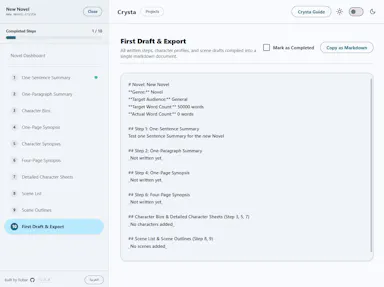
A cross-platform novel-outlining workspace using the Snowflake Method, with bilingual English/Arabic support.

Works offline
What to know
How it works
Guides novelists through outlining a book using the Snowflake Method, with offline SQLite storage.
What's different
Bilingual English/Arabic support with dynamic RTL/LTR layout transitions.
Watch out
Cross-platform desktop and mobile, works offline.

Watched for 11 days · last checked today

Details →