Tools that work with Microsoft Teams

We're tracking 20 of these, and 19 are still live today. 1 we couldn't reach — we don't claim those are dead.

Watching this group for 18 days · how we check

This week4 new arrivals

Kipper

Live

Ask your finance system questions in plain English

What to know
How it works
Lets teams query NetSuite, QuickBooks, or Xero in natural language through Slack, Microsoft Teams, SMS, ChatGPT, or Claude, with real-time answers over a read-only, encrypted, audit-logged connection.
Best for
Non-finance teams (sales, service, support, operations) who need quick answers like invoice status without going through the finance team.

Watched for 9 days · last checked 3d ago

Details →

AI Noise Cancellation for your meetings and calls.

Domain registered 1 month ago

Works offline
What to know
How it works
A real-time, on-device noise and echo cancellation app for Windows and Linux that creates a clean virtual microphone for apps like Zoom, Google Meet, Teams, and Discord.
What's different
Audio is processed entirely on-device and never uploaded.
Pricing
Free to start, no sign-in required.
Best for
People who want background noise removed from calls without sending audio to the cloud.

Watched for 9 days · last checked 3d ago

Details →

A dual-device AI assistant that listens to live interview questions and privately shows suggested answers on a second device, for job candidates instead of preparing entirely unaided.

What to know
How it works
Detects interviewer questions in real time, generates resume-based and coding/system-design answers, and displays them privately on a phone instead of the shared screen.
What's different
Works with Zoom, Google Meet, Microsoft Teams, HackerRank, LeetCode, and other interview platforms.

Watched for 18 days · last checked 2d ago

Details →

A browser extension that auto-detects and blurs sensitive on-screen info like API keys and passwords during video calls.

What to know
How it works
Detects and blurs sensitive text live during screen shares on Meet/Zoom/Teams
What's different
Custom blur zones, hover-to-reveal, site whitelisting

Watched for 6 days · last checked 5d ago

Details →

A scheduling link tied to your Outlook calendar that also auto-creates the Microsoft Teams meeting when someone books time with you.

Domain registered 1 month ago

What to know
How it works
Connects to Outlook so people book instantly, no guest account or back-and-forth.
What's different
Auto-creates the Teams meeting link on confirmation, which most scheduling tools don't do natively.
Best for
People who live in Microsoft 365/Teams and want booking links that just work.

Watched for 6 days · last checked 5d ago

Details →

Boostr

Live

A peer-recognition tool embedded directly in Microsoft Teams and Slack so coworkers can appreciate each other without leaving chat.

What to know
How it works
Integrates with Teams and Slack to let colleagues send peer-to-peer recognition.
Best for
Teams already living in Slack or Teams who want lightweight recognition.

Watched for 11 days · last checked 8d ago

Details →

A USB desk light plus free app that shows red/green based on your real Teams, Zoom, Slack or Discord status — for people tired of manually toggling do-not-disturb.

Domain registered 4 years ago

Free
What to know
How it works
A USB desk light that mirrors your real presence — green when free, red when on a call — by watching Teams, Zoom, Slack and Discord at once.
What's different
Described as the only commercial busy light that also watches Discord, alongside Teams, Zoom and Slack.
Pricing
Free desktop app; hardware is $39.99.
Best for
People who want automatic do-not-disturb signaling instead of manually toggling status.

Watched for 13 days · last checked today

Details →

A free desktop app that checks your camera, mic, speakers, and network before a video call.

Free
What to know
How it works
Checks camera, microphone, speakers, room noise, and network connection with one click before a video call and gives a simple ready/almost-set/fix-this verdict.
What's different
Audio and video are processed locally and never stored or sent anywhere.
Pricing
Free.

Watched for 3 days · last checked 3d ago

Details →

Eodly

Live

An AI tool that turns team check-ins from Slack, Telegram or Discord into one evening report comparing claims against GitHub and Linear, showing who actually shipped.

What to know
How it works
Team members send a short daily check-in from Slack, Telegram, Microsoft Teams or Discord; Eodly weighs each claim against GitHub and Linear records and produces one evening report showing who shipped (with evidence), who's silent, and where claims and evidence disagree. It also gates KOL/partnership payouts on proof of delivery and exposes a read-only API and MCP server.
What's different
Verifies claims against GitHub and Linear evidence rather than just collecting self-reported status updates, and explicitly avoids keystroke logging or screen capture.
Best for
Founders, CEOs and team leads managing distributed teams who want a sourced daily status report instead of a meeting or an unmaintained status tool.
Watch out
The product frames itself as 'not surveillance' with no keystroke logging or screen capture — worth confirming what data it does pull from connected tools before rollout.

Watched for 14 days · last checked 8d ago

Details →

A stealth desktop overlay feeding real-time answers during online coding assessments/interviews while staying invisible to proctoring tools — an interview-cheating tool, not an employer tool.

What to know
How it works
A native desktop overlay that feeds real-time answers during online coding assessments and interviews, staying invisible to screen-sharing and proctoring software on platforms like Mercer Mettl, HackerEarth, Respondus, MS Teams, and Zoom.
What's different
Built as a native desktop app rather than a browser extension, which the product claims lets it evade detection on strict proctoring platforms.
Watch out
This is explicitly a tool for cheating on proctored coding assessments and interviews, not an employer-side or practice tool.

Watched for 14 days · last checked 8d ago

Details →

A private desktop app that gives real-time interview assistance and notes during Zoom, Meet, or Teams calls.

Domain registered 10 months ago

What to know
How it works
A private desktop app giving real-time interview assistance, structured answers, and contextual notes during calls.
What's different
Works with Zoom, Google Meet, and Microsoft Teams.
Best for
Job seekers doing video interviews.

Watched for 8 days · last checked 6d ago

Details →

Never miss a beat! Unified monitoring for cron jobs, workers, and uptime.

FreeOpen source

First seen today · last checked today

Details →

A local MCP server that gives AI assistants like Claude, Cursor and ChatGPT tools to act on your Mac — iMessage, Teams, WhatsApp, Mail, files — with nothing sent to the cloud.

FreeWorks offlineData stays with you
What to know
How it works
A local Model Context Protocol server running on a Mac that gives AI assistants like Claude, Cursor and ChatGPT 143 tools to act on iMessage, local Microsoft Teams chats, WhatsApp, Apple Mail, Calendar, Contacts, Notes, Reminders, Finder files, OneDrive, Outlook and Office documents.
What's different
Runs 100% locally with no cloud connection, reaching apps like iMessage and local Teams chats that cloud-based connectors can't access.
Pricing
Free.
Best for
Mac users who want their AI assistant to act across native apps like iMessage and Mail without sending data to the cloud.

Watched for 18 days · last checked 2d ago

Details →

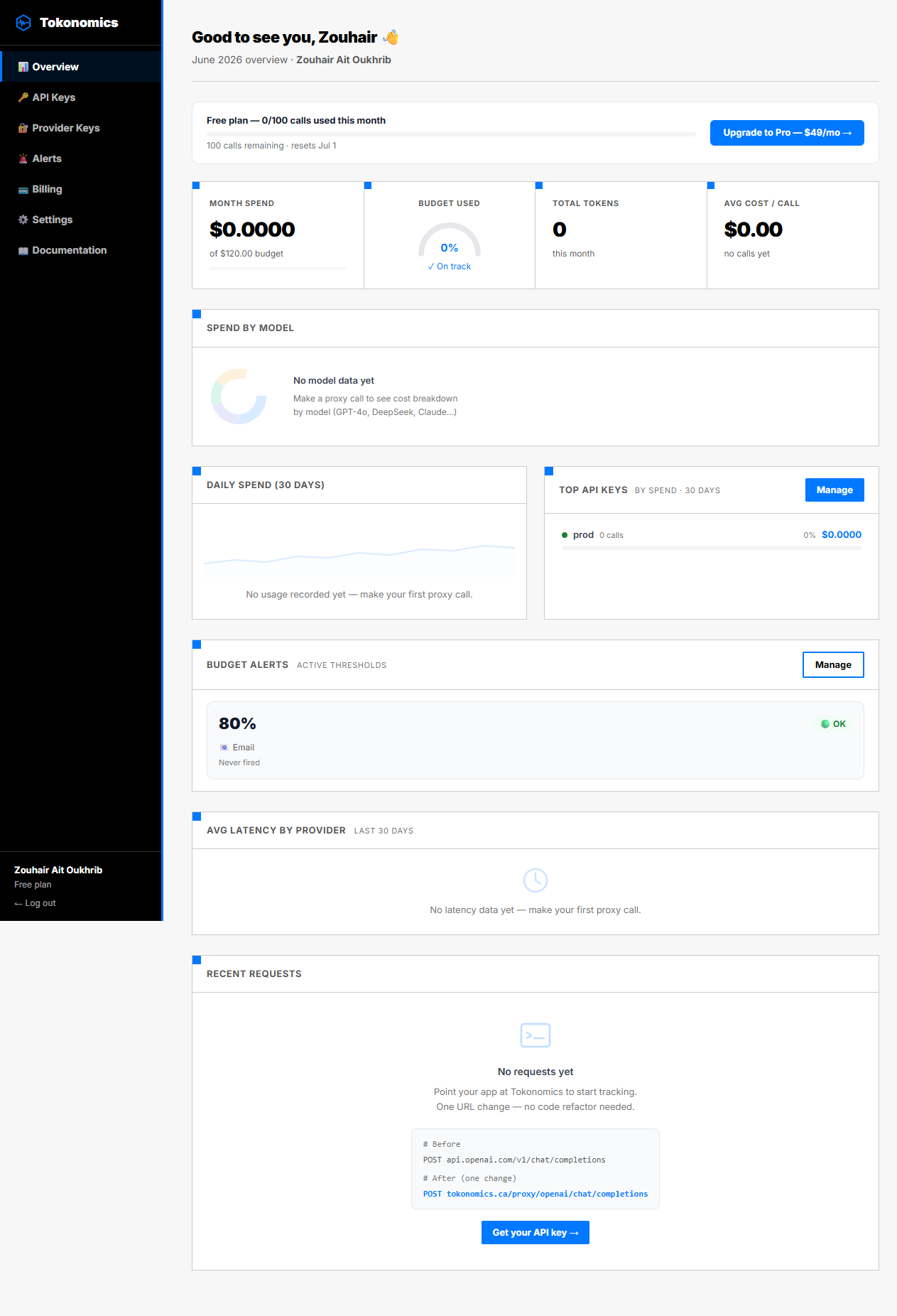
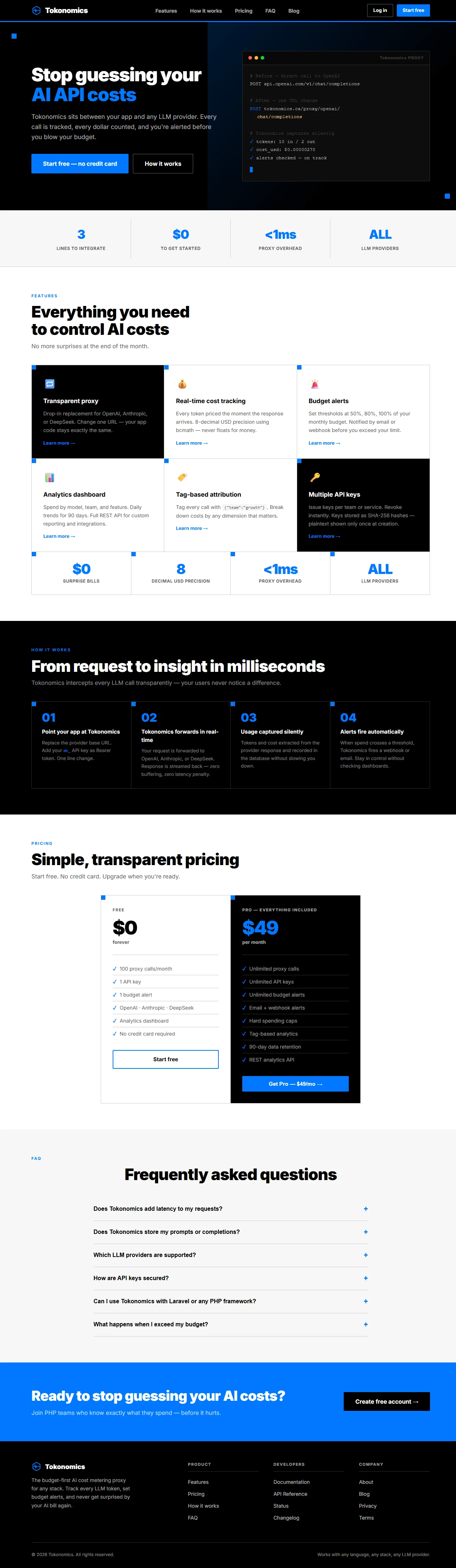
An API proxy that sits between your app and any LLM provider to track spend and set budget alerts by feature, team or customer - a developer infrastructure tool, not an end-user app.

What to know
How it works
An API proxy that sits between your app and any LLM provider (OpenAI, Anthropic, DeepSeek, Google Gemini, xAI, or OpenAI-compatible APIs) — you change one URL, and it forwards requests while recording tokens, cost, model and latency for every call, with a cost dashboard and budget alerts via email, Slack or Microsoft Teams.
What's different
Requires only a one-URL change, no SDK or code rewrite, to get cost visibility across multiple LLM providers at once.
Best for
Developer teams who want to track and cap LLM spend per feature, team or customer.

Watched for 18 days · last checked 11d ago

Details →

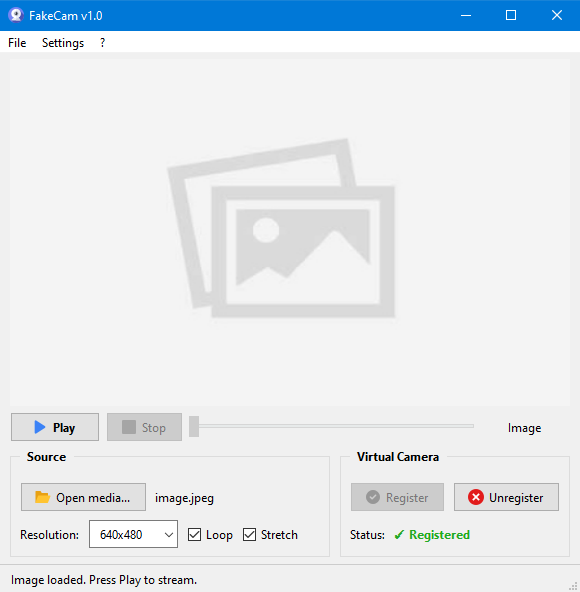
A lightweight Windows app that streams a video or image file as your webcam feed into Zoom, Teams, Skype, Discord or Telegram, running fully offline with no account or tracking.

FreeNo sign-upWorks offlineNo subscription
What to know
How it works
A lightweight virtual webcam app for Windows that streams a video or image file as your camera feed into apps like Zoom, Teams, Skype, Discord and Telegram.
What's different
Runs entirely locally with no account, subscription, ads or tracking — download and run, 25MB portable, works offline.
Pricing
Free for Windows.
Best for
Windows users who want a virtual webcam feed for video call apps without an account or bloatware.

Watched for 18 days · last checked 2d ago

Details →

Records and transcribes calls across Google Meet, Zoom, WhatsApp, Teams, Webex, Telegram and Discord without a bot joining or a recording announcement, then gives you searchable transcripts and summaries.

What to know
How it works
Records and transcribes calls across Google Meet, Zoom, WhatsApp, Microsoft Teams, Webex, Telegram, and Discord, producing automatic transcripts, summaries, searchable notes, key points, and a shareable team link.
What's different
No bot joins the call and no recording announcement is made, unlike most meeting-recorder tools.
Best for
People who need call records across many different platforms in one place.
Watch out
It explicitly records without a bot joining and without a recording announcement, which raises consent considerations for other call participants.

Watched for 12 days · last checked 6d ago

Details →

Turns a business process into an executable tool you can trigger from ChatGPT, Claude, Teams, web chat or WhatsApp, keeping state and rules rather than being a simple chatbot.

What to know
How it works
Turns a business process into an executable tool that can be run from ChatGPT, Claude, Microsoft Teams, web chat or WhatsApp; it keeps process state, enforces business rules, executes actions, pauses for human approval, and resumes where it left off.
What's different
Unlike a chatbot, it maintains state and enforces rules across a governed workflow rather than just answering prompts.
Best for
Teams that want a business process to be triggerable from multiple AI/chat channels while staying auditable and rule-bound.

Watched for 13 days · last checked 7d ago

Details →

A virtual microphone that plays sound clips and music into Zoom, Meet, Discord and other web calls alongside your voice. A general-purpose audio routing tool, not tied to one platform.

Works offline
What to know
How it works
Creates a selectable virtual microphone in the browser that mixes your real mic with audio clips — sound effects, music, intros, pre-recorded speech — and feeds that mix into web calls.
What's different
Works inside browser-based call tools like Google Meet, Zoom, Discord, Microsoft Teams and Whereby without installing desktop software or a separate virtual audio cable app.
Best for
Anyone who wants to play sound clips or music into a video call alongside their voice.

Watched for 16 days · last checked 8d ago

Details →

One-click booking for desks, meeting rooms and parking spots via an interactive office map, built for companies managing flexible or hybrid workspaces.

What to know
How it works
Lets employees reserve desks, meeting rooms and parking spots with one click via an interactive office map, with automated parking allocation and real-time occupancy analytics.
What's different
Focuses on extreme simplicity and fast deployment instead of the complexity of larger corporate workplace-management software.
Best for
Organizations managing hybrid or flexible office space who want to cut morning parking/desk chaos and real-estate costs.

Watched for 18 days · last checked 9d ago

Details →

USB office headset with noise-canceling mic for calls and video meetings.

What to know
How it works
A USB headset with an ENC noise-canceling microphone for calls and video meetings.
Best for
Office workers using Zoom, Microsoft Teams or other video meeting tools.

Watched for 3 days · last checked 2d ago

Details →

Tools that work with Microsoft Teams — the short answers

Every number here comes from our own daily check — not from a vendor list.

Tools that work with Microsoft Teams — how many are there?
Tablif is tracking 20 of them. 19 answered our check today, and 1 we couldn't reach — we don't claim those are dead.
Which ones are still maintained?
Tablif knocks on every door once a day and records the answer. 19 of these 20 responded on the latest run, so that number is what "still here" means on this page — not a review score.
Are any of them free?
5 of the live ones say so in their own words, and 1 let you start without making an account. Tablif records the claim the product makes; we don't verify pricing.
Any open-source options?
1 of the live ones on Tablif mention being open source.
What's the newest one?
Drumbeats — Tablif first saw it today.
Did a person actually look at these?
19 of them Tablif opened and read, then wrote a one-line summary in our own words instead of reusing the founder's tagline. The rest carry keyword labels we haven't confirmed by reading yet — and we say so rather than hiding it.