Tools that plug into VS Code

We're tracking 49 of these, and 45 are still live today. 4 we couldn't reach — we don't claim those are dead.

Watching this group for 20 days · how we check

This week19 new arrivals

Lets developers sharpen coding skills by racing Claude on the same problem instead of solving practice problems alone.

What to know
How it works
Both solutions run against the same test cases, scored on correctness, speed, and quality; Claude explains its approach after.
Pricing
free to start; Pro $6/month with 7-day free trial, no credit card

Watched for 1 day · last checked 1d ago

Details →

VS Code extension that generates formatted markdown snapshots of your project's code, for developers preparing context to share with AI assistants, instead of manually copying and formatting files.

Domain registered 2 years ago

What to know
How it works
One-click snapshot generation with smart file selection, automatic formatting, syntax highlighting, and project structure included.
Best for
Developers who repeatedly paste code context into ChatGPT, Claude, or other AI assistants.

Watched for 7 days · last checked 1d ago

Details →

A native Mac/iOS app and local MCP bridge that lets AI coding agents run Linux server commands without exposing private keys.

Domain registered 9 months ago

What to know
How it works
A native Mac/iOS app and local MCP bridge that lets AI coding agents run Linux server commands without ever receiving your private keys, which stay in Keychain.
What's different
Adds Docker + gVisor sandboxing, SSH/SFTP, tunnels, and monitoring on top of the MCP bridge.

Watched for 4 days · last checked today

Details →

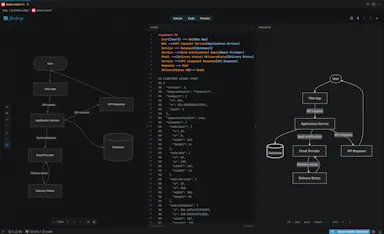
A visual drag-and-drop editor for Mermaid diagrams inside VS Code that keeps diagrams as plain Git-friendly Mermaid source, instead of hand-writing diagram syntax.

Open source
What to know
How it works
Open a .mmd file, build on an infinite canvas; source stays in sync with the visual edits.

Watched for 2 days · last checked 1d ago

Details →

Gives developers a readable, balanced-contrast VS Code theme instead of a default theme during long coding sessions.

Watched for 1 day · last checked today

Details →

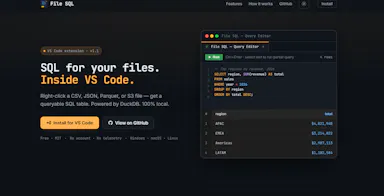
A VS Code extension that lets you query local files or S3 Parquet/CSV data with SQL using DuckDB, directly from the file explorer.

What to know
How it works
Right-click a file or folder in VS Code Explorer to query it as a SQL table via DuckDB, with a multi-tab editor and autocomplete.

Watched for 16 days · last checked today

Details →

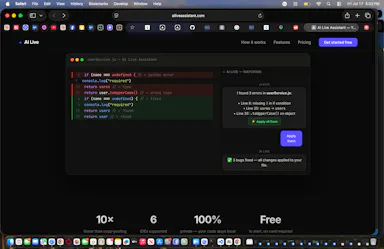
Watches your code inside VS Code and suggests a one-click fix the moment an error appears, without copy-pasting into a chat.

Domain registered 26 days ago

What to know
How it works
Detects errors in real time inside the editor and applies a fix on click
What's different
No copy-paste into a separate chat window

Watched for 6 days · last checked today

Details →

A VS Code extension that patches the Claude Code extension so you can run separate Claude accounts (e.g. work and personal) across different VS Code profiles instead of manually switching tokens.

What to know
How it works
patches the anthropic.claude-code extension to isolate the auth/session layer per VS Code profile

Watched for 7 days · last checked 6d ago

Details →

Virdl

Live

VS Code extension that shows small ads in the sidebar and status bar and pays you for viewing them while you code.

What to know
How it works
Displays non-intrusive ads in VS Code's sidebar, status bar, and Explorer panel while you work; you earn money per ad seen.

Watched for 18 days · last checked 2d ago

Details →

Hooman

Live

An open-source AI agent runtime for the terminal, VS Code, and other ACP-compatible editors, letting you bring your own models or API keys instead of a hosted agent service.

Open source
What to know
How it works
Runs agent, plan, ask, and design modes with MCP integrations, reusable skills, subagents, and approval controls, using local (llama.cpp/MLX) models or your own API keys.
Best for
Developers who want to control their own agent stack instead of a closed hosted one.

Watched for 12 days · last checked 9d ago

Details →

Lets developer teams generate dynamic UIs from reusable primitives instead of building custom tooling UIs from scratch.

Watched for 1 day · last checked today

Details →

A directory that scores MCP servers by trust and risk, diagnoses config errors, and generates install commands for major editors.

What to know
How it works
Scores MCP servers by trust and risk, diagnoses config errors, and generates install commands for Cursor, Claude, VS Code, and Codex.

Watched for 4 days · last checked 3d ago

Details →

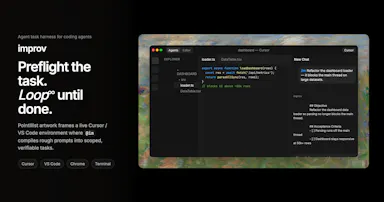
A task harness that plans and loops coding-agent work until done, across Cursor, VS Code, Chrome, and the terminal.

What to know
How it works
Plans coding-agent tasks and loops until the work is done.
What's different
Works across Cursor, VS Code, Chrome, and the terminal via @im.

Watched for 6 days · last checked 5d ago

Details →

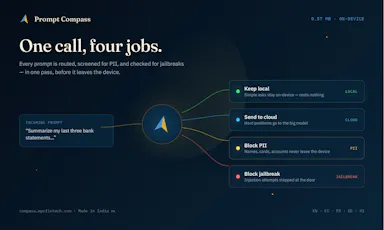
Routes each AI prompt to the cheapest capable model and blocks PII/jailbreak attempts locally, cutting AI API costs for developers.

Domain registered 4 months ago

Works offline
What to know
How it works
On-device ~5ms routing decision per prompt
What's different
Claims up to 96% cost cut by avoiding always-expensive-model routing
Pricing
Free tier, npm SDK and VS Code/Cursor extension

Watched for 6 days · last checked 5d ago

Details →

A background sync service that keeps a project's files live-synced across a team's editors in real time without git commits.

Domain registered 9 days ago

What to know
How it works
Background service syncs files automatically as you code, works with VS Code, Cursor, Windsurf
What's different
Shared terminals and live dev server sharing, avoiding merge conflicts entirely
Best for
Teams pair-coding on the same project without constant git pushes

Watched for 6 days · last checked 5d ago

Details →

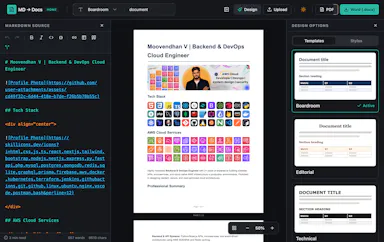
Converts Markdown files into styled Word and PDF documents, usable fully offline or inside VS Code.

Works offline
What to know
How it works
Renders markdown into formatted .docx/.pdf, in a web editor or a VS Code extension
What's different
fully offline compatible
Best for
writers who draft in markdown but need polished Word/PDF output

Watched for 6 days · last checked 5d ago

Details →

A fixed-price Kubernetes-native cloud for developers, offering VMs, clusters, managed Postgres/MariaDB, and observability, controllable via natural language in AI IDEs like Cursor and Claude Code or via kubectl, Terraform, and GitHub Actions.

What to know
How it works
Deploys VMs, Kubernetes clusters, containerized workloads, managed databases, private networks, observability, and backups from one resource pool, managed through an AI IDE, Web Console, CLI, kubectl, Helm, Terraform, or GitOps.
Best for
Developer teams wanting predictable, fixed-price Kubernetes infrastructure.

Watched for 7 days · last checked 7d ago

Details →

A zero-config local development server extension for VS Code that auto-reloads HTML and Markdown previews with hot module replacement, instead of manually setting up a dev server.

What to know
How it works
Uses a dependency graph for smart change detection, plus self-healing HTTPS and QR-code mobile testing.

Watched for 7 days · last checked 6d ago

Details →

A paid Next.js starter kit pre-wired with Clerk auth, Stripe billing and Drizzle ORM, for developers, agencies and indie hackers who want to skip setup.

Domain registered 25 days ago

What to know
How it works
A Next.js starter kit pre-wired with Clerk for auth (including multi-tenancy and organization-switching), Stripe for billing, and Drizzle as the ORM layer.
What's different
Uses Clerk's official multi-tenancy implementation instead of a custom auth wrapper, and ships under a completely flexible open license.
Best for
Developers, agencies, and indie hackers who want to skip initial SaaS setup.

Watched for 14 days · last checked 8d ago

Details →

A native (non-Electron) Git GUI for Mac and Windows built for speed and low memory use, positioned against GitKraken, SourceTree, Fork and Tower for developers who find those apps sluggish.

Domain registered 2 months ago

No sign-upWorks offline
What to know
How it works
A native Git GUI for macOS and Windows with a color-coded, virtualized commit graph and infinite scroll. Works fully offline and locally, with no account or cloud dependency.
What's different
Roughly 12 MB and launches in a fraction of a second, versus the 300–500 MB idle RAM and multi-second cold starts of Electron-based clients like GitKraken, SourceTree, Fork, and Tower.
Best for
Developers frustrated with the resource overhead of Electron-based Git clients.

Watched for 11 days · last checked 2d ago

Details →

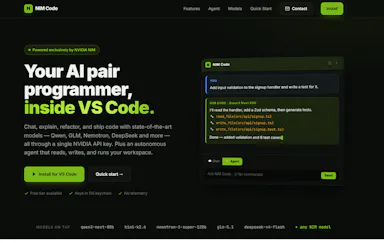
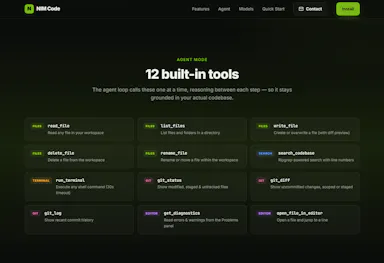
AI coding assistant for vs code

What to know
How it works
An AI coding assistant for VS Code powered exclusively by NVIDIA NIM, with multi-model chat, an autonomous agent mode, slash commands, streaming, and secure key storage.
Best for
VS Code users who want an AI coding assistant.
Watch out
Runs exclusively on NVIDIA NIM as its model backend.

Watched for 14 days · last checked today

Details →

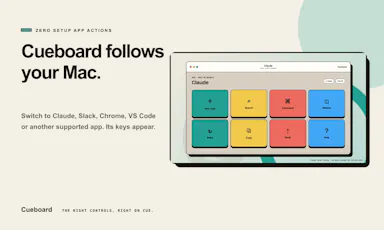
Turns a spare iPad/phone/browser screen into a context-aware control panel that surfaces app-specific shortcuts for your Mac.

Domain registered 12 days ago

What to know
How it works
A companion app detects the app in front of you on your Mac and surfaces context-aware, verified controls on a spare iPad, phone, or browser screen, for apps like Claude, ChatGPT, VS Code, Slack, Chrome, and Figma.

Watched for 3 days · last checked 3d ago

Details →

VS Code extension that shows sponsored ads during Claude Code's 'thinking' pauses and pays developers a share of ad revenue.

Domain registered 1 month ago

Free
What to know
How it works
Shows a sponsored line in the Claude Code spinner during its 5-30 second thinking pauses, paying developers 50% of ad revenue directly to their UPI account.
Pricing
Free to install; withdraw from ₹100 to UPI.
Watch out
India-focused (UPI payments).

Watched for 3 days · last checked 3d ago

Details →

A local gateway that lets every AI coding client share one set of MCP server connections instead of configuring each tool separately, cutting how many tools your agent has to load.

FreeNo sign-upWorks offlineOpen source
What to know
How it works
A local-first, open-source gateway. You set up and authenticate each MCP server once, and every connected AI client — Claude, Cursor, VS Code, Codex — shares that same connection instead of you configuring it per tool.
What's different
Claims up to 91% less tool-token overhead by giving an agent a handful of meta-tools instead of loading hundreds of individual tool definitions; API keys stay in the OS keychain.
Pricing
Free, open source, no sign-up.
Best for
Developers running multiple AI coding clients against the same set of MCP servers who don't want to re-authenticate each one separately.
Watch out
The '91% overhead cut' figure is the product's own claim; we haven't independently benchmarked it.

Watched for 20 days · last checked today

Details →

Turns codebases into interactive maps, dependency graphs and governance reports, with GitHub scans built in — a code-intelligence tool for engineering teams doing architecture review.

What to know
How it works
A VS Code–based AI IDE combining 124 local tools, chat-window sessions, in-terminal execution, and AST/dependency analysis, with configurable agent loop counts from 5 to unlimited.
What's different
Can connect to a local LLM for private, deterministic results, or use your own API key — code execution stays local, with only auth and orchestration running server-side.
Best for
Developers who want an AI coding IDE with local, deterministic execution control.

Watched for 11 days · last checked 3d ago

Details →

A single API call returns live, cryptographically signed data across 87 sources so AI agents and software can verify what they're consuming — a developer-facing trust layer, not a consumer app.

No sign-upOpen source
What to know
How it works
A single keyless API call returns structured JSON for 87 live tools across 19 verticals; each datapoint carries its source, licence, timestamp and an Ed25519 signature, optionally Bitcoin-anchored.
What's different
Data is cryptographically verifiable rather than just scraped and cited, and it works without signup or an API key via an MCP endpoint or batch POST.
Best for
Developers building AI agents or software that need to independently verify the live data they consume.

Watched for 17 days · last checked today

Details →

Diploi

Live

A cloud platform that spins up ready-to-code dev, staging and production environments in minutes, aimed at engineering teams onboarding new developers fast.

What to know
How it works
Spins up ready-to-code cloud development environments in minutes, giving each developer an instant environment and each project a consistent path from development through staging to production.
What's different
Lets teams skip local installs entirely and onboard new developers with a single click, while integrating with tools like Cursor, GitHub, and VS Code.
Best for
Engineering teams that want to onboard developers quickly and standardize environments from dev to production.

Watched for 18 days · last checked today

Details →

Shows small sponsored text ads in your IDE sidebar (VS Code, Cursor, Windsurf) and pays you for it — passive income for developers, not an ad-buying tool.

What to know
How it works
Displays small sponsored text cards in the Explorer sidebar of VS Code, Cursor, and Windsurf, and pays developers for showing them.
What's different
Plain text ads matching the editor's look, not banners or popups.
Best for
Developers who spend hours in their IDE and want to earn passive income from sidebar space.

Watched for 18 days · last checked today

Details →

AI mock-interview platform that generates role-specific questions, scores answers, and includes a coding round with a Monaco editor.

Free
What to know
How it works
AI generates interview questions based on your job role and tech stack, evaluates answers with a 0-100 score and feedback, and includes a resume-based mode and a coding round with a Monaco editor.
Pricing
Free to try; source code sold separately on Gumroad.
Best for
Job seekers preparing for interviews.

Watched for 10 days · last checked 7d ago

Details →

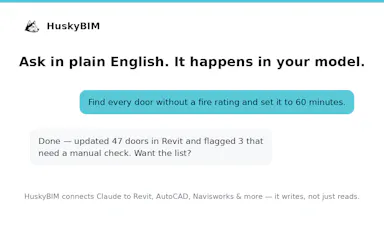
Lets Claude directly edit and create data inside Revit, AutoCAD and other BIM software instead of just reading it, free — built for AEC/construction teams.

FreeCan export my data
What to know
How it works
Lets Claude query, edit, and create data directly inside Revit, AutoCAD, ArchiCAD, Navisworks, MS Project, Sigma, and Dalux via plain-English requests — fixing fire ratings, renumbering rooms, running clash tests, taking off quantities, and exporting schedules. Works with Claude Desktop, Cursor, VS Code, and Microsoft Copilot.
What's different
Most 'AI for BIM' tools only read your model; this one actually edits and creates data in it.
Pricing
Free across all 8 supported apps and versions.
Best for
AEC and construction teams working in Revit, AutoCAD, or other BIM software.

Watched for 14 days · last checked 8d ago

Details →

Never miss a beat! Unified monitoring for cron jobs, workers, and uptime.

FreeOpen source

First seen today · last checked today

Details →

A checker that flags fabricated citations, contradictions, and errors in AI chatbot answers with a verifiable receipt.

Domain registered 10 days ago

FreeNo sign-up
What to know
How it works
Checks AI answers from ChatGPT, Claude, Gemini, and Copilot for fabricated citations, nonexistent references, numbers that don't add up, contradictions, leaked data, and outdated info; every check produces a signed, verifiable receipt via TBN Protocol.
What's different
Produces a signed, verifiable receipt of what was checked rather than just a pass/fail indicator.
Pricing
Free, no account needed.
Best for
Anyone verifying AI chatbot answers via Chrome extension, VS Code extension, or paste-in web tool.

Watched for 9 days · last checked 7d ago

Details →

Lets developers and AI coding agents test API integrations beyond the first response — webhooks, retries, async flows, failures — against sandboxed mock versions of 60+ real APIs, connected via MCP.

What to know
How it works
Lets developers and AI coding agents test API integrations beyond the first response — webhooks, retries, state changes, async workflows and failure scenarios — against sandboxed versions of 60+ real APIs (Stripe, GitHub, Clerk, Resend, Twilio, Descope, OpenAI) via MCP.
What's different
Reproduces the real bug and remembers what breaks so agents catch it again before production, rather than stopping at a 200 OK check.
Best for
Developers and AI coding agents (via Cursor, Claude Code, Windsurf, VS Code, Codex) who need to test failure paths without burning real API quota.

Watched for 15 days · last checked 9d ago

Details →

DBD

Live

A managed infrastructure layer for ML teams that unifies dev and prod deployment across cloud providers so promoting a model doesn't mean a manual migration between GCP and AWS.

What to know
How it works
A managed infrastructure layer that unifies dev and prod deployment for ML teams, letting them promote a model by reference instead of manually migrating files between GCP and AWS. Includes zero-setup workspaces (Jupyter, VS Code, RStudio), Drive/OneDrive sync, an audit trail, and auto-stop billing.
What's different
Removes the manual migration step that normally happens when a team's dev environment is on one cloud (GCP) and prod is on another (AWS).
Best for
ML teams running dev and prod on different cloud providers who are tired of manual migrations and CI/CD drift.

Watched for 14 days · last checked 8d ago

Details →

AICode

Live

A VS Code AI coding assistant focused on maintaining legacy enterprise codebases without drifting from intent, for professional developer teams rather than a general speed tool.

What to know
How it works
A spec-driven AI coding assistant for VS Code that follows a strict Ideate-to-Verify workflow, focused on maintaining legacy enterprise software while keeping code changes aligned with intent.
What's different
Constrains the model to respect a project's global context and catches AI mistakes before they reach the codebase, positioned specifically for legacy enterprise maintenance rather than general-purpose coding speed.
Best for
Professional developer teams maintaining complex legacy enterprise codebases.

Watched for 18 days · last checked 2d ago

Details →

An open-source AI coding agent that works in your editor, terminal, or via Discord and Telegram, with approvals and diff review before it touches code. For developers who want to supervise an agent, not just chat with one.

Open source
What to know
How it works
An open-source, local-first AI coding agent for VS Code-compatible editors, CLI/TUI, and messengers via Ether Live Mode (Discord, Telegram), keeping a reviewable task timeline with approvals, checkpoints and pending diffs, and routing across BYOK or Grik-hosted models.
What's different
Keeps a reviewable approval timeline instead of running as an editor-only assistant, with swarm workers for recurring checks and remote follow-ups.
Best for
Developers who want to supervise and approve an AI agent's changes rather than just chat with it.

Watched for 18 days · last checked 2d ago

Details →

Offline on-device speech to text for Mac and Windows

No sign-upWorks offlineData stays with you

First seen today · last checked today

Details →

A marketplace turning the idle wait time in AI coding agent interfaces into a small opt-in sponsor ad surface for developer tools.

What to know
How it works
Lets developers enable a single opt-in sponsor line in coding-agent status/wait interfaces, keeping a 60% baseline share of billed impression revenue.
What's different
Does not require access to source code, prompts, model output, terminal output, screenshots, clipboard, or repository files.

Watched for 3 days · last checked 3d ago

Details →

Three-pane merge conflict resolver for VS Code/Cursor with optional AI explanation, free and open source.

FreeOpen source
What to know
How it works
A three-pane merge resolver (yours | editable result | theirs) for VS Code and Cursor, with scroll-synced word diffs, authorship chips, a history timeline, and one-click apply for non-conflicting changes; optional AI reads your repo to explain and resolve conflicts.
What's different
Nothing hits git until you apply.
Pricing
Free and open source.
Best for
Developers resolving merge conflicts in VS Code or Cursor.

Watched for 3 days · last checked 1d ago

Details →

A free local VS Code/Cursor extension that turns your Claude Code session files into a browsable dashboard with full transcripts, tool calls, sub-agents and per-response token and cost tracking.

FreeWorks offline
What to know
How it works
A VS Code/Cursor/VSCodium extension that turns local Claude Code session files into a browsable workspace with full transcripts, tool calls, sub-agents, per-response token and cost tracking, an analytics dashboard, and a CLAUDE.md memory view.
What's different
100% local-first — nothing leaves your machine.
Pricing
Free.
Best for
Developers using Claude Code who want to review sessions, costs and tool calls without a CLI-only cost counter.

Watched for 13 days · last checked 11d ago

Details →

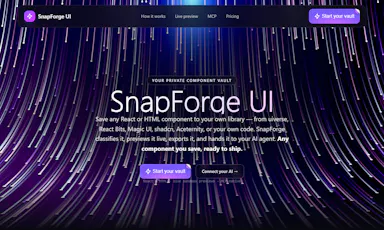
A personal vault for vetted UI components that AI coding tools like Claude Code and Cursor can pull from over MCP instead of inventing new UI each time. Built for developers, not general users.

Domain registered 1 month ago

Can export my data
What to know
How it works
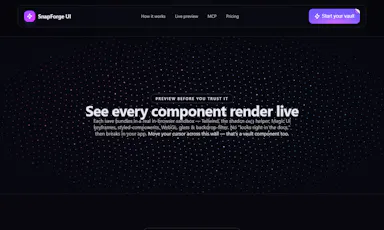
A personal vault for UI components: paste a React/HTML snippet, a shadcn CLI install command, or upload a zip, and it gets classified, security-checked and previewed live in a sandbox for export. A built-in MCP server lets tools like Claude Code, Cursor, Windsurf and VS Code pull from your vetted vault when building UI.
What's different
AI coding agents build from your own curated, security-checked component library instead of hallucinating or reinventing UI.
Best for
Developers using AI coding agents who want those agents to reuse a personal, vetted set of UI components.

Watched for 14 days · last checked 2d ago

Details →

A CLI and proxy that curates your MCP server config and shares it across Claude, Cursor, VS Code and Windsurf, loading only the tools each agent needs — for developers juggling multiple AI coding clients.

Works offline
What to know
How it works
A local-first CLI and proxy where you write your MCP server configuration once, then it fans that config out to Claude, Cursor, VS Code, and Windsurf, loading only the tools each agent actually needs and resolving secret references instead of hardcoded keys.
What's different
Loads a curated subset of tools per client rather than every configured MCP server, avoiding the context-window overhead of loading them all.
Best for
Developers using multiple AI coding clients who want one MCP config instead of duplicating setup across each tool.

Watched for 16 days · last checked 2d ago

Details →

Gives AI coding tools like Cursor and VS Code persistent local memory of your codebase, running on your own machine - priced at $25/year, not one-time, apart from a limited beta deal.

Works offline
What to know
How it works
Gives AI coding assistants persistent memory: it indexes your codebase with vector search, saves every conversation, and connects to Zed, Cursor, VS Code and other MCP-compatible tools, running on embedded PostgreSQL + pgvector.
What's different
100% local-first with no cloud required, unlike most AI memory tools.
Pricing
$25/year, no tiers; beta testers get lifetime access for a $25 one-time payment.
Best for
Developers using AI coding assistants who want persistent, local memory of their codebase across sessions and team members.

Watched for 15 days · last checked 2d ago

Details →

MCPize

Live

A marketplace of 1000+ vetted MCP servers that plug into Claude, Cursor, VS Code and other AI tools, with one API key, consolidated billing, and one-click GitHub deploy for publishers.

What to know
How it works
A marketplace of 1,000+ vetted Model Context Protocol (MCP) servers that integrate with Claude, Cursor, VS Code, Windsurf and other AI tools, giving users one API key, consolidated billing and a unified usage/cost dashboard across all servers they use; developers can publish a server with GitHub auto-deploy in about 30 seconds.
What's different
Every listed server passes a stated 7-dimension quality audit covering protocol compliance, OAuth, reliability and safety, and publishers earn an 80% revenue share.
Pricing
Free tier includes 25,000 requests per month with no credit card required.
Best for
Developers who want to discover and use vetted MCP servers across multiple AI tools without managing separate API keys and bills, and publishers who want to monetize an MCP server.

Watched for 18 days · last checked 11d ago

Details →

Lets you control and view your Mac's terminal, including shells inside VS Code, Zed or Cursor, from your iPhone or iPad remotely — no SSH, open ports or account needed.

No sign-up
What to know
How it works
Lets you control and observe any terminal on your Mac from an iPhone or iPad, attaching directly to existing shells including those running inside VS Code, Zed and Cursor, over an end-to-end encrypted connection.
What's different
Zero-config networking with no SSH, open ports, port forwarding, or account creation required.
Best for
Developers who want to check on or drive a Mac terminal session remotely from a phone or tablet.

Watched for 18 days · last checked 10d ago

Details →

Tools that plug into VS Code — the short answers

Every number here comes from our own daily check — not from a vendor list.

Tools that plug into VS Code — how many are there?
Tablif is tracking 49 of them. 45 answered our check today, and 4 we couldn't reach — we don't claim those are dead.
Which ones are still maintained?
Tablif knocks on every door once a day and records the answer. 45 of these 49 responded on the latest run, so that number is what "still here" means on this page — not a review score.
Are any of them free?
8 of the live ones say so in their own words, and 6 let you start without making an account. Tablif records the claim the product makes; we don't verify pricing.
Any open-source options?
7 of the live ones on Tablif mention being open source.
What's the newest one?
Drumbeats — Tablif first saw it today.
Did a person actually look at these?
43 of them Tablif opened and read, then wrote a one-line summary in our own words instead of reusing the founder's tagline. The rest carry keyword labels we haven't confirmed by reading yet — and we say so rather than hiding it.