We check every product on this page once a day and record whether it still answers.
Auto-generates and updates customer-facing help articles from merged GitHub PRs, for dev teams whose docs go stale after every ship.
What to know▼
How it works
Watches merged GitHub PRs and automatically classifies whether a change is customer-facing, retrieves related existing help articles, and drafts an update grounded only in the diff and PR title; triggers on merge to main or on-demand via a '/koala' tag.
We check every product on this page once a day and record whether it still answers.
AI writing tool for authors that keeps persistent character and story lore linked to your draft, with local markdown files.
Watch out · 100% local — markdown files stay entirely on the user's disk.
What to know▼
How it works
Keeps a persistent Story Bible of character and lore details linked to the draft so context isn't lost across a long project, allows safe pipeline testing of editorial prompts on samples first, and stores everything as local markdown files.
What's different
Brings code-level context management to writers by turning Cursor into a local creative studio.
Watch out
100% local — markdown files stay entirely on the user's disk.
We check every product on this page once a day and record whether it still answers.
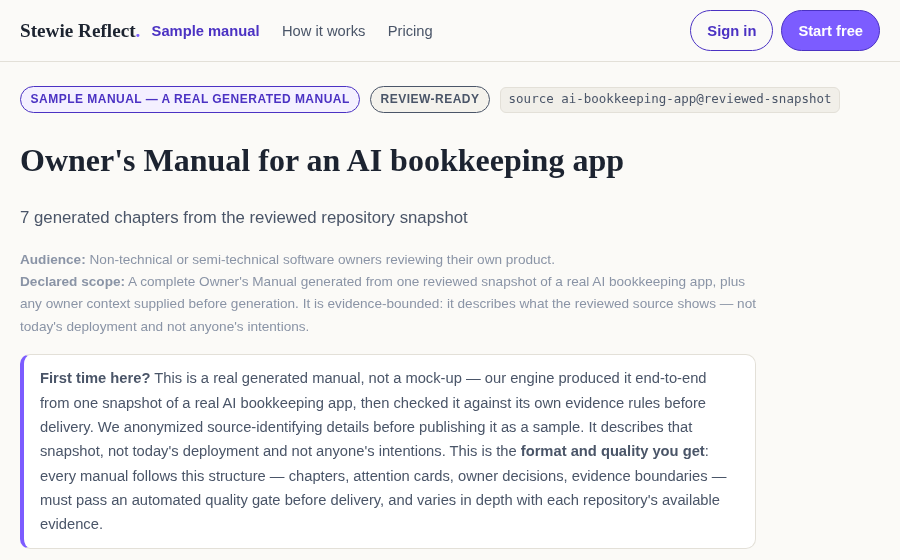
A tool that turns a snapshot of your codebase into a plain-English owner's manual, flagging areas that need human review before touching billing, auth, or permissions.
What to know▼
How it works
analyzes a repository snapshot to generate documentation of what the product does and where key rules live
Best for
founders and builders who inherited or forgot the details of their own codebase
We check every product on this page once a day and record whether it still answers.
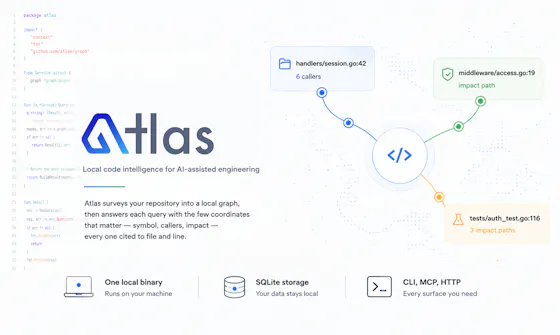
Gives developers and AI coding assistants deterministic, cited answers about a codebase's symbols, callers, and dependencies without sending code off-device.
Watch out · Code never leaves the machine
Works offlineData stays with you
What to know▼
How it works
Runs locally as a single binary with SQLite, CLI, MCP and HTTP interfaces to index a codebase
What's different
Deterministic, reproducible results with exact file-and-line citations; claims 36x fewer tokens than a graph baseline
We check every product on this page once a day and record whether it still answers.
A tool for React and Next.js teams that analyzes codebase architecture and produces a scored, interactive report of hotspots and maintenance burden, beyond what a linter shows.
What to know▼
How it works
Builds a dependency graph, checks deterministic architecture rules, and generates a health score with an interactive HTML report.
Best for
Teams wanting to track and improve architecture quality over time.
We check every product on this page once a day and record whether it still answers.
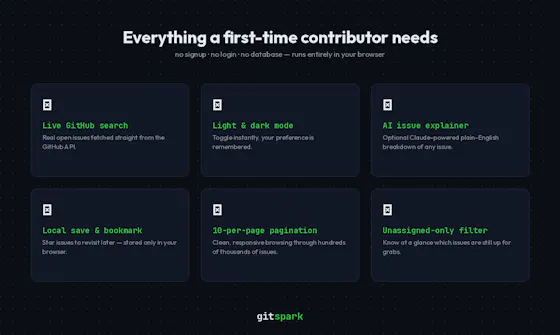
Finds real beginner-friendly open-source GitHub issues and explains them with AI, no account needed.
Watch out · No signup, no backend, no account needed.
No sign-upNothing to installOpen source
What to know▼
How it works
Fetches beginner-friendly GitHub issues live, filtered by language and contribution status, and explains them with AI-powered explanations; issues can be saved locally.
We check every product on this page once a day and record whether it still answers.
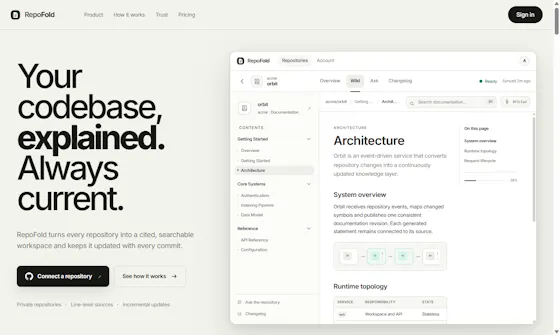
Auto-generates documentation straight from your codebase and keeps it updated as the code changes, with a built-in help center for users to search it.
What to know▼
How it works
Generates documentation directly from your codebase and updates it as the code changes, and includes a built-in help center where users can search that generated documentation.
What's different
Docs are generated from the code itself rather than written and maintained separately, so they stay current as the product evolves.
Best for
Developer teams whose documentation tends to fall out of date as their codebase changes.
We check every product on this page once a day and record whether it still answers.
Auto-generates a wiki from a GitHub repo where every claim links back to exact file and lines and stays current on every push, built for developers and their coding agents.
Free
What to know▼
How it works
Turns a GitHub repo into a wiki where every claim cites the exact file and lines, validated against the parsed source, and updates itself on every push. Coding agents can query it over MCP.
What's different
Claims are validated against parsed source code rather than generated freely, and it stays current automatically on each push.
Pricing
Free during beta.
Best for
Developers who want an always-current, cited reference for a codebase, including for use by their coding agents.
We check every product on this page once a day and record whether it still answers.
Turns a GitHub repo into auto-generated architecture docs, Mermaid diagrams, and a chat-style project summary, aimed at developers onboarding onto unfamiliar codebases.
Watch out · Persistent history requires authentication.
What to know▼
How it works
Analyzes a GitHub repository and produces chapter-wise architecture documentation, high-level and low-level Mermaid diagrams, and a conversational project summary.
We check every product on this page once a day and record whether it still answers.
Watches your live API traffic and auto-generates documentation ranked by real usage, so the busiest endpoints get written up first — a tool for API teams.
What to know▼
How it works
Watches live API traffic and auto-generates documentation, ranking endpoints by real usage so the most-used endpoints get documented first.
What's different
Prioritizes documentation coverage by actual traffic rather than treating every endpoint equally, so busy endpoints aren't left undocumented.
Best for
API teams whose documentation has fallen behind their shipped endpoints.
We check every product on this page once a day and record whether it still answers.
RelayFast lets small SaaS teams publish one release note across changelog, RSS, email, and in-app widget, and collect feature votes tied to what actually ships.
What to know▼
How it works
Lets you write one release note and publish it simultaneously to a hosted changelog, an RSS feed, subscriber email, and an in-app widget, and collects feature requests and votes tied to what actually ships.
Pricing
Starts free; Pro adds custom domains, branding, scheduling, subscriber emails, exports, and analytics, without per-tracked-user fees.
Best for
Small SaaS teams that currently ship updates quietly and want one release note to reach all their distribution channels at once.
We check every product on this page once a day and record whether it still answers.
A browser-based tool that turns an unfamiliar code folder into an interactive, editable node graph backed by real file diffs, instead of reading code file by file.
Nothing to install
What to know▼
How it works
Parses a folder into a semantic or importance-ranked graph; editing the graph rewrites the real files, shown as a diff to keep or undo.
Best for
Understanding and restructuring an unfamiliar codebase without installing anything.
We check every product on this page once a day and record whether it still answers.
A self-hosted bot that automates PR reviews, test generation and doc/translation sync across GitHub, GitLab, Gitea and Bitbucket, for teams avoiding cloud AI on their code.
Self-hosted
What to know▼
How it works
A self-hosted bot that automates PR reviews, test generation, issue refinement, coding, documentation and translation sync, working inside Gitea, GitHub, GitLab and Bitbucket.
What's different
Self-hosted and works across four different Git platforms rather than being locked to one cloud service.
Best for
Development teams who want AI code automation without sending code to a third-party cloud.
We check every product on this page once a day and record whether it still answers.
Auto-generates release notes and progress summaries from Jira, Azure DevOps and GitHub, then posts them to Slack — a communication tool for software teams.
What to know▼
How it works
Generates release notes and progress summaries directly from Jira, Azure DevOps, and GitHub, then shares them in Slack.
Best for
Software teams that want to keep stakeholders updated in Slack without manually writing release notes.
We check every product on this page once a day and record whether it still answers.
A native Android app-store client that installs and updates apps directly from GitHub releases.
Open source
What to know▼
How it works
A native Android app that turns GitHub releases into a Play Store-style browsing experience, surfacing only repos that ship real APKs, tracking installs, and always installing the latest release with screenshots, README, and changelog.
We check every product on this page once a day and record whether it still answers.
A community-rated changelog where developers discover, rate, discuss, and subscribe to important changes across SaaS products, APIs, devtools, pricing pages, docs, and platforms.
What to know▼
How it works
community members submit and rate changes; users subscribe to updates from tools they depend on
Best for
developers and teams who need to track breaking changes or pricing/policy shifts in tools they rely on
We check every product on this page once a day and record whether it still answers.
Bundles a multi-page interactive documentation site into one self-contained HTML file, for developers writing docs, instead of hosting a docs site that needs an internet connection.
What to know▼
How it works
Bundles pages, styles, scripts, images, and navigation into a single HTML file that stays multi-page, interactive, and works offline.
We check every product on this page once a day and record whether it still answers.
Releaseo lets SaaS teams publish changelogs and roadmap updates, notify users in-app, and collect feature requests in one place.
What to know▼
How it works
A release communication platform where SaaS teams publish public changelogs, share roadmap updates, notify users through an in-app widget, and collect feature requests and contact messages from users.
Best for
SaaS teams that want a lightweight way to announce updates and gather user feedback without building this in-house.
We check every product on this page once a day and record whether it still answers.
Makes sure you actually understand the code Claude or Codex writes for you, by teaching architecture and auditing AI changes instead of leaving you with a black-box diff.
What to know▼
How it works
Adaptively teaches you the architectural choices behind code that Claude or Codex writes, establishes a project 'constitution' to audit AI changes against, auto-writes docs and diagrams alongside the code, and gives reviewers high-level rationale instead of a raw diff.
What's different
Aims to prevent a black-box codebase by pairing AI-generated code with developer comprehension.
Best for
Developers using AI coding tools who want to actually understand the code being generated for them.
We check every product on this page once a day and record whether it still answers.
A pre-commit git hook that mines your AI chat transcripts to auto-write a short intent doc explaining why the code changed, staged into the same commit.
What to know▼
How it works
A pre-commit git hook that matches your AI chat session transcripts to the files you've staged, then uses the Claude Code CLI to distill the reasoning behind the change into an intent document saved in docs/intents/ and staged into the same commit.
What's different
Captures the why behind AI-generated diffs that normally stays only in chat logs, without requiring a new platform or workflow, and never blocks a commit.
Best for
Developers using AI coding assistants who want the reasoning behind large AI-written diffs preserved alongside the code in git history.
We check every product on this page once a day and record whether it still answers.
Reads your GitHub repositories and generates always-current user guides and API references with an accompanying support chatbot, instead of maintaining documentation by hand.
What to know▼
How it works
Reads GitHub repos to synthesize docs, resyncs on every release, lets you tell the AI to fix sections in place, and can flag CLI/API mismatches against a live deployment; every doc set ships with a grounded L1 support chatbot.
Best for
Development teams who don't want to hand-maintain documentation.
We check every product on this page once a day and record whether it still answers.
Builds a persistent memory of your codebase, conventions and team activity from repos, PRs, issues and Slack, then carries it into its CLI and code-review tools. Aimed at engineering teams.
What to know▼
How it works
Builds a persistent understanding of a company's codebase, architecture, conventions and workflows using context from repositories, pull requests, Slack conversations, issue triage and developer activity, then carries that context across its CLI, code review and workflow tools.
What's different
Unlike tools that treat every prompt or code review as a new interaction, it carries organizational knowledge across sessions.
Best for
Engineering teams that want AI tools with persistent context about their own codebase and conventions.
We check every product on this page once a day and record whether it still answers.
A CLI tool that packages codebases into structured, token-optimized context files for AI coding assistants.
What to know▼
How it works
A CLI tool that analyzes codebases across 9 programming languages, generates structured AI-ready context packs, optimizes token usage, preserves repository structure, and redacts secrets like API keys and passwords.
We check every product on this page once a day and record whether it still answers.
Gives AI coding agents pre-built context about a codebase so they spend less time exploring files and history before diving into the actual task.
What to know▼
How it works
Continuously transforms a repository into a knowledge graph of architectural relationships, Git history, ownership signals, auto-generated documentation and code health analysis, served to AI coding agents through MCP tools and a local dashboard.
What's different
Gives agents pre-built context instead of making them rediscover the same files and history every session.
Best for
Developers and teams using AI coding agents on unfamiliar or large codebases who want to cut down exploration time.
We check every product on this page once a day and record whether it still answers.
Generates, explains, and syncs PlantUML architecture diagrams with AI, connectable to coding agents via MCP.
What to know▼
How it works
Generates, explains, fixes, and synchronizes PlantUML diagrams with AI, connecting AI coding agents through MCP to keep architecture as a single source of truth.
We check every product on this page once a day and record whether it still answers.
Watches your GitHub, GitLab or Bitbucket repo and auto-updates the matching doc section when code merges, then scores pages for whether AI tools can find and cite them.
What to know▼
How it works
Watches your GitHub, GitLab, or Bitbucket repo and, when code merges, rewrites only the affected section of your existing docs, runs quality checks, and scores every page for whether AI tools like ChatGPT can find and cite it.
What's different
Updates just the affected doc section instead of regenerating docs wholesale, and adds an AI-readability score most doc tools don't provide.
Pricing
Free to try.
Best for
Developers maintaining docs alongside a GitHub, GitLab, or Bitbucket codebase.
We check every product on this page once a day and record whether it still answers.
Lets you chat with your own codebase to get answers and speed up onboarding for new engineers. A developer tool built on AI chat, even though it never says the word AI.
What to know▼
How it works
Lets you chat with your own codebase to get answers, speeding up onboarding for new engineers.
Best for
Engineering teams onboarding new developers onto an existing codebase.
Tools for understanding code and keeping docs current — the short answers
Every number here comes from our own daily check — not from a vendor list.
Tools for understanding code and keeping docs current — how many are there?
Tablif is tracking 67 of them. 64 answered our check today, and 3 we couldn't reach — we don't claim those are dead.
Which ones are still maintained?
Tablif knocks on every door once a day and records the answer. 64 of these 67 responded on the latest run, so that number is what "still here" means on this page — not a review score.
Are any of them free?
6 of the live ones say so in their own words, and 3 let you start without making an account. Tablif records the claim the product makes; we don't verify pricing.
Any open-source options?
4 of the live ones on Tablif mention being open source.
What's the newest one?
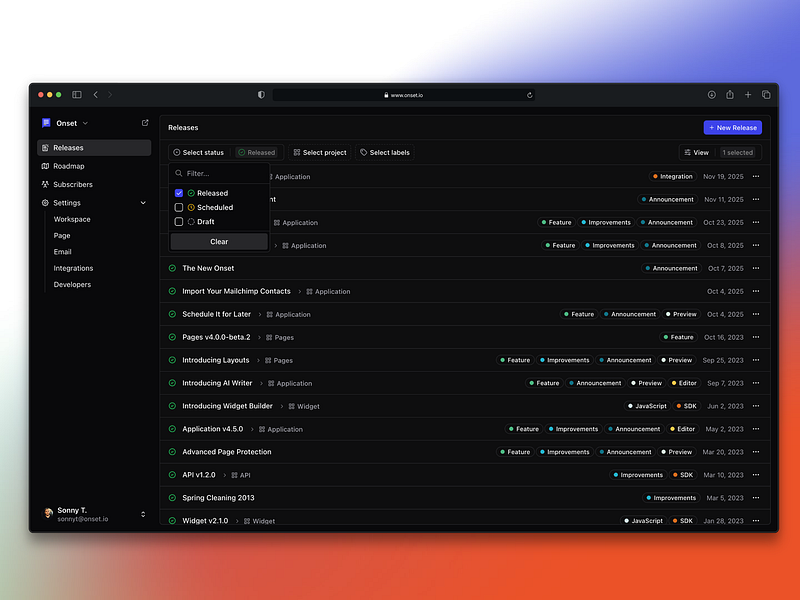
Onset — Tablif first saw it 4 days ago.
Did a person actually look at these?
64 of them Tablif opened and read, then wrote a one-line summary in our own words instead of reusing the founder's tagline. The rest carry keyword labels we haven't confirmed by reading yet — and we say so rather than hiding it.