We check every product on this page once a day and record whether it still answers.
Free browser tool for resizing, cropping, and converting photos/PDFs — including exam photo specs — entirely on your device without uploading files.
FreeNothing to installData stays with you
What to know▼
How it works
A browser-based toolkit that resizes, compresses, crops, and converts images and PDFs entirely on-device with no uploads, including presets for passport photos, signatures, thumb impressions, and government exam applications (SSC, IBPS, UPSC, RRB).
What's different
Processes files on-device instead of uploading them, and bundles exam-specific photo specs alongside general image/PDF tools.
Pricing
Free.
Best for
People needing quick, private image/PDF edits, including applicants for Indian government exams with specific photo requirements.
We check every product on this page once a day and record whether it still answers.
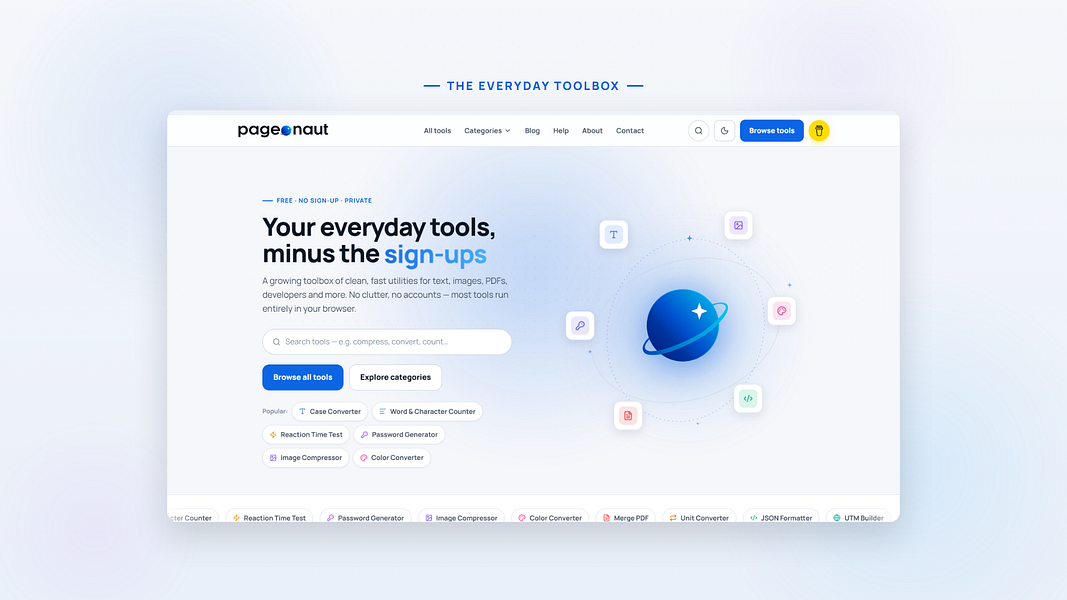
A free collection of 25+ browser-only utilities (PDF merge/split, image compression, calculators, and more) that process everything locally with no account or upload.
FreeNo sign-upNothing to install
What to know▼
How it works
Provides 25+ browser-only tools including image compression, PDF merge/split, salary calculator, investment simulator, and roulette, with all processing on-device.
We check every product on this page once a day and record whether it still answers.
A file converter for images, video, audio, PDFs and documents that runs on your device or in-browser so files are never uploaded, with an optional paid Mac app for heavier batch and OCR jobs.
FreeData stays with youNo subscription
What to know▼
How it works
Converts images, video, audio, PDFs and documents directly on your device in the browser, so files are never uploaded to a server.
What's different
A Mac app is available for heavy formats, batch processing, and OCR, powered by dedicated conversion engines.
Pricing
Free in-browser; the Mac app is a separate paid option. No subscriptions.
Best for
People converting files who don't want them leaving their device.
We check every product on this page once a day and record whether it still answers.
Redact PDFs locally, verify the redaction actually worked
No sign-upWorks offlineData stays with you
What to know▼
How it works
Regex/checksum doğrulayıcıları ve isteğe bağlı yerel AI modeliyle tespit eder, OCR ile tarama okur, her dışa aktarım hash tabanlı sertifikayla dört yönden yeniden doğrulanır.
We check every product on this page once a day and record whether it still answers.
A local-first app combining document scanning, PDF tools, notes, expense tracking, and reminders that mostly works offline without an account.
Works offlineData stays with you
What to know▼
How it works
Combines document scanning, PDF tools, multi-format document reading, notes, expense tracking, reminders, weather, QR generation, and photo compression, with most features working offline and no account required.
What's different
Built to replace multiple everyday apps with one experience.
We check every product on this page once a day and record whether it still answers.
A toolbox of 100+ free browser-based utilities (file converters, PDF merger, CSV cleaner, an IQ test and more) that run entirely on your device so files never get uploaded.
FreeNo sign-upData stays with you
What to know▼
How it works
100+ browser-based utilities — HEIC to JPG conversion, photo compression, PDF merging, CSV cleanup, receipt generation, an IQ test and more — all running entirely on-device.
What's different
No server means files and data physically cannot leave the device; no uploads, signup or watermarks.
Pricing
Free.
Best for
People needing quick everyday file conversions or utilities without uploading files anywhere.
We check every product on this page once a day and record whether it still answers.
A free browser-based meme generator with no sign-up, watermarks or file uploads — everything is edited locally and images never leave your device.
FreeNo sign-upWorks offline
What to know▼
How it works
A browser-based meme generator: upload an image or paste a URL, add top and bottom text, apply one of 12 filters, and download as PNG or copy to clipboard.
What's different
No uploads to any server — everything is edited locally in the browser.
Pricing
Free, no sign-up, no watermarks, unlimited use.
Best for
Anyone who wants to make memes quickly without creating an account.
We check every product on this page once a day and record whether it still answers.
A free bundle of 332 small web utility tools pitched as secure and privacy-first, though the listing gives no detail on what each tool does or how it handles data.
FreeNo sign-upData stays with you
What to know▼
How it works
A bundle of 332 free web utility tools, pitched as privacy-first.
We check every product on this page once a day and record whether it still answers.
Fixes the iPhone-photo compatibility problem by converting HEIC to PNG locally in your browser, nothing uploaded to a server, no account, no app to install.
FreeNo sign-upNothing to install
What to know▼
How it works
Converts HEIC photos from iPhones/iPads into PNG, JPG or WebP directly in the browser; supports batch conversion of up to 100 files at once with no file-size limits.
What's different
Conversion runs entirely on-device — photos are never uploaded to a server or stored.
Pricing
Free, no sign-up required.
Best for
People who need to convert iPhone HEIC photos for apps, websites or Windows PCs that can't open the format, without uploading personal photos.
We check every product on this page once a day and record whether it still answers.
A mobile app that converts video to GIF entirely on-device, with no upload, watermark, or account required, and can share the result to WhatsApp, Telegram, Instagram, Reddit, or X.
No sign-upWorks offlineData stays with you
What to know▼
How it works
Encodes video to GIF on-device with a trim/scrubber editor and FPS/resolution/speed controls.
Pricing
One-time $2.99 premium removes ads and unlocks longer clips and higher quality; no subscription.
Best for
People converting short video clips to GIFs privately without uploading footage.
We check every product on this page once a day and record whether it still answers.
A free, browser-based batch toolkit for developers and designers — resize/convert files, decode JWTs, and more, entirely client-side with nothing uploaded to a server.
FreeNo sign-upNothing to install
What to know▼
How it works
A browser-based batch toolkit that processes dozens of files at once — resizing/converting/compressing images (PNG, JPG, WebP), converting CSV to JSON, decoding JWTs, and more — entirely client-side.
What's different
Most single-file tools handle one file at a time; this is built to batch-process dozens at once, with nothing uploaded to a server.
Pricing
Free.
Best for
Developers and designers who need to process many files at once without installing software or uploading data.
We check every product on this page once a day and record whether it still answers.
A free browser-based image toolkit (converter, compressor, background remover, upscaler) that processes files locally without upload.
FreeNo sign-upData stays with you
What to know▼
How it works
Bundles ten browser-based image tools (format converter, compressor, AI background remover, resizer with social presets, cropper, rotator, image-to-PDF, AI upscaler, watermark tool, screenshot beautifier) using Canvas API and WebAssembly.
What's different
Images never leave the device; no upload, account, or per-file limits; supports batch processing.
We check every product on this page once a day and record whether it still answers.
A free browser-based OCR tool that makes scanned PDFs searchable and can translate the extracted text, with all processing done client-side so nothing is uploaded.
FreeWorks offlineData stays with you
What to know▼
How it works
Makes scanned PDFs searchable using OCR and can translate the extracted text, with all processing done client-side in the browser.
What's different
No upload required — files never leave the browser, with no size limit.
Pricing
Free.
Best for
Anyone needing to make scanned documents searchable or translated without uploading them to a server.
We check every product on this page once a day and record whether it still answers.
Converts a PDF to a dark-mode version entirely in your browser so the file never leaves your device. A narrow, privacy-friendly reading tool rather than a full PDF editor.
Watch out · A narrow reading tool for dark-mode conversion, not a full PDF editor.
FreeNo sign-upData stays with you
What to know▼
How it works
Converts any PDF to a dark-mode or night-mode version entirely in the browser, keeping images in their original color, and lets you download it as a permanent dark PDF.
What's different
Processing happens fully in-browser so the file never leaves your device.
Pricing
Free.
Best for
People who want to read PDFs in dark mode without uploading files to a server.
Watch out
A narrow reading tool for dark-mode conversion, not a full PDF editor.
We check every product on this page once a day and record whether it still answers.
Converts CBZ/ZIP comic archives to PDF entirely in your browser — nothing uploaded, no account needed, good for readers who don't want desktop software or a server touching their files.
No sign-upNothing to installData stays with you
What to know▼
How it works
Converts CBZ and ZIP comic archives into PDF files for tablets, e-readers, printing, or long-term storage, entirely in the browser.
What's different
Everything is processed locally — no uploads and no account needed.
Best for
Comic readers who want their files converted without a desktop app or server ever touching them.
We check every product on this page once a day and record whether it still answers.
A hub of 170+ free browser-based tools (PDF, image, resume/ATS and more) that run client-side, so files never leave your device. A broad utility site, not a specialized tool for one profession.
FreeNo sign-upNothing to install
What to know▼
How it works
A hub of 170+ browser-based tools across 16 categories, including a PDF toolkit (compress/merge/split), an AI resume builder with ATS scoring, and financial calculators for India (GST, PPF, EPF) and the US (401k, HSA).
What's different
Processing happens locally in the browser via WebAssembly, so files never reach a server, and there is no sign-up, daily limit, or watermark.
Pricing
Free, no account required.
Best for
Anyone needing quick PDF, resume/ATS, or financial calculations without installing software or creating an account.
We check every product on this page once a day and record whether it still answers.
A free set of browser-based tools for merging or compressing PDFs, converting images, and running OCR on video, PDF, and photo files, with all processing done locally so files are never uploaded.
FreeNo sign-upData stays with you
What to know▼
How it works
runs entirely inside the browser tab so files never get uploaded; no accounts, tracking, or limits.
We check every product on this page once a day and record whether it still answers.
Free browser-based converters for PDFs, images and video that process files locally rather than uploading them - a general privacy-focused toolkit, not a developer-specific one.
FreeNo sign-upData stays with you
What to know▼
How it works
A growing collection of free tools for converting PDFs, images and video. Every conversion runs locally in the browser, so files are never uploaded to a server.
What's different
No uploads, no account, no server ever sees your files — processing happens entirely on-device.
Pricing
Free.
Best for
People who want to convert files quickly without creating an account or uploading personal documents.
We check every product on this page once a day and record whether it still answers.
Free browser-only image toolkit (compress/convert/resize) for anyone who wants quick edits without uploading files to a server.
FreeNo sign-upData stays with you
What to know▼
How it works
A browser-based image toolkit for compressing, upscaling, converting to base64, rotating, picking colors, removing hidden EXIF metadata, and resizing images for social media.
What's different
Everything processes locally in the browser — no sign-up, no uploads, no limits.
Pricing
Free.
Best for
Anyone who wants quick image edits without uploading files to a server.
We check every product on this page once a day and record whether it still answers.
Runs PDF tools like merge, split, and convert directly in your browser via WebAssembly instead of uploading files to a server. For anyone who doesn't want documents leaving their device.
Watch out · Described as launching soon, and one of the 23 tools does not run fully on-device.
FreeNo sign-upWorks offline
What to know▼
How it works
Runs PDF tools — merge, split, compress, and more — directly in the browser using WebAssembly instead of uploading files to a server.
What's different
22 of 23 tools run fully on-device, and the maker publishes exactly which tool is the exception rather than a blanket privacy claim.
Pricing
Free, no account required.
Best for
People who don't want their documents leaving their device.
Watch out
Described as launching soon, and one of the 23 tools does not run fully on-device.
We check every product on this page once a day and record whether it still answers.
A free, open-source browser tool that compresses and converts images, video, audio and PDFs entirely on your device with no uploads or ads — a general utility, not developer-specific.
FreeWorks offlineData stays with you
What to know▼
How it works
An open-source app with 47 tools for compressing and converting images, video, audio and PDFs, with all processing happening on-device so files never leave your computer, including offline use.
What's different
No upload step at all — compression runs entirely locally, works offline, with no ads, accounts or size limits.
Pricing
Free forever.
Best for
Anyone who wants to compress or convert media files without uploading them to a server.
We check every product on this page once a day and record whether it still answers.
Compresses images and video (JPG, PNG, TIFF, MP4, GIF) entirely on your device with no upload to a server — for Mac, Windows and Linux, privacy-focused.
Works offlineData stays with you
What to know▼
How it works
Compresses JPG, PNG, TIFF, MP4 and GIF files, processing them locally on-device rather than uploading them to a server, via web tools or a dedicated offline desktop app for Mac, Windows and Linux.
What's different
Local, privacy-focused processing rather than server-side upload-based compression.
Best for
Anyone who wants to compress images or video without sending files to a third-party server.
We check every product on this page once a day and record whether it still answers.
Converts GSTR-1 and GSTR-3B tax PDFs into structured Excel sheets entirely in-browser, so client tax data never leaves the accountant's machine. Built specifically for Indian CAs and tax professionals.
Data stays with you
What to know▼
How it works
Converts GSTR-1 and GSTR-3B tax PDFs into structured Excel sheets, processing everything client-side in the browser so no data is uploaded to a server.
What's different
100% client-side processing means sensitive client tax data never leaves the accountant's computer.
Best for
Indian CAs and tax professionals who need to bulk-extract GSTR PDF tables into Excel without exposing client data.
We check every product on this page once a day and record whether it still answers.
Converts images to PDF and edits them entirely in your browser via WebAssembly, so files never touch a server — worth it if privacy matters more than cloud convenience.
No sign-upWorks offlineData stays with you
What to know▼
How it works
Converts JPG, PNG, WEBP, HEIC, and BMP images to PDF and edits PDFs entirely in the browser using WebAssembly and local JS, including a suite of 36 tools to merge, split, compress, sign, protect, and decrypt.
What's different
Files never touch a server, work offline, and have no file size or page limits.
Best for
People handling sensitive documents who don't want to upload them to a cloud service.
We check every product on this page once a day and record whether it still answers.
Converts Markdown into inlined, Outlook-safe HTML you can paste into ConvertKit, beehiiv, or Mailchimp, entirely in your browser — built for newsletter writers and marketers who draft in Markdown.
FreeNo sign-upData stays with you
What to know▼
How it works
Converts Markdown into fully inlined, Outlook-safe HTML entirely in the browser, ready to paste into ConvertKit, beehiiv, Mailchimp or other email service providers, with built-in email-safe callout boxes and CTA button syntax.
What's different
Runs 100% client-side with no signup, account or paywall, so content never leaves the browser.
Pricing
Free, no signup, no paywall.
Best for
Newsletter writers, marketers and indie developers who draft in Markdown and need Outlook-safe HTML for their email platform.
We check every product on this page once a day and record whether it still answers.
A browser-based PDF and image conversion tool that processes files locally and never uploads them — built around privacy, not clearly a developer-only product.
Data stays with you
What to know▼
How it works
Converts and edits PDF and image files entirely in the browser without uploading them to a server, with an API also available.
What's different
Files never leave the device — processing happens 100% client-side.
Best for
People who want to convert or edit PDFs and images without uploading files to a third-party server.
We check every product on this page once a day and record whether it still answers.
A free browser-based PDF toolkit for merging, splitting, signing, converting and redacting that processes files locally, with no upload, signup, or watermark.
FreeNo sign-upNothing to install
What to know▼
How it works
A browser-based PDF toolkit with 34 tools for merging, splitting, compressing, editing, signing, converting, annotating, filling, and redacting PDFs, processing files locally in the browser.
What's different
Documents don't need to be uploaded to a processing server since the supported processing happens locally.
Pricing
Free, no signup, no watermark.
Best for
Anyone who wants to edit PDFs without uploading files to a server.
We check every product on this page once a day and record whether it still answers.
Extracts text via OCR from scanned documents, then lets AI summarize them, flag contract risks, and translate into 51 languages — all on your Android phone.
FreeData stays with youNo subscription
What to know▼
How it works
Scans documents on an Android phone, extracts text via OCR (Google ML Kit), and lets AI summarize them, extract key facts, flag contract risks, generate to-do lists, chat with the document, or translate into 51 languages.
What's different
Goes beyond producing a plain PDF — the AI layer analyzes and translates the scanned content directly on the device.
Pricing
Scanning and OCR are free for everyone; deeper AI features (summaries, contract-risk analysis, translation) are part of a Premium tier billed without a subscription.
Best for
Android users, including freelancers and students, who want to digitize and understand documents like invoices, contracts and notes.
We check every product on this page once a day and record whether it still answers.
60+ free browser-based CSV tools — cleaning, merging, filtering, forecasting, even a chat-with-your-data feature — that process everything locally so nothing leaves your computer.
FreeNothing to installData stays with you
What to know▼
How it works
Provides more than 60 browser-based utilities for analyzing, cleaning, visualizing and transforming CSV files, including anonymization, forecasting, merging, filtering, compression and a chat-with-your-data feature.
What's different
All processing happens in the browser, so files never leave the user's computer.
Pricing
Free.
Best for
Anyone working with CSV files who wants quick fixes without uploading data to a server.
We check every product on this page once a day and record whether it still answers.
Browser-based video toolkit for trimming, cropping, and compressing clips on-device, chaining tools without re-uploading.
Watch out · Import supports MP4, MOV, M4V, WebM, MKV.
FreeData stays with youCan export my data
What to know▼
How it works
Trim, crop, compress, speed up, reverse, and watermark videos entirely in the browser; output from one tool can chain directly into the next without re-uploading.
What's different
Media stays on-device, no upload, account, or install required.
We check every product on this page once a day and record whether it still answers.
Edits, merges, splits and OCRs PDFs entirely in your browser via WebAssembly, so files never touch a server. Free, no account needed.
FreeNo sign-upWorks offline
What to know▼
How it works
Edits, merges, splits, compresses and OCRs PDFs, plus AI document chat, running entirely inside your browser via WebAssembly so files never touch a server.
What's different
Zero server uploads — every operation, including the AI summary, runs on-device.
Pricing
Completely free, no account, no size limits, no paywalls.
Best for
People handling sensitive PDFs who don't want files leaving their device.
We check every product on this page once a day and record whether it still answers.
A free collection of browser-based PDF and utility tools that process everything locally so files never leave your device — a mix of general and developer tools.
FreeNo sign-upNothing to install
What to know▼
How it works
A set of browser-based PDF and utility tools — merge, split, convert, plus general developer tools — that process files entirely client-side, so nothing uploads to a server.
What's different
100% local processing is the stated privacy angle: files never leave your device, unlike server-side PDF tools.
Pricing
Free, no registration.
Best for
Anyone who needs quick PDF merging/splitting/converting without creating an account or uploading files to a third party.
We check every product on this page once a day and record whether it still answers.
Strips visible Gemini watermarks off images entirely in your browser, without uploading files to a server — a narrow utility for cleaning up AI-generated images, not a general editor.
Data stays with you
What to know▼
How it works
Removes visible Gemini watermarks from images using reverse alpha restoration, processing files locally in the browser rather than uploading them.
Best for
People cleaning up watermarks off AI-generated images they already have.
We check every product on this page once a day and record whether it still answers.
A browser-based PDF editor (merge, split, sign, OCR) marketed as privacy-first, plus beta AI resume and contract-review tools. A general PDF toolkit useful to students and freelancers, not built exclusively for them.
Data stays with you
What to know▼
How it works
A browser-based PDF toolkit for editing, merging, splitting, compressing, converting, signing, protecting and OCR-ing PDFs, plus beta AI Resume Analyzer and Contract Review tools.
What's different
Marketed as privacy-first, working directly in the browser without installing software.
Best for
Students, professionals and freelancers who need common PDF tasks done without installing desktop software.
We check every product on this page once a day and record whether it still answers.
A dead-simple iPhone scanner app that works entirely offline with no account or cloud, and nothing leaving your device. Free with ads; one-time purchase removes them.
FreeNo sign-upWorks offline
What to know▼
How it works
Scans documents on iPhone by snapping a photo or importing one, then produces a clean PDF that can be sent by email, WhatsApp or printed. Runs entirely offline with no account and no cloud upload.
What's different
Designed with big buttons and plain language for people who don't live on their phone, and everything stays on-device.
Pricing
Free with ads; a one-time purchase removes ads, no subscription.
Best for
iPhone users who want a simple, private document scanner without setting up an account.
We check every product on this page once a day and record whether it still answers.
A free hub of 100+ browser-based tools spanning PDFs, images, SEO and developer utilities, no sign-up or downloads required. A general toolkit with a dedicated developer section, not built for one profession.
FreeNo sign-upNothing to install
What to know▼
How it works
A browser-based hub of 100+ tools for PDFs, images, text, developer utilities, SEO, calculators and generators, with no downloads or sign-up.
What's different
Runs entirely in the browser with no account or install, covering many task categories in one place.
Pricing
Free.
Best for
Students, developers, creators and professionals who want quick access to varied everyday tools without setting up accounts.
We check every product on this page once a day and record whether it still answers.
Compresses video files entirely inside your browser with nothing uploaded to a server — good if you care about privacy or just want a fast, no-signup tool.
No sign-upData stays with you
What to know▼
How it works
Compresses video files of any format directly in the browser, with nothing uploaded to a server.
What's different
Runs entirely client-side, so files never leave your device, with no signups or watermarks.
Pricing
No mention of paid tiers — appears usable without signup.
Best for
People who want a fast, private way to compress video without uploading it anywhere.
We check every product on this page once a day and record whether it still answers.
A free, no-signup collection of quick browser utilities — text, image, PDF and calculator tools plus a developer-helpers section — that mostly runs client-side so files don't leave your device.
FreeData stays with you
What to know▼
How it works
A growing collection of free, no-signup browser utilities for text, image, PDF, and developer tasks; most tools run entirely in the browser so files and text never leave the device, with any cloud processing clearly labeled.
What's different
Most processing happens client-side rather than uploading files to a server.
Pricing
Free.
Best for
People who need a quick one-off text, image, PDF, or dev task done without installing software or creating an account.
We check every product on this page once a day and record whether it still answers.
Converts photos and illustrations into pixel art entirely in the browser, with retro console presets, palette import, CRT effects, and batch export, without uploading files to a server.
FreeNo sign-upData stays with you
What to know▼
How it works
Runs locally in the browser: choose a pixel size and preset (NES, Game Boy, PICO-8...), import Lospec palettes, add scanline/CRT effects, then export a PNG; supports batch conversion.
We check every product on this page once a day and record whether it still answers.
Over 130 free browser tools — PDF editing, image compression, OCR, converters and more — that run locally with no sign-up or uploads, replacing a pile of separate tool sites.
FreeNo sign-upData stays with you
What to know▼
How it works
Bundles 130+ browser-based tools, including a PDF editor, AI background remover, screen recorder, image compressor, OCR, JSON/SQL formatters, QR code generator, and audio/video editors, all processed locally on your device.
What's different
No sign-up, no file uploads, no watermarks, and no daily limits since everything runs client-side.
Pricing
Free.
Best for
People who want to replace a dozen separate single-purpose tool sites with one bookmark.
We check every product on this page once a day and record whether it still answers.
A free, browser-based collection of file utilities, image compression, video trimming, PDF manipulation, that runs entirely in the browser via WebAssembly so files never leave the device, instead of uploading to cloud tools.
FreeNothing to installWorks offline
What to know▼
How it works
Uses WebAssembly and multi-threaded Web Workers, including ffmpeg.wasm, to process images, video, and PDFs locally inside the browser tab.
We check every product on this page once a day and record whether it still answers.
A free collection of 85+ browser-based utility tools (word counter, calculators, JSON formatter, hash and password generators, converters) that run entirely client-side with no file uploads, instead of scattered single-purpose tool sites.
Watch out · PDF tools, image compression, and AI-powered utilities are listed as coming soon, not yet live.
FreeNo sign-upData stays with you
What to know▼
How it works
Everything runs in the browser with no signup and no tracking; files are never stored because there is no upload.
Watch out
PDF tools, image compression, and AI-powered utilities are listed as coming soon, not yet live.
We check every product on this page once a day and record whether it still answers.
A free browser-based video compressor with one-click presets sized for WhatsApp and Telegram limits, processing video locally so it never leaves your device.
FreeNo sign-upData stays with you
What to know▼
How it works
Runs entirely in-browser with one-click size presets (WhatsApp 16MB/100MB, Telegram 2GB); no registration or watermark.
We check every product on this page once a day and record whether it still answers.
Converts a WhatsApp chat export into a nicely formatted webpage or print-ready PDF entirely in your browser — nothing is uploaded, handy for keepsakes or backing up chats before switching phones.
FreeNo sign-upData stays with you
What to know▼
How it works
Converts a WhatsApp chat export into a formatted webpage or print-ready PDF entirely in the browser, keeping photos inline and voice notes playable.
What's different
Nothing is uploaded to a server — processing happens entirely on your device.
Pricing
Free, no sign-up.
Best for
People backing up chats before switching phones, or wanting a printable keepsake of a conversation.
We check every product on this page once a day and record whether it still answers.
A free browser-based PDF toolkit — merge, split, compress, convert to JPG — that processes everything locally so your files are never uploaded. No sign-up required.
FreeNo sign-upData stays with you
What to know▼
How it works
Merges, splits, compresses and converts PDFs to JPG entirely in the browser.
What's different
Files are processed locally on your device rather than uploaded to a server.
Pricing
Free, no sign-up required.
Best for
People who want to edit PDFs without uploading files to a third-party server.
We check every product on this page once a day and record whether it still answers.
A free PDF editor that runs entirely in your browser — edit text, add signatures, annotate — with no sign-up, no install and no upload, since files are processed locally.
Watch out · Works on desktop, iPhone, and Android, since local, upload-free processing depends on browser/device support.
FreeNo sign-upNothing to install
What to know▼
How it works
Edits existing PDF text directly in the browser, adds images and signatures, and highlights and annotates documents, then exports without a watermark.
What's different
Every document is processed locally on the device with no file upload, no sign-up, and no installation.
Pricing
Free.
Best for
People who want to edit or sign a PDF quickly without creating an account or uploading the file anywhere.
Watch out
Works on desktop, iPhone, and Android, since local, upload-free processing depends on browser/device support.
We check every product on this page once a day and record whether it still answers.
131+ PDF tools that run entirely in your browser so files never leave your device, no signup required — GDPR-friendly by design since nothing gets uploaded.
FreeNo sign-upData stays with you
What to know▼
How it works
131+ PDF tools (merge, split, compress, convert, edit, sign, OCR, encrypt) that all run 100% client-side in the browser.
What's different
No files ever leave the device since there's no server involved, and it's available in 9 languages.
Pricing
Free, no signup, no limits.
Best for
Anyone handling PDFs who wants to avoid uploading sensitive files to a server.