We check every product on this page once a day and record whether it still answers.
Turns local meeting recording folders into private, searchable transcripts on your Mac — everything stays on your machine, with no account, no upload, no meeting bot, and no subscription.
No sign-upData stays with youNo subscription
What to know▼
How it works
Turns local meeting recording folders on your Mac into private, searchable transcripts.
What's different
Everything stays on your machine — no account, upload, meeting bot, or subscription required.
Pricing
No account or subscription required.
Best for
Mac users who record meetings locally and want searchable transcripts without sending recordings to the cloud.
We check every product on this page once a day and record whether it still answers.
Local-first quoting and workflow app for embroidery shops covering costs, margins, customers and job status.
Watch out · An organization tool — it does not guarantee profit, revenue, growth, or business results.
No sign-upWorks offline
What to know▼
How it works
Builds garment line items with blank costs, stitch counts, setup fees, shipping, discounts and tax; tracks customers, designs, order status and margin signals; and reuses pricing templates for repeat jobs.
Pricing
No account required for the core local workflow.
Best for
Embroidery shops.
Watch out
An organization tool — it does not guarantee profit, revenue, growth, or business results.
We check every product on this page once a day and record whether it still answers.
A macOS menu-bar app that turns your own local video files into live wallpapers, fully offline and open-source with no account or cloud step.
No sign-upWorks offlineOpen source
What to know▼
How it works
A macOS menu bar app that turns local video files into live desktop wallpapers, and converts/patches videos for macOS's native lock screen wallpaper support.
What's different
Fully open-source, offline and private — no accounts, cloud or telemetry — unlike commercial live-wallpaper alternatives.
Best for
macOS users who want live wallpapers from their own video files without sending anything to the cloud.
We check every product on this page once a day and record whether it still answers.
An offline mobile app to view, edit and convert PDF, Word, Excel and PowerPoint files in 17 languages — a general document viewer, not a spreadsheet replacement.
No sign-upWorks offline
What to know▼
How it works
An offline Android app for opening and viewing PDF, DOCX, XLSX, PPT, TXT, and RTF files, with no sign-up or uploads required.
Best for
Android users who want a fast, private, offline reader for documents they receive in various formats.
We check every product on this page once a day and record whether it still answers.
A local-first trading journal with an offline AI coach that reviews your trades and notes to flag costly habits, for traders who don't want their data on someone else's server.
No sign-upWorks offlineNo tracking
What to know▼
How it works
stores trades and notes in a single local file; AI coach runs against a local model (Ollama, LM Studio)
What's different
open source so the no-cloud claim is verifiable, plus a 'Leak Finder' that prices out bad habits
Best for
prop-firm traders needing drawdown and payout tracking
We check every product on this page once a day and record whether it still answers.
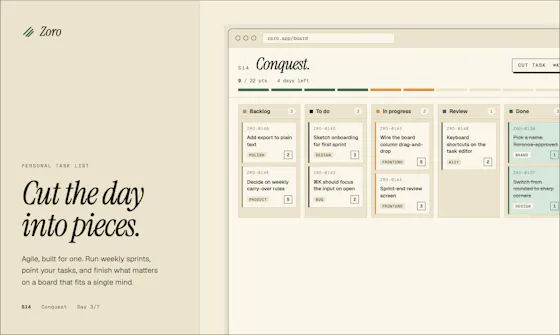
A one-time-purchase task app for solo workers that applies agile concepts like backlog, priority, and kanban to personal work, syncing via CloudKit with no account or server.
FreeNo sign-upData stays with you
What to know▼
How it works
Syncs across iOS, macOS, and web through CloudKit only, with no signup and no backend server.
We check every product on this page once a day and record whether it still answers.
Local-first Terraform scanner that audits cost, security and reliability in one pass with no upload, MIT licensed.
No sign-upWorks offlineData stays with you
What to know▼
How it works
Scans Terraform locally for security, cost, reliability, and governance issues in one pass, and writes the patch when a cost fix and a security risk hit the same resource.
We check every product on this page once a day and record whether it still answers.
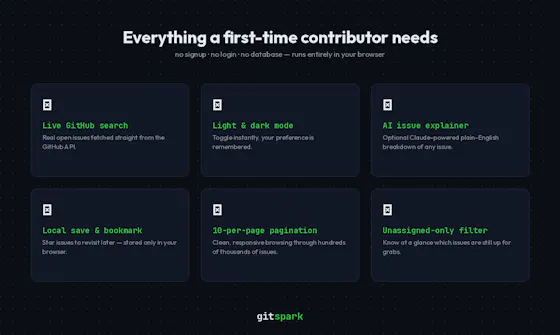
Finds real beginner-friendly open-source GitHub issues and explains them with AI, no account needed.
Watch out · No signup, no backend, no account needed.
No sign-upNothing to installOpen source
What to know▼
How it works
Fetches beginner-friendly GitHub issues live, filtered by language and contribution status, and explains them with AI-powered explanations; issues can be saved locally.
We check every product on this page once a day and record whether it still answers.
Local-first resume studio that keeps your resume visible while matching it to a job, highlighting the exact evidence behind each match and flagging vague claims that need numbers — then re-reads your exported PDF to show what actually survived.
No sign-upWorks offlineCan export my data
What to know▼
How it works
Match resume to a job posting, see evidence per match, flag vague claims; X-Ray re-reads the exported PDF.
What's different
Resume data stays in your browser — no account, watermark, upload or export paywall.
We check every product on this page once a day and record whether it still answers.
Redact PDFs locally, verify the redaction actually worked
No sign-upWorks offlineData stays with you
What to know▼
How it works
Regex/checksum doğrulayıcıları ve isteğe bağlı yerel AI modeliyle tespit eder, OCR ile tarama okur, her dışa aktarım hash tabanlı sertifikayla dört yönden yeniden doğrulanır.
We check every product on this page once a day and record whether it still answers.
Mirrors your Claude Code / Codex agent sessions to your iPhone and Apple Watch so you can approve prompts and permission gates remotely over your local network.
No sign-upWorks offline
What to know▼
How it works
phone talks to your Mac over LAN, end-to-end encrypted, no cloud
What's different
auto-switches Claude accounts before rate limits stall a run, keeps Mac awake lid-closed
We check every product on this page once a day and record whether it still answers.
A free Chrome extension that files German receipts (GoBD-compliant) directly in your browser without ever uploading data, a password, or your inbox to a cloud service.
No sign-up
What to know▼
How it works
A browser-based tool for filing German receipts (GoBD-compliant) that works directly in your browser session where you're already logged in — no cloud upload, password sharing, or inbox access required. Includes checksummed registers, a cancellation log, a DATEV template, and a missing-receipts check.
What's different
Competitors pull invoices via cloud access requiring your passwords or inbox; this works locally in-browser with no account or cloud step.
Pricing
Available from 0 EUR in the Chrome Web Store.
Best for
German businesses and bookkeepers wanting GoBD-compliant receipt filing without granting a third party access to their email or accounts.
We check every product on this page once a day and record whether it still answers.
Turns your Mac trackpad into a breathing-exercise guide with audio and haptic cues, works fully offline with no account, for quick personal reset breaks.
No sign-upWorks offline
What to know▼
How it works
Turns a Mac's trackpad into a breathing-exercise guide: pick a pattern, set a session length, and follow a soft expanding orb with optional audio and haptic cues.
What's different
Works fully locally with no account, aimed at short resets without reaching for a phone.
Best for
Mac users wanting a quick, private breathing break during work without opening a phone app.
We check every product on this page once a day and record whether it still answers.
A browser-based invoice builder for freelancers and small businesses that keeps client and billing data entirely on your device, no sign-up or cloud sync.
No sign-upWorks offlineData stays with you
What to know▼
How it works
Builds invoices entirely in the browser and exports them as PDF or PNG, with client details, invoice data and branding staying on the user's device.
What's different
No sign-up, no cloud storage and no tracking, unlike most invoicing tools that store data server-side.
Best for
Freelancers, consultants and small businesses who want to create invoices without their client and billing data leaving their device.
We check every product on this page once a day and record whether it still answers.
An offline AI chat companion that runs fully on-device with no account, cloud sync or ads — explicitly not a therapist or productivity tool, just a private space to think out loud.
No sign-upWorks offlineNo ads
What to know▼
How it works
An AI chat companion that runs entirely on-device for calm, private conversations, with no registration, cloud connection, or internet needed; it remembers past conversations and adapts over time.
What's different
Explicitly not positioned as a therapist or productivity tool — it's built to just be a quiet, non-judgmental presence, with no ads or notifications.
Best for
People who want a private space to think out loud without their conversations leaving their device.
We check every product on this page once a day and record whether it still answers.
An iPhone app that expands and rewrites rough notes using on-device AI, with no account, tracking or server processing. For private note-taking, not a work-team tool.
No sign-upWorks offlineNo tracking
What to know▼
How it works
An on-device AI on iPhone that expands, reframes and rewrites rough notes into clearer ideas, with no account, tracking or server-side processing — everything stays on the device.
What's different
Draft processing happens entirely on-device rather than being sent to a server.
Best for
People capturing and refining private ideas or notes on iPhone who want them to stay off the cloud.
We check every product on this page once a day and record whether it still answers.
Fixes the iPhone-photo compatibility problem by converting HEIC to PNG locally in your browser, nothing uploaded to a server, no account, no app to install.
FreeNo sign-upNothing to install
What to know▼
How it works
Converts HEIC photos from iPhones/iPads into PNG, JPG or WebP directly in the browser; supports batch conversion of up to 100 files at once with no file-size limits.
What's different
Conversion runs entirely on-device — photos are never uploaded to a server or stored.
Pricing
Free, no sign-up required.
Best for
People who need to convert iPhone HEIC photos for apps, websites or Windows PCs that can't open the format, without uploading personal photos.
We check every product on this page once a day and record whether it still answers.
A mobile app that converts video to GIF entirely on-device, with no upload, watermark, or account required, and can share the result to WhatsApp, Telegram, Instagram, Reddit, or X.
No sign-upWorks offlineData stays with you
What to know▼
How it works
Encodes video to GIF on-device with a trim/scrubber editor and FPS/resolution/speed controls.
Pricing
One-time $2.99 premium removes ads and unlocks longer clips and higher quality; no subscription.
Best for
People converting short video clips to GIFs privately without uploading footage.
We check every product on this page once a day and record whether it still answers.
A browser extension for managing tabs — triage, folders, sessions, sleep, and a site blocker — that runs entirely locally with no account, instead of a cloud-synced tab manager.
No sign-upWorks offline
What to know▼
How it works
Tab triage, folders, sessions, tab sleep, focus mode, a site blocker, and per-URL notes, all local; AI/sync/payments are opt-in extras routed through the maker's own server.
Best for
People who want tab management without an account or their data leaving the device.
We check every product on this page once a day and record whether it still answers.
An encryption app that scrambles text, voice, photos, video, and files locally before they ever reach Telegram, WhatsApp, SMS, email, or another messaging app, with no account and no proprietary cloud.
No sign-upWorks offline
What to know▼
How it works
Encrypts content locally before it reaches the messenger; supports offline decryption, recipient and password protection, and a secure-capsule workflow.
Best for
Android users wanting to send encrypted content through existing messaging apps without a separate secure app or account.
We check every product on this page once a day and record whether it still answers.
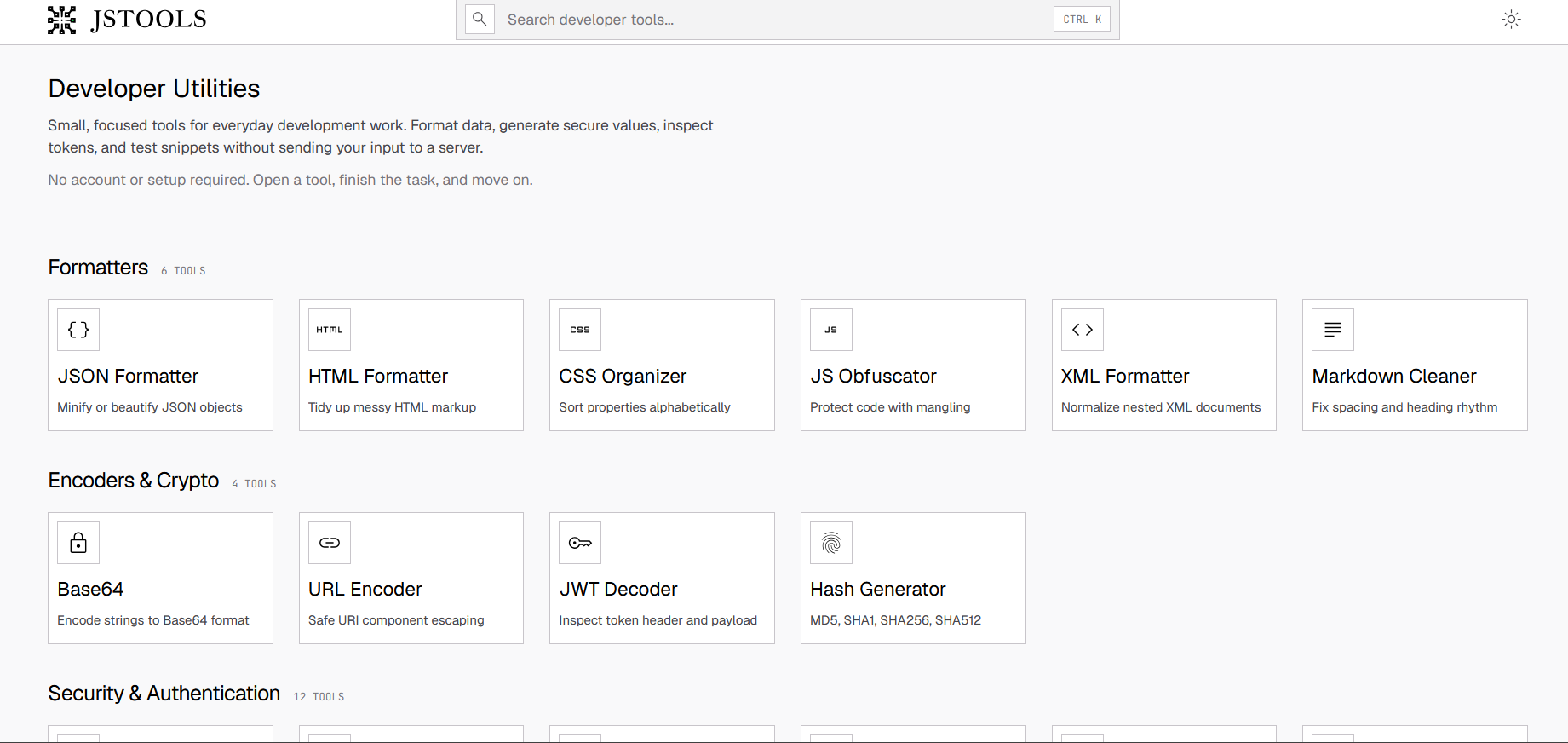
A free set of 52 browser tools — JSON formatting, regex testing, encryption, converters, calculators — running locally so nothing uploads. Mostly developer tools, plus general productivity ones.
FreeNo sign-upNothing to install
What to know▼
How it works
A free collection of 52 browser-based tools spanning developer utilities (JSON formatter, regex tester, JWT decoder), security tools (AES-256 encryption, PII scrubber), converters, calculators and productivity tools, all running locally in the browser.
What's different
No sign-up, no paywalls and no limits, and everything runs locally so data never leaves the device.
Pricing
Free.
Best for
Developers and general users who want quick one-off tools without installing an app.
We check every product on this page once a day and record whether it still answers.
A free offline Windows encryption tool that auto-encrypts a vault with one login and supports secure file sharing.
Watch out · Windows only, no cloud, no account.
FreeNo sign-upWorks offline
What to know▼
How it works
An offline Windows tool that auto-encrypts/decrypts a vault after one login using multi-layer encryption (AES-256-GCM, ChaCha20, rotor cipher) with Argon2id key derivation, and can share files securely with a confirmed contact.
Pricing
Free.
Best for
Windows users wanting local file encryption without per-file passwords.
We check every product on this page once a day and record whether it still answers.
Free browser tool for planning Palworld breeding combinations and shortest breeding chains.
FreeNo sign-upNo ads
What to know▼
How it works
Choose two parent Pals to see the expected child, work backward from a target to compare validated parent combinations, or plan a breeding chain using Pals already in your Palbox.
We check every product on this page once a day and record whether it still answers.
Browser-based MP3-to-MIDI converter with a piano roll editor for fixing AI transcription mistakes, processed locally.
FreeNo sign-up
What to know▼
How it works
Converts MP3 to MIDI with AI transcription, then lets you fix wrong notes, adjust timing, and tweak velocity in a browser piano-roll editor before downloading a clean MIDI.
We check every product on this page once a day and record whether it still answers.
A browser-based podcast recording tool with no AI editing, for podcasters and studios who want reliable local, studio-quality recording without guest accounts or extra lock-in.
No sign-upNothing to install
What to know▼
How it works
Guests join with one link and no account; everyone records locally in studio quality, backed up from the moment recording starts, with tracks landing in a dashboard and editors notified automatically.
Pricing
Start free, upgrade when ready.
Best for
Podcast hosts and studios that want a branded recording space for each client without AI editing features they didn't ask for.
We check every product on this page once a day and record whether it still answers.
A free suite of 50+ browser-based tools for PDFs, images, documents, and code, including AI features like background removal and OCR, for people who want quick private tools without creating an account.
FreeNo sign-up
What to know▼
How it works
Over 50 fast tools for PDFs, images, documents, and code, most running in the browser including AI background removal and OCR.
We check every product on this page once a day and record whether it still answers.
A browser extension that hides X (Twitter) posts from countries you pick, detecting location locally with no external servers or sign-up. A niche personal timeline filter, not a developer tool.
No sign-upWorks offlineOpen source
What to know▼
How it works
A browser extension where you check countries in a popup and posts from those countries disappear from your X For You feed, Following feed, search, and reply threads; detection runs locally using known accounts, country/city keywords, post language, and public profile location.
What's different
No sign-up, no tracking, and no external servers — settings and detection stay in your browser; open source (MIT).
Best for
X users who want to filter their timeline by country without sending data to a third-party server.
We check every product on this page once a day and record whether it still answers.
Converts CBZ/ZIP comic archives to PDF entirely in your browser — nothing uploaded, no account needed, good for readers who don't want desktop software or a server touching their files.
No sign-upNothing to installData stays with you
What to know▼
How it works
Converts CBZ and ZIP comic archives into PDF files for tablets, e-readers, printing, or long-term storage, entirely in the browser.
What's different
Everything is processed locally — no uploads and no account needed.
Best for
Comic readers who want their files converted without a desktop app or server ever touching them.
We check every product on this page once a day and record whether it still answers.
A no-signup suite of web utilities spanning text, image, conversion and business tools that run without tracking, a general toolbox rather than something built for one workflow.
No sign-upNo tracking
What to know▼
How it works
A suite of instant online tools spanning text, business, development, image, conversion, and time/efficiency utilities that run without requiring signup.
Best for
Anyone needing a quick one-off utility without creating an account.
We check every product on this page once a day and record whether it still answers.
A local Windows security suite with antivirus, AI ransomware detection, a DNS shield, VPN, identity monitoring, and a telemetry blocker that stops manufacturers from phoning home.
Watch out · blocks telemetry from Microsoft, AMD, HP, NVIDIA, and Intel.
No sign-upWorks offlineData stays with you
What to know▼
How it works
100% local, one-time payment, no cloud, no subscription, no account required; data never leaves the machine.
Watch out
blocks telemetry from Microsoft, AMD, HP, NVIDIA, and Intel.
We check every product on this page once a day and record whether it still answers.
A free menu-bar Mac app that proofreads and rephrases selected text on-device with a global hotkey, without an account, tracking, or cloud upload by default.
FreeNo sign-upWorks offline
What to know▼
How it works
on-device proofreading via a global hotkey or the Services menu, showing exactly what changed; works offline even on Intel Macs, with cloud only if you add your own custom endpoint.
We check every product on this page once a day and record whether it still answers.
A free Chrome extension for screen and webcam recording, screenshots, and on-page annotation that runs entirely in your browser with no signup or uploads.
FreeNo sign-upWorks offline
What to know▼
How it works
A Chrome extension for recording your screen or webcam, taking full-page and region screenshots, and annotating directly on the page.
What's different
No signup, no watermark, no upload — everything runs locally in the browser.
Pricing
Free.
Best for
Anyone who wants quick screen capture and annotation without creating an account or uploading footage anywhere.
We check every product on this page once a day and record whether it still answers.
A free set of browser-based tools for merging or compressing PDFs, converting images, and running OCR on video, PDF, and photo files, with all processing done locally so files are never uploaded.
FreeNo sign-upData stays with you
What to know▼
How it works
runs entirely inside the browser tab so files never get uploaded; no accounts, tracking, or limits.
We check every product on this page once a day and record whether it still answers.
Free browser-based converters for PDFs, images and video that process files locally rather than uploading them - a general privacy-focused toolkit, not a developer-specific one.
FreeNo sign-upData stays with you
What to know▼
How it works
A growing collection of free tools for converting PDFs, images and video. Every conversion runs locally in the browser, so files are never uploaded to a server.
What's different
No uploads, no account, no server ever sees your files — processing happens entirely on-device.
Pricing
Free.
Best for
People who want to convert files quickly without creating an account or uploading personal documents.
We check every product on this page once a day and record whether it still answers.
Bundles a folder, files or archive into one clean document formatted for pasting into ChatGPT, Claude or Gemini — runs locally in your browser, nothing uploaded, no account needed.
No sign-upNothing to installData stays with you
What to know▼
How it works
You drop in a folder, individual files, or an archive; it strips out noise and combines them into one clean document formatted for pasting into ChatGPT, Claude or Gemini.
What's different
Runs entirely in the browser with no upload, no account and no install required.
Pricing
No pricing stated; runs free in-browser.
Best for
People who want to feed a whole folder or codebase into an AI chat tool as one clean document without setting up any tooling.
We check every product on this page once a day and record whether it still answers.
Turns text into styled images for social media, quotes, or announcements entirely in the browser, with no uploads, account, or watermark, and content that never leaves the device.
FreeNo sign-upWorks offline
What to know▼
How it works
Converts text into images locally in the browser for social media, quotes, testimonials, and announcements, without uploading content anywhere.
We check every product on this page once a day and record whether it still answers.
A free set of 17+ client-side developer utilities (JSON/XML/YAML/SQL formatters, regex tester, JWT decoder, hash generator) that run entirely in the browser with nothing sent to a server.
FreeNo sign-upNothing to install
What to know▼
How it works
Provides 17+ browser-based developer tools, JSON/XML/YAML/SQL formatters, a regex tester, a JWT decoder, a hash generator and more, all running client-side so nothing pasted is uploaded or logged.
Pricing
No signup, no rate limits on the core tools.
Best for
Developers who want quick formatting/decoding tools without an account or sending data to a server.
We check every product on this page once a day and record whether it still answers.
A browser-based JSON formatter, converter, repair and compare tool from mackan.eu's toolset; sibling tools in the same suite run entirely client-side with no upload or signup required.
No sign-upData stays with you
What to know▼
How it works
A browser-based tool for formatting, converting, repairing and comparing JSON.
What's different
Part of a client-side toolset where tools run in the browser with no upload or signup required.
Best for
Developers who need to quickly clean up or compare JSON without installing anything.
We check every product on this page once a day and record whether it still answers.
A free, open-source, on-device dictation app for Mac — hold a key, speak, text appears in any app. No cloud, no accounts, no tracking; a private alternative to Wispr Flow.
FreeNo sign-upWorks offline
What to know▼
How it works
A voice dictation app for macOS: hold a key, speak, and the words appear in any app, running entirely on the Apple Neural Engine (every Mac since the M1, 2020).
What's different
No cloud, no tracking, no accounts and no weekly limits, positioned as a private, on-device alternative to Wispr Flow. Supports custom vocabulary for jargon, names and technical terms.
Pricing
Free and open-source.
Best for
Mac users who want fast voice dictation without their speech leaving the device.
We check every product on this page once a day and record whether it still answers.
Free browser-only image toolkit (compress/convert/resize) for anyone who wants quick edits without uploading files to a server.
FreeNo sign-upData stays with you
What to know▼
How it works
A browser-based image toolkit for compressing, upscaling, converting to base64, rotating, picking colors, removing hidden EXIF metadata, and resizing images for social media.
What's different
Everything processes locally in the browser — no sign-up, no uploads, no limits.
Pricing
Free.
Best for
Anyone who wants quick image edits without uploading files to a server.
We check every product on this page once a day and record whether it still answers.
A privacy-focused Windows browser that blocks ads, trackers, cookie walls, and phishing before they load, with no account or cloud syncing — built-in blocking, not an extension.
FreeNo sign-up
What to know▼
How it works
Blocks ads, trackers, cookie walls and phishing at the browser level before they load, shows a running count of what didn't load, stamps emptied ad slots "∅ hidden by Null," and auto-skips unblockable video ads.
What's different
Blocking is built into the browser's foundation rather than added as an extension, with no cloud, server, or account involved.
Pricing
Free for Windows.
Best for
Windows users who want ad/tracker blocking built into the browser itself rather than bolted on.
We check every product on this page once a day and record whether it still answers.
Converts images to PDF and edits them entirely in your browser via WebAssembly, so files never touch a server — worth it if privacy matters more than cloud convenience.
No sign-upWorks offlineData stays with you
What to know▼
How it works
Converts JPG, PNG, WEBP, HEIC, and BMP images to PDF and edits PDFs entirely in the browser using WebAssembly and local JS, including a suite of 36 tools to merge, split, compress, sign, protect, and decrypt.
What's different
Files never touch a server, work offline, and have no file size or page limits.
Best for
People handling sensitive documents who don't want to upload them to a cloud service.
We check every product on this page once a day and record whether it still answers.
A free browser-based PDF toolkit for merging, splitting, signing, converting and redacting that processes files locally, with no upload, signup, or watermark.
FreeNo sign-upNothing to install
What to know▼
How it works
A browser-based PDF toolkit with 34 tools for merging, splitting, compressing, editing, signing, converting, annotating, filling, and redacting PDFs, processing files locally in the browser.
What's different
Documents don't need to be uploaded to a processing server since the supported processing happens locally.
Pricing
Free, no signup, no watermark.
Best for
Anyone who wants to edit PDFs without uploading files to a server.
We check every product on this page once a day and record whether it still answers.
Free, no-signup toolkit of 169 diagnostics for DNS, email authentication, TLS certificates, IP blacklists and security headers, built for self-hosters debugging mail and web infrastructure.
FreeNo sign-upData stays with you
What to know▼
How it works
runs DNS/SPF/DKIM/DMARC/TLS/blacklist/header checks plus in-browser dev utilities (JWT, cron, regex, hashing)
What's different
replaces juggling six separate diagnostic sites; some checks keep data local to your machine
Pricing
free to run checks; watchlists, alerts, embeddable badges and API available on top
Best for
self-hosters and sysadmins debugging DNS/email/TLS issues
We check every product on this page once a day and record whether it still answers.
A free suite of 70+ browser-based financial calculators that run locally without signup.
FreeNo sign-upNothing to install
What to know▼
How it works
70+ browser-based financial calculators covering growth, retirement, mortgage, debt, tax, budgeting, and investing, all running locally with nothing sent to a server.
We check every product on this page once a day and record whether it still answers.
A local Windows file-search app that indexes without sending anything to the cloud or needing an account — built to stay fast even on older, resource-constrained PCs.
No sign-upWorks offline
What to know▼
How it works
A local-first desktop app that indexes files on Windows so you can search for them without digging through folders.
What's different
No cloud, no accounts, and built to run smoothly on older, resource-constrained hardware.
Best for
Windows users, including those on older PCs, who want fast local file search without sending data to the cloud.
We check every product on this page once a day and record whether it still answers.
Converts YAML to JSON and back entirely in your browser, including multi-document Kubernetes manifests, with line-numbered parse errors, your config never leaves the browser.
FreeNo sign-upWorks offline
What to know▼
How it works
Converts YAML to JSON and back entirely in the browser, including multi-document files like Kubernetes manifests, with line-numbered parse errors.
What's different
Runs offline once loaded and your config never leaves the browser; the conversion core is open source.
Pricing
Free, no signup.
Best for
Developers who need to convert Kubernetes manifests or other YAML/JSON files without uploading them anywhere.
We check every product on this page once a day and record whether it still answers.
A Windows desktop app that automatically detects and blurs faces across video frames, processing entirely offline with no upload.
Watch out · Windows only.
No sign-upWorks offlineData stays with you
What to know▼
How it works
Drop in one video or fifty; AI detects and blurs every face across all frames, with tracking to keep faces covered when they turn or leave and re-enter frame, without keyframing or masks.
What's different
Runs entirely locally on Windows with no upload, cloud, or account.