We check every product on this page once a day and record whether it still answers.
Suite of client-side browser tools, including a teleprompter and EXIF stripper, that run entirely offline.
FreeWorks offlineData stays with you
What to know▼
How it works
A suite of web utilities (e.g. an auto-scrolling teleprompter, an EXIF metadata stripper) that run entirely offline in the browser using HTML5 and JS APIs.
What's different
100% client-side — no backend uploads or delays.
Best for
Developers and creators wanting privacy-first tools.
We check every product on this page once a day and record whether it still answers.
A macOS app that organizes files with custom rules, dry-run previews, undo, and duplicate cleanup, keeping everything local instead of uploading it.
Data stays with you
What to know▼
How it works
Organizes files on macOS using editable, rule-based automation, live folder monitoring, duplicate review, Trash policies and app leftover cleanup. Every change can be previewed with a Dry Run before applying, and applied actions can be undone from snapshots.
What's different
Everything runs locally rather than uploading files, and every action is reversible via snapshots.
Best for
Mac users who want automated file organization but don't want an opaque, unreversible cleanup tool.
We check every product on this page once a day and record whether it still answers.
A free HAR file viewer that runs entirely client-side (nothing uploaded) and lets you inspect requests, headers and timing waterfalls — a real developer debugging tool.
FreeData stays with you
What to know▼
How it works
Opens HAR exports from Chrome, Firefox, Safari, or Edge and lets you inspect requests, headers, cookies, request/response bodies, query params, and a timing waterfall, with filtering by status, method, type, or URL and redaction of sensitive headers.
What's different
Runs 100% client-side, so no captured network data leaves your browser.
Pricing
Free.
Best for
Developers debugging network requests and performance.
We check every product on this page once a day and record whether it still answers.
Turns local meeting recording folders into private, searchable transcripts on your Mac — everything stays on your machine, with no account, no upload, no meeting bot, and no subscription.
No sign-upData stays with youNo subscription
What to know▼
How it works
Turns local meeting recording folders on your Mac into private, searchable transcripts.
What's different
Everything stays on your machine — no account, upload, meeting bot, or subscription required.
Pricing
No account or subscription required.
Best for
Mac users who record meetings locally and want searchable transcripts without sending recordings to the cloud.
We check every product on this page once a day and record whether it still answers.
An open-source toolkit for building AI features — chat, RAG, speech, vision — that runs entirely in the browser with no servers and no data leaving the device. Built for developers.
Works offlineData stays with youOpen source
What to know▼
How it works
An open-source toolkit for running AI entirely in the browser: LLM chat across 76 models, RAG and vector search, Whisper and Kokoro speech, and vision, with no server or API key required. Runs on WebGPU with a WebAssembly fallback.
What's different
Data never leaves the device, and it ships a zero-dependency core plus a shadcn UI registry of 107 components and 36 installable blocks for building on top of it.
Pricing
Open source (MIT license).
Best for
Developers building browser-based AI features without standing up servers or managing API keys.
We check every product on this page once a day and record whether it still answers.
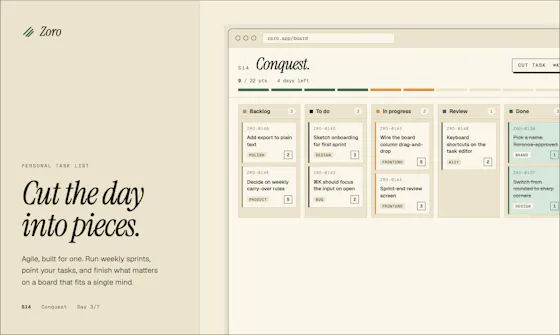
A one-time-purchase task app for solo workers that applies agile concepts like backlog, priority, and kanban to personal work, syncing via CloudKit with no account or server.
FreeNo sign-upData stays with you
What to know▼
How it works
Syncs across iOS, macOS, and web through CloudKit only, with no signup and no backend server.
We check every product on this page once a day and record whether it still answers.
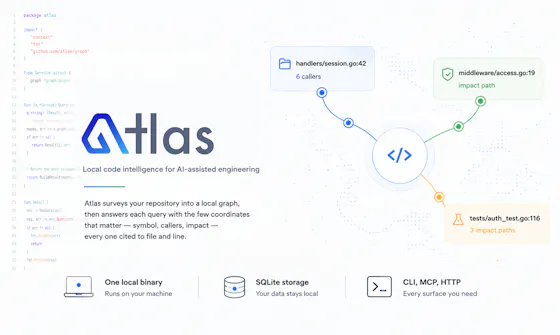
Gives developers and AI coding assistants deterministic, cited answers about a codebase's symbols, callers, and dependencies without sending code off-device.
Watch out · Code never leaves the machine
Works offlineData stays with you
What to know▼
How it works
Runs locally as a single binary with SQLite, CLI, MCP and HTTP interfaces to index a codebase
What's different
Deterministic, reproducible results with exact file-and-line citations; claims 36x fewer tokens than a graph baseline
We check every product on this page once a day and record whether it still answers.
Local-first Terraform scanner that audits cost, security and reliability in one pass with no upload, MIT licensed.
No sign-upWorks offlineData stays with you
What to know▼
How it works
Scans Terraform locally for security, cost, reliability, and governance issues in one pass, and writes the patch when a cost fix and a security risk hit the same resource.
We check every product on this page once a day and record whether it still answers.
A local-first AI assistant that indexes and searches your past work on your own device, only sending data to the cloud if you explicitly ask it to.
Data stays with you
What to know▼
How it works
A privacy-first AI assistant that creates a local index of your work activity and lets you search through it, keeping data on-device unless you explicitly send it to the cloud.
What's different
Keeps data local by default rather than uploading it to the cloud.
Best for
People who want to search their past work history without their data leaving their device.
We check every product on this page once a day and record whether it still answers.
Redact PDFs locally, verify the redaction actually worked
No sign-upWorks offlineData stays with you
What to know▼
How it works
Regex/checksum doğrulayıcıları ve isteğe bağlı yerel AI modeliyle tespit eder, OCR ile tarama okur, her dışa aktarım hash tabanlı sertifikayla dört yönden yeniden doğrulanır.
We check every product on this page once a day and record whether it still answers.
A Mac utility that scans your browsers for saved passwords, autofill data, and browsing traces so you can review and remove them before someone else finds them.
Data stays with you
What to know▼
How it works
scans supported browsers locally for privacy traces, lets you review before deleting
What's different
all scanning happens locally, nothing leaves the device
We check every product on this page once a day and record whether it still answers.
A browser-based invoice builder for freelancers and small businesses that keeps client and billing data entirely on your device, no sign-up or cloud sync.
No sign-upWorks offlineData stays with you
What to know▼
How it works
Builds invoices entirely in the browser and exports them as PDF or PNG, with client details, invoice data and branding staying on the user's device.
What's different
No sign-up, no cloud storage and no tracking, unlike most invoicing tools that store data server-side.
Best for
Freelancers, consultants and small businesses who want to create invoices without their client and billing data leaving their device.
We check every product on this page once a day and record whether it still answers.
A browser-based tool that turns your own videos into iPhone Live Photo wallpapers entirely on-device with no upload, plus a free gallery of ready-made HD wallpapers.
Watch out · It doesn't create a true Live Photo by itself; it preps the clip and walks you through a manual app step to finish.
FreeWorks offlineData stays with you
What to know▼
How it works
Crop, trim, and preview a video on a phone mockup in the browser, entirely on-device, then follow a one-tap step to set it as your iPhone Live Photo lock screen.
Pricing
Free HD wallpapers from a gallery; you can also convert your own video.
Best for
iPhone users who want a live wallpaper made from their own video without uploading it anywhere.
Watch out
It doesn't create a true Live Photo by itself; it preps the clip and walks you through a manual app step to finish.
We check every product on this page once a day and record whether it still answers.
Fixes the iPhone-photo compatibility problem by converting HEIC to PNG locally in your browser, nothing uploaded to a server, no account, no app to install.
FreeNo sign-upNothing to install
What to know▼
How it works
Converts HEIC photos from iPhones/iPads into PNG, JPG or WebP directly in the browser; supports batch conversion of up to 100 files at once with no file-size limits.
What's different
Conversion runs entirely on-device — photos are never uploaded to a server or stored.
Pricing
Free, no sign-up required.
Best for
People who need to convert iPhone HEIC photos for apps, websites or Windows PCs that can't open the format, without uploading personal photos.
We check every product on this page once a day and record whether it still answers.
A native Linux desktop email client that connects straight to your IMAP/SMTP mail servers with no cloud relay, middleman account or telemetry, as an alternative to Thunderbird or Evolution.
FreeWorks offlineData stays with you
What to know▼
How it works
A native Linux desktop email client that connects directly to your mail servers over IMAP and SMTP, storing everything locally in a SQLite database and syncing credentials through the OS keyring so it works fully offline.
What's different
No cloud relay, middleman account, or telemetry — mail stays on your own machine, unlike hosted alternatives.
Pricing
Free for one account with full functionality; a one-time $10 unlock removes the account cap.
Best for
Linux desktop users looking for a native alternative to Thunderbird, Evolution, Geary or Mailspring.
We check every product on this page once a day and record whether it still answers.
A mobile app that converts video to GIF entirely on-device, with no upload, watermark, or account required, and can share the result to WhatsApp, Telegram, Instagram, Reddit, or X.
No sign-upWorks offlineData stays with you
What to know▼
How it works
Encodes video to GIF on-device with a trim/scrubber editor and FPS/resolution/speed controls.
Pricing
One-time $2.99 premium removes ads and unlocks longer clips and higher quality; no subscription.
Best for
People converting short video clips to GIFs privately without uploading footage.
We check every product on this page once a day and record whether it still answers.
A self-hosted proxy that tokenizes sensitive data before it reaches Claude, ChatGPT, Gemini, or Mistral and restores it in the response, so teams can use commercial AI without their real data leaving the network.
Data stays with youSelf-hosted
What to know▼
How it works
Replaces sensitive data with tokens before the prompt reaches the AI provider, then restores real values in the response.
Pricing
Docker setup in 2 minutes; supports 8 AI providers.
Best for
Teams that want to keep using commercial AI tools without exposing real data.
We check every product on this page once a day and record whether it still answers.
A free, local-first habit and life tracker based on Buddhist teachings that stores all data in your browser with no account, no cloud, and JSON export and import.
FreeWorks offlineData stays with you
What to know▼
How it works
Maps the Mangala Sutta's 38 blessings into daily habit design, stores data 100% locally in your browser cache, with JSON export/import for backups.
Best for
People who want a private, offline habit tracker with no account and no cloud storage.
We check every product on this page once a day and record whether it still answers.
An offline subscription manager that encrypts financial data locally, warns about trial expirations, and calculates the long-term cost of recurring subscriptions.
Works offlineData stays with you
What to know▼
How it works
Encrypts data locally with AES-256 with no bank link or cloud account, sends timed trial-ending warnings, calculates 5/10-year subscription costs, and can generate WhatsApp bill-split reminders.
Best for
People who want to track and cut subscription costs without linking a bank account or uploading data.
We check every product on this page once a day and record whether it still answers.
A free, client-side visual builder for Docker Compose, Nginx/Caddy configs, healthchecks and backup scripts that generates production files without uploading anything to a server; a developer/DevOps tool.
FreeData stays with you
What to know▼
How it works
A visual configurator that generates Docker Compose, Nginx/Caddy configs, healthchecks and cloud backup scripts, producing production-ready environments in about 60 seconds.
What's different
100% client-side — zero server-side uploads.
Pricing
Free.
Best for
Developers and DevOps engineers who want production configs without hand-writing them.
We check every product on this page once a day and record whether it still answers.
A free set of 52 browser tools — JSON formatting, regex testing, encryption, converters, calculators — running locally so nothing uploads. Mostly developer tools, plus general productivity ones.
FreeNo sign-upNothing to install
What to know▼
How it works
A free collection of 52 browser-based tools spanning developer utilities (JSON formatter, regex tester, JWT decoder), security tools (AES-256 encryption, PII scrubber), converters, calculators and productivity tools, all running locally in the browser.
What's different
No sign-up, no paywalls and no limits, and everything runs locally so data never leaves the device.
Pricing
Free.
Best for
Developers and general users who want quick one-off tools without installing an app.
We check every product on this page once a day and record whether it still answers.
Converts CBZ/ZIP comic archives to PDF entirely in your browser — nothing uploaded, no account needed, good for readers who don't want desktop software or a server touching their files.
No sign-upNothing to installData stays with you
What to know▼
How it works
Converts CBZ and ZIP comic archives into PDF files for tablets, e-readers, printing, or long-term storage, entirely in the browser.
What's different
Everything is processed locally — no uploads and no account needed.
Best for
Comic readers who want their files converted without a desktop app or server ever touching them.
We check every product on this page once a day and record whether it still answers.
A local Windows security suite with antivirus, AI ransomware detection, a DNS shield, VPN, identity monitoring, and a telemetry blocker that stops manufacturers from phoning home.
Watch out · blocks telemetry from Microsoft, AMD, HP, NVIDIA, and Intel.
No sign-upWorks offlineData stays with you
What to know▼
How it works
100% local, one-time payment, no cloud, no subscription, no account required; data never leaves the machine.
Watch out
blocks telemetry from Microsoft, AMD, HP, NVIDIA, and Intel.
We check every product on this page once a day and record whether it still answers.
A free Chrome extension for screen and webcam recording, screenshots, and on-page annotation that runs entirely in your browser with no signup or uploads.
FreeNo sign-upWorks offline
What to know▼
How it works
A Chrome extension for recording your screen or webcam, taking full-page and region screenshots, and annotating directly on the page.
What's different
No signup, no watermark, no upload — everything runs locally in the browser.
Pricing
Free.
Best for
Anyone who wants quick screen capture and annotation without creating an account or uploading footage anywhere.
We check every product on this page once a day and record whether it still answers.
A free set of browser-based tools for merging or compressing PDFs, converting images, and running OCR on video, PDF, and photo files, with all processing done locally so files are never uploaded.
FreeNo sign-upData stays with you
What to know▼
How it works
runs entirely inside the browser tab so files never get uploaded; no accounts, tracking, or limits.
We check every product on this page once a day and record whether it still answers.
Free browser-based converters for PDFs, images and video that process files locally rather than uploading them - a general privacy-focused toolkit, not a developer-specific one.
FreeNo sign-upData stays with you
What to know▼
How it works
A growing collection of free tools for converting PDFs, images and video. Every conversion runs locally in the browser, so files are never uploaded to a server.
What's different
No uploads, no account, no server ever sees your files — processing happens entirely on-device.
Pricing
Free.
Best for
People who want to convert files quickly without creating an account or uploading personal documents.
We check every product on this page once a day and record whether it still answers.
An offline tool for validating Saudi e-invoice QR codes, UBL XML files, and PDF/A-3 invoices, with VAT calculation, on-device.
Watch out · Independent application, not affiliated with or endorsed by ZATCA or any government authority.
Works offlineData stays with you
What to know▼
How it works
Validates invoice QR codes, UBL 2.1 XML files, and PDF/A-3 e-invoices, scanning QR codes, inspecting invoice data, and calculating VAT directly on-device with no cloud uploads.
Best for
Businesses, accountants, auditors, and developers handling Saudi e-invoices.
Watch out
Independent application, not affiliated with or endorsed by ZATCA or any government authority.
We check every product on this page once a day and record whether it still answers.
Converts and edits media files entirely in your browser without uploading them anywhere — for people who want a quick, private conversion tool with nothing stored on a server.
Data stays with you
What to know▼
How it works
Converts and edits media files entirely in the browser, with nothing uploaded to a server.
What's different
Privacy-first: processing happens locally in-browser rather than on a remote server.
Best for
People who want quick media conversion/editing without uploading files anywhere.
We check every product on this page once a day and record whether it still answers.
Free browser-only image toolkit (compress/convert/resize) for anyone who wants quick edits without uploading files to a server.
FreeNo sign-upData stays with you
What to know▼
How it works
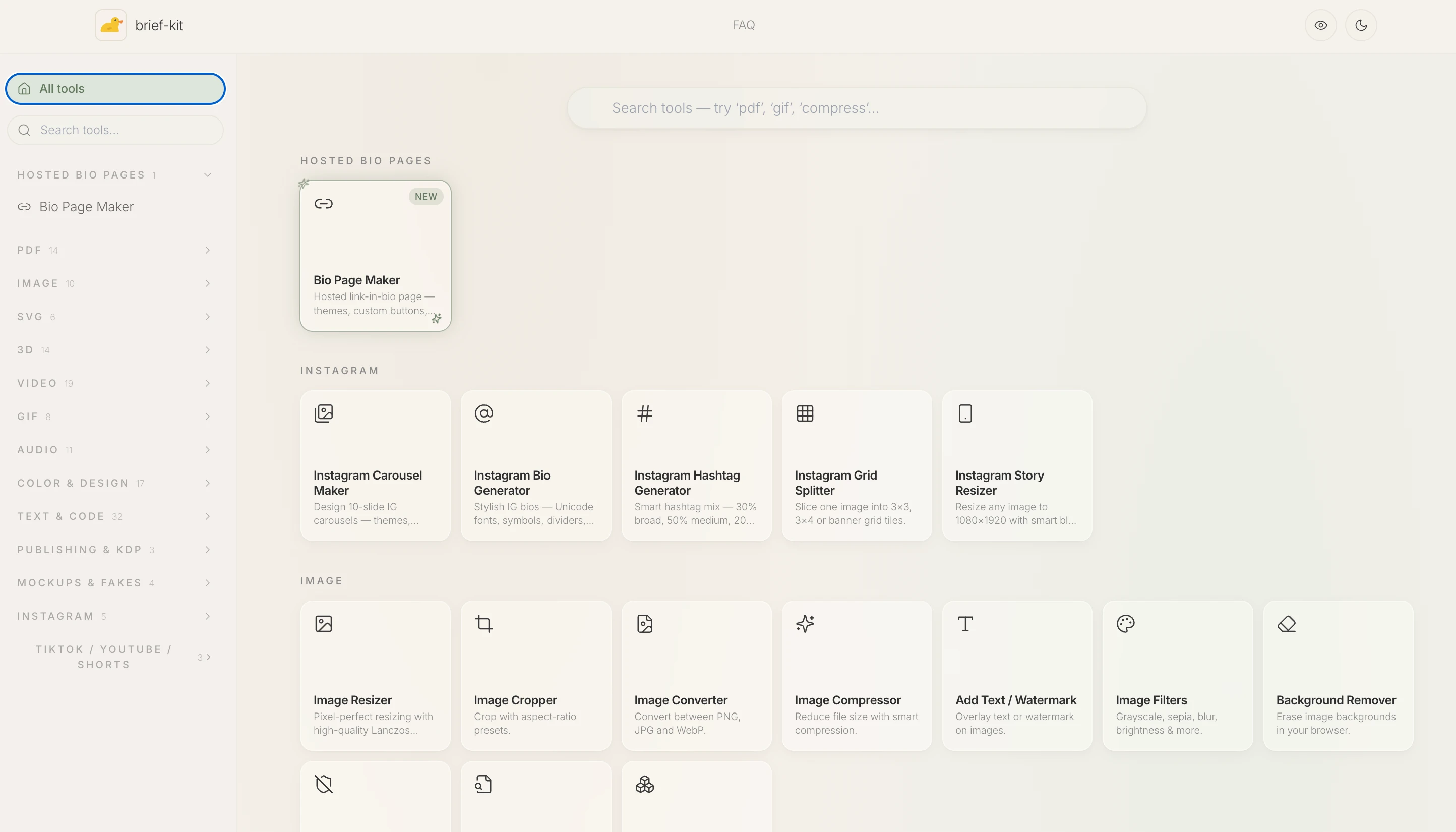
A browser-based image toolkit for compressing, upscaling, converting to base64, rotating, picking colors, removing hidden EXIF metadata, and resizing images for social media.
What's different
Everything processes locally in the browser — no sign-up, no uploads, no limits.
Pricing
Free.
Best for
Anyone who wants quick image edits without uploading files to a server.
We check every product on this page once a day and record whether it still answers.
A free, open-source browser tool that compresses and converts images, video, audio and PDFs entirely on your device with no uploads or ads — a general utility, not developer-specific.
FreeWorks offlineData stays with you
What to know▼
How it works
An open-source app with 47 tools for compressing and converting images, video, audio and PDFs, with all processing happening on-device so files never leave your computer, including offline use.
What's different
No upload step at all — compression runs entirely locally, works offline, with no ads, accounts or size limits.
Pricing
Free forever.
Best for
Anyone who wants to compress or convert media files without uploading them to a server.
We check every product on this page once a day and record whether it still answers.
Compresses images and video (JPG, PNG, TIFF, MP4, GIF) entirely on your device with no upload to a server — for Mac, Windows and Linux, privacy-focused.
Works offlineData stays with you
What to know▼
How it works
Compresses JPG, PNG, TIFF, MP4 and GIF files, processing them locally on-device rather than uploading them to a server, via web tools or a dedicated offline desktop app for Mac, Windows and Linux.
What's different
Local, privacy-focused processing rather than server-side upload-based compression.
Best for
Anyone who wants to compress images or video without sending files to a third-party server.
We check every product on this page once a day and record whether it still answers.
Converts GSTR-1 and GSTR-3B tax PDFs into structured Excel sheets entirely in-browser, so client tax data never leaves the accountant's machine. Built specifically for Indian CAs and tax professionals.
Data stays with you
What to know▼
How it works
Converts GSTR-1 and GSTR-3B tax PDFs into structured Excel sheets, processing everything client-side in the browser so no data is uploaded to a server.
What's different
100% client-side processing means sensitive client tax data never leaves the accountant's computer.
Best for
Indian CAs and tax professionals who need to bulk-extract GSTR PDF tables into Excel without exposing client data.
We check every product on this page once a day and record whether it still answers.
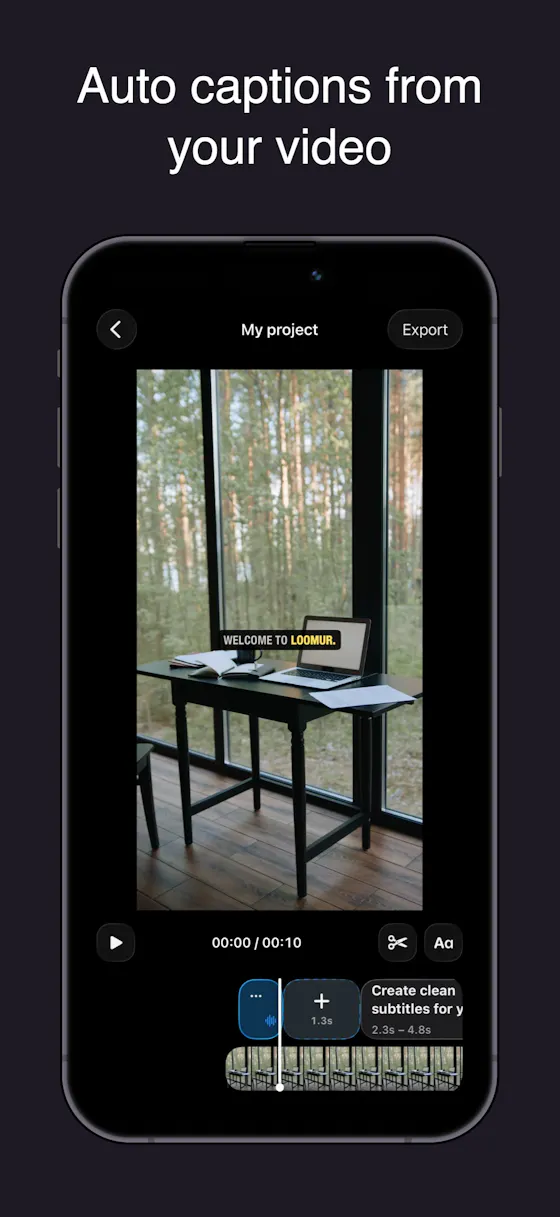
Auto-generates styled subtitles for short vertical videos directly on your iPhone using on-device AI — nothing is uploaded to a server.
Works offlineData stays with you
What to know▼
How it works
Generates stylish subtitles for short-form vertical videos directly on iPhone using on-device AI transcription; lets you edit text, highlight keywords, choose caption styles, and adjust placement before sharing.
What's different
Transcription happens entirely on-device, so no video is uploaded to a server.
Best for
Creators making stories, vlogs, or social content who want captions without uploading footage anywhere.
We check every product on this page once a day and record whether it still answers.
Converts images to PDF and edits them entirely in your browser via WebAssembly, so files never touch a server — worth it if privacy matters more than cloud convenience.
No sign-upWorks offlineData stays with you
What to know▼
How it works
Converts JPG, PNG, WEBP, HEIC, and BMP images to PDF and edits PDFs entirely in the browser using WebAssembly and local JS, including a suite of 36 tools to merge, split, compress, sign, protect, and decrypt.
What's different
Files never touch a server, work offline, and have no file size or page limits.
Best for
People handling sensitive documents who don't want to upload them to a cloud service.
We check every product on this page once a day and record whether it still answers.
Bundles a folder, files or archive into one clean document formatted for pasting into ChatGPT, Claude or Gemini — runs locally in your browser, nothing uploaded, no account needed.
No sign-upNothing to installData stays with you
What to know▼
How it works
You drop in a folder, individual files, or an archive; it strips out noise and combines them into one clean document formatted for pasting into ChatGPT, Claude or Gemini.
What's different
Runs entirely in the browser with no upload, no account and no install required.
Pricing
No pricing stated; runs free in-browser.
Best for
People who want to feed a whole folder or codebase into an AI chat tool as one clean document without setting up any tooling.
We check every product on this page once a day and record whether it still answers.
Turns text into styled images for social media, quotes, or announcements entirely in the browser, with no uploads, account, or watermark, and content that never leaves the device.
FreeNo sign-upWorks offline
What to know▼
How it works
Converts text into images locally in the browser for social media, quotes, testimonials, and announcements, without uploading content anywhere.
We check every product on this page once a day and record whether it still answers.
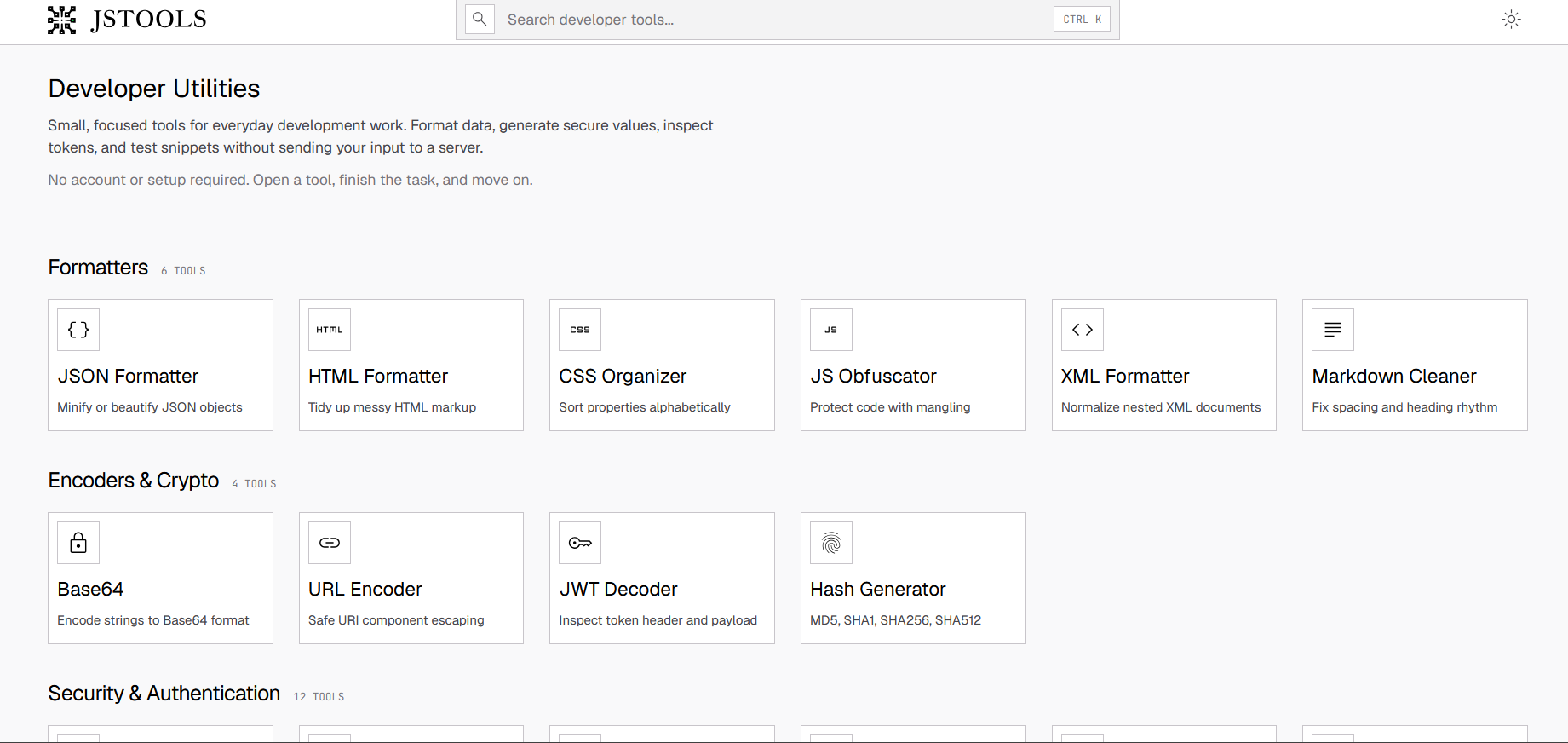
A free set of 17+ client-side developer utilities (JSON/XML/YAML/SQL formatters, regex tester, JWT decoder, hash generator) that run entirely in the browser with nothing sent to a server.
FreeNo sign-upNothing to install
What to know▼
How it works
Provides 17+ browser-based developer tools, JSON/XML/YAML/SQL formatters, a regex tester, a JWT decoder, a hash generator and more, all running client-side so nothing pasted is uploaded or logged.
Pricing
No signup, no rate limits on the core tools.
Best for
Developers who want quick formatting/decoding tools without an account or sending data to a server.
We check every product on this page once a day and record whether it still answers.
Turns Excel and SQL data into interactive dashboards with AI forecasting, Monte Carlo simulations and Sankey diagrams; processing happens in your browser instead of on a server.
Data stays with you
What to know▼
How it works
Turns Excel and SQL data into interactive dashboards, with AI-powered forecasting, Monte Carlo scenario modeling, and Sankey diagrams.
What's different
Processing happens in your browser instead of a server, which the product frames as bank-grade privacy.
Best for
People who want to turn spreadsheet or SQL data into dashboards without sending it to an external server.
We check every product on this page once a day and record whether it still answers.
A browser-based JSON formatter, converter, repair and compare tool from mackan.eu's toolset; sibling tools in the same suite run entirely client-side with no upload or signup required.
No sign-upData stays with you
What to know▼
How it works
A browser-based tool for formatting, converting, repairing and comparing JSON.
What's different
Part of a client-side toolset where tools run in the browser with no upload or signup required.
Best for
Developers who need to quickly clean up or compare JSON without installing anything.
We check every product on this page once a day and record whether it still answers.
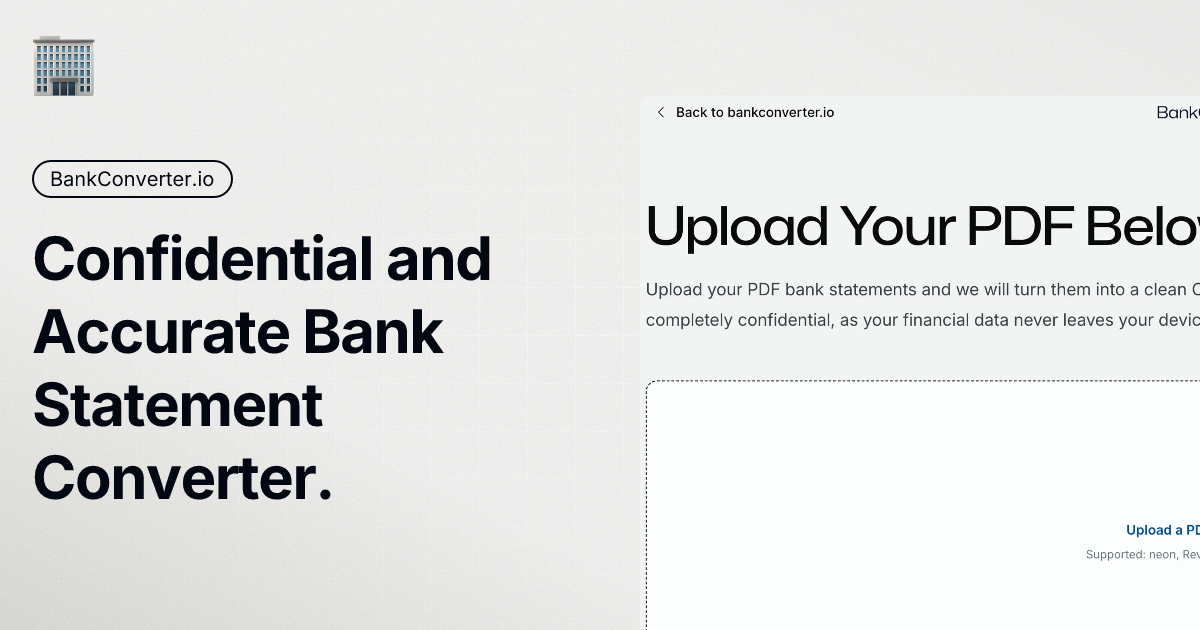
Turns bank statement PDFs into categorized spending, a cash-flow forecast and visual breakdowns, processed on your device, without ever linking to your actual bank account.
Watch out · Requires manually uploading statement PDFs rather than live bank data, so it's only as current as the last statement uploaded.
FreeData stays with youCan export my data
What to know▼
How it works
Users upload bank or credit card statement PDFs, and the app categorizes transactions, generates a spending narrative, visualizes cash flow with a Sankey diagram, and runs a 30-day cash flow forecast, all processed locally on the device.
What's different
Never connects to your bank account or requires bank logins — works entirely from uploaded statement PDFs, processed on-device.
Best for
People who want spending insights and forecasts from their bank statements without linking accounts, including those who want raw CSV/Excel exports.
Watch out
Requires manually uploading statement PDFs rather than live bank data, so it's only as current as the last statement uploaded.
We check every product on this page once a day and record whether it still answers.
Automatically sorts a Mac's Desktop and Downloads into folders and renames cryptic filenames, processed entirely on-device with no cloud upload or subscription.
Works offlineData stays with youNo subscription
What to know▼
How it works
Automatically organizes a Mac's Desktop and Downloads folders into custom categories and renames cryptic filenames like IMG_1234 or scan_002 into readable names, using on-device AI.
What's different
Processes files entirely on-device with no cloud upload, so file organization doesn't leave the machine.
Pricing
Free 30-day trial; no subscription.
Best for
Mac users with cluttered Desktop/Downloads folders who don't want their file names or contents sent to the cloud.
We check every product on this page once a day and record whether it still answers.
A free browser-based PDF toolkit for merging, splitting, signing, converting and redacting that processes files locally, with no upload, signup, or watermark.
FreeNo sign-upNothing to install
What to know▼
How it works
A browser-based PDF toolkit with 34 tools for merging, splitting, compressing, editing, signing, converting, annotating, filling, and redacting PDFs, processing files locally in the browser.
What's different
Documents don't need to be uploaded to a processing server since the supported processing happens locally.
Pricing
Free, no signup, no watermark.
Best for
Anyone who wants to edit PDFs without uploading files to a server.
We check every product on this page once a day and record whether it still answers.
Free, no-signup toolkit of 169 diagnostics for DNS, email authentication, TLS certificates, IP blacklists and security headers, built for self-hosters debugging mail and web infrastructure.
FreeNo sign-upData stays with you
What to know▼
How it works
runs DNS/SPF/DKIM/DMARC/TLS/blacklist/header checks plus in-browser dev utilities (JWT, cron, regex, hashing)
What's different
replaces juggling six separate diagnostic sites; some checks keep data local to your machine
Pricing
free to run checks; watchlists, alerts, embeddable badges and API available on top
Best for
self-hosters and sysadmins debugging DNS/email/TLS issues
We check every product on this page once a day and record whether it still answers.
A free, no-signup tool to open, edit and export CSV or Excel files right in your browser, processed locally. A quick alternative to opening a full spreadsheet app just to peek at a file.
FreeNo sign-upData stays with you
What to know▼
How it works
Open, view, edit and export CSV files (and Excel files) directly in the browser, with processing done locally.
What's different
No signup and no file upload — everything runs on-device.
Pricing
Free.
Best for
Anyone who wants to quickly view or edit a CSV or Excel file without opening a full spreadsheet app.
We check every product on this page once a day and record whether it still answers.
Converts YAML to JSON and back entirely in your browser, including multi-document Kubernetes manifests, with line-numbered parse errors, your config never leaves the browser.
FreeNo sign-upWorks offline
What to know▼
How it works
Converts YAML to JSON and back entirely in the browser, including multi-document files like Kubernetes manifests, with line-numbered parse errors.
What's different
Runs offline once loaded and your config never leaves the browser; the conversion core is open source.
Pricing
Free, no signup.
Best for
Developers who need to convert Kubernetes manifests or other YAML/JSON files without uploading them anywhere.
We check every product on this page once a day and record whether it still answers.
60+ free browser-based CSV tools — cleaning, merging, filtering, forecasting, even a chat-with-your-data feature — that process everything locally so nothing leaves your computer.
FreeNothing to installData stays with you
What to know▼
How it works
Provides more than 60 browser-based utilities for analyzing, cleaning, visualizing and transforming CSV files, including anonymization, forecasting, merging, filtering, compression and a chat-with-your-data feature.
What's different
All processing happens in the browser, so files never leave the user's computer.
Pricing
Free.
Best for
Anyone working with CSV files who wants quick fixes without uploading data to a server.
We check every product on this page once a day and record whether it still answers.
Twelve browser-based tools for images, PDFs and dev work that run locally via WebAssembly so files never leave your device — a free alternative to TinyPNG, remove.bg and iLovePDF.
FreeNo sign-upData stays with you
What to know▼
How it works
Twelve browser-only tools for images, PDFs and dev work that run locally via WebAssembly, so files are never uploaded to a server.
What's different
Positioned as a free, privacy-first alternative to TinyPNG, remove.bg, iLovePDF and JSONLint, combined into one hub.
Pricing
Free, no signup, no limits.
Best for
Developers and makers who want to process images, PDFs or code without uploading files anywhere.
We check every product on this page once a day and record whether it still answers.
A Windows desktop app that automatically detects and blurs faces across video frames, processing entirely offline with no upload.
Watch out · Windows only.
No sign-upWorks offlineData stays with you
What to know▼
How it works
Drop in one video or fifty; AI detects and blurs every face across all frames, with tracking to keep faces covered when they turn or leave and re-enter frame, without keyframing or masks.
What's different
Runs entirely locally on Windows with no upload, cloud, or account.
We check every product on this page once a day and record whether it still answers.
Edits, merges, splits and OCRs PDFs entirely in your browser via WebAssembly, so files never touch a server. Free, no account needed.
FreeNo sign-upWorks offline
What to know▼
How it works
Edits, merges, splits, compresses and OCRs PDFs, plus AI document chat, running entirely inside your browser via WebAssembly so files never touch a server.
What's different
Zero server uploads — every operation, including the AI summary, runs on-device.
Pricing
Completely free, no account, no size limits, no paywalls.
Best for
People handling sensitive PDFs who don't want files leaving their device.
We check every product on this page once a day and record whether it still answers.
A self-hosted WordPress plugin combining a visual workflow automation engine with an open-source AI agent that builds workflows and asks before acting, using your own LLM API keys.
FreeNo sign-upData stays with you
What to know▼
How it works
A low-code workflow builder plus an open-source AI agent and local executor run inside WordPress, with no SaaS component and data staying on your own server.
Pricing
Agent and executor are free; one license covers both paid plugins for the rest of the stack.
Best for
WordPress site owners who want automation without sending data to a third-party SaaS.