We check every product on this page once a day and record whether it still answers.
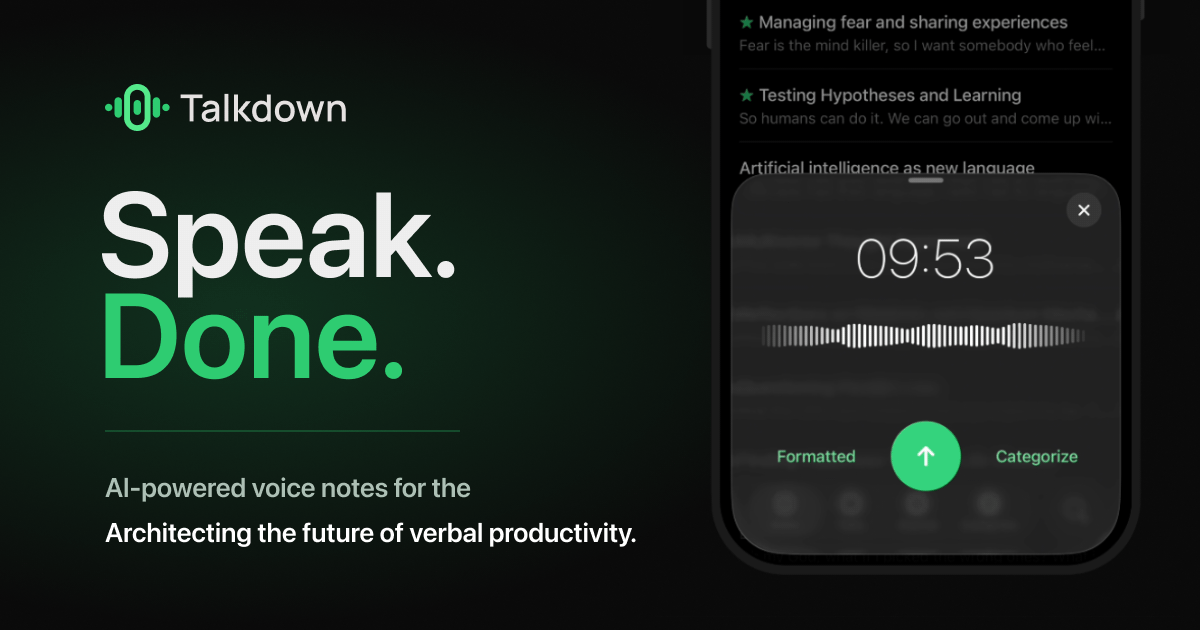
Turns a spoken conversation into a live, evolving visual map of ideas that can be replayed, shared, or exported, including meeting capture.
Can export my data
What to know▼
How it works
Talk through an idea and it becomes a live map that reshapes as you change your mind; capture meetings, replay how a thought unfolded, share a link, or export.
Pricing
Free to start, no card required.
Best for
Teams wanting to visually capture and revisit meeting or brainstorming discussions.
We check every product on this page once a day and record whether it still answers.
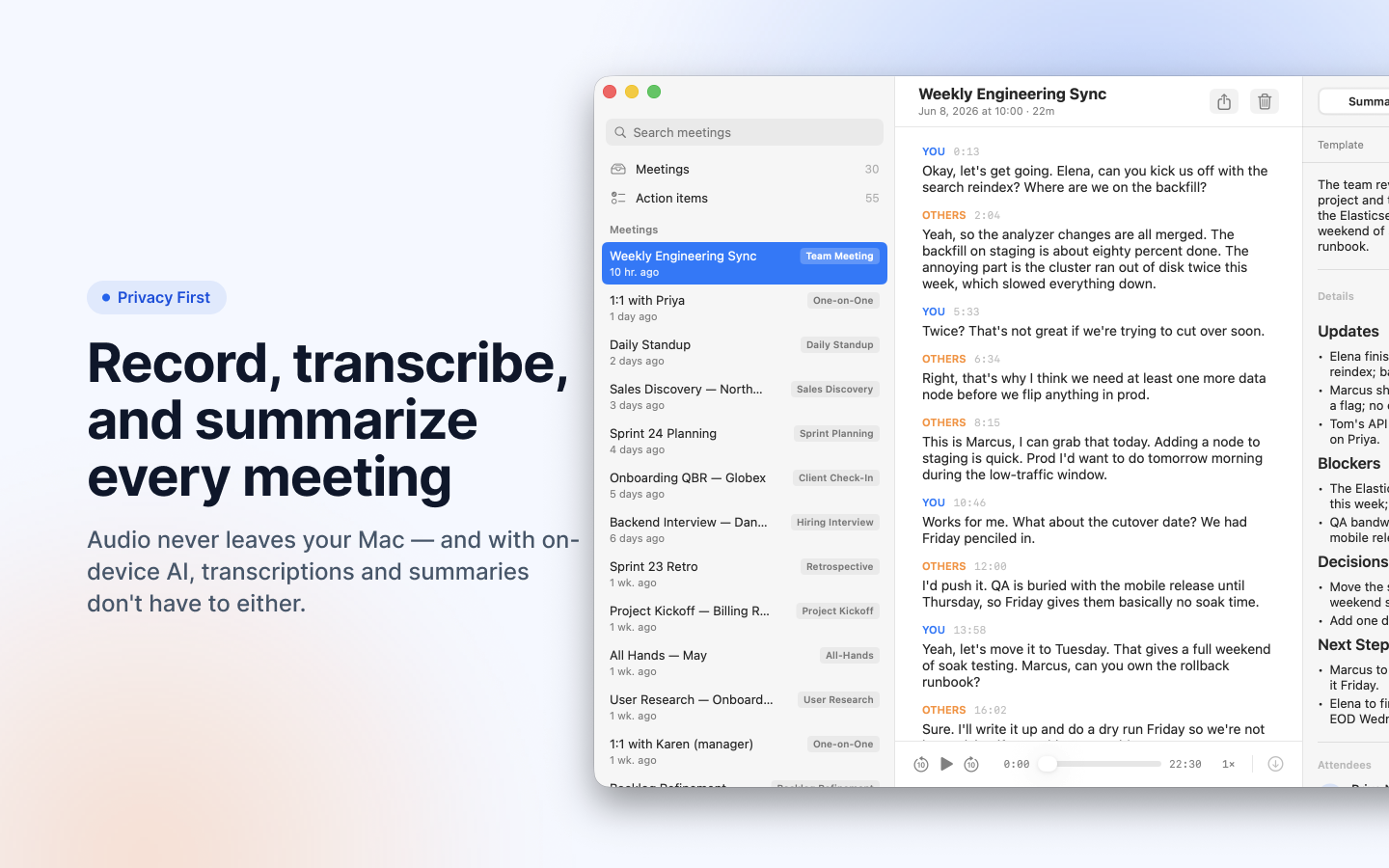
Turns local meeting recording folders into private, searchable transcripts on your Mac — everything stays on your machine, with no account, no upload, no meeting bot, and no subscription.
No sign-upData stays with youNo subscription
What to know▼
How it works
Turns local meeting recording folders on your Mac into private, searchable transcripts.
What's different
Everything stays on your machine — no account, upload, meeting bot, or subscription required.
Pricing
No account or subscription required.
Best for
Mac users who record meetings locally and want searchable transcripts without sending recordings to the cloud.
We check every product on this page once a day and record whether it still answers.
A free, fully on-device meeting note-taker that transcribes and blends your typed notes without ever sending audio to the cloud or requiring an account, unlike most paid cloud notetakers.
FreeNo sign-upWorks offline
What to know▼
How it works
On-device transcription blended with your typed notes into a write-up; optional bring-your-own model key or fully offline.
What's different
Most competitors still upload audio to their cloud and cost $18+/mo; this doesn't and is free.
We check every product on this page once a day and record whether it still answers.
Records and transcribes Mac meetings entirely on-device, then turns them into searchable AI notes, for people who don't want audio leaving their machine.
FreeWorks offlineData stays with you
What to know▼
How it works
records mic+system audio, transcribes locally with Whisper, generates TL;DR/decisions/action items
What's different
100% on-device transcription, optional bring-your-own ChatGPT/Claude for notes
We check every product on this page once a day and record whether it still answers.
Pins the reasoning behind a team decision, pulled from Slack, Figma or its own app, so it doesn't vanish like a forgotten thread - built for any team, technical or not.
What to know▼
How it works
Lets a team pin a decision and the reasoning behind it, pulled from Slack, Figma, or its own app, so it can be found again later instead of vanishing in a thread.
What's different
Captures the 'why' behind a decision, not just the decision, and pulls it directly from Slack and Figma.
Best for
Teams, technical or not, who lose track of why past decisions were made.
We check every product on this page once a day and record whether it still answers.
Transcribes meetings, interviews, and recordings on-device using local Whisper models, with speaker labels and a local AI summarizer.
FreeWorks offlineCan export my data
What to know▼
How it works
Records or imports audio/video and transcribes it on-device using local Whisper models, with speaker labels, editing, export, and a local AI assistant for summaries and action items.
Pricing
Free to download, with optional Pro access.
Best for
Sensitive, privacy-conscious meeting or interview transcription.
We check every product on this page once a day and record whether it still answers.
A local-first call transcription and note-taking app for Mac that transcribes and generates notes entirely on-device, instead of sending call audio to a cloud service.
Works offline
What to know▼
How it works
Runs transcription and intelligence generation on Apple Silicon; audio exists only in volatile memory and is destroyed once structured notes are produced.
What's different
No audio is ever recorded to disk or sent to the cloud, by design.
We check every product on this page once a day and record whether it still answers.
A notes app for iPhone, iPad, and Mac that records and transcribes on-device, then turns meeting audio and handwritten notes into structured minutes with decisions and to-dos you approve as diffs.
FreeWorks offlineData stays with you
What to know▼
How it works
On-device transcription keeps audio local; AI restructures transcripts into minutes with editable, diff-based approval.
Pricing
Recording, transcription, and search are free; cloud AI features require Pro.
We check every product on this page once a day and record whether it still answers.
A tool that generates a company research briefing from just a company name, so you can walk into a call prepared instead of researching manually beforehand.
What to know▼
How it works
Type a company name and get a research briefing in about 30 seconds, no setup or migration required.
We check every product on this page once a day and record whether it still answers.
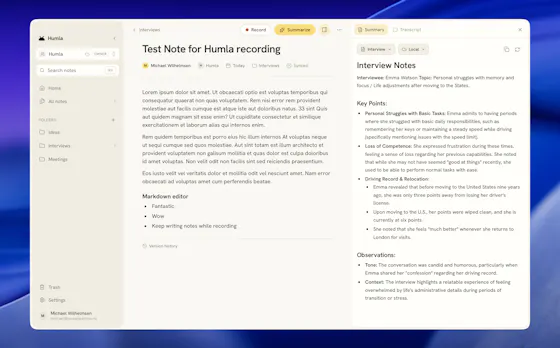
A Mac app that records and transcribes meetings entirely on-device, no bot joins the call. Free and open source, with optional cloud or self-hosted sync for teams.
FreeWorks offlineOpen source
What to know▼
How it works
Records mic and call audio directly through macOS with no bot joining the meeting, then transcribes, labels speakers, and writes a summary that fuses your notes with the transcript. Runs fully on-device using Whisper on Apple Silicon, or with your own AI key.
What's different
No bot joins the call, and it can run entirely on-device with local SQLite storage and no telemetry.
Pricing
Free and MIT-licensed, with optional paid team sync via Humla Cloud or self-hosting.
Best for
Mac users who want private, on-device meeting transcription without a bot joining their calls.
We check every product on this page once a day and record whether it still answers.
Meeting recorder/transcriber built so even the operator can't decrypt finished audio, transcripts, and summaries from a stolen database.
Watch out · Honest limit: it's a one-job ASR RAM window, not true end-to-end encryption; unconditional refund if under 30h transcription in 7 days.
What to know▼
How it works
Encrypts finished meeting audio, transcripts, summaries, and vocab such that even the operator can't decrypt them with a stolen database and root access.
Pricing
Pay first, then vault; founding-limited access.
Watch out
Honest limit: it's a one-job ASR RAM window, not true end-to-end encryption; unconditional refund if under 30h transcription in 7 days.
We check every product on this page once a day and record whether it still answers.
A weekday AI newsletter that rates each story Breakthrough to Overhyped and tailors takeaways to your job, from consultants to developers, instead of general AI hype.
Free
What to know▼
How it works
A weekday newsletter and news site covering five core AI stories per issue, each tagged with a verdict (Breakthrough, Verified, Incremental, or Overhyped) and mapped to eight professional roles, closing with one concrete action to take that week.
What's different
Tags every story with a clear verdict and role-specific takeaway instead of general AI hype coverage.
Pricing
Free to subscribe.
Best for
Working professionals in consulting, finance, healthcare, legal, HR, dev, founder, and go-to-market roles who want a five-minute read instead of raw AI news.
We check every product on this page once a day and record whether it still answers.
Records meetings on Mac and generates transcripts, summaries and live translated subtitles, entirely on-device. Dictation is free forever; the full meeting workflow costs a one-time $49.
Watch out · Requires macOS 26 on Apple Silicon, so it won't run on older Macs or other operating systems.
FreeNo sign-upWorks offline
What to know▼
How it works
Records meetings and produces transcripts and summaries entirely on-device, with nothing sent to the cloud; it also shows live subtitles with translation while recording, and offers push-to-talk dictation usable in any app.
What's different
Continues working with Wi-Fi off and requires no bot joining the call, since everything runs on-device.
Pricing
Dictation is free forever; the full meeting workflow is a one-time $49 purchase. No account or subscription required.
Best for
Mac users who want private, on-device meeting notes without a cloud service.
Watch out
Requires macOS 26 on Apple Silicon, so it won't run on older Macs or other operating systems.
We check every product on this page once a day and record whether it still answers.
Records product meetings and docs, then drafts structured requirements, UMLs, and user stories with AI review before export to Jira or Linear.
Can export my data
What to know▼
How it works
Listens to product meetings, reads docs, and turns them into structured software requirements (SRS), UMLs, and user stories, reviewed by a crew of AI analysts before you see them.
What's different
Bring your own LLM key; export to Jira, Linear, and more.
We check every product on this page once a day and record whether it still answers.
Turns meeting, podcast, and video audio into structured summaries, action items, and shareable image cards, with audio processed locally and no signup needed for the free tier.
No sign-upData stays with youCan export my data
What to know▼
How it works
Distills meetings, podcasts, and videos into structured summaries, action items, outlines, and speaker breakdowns, and can export the summary as a shareable gradient image card.
What's different
Strips audio locally in the browser before processing, so video isn't fully uploaded to a server.
Pricing
Free tier with no sign-up required; premium features for $1.99.
Best for
People who want to turn meeting or podcast recordings into shareable summaries without a heavy upload step.
We check every product on this page once a day and record whether it still answers.
An AI chief-of-staff that reads your inbox, calendar and work channels, drafts replies in your voice and preps meetings; a work productivity tool for professionals and teams, not general consumers.
Can export my data
What to know▼
How it works
Reads your inbox, calendar and work channels, then sends a morning brief of what needs attention, drafts replies in your voice, preps meetings and follows up automatically.
What's different
Runs on private infrastructure and encrypts email bodies at rest, with the ability to export your memory anytime; a Teams version connects each employee's assistant.
Best for
Professionals and teams who want a daily filtered brief and drafted replies instead of working the inbox manually.
We check every product on this page once a day and record whether it still answers.
Records in-person meetings and produces speaker-attributed transcripts, summaries and action items for Malaysian professionals in English, Malay or Chinese.
What to know▼
How it works
Records meeting audio, identifies speakers, generates summary and action items
Pricing
7-day free trial, no card required
Best for
Malaysian managers, sales teams, lawyers and lecturers in physical meetings
We check every product on this page once a day and record whether it still answers.
Record meetings from your Apple Watch, then get transcripts, bilingual translation and AI follow-up notes on iPhone. Some processing stays on-device, but it isn't fully cloud-free.
Watch out · Only some processing runs on-device via the optional setting — it is not fully cloud-free.
FreeWorks offline
What to know▼
How it works
Record meetings from your Apple Watch, organize them on iPhone, or run a live meeting with captions and bilingual translation; afterward it generates transcripts, translations, meeting notes, tags, and AI follow-up.
What's different
Optional on-device AI keeps supported processing local rather than sending everything to the cloud.
Pricing
Free with in-app purchases.
Best for
Apple Watch and iPhone users who take notes during meetings.
Watch out
Only some processing runs on-device via the optional setting — it is not fully cloud-free.
We check every product on this page once a day and record whether it still answers.
A local-first productivity app for developers that tracks projects, tasks, meetings, and notes with no cloud and no subscription, instead of handing that data to a hosted service.
Works offline
What to know▼
How it works
Markdown notes with tags and full-text search, a command palette, meeting scripts with templates, and full source code (Vue 3 + Express + SQLite) so you own the tool.
What's different
Single-user local app with no sync or cloud account — data lives in a local SQLite database.
We check every product on this page once a day and record whether it still answers.
AtlasMeeting joins live meetings to proactively surface relevant context and shared visuals, aiming to close open questions before they slip through the cracks rather than only summarizing afterward.
What to know▼
How it works
Joins live meetings to surface relevant context and create shared visuals in real time, aiming to close open questions and decisions before they're forgotten.
What's different
Delivers information proactively during the meeting rather than only summarizing after it ends.
Best for
Teams whose meeting decisions and follow-up questions tend to slip through the cracks.
We check every product on this page once a day and record whether it still answers.
A free, no-signup browser timer that shows the live dollar cost of a meeting climbing in real time, based on headcount and salary.
FreeNo sign-up
What to know▼
How it works
Set a headcount and average salary, hit start, and watch a live per-second dollar counter track the running cost of a meeting, entirely in the browser.
What's different
No signup or backend — everything runs client-side, and the running total can be shared to make the cost visible to others.
Pricing
Free.
Best for
Teams who want to make the real-time cost of a meeting visible to everyone in it.
We check every product on this page once a day and record whether it still answers.
On-device AI dictation and meeting notetaker for Mac and iOS that works offline without an account.
Watch out · Windows and Android support are coming soon, not yet available.
FreeNo sign-upWorks offline
What to know▼
How it works
Runs 100% on-device using Gemma and Whisper for push-to-talk dictation into any app, live meeting transcripts, AI rewriting, and asking questions across notes.
What's different
No cloud, no account, no subscription.
Pricing
Free for macOS and iOS.
Watch out
Windows and Android support are coming soon, not yet available.
We check every product on this page once a day and record whether it still answers.
AI meeting notes and prep built specifically for manager 1:1s, offline-first and privacy-focused for sensitive leadership conversations rather than general note-taking.
Works offlineData stays with you
What to know▼
How it works
Helps managers prepare for and run 1:1s — capture handwritten or text notes, generate structured AI summaries, and track follow-ups.
What's different
Built specifically for manager 1:1s with a privacy-first, offline-first approach for sensitive leadership conversations, unlike generic note-taking apps.
Best for
Managers and team leads who want private prep and notes for direct-report conversations.
We check every product on this page once a day and record whether it still answers.
An email tool for freelancers that reads incoming professional emails, extracts action items onto a Kanban board, and drafts AI-suggested replies, instead of manually sorting your inbox every morning.
What to know▼
How it works
Connects to your mailbox, reads incoming professional emails, creates Kanban tasks from action items, and drafts replies with custom AI instructions.
Pricing
14-day free trial, no credit card required.
Best for
freelancers who lose time each morning triaging email manually.
We check every product on this page once a day and record whether it still answers.
A 1-3 hour structured interview turns your idea into a brief, user-flow doc, architecture doc, and executable feature specs. For founders who need to brief a developer, not for developers themselves.
What to know▼
How it works
A 1-3 hour structured interview session converts your idea into a product brief, user-flows doc, architecture doc, and 15-50 executable feature specs a developer can start building from.
What's different
Replaces open-ended planning meetings with a bounded interview that produces a concrete spec set.
Best for
Founders who need to hand a developer a real spec on day one rather than a week of unresolved meetings.
We check every product on this page once a day and record whether it still answers.
A multi-agent AI tool that analyzes financials, operations, and strategy to surface blind spots and give recommendations in the browser.
What to know▼
How it works
Uses adversarial multi-agent analysis to surface blind spots, biases, financials, operational readiness, and strategic recommendations directly in your browser.
We check every product on this page once a day and record whether it still answers.
AI meeting copilot offering live transcription, an undetectable screen-share overlay, and automatic notes during calls.
What to know▼
How it works
A bot-free AI meeting copilot offering live transcription, contextual answers, an undetectable overlay during screen sharing, and automatic notes and action items.
Pricing
Free plan available with optional cloud sync; also supports bringing your own API keys.
We check every product on this page once a day and record whether it still answers.
Cross-platform AI meeting transcription and note-taking that pushes summaries straight into HubSpot, for sales/customer-facing teams who'd otherwise take manual meeting notes.
What to know▼
How it works
A cross-platform AI meeting assistant on Desktop, Web and Mobile that captures desktop audio directly for an invisible experience or joins as a bot, then generates transcripts and summaries and syncs them into HubSpot.
What's different
Can capture desktop audio without a visible bot joining the call, and syncs natively to HubSpot.
Pricing
$9.99/month.
Best for
Sales and customer-facing teams who want meeting notes pushed straight into HubSpot instead of taken manually.
We check every product on this page once a day and record whether it still answers.
A tool that transcribes planning meetings live and turns the discussion into a build-ready app blueprint.
What to know▼
How it works
Joins planning meetings, transcribes them live, extracts product requirements as you talk, then runs an AI agent pipeline that turns the conversation into a build-ready blueprint and generates the app.
We check every product on this page once a day and record whether it still answers.
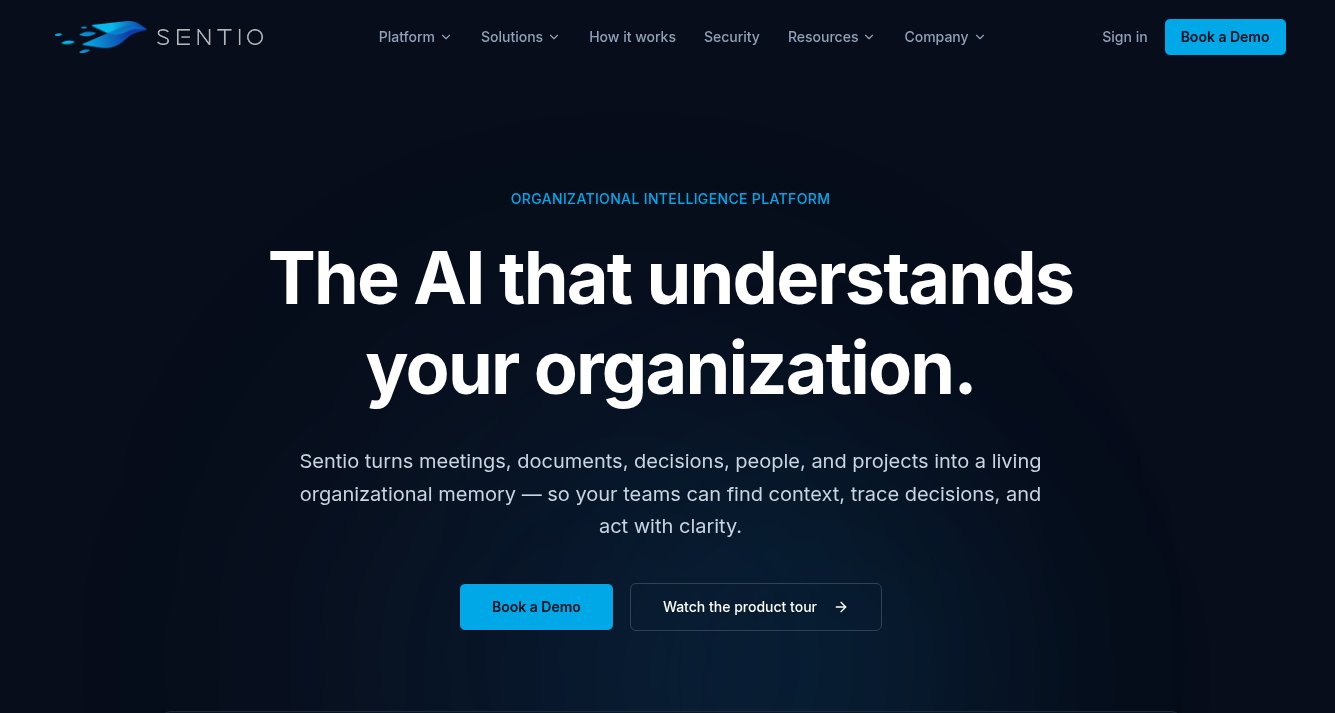
Builds a living organizational memory by pulling signals from meetings, documents, calendars, project tools and inboxes, aiming to preserve decisions and context that generic AI assistants currently lose.
What to know▼
How it works
Gathers signals from meetings, documents, calendars, project tools and inboxes to build a persistent, connected knowledge graph of an organization's people, projects, decisions, tasks and risks.
What's different
Aims to preserve the reasoning behind decisions and organizational context that generic AI assistants start without.
Best for
Organizations that lose institutional knowledge as decisions, commitments and context get scattered across tools.
We check every product on this page once a day and record whether it still answers.
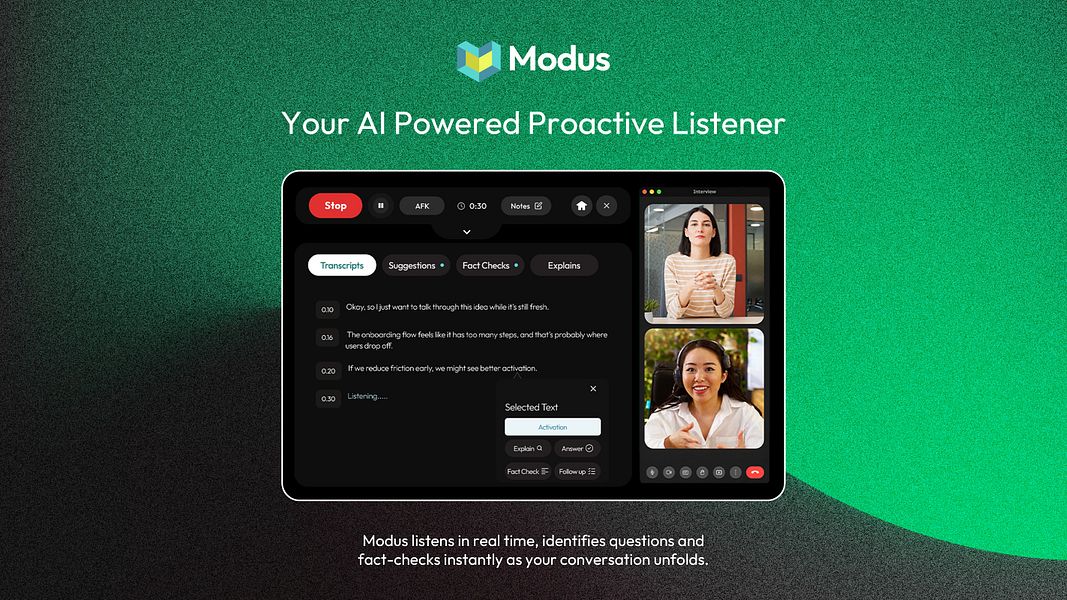
An AI meeting assistant giving live transcription, suggestions and notes without a visible bot joining the call, for both online and in-person conversations on desktop or mobile.
Watch out · Available on Windows, macOS, iOS and Android.
What to know▼
How it works
Works quietly on your device during online or in-person conversations, offering live transcription, real-time AI suggestions, fact-checking, explanations, notes, summaries and action items. AFK Mode captures context if you step away.
What's different
No visible bot joins the call, unlike traditional AI notetakers, and it also supports in-person conversations, not just video calls.
Best for
Professionals who want live meeting support without a bot visibly present in the call.
We check every product on this page once a day and record whether it still answers.
Turns meeting transcripts or recordings into task lists, decision logs and follow-up emails in seconds. Built for founders and consultants, not just anyone taking notes.
What to know▼
How it works
You paste a meeting transcript or upload a recording, and MeetOut turns it into a task list, decision log, client-ready follow-up email, and next-meeting agenda within seconds.
Pricing
Free signup includes 5 pastes a month.
Best for
Founders, consultants, and client-facing teams who need meeting notes turned into action without spending time writing them up.
We check every product on this page once a day and record whether it still answers.
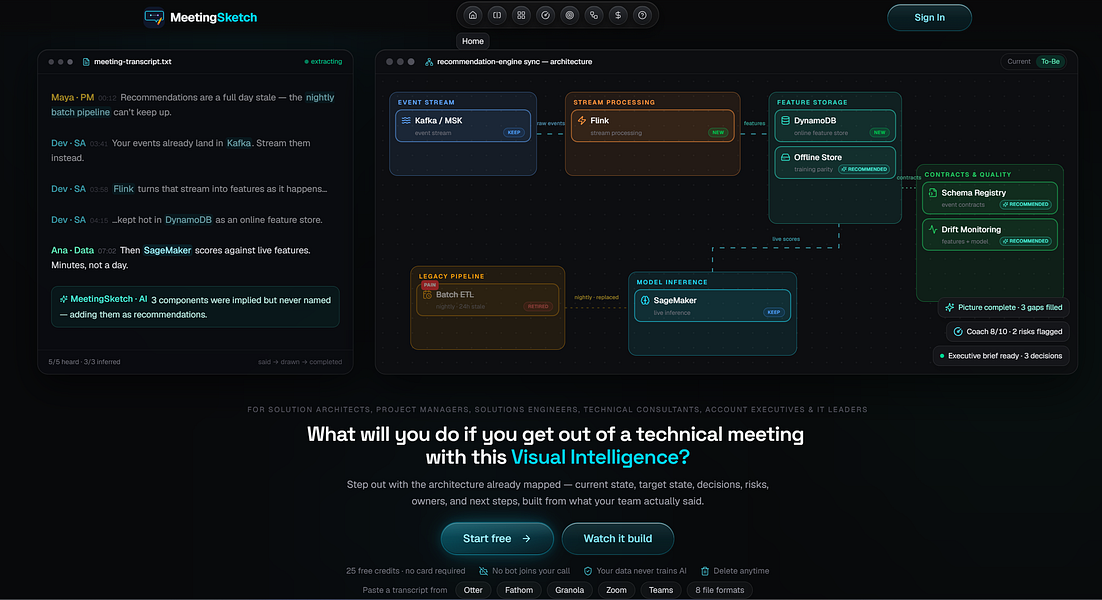
Turns meeting transcripts from Zoom, Otter or Teams into architecture diagrams, briefs and action items, built for solution architects running technical reviews.
What to know▼
How it works
Turns technical meeting transcripts from Otter, Zoom, Teams, Fathom, Granola or plain text into a current-state visual architecture map, target-state architecture, interactive diagram, executive brief and action items, with an AI Coach.
What's different
Separates what was explicitly stated in the meeting from what was inferred or recommended by the AI.
Best for
Solution architects, sales engineers, consultants, PMs and technical leaders running architecture reviews and discovery calls.
We check every product on this page once a day and record whether it still answers.
An AI tool that turns uploaded meeting recordings into transcripts, summaries, and action items, for professionals who want instant meeting notes instead of taking them manually.
What to know▼
How it works
Upload a meeting recording to instantly get a transcript, executive summary, key decisions, and next steps.
We check every product on this page once a day and record whether it still answers.
An AI meeting assistant that listens in on Zoom, Meet, Teams or in-person conversations without joining as a visible bot, giving live multilingual coaching, answers and post-meeting notes.
What to know▼
How it works
An AI meeting assistant that listens in on Zoom, Meet, Teams, or in-person conversations, detects questions automatically, and delivers live multilingual coaching, answers, and post-meeting notes.
What's different
Works without joining the call as a visible bot.
Best for
People who want live in-meeting coaching and multilingual transcription without a bot visibly joining the call.
We check every product on this page once a day and record whether it still answers.
Turns spoken English, Hindi or Telugu into polished emails, WhatsApp-style replies and meeting notes in seconds — a voice-to-text drafting tool, not a WhatsApp integration.
What to know▼
How it works
Turns spoken English, Hindi, Telugu, or mixed-language input into polished emails, WhatsApp-style replies, AI prompts and meeting notes.
Best for
People who prefer speaking their thoughts over typing for messages and notes.
We check every product on this page once a day and record whether it still answers.
A goal-oriented CRM with AI voice-capture that turns meeting recordings into contacts and tasks, built for founders tracking investors, hires and partners.
What to know▼
How it works
A CRM that tracks investors, candidates, and design partners against specific goals, using voice-capture during meetings so AI can automatically extract contact details, action items, and deadlines from the conversation.
What's different
Combines goal tracking with meeting transcription and prebuilt templates for fundraising, hiring, and customer acquisition.
Best for
Founders tracking investors, hires, and design partners against concrete goals.
We check every product on this page once a day and record whether it still answers.
A workspace combining tasks, notes, and AI-generated meeting summaries with real-time team collaboration, for teams planning projects together, instead of separate task, note, and meeting-notes apps.
What to know▼
How it works
Combines tasks, notes, AI meeting summaries, team collaboration, and project planning in one workspace synced across devices; AI turns meeting notes and voice input into actionable tasks.
We check every product on this page once a day and record whether it still answers.
Records and transcribes meeting notes locally without a bot joining the call, lets you ask questions mid-meeting.
What to know▼
How it works
Captures notes and transcript on your device during meetings and turns every day into a searchable memory; you can ask questions mid-meeting and share your memory to onboard new teammates.
What's different
No bot joins the call.
Best for
People with meeting-heavy days who want to pass on context and expertise without holding another meeting.
We check every product on this page once a day and record whether it still answers.
Local-first AI meeting note taker for macOS — no bot joins your calls, recordings never leave your Mac; 60 languages, speaker diarization, decisions and action items extracted automatically.
Tools for meeting notes and follow-ups — the short answers
Every number here comes from our own daily check — not from a vendor list.
Tools for meeting notes and follow-ups — how many are there?
Tablif is tracking 73 of them. 73 answered our check today.
Which ones are still maintained?
Tablif knocks on every door once a day and records the answer. 73 of these 73 responded on the latest run, so that number is what "still here" means on this page — not a review score.
Are any of them free?
14 of the live ones say so in their own words, and 6 let you start without making an account. Tablif records the claim the product makes; we don't verify pricing.
Any open-source options?
2 of the live ones on Tablif mention being open source.
What's the newest one?
TalkPilot: Real-Time Meeting Translator — Tablif first saw it yesterday.
Did a person actually look at these?
73 of them Tablif opened and read, then wrote a one-line summary in our own words instead of reusing the founder's tagline. The rest carry keyword labels we haven't confirmed by reading yet — and we say so rather than hiding it.