We check every product on this page once a day and record whether it still answers.
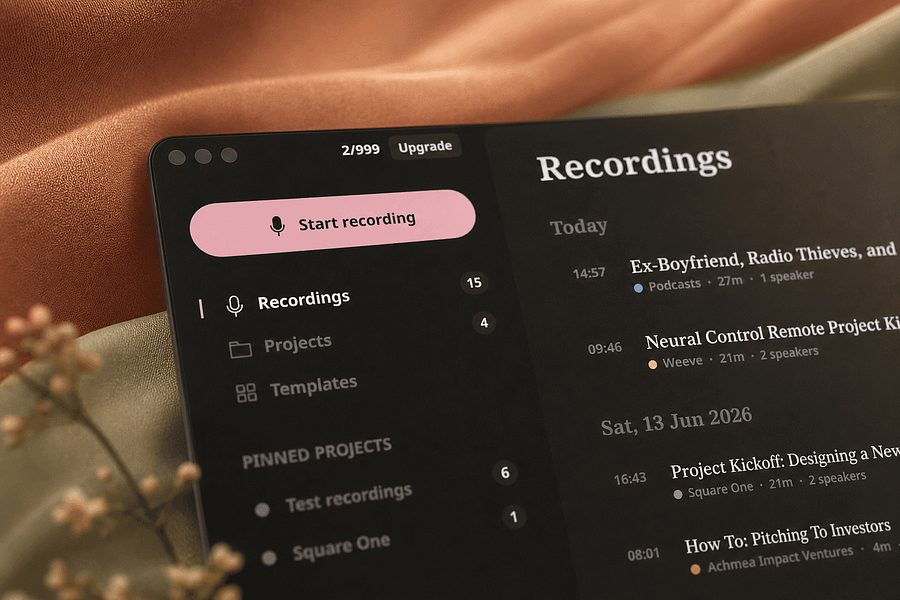
A free, fully on-device meeting note-taker that transcribes and blends your typed notes without ever sending audio to the cloud or requiring an account, unlike most paid cloud notetakers.
FreeNo sign-upWorks offline
What to know▼
How it works
On-device transcription blended with your typed notes into a write-up; optional bring-your-own model key or fully offline.
What's different
Most competitors still upload audio to their cloud and cost $18+/mo; this doesn't and is free.
We check every product on this page once a day and record whether it still answers.
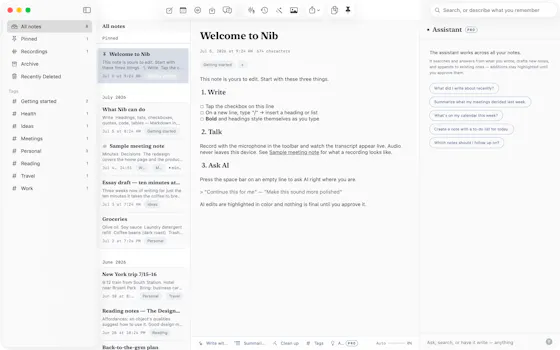
Records and transcribes Mac meetings entirely on-device, then turns them into searchable AI notes, for people who don't want audio leaving their machine.
FreeWorks offlineData stays with you
What to know▼
How it works
records mic+system audio, transcribes locally with Whisper, generates TL;DR/decisions/action items
What's different
100% on-device transcription, optional bring-your-own ChatGPT/Claude for notes
We check every product on this page once a day and record whether it still answers.
Transcribes meetings, interviews, and recordings on-device using local Whisper models, with speaker labels and a local AI summarizer.
FreeWorks offlineCan export my data
What to know▼
How it works
Records or imports audio/video and transcribes it on-device using local Whisper models, with speaker labels, editing, export, and a local AI assistant for summaries and action items.
Pricing
Free to download, with optional Pro access.
Best for
Sensitive, privacy-conscious meeting or interview transcription.
We check every product on this page once a day and record whether it still answers.
A notes app for iPhone, iPad, and Mac that records and transcribes on-device, then turns meeting audio and handwritten notes into structured minutes with decisions and to-dos you approve as diffs.
FreeWorks offlineData stays with you
What to know▼
How it works
On-device transcription keeps audio local; AI restructures transcripts into minutes with editable, diff-based approval.
Pricing
Recording, transcription, and search are free; cloud AI features require Pro.
We check every product on this page once a day and record whether it still answers.
A Mac app that records and transcribes meetings entirely on-device, no bot joins the call. Free and open source, with optional cloud or self-hosted sync for teams.
FreeWorks offlineOpen source
What to know▼
How it works
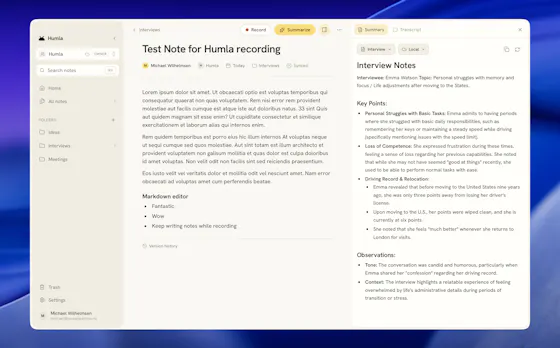
Records mic and call audio directly through macOS with no bot joining the meeting, then transcribes, labels speakers, and writes a summary that fuses your notes with the transcript. Runs fully on-device using Whisper on Apple Silicon, or with your own AI key.
What's different
No bot joins the call, and it can run entirely on-device with local SQLite storage and no telemetry.
Pricing
Free and MIT-licensed, with optional paid team sync via Humla Cloud or self-hosting.
Best for
Mac users who want private, on-device meeting transcription without a bot joining their calls.
We check every product on this page once a day and record whether it still answers.
A weekday AI newsletter that rates each story Breakthrough to Overhyped and tailors takeaways to your job, from consultants to developers, instead of general AI hype.
Free
What to know▼
How it works
A weekday newsletter and news site covering five core AI stories per issue, each tagged with a verdict (Breakthrough, Verified, Incremental, or Overhyped) and mapped to eight professional roles, closing with one concrete action to take that week.
What's different
Tags every story with a clear verdict and role-specific takeaway instead of general AI hype coverage.
Pricing
Free to subscribe.
Best for
Working professionals in consulting, finance, healthcare, legal, HR, dev, founder, and go-to-market roles who want a five-minute read instead of raw AI news.
We check every product on this page once a day and record whether it still answers.
Records meetings on Mac and generates transcripts, summaries and live translated subtitles, entirely on-device. Dictation is free forever; the full meeting workflow costs a one-time $49.
Watch out · Requires macOS 26 on Apple Silicon, so it won't run on older Macs or other operating systems.
FreeNo sign-upWorks offline
What to know▼
How it works
Records meetings and produces transcripts and summaries entirely on-device, with nothing sent to the cloud; it also shows live subtitles with translation while recording, and offers push-to-talk dictation usable in any app.
What's different
Continues working with Wi-Fi off and requires no bot joining the call, since everything runs on-device.
Pricing
Dictation is free forever; the full meeting workflow is a one-time $49 purchase. No account or subscription required.
Best for
Mac users who want private, on-device meeting notes without a cloud service.
Watch out
Requires macOS 26 on Apple Silicon, so it won't run on older Macs or other operating systems.
We check every product on this page once a day and record whether it still answers.
Record meetings from your Apple Watch, then get transcripts, bilingual translation and AI follow-up notes on iPhone. Some processing stays on-device, but it isn't fully cloud-free.
Watch out · Only some processing runs on-device via the optional setting — it is not fully cloud-free.
FreeWorks offline
What to know▼
How it works
Record meetings from your Apple Watch, organize them on iPhone, or run a live meeting with captions and bilingual translation; afterward it generates transcripts, translations, meeting notes, tags, and AI follow-up.
What's different
Optional on-device AI keeps supported processing local rather than sending everything to the cloud.
Pricing
Free with in-app purchases.
Best for
Apple Watch and iPhone users who take notes during meetings.
Watch out
Only some processing runs on-device via the optional setting — it is not fully cloud-free.
We check every product on this page once a day and record whether it still answers.
A free, no-signup browser timer that shows the live dollar cost of a meeting climbing in real time, based on headcount and salary.
FreeNo sign-up
What to know▼
How it works
Set a headcount and average salary, hit start, and watch a live per-second dollar counter track the running cost of a meeting, entirely in the browser.
What's different
No signup or backend — everything runs client-side, and the running total can be shared to make the cost visible to others.
Pricing
Free.
Best for
Teams who want to make the real-time cost of a meeting visible to everyone in it.
We check every product on this page once a day and record whether it still answers.
On-device AI dictation and meeting notetaker for Mac and iOS that works offline without an account.
Watch out · Windows and Android support are coming soon, not yet available.
FreeNo sign-upWorks offline
What to know▼
How it works
Runs 100% on-device using Gemma and Whisper for push-to-talk dictation into any app, live meeting transcripts, AI rewriting, and asking questions across notes.
What's different
No cloud, no account, no subscription.
Pricing
Free for macOS and iOS.
Watch out
Windows and Android support are coming soon, not yet available.