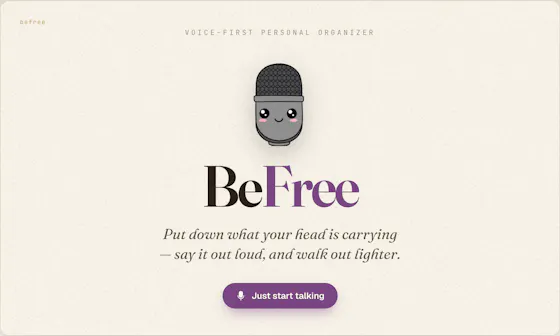
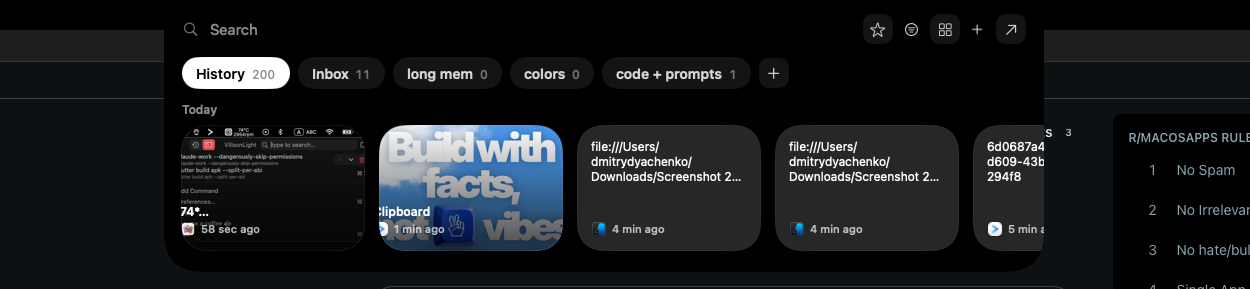
We check every product on this page once a day and record whether it still answers.
Turns physical book highlights into digital notes by scanning pages with the phone camera and local on-device AI, for readers who annotate paper books but want a digital archive.
Works offlineCan export my data
What to know▼
How it works
Local-first AI detects physical highlight marks, Apple Vision extracts text, organizes by book, exports as Markdown.
Pricing
No accounts, no internet required.
Best for
People who highlight physical books and want a searchable digital second brain.
We check every product on this page once a day and record whether it still answers.
A local, privacy-first app that uses one on-device Gemma model to capture, transcribe, search, and automate your screen and audio history.
Watch out · Requires a 4GB GPU to run.
Works offlineOpen sourceNo tracking
What to know▼
How it works
Uses one local Gemma model on-device for screen vision, audio transcription, chat, and reasoning; captures only when content changes and lets you search or chat with your screen history in plain English.
What's different
Compared against Microsoft Recall (needs $1000+ hardware) and Screenpipe (needs separate OCR + Whisper + external LLM) — this runs one local model for everything.
We check every product on this page once a day and record whether it still answers.
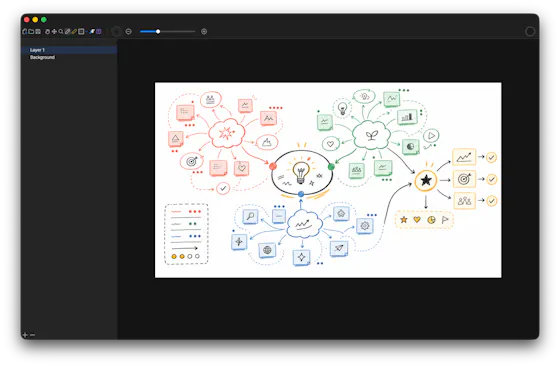
A local-first drawing and note-taking canvas for diagrams, wireframes, study sheets and rough ideas, with layers, brushes and PSD import/export — a one-time $9.99 purchase, no account needed.
No sign-upWorks offlinePay once
What to know▼
How it works
A cross-platform, local-first canvas for notes, diagrams, study sheets, wireframes and rough ideas, with pressure-sensitive brushes, layers, shapes, text, image transforms, PSD import/export, pan/zoom and keyboard shortcuts.
What's different
Files stay entirely on-device with no account, cloud workspace or subscription required.
Pricing
One-time purchase of $9.99.
Best for
People who want a full-featured drawing/note canvas without a subscription or cloud account.
We check every product on this page once a day and record whether it still answers.
Transcribes short voice notes on-device into pattern dashboards, fully offline; data syncs end-to-end encrypted across devices, and you can plug in a local MCP server for your own AI agents.
Works offlineCan export my data
What to know▼
How it works
You speak a short voice note, it's transcribed on-device, and an offline dashboard surfaces patterns over time — repetition, distribution, spikes, changes, and correlations. Data syncs end-to-end encrypted across devices with keys you control, and can be exported/imported or connected to a local MCP server for your own agents to analyze.
What's different
Transcription and analysis happen entirely on-device with end-to-end encrypted sync, and data can be exported anytime to avoid lock-in.
Best for
People who want to track personal patterns from quick voice notes without their data leaving their control.
We check every product on this page once a day and record whether it still answers.
An open-source encrypted note-taking PWA that encrypts notes client-side before sync, for people who want their notes unreadable to the server even in the cloud.
Works offlineData stays with youOpen source
What to know▼
How it works
Notes encrypted in-browser with Argon2id + AES-256-GCM before leaving the device; only ciphertext reaches the server.
What's different
Works offline across devices while staying private.
We check every product on this page once a day and record whether it still answers.
A local-first Mac library for saved clipboard text, links, images, and files, accessible via a global picker instead of scattered clipboard managers.
Works offline
What to know▼
How it works
Organizes saved items by project and tag; retrieve via Quick Picker, menu bar, Spotlight, or macOS Services; reads clipboard only when explicitly saved.
What's different
Content stays on the Mac by default; explicit-save model avoids passive clipboard capture.
Pricing
Pro tier adds unlimited saving and optional private iCloud sync.
We check every product on this page once a day and record whether it still answers.
Local markdown note-taking app that stores notes as plain .md files on disk for people who want to own their data, instead of a cloud-locked notes app.
Works offline
What to know▼
How it works
Stores notes as plain text .md files directly on disk; you choose your own sync method or stay fully offline.
Best for
People who want full control of their note files rather than relying on a vendor's cloud storage.
We check every product on this page once a day and record whether it still answers.
An on-device Mac app that reads your screen to build a searchable memory of what you saw, chase reminders, and track changes, instead of a cloud note-taking or reminder app.
Watch out · Mac only; delivers one quiet 9 PM summary each day.
Works offline
What to know▼
How it works
Reads your screen text on-device, remembers it, catches promises like 'I'll send it Friday' and reminds you, answers 'what changed since Tuesday?', and searches by meaning; fills forms from saved details (never passwords).
What's different
Fully private — screenshots are never saved, only extracted text stays on the Mac.
Watch out
Mac only; delivers one quiet 9 PM summary each day.
We check every product on this page once a day and record whether it still answers.
A local-first app combining document scanning, PDF tools, notes, expense tracking, and reminders that mostly works offline without an account.
Works offlineData stays with you
What to know▼
How it works
Combines document scanning, PDF tools, multi-format document reading, notes, expense tracking, reminders, weather, QR generation, and photo compression, with most features working offline and no account required.
What's different
Built to replace multiple everyday apps with one experience.
We check every product on this page once a day and record whether it still answers.
A local-first, desktop-OS-style knowledge workspace (notes, database, graph, whiteboard, browser) with an encrypted, owned vault, instead of scattering data across separate cloud apps.
Works offline
What to know▼
How it works
Electron shell hosts sandboxed apps sharing one data layer (Block Protocol, Yjs CRDTs, Lexical); encrypted vault syncs across devices, editable offline
We check every product on this page once a day and record whether it still answers.
A lightning-fast offline note capture popup (hotkey-triggered, opens in 20ms) for jotting quick thoughts before moving them into Notion or Obsidian, instead of fighting the friction of a full note app.
FreeNo sign-upWorks offline
What to know▼
How it works
Win+Alt+O opens a popup in under 20ms; stays in system tray, no internet or account needed
Best for
People who need to dump quick thoughts without loading a full note-taking app
We check every product on this page once a day and record whether it still answers.
A native macOS clipboard manager that lets you search your entire copy history by meaning and OCR text out of screenshots, instead of cloud clipboard tools that leave your Mac.
No sign-upWorks offline
What to know▼
How it works
Search by meaning, OCR screenshots, reusable snippets, Stack & Slots organization, built-in dev tools.
We check every product on this page once a day and record whether it still answers.
Turns a photographed book page into a saved highlight with an on-device AI reflection, keeping everything local to the device and iCloud instead of a server.
Works offline
What to know▼
How it works
Photograph a page, OCR extracts it, and an on-device AI (Murphy) writes a reflection on the saved sentence.
What's different
Nothing touches external servers; backup is to the user's own iCloud only.
Best for
iOS 26 users who want quiet, private reading highlights.
We check every product on this page once a day and record whether it still answers.
A notes app for iPhone, iPad, and Mac that records and transcribes on-device, then turns meeting audio and handwritten notes into structured minutes with decisions and to-dos you approve as diffs.
FreeWorks offlineData stays with you
What to know▼
How it works
On-device transcription keeps audio local; AI restructures transcripts into minutes with editable, diff-based approval.
Pricing
Recording, transcription, and search are free; cloud AI features require Pro.
We check every product on this page once a day and record whether it still answers.
An offline AI chat companion that runs fully on-device with no account, cloud sync or ads — explicitly not a therapist or productivity tool, just a private space to think out loud.
No sign-upWorks offlineNo ads
What to know▼
How it works
An AI chat companion that runs entirely on-device for calm, private conversations, with no registration, cloud connection, or internet needed; it remembers past conversations and adapts over time.
What's different
Explicitly not positioned as a therapist or productivity tool — it's built to just be a quiet, non-judgmental presence, with no ads or notifications.
Best for
People who want a private space to think out loud without their conversations leaving their device.
We check every product on this page once a day and record whether it still answers.
A private, on-device notebook for remembering personal details about the people in your life, instead of repurposing a work CRM for personal relationships.
Watch out · Personal details stay on-device by default, protected by biometrics, with optional backup to your own cloud account.
Works offline
What to know▼
How it works
Keeps sizes, allergies, favorite things, dates, relationships, and notes about people in your life in one place, with 100+ built-in fields; Pick a Question offers 323 curated prompts.
What's different
A private notebook for remembering people, not a CRM for managing them.
Watch out
Personal details stay on-device by default, protected by biometrics, with optional backup to your own cloud account.
We check every product on this page once a day and record whether it still answers.
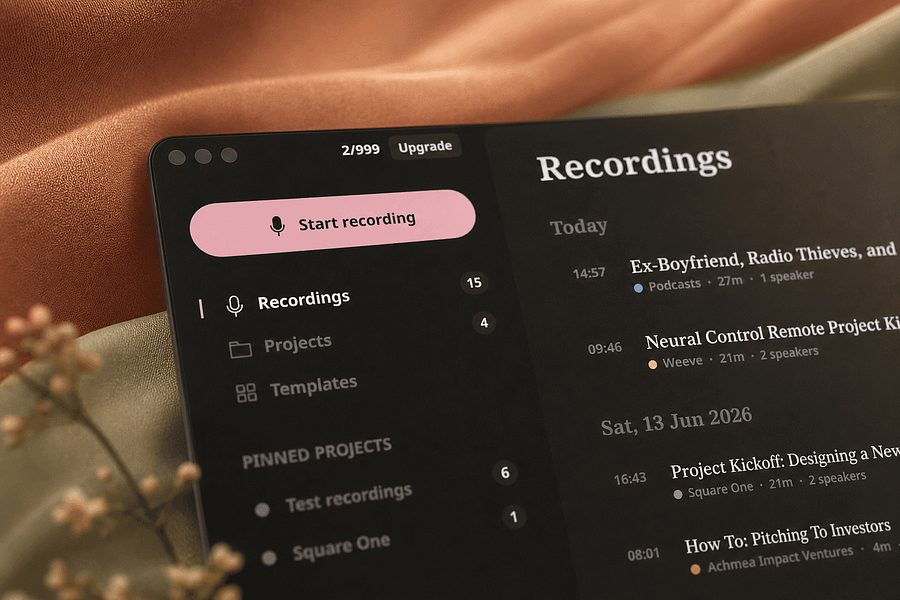
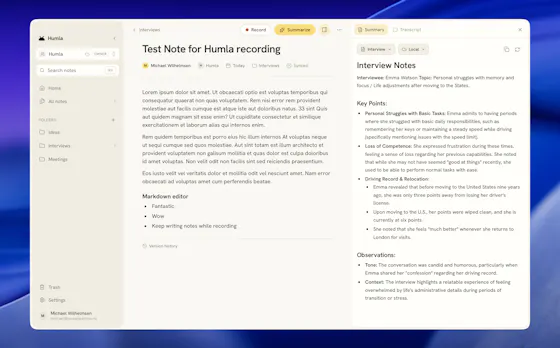
A Mac app that records and transcribes meetings entirely on-device, no bot joins the call. Free and open source, with optional cloud or self-hosted sync for teams.
FreeWorks offlineOpen source
What to know▼
How it works
Records mic and call audio directly through macOS with no bot joining the meeting, then transcribes, labels speakers, and writes a summary that fuses your notes with the transcript. Runs fully on-device using Whisper on Apple Silicon, or with your own AI key.
What's different
No bot joins the call, and it can run entirely on-device with local SQLite storage and no telemetry.
Pricing
Free and MIT-licensed, with optional paid team sync via Humla Cloud or self-hosting.
Best for
Mac users who want private, on-device meeting transcription without a bot joining their calls.
We check every product on this page once a day and record whether it still answers.
An AI study app that turns uploaded notes into flashcards, quizzes, summaries and podcasts from one workspace.
Works offline
What to know▼
How it works
Turns one uploaded set of notes into flashcards, quizzes, summaries and podcasts within organized workspaces, with spaced repetition, offline mobile access and Anki import.
What's different
Combines what Quizlet, Anki and NotebookLM each do separately into one upload.
We check every product on this page once a day and record whether it still answers.
Saves screenshots and shared content from any app into one categorized, on-device library using Apple Intelligence.
Watch out · Relies on on-device Apple Intelligence.
No sign-upWorks offlineNo subscription
What to know▼
How it works
Lets you share content from any app's share sheet into one place — title and image are grabbed automatically, and on-device Apple Intelligence sorts it into a category; browse by category, add tags, or use 'Daily Review' to resurface saves.
We check every product on this page once a day and record whether it still answers.
Mac menu-bar quick-access vault for keys, snippets and personal details, searchable on-device with nothing synced off the machine.
Watch out · 100% local — nothing leaves your Mac.
Works offline
What to know▼
How it works
Lives in the Mac menu bar; a hotkey opens a panel of named compartments (phone, API keys, bank details, snippets) where typing and pressing return copies the value, with on-device AI search by meaning.
We check every product on this page once a day and record whether it still answers.
A native Windows overlay app that combines clipboard history, encrypted clips, and other utilities in one hotkey-accessible tool, aimed at power users who want to stop juggling separate apps.
Watch out · Runs locally with no cloud sync — clips stay on one machine unless the app supports cross-device sync elsewhere.
FreeNo sign-upWorks offline
What to know▼
How it works
A native Windows overlay app that bundles five tools into one hotkey-accessible panel: clipboard history search, text-expansion snippets, screen capture with OCR, and others.
What's different
Combines multiple utilities (clipboard manager, text expander, screen capture) into one unified overlay instead of running them as separate apps.
Pricing
Free.
Best for
Windows power users who currently juggle separate clipboard, snippet, and screenshot tools.
Watch out
Runs locally with no cloud sync — clips stay on one machine unless the app supports cross-device sync elsewhere.
We check every product on this page once a day and record whether it still answers.
A local-first, self-hostable, open-source notes app with semantic search, autonomous research agents, and voice notes, where data never leaves the user's machine unless they choose to share it.
Watch out · Requires self-hosting, so it needs technical setup compared to a hosted notes app.
Works offlineData stays with youOpen source
What to know▼
How it works
Stores notes locally and adds semantic search, ReAct agents, cited deep research, voice notes, and financial analysis on top, all self-hosted and MIT licensed.
Best for
Technical users who want an AI-augmented notes app without sending their data to the cloud.
Watch out
Requires self-hosting, so it needs technical setup compared to a hosted notes app.
We check every product on this page once a day and record whether it still answers.
Records meetings on Mac and generates transcripts, summaries and live translated subtitles, entirely on-device. Dictation is free forever; the full meeting workflow costs a one-time $49.
Watch out · Requires macOS 26 on Apple Silicon, so it won't run on older Macs or other operating systems.
FreeNo sign-upWorks offline
What to know▼
How it works
Records meetings and produces transcripts and summaries entirely on-device, with nothing sent to the cloud; it also shows live subtitles with translation while recording, and offers push-to-talk dictation usable in any app.
What's different
Continues working with Wi-Fi off and requires no bot joining the call, since everything runs on-device.
Pricing
Dictation is free forever; the full meeting workflow is a one-time $49 purchase. No account or subscription required.
Best for
Mac users who want private, on-device meeting notes without a cloud service.
Watch out
Requires macOS 26 on Apple Silicon, so it won't run on older Macs or other operating systems.
We check every product on this page once a day and record whether it still answers.
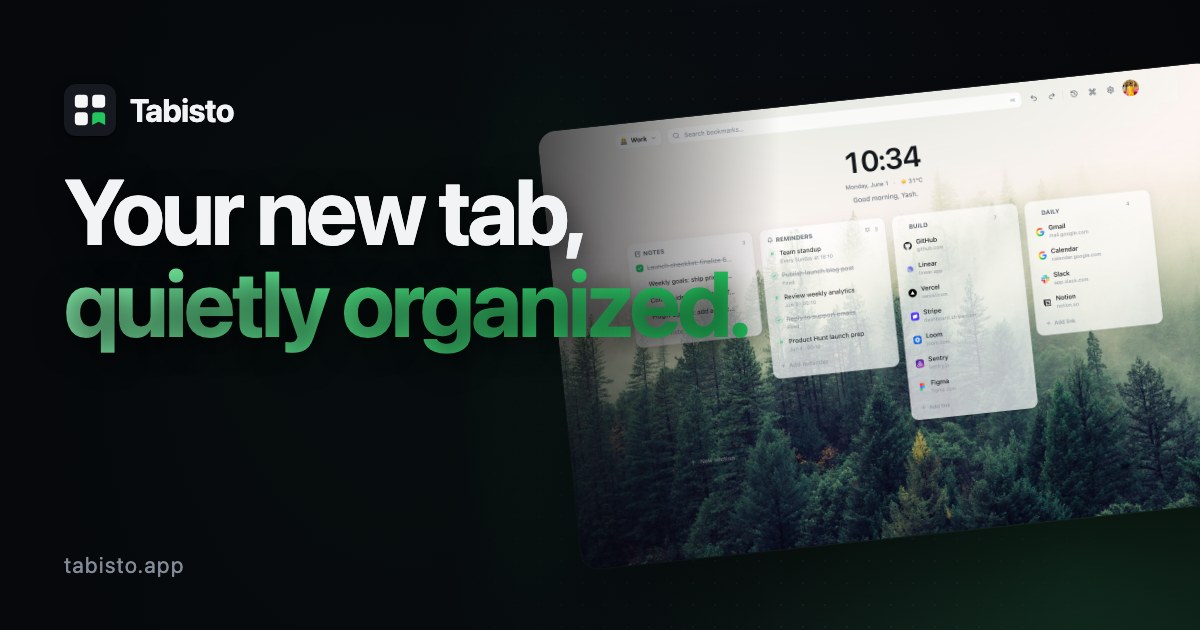
A browser new-tab replacement with visual bookmarks, workspaces, and notes that stores data locally instead of in the cloud, for people who want a private, local-first browsing dashboard.
Works offline
What to know▼
How it works
Replaces the browser new-tab page with visual bookmarks, workspaces, notes, and session saving; data is stored locally.
We check every product on this page once a day and record whether it still answers.
A minimalist note-taking and outlining app with infinitely nested lists, kanban boards, tags, and real-time sync, for organizing ideas, projects, and tasks alone or with a team.
Works offline
What to know▼
How it works
Infinitely nested outline lists plus kanban boards, tags, real-time sync, offline support, and search.
Best for
Individuals or teams managing everything from simple to-do lists to complex knowledge bases.
We check every product on this page once a day and record whether it still answers.
A local-first note-taking app built on plain Markdown files with a linked graph view and a large plugin ecosystem — your notes stay on your device.
Works offlineCan export my data
What to know▼
How it works
A local-first note-taking app built on plain Markdown files, with a graph view for visualizing links between notes and a plugin/theme ecosystem for customizing the workflow.
What's different
Notes stay as portable, private Markdown files on your device rather than living in a proprietary cloud format.
Best for
People who want a linked, offline-first notebook they fully own and can customize with community plugins.
We check every product on this page once a day and record whether it still answers.
Open-source notes and to-do app with end-to-end encrypted sync and offline access, aimed at privacy-conscious users generally rather than developers specifically.
Works offlineOpen source
What to know▼
How it works
An open-source note-taking and task management app with rich notes, to-dos, notebooks, and multimedia documents.
What's different
End-to-end encryption, offline-first access, Markdown support, OCR search, and cross-platform sync while keeping full control of your data.
Best for
Privacy-conscious users who want productivity features without giving up control of their data.
We check every product on this page once a day and record whether it still answers.
A local-first desktop AI assistant for macOS with memory, agent delegation and MCP tool support, working with multiple external AI providers rather than being fully offline.
Works offline
What to know▼
How it works
A local-first desktop AI assistant for macOS with semantic memory, agent delegation, slash-command skills, and MCP tool support, connecting to multiple external AI providers.
What's different
Runs locally with a native-feeling macOS interface while still supporting multiple AI providers and MCP tools, rather than being tied to one vendor.
Best for
macOS users who want a desktop AI assistant with persistent memory and MCP tool access rather than a browser-based chat.
We check every product on this page once a day and record whether it still answers.
A local-first iPhone app for logging where you've stored physical items (with photos and notes) so you can search for them later instead of searching your house.
No sign-upWorks offline
What to know▼
How it works
Save an item's location with notes, tags, and a photo, then search later
What's different
No account, ads, analytics, or tracking
Pricing
Free for up to 10 items; subscription unlocks unlimited items and iCloud sync
We check every product on this page once a day and record whether it still answers.
Records, transcribes and summarizes voice notes entirely on-device for iPhone, with speaker labels and live translation, for privacy-conscious note-takers.
Works offlineNo tracking
What to know▼
How it works
On-device AI transcription and summarization, no server upload
We check every product on this page once a day and record whether it still answers.
Turns your Android phone into a self-hosted MCP server so AI assistants like Claude, Cursor or Perplexity can pull your personal memory without sending data to the cloud. Aimed at developers already using MCP-compatible tools.
Watch out · Relies on a relay tunnel (relay.memplato.com) and requires Termux running on the phone, with a watchdog to restart the server if the phone reboots or Termux closes.
Works offlineData stays with youOpen source
What to know▼
How it works
Turns an Android phone into a self-hosted MCP (Model Context Protocol) server by installing a Python MCP server inside Termux, with a secure tunnel giving the phone a stable public HTTPS URL that AI clients like Claude, Cursor or Perplexity can connect to for persistent memory.
What's different
Data is stored locally on the user's own phone instead of a vendor's cloud, with no subscription or vendor lock-in.
Pricing
No subscription.
Best for
Developers already using MCP-compatible AI tools who want to own their memory data instead of storing it in the cloud.
Watch out
Relies on a relay tunnel (relay.memplato.com) and requires Termux running on the phone, with a watchdog to restart the server if the phone reboots or Termux closes.
We check every product on this page once a day and record whether it still answers.
An end-to-end encrypted notes, tasks and calendar app with an offline mode - E2EE means your data still syncs to their servers, just encrypted, not that nothing leaves your device.
Watch out · End-to-end encrypted still means data syncs to their servers — just encrypted, not that it stays only on your device.
Works offline
What to know▼
How it works
Combines notes, tasks and calendar in one native app per platform with end-to-end encryption and an offline mode.
What's different
Native builds per platform rather than a shared web wrapper, aimed at speed and battery life.
Watch out
End-to-end encrypted still means data syncs to their servers — just encrypted, not that it stays only on your device.
We check every product on this page once a day and record whether it still answers.
Speak a messy brain dump and it sorts the pieces into tasks, reminders, calendar events and notes. Captures offline on iPhone and syncs to the web; free forever with a paid Pro tier.
FreeWorks offline
What to know▼
How it works
Speak a messy brain dump and it sorts the pieces into tasks, reminders, calendar events, grocery items and notes automatically; captures offline and syncs across iPhone and web.
What's different
No forms or manual sorting — the AI decides where each piece of the brain dump belongs.
Pricing
Free forever; Pro is $49.99/yr or $6.99/mo with a 7-day trial.
Best for
People who want to offload scattered thoughts by voice instead of manually filing them into separate apps.
We check every product on this page once a day and record whether it still answers.
Pulls your Kindle highlights into a searchable local library and can sync them to Notion or Obsidian - a one-time purchase for readers who want to actually use their highlights.
Works offlinePay onceNo subscription
What to know▼
How it works
Pulls the highlights and notes you've made on Kindle into a searchable, browsable local library, with quote cards, 'on this day' resurfacing, and reading stats.
What's different
No cloud account needed, and auto-syncs to Notion (with Genre/Rating/Status columns and cover art) or an Obsidian vault.
Pricing
One-time purchase, no subscription.
Best for
Readers who want to actually revisit and use the highlights they've made on Kindle.
We check every product on this page once a day and record whether it still answers.
A Mac notebook app that stores everything as plain local files and lets you plug in any AI model, including offline ones, instead of a locked-in cloud AI.
Watch out · Built solo by one developer, early stage.
Works offline
What to know▼
How it works
Notes are saved as plain files on your Mac; you can point it at Claude, other cloud AIs, or a local offline model.
What's different
Not locked to one AI provider's cloud.
Best for
Mac users who want AI-assisted notes without their data or AI choice being locked to one company.
We check every product on this page once a day and record whether it still answers.
A small Chrome extension that saves highlighted text from ChatGPT or Claude chats to a local Markdown file — a capture companion for those chats, not a replacement for them.
Works offline
What to know▼
How it works
A Chrome extension: highlight text in a Claude or ChatGPT chat, hit Save, and it's written to a local Markdown file.
What's different
No cloud, no accounts, no dialogs — saves directly to a local file rather than a hosted archive.
Best for
People who want to keep highlighted snippets from AI chats without leaving the chat interface.
We check every product on this page once a day and record whether it still answers.
A cross-platform clipboard manager with full history, search and secret masking for anyone who copy-pastes constantly - handy for developers managing API keys, but useful for any heavy copy-paste workflow.
No sign-upWorks offlineOpen source
What to know▼
How it works
Remembers everything you copy - text, images, files - across macOS, Windows and Linux, with full-text search, a paste stack, secret masking with encryption, and smart auto-grouping.
What's different
Runs 100% locally with no account, and is open source.
Pricing
Not stated beyond being open source.
Best for
Developers and anyone who copy-pastes constantly, including people managing API keys via clipboard.
We check every product on this page once a day and record whether it still answers.
A structured writing workspace for authors to organize characters, plots, locations and scenes across a novel, screenplay or story universe, usable online or offline. Built for fiction writers, not general business use.
Works offline
What to know▼
How it works
A writing workspace where characters, plots, locations, and scenes are connected in one workspace, usable online or offline.
What's different
Built specifically for structuring fiction — novels, screenplays, or complex story universes — rather than general note-taking.
Best for
Fiction writers planning novels, screenplays, or visual novels who want their worldbuilding organized in one place.
We check every product on this page once a day and record whether it still answers.
12 free single-file HTML tools (notes, invoicing, a CRM, snippets and more) that run in your browser or fully offline, with no account, login or data sent anywhere.
No sign-upWorks offlineNo subscription
What to know▼
How it works
12 single-file HTML tools — including a list app, notes, database, Markdown editor, URL builder, invoice tool, onboarding, outliner, snippets, stickies, deck and CRM — that you open directly as an HTML file; data saves to your browser or you can download and run them offline.
What's different
No subscriptions, logins, or data sent anywhere — each tool is a standalone HTML file you can keep and run forever.
Pricing
Free.
Best for
Small business owners, freelancers and solo operators who want simple tools without accounts or cloud dependence.
We check every product on this page once a day and record whether it still answers.
A local-first productivity app for developers that tracks projects, tasks, meetings, and notes with no cloud and no subscription, instead of handing that data to a hosted service.
Works offline
What to know▼
How it works
Markdown notes with tags and full-text search, a command palette, meeting scripts with templates, and full source code (Vue 3 + Express + SQLite) so you own the tool.
What's different
Single-user local app with no sync or cloud account — data lives in a local SQLite database.
We check every product on this page once a day and record whether it still answers.
A local-first clipboard and screenshot manager for Mac that keeps a searchable visual history of everything you copy, tagged by source app and time.
Works offlinePay onceNo subscription
What to know▼
How it works
A local-first clipboard and screenshot manager for Mac that keeps a searchable visual history of everything copied, tagged by source app and time, accessible from a menu-bar dropdown. Colors show as live swatches, screenshots are searchable by the text inside them, and sensitive items like passwords are detected and skipped.
What's different
Fully offline with nothing synced to a server, versus clipboard tools that rely on cloud sync.
Pricing
One-time purchase with lifetime updates, no subscription.
Best for
Mac users who want quick access to clipboard and screenshot history without cloud storage.
We check every product on this page once a day and record whether it still answers.
An offline, no-signup medication reminder for families, storing everything locally with dose confirmations and low-stock refill alerts; free on Android.
Watch out · Android-only.
FreeNo sign-upWorks offline
What to know▼
How it works
An offline medication tracker with no account required, storing data in a local SQLite database, with haptic dose confirmations, family profiles, and automatic low-stock refill alerts.
Pricing
Free on Android.
Best for
Families who want to track medications for multiple people without a cloud account.
We check every product on this page once a day and record whether it still answers.
On-device AI dictation and meeting notetaker for Mac and iOS that works offline without an account.
Watch out · Windows and Android support are coming soon, not yet available.
FreeNo sign-upWorks offline
What to know▼
How it works
Runs 100% on-device using Gemma and Whisper for push-to-talk dictation into any app, live meeting transcripts, AI rewriting, and asking questions across notes.
What's different
No cloud, no account, no subscription.
Pricing
Free for macOS and iOS.
Watch out
Windows and Android support are coming soon, not yet available.
We check every product on this page once a day and record whether it still answers.
A local-first notebook combining handwriting, rich documents and PDF markup in one workspace, for students and professionals tired of juggling multiple note apps.
Works offlineData stays with youNo ads
What to know▼
How it works
A local-first notebook combining handwriting (ink, pens, highlighters, shapes, lasso selection), rich text boxes, tables, images, audio memos, and PDF import with searchable text, all on a multi-page canvas organized with folders and tags.
What's different
Combines handwriting, structured documents and PDF markup in one workspace instead of forcing a choice between separate apps, without ads or tracking SDKs.
Best for
Students, professionals and creators who currently juggle multiple note apps and want handwriting, documents and PDF annotation in one place.
We check every product on this page once a day and record whether it still answers.
AI meeting notes and prep built specifically for manager 1:1s, offline-first and privacy-focused for sensitive leadership conversations rather than general note-taking.
Works offlineData stays with you
What to know▼
How it works
Helps managers prepare for and run 1:1s — capture handwritten or text notes, generate structured AI summaries, and track follow-ups.
What's different
Built specifically for manager 1:1s with a privacy-first, offline-first approach for sensitive leadership conversations, unlike generic note-taking apps.
Best for
Managers and team leads who want private prep and notes for direct-report conversations.
We check every product on this page once a day and record whether it still answers.
A macOS dictation app that inserts transcribed speech into any app via a hotkey; free local transcription through Apple Speech, with paid higher-accuracy and AI formatting options.
FreeWorks offline
What to know▼
How it works
A macOS dictation app: press a hotkey, speak, and the transcribed text is inserted directly into whatever app is active. Optional AI templates can then reformat the transcript into meeting notes, action items, summaries or to-do lists.
What's different
Supports both free local transcription via Apple Speech and higher-accuracy transcription via OpenAI Whisper, letting users choose speed/privacy versus accuracy.
Pricing
Free local dictation through Apple Speech; higher-accuracy Whisper transcription and AI formatting are paid options.
Best for
macOS users who want to dictate notes, emails or meeting summaries directly into any app without breaking their workflow.
We check every product on this page once a day and record whether it still answers.
A Mac clipboard history tool that keeps text, images, colors and file paths stored locally, with no cloud sync and no subscription fee.
Works offlineNo subscription
What to know▼
How it works
A Mac clipboard history app that saves copied text, links, images, screenshots, colors and file paths, then lets you search and paste them back with a global shortcut and numbered quick paste.
Pricing
No subscription.
Best for
Mac users who want clipboard history stored locally without syncing to the cloud.
We check every product on this page once a day and record whether it still answers.
Turns screenshots from textbooks, lectures, websites and chats into organized, searchable study notes — on-device text extraction, summaries and key points, source image plus OCR text kept together, save from any app via Shortcuts.