We check every product on this page once a day and record whether it still answers.
A transcription tool for YouTube videos that falls back to transcribing the audio when captions aren't available, giving clean text from a link with no signup.
No sign-up
What to know▼
How it works
Uses existing captions when present, otherwise transcribes the audio track directly.
We check every product on this page once a day and record whether it still answers.
A free, fully on-device meeting note-taker that transcribes and blends your typed notes without ever sending audio to the cloud or requiring an account, unlike most paid cloud notetakers.
FreeNo sign-upWorks offline
What to know▼
How it works
On-device transcription blended with your typed notes into a write-up; optional bring-your-own model key or fully offline.
What's different
Most competitors still upload audio to their cloud and cost $18+/mo; this doesn't and is free.
We check every product on this page once a day and record whether it still answers.
A Mac dictation tool that turns speech into clean text anywhere via a hotkey, with recognition running locally, evolving into an on-device AI assistant you can hand tasks to. No cloud or account required.
FreeNo sign-upWorks offline
What to know▼
How it works
Hold a key, speak a sentence, and it appears as text in any Mac app; select existing text, press a key, and say what's wrong with it to have it rewritten in place. Speech recognition runs entirely on the Mac.
What's different
No audio ever leaves the device -- recognition and rewriting both run locally.
Pricing
Free trial.
Best for
Mac users who think faster than they type and want to dictate or fix text without leaving their current app.
We check every product on this page once a day and record whether it still answers.
A free browser-based typing tool for 23 languages including Hindi, Arabic, Chinese, Japanese, and Korean, offering phonetic typing, voice dictation, and on-screen keyboards without an account.
FreeNo sign-upNothing to install
What to know▼
How it works
Provides phonetic typing, voice dictation, and on-screen keyboards for 23 languages directly in the browser; text stays local.
Pricing
Free, no login.
Best for
people who need to type in a non-native-keyboard language without installing anything.
We check every product on this page once a day and record whether it still answers.
A free, ad-free, account-free podcast player spanning Apple and Android devices with smart playback and organization tools, built for daily podcast listeners rather than casual ones.
FreeNo sign-upNo ads
What to know▼
How it works
Organize episodes with lists and an Up Next queue, download with per-podcast rules, and use Smart Speed, Voice Boost, chapters, and timestamped transcripts, across iPhone, iPad, Android, Mac, Apple Watch, CarPlay, Android Auto, and web.
Pricing
Core player is free, no account, no ads or third-party trackers; optional AI tools require PulsarCast Ultra.
We check every product on this page once a day and record whether it still answers.
Free browser tool generating stylized Unicode text (superscript, small caps, bold) for bios and captions.
FreeNo sign-upNothing to install
What to know▼
How it works
Type once to get superscript, small caps, subscript, bold, and script Unicode text styles for bios, captions, and usernames, with live character and byte counts.
We check every product on this page once a day and record whether it still answers.
Browser-based MP3-to-MIDI converter with a piano roll editor for fixing AI transcription mistakes, processed locally.
FreeNo sign-up
What to know▼
How it works
Converts MP3 to MIDI with AI transcription, then lets you fix wrong notes, adjust timing, and tweak velocity in a browser piano-roll editor before downloading a clean MIDI.
We check every product on this page once a day and record whether it still answers.
Records your Mac's mic and system audio directly with no bot joining the call, and transcribes on-device so recordings never leave your machine. Free to start, no account needed.
FreeNo sign-upWorks offline
What to know▼
How it works
Records your Mac's microphone and system audio as two separate tracks at the OS level, so nothing joins the call as a bot — works in Zoom, Meet, Teams, Discord or any browser tab. Transcription runs on-device.
What's different
No bot tile appears in the meeting, so it works even where bot-based recorders are blocked, and transcripts never leave your Mac.
Pricing
Free, no account needed to start.
Best for
People in companies that block meeting-recorder bots who still want private, local transcripts.
We check every product on this page once a day and record whether it still answers.
Converts speech to text entirely on your Windows PC — no cloud, no account required, works even with WiFi off. For users who want dictation without sending audio anywhere.
No sign-upWorks offlineData stays with you
What to know▼
How it works
Converts speech to text directly on a Windows PC using one shortcut: hold, speak, release, and the text lands wherever your cursor is, in any app.
What's different
Works entirely offline with no cloud processing, no account, and no subscription — it keeps working even with WiFi off.
Pricing
One-time payment, no subscription.
Best for
Windows users who want dictation in any app (email, chat, notes, code editors) without their voice data leaving the device.
We check every product on this page once a day and record whether it still answers.
Free YouTube transcript extractor with timestamps, no sign-up, supports multiple languages. Handy for writers, students and researchers who need the text fast.
FreeNo sign-up
What to know▼
How it works
Paste a YouTube link and get the full transcript with timestamps, as clean text you can copy or download.
Pricing
Free, no sign-up, no limits.
Best for
Writers, students, and researchers who need a video's text quickly.
We check every product on this page once a day and record whether it still answers.
Generates and burns video captions entirely on your Mac using local AI, no cloud upload, no subscription, one-time purchase after a 30-day free trial.
No sign-upWorks offlinePay once
What to know▼
How it works
Generates, edits and burns video captions locally on a Mac using on-device AI, with Quick Mode for batch-processing multiple videos of mixed codecs/resolutions and Project mode for adjusting timing word by word. Supports karaoke, word-build and custom caption styles, exporting SRT, VTT, ASS, MKV or burned-in video.
What's different
Runs fully offline with no cloud upload, account or subscription, on any Apple Silicon Mac including 8GB models.
Pricing
Free 30-day trial, then a one-time purchase, no subscription.
Best for
Mac-based video creators who want captions generated and burned in without uploading footage to the cloud.
We check every product on this page once a day and record whether it still answers.
On-device AI dictation and meeting notetaker for Mac and iOS that works offline without an account.
Watch out · Windows and Android support are coming soon, not yet available.
FreeNo sign-upWorks offline
What to know▼
How it works
Runs 100% on-device using Gemma and Whisper for push-to-talk dictation into any app, live meeting transcripts, AI rewriting, and asking questions across notes.
What's different
No cloud, no account, no subscription.
Pricing
Free for macOS and iOS.
Watch out
Windows and Android support are coming soon, not yet available.
We check every product on this page once a day and record whether it still answers.
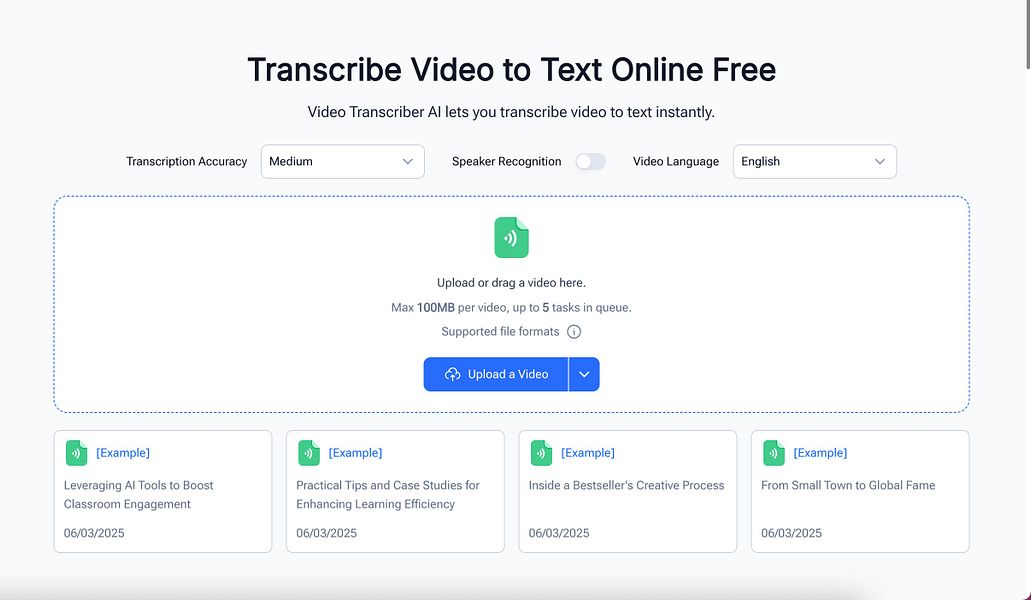
A free AI tool that transcribes video and audio files without requiring an account, for anyone who needs a quick transcript, instead of paid transcription services with usage limits.
FreeNo sign-up
What to know▼
How it works
Uploads a video or audio file and returns a transcript, no account required.