Tools that don't upload your dataI'm wasting time

65 match your filters — 63 of them answered our check today.

Watching this group for 18 days · how we check

This week16 new arrivals1 stopped answering

JobFlo

Live

An on-device job-search tracker that organizes applications and uses a 'Ghost Detector' to flag likely-fake job postings, so you don't waste time chasing dead ends. Your data stays private and isn't shared or resold.

1 rating on the App Store

Works offlineData stays with you
What to know
How it works
A native, on-device job-search tracker that organizes applications and progress, with a 'Ghost Detector' and 'Vibe Check' system to flag likely-fake job postings.
What's different
Runs on-device and keeps personal data private, never shared or resold to third parties, unlike typical cloud-based trackers.
Best for
Job seekers who want to avoid wasting time on ghost job postings while keeping their application data private.

Watched for 15 days · last checked 2d ago

Details →

A dead-simple expense tracker: type a shorthand phrase like 'coffee 12' and it's logged and categorized instantly. Data stays on your phone, with no bank linking or account required.

Domain registered 4 months ago

No sign-upData stays with youNo ads
What to know
How it works
Type a shorthand phrase like 'coffee 12' and it's instantly logged and categorized as an expense.
What's different
No bank linking, no signup and no ads — data stays on your phone rather than syncing to a server.
Pricing
No signup required.
Best for
People who want expense tracking simple enough to actually stick with, without linking a bank account.
Watch out
Because there's no bank linking, entries rely on you remembering to type them rather than automatic transaction capture.

Watched for 13 days · last checked today

Details →

Pandia

Live

Native desktop app for opening and editing multi-gigabyte JSON files instantly, for developers who hit size limits in browser-based JSON viewers.

FreeWorks offlineData stays with youOpen source
What to know
How it works
Opens huge files with no upload, shows JSON as Tree, Code, Grid, Graph, or Compare views, generates types for 9 languages.
What's different
Handles multi-gigabyte files offline where most JSON tools choke or require upload.
Pricing
Free
Watch out
Desktop-only (macOS, Windows, Linux).

Watched for 5 days · last checked today

Details →

Kaptur

Live

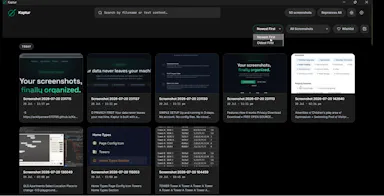
Local screenshot manager for Windows that OCRs every screenshot so you can search them by text later, with nothing uploaded to the cloud.

Works offlineData stays with you
What to know
How it works
Watches folders, extracts text via OCR, makes screenshots searchable.
What's different
100% local, no cloud upload or subscription.
Watch out
Windows only.

Watched for 5 days · last checked today

Details →

See who texts more in your WhatsApp chats, 100% private

Domain registered 20 days ago

FreeData stays with youCan export my data
What to know
How it works
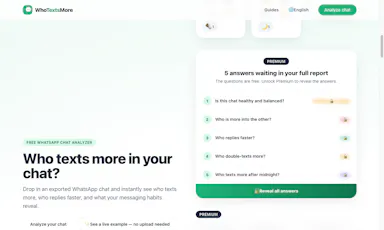
You upload a WhatsApp chat export and it instantly shows who texts more, who starts conversations, reply times, night-texting habits, and emoji stats.
What's different
Runs entirely in the browser — the chat export never leaves your device.
Pricing
Free, with a one-time premium purchase for deeper insights.
Best for
People curious about their WhatsApp chat habits who don't want to upload their conversations anywhere.

Watched for 9 days · last checked 3d ago

Details →

A free browser-based meme generator with no sign-up, watermarks or file uploads — everything is edited locally and images never leave your device.

FreeNo sign-upWorks offlineData stays with you
What to know
How it works
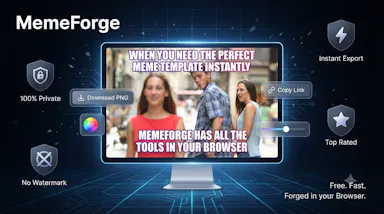
A browser-based meme generator: upload an image or paste a URL, add top and bottom text, apply one of 12 filters, and download as PNG or copy to clipboard.
What's different
No uploads to any server — everything is edited locally in the browser.
Pricing
Free, no sign-up, no watermarks, unlimited use.
Best for
Anyone who wants to make memes quickly without creating an account.

Watched for 11 days · last checked 5d ago

Details →

A mobile app that converts video to GIF entirely on-device, with no upload, watermark, or account required, and can share the result to WhatsApp, Telegram, Instagram, Reddit, or X.

No sign-upWorks offlineData stays with youNo subscription
What to know
How it works
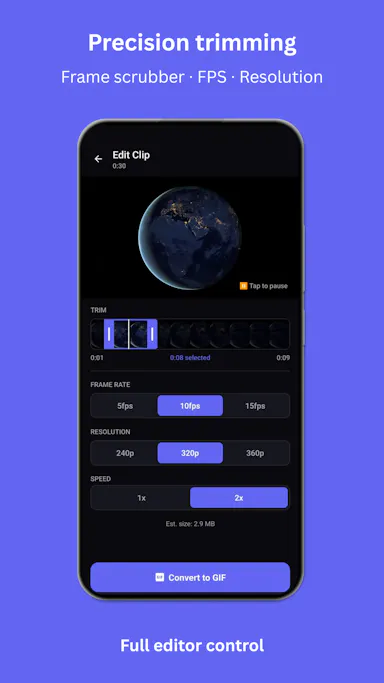
Encodes video to GIF on-device with a trim/scrubber editor and FPS/resolution/speed controls.
Pricing
One-time $2.99 premium removes ads and unlocks longer clips and higher quality; no subscription.
Best for
People converting short video clips to GIFs privately without uploading footage.

Watched for 12 days · last checked 6d ago

Details →

Paste a page and get a free instant score for whether AI answer engines like ChatGPT will cite it, with fixes. Runs in your browser, nothing uploaded.

Domain registered 10 years ago

FreeNo sign-upData stays with you
What to know
How it works
Paste a page and get a 0-100 score for whether AI answer engines (ChatGPT, Perplexity, Google AI Overviews) would cite it, measured against signals like answer-first structure, question headings, stats, tables, FAQs, and freshness, with fixes sorted by impact.
What's different
The 11 scoring weights are published on the page, making the score inspectable rather than a black box, and it runs entirely in the browser with nothing uploaded or stored.
Pricing
Free, and staying free.
Best for
SEOs and content writers trying to get their pages cited by AI answer engines.

Watched for 13 days · last checked 7d ago

Details →

SubKit

Live

An iOS/Apple Watch app that tracks subscriptions and recurring bills with local, private data and reminders to avoid surprise charges.

No sign-upWorks offlineData stays with you
What to know
How it works
Tracks subscriptions, recurring bills, and automatic payments in one dashboard with smart reminders, widgets, and Apple Watch support, storing data privately on-device.
Watch out
iOS and Apple Watch.

Watched for 8 days · last checked 8d ago

Details →

Fixes the iPhone-photo compatibility problem by converting HEIC to PNG locally in your browser, nothing uploaded to a server, no account, no app to install.

Domain registered 7 months ago

FreeNo sign-upNothing to installData stays with you
What to know
How it works
Converts HEIC photos from iPhones/iPads into PNG, JPG or WebP directly in the browser; supports batch conversion of up to 100 files at once with no file-size limits.
What's different
Conversion runs entirely on-device — photos are never uploaded to a server or stored.
Pricing
Free, no sign-up required.
Best for
People who need to convert iPhone HEIC photos for apps, websites or Windows PCs that can't open the format, without uploading personal photos.

Watched for 14 days · last checked 8d ago

Details →

A free browser tool that batch-converts HEIC/HEIF iPhone photos to JPG with no upload, account or size limit — a web tool, not an iOS app.

FreeNo sign-upData stays with you
What to know
How it works
Converts HEIC/HEIF photos to JPG entirely in the browser, with batch conversion and a ZIP download, no upload, account, or file size limit.
Pricing
Free, no account needed.
Best for
iPhone users who need to convert photos to JPG without installing an app or creating an account.

Watched for 13 days · last checked 7d ago

Details →

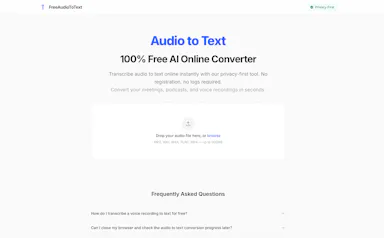
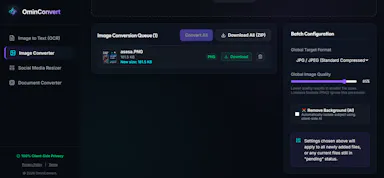
Free browser-based converters for PDFs, images and video that process files locally rather than uploading them - a general privacy-focused toolkit, not a developer-specific one.

FreeNo sign-upData stays with you
What to know
How it works
A growing collection of free tools for converting PDFs, images and video. Every conversion runs locally in the browser, so files are never uploaded to a server.
What's different
No uploads, no account, no server ever sees your files — processing happens entirely on-device.
Pricing
Free.
Best for
People who want to convert files quickly without creating an account or uploading personal documents.

Watched for 15 days · last checked 1d ago

Details →

A free, browser-based PDF and image toolkit for merging, compressing, splitting, and converting files without uploading them to a server.

Domain registered 23 days ago

FreeNo sign-upData stays with you
What to know
How it works
Runs PDF merge, compress, split, and convert operations plus image editing entirely client-side in the browser.
Pricing
Free.
Best for
People who want quick PDF or image edits without creating an account or uploading files.

Watched for 11 days · last checked 5d ago

Details →

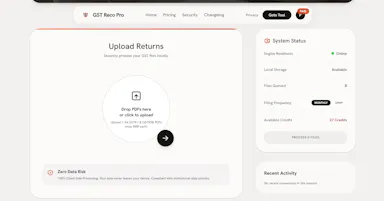
Converts GSTR-1 and GSTR-3B tax PDFs into structured Excel sheets entirely in-browser, so client tax data never leaves the accountant's machine. Built specifically for Indian CAs and tax professionals.

Data stays with you
What to know
How it works
Converts GSTR-1 and GSTR-3B tax PDFs into structured Excel sheets, processing everything client-side in the browser so no data is uploaded to a server.
What's different
100% client-side processing means sensitive client tax data never leaves the accountant's computer.
Best for
Indian CAs and tax professionals who need to bulk-extract GSTR PDF tables into Excel without exposing client data.

Watched for 18 days · last checked 2d ago

Details →

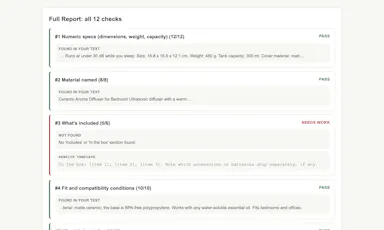
Pastes your product page text and scores it against 12 rule-based checks for the facts shoppers look for before buying — sizes, shipping, returns — entirely in-browser, no AI or signup.

No sign-upData stays with you
What to know
How it works
You paste your product page text and it runs 12 rule-based checks for facts shoppers look for before buying, such as sizes, materials, shipping, returns, and FAQ coverage, returning a 0-100 score.
What's different
Uses rule-based checks rather than AI, requires no signup, and the text never leaves your browser.
Best for
Ecommerce sellers checking whether their product pages cover the buying facts shoppers need.

Watched for 13 days · last checked 2d ago

Details →

WA+

Live

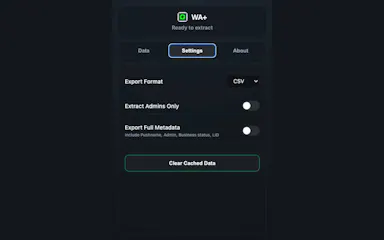
A browser extension that reads a WhatsApp Web group's member list from your browser and exports it to CSV or JSON, nothing is sent to a server.

Data stays with youCan export my data
What to know
How it works
A browser extension that reads a WhatsApp Web group's participant list directly from your browser's IndexedDB and exports it to CSV or JSON.
What's different
Runs entirely locally with no external servers, unlike other scrapers.
Best for
People who need a WhatsApp group's member list exported without uploading data anywhere.

Watched for 17 days · last checked today

Details →

Turns meeting, podcast, and video audio into structured summaries, action items, and shareable image cards, with audio processed locally and no signup needed for the free tier.

Domain registered 26 days ago

No sign-upData stays with youCan export my data
What to know
How it works
Distills meetings, podcasts, and videos into structured summaries, action items, outlines, and speaker breakdowns, and can export the summary as a shareable gradient image card.
What's different
Strips audio locally in the browser before processing, so video isn't fully uploaded to a server.
Pricing
Free tier with no sign-up required; premium features for $1.99.
Best for
People who want to turn meeting or podcast recordings into shareable summaries without a heavy upload step.

Watched for 14 days · last checked 2d ago

Details →

Splits an image into a grid or social-media tile set entirely inside your browser, so nothing gets uploaded to a server — useful if you don't want to share the file.

Domain registered 23 days ago

No sign-upWorks offlineData stays with you
What to know
How it works
Splits an image into grids, rows, columns or social-media tiles entirely in the browser, with preview per cut and export as PNG, JPG or WebP, individually or as a ZIP.
What's different
Runs locally with no uploads, so image data never leaves the device.
Best for
People who want to make grid/tile posts from an image without uploading it to a server.

Watched for 14 days · last checked 2d ago

Details →

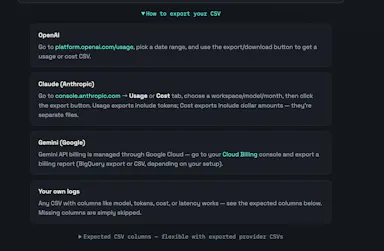
Upload your OpenAI, Claude, or Gemini usage export and it flags token waste, model overkill and failed-request costs right in your browser — no API key required, nothing uploaded to a server.

Data stays with you
What to know
How it works
Upload your OpenAI, Claude, or Gemini usage export and it finds token waste, model overkill, and failed-request cost directly in the browser.
What's different
No API key needed and nothing is uploaded to a server.
Best for
Developers and teams trying to cut down their AI API spend.

Watched for 13 days · last checked 7d ago

Details →

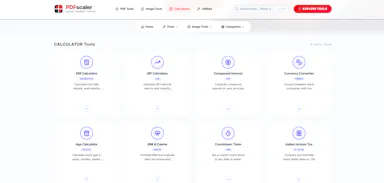
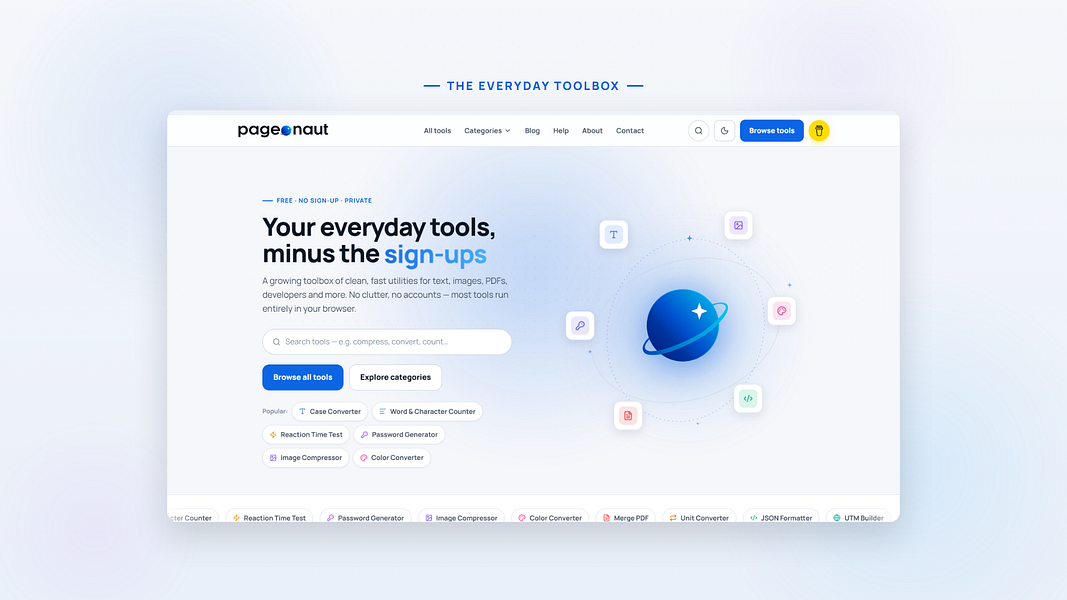
A free, no-signup collection of quick browser utilities — text, image, PDF and calculator tools plus a developer-helpers section — that mostly runs client-side so files don't leave your device.

Domain registered 9 months ago

FreeData stays with you
What to know
How it works
A growing collection of free, no-signup browser utilities for text, image, PDF, and developer tasks; most tools run entirely in the browser so files and text never leave the device, with any cloud processing clearly labeled.
What's different
Most processing happens client-side rather than uploading files to a server.
Pricing
Free.
Best for
People who need a quick one-off text, image, PDF, or dev task done without installing software or creating an account.

Watched for 10 days · last checked 10d ago

Details →

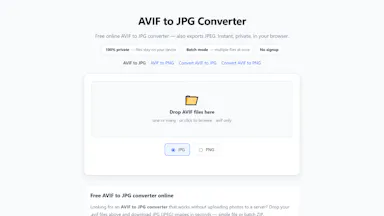
Converts AVIF images to JPG or PNG entirely in your browser with batch ZIP export — no upload or signup, handy for designers whose tools don't support AVIF.

Domain registered 1 month ago

FreeNo sign-upData stays with youCan export my data
What to know
How it works
Converts AVIF images to JPG or PNG entirely in the browser, with a batch mode that exports a ZIP of converted files.
What's different
Files never leave the device — no signup, no watermarks, no server upload.
Pricing
Free.
Best for
Designers and anyone downloading AVIF images from the web who needs JPG for email, CMS, or legacy apps.

Watched for 13 days · last checked 7d ago

Details →

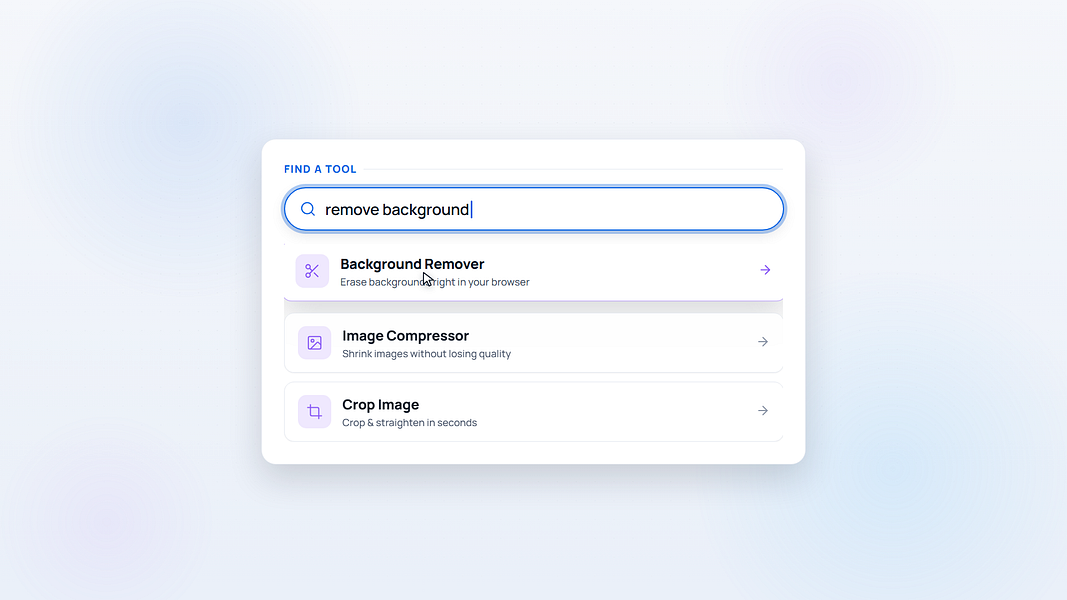
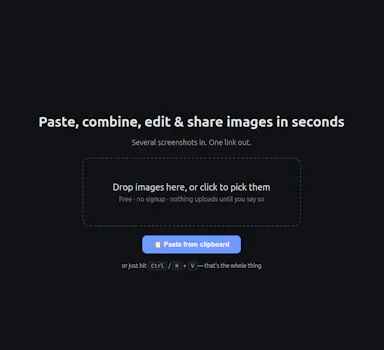
A free, no-signup screenshot editor that runs entirely in your browser with nothing uploaded, letting you paste, annotate, crop and remove backgrounds in seconds.

FreeNo sign-upData stays with you
What to know
How it works
Paste a screenshot into the browser, edit it, and get a shareable link instantly — stack multiple screenshots into one image, annotate, crop, and remove backgrounds with AI running locally.
What's different
The background-removal AI runs 100% in the browser, so images are never uploaded — full resolution with no watermark.
Pricing
Free, no signup.
Best for
People who want to quickly edit and share a screenshot without an account or upload step.

Watched for 13 days · last checked 7d ago

Details →

A Chrome extension that bulk-deletes your Instagram posts, likes, and comments locally in the browser to clean up your digital footprint.

Works offlineData stays with you
What to know
How it works
Automates bulk deletion of Instagram posts, likes, and comments entirely within the browser.
Watch out
100% local, no data uploaded.

Watched for 12 days · last checked 8d ago

Details →

A one-time-purchase bundle of 9 small offline web apps — Pomodoro timer, habit tracker, notes and more — that store everything on your device with no account needed.

No sign-upWorks offlineData stays with youPay once
What to know
How it works
A curated bundle of 9 small productivity web apps — Pomodoro timer, mood journal, markdown editor, habit tracker, water reminder, color picker, focus music player, quick notes — that install once and work fully offline.
Pricing
One-time purchase per app, $1.99–$9.99, no subscriptions.
Best for
People who want a handful of simple offline tools they own outright instead of subscribing to separate apps.

Watched for 16 days · last checked 10d ago

Details →

Lets developers clean and reformat messy JSON entirely in the browser instead of uploading sensitive client data to a server.

Data stays with youCan export my data

Watched for 1 day · last checked today

Details →

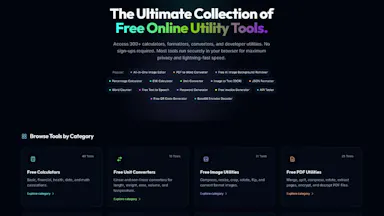
Lets people use free browser-based utility tools instead of ad-heavy sites that upload their data.

FreeNo sign-upData stays with you
What to know
Pricing
free
Watch out
launched with 14+ tools, adding more weekly

Watched for 1 day · last checked today

Details →

Converts PNG, WEBP, HEIC, AVIF, GIF, BMP, TIFF, and SVG images to JPG entirely in the browser, so files never leave the device.

FreeNothing to installData stays with you
What to know
How it works
Processes files 100% locally in the browser sandbox; nothing uploaded to servers.
Pricing
Free.

Watched for 2 days · last checked 1d ago

Details →

Counts words, characters, and reading time in a PDF entirely in the browser, instead of uploading files to a server-based tool.

FreeData stays with youCan export my data
What to know
How it works
Client-side processing; export as TXT or DOCX.
Pricing
Free.

Watched for 2 days · last checked 1d ago

Details →

Upload your Tally export and get instant accounts-receivable aging analytics, overdue invoices, collection trends, processed entirely in your browser so financial data never reaches a server. Built for accountants.

Data stays with you
What to know
How it works
You upload a Tally accounting export and it visualizes customer balances, overdue invoices, aging buckets, collection trends and receivable performance, with dynamic risk assessment for outstanding invoices.
What's different
Processes the Tally export entirely client-side, so financial data never reaches a server, avoiding expensive ERP add-ons or sharing data with third parties.
Best for
Accountants and businesses using Tally who want AR aging analytics without an ERP add-on or uploading financial data to the cloud.

Watched for 18 days · last checked 2d ago

Details →

Opens PDFs, Office files, PSDs, videos and 300+ other file formats directly in the browser without uploading them anywhere.

Domain registered 6 days ago

FreeData stays with you
What to know
How it works
Client-side file viewer supporting 300+ formats
What's different
Fully private, no upload
Pricing
Free

Watched for 4 days · last checked 2d ago

Details →

Free PDF conversion and editing tools that process files entirely in the browser so nothing gets uploaded.

FreeData stays with you
What to know
How it works
Client-side PDF conversion and editing
What's different
Files never leave your device
Pricing
Free

Watched for 4 days · last checked 2d ago

Details →

Extracts and translates text from screenshots on Mac entirely on-device, for people who don't want to upload images anywhere.

Domain registered 9 months ago

No sign-upWorks offlineData stays with youNo tracking
What to know
How it works
Uses macOS Vision locally; press a hotkey to extract text then translate/export
What's different
Runs fully local, no account or upload
Pricing
Free
Watch out
macOS only

Watched for 4 days · last checked 3d ago

Details →

Sends files and clipboard text directly between devices over encrypted peer-to-peer connections, no account or cloud storage.

Data stays with you
What to know
How it works
WebRTC transfer with end-to-end AES-256 encryption via QR code or link
What's different
No sign-up, no upload limits
Best for
quick cross-device transfers across Windows, macOS, Linux, iOS, Android

Watched for 4 days · last checked 3d ago

Details →

Privacy-first Mac desktop app that watches your screen and calls to build a private searchable journal of your work, with a daily email recap.

Domain registered 3 months ago

Data stays with you
What to know
How it works
passively records screen activity and calls, builds a searchable local journal, emails a daily recap
What's different
positioned as privacy-first (data stays local, no upload)
Best for
people who lose track of what they worked on across a busy day

Watched for 4 days · last checked 2d ago

Details →

An Android app that tracks your free trials and subscriptions on-device and reminds you before you get charged, with no account or bank connection required.

No sign-upData stays with youNo tracking
What to know
How it works
Add trials/subscriptions manually, get reminders before charges hit
What's different
No account, no bank connection, everything stays on-device

Watched for 5 days · last checked 4d ago

Details →

Nparla

Live

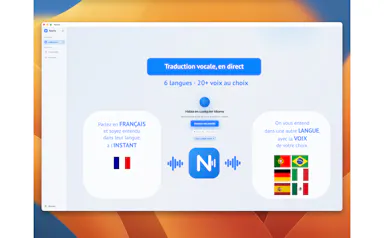
A native Mac app that translates your voice in real time during Zoom or Meet calls, entirely on-device across six languages, for a one-time purchase with no subscription.

Works offlineData stays with youPay onceNo subscription
What to know
How it works
Translates your voice in real time during calls: you speak in your language and the other person hears a natural voice in theirs, with a virtual microphone that plugs into Zoom, Google Meet and Teams.
What's different
Runs 100% on-device on Apple Silicon, so voice never leaves the Mac; supports Spanish, English, German, Italian, French and Portuguese.
Pricing
One-time purchase, no subscription.
Best for
People in international meetings who need real-time spoken translation across the six supported languages.
Watch out
Limited to six supported languages and requires Apple Silicon for the on-device processing.

Watched for 17 days · last checked 11d ago

Details →

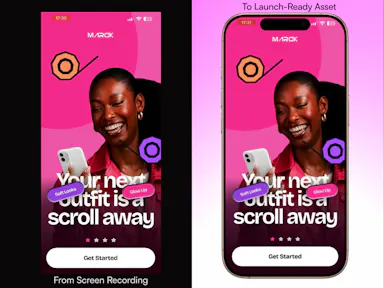
A free browser tool that turns screen recordings into polished app mockup videos with device frames and motion presets.

Domain registered 6 months ago

FreeNo sign-upData stays with you
What to know
How it works
Add device frames, motion presets, and backgrounds to screen recordings in-browser
Pricing
Free, no account, no uploads
Best for
Makers needing quick app demo videos

Watched for 6 days · last checked 5d ago

Details →

Automatically masters audio to Spotify's -14 LUFS loudness standard right in your browser, no upload or account needed — for musicians and producers self-releasing to streaming platforms.

No sign-upWorks offlineData stays with you
What to know
How it works
Drop a WAV, MP3 or FLAC file and it masters the audio to exactly -14 LUFS with -1 dBTP True Peak using deterministic DSP (ITU-R BS.1770-4), running entirely in the browser.
What's different
No server upload and no account required — processing happens 100% locally in the browser.
Best for
Musicians, producers and freelancers self-releasing tracks to Spotify, Apple Music, DistroKid, CD Baby, Tunecore or LANDR who want the loudness standard hit automatically.

Watched for 18 days · last checked 2d ago

Details →

A free, no-account, no-upload tool that generates a PDF invoice entirely in the browser for freelancers and small businesses billing clients.

Domain registered 1 month ago

FreeNo sign-upData stays with you
What to know
How it works
Generates a PDF invoice entirely client-side in the browser, letting you add a logo, pick a design and set discount/tax without uploading anything.
Pricing
Free.
Best for
Freelancers and small businesses invoicing clients who want a quick invoice with no signup.

Watched for 12 days · last checked 9d ago

Details →

A free browser-based PDF toolkit — merge, split, compress, convert to JPG — that processes everything locally so your files are never uploaded. No sign-up required.

FreeNo sign-upData stays with you
What to know
How it works
Merges, splits, compresses and converts PDFs to JPG entirely in the browser.
What's different
Files are processed locally on your device rather than uploaded to a server.
Pricing
Free, no sign-up required.
Best for
People who want to edit PDFs without uploading files to a third-party server.

Watched for 13 days · last checked 10d ago

Details →

A Chrome extension that watches web pages for changes and notifies you instead of manually refreshing, keeping your data local rather than sending it to a cloud service.

Data stays with you
What to know
How it works
A Chrome extension that watches web pages for changes in the background and sends a browser notification the moment something changes, with customizable trigger rules.
What's different
Runs quietly in the background instead of you manually refreshing pages, and keeps data local.
Best for
People tracking specific pages (like restocks or price changes) without repeatedly checking them.
Watch out
A Chrome-only extension.

Watched for 13 days · last checked 10d ago

Details →

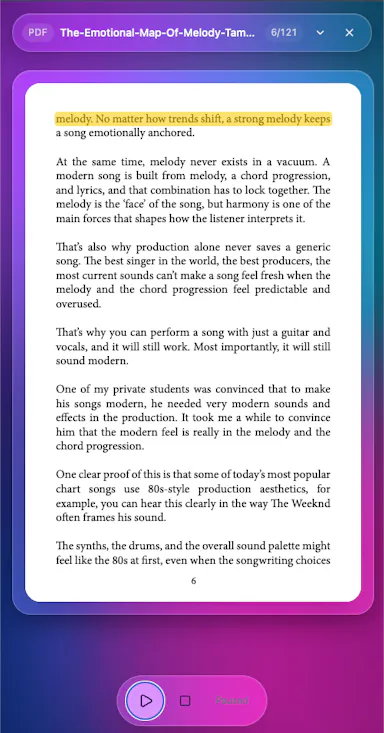
Reads any PDF, EPUB, DOCX or TXT aloud directly in your browser, with nothing uploaded, tracked, or requiring an account.

Domain registered 1 month ago

FreeNo sign-upData stays with youNo tracking
What to know
How it works
Opens a PDF, EPUB, DOCX, or TXT file and reads it aloud instantly, running entirely in the browser.
What's different
No upload, no account, and no tracking, since everything runs client-side.
Pricing
Free.
Best for
Anyone who wants a document read aloud without uploading it or creating an account.

Watched for 14 days · last checked 2d ago

Details →

A free, browser-only SEO tool that scores keyword density and flags stuffing risk down to word phrases, with nothing uploaded — built for marketers checking pages before publishing.

FreeNo sign-upNothing to installData stays with you
What to know
How it works
Checks keyword density and stuffing risk down to 1-gram, 2-gram and 3-gram phrases in the browser, with a color-coded health check and CSV export.
What's different
Runs 100% client-side, so content never leaves your device.
Pricing
Free forever, no signup, no caps.
Best for
Marketers and SEO writers checking a page for keyword stuffing before publishing.

Watched for 16 days · last checked 2d ago

Details →

Compresses video files entirely inside your browser with nothing uploaded to a server — good if you care about privacy or just want a fast, no-signup tool.

No sign-upData stays with you
What to know
How it works
Compresses video files of any format directly in the browser, with nothing uploaded to a server.
What's different
Runs entirely client-side, so files never leave your device, with no signups or watermarks.
Pricing
No mention of paid tiers — appears usable without signup.
Best for
People who want a fast, private way to compress video without uploading it anywhere.

Watched for 16 days · last checked 2d ago

Details →

A free browser-based toolkit for file conversion, OCR (including Hindi), background removal and image resizing that keeps every file on your device instead of uploading it to a server.

FreeNothing to installData stays with you
What to know
How it works
A browser-based suite of file conversion, OCR (English/Hindi), background removal and resizing tools where all processing happens locally on the device.
What's different
Files are never uploaded to a server, unlike most online converters.
Pricing
Free, no sign-ups, no monthly subscriptions, no file size limits.
Best for
Anyone needing quick file or image edits without uploading files to a third-party server.

Watched for 17 days · last checked 8d ago

Details →

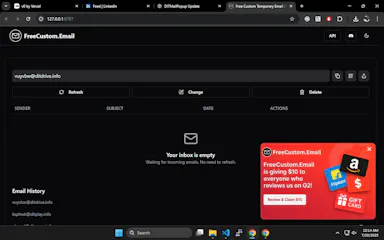
Instant, no-signup temporary email aliases with rotating domains to dodge blacklists, plus a public API for developers who want to build it into their own workflows.

FreeNo sign-upData stays with youOpen source
What to know
How it works
Creates custom, instant temporary email aliases (any inbox name) without sign-up, receiving emails in real-time from multiple rotating domains to avoid blacklists; also offers a public API and open-source frontend.
What's different
Rotating domains to avoid blacklists, plus no popups, timers, or tracking, unlike traditional temp mail tools.
Pricing
Free.
Best for
People needing disposable email for sign-up verifications or testing, and developers who want to build disposable email into their own workflows via the API.

Watched for 14 days · last checked 8d ago

Details →

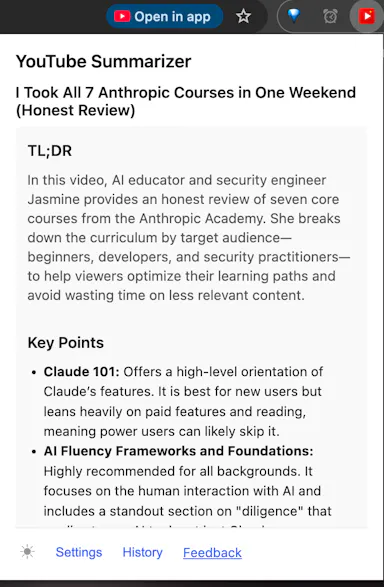
Chrome extension that summarizes YouTube videos using your own AI API key instead of a paid subscription service.

Data stays with you
What to know
How it works
Bring your own key for Gemini, OpenAI, Claude, DeepSeek, or Grok; runs as a browser extension.
What's different
No accounts or servers — your key, your data.
Best for
People who already pay for an AI API and want to avoid a separate summarizer subscription.

Watched for 5 days · last checked today

Details →

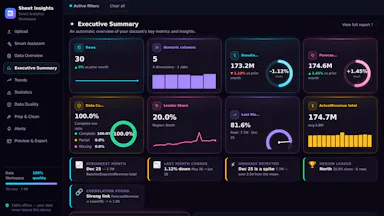
A tool that turns an Excel or CSV file into an interactive in-browser dashboard with forecasting and stats, without uploading your data anywhere.

Data stays with you
What to know
How it works
generates executive summary, trend forecasting and data cleaning entirely client-side
What's different
data never leaves your device

Watched for 5 days · last checked today

Details →

A pair of privacy-focused desktop utilities for text expansion and clipboard management.

Data stays with you
What to know
How it works
Two privacy-first desktop utilities: Snipzilla, a privacy-focused text expander, and Stashzilla, a smart clipboard manager that keeps copied items organized and searchable.
Best for
People who want fast, private tools built by one indie developer.

Watched for 9 days · last checked 6d ago

Details →

A free bundle of 332 small web utility tools pitched as secure and privacy-first, though the listing gives no detail on what each tool does or how it handles data.

FreeNo sign-upData stays with youNo ads
What to know
How it works
A bundle of 332 free web utility tools, pitched as privacy-first.
Pricing
Free.

Watched for 15 days · last checked 9d ago

Details →

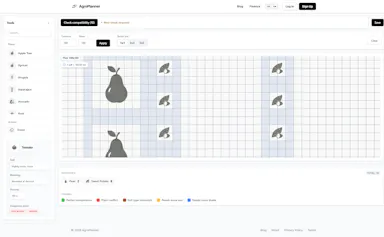
Clean garden planner and crop ROI accounting tool

Domain registered 3 months ago

Data stays with you
What to know
How it works
Lets you design a garden layout and track seasonal finances — logging crop expenses and harvest weights to calculate net profit and ROI.
What's different
Privacy-first interface aimed at replacing bloated spreadsheets for backyard farm accounting.
Best for
Backyard farmers or gardeners tracking crop costs and profit instead of using Excel.

Watched for 9 days · last checked 3d ago

Details →

A floating clipboard that lets you copy and paste text line-by-line without switching apps, handy for reading OTPs, copying data entries or working through long text files.

FreeWorks offlineData stays with you
What to know
How it works
A draggable, resizable floating window that sits over any app for copying, viewing and managing text line-by-line from the clipboard, with one-tap copy and auto-advance.
What's different
Works as an overlay across any app rather than requiring you to switch windows to copy or view data.
Pricing
Free.
Best for
Students, developers, content writers and support teams who repeatedly copy data like OTPs or entries without switching apps.

Watched for 14 days · last checked 9d ago

Details →

An offline vault app for storing passwords, notes, photos, and documents locally on-device with no account or cloud.

Domain registered 12 months ago

No sign-upWorks offlineData stays with you
What to know
How it works
An offline vault for storing passwords, notes, photos, documents, and links, protected by PIN and biometric authentication.
Watch out
Everything stays on-device — no cloud, no servers, no signup, no internet required.

Watched for 8 days · last checked 6d ago

Details →

A browser tool that rewrites text in place across Gmail, LinkedIn, Slack, and other fields in your chosen tone.

FreeNo sign-upData stays with you
What to know
How it works
Adds a click-to-rewrite AI button inside text fields you already use — Gmail, LinkedIn, Slack, job applications — letting you pick from 10 tones and get polished text in place.
Pricing
Free for 10 rewrites a day, no signup required.
Watch out
Supports 30+ languages; privacy-first processing.

Watched for 8 days · last checked 6d ago

Details →

Extracts text via OCR from scanned documents, then lets AI summarize them, flag contract risks, and translate into 51 languages — all on your Android phone.

Domain registered 4 months ago

FreeData stays with youNo subscriptionCan export my data
What to know
How it works
Scans documents on an Android phone, extracts text via OCR (Google ML Kit), and lets AI summarize them, extract key facts, flag contract risks, generate to-do lists, chat with the document, or translate into 51 languages.
What's different
Goes beyond producing a plain PDF — the AI layer analyzes and translates the scanned content directly on the device.
Pricing
Scanning and OCR are free for everyone; deeper AI features (summaries, contract-risk analysis, translation) are part of a Premium tier billed without a subscription.
Best for
Android users, including freelancers and students, who want to digitize and understand documents like invoices, contracts and notes.

Watched for 14 days · last checked 8d ago

Details →

A tool that searches your own image library using a plain-language description, with a Unity editor plugin and a REST API.

Data stays with you
What to know
How it works
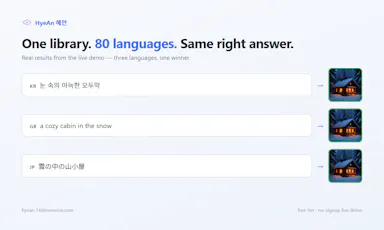
Search your own image library with a plain sentence to find matching icons or photos, in about 80 languages; a Unity editor plugin assigns matched sprites directly, and a REST API covers other integrations.
What's different
Only 256px thumbnails are indexed — originals never leave your machine.
Pricing
Free tier, flat pricing, unlimited searches.

Watched for 10 days · last checked 7d ago

Details →

A free browser tool that converts Malaysian LHDN e-invoice JSON/XML files into readable PDFs without uploading any data.

FreeNo sign-upData stays with you
What to know
How it works
Converts Malaysian LHDN MyInvois JSON and XML e-invoices into readable PDFs, supporting UBL 2.1, batch processing, TIN, and SST fields.
Pricing
Free.
Watch out
No signup; data never leaves your browser.

Watched for 10 days · last checked 7d ago

Details →

.MDPPT

Live

Converts Markdown files straight into PowerPoint slides, skipping manual copy-paste and reformatting — useful for developers writing specs, teachers prepping lecture notes, or anyone building decks.

Data stays with youCan export my data
What to know
How it works
Converts Markdown files into PowerPoint presentations, automatically splitting slides by headings (#, ##, ###) and preserving bullet points, numbered lists, and code blocks with syntax highlighting.
What's different
Processing is fully client-side, so your content never leaves your browser; exports as .pptx or .pdf.
Best for
Developers, technical writers, educators and anyone who prefers writing in Markdown but needs to present in PowerPoint.

Watched for 18 days · last checked 2d ago

Details →

Login-free file transfer tool that moves files between devices via a scanned QR code and auto-deletes them within minutes.

Domain registered 12 days ago

No sign-upData stays with you
What to know
How it works
Generates a QR code to transfer files up to 50MB between devices, no account
What's different
Files auto-delete within 5 minutes
Best for
People needing a quick, private file transfer without signups or WhatsApp

Watched for 4 days · last checked 3d ago

Details →

Ginti

Live

Reads the transaction alerts your bank already sends and turns them into categorized expenses, so you never hand over your online banking login to a budgeting app.

Domain registered 6 months ago

Data stays with you
What to know
How it works
Reads the transaction alerts your bank and payment apps already send, uses AI to extract the amount, merchant, and category, and turns each into an expense card you approve with a swipe — without connecting to your bank account.
What's different
Never requires a bank login; works from notification alerts instead, and processes/stores data on-device.
Best for
People who want automatic expense tracking without handing a budgeting app their online banking credentials.
Watch out
On iOS there's no auto-detection of bank notifications — you have to paste the alert manually into Smart Paste.

Watched for 11 days · last checked 11d ago

Details →

A password manager built on the open, KeePass-compatible KDBX format, storing logins, passkeys, cards and TOTP codes in one encrypted vault with Face ID autofill.

Domain registered 3 months ago

Data stays with youNo adsNo tracking
What to know
How it works
Stores logins, passkeys, credit cards, secure notes and TOTP codes in an encrypted vault, built on the open KDBX format compatible with KeePass and KeePassXC, with one-tap AutoFill and Face ID across iPhone, iPad, Mac, Windows and Linux.
What's different
Uses the open KDBX format instead of a proprietary vault, so you're not locked into one vendor, with zero-knowledge on-device encryption before sync.
Best for
People wanting a KeePass-compatible password vault across Apple, Windows and Linux devices without vendor lock-in.

Watched for 13 days · last checked 2d ago

Details →

Instantly compares DIY truck rental, moving container, and professional mover costs without asking for your email, so you avoid being spammed by mover sales calls.

FreeNo sign-upData stays with you
What to know
How it works
Instantly compares costs for a DIY truck rental, a moving container, and a professional mover for a move.
What's different
No sign-up or email required to see estimates, unlike most moving-quote sites that require your email to sell to mover sales teams.
Pricing
Free.
Best for
People planning a move who want to compare costs without being called by movers afterward.

Watched for 15 days · last checked 2d ago

Details →

Previews how your post or thread will actually look on LinkedIn, Instagram, SMS, or a Google meta description before you publish, a formatting check, not a scheduler.

FreeData stays with you
What to know
How it works
A set of client-side web tools that preview how a post, thread, SMS message or meta description will actually render and truncate on LinkedIn, Instagram, SMS and Google search, before you publish.
What's different
Accounts for real-world limits like LinkedIn's 'see more' cutoff, SMS encoding cost changes from emoji, and Google's pixel-width title truncation, rather than a generic character counter.
Pricing
Free.
Best for
Marketers and creators who want to catch formatting cutoffs before publishing instead of guessing.

Watched for 18 days · last checked 11d ago

Details →

25 free browser tools — no install, no signup, no ads.

FreeNo sign-upNothing to installData stays with you

First seen today

Details →

Calsera AI

Not responding

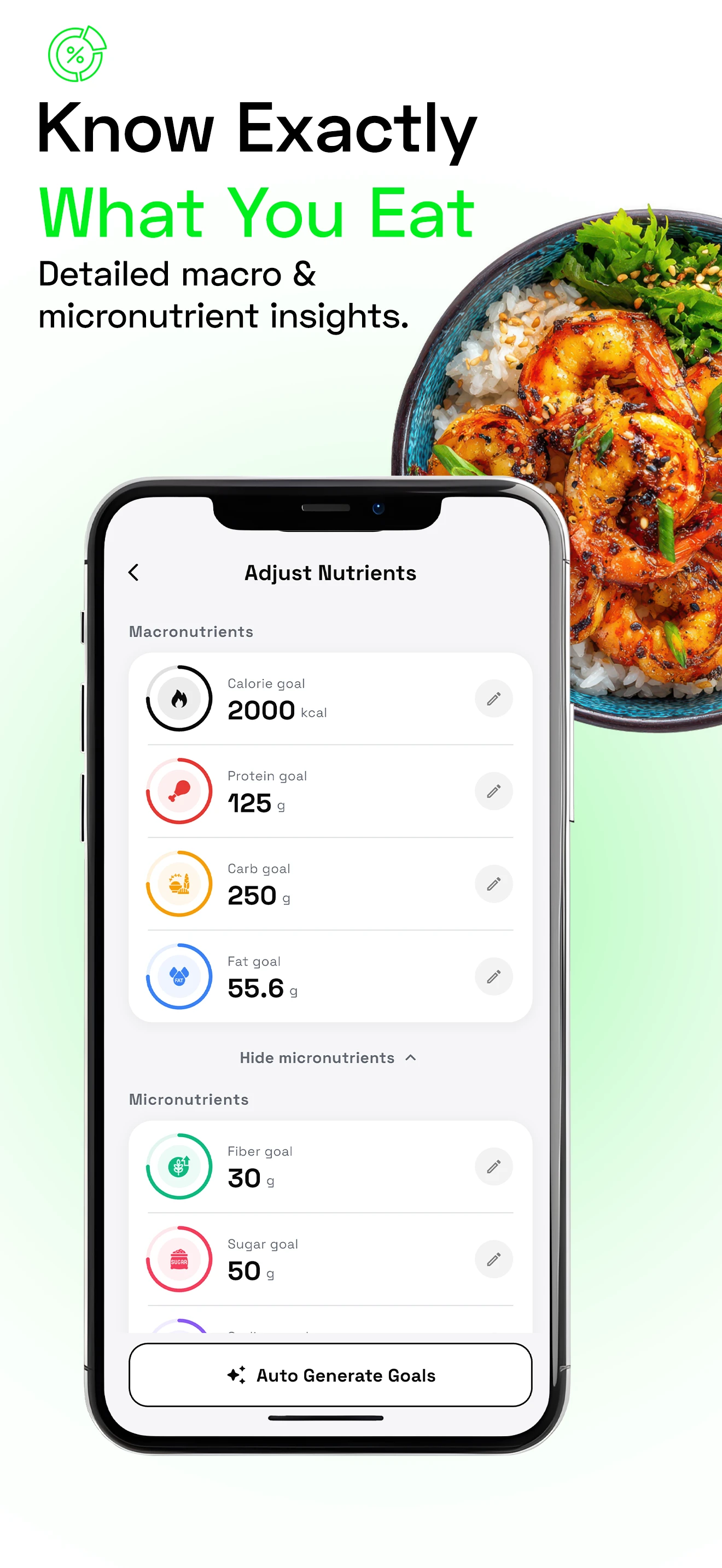
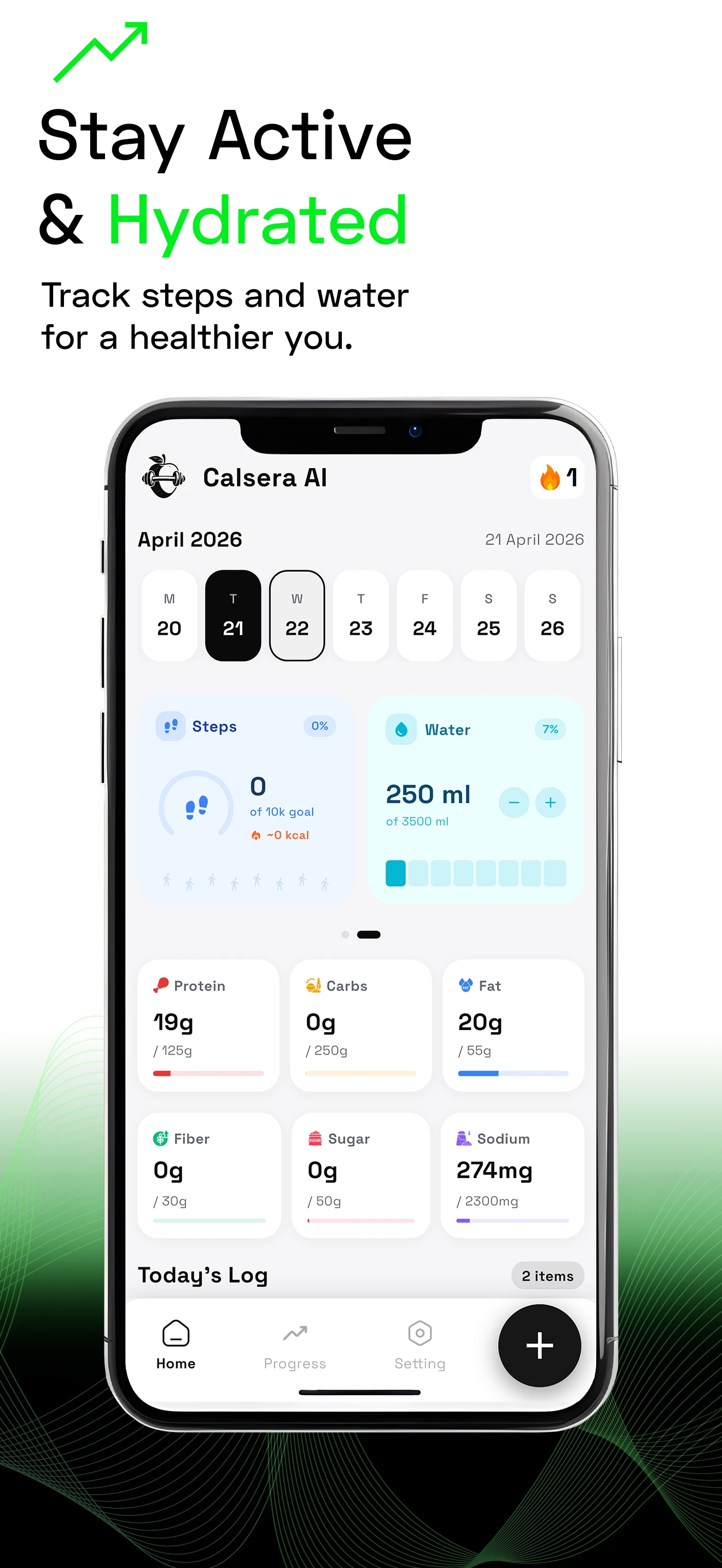
AI-powered calorie and nutrition tracker

FreeData stays with you
What to know
How it works
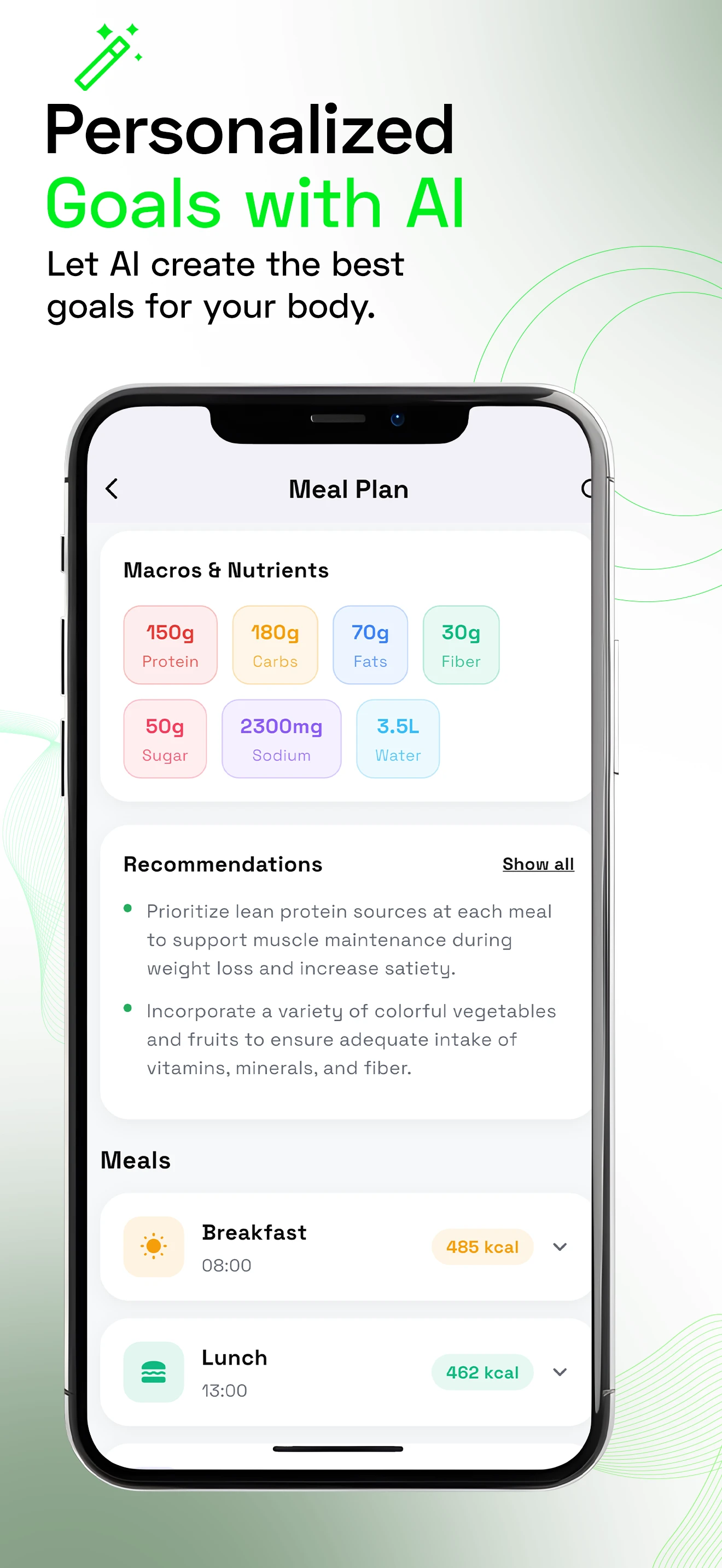
Scans photos of food and estimates calories to track diet.
Best for
People tracking calorie intake from meal photos.

Watched for 18 days · last checked today

Details →