Tools that run on Linux

We're tracking 96 of these, and 95 are still live today. 1 we couldn't reach — we don't claim those are dead.

Watching this group for 17 days · how we check

This week41 new arrivals

Pandia

Live

Native desktop app for opening and editing multi-gigabyte JSON files instantly, for developers who hit size limits in browser-based JSON viewers.

FreeWorks offlineData stays with youOpen source
What to know
How it works
Opens huge files with no upload, shows JSON as Tree, Code, Grid, Graph, or Compare views, generates types for 9 languages.
What's different
Handles multi-gigabyte files offline where most JSON tools choke or require upload.
Pricing
Free
Watch out
Desktop-only (macOS, Windows, Linux).

Watched for 4 days · last checked today

Details →

A persistent visual canvas for running and watching multiple AI coding agents at once, for individual developers tired of juggling many terminal windows.

What to know
How it works
A persistent infinite canvas showing your AI coding agents, terminals, browsers, notes, and git side by side. You spawn role-based workers (builder, QA, reviewer, devops) and an orchestrator runs the build-review-fix-validate loop while you steer.
What's different
The whole workspace — every agent, session, and pane — persists across restarts, and it works locally with Claude Code and Codex.
Best for
Developers running multiple AI coding agents at once who don't want to juggle separate terminal windows.

Watched for 8 days · last checked 2d ago

Details →

box

Live

Cloud VM service that spins up disposable Ubuntu machines for AI agents in seconds at low hourly cost.

What to know
How it works
CLI command provisions a full VM with admin rights, desktop, and SSH access
Pricing
$0.036/hr
Best for
Developers running many concurrent AI agent sandboxes

Watched for 4 days · last checked today

Details →

A local-first trading journal with an offline AI coach that reviews your trades and notes to flag costly habits, for traders who don't want their data on someone else's server.

No sign-upWorks offlineNo tracking
What to know
How it works
stores trades and notes in a single local file; AI coach runs against a local model (Ollama, LM Studio)
What's different
open source so the no-cloud claim is verifiable, plus a 'Leak Finder' that prices out bad habits
Best for
prop-firm traders needing drawdown and payout tracking

Watched for 4 days · last checked 4d ago

Details →

A free 12-month structured roadmap to become a SOC analyst, covering Linux, networking, SIEM and incident response with labs and an AI mentor.

Domain registered 9 days ago

Free
What to know
How it works
12-month curriculum with labs, quizzes, AI mentor and certification prep
Pricing
free

Watched for 4 days · last checked today

Details →

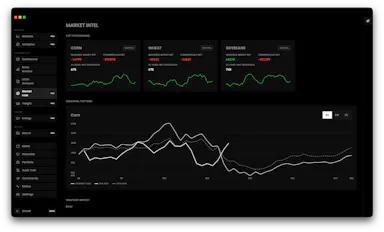
A native terminal that consolidates grain-market basis data, USDA reports, COT positioning, and an AI chat analyst so traders don't juggle dozens of tabs.

What to know
How it works
Live elevator bids, WASDE analysis, CullyAI chat analyst, automatic alerts on basis anomalies and USDA releases.
Pricing
Free 14-day trial, no credit card.
Best for
Corn, wheat, and soy trading desks.

Watched for 1 day · last checked today

Details →

A native Mac/iOS app and local MCP bridge that lets AI coding agents run Linux server commands without exposing private keys.

Domain registered 9 months ago

What to know
How it works
A native Mac/iOS app and local MCP bridge that lets AI coding agents run Linux server commands without ever receiving your private keys, which stay in Keychain.
What's different
Adds Docker + gVisor sandboxing, SSH/SFTP, tunnels, and monitoring on top of the MCP bridge.

Watched for 3 days · last checked 2d ago

Details →

A cross-platform clipboard manager with a paste queue that lets you copy multiple items and paste them back in order.

What to know
How it works
FIFO/LIFO paste queue, searchable history, favorites, local SQLite storage
What's different
Paste queue lets you copy several items then paste them sequentially
Watch out
Data stays local, no cloud

Watched for 5 days · last checked today

Details →

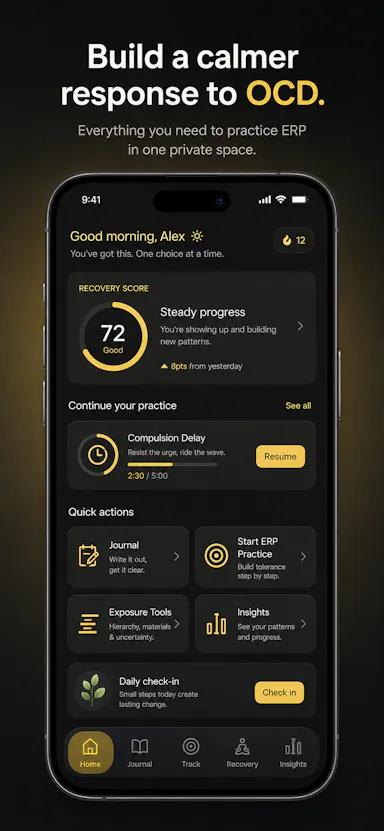
Private OCD/ERP tracker across desktop and mobile that logs obsessions, compulsions, triggers and exposure practice with no cloud sync.

Domain registered 19 days ago

No sign-upWorks offlineData stays with youNo ads
What to know
How it works
Tracks obsessions, compulsions, mood and exposure exercises across iOS/Android/desktop
What's different
No accounts, no cloud sync — data stays on-device
Best for
People doing ERP therapy who want a private tracking journal

Watched for 5 days · last checked today

Details →

Free online tool to preview how a website looks across different device screen sizes and resolutions.

Domain registered 12 days ago

Free
What to know
How it works
test site layout across mobile, laptop and custom resolutions in the browser
Pricing
free
Best for
developers checking responsive design

Watched for 5 days · last checked today

Details →

Automatically converts PL/SQL code (packages, triggers, procedures) into PostgreSQL PL/pgSQL or PL/Python, without manual rewriting.

What to know
How it works
Transcompiles PL/SQL to PL/pgSQL or PL/Python3u as a single command, no runtime dependencies
Best for
Teams migrating an Oracle PL/SQL codebase to Postgres
Watch out
Initial release for Ubuntu only

Watched for 5 days · last checked today

Details →

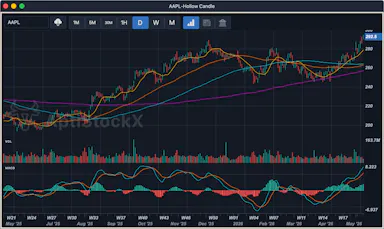
A local-first desktop stock charting app for Windows, macOS, and Linux that keeps your data, watchlists, and credentials on your machine.

Domain registered 21 years ago

Works offline
What to know
How it works
Native charting app storing charts, watchlists, and provider credentials locally
Best for
Traders who want charting data kept off the cloud

Watched for 4 days · last checked today

Details →

Notvex

Live

Fully local, zero-knowledge encrypted notes app for people who want their notes to never touch a server or sync account.

No sign-up
What to know
How it works
A fully-local, zero-knowledge encrypted notes app for Windows, macOS, and Linux with no account, no server, and no sync.
What's different
Notes are encrypted and stay entirely on-device instead of syncing through a server.
Best for
People who want their notes to never touch a server or a sync account.

Watched for 8 days · last checked 2d ago

Details →

Enterprise security · Built for SMEs

Self-hosted
What to know
How it works
A security and compliance platform combining shadow AI, prompt injection, and deepfake detection with cloud, endpoint, and identity scanning (35+ scanners, agents for Linux/Windows/macOS/K8s), a self-hosted LLM gateway, and automated ISO 27001/GDPR compliance.
What's different
Built for 10-500 person companies that don't have a dedicated SOC team, unlike enterprise security tools that assume one.
Pricing
From $149/month, live within 30 minutes.
Best for
Small and mid-size companies without an in-house security operations team.

Watched for 8 days · last checked 2d ago

Details →

AI Noise Cancellation for your meetings and calls.

Domain registered 1 month ago

Works offline
What to know
How it works
A real-time, on-device noise and echo cancellation app for Windows and Linux that creates a clean virtual microphone for apps like Zoom, Google Meet, Teams, and Discord.
What's different
Audio is processed entirely on-device and never uploaded.
Pricing
Free to start, no sign-in required.
Best for
People who want background noise removed from calls without sending audio to the cloud.

Watched for 8 days · last checked 2d ago

Details →

An open-source, template-based design tool for building App Store and Play Store screenshots, feature graphics, and preview videos entirely in your browser or desktop app, with no account or upload required.

Domain registered 13 days ago

FreeNo sign-upData stays with youOpen source
What to know
How it works
pick a template, drop in your app screens, and export every required store size, including MP4 previews
What's different
an optional AI agent can build the whole listing from raw screenshots
Best for
app developers and designers preparing store listings

Watched for 6 days · last checked 5d ago

Details →

Nudge

Live

A free asynchronous multiplayer gaming app for casual games like 8-ball, poker, chess, and trivia, shared via a link and playable on the web, as a PWA, or on Android, Windows, or Linux without requiring others to download anything first.

Free
What to know
Pricing
100% free.

Watched for 6 days · last checked 5d ago

Details →

A native, open-source desktop GUI for managing NATS messaging — connecting, publishing and subscribing, and managing JetStream, Key-Value, and Object Store — for developers on Windows, macOS, or Linux.

Open source
What to know
How it works
Cross-platform native desktop app for connecting to NATS servers and managing JetStream, Key-Value, and Object Store.

Watched for 6 days · last checked 4d ago

Details →

Lets people encrypt files with PGP without a GnuPG install instead of using command-line-only tools.

Works offlineOpen sourceNo tracking
What to know
What's different
compatible with GPG, Kleopatra, and Thunderbird
Pricing
free, MIT license

First seen today · last checked today

Details →

A free screen recording app for Windows, macOS, Linux, and web that automatically zooms the cursor on clicks, processing everything on-device without upload.

FreeNo sign-upWorks offlineData stays with you
What to know
How it works
Highlights the cursor and auto-zooms on clicks during recording, with no upload or account required to start.
Pricing
Free.
Best for
People who want a directed-looking screen recording without manual editing or cloud upload.

Watched for 11 days · last checked 5d ago

Details →

A screen-aware desktop AI assistant for Mac, Windows, and Linux that connects with 30+ apps via a keyboard shortcut.

What to know
How it works
triggered by a keyboard shortcut from any app, sees the screen, keeps context, and connects to over 30 applications

Watched for 15 days · last checked 9d ago

Details →

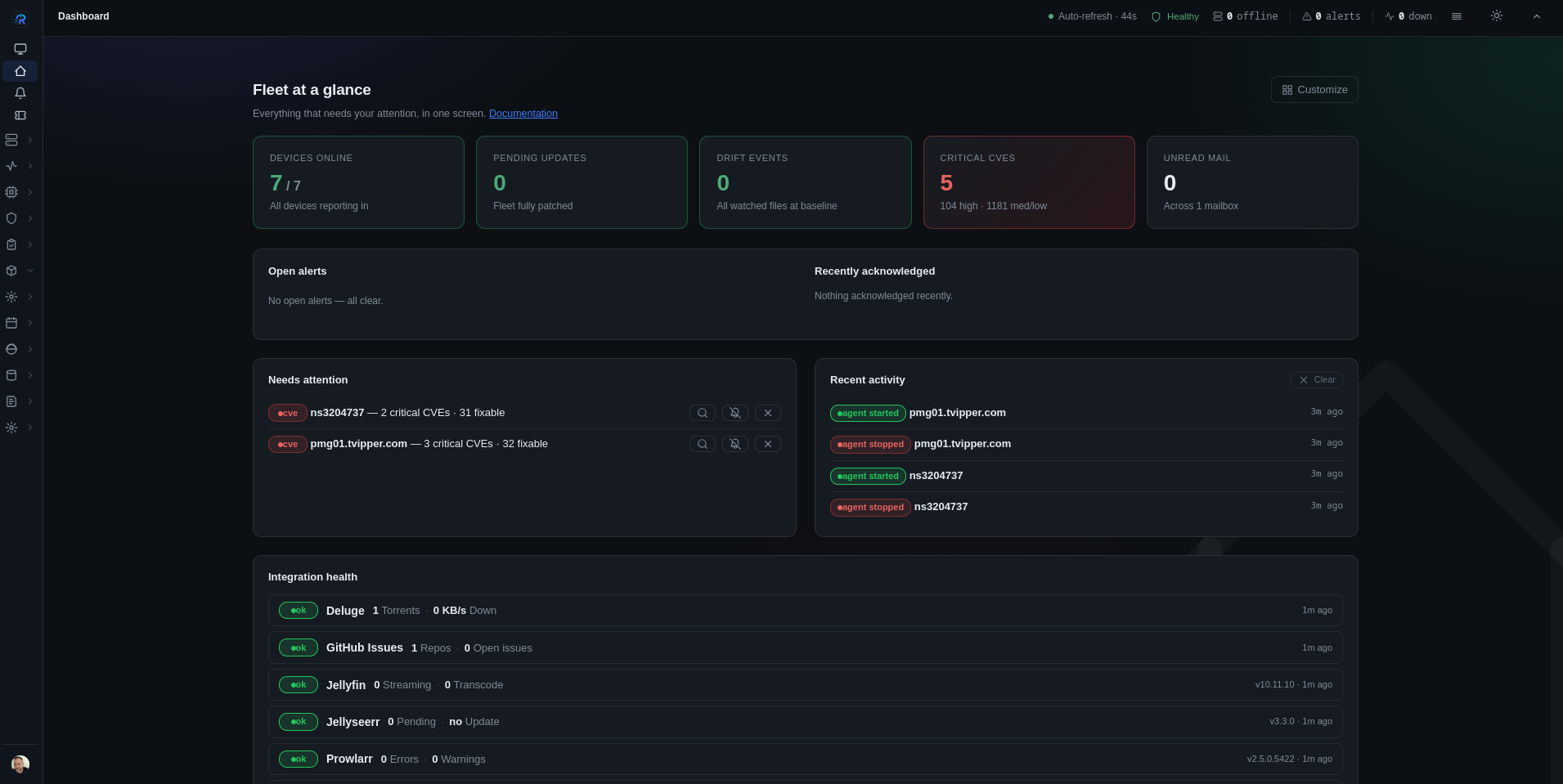
A lightweight Linux security operations dashboard combining fleet monitoring, SIEM-lite detection and MITRE ATT&CK mapping, instead of costly enterprise SIEM.

Watched for 1 day · last checked today

Details →

GitHub

Live

Turns an Android device into a Linux desktop and AI agent execution node, instead of needing a separate server for running agents.

What to know
How it works
Foreground service persistence, AVF virtual machine support, agent runner management, Material 3 desktop UI.

Watched for 1 day · last checked today

Details →

RDB

Live

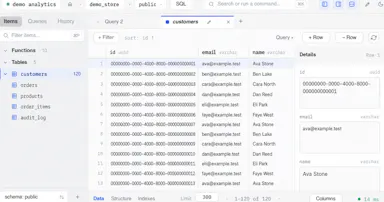
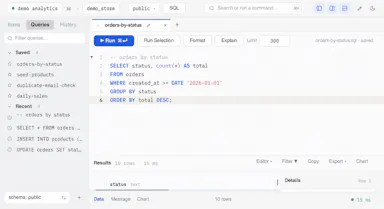
A free open-source desktop client for editing multiple database engines, instead of separate GUI tools per database.

FreeOpen source
What to know
How it works
One native Rust binary for macOS, Windows, and Linux supporting six database engines.
Best for
Developers who work across multiple database types.

Watched for 1 day · last checked today

Details →

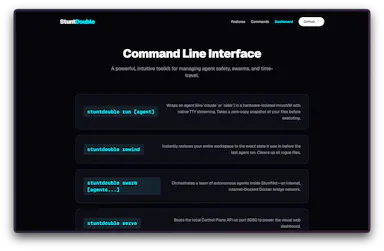
Wraps a locally-running AI coding agent in an isolated microVM sandbox so a hallucinating agent can't delete your files or database.

What to know
How it works
eBPF kernel hooks block destructive network calls; Git plumbing allows instant filesystem rewind
What's different
Hardware-isolated Docker microVM plus zero-copy rewind, not just a permission prompt
Best for
Developers running autonomous coding agents like Aider or Claude Code locally
Watch out
Linux/Docker only

Watched for 3 days · last checked 2d ago

Details →

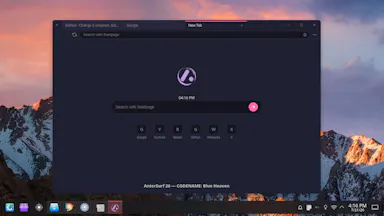
A free privacy-focused desktop browser for Linux that blocks tracking and stores everything locally with no telemetry or accounts.

FreeNo tracking
What to know
How it works
Built on Electron, stores data locally in SQLite, no telemetry/accounts/auto-update
Pricing
Free, no paid tier
Best for
Linux users wanting a browser with zero tracking
Watch out
Windows/macOS versions not yet available

Watched for 3 days · last checked 2d ago

Details →

Sends files and clipboard text directly between devices over encrypted peer-to-peer connections, no account or cloud storage.

Data stays with you
What to know
How it works
WebRTC transfer with end-to-end AES-256 encryption via QR code or link
What's different
No sign-up, no upload limits
Best for
quick cross-device transfers across Windows, macOS, Linux, iOS, Android

Watched for 3 days · last checked 2d ago

Details →

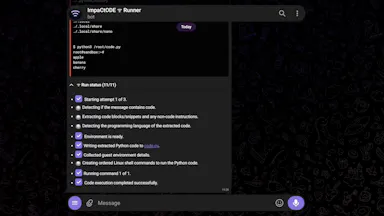
A Telegram bot that runs code from various languages inside a full VM, for Windows and Linux.

What to know
How it works
A Telegram bot that runs code from various languages inside a full VM.
Watch out
Supports Windows and Linux.

Watched for 3 days · last checked 2d ago

Details →

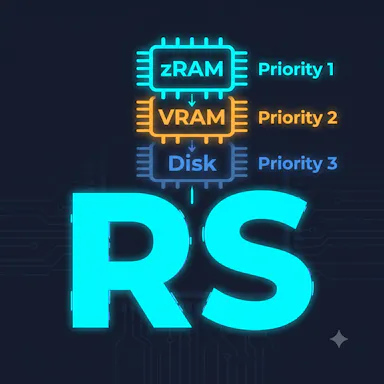
Lets Linux/WSL2 users use idle GPU VRAM as extra swap memory without freezing the OS.

What to know
How it works
Cascading tier of zram, GPU VRAM, then NVMe with active latency monitoring and page demotion
What's different
Crash-safe unlike naive GPU swap tools, built with Rust/ublk/NBD drivers
Watch out
Linux and WSL2 only

Watched for 3 days · last checked 2d ago

Details →

App that turns your phone into a Bluetooth HID remote control (keyboard, trackpad, air mouse, macros) for PCs, TVs and projectors with no extra hardware.

What to know
How it works
uses Bluetooth HID, not Wi-Fi, so no server software or extra hardware is needed
What's different
works across Windows, Mac, Linux, Chromebook and TVs from one app
Best for
people wanting one remote for multiple devices instead of separate remotes/apps

Watched for 4 days · last checked 3d ago

Details →

SSHift

Live

A desktop app for managing, organizing and securing SSH keys with a GUI, so you don't have to run terminal commands.

What to know
How it works
Graphical interface for SSH key management on macOS, Windows and Linux

Watched for 4 days · last checked 3d ago

Details →

Opens Apple iWork files (.pages, .numbers, .key) directly in the browser on any device without owning Apple software.

FreeNo sign-upNothing to installCan export my data
What to know
How it works
browser-based viewer/converter for iWork files
Pricing
free, no signup
Best for
non-Apple users needing to open iWork files

Watched for 5 days · last checked 3d ago

Details →

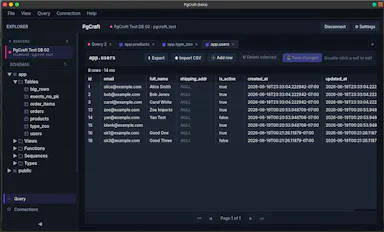
A fast native desktop GUI for browsing PostgreSQL schemas and running queries, free on Mac, Windows, and Linux.

Domain registered 1 month ago

Free
What to know
How it works
native desktop app for schema browsing and queries
Pricing
free

Watched for 5 days · last checked 4d ago

Details →

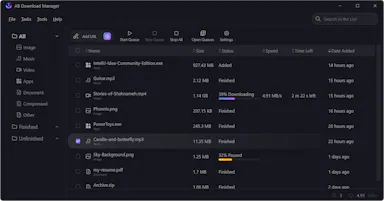
A free open-source download manager for Windows, Linux, Mac and Android with multi-threaded downloads and browser integration.

Domain registered 2 years ago

FreeOpen source
What to know
How it works
Splits downloads into threads for faster speeds, queues and schedules them
Pricing
Free, open source

Watched for 5 days · last checked 4d ago

Details →

A French rental-property management app storing all tenant, lease, and receipt data locally on-device with no cloud or subscription.

Domain registered 1 month ago

Works offlinePay onceNo subscriptionNo tracking
What to know
How it works
Encrypted local storage on your device, works offline, no server or account
What's different
One-click ALUR-compliant receipts, signed leases with timestamped photos
Pricing
19.99 EUR one-time; free on Linux
Best for
French landlords wanting rental management without sending data to a cloud

Watched for 5 days · last checked 4d ago

Details →

An open-source, self-hostable desktop workbench for scientific research that logs experiment data, agent sessions, and provenance locally.

Works offlineOpen sourceSelf-hosted
What to know
How it works
Local-first desktop app for macOS/Windows/Linux storing experiment runs and provenance
What's different
Self-hosted alternative to Claude Science, extensible via Skills and MCP
Pricing
Open source
Best for
Researchers wanting to keep experiment data and computation local

Watched for 5 days · last checked 4d ago

Details →

A free, open-source Linux VPN client that connects to public VPN Gate servers.

FreeOpen source
What to know
How it works
Connects to public VPN servers pulled from the VPN Gate API
Pricing
Free, open source
Best for
Linux users wanting a free VPN client without a paid provider

Watched for 5 days · last checked 4d ago

Details →

GitHub

Live

A Linux desktop distribution with Turkish-localized widgets and glass-morphism design built on Qt/KDE.

What to know
How it works
A Linux desktop with glass-morphism design, Turkish-localized widgets, and hardware-aware performance optimization, built with Qt/KDE.

Watched for 5 days · last checked 4d ago

Details →

Lets you run batch commands and get remote terminal/file access across a fleet of Linux or Mac devices from one place.

Domain registered 11 months ago

What to know
How it works
Firewall-friendly install; gives web terminal, file manager, and public URL access per device.
Best for
People managing multiple remote Linux/Mac machines.

Watched for 5 days · last checked 4d ago

Details →

Linux software for building IPTV streaming systems from satellite and network feeds, for IPTV operators, instead of assembling separate streaming and EPG tools.

What to know
How it works
Ingests satellite transponders and custom network streams, delivering channels via HLS, UDP, RTP, SRT, and RTSP; Pro edition adds sun-outage calculation, live preview, EPG, scanning, DVR, and FFmpeg-based transcoding.
Best for
Operators building their own IPTV streaming system on Linux.

Watched for 10 days · last checked 7d ago

Details →

Moxy

Live

Preconfigured, self-maintaining Linux servers with a dashboard, Docker, git-based deploys, databases, and backups, so you don't have to act as your own sysadmin.

Domain registered 2 months ago

What to know
How it works
Preconfigured production-ready Linux servers each come with a dashboard, Docker, git deploys, databases, and backups out of the box.
Best for
Developers who want to deploy apps without managing server administration.
Watch out
Made and hosted in the EU.

Watched for 10 days · last checked 7d ago

Details →

Reqad

Live

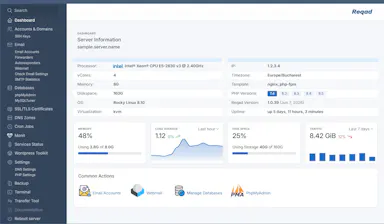
A free, open-source, self-hosted hosting control panel for Rocky Linux, AlmaLinux, and RHEL that manages email, WordPress, PHP versions, SSL, and DNS, as an alternative to cPanel or Plesk.

FreeOpen sourceSelf-hosted
What to know
How it works
Manages email (exim/dovecot/Roundcube/SpamAssassin), WordPress, multiple PHP versions, SSL, and DNS on Rocky Linux, AlmaLinux, or RHEL 8/9.
Best for
Server admins migrating away from cPanel or Plesk who want a free, self-hosted control panel.

Watched for 10 days · last checked 7d ago

Details →

A framework that brings Next.js-style developer experience (file-based routing, Server Actions, API routes) to native desktop apps rendered in the OS WebView instead of bundled Chromium.

What to know
How it works
Uses a prebuilt Rust shell (no Rust toolchain needed) with Server Actions/API routes running in a bundled Node process; ships as .dmg/.exe/.msi with signed auto-updates.
What's different
Installer is larger than a comparable Tauri app's because it bundles Node; Linux support is dev-only for now; project is pre-1.0.
Best for
Developers who want Next.js patterns for building native desktop apps.

Watched for 10 days · last checked 7d ago

Details →

A Windows and Linux desktop client that lets developers run Codex against projects on a remote Linux VPS over direct SSH, resuming threads and streaming diffs, instead of exposing a public server port or using a browser terminal.

What to know
How it works
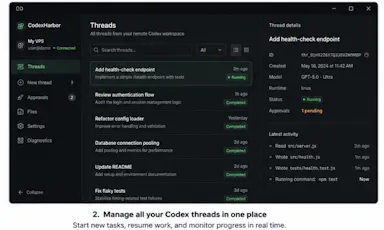
connects to a remote VPS over SSH (key, encrypted key, password or local SSH agent) to resume Codex threads, stream commands and diffs, approve actions, switch models/sandbox policies and inspect diagnostics, without a public App Server port or hosted relay.
Best for
developers running Codex against remote VPS projects who want a native desktop client instead of a browser terminal.

Watched for 11 days · last checked 8d ago

Details →

An open-source Layer 1 blockchain signed with post-quantum ML-DSA-65 cryptography, with a non-custodial browser wallet and mining clients for Linux and Windows, instead of the quantum-vulnerable signatures used by Bitcoin and Ethereum.

Open source
What to know
How it works
Uses NIST FIPS 204 ML-DSA-65 signatures throughout, with proof-of-work mining, a WASM browser wallet with client-side signing, and a public explorer.
What's different
Publishes a Security & Transparency page with reproducible cryptographic test vectors.
Pricing
Open source, Apache 2.0 licensed.

Watched for 12 days · last checked 8d ago

Details →

Gives Linux users a private, searchable memory of their desktop activity instead of losing track of what they did.

First seen today · last checked today

Details →

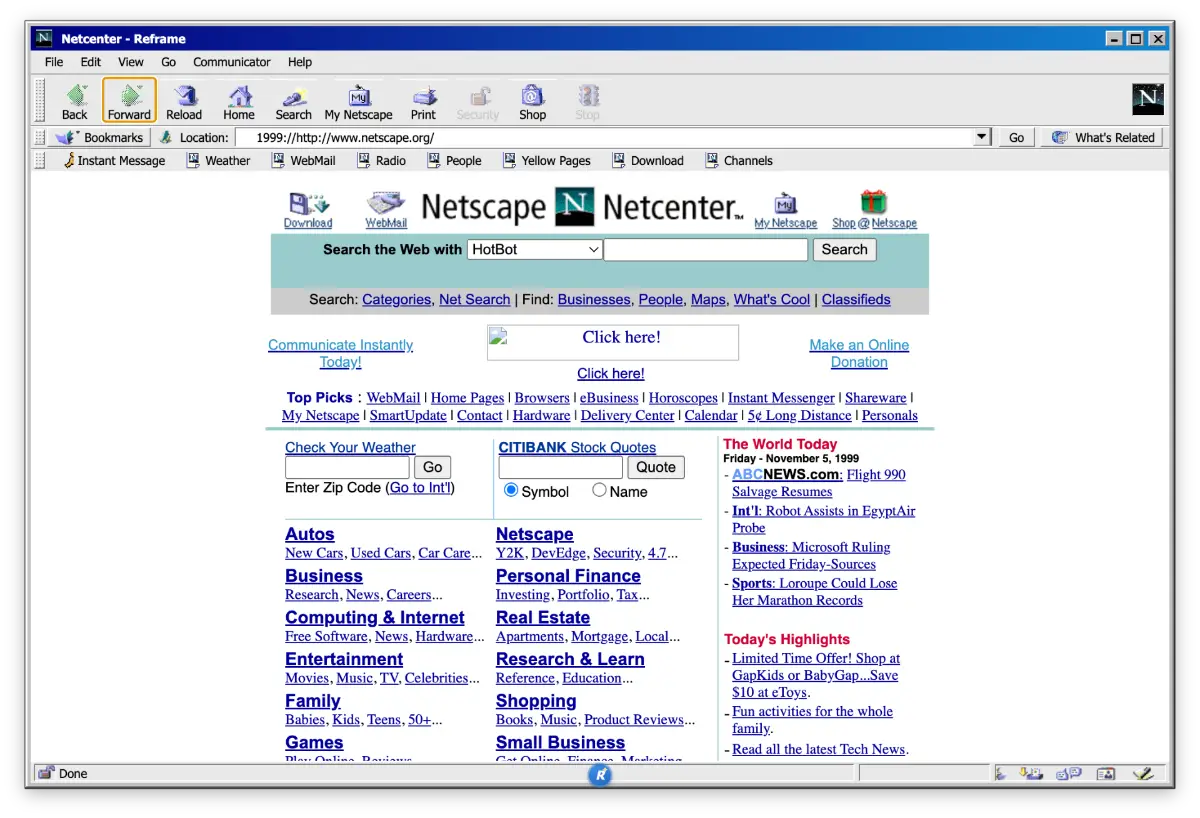
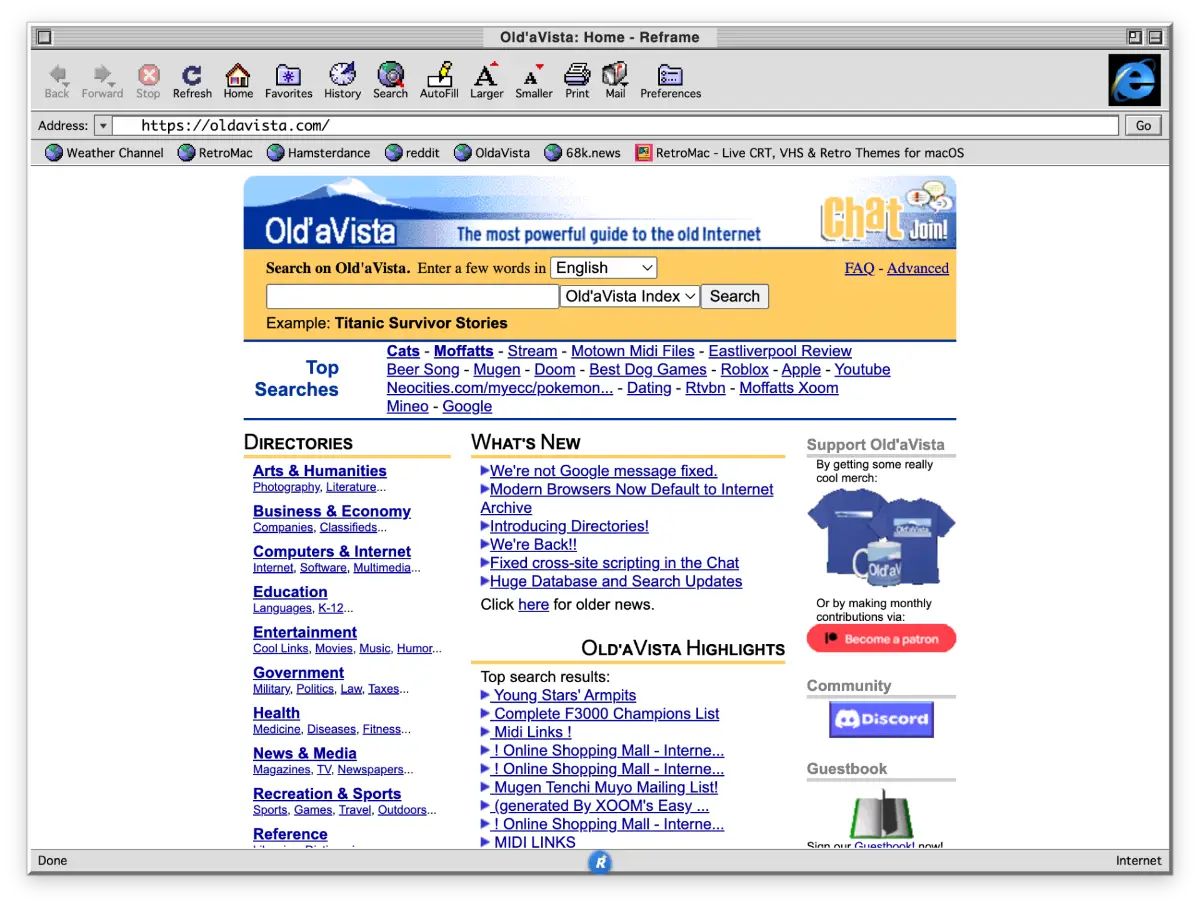
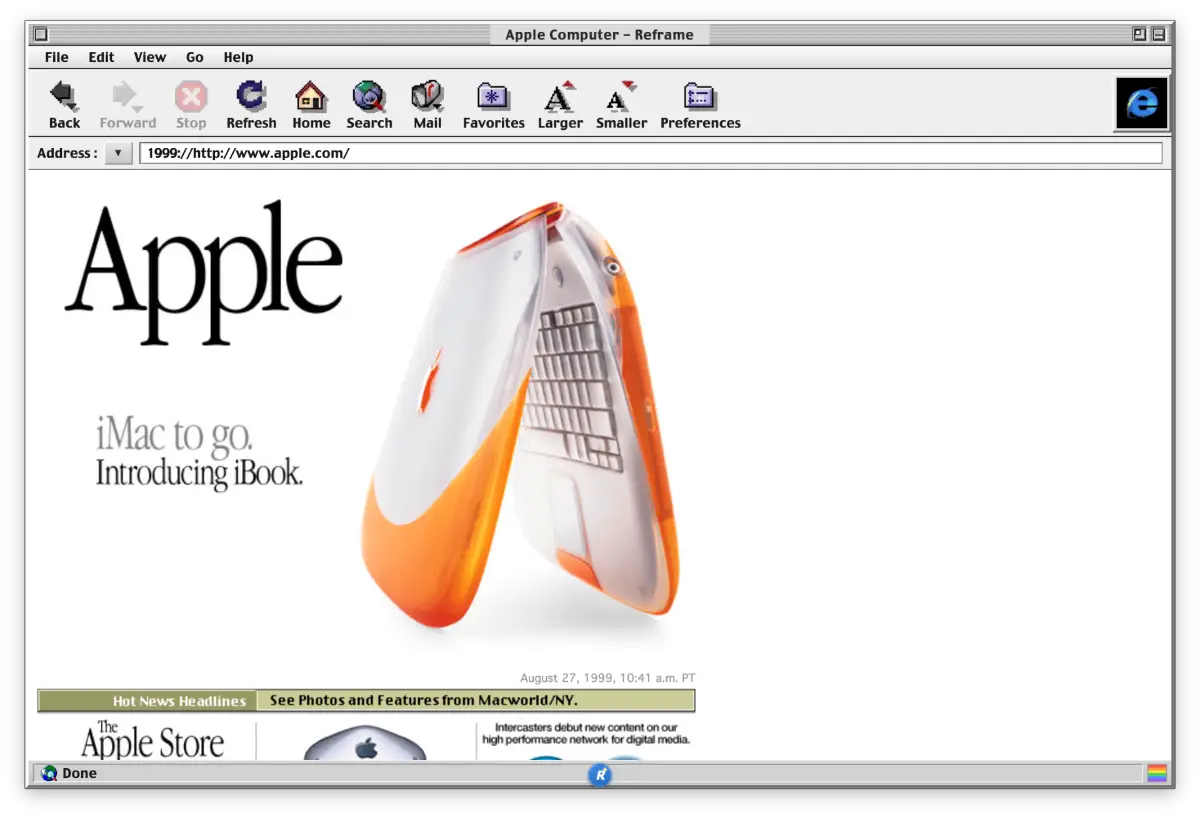
Desktop app offering 23 retro browser themes with Wayback Machine time travel and CRT visual effects.

First seen today · last checked today

Details →

Runs Linux VMs on a Mac via CLI, for developers who need a Linux dev environment without dual-booting.

Free
What to know
How it works
CLI-first VM orchestration with device passthrough
Pricing
free
Best for
developer teams needing Linux on Mac

Watched for 5 days

Details →

Muster

Live

Desktop app that runs each AI coding-agent task in its own isolated git worktree with DB tooling and PR review, offline-first.

Works offline
What to know
How it works
Runs each AI coding-agent task in its own isolated git worktree, with database access through MCP, hunk review, PR creation, SSH, a five-engine DB studio, and Linear/Jira/GitHub imports.
Pricing
$39 one-time per device.
Watch out
Offline-first: code and credentials never leave your machine. Available on macOS, Linux, Windows.

Watched for 2 days · last checked 1d ago

Details →

AI-assisted SSH workspace bundling terminal, SFTP, Docker, database, and git tools into one app for developers and DevOps teams, free for individuals.

Free
What to know
How it works
Brings native SSH terminal sessions, an AI assistant for server operations, SFTP file management, Docker and Compose management, database connections, real-time log viewing, git repository management, system service management, cron job management, port monitoring, and Proxmox VE cluster management into one workspace.
What's different
Replaces switching between terminals, password managers, documentation, database clients, Docker tools, file browsers, and virtualization dashboards.
Pricing
Free forever for individual users (AI features excluded).

Watched for 7 days · last checked today

Details →

bunpm

Live

A command-line wrapper that runs your existing npm, yarn or pnpm commands through Bun for faster installs, without changing your workflow — a developer-only CLI tool, not a GUI app.

What to know
How it works
Intercepts npm, yarn, and pnpm commands and runs them through Bun instead, while keeping the same command syntax (npm install, yarn add, pnpm add) and formatting output to match the tool you called.
What's different
Claims 10-25x faster installs than the original package managers, is fully reversible, and never modifies your original npm/yarn/pnpm installs.
Best for
Developers who want faster package installs without changing their existing npm/yarn/pnpm commands or workflow.

Watched for 10 days · last checked 1d ago

Details →

Lets you use multiple Tailscale networks (e.g. work and personal) at once on macOS or Linux without switching accounts or running a VM — for developers and IT users.

Domain registered 1 month ago

What to know
How it works
Runs an isolated embedded Tailscale node per profile and routes by hostname, so multiple tailnets (e.g. work and personal) are reachable at the same time on macOS and Linux.
What's different
The official Tailscale client keeps only one tailnet active at a time; TailMux keeps several active simultaneously with strict no-fallback isolation and no VM.
Best for
Developers and IT users who need concurrent access to separate tailnets over SSH, RDP/SMB, browsers, curl, git or npm.

Watched for 13 days · last checked 2d ago

Details →

Prizmi

Live

An AI assistant that drafts messages, organizes files, and fills out forms and flight check-ins on its own, installed on your computer for everyday tasks.

Works offlineData stays with you
What to know
How it works
You message Prizmi in plain language and it acts on your phone or computer — drafting texts and emails, organizing files, filling out web forms and flight check-ins, and running scheduled tasks — while proactively reaching out when it notices something matters.
What's different
Takes action directly on your connected devices rather than just answering questions, but never clicks Submit or Pay itself, keeping the user in control of final actions.
Best for
Anyone wanting a proactive assistant that runs tasks on their own Mac, Windows or Linux machine, described as built for grandparents through developers.

Watched for 17 days · last checked 1d ago

Details →

A free, no-account desktop markdown and text editor with live WYSIWYG formatting and clean markdown export, available now for Windows with macOS and Linux planned. A general writing tool, not developer-specific.

FreeNo sign-upWorks offlineCan export my data
What to know
How it works
A desktop markdown and text editor with WYSIWYG live formatting; edit inline or switch to raw source/preview, then export clean markdown.
Pricing
Free to download and use, including commercial use, no account required.
Best for
General writers who want a simple local markdown editor rather than developers specifically.
Watch out
Windows is available now; macOS and Linux builds are listed as coming soon, not yet available.

Watched for 17 days · last checked today

Details →

An open-source deception (honeypot) platform for security teams; the listing gives little detail beyond that positioning.

Domain registered 1 month ago

FreeOpen source
What to know
How it works
An open-source deception (honeypot) platform for security teams.
Best for
Security teams and developers who want an open-source deception/honeypot tool.

Watched for 13 days · last checked 1d ago

Details →

CLI tool that fingerprints and audits CI-pipeline dependencies (npm, PyPI) for malicious or risky packages using an LLM.

What to know
How it works
A CLI tool that uses OS-level fingerprinting to audit and use an LLM to explain the dependencies flowing through your CI pipeline and dev loop, catching malicious, abandoned, or risky packages.
What's different
Supports npm and PyPI, can be instrumented by AI agents via an agent skill, and can be self-hosted.
Watch out
Available for Linux and Windows.

Watched for 2 days · last checked 2d ago

Details →

whetū

Live

Fast, zero-config cross-shell terminal prompt written in Zig, with no network or telemetry.

No sign-upNo tracking
What to know
How it works
Zero-config cross-shell prompt (fish, bash, zsh) written in Zig, showing git branch/state/status, toolchain versions for 39 languages, and a syntax-highlighted history picker on the up arrow.
What's different
Single compiled binary with no config file, no network or telemetry, rendering in about 2ms.
Watch out
macOS and Linux only.

Watched for 2 days · last checked 2d ago

Details →

AI Infrastructure Memory remembers a company's entire cloud environment history (configs, incidents, fixes) so DevOps teams can query it in natural language instead of digging through docs and logs.

Domain registered 2 years ago

What to know
How it works
Tracks a company's entire cloud environment -- AWS, Kubernetes, Docker, Terraform, Linux, RDS, Redis, deployments, incidents, and fixes -- and lets you ask questions about it in natural language to get context-aware answers.
What's different
Remembers operational history and past incidents/fixes, not just static documentation.
Best for
DevOps teams troubleshooting infrastructure who need past history and solutions rather than digging through docs and logs.

Watched for 9 days · last checked 3d ago

Details →

A desktop entity-resolution tool that matches and deduplicates records in a CSV locally on your machine, free up to 100k records, with an MCP server for AI coding assistants.

FreeNo sign-upWorks offline
What to know
How it works
Loads a CSV and resolves duplicate records live using the same real-time matching engine as Tilores' cloud product, running entirely on your machine; a local MCP server also lets Claude Code, Codex and other AI assistants search, import and steer it against your data.
What's different
Skips the usual enterprise entity-resolution sales process (demo, contract) — nothing leaves your laptop, and it's free up to 100k records.
Pricing
Free up to 100,000 records.
Best for
Teams who want to deduplicate and match records locally, including via AI coding assistants, without a cloud enterprise contract.

Watched for 9 days · last checked 3d ago

Details →

Pluks

Live

A clipboard manager for macOS and Windows that copies text the instant you select it, no Ctrl+C needed, plus a searchable history of your last 200 clips.

FreeNo sign-upWorks offline
What to know
How it works
A clipboard manager for macOS and Windows (beta) that copies text the instant you select it — no Ctrl+C/Cmd+C needed — then long-press to paste, or press Cmd/Ctrl+Shift+V to open a searchable history of your last 200 clips.
What's different
Brings the select-to-copy behavior Linux users know from PRIMARY selection to Mac and Windows; traditional clipboard managers only store history after you explicitly press copy.
Pricing
Free.
Best for
macOS and Windows users who want copy-paste without the extra keystroke.
Watch out
The Windows version is in beta.

Watched for 17 days · last checked 1d ago

Details →

A local desktop pipeline that generates faceless vertical short videos using your own API keys for scripts, voiceover, visuals, and captions.

Pay once
What to know
How it works
A local desktop pipeline (Windows, Mac, Linux) that generates faceless vertical short videos using your own API keys for scripts, voiceovers, character-consistent visuals, and burnt-in captions.
What's different
Pays providers like ElevenLabs, fal.ai, and Anthropic directly for roughly 43 cents per clip instead of a recurring SaaS fee.
Pricing
One-time payment, no recurring bills.

Watched for 7 days · last checked 5d ago

Details →

A desktop PDF toolkit with 27 tools — merge, compress, sign, encrypt, OCR, redact — that all run locally without uploading files.

FreeNo sign-upWorks offline
What to know
How it works
Runs 27 PDF tools — merge, compress, convert, sign, encrypt, OCR, redact — 100% locally on your machine with no file uploads.
What's different
Aimed at confidential work like legal contracts, medical records, financial statements, and ID documents; available on macOS, Windows, and Linux.
Pricing
The Merge tool is free forever with no account; Pro unlocks the other 26 tools.

Watched for 9 days · last checked 3d ago

Details →

An open-source desktop AI app that works inside document editing, mail merge, and receipt reading, running fully locally on Mac and Linux.

Domain registered 1 month ago

Works offlineOpen source
What to know
How it works
Brings AI into everyday tools like document editing, mail merge, and receipt reading, running fully locally so files never leave your machine.
What's different
Open source (AGPL-3.0), fully forkable, built with Tauri, Rust, React, and SQLite.
Watch out
Runs on Mac and Linux only.

Watched for 9 days · last checked 3d ago

Details →

Yerd

Live

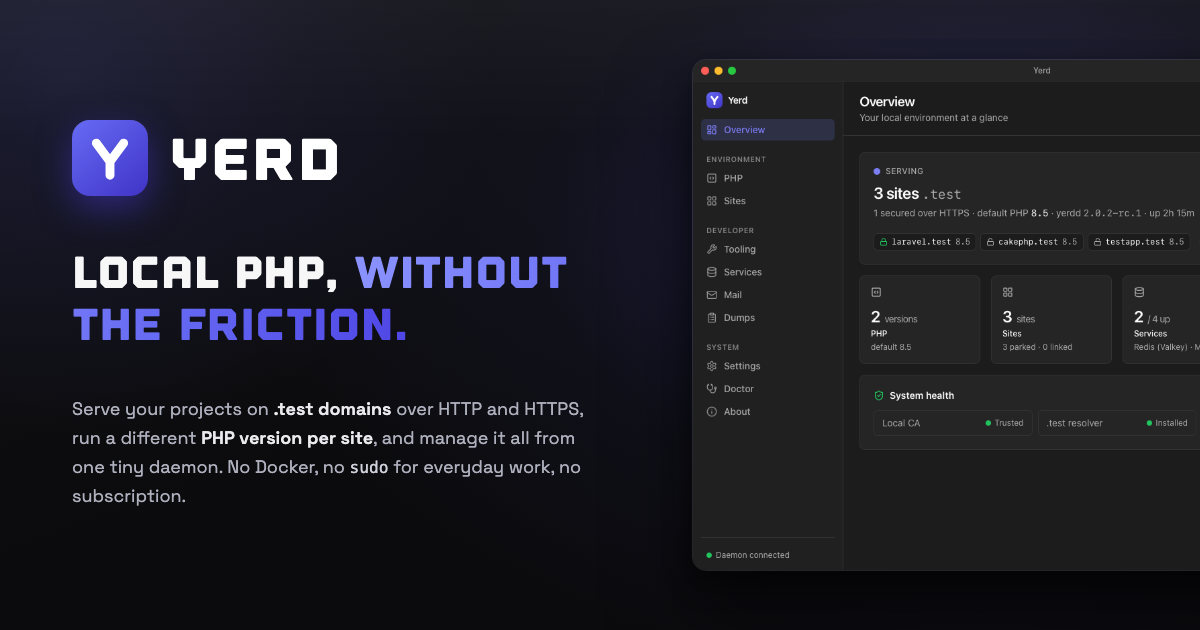
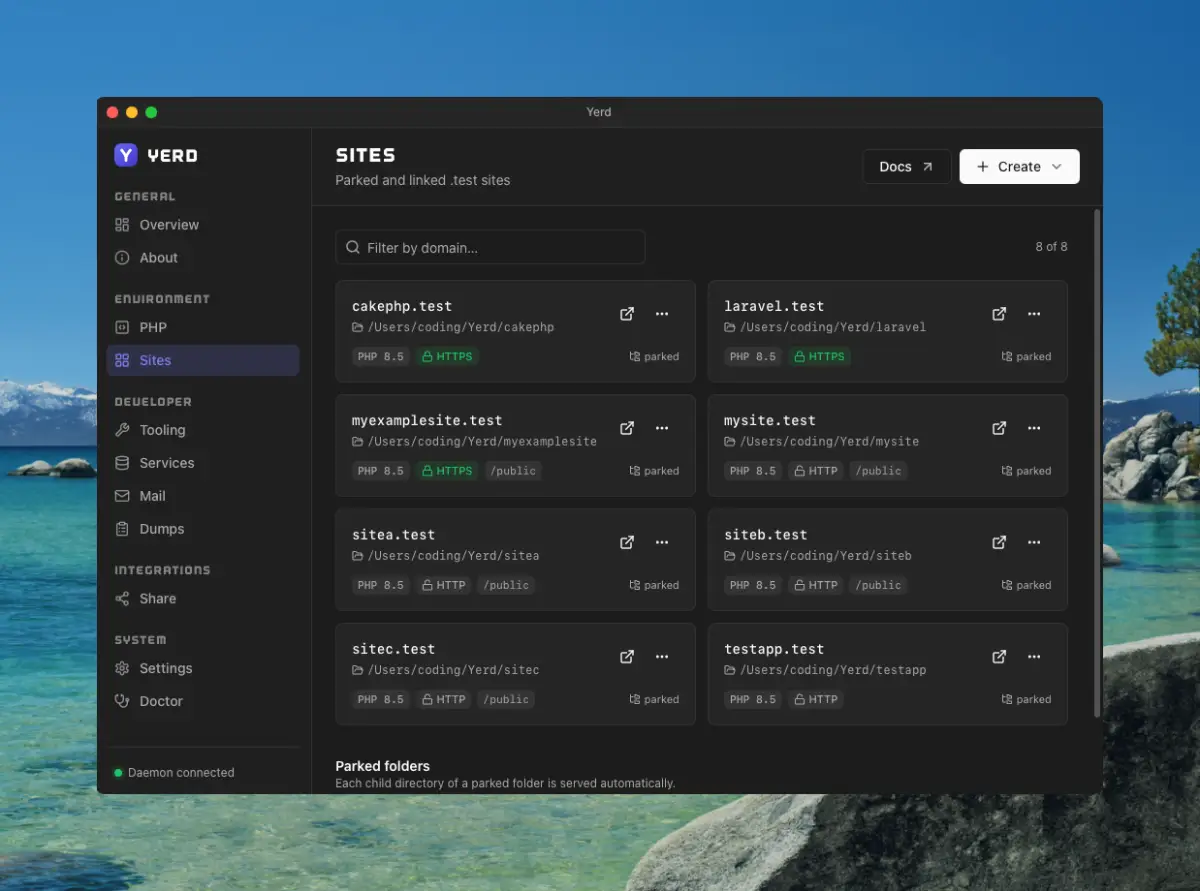
An open-source, Docker-free local PHP environment for macOS and Linux — automatic HTTPS, per-site PHP versions, zero-config sites. A direct alternative to Laravel Herd for developers.

Open sourceNo subscription
What to know
How it works
A local PHP development environment: park a folder and every project inside becomes instantly live at .test; issues per-site HTTPS certificates automatically; installs multiple PHP versions side by side, pinned per site; runs MySQL, MariaDB, PostgreSQL, Redis and an SMTP catcher as native processes supervised by one daemon; streams Laravel dump()/dd(), queries, jobs and requests to a dedicated window.
What's different
Open-source, rootless and Docker-free — a direct alternative to Laravel Herd, MIT licensed with every feature included.
Pricing
Open-source, no subscription.
Best for
macOS and Linux developers running local PHP/Laravel projects who want to avoid Docker.

Watched for 17 days · last checked 1d ago

Details →

A native desktop app for Windows, macOS and Linux built around API development workflows for developers, but the text is mostly marketing language with few concrete details.

What to know
How it works
A native desktop app for Windows, macOS, and Linux built around developer tooling for API development workflows.
Best for
Developers who want a native (not browser-based) app for API development tasks.

Watched for 17 days · last checked 1d ago

Details →

A remote-control tool for running and managing Claude Code sessions across multiple devices.

What to know
How it works
Runs Claude Code remotely on your own machines from desktop, web, or iPhone, links machines into a private device mesh, batch-controls Claude Code across multiple machines, and lets Claude drive your browser and desktop; live sessions can be shared with teammates via a link.
What's different
No API key required.
Watch out
Cross-platform: Windows, macOS, Linux, iOS, and web.

Watched for 8 days · last checked 6d ago

Details →

Leaper

Live

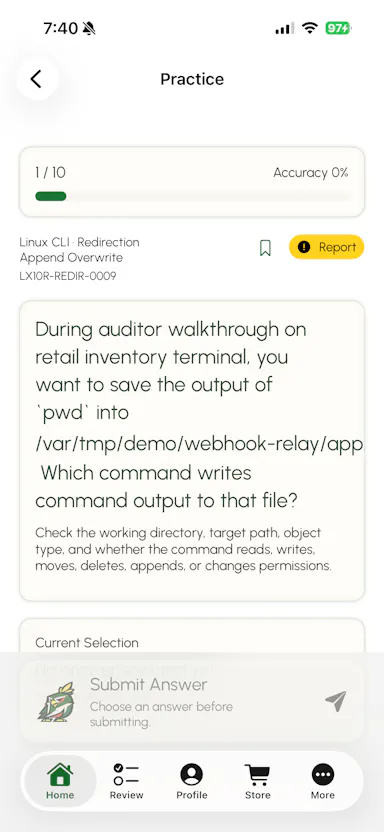
A drill/practice site for university-level math and programming topics like Linux, C#, Go, and Rust.

What to know
How it works
Practice drills and quizzes for undergraduate-level mathematics and practical programming topics like Linux, C#, Go, Rust, and Git.
Best for
University-level students and developers practicing the gap between lecture theory and applied practice.

Watched for 8 days · last checked 6d ago

Details →

Melia

Live

A native Linux desktop email client that connects straight to your IMAP/SMTP mail servers with no cloud relay, middleman account or telemetry, as an alternative to Thunderbird or Evolution.

FreeWorks offlineData stays with youPay once
What to know
How it works
A native Linux desktop email client that connects directly to your mail servers over IMAP and SMTP, storing everything locally in a SQLite database and syncing credentials through the OS keyring so it works fully offline.
What's different
No cloud relay, middleman account, or telemetry — mail stays on your own machine, unlike hosted alternatives.
Pricing
Free for one account with full functionality; a one-time $10 unlock removes the account cap.
Best for
Linux desktop users looking for a native alternative to Thunderbird, Evolution, Geary or Mailspring.

Watched for 17 days · last checked 1d ago

Details →

A self-hosted PHP e-commerce platform you run on your own server — a lighter alternative to Shopify without platform fees, best for technical users comfortable managing their own hosting.

Self-hosted
What to know
How it works
A self-hosted PHP e-commerce platform that runs on Nginx, Debian 13, and MariaDB, with a built-in single-page checkout and native integrations for Stripe, PayPal, Square, Authorize.Net, UPS, FedEx, and USPS.
What's different
Eliminates platform fees and plugin bloat by being self-hosted instead of running on Shopify.
Best for
Technical users comfortable managing their own server and hosting stack.
Watch out
Requires self-managing a server (Nginx, Debian, MariaDB) rather than a hosted platform.

Watched for 13 days · last checked 7d ago

Details →

Compresses images and video (JPG, PNG, TIFF, MP4, GIF) entirely on your device with no upload to a server — for Mac, Windows and Linux, privacy-focused.

Works offlineData stays with you
What to know
How it works
Compresses JPG, PNG, TIFF, MP4 and GIF files, processing them locally on-device rather than uploading them to a server, via web tools or a dedicated offline desktop app for Mac, Windows and Linux.
What's different
Local, privacy-focused processing rather than server-side upload-based compression.
Best for
Anyone who wants to compress images or video without sending files to a third-party server.

Watched for 17 days · last checked 10d ago

Details →

A free, open-source desktop app for AI character chat, roleplay and long-form writing, where your data stays in a local database even with a cloud AI backend.

FreeWorks offlineOpen source
What to know
How it works
A desktop AI workspace for character chat, multi-character roleplay, and long-form writing with RAG, LoreBooks, and MCP tools and plugins; you bring your own backend, such as OpenAI-compatible APIs, OpenRouter, LM Studio, Ollama, or KoboldCpp, while chats, characters, projects, and knowledge are stored in a local SQLite database.
What's different
Keeps your data in a local database even when you connect a cloud AI backend, and is free and open source.
Pricing
Free and open source.
Best for
Writers and roleplayers who want to choose their own AI backend while keeping their data local. Native builds are available for macOS, Windows, and Linux.

Watched for 13 days · last checked 2d ago

Details →

Ortu

Live

A cross-platform clipboard manager with full history, search and secret masking for anyone who copy-pastes constantly - handy for developers managing API keys, but useful for any heavy copy-paste workflow.

No sign-upWorks offlineOpen source
What to know
How it works
Remembers everything you copy - text, images, files - across macOS, Windows and Linux, with full-text search, a paste stack, secret masking with encryption, and smart auto-grouping.
What's different
Runs 100% locally with no account, and is open source.
Pricing
Not stated beyond being open source.
Best for
Developers and anyone who copy-pastes constantly, including people managing API keys via clipboard.

Watched for 15 days · last checked 9d ago

Details →

Gives every team member a native Linux login on each server without needing LDAP or FreeIPA, syncing identities from AWS IAM or a central portal.

What to know
How it works
Gives every team member a native Linux login on each enrolled server, syncing identities either from AWS IAM Identity Center or through a centralized web portal, without requiring LDAP or FreeIPA.
What's different
Replaces LDAP/FreeIPA identity infrastructure with a lighter, centrally managed sync.
Best for
Teams managing Linux server access across infrastructure who want centralized identity without standing up LDAP.

Watched for 17 days · last checked 1d ago

Details →

Cross-platform remote desktop access with SSH terminal, file transfer and session recording, plus a workspace for running local AI coding tools like Claude Code and Codex — aimed at technical teams.

What to know
How it works
Provides remote desktop control, SSH terminal access, and file transfer across Windows, macOS, and Linux in one app, plus a dedicated AI workspace for running local tools like Claude Code and Codex, team administration, and session recording.
Best for
Technical teams that need remote access, SSH, and AI coding tool workspaces consolidated into one platform.

Watched for 17 days · last checked 1d ago

Details →

A real SSH client with full PTY support that works the same way in the browser, on desktop and on mobile, so engineers stop juggling PuTTY on one device and a separate mobile app.

What to know
How it works
A real SSH client with full PTY support, resize and keepalive handling, that works the same way in the browser, on desktop (Electron), and on Android/iOS, connecting via WebSocket relay or direct connection.
What's different
Host credentials and identity keys are encrypted at rest with XChaCha20-Poly1305 (libsodium) rather than stored in plaintext, and it replaces juggling separate tools (PuTTY plus a mobile app) with one client.
Best for
Engineers who connect to remote servers from more than one device and want the same SSH experience everywhere.

Watched for 17 days · last checked 1d ago

Details →

A local-first AI platform bundling chat, a coding agent, a terminal and uncensored open models, with no cloud or accounts. For technical users, not really a mobile app despite the Android companion.

No sign-upWorks offlineOpen sourceNo subscription
What to know
How it works
A local-first AI platform bundling end-to-end encrypted P2P chat, a bare-metal terminal with real PTY shell access, autonomous coding agents, hybrid RAG, and bundled uncensored Qwen/Gemma models, with a native Android companion app for LAN discovery.
What's different
Runs fully offline with no cloud, accounts, or subscriptions, and ships uncensored model variants with no filters.
Pricing
Open-source (AGPL-3.0).
Best for
Technical users on Linux or Windows who want a self-hosted AI toolkit with no cloud dependency.
Watch out
Ships uncensored models with zero filters — outputs are not moderated.

Watched for 17 days · last checked 1d ago

Details →

Records what you say and turns it into an organized project log automatically on your own device. Aimed at solo builders and founders who have no one else tracking their progress.

FreeWorks offlinePay onceNo subscription
What to know
How it works
Records spoken audio and turns it into an organized project history and devlog automatically, processed on your own device.
What's different
Runs fully on-device rather than relying on manual note-taking or a cloud service.
Pricing
Free to use with full functionality, no subscription; a paid Pro tier unlocks Labs and unlimited weekly processing.
Best for
Solo builders and founders who track their own progress by talking rather than writing, with no one else keeping a project record for them.

Watched for 17 days · last checked 1d ago

Details →

Free GitOps-based service for claiming a personal *.fluxcast.dev subdomain via pull request.

FreeOpen sourceSelf-hosted
What to know
How it works
Get a free *.fluxcast.dev subdomain by forking the repo, adding one JSON file, and opening a pull request; automated validation and merge make DNS live in minutes.
What's different
Fully GitOps, Python-powered, Cloudflare backend with strict validation.
Pricing
Free forever.
Best for
Developers wanting a quick personal or project subdomain.

Watched for 2 days · last checked today

Details →

Free runtime CVE scanner that matches installed software or scan results against known vulnerabilities and suggests patches.

FreeNo sign-up
What to know
How it works
Scans installed software, nmap XML output, or a public site, matches products to CPEs and CVEs against the NVD, and helps you find official patches.
Pricing
Free.
Best for
Security-conscious users on Mac, Linux, or Windows checking for known vulnerabilities.

Watched for 2 days · last checked today

Details →

NotepadX is a free cross-platform plain-text editor with AI rephrasing, unsaved-file sync across devices, and unlimited local version history.

Free
What to know
How it works
A cross-platform plain-text editor with AI rephrasing, sync of unsaved files across devices, and unlimited local edit history.
What's different
Syncs unsaved files across devices and keeps infinite local history, features most plain editors skip.
Pricing
Free.
Best for
People who want a fast plain-text editor with AI assist across Mac, Windows and Linux.

Watched for 16 days · last checked 10d ago

Details →

A drag-and-drop desktop app for macOS, Windows and Linux that shrinks and converts video files without needing to know FFmpeg or codec settings, built for non-technical users.

What to know
How it works
A drag-and-drop desktop app for macOS, Windows, and Linux that compresses, converts, and trims video files, aimed at handling oversized files from screen recordings, phones, or professional video software.
What's different
Designed so users don't need to know FFmpeg commands, video codecs, or complex editing software to shrink or convert a video.
Best for
Non-technical users who need to shrink large video files for sharing, uploading, or archiving.

Watched for 17 days · last checked 1d ago

Details →

A local-first notebook combining handwriting, rich documents and PDF markup in one workspace, for students and professionals tired of juggling multiple note apps.

Works offlineData stays with youNo adsNo tracking
What to know
How it works
A local-first notebook combining handwriting (ink, pens, highlighters, shapes, lasso selection), rich text boxes, tables, images, audio memos, and PDF import with searchable text, all on a multi-page canvas organized with folders and tags.
What's different
Combines handwriting, structured documents and PDF markup in one workspace instead of forcing a choice between separate apps, without ads or tracking SDKs.
Best for
Students, professionals and creators who currently juggle multiple note apps and want handwriting, documents and PDF annotation in one place.

Watched for 17 days · last checked 1d ago

Details →

Managed cloud hosting to deploy autonomous AI agents (like OpenClaw) in under 60 seconds, with several frontier models included free.

Domain registered 4 months ago

FreeNothing to installOpen source
What to know
How it works
Deploys autonomous AI agents like OpenClaw or Hermes to managed cloud hosting in under 60 seconds, connecting to Telegram, WhatsApp, Slack, Discord, Signal, and iMessage; includes a browser-based terminal.
What's different
Handles container security, auto-updates, monitoring, and crash recovery instead of a raw Linux VPS.
Pricing
Frontier models (GPT-5.4, GPT-5.3, Mistral Large 3, Kimi K2.5, Deepseek V3.2) included free for a limited time; plans start at $2.99/month.

Watched for 8 days · last checked today

Details →

Cross-platform tool for instantly sharing files between macOS, Windows, Linux, iOS, and Android devices.

Domain registered 10 months ago

What to know
How it works
Shares files instantly across macOS, Windows, Linux, iOS, and Android devices.
Best for
Teams and individuals needing fast cross-platform file transfer.

Watched for 8 days · last checked 5d ago

Details →

A developer toolkit that scaffolds a production-ready Next.js AI app with auth, chat, and backend built in, shippable to web, iOS, Android, Mac, and Linux.

Domain registered 5 years ago

What to know
How it works
Scaffolds a production-ready Next.js app in one command with SSO auth, AI chat, profiles, notifications, and analytics wired in, shippable to web, iOS, Android, Mac, and Linux from one codebase.
What's different
Includes Claude Code skills, an MCP server guide, pre-built shadcn/ui components, and a hosted backend with no infra to run.

Watched for 9 days · last checked 6d ago

Details →

Cross-platform hardware monitoring with real-time stats, history and benchmarking for Windows, Linux, macOS and Android, with all data processed locally and no telemetry upload.

Works offlineOpen source
What to know
How it works
Monitors CPU, GPU, memory, disk and network in real time, with historical analytics, process management, local benchmarking, and gaming session detection, across Windows, Linux, macOS (Apple Silicon), and Android.
What's different
All monitoring data is processed on-device with local SQLite storage; no telemetry or benchmark results are uploaded.
Best for
Users who want cross-platform hardware monitoring without sending data to the cloud.

Watched for 11 days · last checked 2d ago

Details →

A password manager built on the open, KeePass-compatible KDBX format, storing logins, passkeys, cards and TOTP codes in one encrypted vault with Face ID autofill.

Domain registered 3 months ago

Data stays with youNo adsNo tracking
What to know
How it works
Stores logins, passkeys, credit cards, secure notes and TOTP codes in an encrypted vault, built on the open KDBX format compatible with KeePass and KeePassXC, with one-tap AutoFill and Face ID across iPhone, iPad, Mac, Windows and Linux.
What's different
Uses the open KDBX format instead of a proprietary vault, so you're not locked into one vendor, with zero-knowledge on-device encryption before sync.
Best for
People wanting a KeePass-compatible password vault across Apple, Windows and Linux devices without vendor lock-in.

Watched for 12 days · last checked 2d ago

Details →

Gleam

Live

Wraps app screenshots in device frames and backgrounds, exporting every size needed for iPhone, iPad, Android and Mac stores in one click. A one-time-purchase desktop app (not mobile), runs fully offline.

Domain registered 19 days ago

Works offlinePay onceNo subscription
What to know
How it works
Takes a plain app screenshot and wraps it in device frames, backgrounds, and text layers, exporting every size required for iPhone, iPad, Android, and Mac app stores from one project in one click.
What's different
Runs completely offline on macOS, Windows, or Linux, keeping data private, unlike browser-based mockup tools.
Pricing
$19 one-time payment, no subscription.
Best for
App developers preparing store screenshots who want to skip manually recreating frames in Figma or Photoshop.

Watched for 12 days · last checked 10d ago

Details →

A free cross-platform automation tool combining an auto-clicker, macro recorder and a no-code, screen-aware sequence builder that adapts when buttons or popups move. No account, no ads, no tracking.

Domain registered 1 month ago

FreeNo sign-upNo tracking
What to know
How it works
Combines a high-speed auto clicker, a mouse/keyboard macro recorder, on-screen image detection, and a no-code multi-step automation sequence builder that can branch and loop.
What's different
Uses on-screen image detection so clicks adapt when buttons or popups move, unlike clickers that just repeat fixed coordinates.
Pricing
Free core version.
Best for
Users automating repetitive on-screen tasks across Windows, Mac or Linux.

Watched for 13 days · last checked 2d ago

Details →

An ad-monetization SDK for Flutter apps with native, rewarded and fullscreen formats, giving developers direct control over ad rendering instead of a generic mobile ad network.

What to know
How it works
An SDK that lets Flutter apps monetize traffic with native ads, rewarded ads, fullscreen placements and embedded video ads.
What's different
Built specifically for Flutter with full rendering control, rather than a generic cross-platform ad network wrapper.
Best for
Flutter developers who want direct control over ad formats and rendering while monetizing their apps.

Watched for 14 days · last checked 2d ago

Details →

uvpip

Live

A drop-in replacement that makes pip install commands 10-100x faster by routing them through Astral's uv installer — a CLI/shell tool, not a GUI app.

What to know
How it works
A transparent wrapper that intercepts pip and pip3 commands and routes them through uv, Astral's Rust-based installer, without changing how you type pip commands.
What's different
Makes pip install, pip freeze and pip uninstall 10-100x faster while keeping the original pip untouched; a shell function keeps it active inside virtual environments.
Best for
Python developers who want faster pip installs without changing their existing workflow.
Watch out
Works via a shell function to stay active inside venvs, so it depends on your shell being set up correctly rather than being a drop-in binary replacement.

Watched for 14 days · last checked 2d ago

Details →

A mobile HTTPS debugging proxy that captures, inspects and replays API calls on your phone, with decryption done entirely on-device. Built for developers debugging apps without a laptop.

What to know
How it works
A mobile-first HTTPS debugging proxy that captures, inspects, mocks, rewrites and replays API calls made by apps on your iPhone or Android — no computer, jailbreak or root needed. It also generates typed models (Swift/Kotlin/Dart/TS) from any JSON.
What's different
All decryption happens 100% on-device, and one license now covers mobile plus Mac/Windows/Linux.
Best for
Developers who need to debug an app's network traffic away from their desk.

Watched for 14 days · last checked 2d ago

Details →

Sends files and folders directly between your own devices with end-to-end encryption, paired by QR code or a 6-digit code — no account, no cloud storage. Works across Android, iOS, desktop and web.

No sign-up
What to know
How it works
Sends files and folders directly between your own devices with end-to-end encryption, pairing devices via a QR code or a 6-digit code; uses local network discovery on the same Wi-Fi and falls back to an encrypted relay when direct connections are blocked.
What's different
No account and no cloud storage — files move device-to-device instead of sitting on someone else's server.
Best for
People moving files between their own Android, iOS, macOS, Windows or Linux devices without signing up for cloud storage.

Watched for 16 days · last checked 8d ago

Details →

A link directory tracking working access points, apps and login guides for Z-Library, a shadow ebook library, aimed at helping readers dodge phishing clones and dead domains.

What to know
How it works
A multilingual directory that lists current working Z-Library domains, app download links for Android, Windows, macOS and Linux, Magic Email instructions and TOR .onion access guidance.
Best for
Z-Library readers trying to find a current access point.
Watch out
Points users to a shadow library and mirror domains, explicitly to help them dodge dead links and phishing clones.

Watched for 17 days · last checked 10d ago

Details →

An open-source, self-hosted tool for managing a fleet of Linux servers; the listing has almost no public detail beyond that it targets technical/IT users.

Open sourceSelf-hosted
What to know
How it works
An open-source, self-hosted tool for managing a fleet of Linux servers remotely.
What's different
Self-hosted and open-source, giving teams full control over their own fleet-management infrastructure.
Best for
Technical/IT users who want to self-host Linux fleet management rather than rely on a hosted service.

Watched for 14 days · last checked 8d ago

Details →

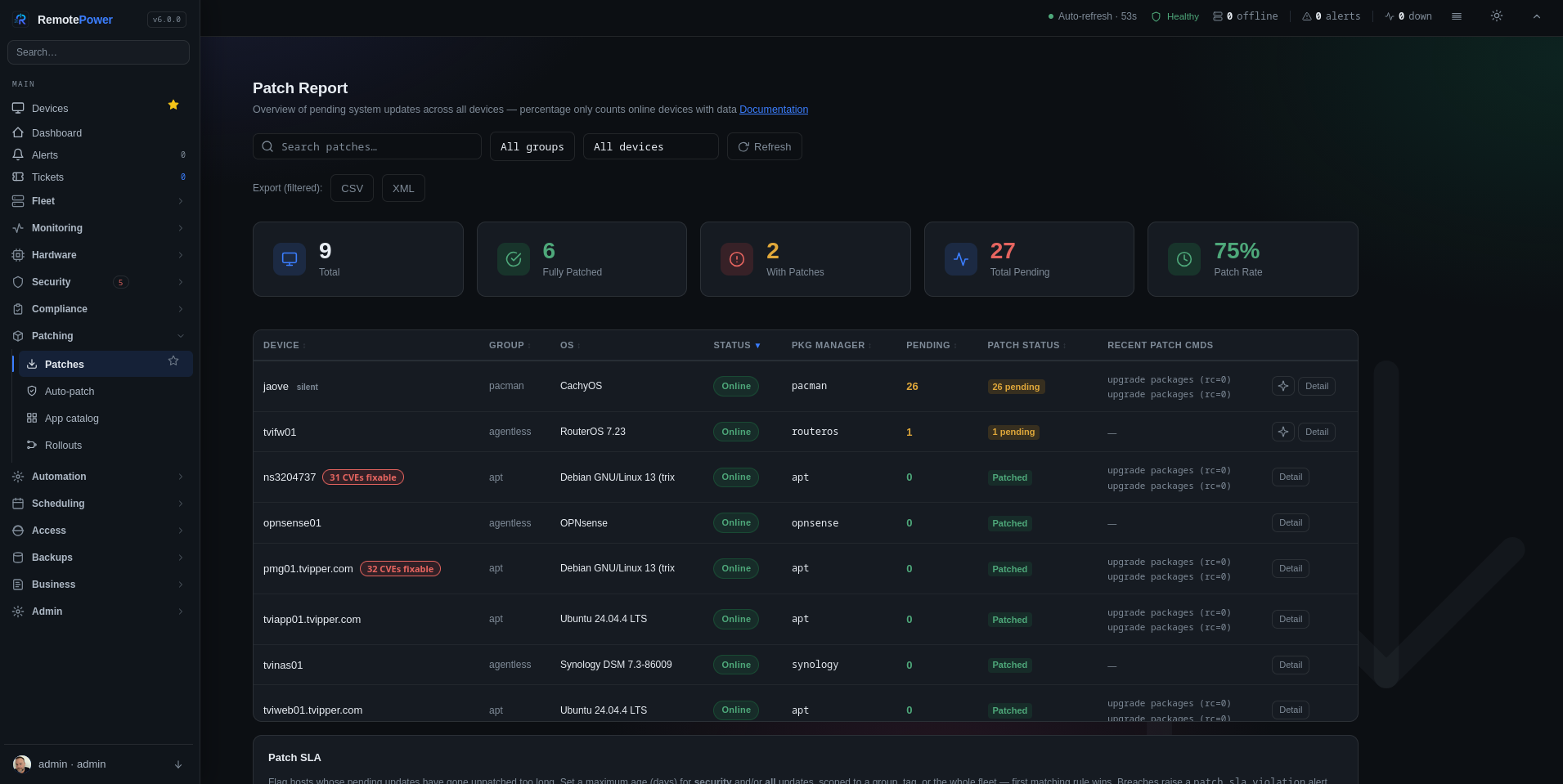
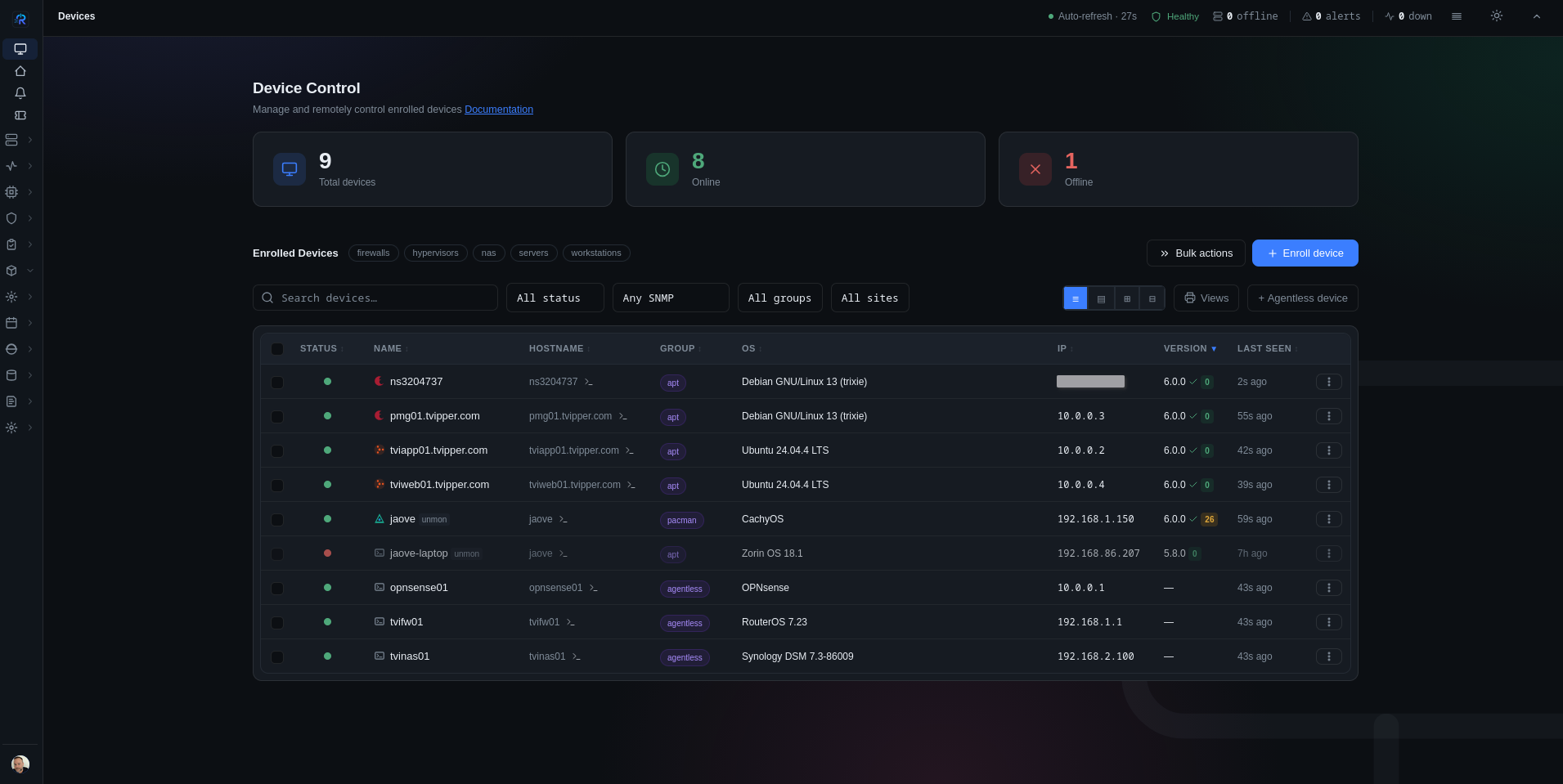
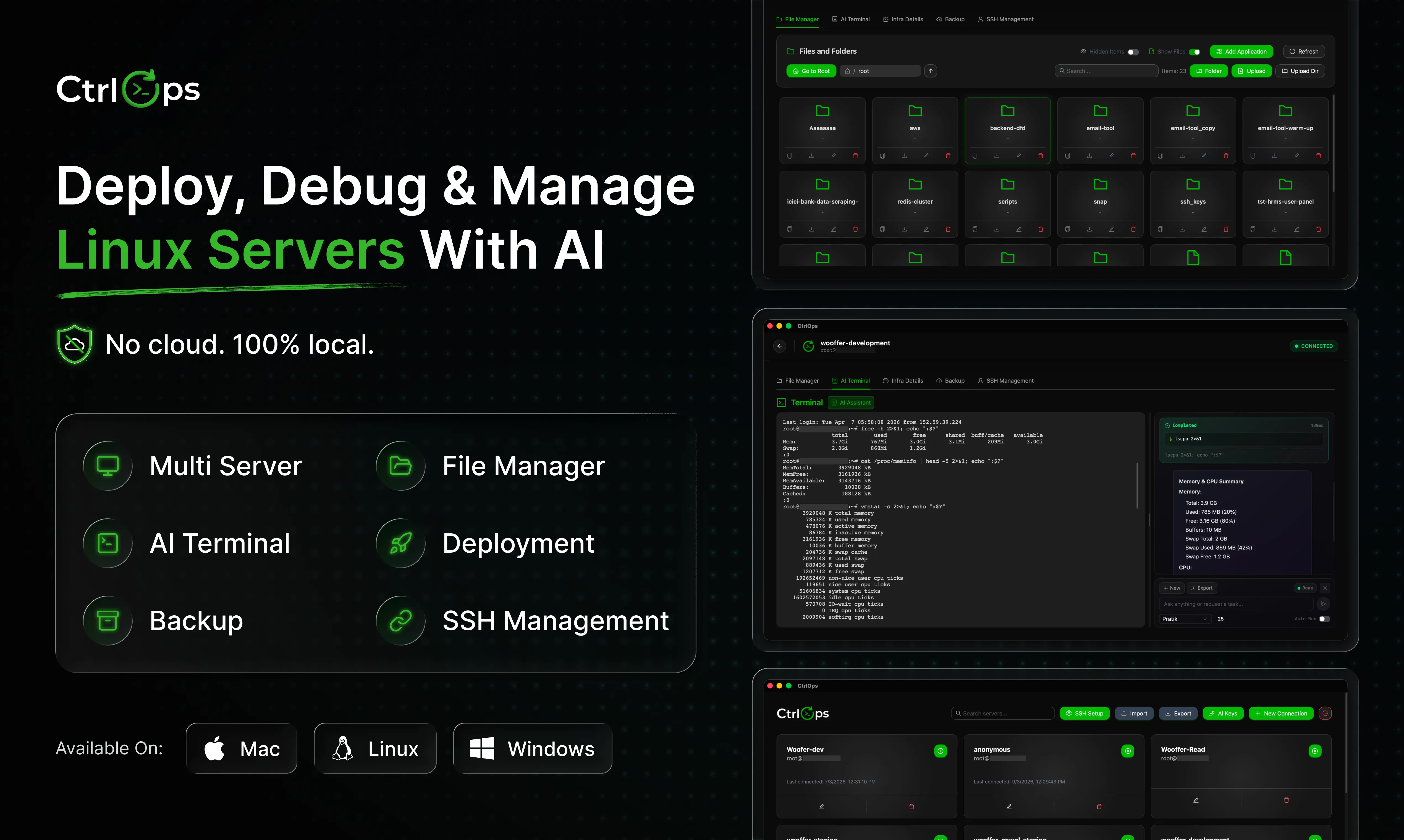
Deploy, Debug and Manage Linux Servers with AI

What to know
How it works
An AI-assisted tool for deploying, debugging, and managing Linux servers.
Best for
Developers who manage Linux servers.

Watched for 14 days · last checked 2d ago

Details →

Tools that run on Linux — the short answers

Every number here comes from our own daily check — not from a vendor list.

Tools that run on Linux — how many are there?
Tablif is tracking 96 of them. 95 answered our check today, and 1 we couldn't reach — we don't claim those are dead.
Which ones are still maintained?
Tablif knocks on every door once a day and records the answer. 95 of these 96 responded on the latest run, so that number is what "still here" means on this page — not a review score.
Are any of them free?
27 of the live ones say so in their own words, and 16 let you start without making an account. Tablif records the claim the product makes; we don't verify pricing.
Any open-source options?
20 of the live ones on Tablif mention being open source.
What's the newest one?
Reframe Browser — Tablif first saw it today.
Did a person actually look at these?
96 of them Tablif opened and read, then wrote a one-line summary in our own words instead of reusing the founder's tagline. The rest carry keyword labels we haven't confirmed by reading yet — and we say so rather than hiding it.